




SaaS contract management software is a cloud-based solution that centralizes the full lifecycle of software agreements — from creation and negotiation to renewal and termination. Key capabilities include centralized repositories, workflow automation, renewal alerts, spend optimization, and CRM integrations. These platforms help IT, legal, and finance teams reduce costs, control compliance, and prevent revenue leakage from unmanaged renewals or duplicate SaaS licenses.
If you’ve ever tried closing a SaaS deal only to watch it crawl through redlines, approvals, and inbox purgatory, you’re not alone. As per an in-house attorney on Reddit, one of the most common frustrations in contract management is the sheer volume of back-and-forth communication during the review process. Strong dashboard contract management capabilities are a non-negotiable when evaluating which platform fits your workflows.
Manual contract management might work when you’re small, but as your business scales, that bottleneck can make a sales team tap their fingers waiting for legal team!
In this post, we’ll cover what SaaS contract management is, compare top tools for 2026, and share tips on choosing the best SaaS contract management software for your business.
Here’s the list of the software we’ll cover:
- Signeasy – Best for fast-growing companies needing simple contract management.
- CloudEagle – Ideal for large companies seeking advanced analytics and automation.
- PandaDoc – Good for sales-focused teams needing customizable templates.
- ContractWorks – Ideal for enterprises that require secure contract management.
- Gatekeeper – Suited for large enterprises managing complex vendor contracts.
- Docusign – Best for large enterprises with complex contract management needs.
- Ironclad – Best for enterprises looking for complete contract lifecycle management.
Whether you're a small business seeking simplicity or an enterprise requiring robust automation, these tools offer a range of options to meet your contract management needs. Larger teams should weigh what enterprise contract management demands before they commit. Teams prioritizing searchable storage with unlimited users can also go through ContractSafe pricing guide.
How we sourced our data
We researched across trusted platforms like G2, Capterra, Trustpilot, and Gartner to bring you a clear picture of the best SaaS contract management software in the market. We also looked at what real users are saying on Reddit and spoke with Signeasy’s product team, who regularly hear from customers.
What is SaaS contract management?
SaaS contract management refers to the process of organizing, tracking, and managing contracts through a cloud-based system. It serves as a digital hub where your contracts are easily accessible, organized, and ready for action.
With SaaS contract management, the entire contract lifecycle is simplified — from creation and negotiation to execution, compliance, and renewal. Instead of wasting hours searching through emails or files, you can handle everything in one place.
An efficient SaaS contract management software automates the heavy lifting. It monitors key details like renewal dates, contract terms, and compliance requirements, sending contracts from one person to another without human intervention.
This allows you to stay on top of every stage, from customer agreements to vendor contracts, with ease. All your documents are securely stored in the cloud, accessible whenever and wherever you need them.
Beyond document workflows, SaaS contract management software also helps IT, legal, and finance teams control software spend — tracking renewal dates to avoid auto-renewals on unused licenses, flagging duplicate tools, and surfacing unauthorized "Shadow IT" subscriptions that inflate SaaS budgets. To weigh that spend against what you'll pay for a tool, compare contract management software pricing across providers.
Why SaaS companies need contract management software
SaaS contract managers deal with high contract volume, quick onboarding, constant amendments, and shifting subscription terms that create a workflow difficult to track manually.
Gartner reports that over 60% of SaaS companies struggle with renewal visibility, leading to preventable churn and revenue leakage.
Contract management software solves these issues by giving contract managers clean visibility, automated reminders, and searchable repositories. Features like subscription-term tracking, version control, and clause standardisation reduce guesswork. Plus, analytics reveal trends such as churn-risk accounts, slow approvals, and MRR impact, so managers can coordinate better with sales, CS, and finance.
7 best SaaS contract management software
Here’s a list of carefully curated tools based on user-friendly features, top-rated performance, and real customer feedback.
1. Signeasy
Signeasy simplifies contract signing and document management. The software sends them auto-reminders for pending signatures. It integrates with several business tools, including Google Workspace, HubSpot, Microsoft SharePoint, and Microsoft Outlook, allowing for quick and secure contract management.
Signeasy categorises contracts and stores them in a centralised repository, allowing for easy search. With the intelligent contract repository, teams can classify documents, track versions, and control access by role, making it easier to manage growing contract volumes.
Signeasy’s Use Cases
Signeasy is ideal for contract management across departments, including:
- Finance approvals
- HR onboarding
- Sales contracts
- Legal agreements
- Vendor procurement
- IT service contracts
- Operational workflows
Signeasy’s standout features
- Effortless eSignatures
You can upload contracts in any format (PDF, Word, etc.) and sign with a click, typed name, or drawn signature. Signeasy supports both individual and multi-party signing, sequential or parallel, ensuring faster turnaround across teams.
- Smart automation and reminders
Automate contract follow-ups with reminders, due dates, and alerts. Plus, you can edit signer details even after sending documents, keeping workflows flexible while maintaining a clean audit trail. See our roundup of the best ai contract review tools to find platforms that combine review automation with contract management.
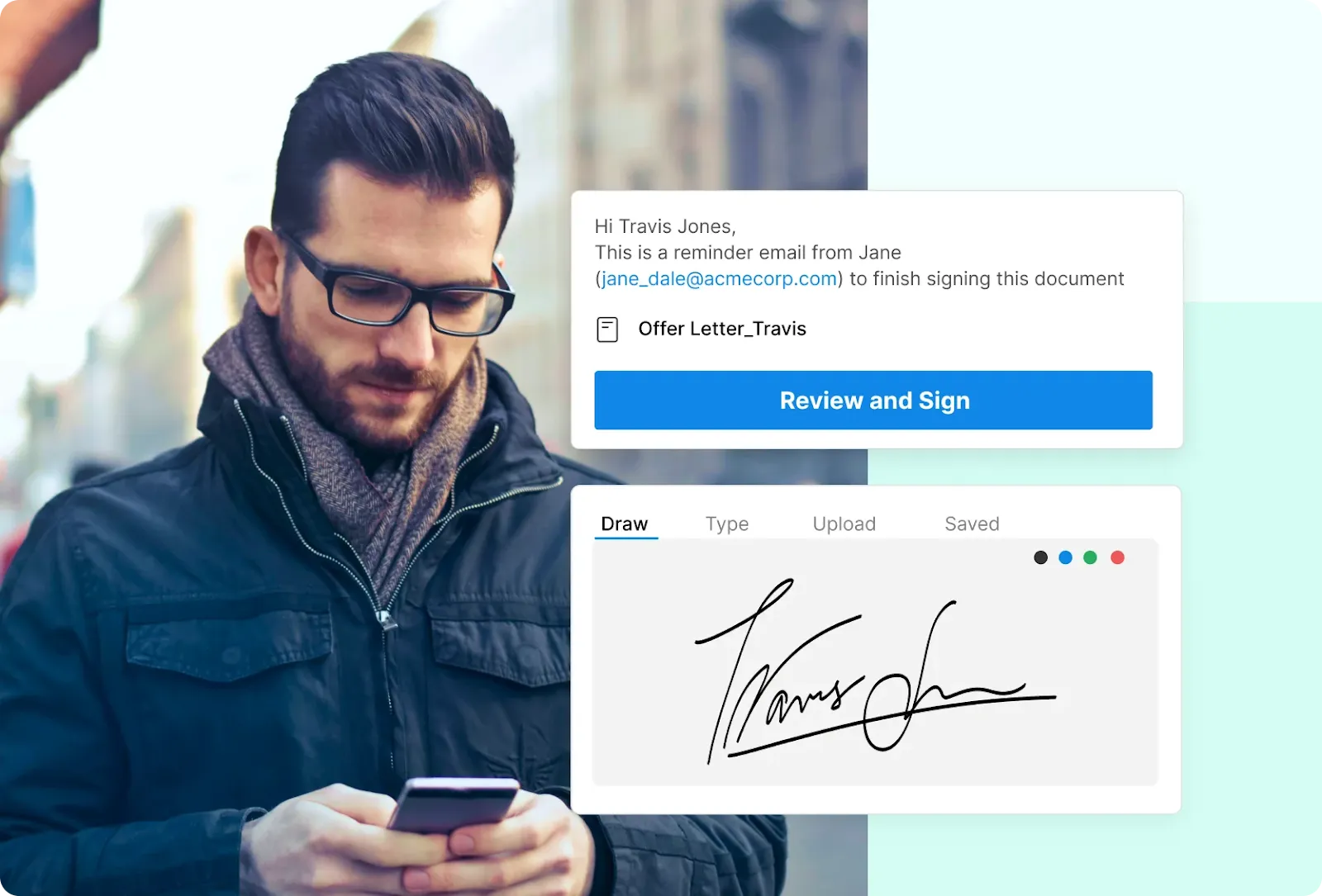
- Intelligent contract management
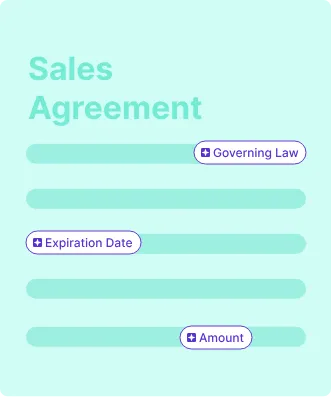
Store all your contracts in a secure, searchable repository. This kind of setup is what good contract repository management looks like in practice ,everything centralized, tagged, and easy to pull up later. Real-time status updates and email notifications keep you informed about documents sent, viewed, or signed.
- Team collaboration and roles
You can add team members, set access levels, and control who can send, sign, or view contracts. Role-based permissions make it easy to manage approvals across departments, ensuring streamlined workflows.
- AI-Powered contract intelligence
Signeasy’s AI assistant summarizes contracts, extracts key terms, and answers quick questions like “When does this expire?” This reduces time spent on manual review and increases efficiency.
Signeasy’s pros
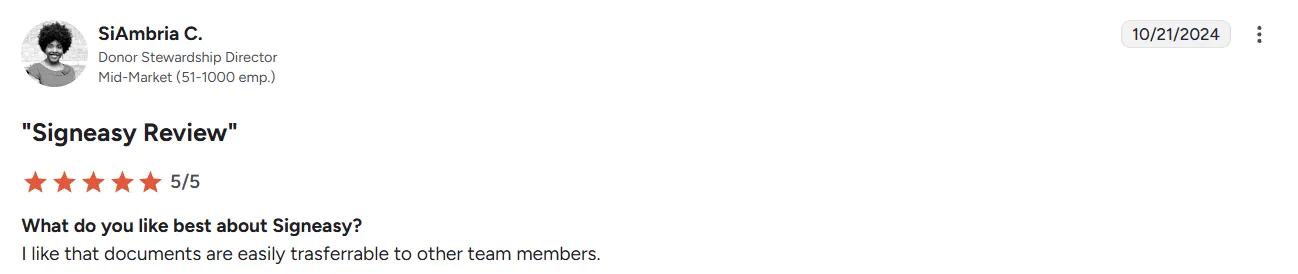
- Easy to use for both signing and document management, even for first-time users
- Fast and convenient document signing with clear tracking and status visibility
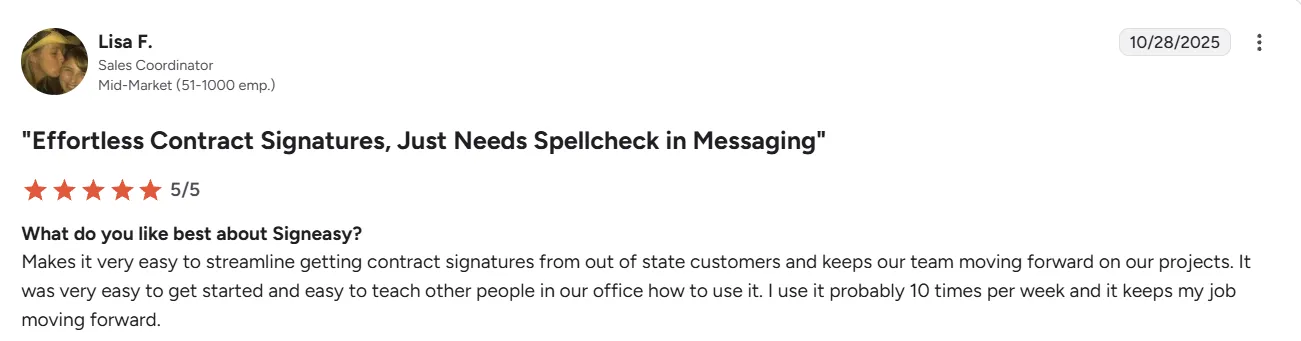
- Intuitive, user-friendly interface that reduces effort and learning time
- Reliable document management features that support smooth signature workflows
- Strong customer support that helps teams get set up and resolve issues quickly
Signeasy’s cons
- The free plan serves as an entry-level option, and upgrading is needed for advanced features like automation, templates, and integrations.
- Manual renaming is required for duplicate document titles, even with updated versions.
Signeasy’s pricing
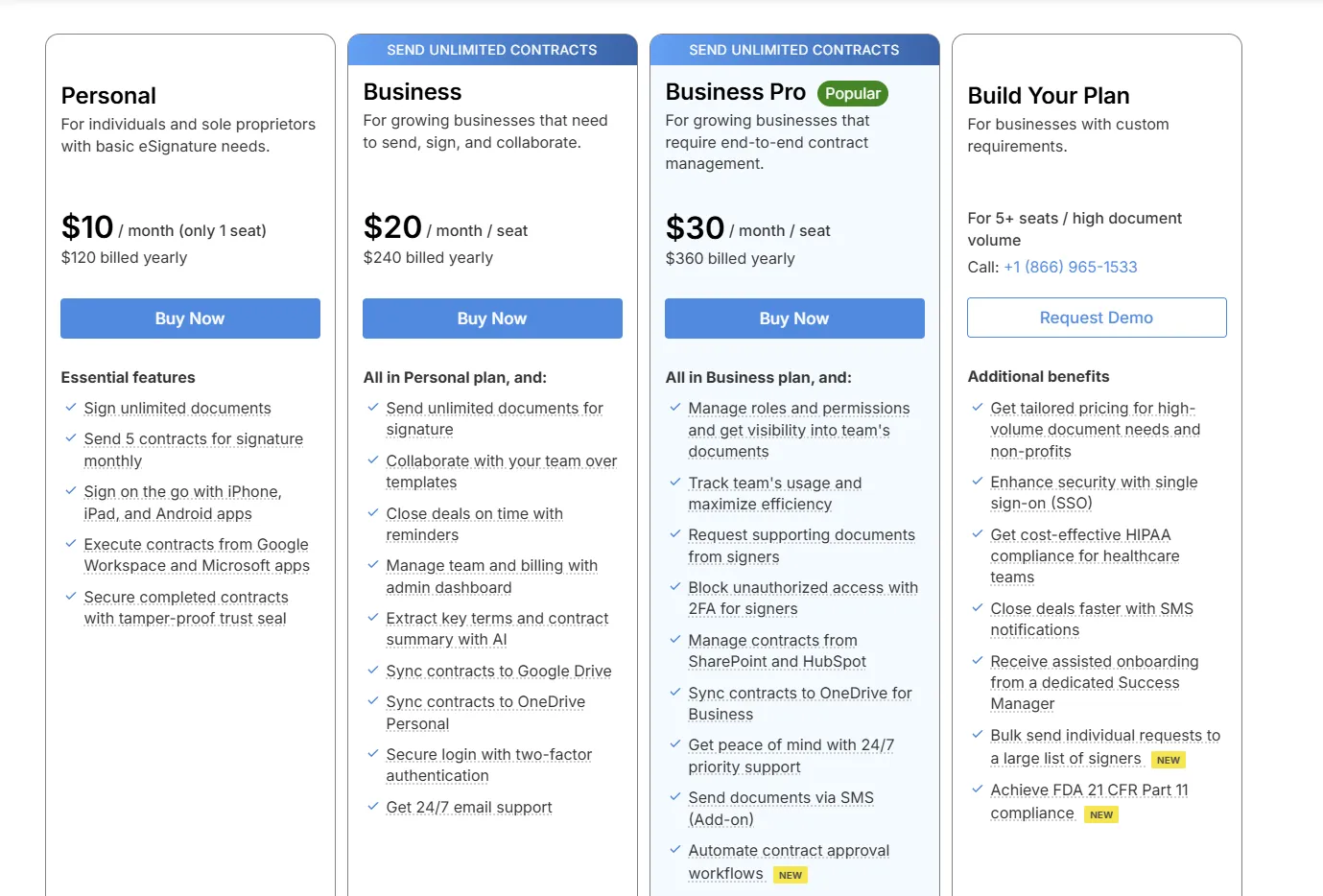
- Personal – $10/month (billed yearly): For individuals and sole proprietors who need basic eSignatures, mobile signing, and light contract sending.
- Business – $20/month per seat (billed yearly): For small and growing teams that need unlimited sending, collaboration, reminders, and centralized admin controls.
- Business Pro – $30/month per seat (billed yearly): For teams managing contracts end to end, with advanced permissions, approvals, integrations, security, and priority support.
- Build Your Plan – Custom pricing: For larger organizations with 5+ users or high volumes that need enterprise security, compliance, bulk sending, and tailored onboarding. Explore Signeasy pricing plans here.
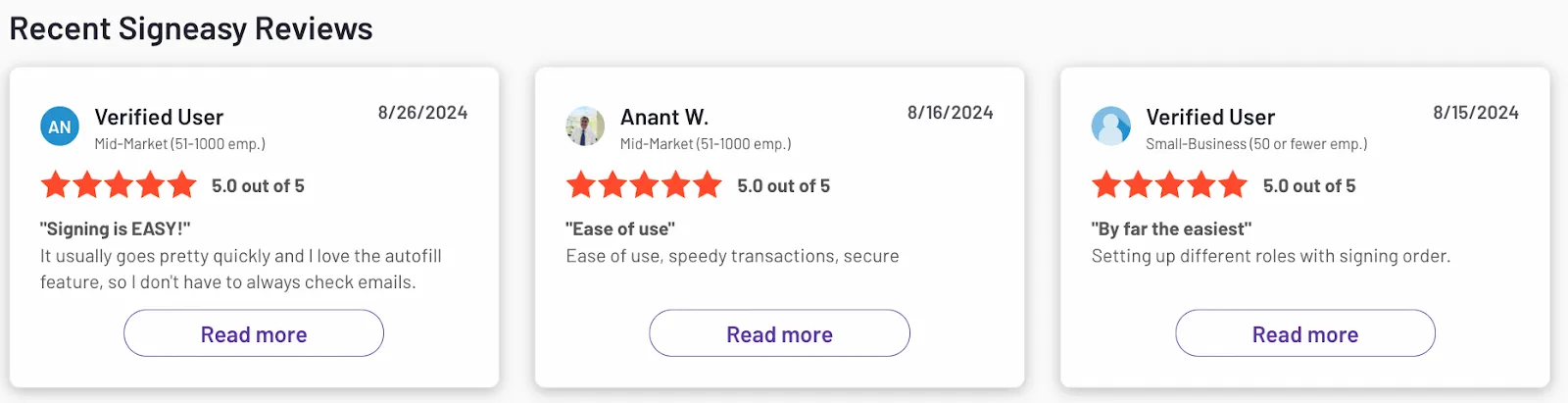
Rating: 4.7 out of 5 on G2
2. Contractbook
Contractbook is a contract lifecycle management (CLM) platform for growing businesses that want structured, data-driven contract management. It helps teams create, sign, organize, and track contracts in one centralized system, and want to move beyond simple file storage to lifecycle visibility.
Contractbook’s key features
- Centralized contract repository with structured metadata
- Template library and reusable clause building
- Automated approval workflows
- eSignature capabilities
- Contract data extraction and lifecycle tracking
- Basic analytics and renewal reminders
Contractbook’s pros
- Clean, modern interface
- Strong template and data structuring capabilities
- Good fit for startups and scaling SMBs
- Helps shift from static PDFs to structured contract data
Contractbook’s cons
- Can feel heavy for very small teams
- Advanced customization may require onboarding time
- Pricing scales with usage
Contractbook’s pricing
Quote-based pricing
Rating: 4.7 out of 5 on G2
3. PandaDoc
PandaDoc offers an all-in-one document management solution designed for sales and marketing teams. It simplifies creating, sending, and tracking contracts. The platform offers a drag-and-drop editor for quickly creating visually appealing proposals, quotes, and contracts.
PandaDoc’s cloud-based centralized storage organizes contracts securely. The intelligent search functionality allows quick access to the documents. It integrates with numerous business solutions, including Salesforce, HubSpot, Zoho, and FreshBooks. For teams that find PandaDoc too complex or expensive, our list of PandaDoc alternatives highlights simpler, more affordable options.
Core features:
- Customizable templates for contracts
- Al-powered data extraction allows quick contract retrieval
- Smart content collaboration and audit trail
- Uses ESIGN compliant e Signature technology
Pricing: The starter plan is $19/seat/month, the business plan is $49/seat/month, and custom per‑seat or per‑document pricing is also available for enterprises.For the full breakdown, see our PandaDoc pricing guide.
Rating: 4.7 out of 5 on G2
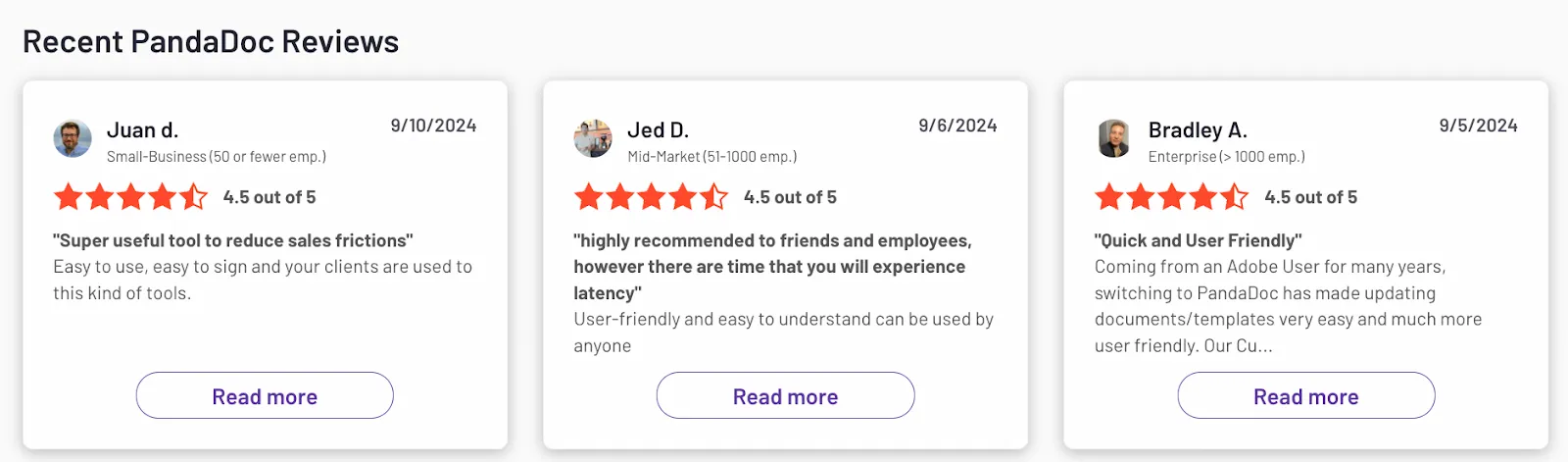
Reviews: Customers praise the document management features and ease of use of Pandadoc.
4. ContractWorks
ContractWorks is ideal for enterprises that need a scalable solution for contract management. It offers centralized storage and offers advanced search functionalities for easy document retrieval.
ContractWorks manages contract drafting, tracking, reporting, and reminders to take the load off your shoulders. Its user-friendly interface and customizable fields make organizing and managing contracts easy. It allows multiple parties to collaborate over a contract and sign it electronically.
Core features:
- Provides comprehensive audit trail with version control
- Uses OCR to extract data from contracts for quick searching
- Automates workflows to streamline contract negotiation and approvals
- Robust security features like SOC 2 compliance and AWS Data Centers
Pricing: The standard plan is $700/month, the professional plan is $900/month, and the premium plan is $2000/month.
Rating: 4.8 out of 5 on G2
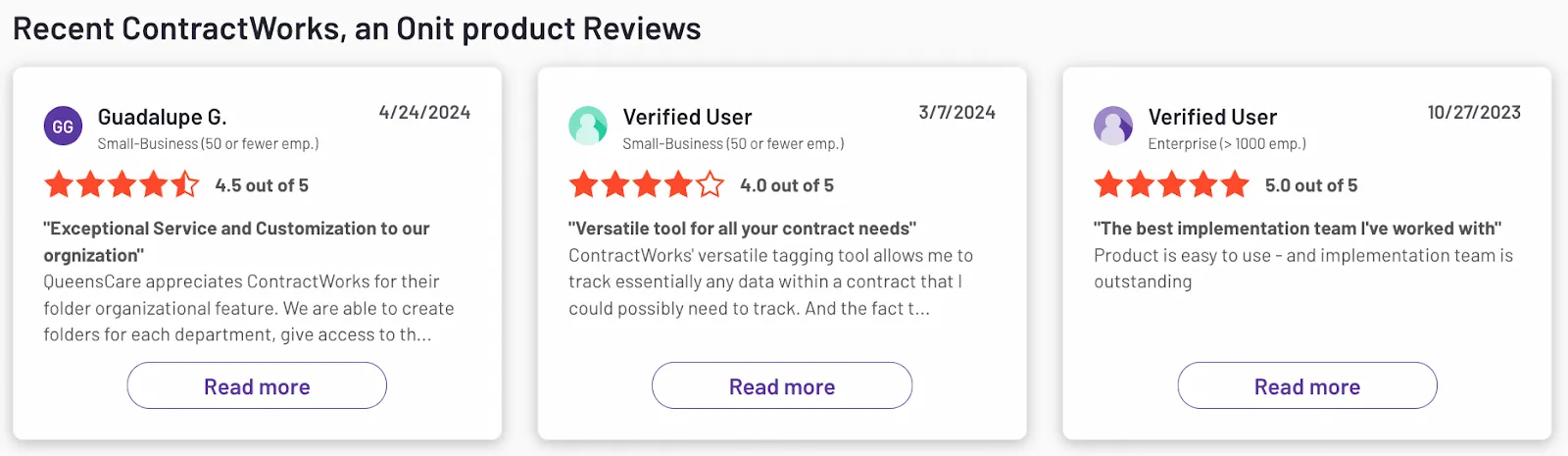
Reviews: Customers like ContractWorks as it is easy to use, and their customer support team is great. However, the platform lacks sufficient reporting capabilities.
5. Gatekeeper
Gatekeeper offers a centralized platform for storing and managing all SaaS contracts and vendor information, making accessing and organizing documents easy. Its automated workflows and analytics capabilities make it suitable for large enterprises.
Gatekeeper's integrated eSignature solution complies with international standards such as ESIGN, UETA, and European eIDAS. The software automates various contract management workflows, enhancing efficiency and reducing manual effort in contract handling.
Core features:
- All-in-one vendor lifecycle management with automated onboarding
- Redlining facilitates effective edits, version control, and negotiations
- Touchless Contracts™ uses AI to convert boilerplates into full-fledged contracts
- Integration with 220 third-party apps, including MS Office, Zapier, Salesforce, and Google Workspace
Pricing: The essentials plan costs $1,245/month and works well for up to 150 suppliers. The pro plan costs $2,995/month and works well for up to 500 suppliers. The enterprise plan is suitable for managing up to 1000 suppliers and costs $5,295/month. For more than 1000 suppliers, custom pricing is provided by their team.
Rating: 4.5 out of 5 on G2
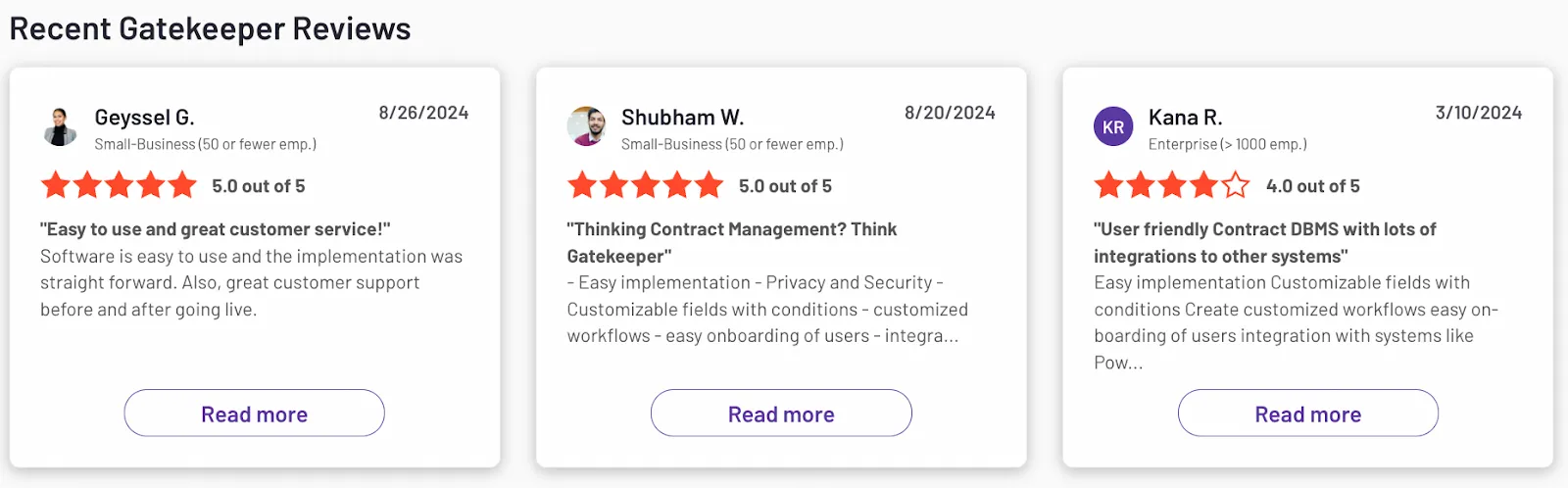
Reviews: Gatekeeper is loved by users for its easy user onboarding and implementation. Customers also appreciate their support team for helpful responses and follow-ups.
6. Docusign
Docusign is a popular electronic signature and contract management software. It offers a centralized, searchable repository for easy retrieval and management. It automates the contract lifecycle, including review, approval, and signature processes.
Docusign’s Intelligent Agreement Management (IAM) automates repetitive tasks to streamline contract lifecycle management. It offers granular access controls through advanced authentication options, such as multi-factor authentication and biometric verification for secure electronic signatures. Teams comparing alternatives may also want to review Dropbox Sign pricing for a simpler option.
Core features:
- 100 pre-configured steps to streamline contract processes
- Uses AI and ML to enhance negotiation, improve contract reviews, and speed up approvals
- Supports data-driven decisions through insights into contract performance, trends, and obligations
- Docusign's native eSignature solution provides secure and legally binding signatures
- Alerts for key contract dates help manage renewals and compliance effectively
Pricing: Docusing pricing starts at $30/month for the standard plan, while the professional plan costs $65/month. Their team provides the custom pricing for the enterprise plan with CLM. Teams that find its pricing too steep can explore our list of Docusign alternatives.
Rating: 4.5 out of 5 on G2
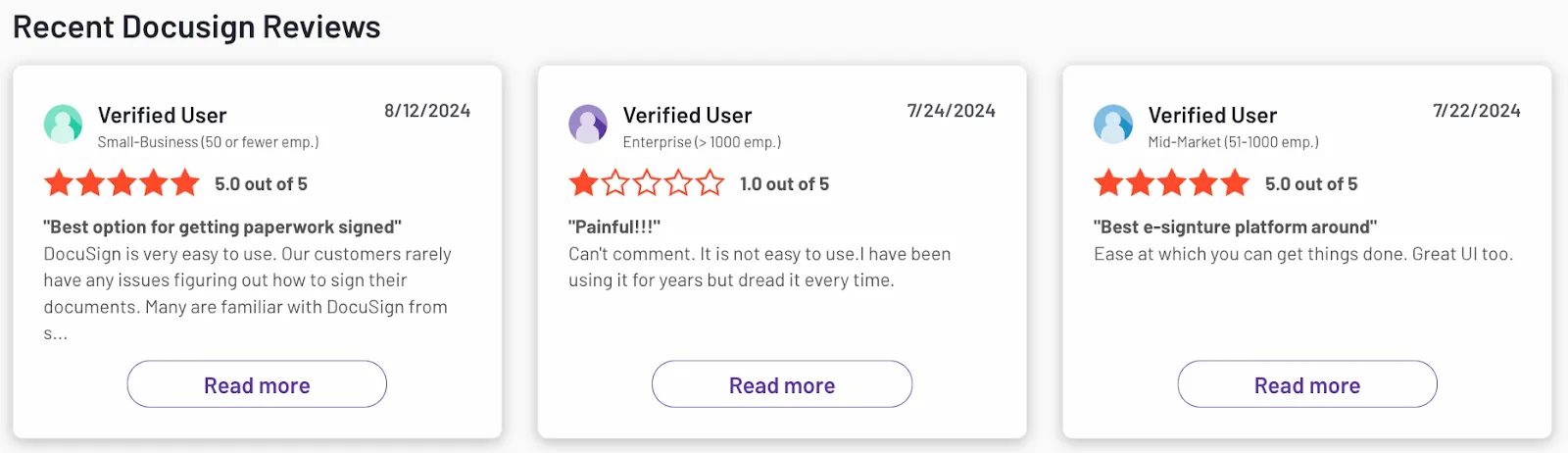
Reviews: Users like the convenience of eSignatures offered by Docusign but expect better customer support.
For a full breakdown of Docusign’s pricing plans, check out our detailed review.
7. Ironclad
Ironclad is a CLM software that speeds up contract turnaround time. Its user-friendly interface helps create, negotiate, approve, sign, store, and manage contracts with ease. The dashboard allows tracking contracts based on type, stage, volume, negotiation rate, and workflow configuration,
Ironclad enables drafting, editing, and redlining documents in Word or PDF formats to easily track changes. The platform helps digitize paper-based contracts using automatic contract data ingestion. Integrations with platforms like SafeBase, Formstack, Ramp, OneTrust, and Brightleaf help manage efficiency and compliance.Read our Ironclad page for more details.
Core features:
- Contract data tagging to label key information for better visibility
- Redline suggestions to highlight edits for easier negotiations
- Drag-and-drop workflow builder helps tailor workflows without coding
- Evaluate risk, trigger approvals, and launch contracts from within tools like Salesforce and Slack
Pricing: Custom pricing is provided by their team based on customer needs.
Rating: 4.5 out of 5 on G2
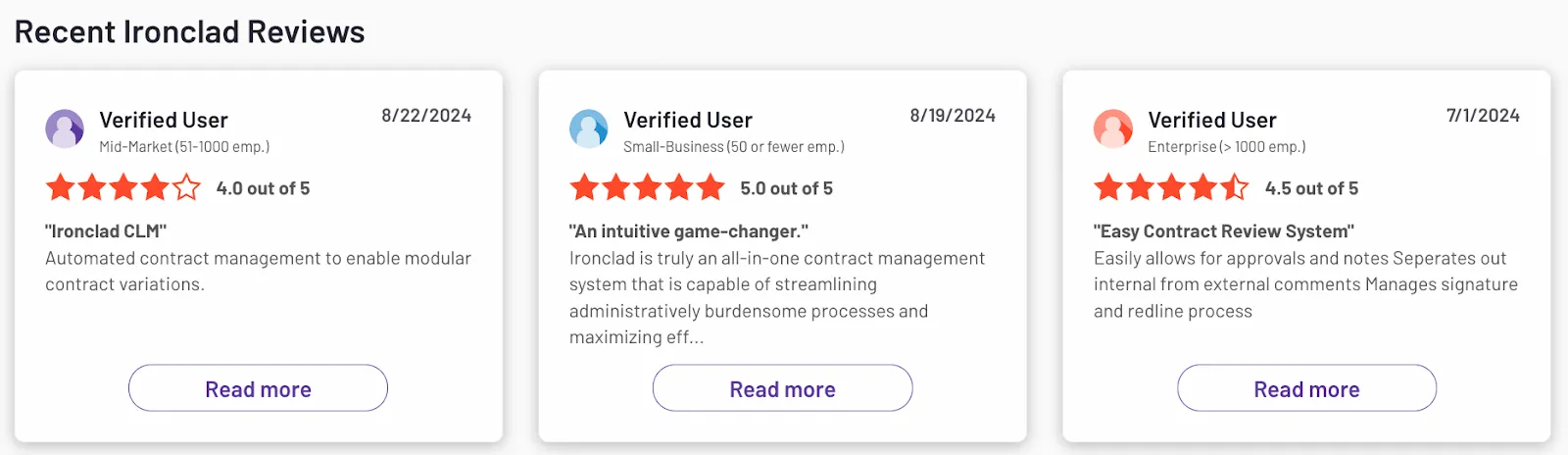
Reviews: Customers appreciate Ironclad for its ease of use and automation features, but they say the platform’s workflow management is complex.
For a full breakdown of Ironclad’s pricing plans, check out our detailed review.
Core features in the best SaaS contract management software
The best SaaS contract management platforms share five core capabilities:
- Centralized repository: Stores all SaaS agreements in one searchable, role-access-controlled location
- Workflow automation: Automates contract creation, redlines, approvals, and eSignatures to speed up cycles
- Renewal and compliance tracking: Sends alerts before expiry, reducing churn and preventing auto-renewal waste
- Visibility and spend optimization: Monitors usage-based pricing, flags duplicate licenses, and uncovers Shadow IT
CRM and ERP integration: Syncs contract data with tools like Salesforce, HubSpot, and billing systems
1. Intelligent contract management
SaaS teams often waste hours hunting through folders, email threads, or outdated spreadsheets.
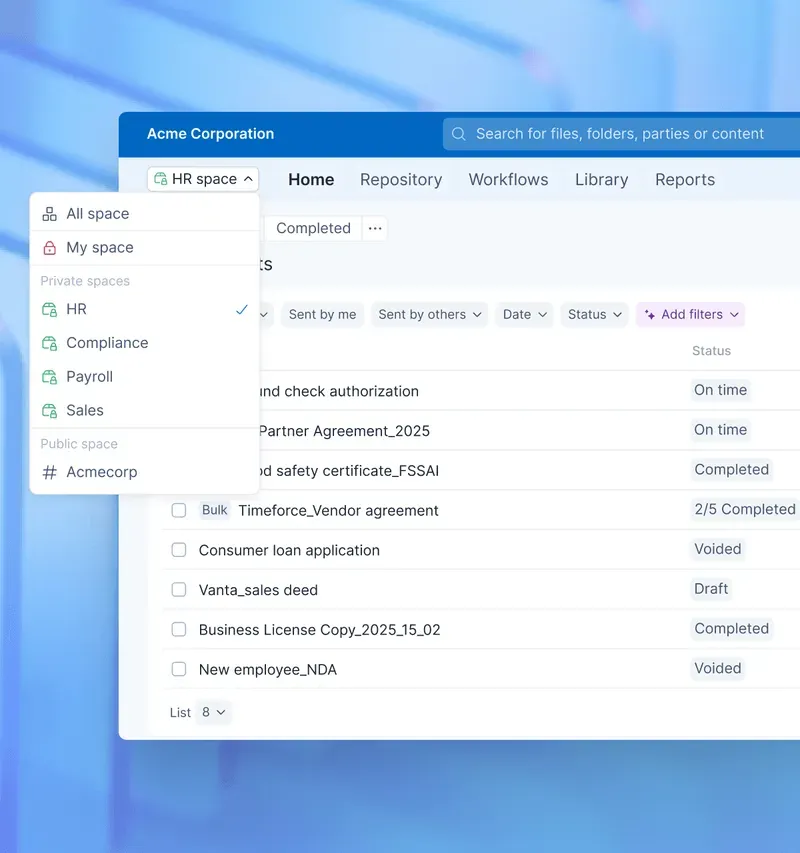
An Intelligent contract repository gives SaaS teams structured storage, deep search, version history, and role-based access. It’s especially useful when managing customer and vendor SaaS agreements at scale.
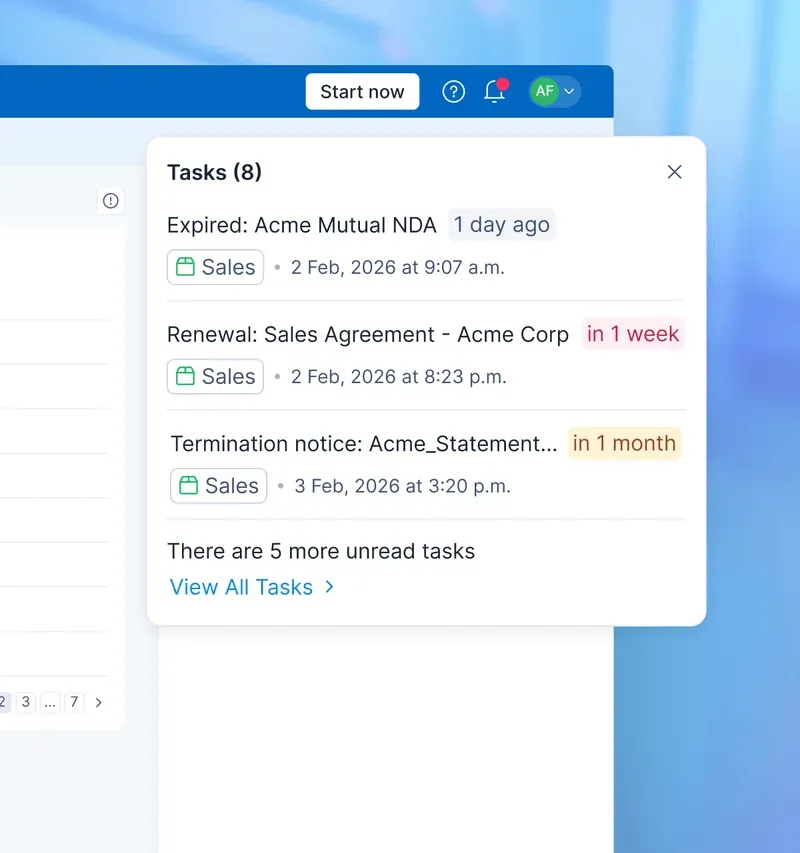
Get a sneak peek at our intelligent contract repository!
2. Renewal alerts
Renewals help sales and customer success stay ahead of upcoming expirations, yet many teams still track them manually. Automated alerts notify CSMs and sales reps well before expiry. It reduces churn and gives teams time to negotiate upgrades instead of firefighting last-minute renewals.
3. Accurate subscription term management
SaaS contracts shift often between monthly, annual, and usage-driven plans. Subscription term management ensures the upgrades, downgrades, and amendments are accurate to proceed smoothly without requiring manual corrections.
Signeasy, as an add-on, offers a grace period when renewal fails. Instead of immediately discontinuing services, it allows users a few days to resolve their payment issues.
During this time window, the user gets ample time to identify and address the underlying problem with their payment. For example, if it’s a card-related issue, they can talk to their bank and arrange the required backup, which typically takes 2-5 days.
4. Vendor and customer contract support
SaaS companies juggle both customer-facing agreements and internal vendor contracts. Platforms like Signeasy keep these flows separate but accessible in one dashboard so you can track commitments, SLAs, and renewal dates for both sides.
5. Analytics for SaaS revenue metrics
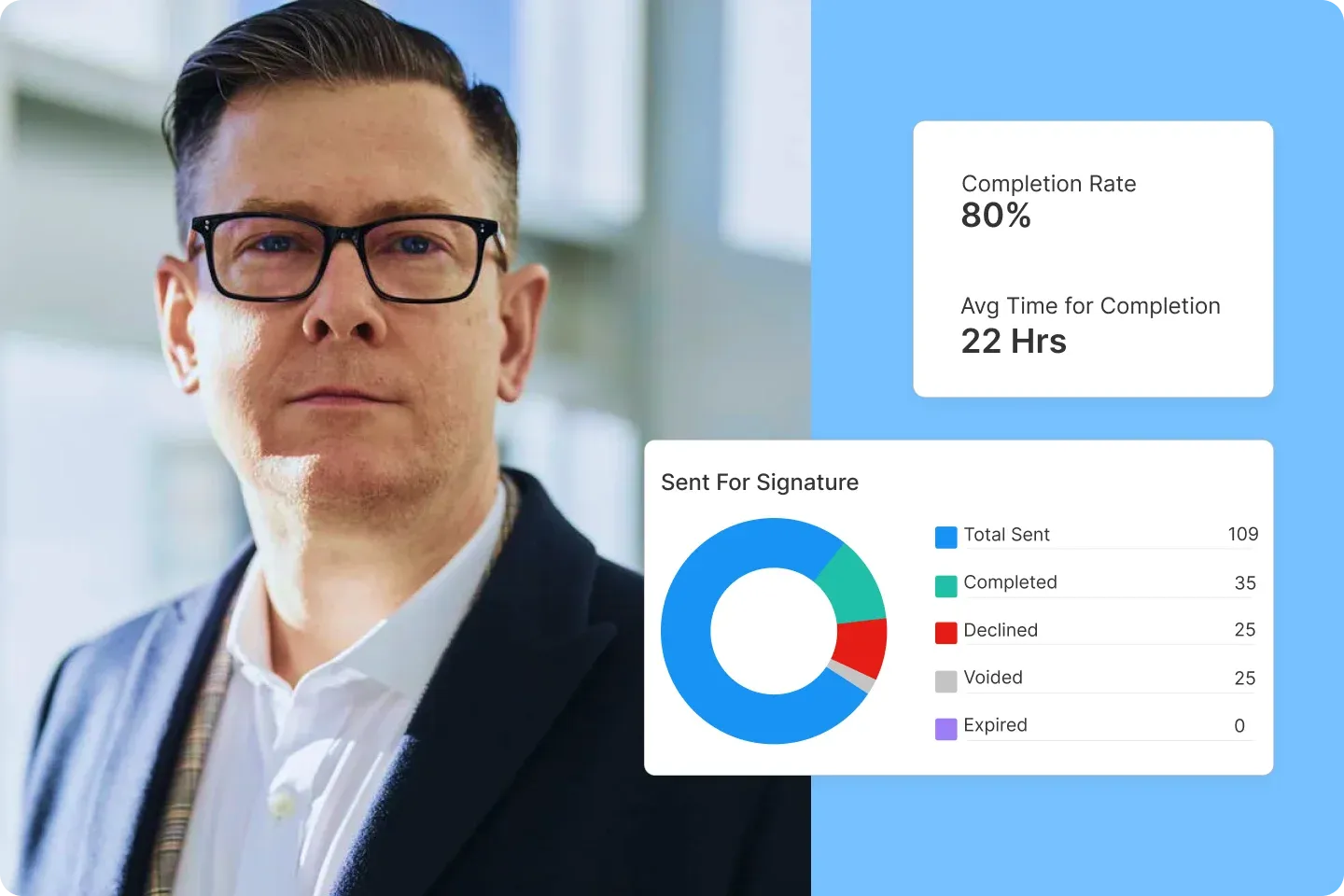
SaaS teams need visibility into how contract changes affect revenue. Strong SaaS contract software tracks completion rates, turnaround time, sent vs. received documents, and declined contracts.
These insights help teams fix bottlenecks, speed up approvals, and prevent renewals from slipping.
So faster completion means shorter sales cycles, clearer forecasting, and fewer lost deals. Spotting patterns, such as repeated declines or slow renewals, helps teams address risks early, protect MRR, and close contracts with more confidence.
6. Easy integrations with CRM and ERP
A contract is only one part of the workflow; the rest lives in tools like Salesforce, HubSpot, and billing systems. Signeasy integrates with:
- Google Workspace
- HubSpot CRM
- Microsoft SharePoint
- Microsoft Outlook
- Microsoft Teams (send signature requests directly from Teams)
These integrations ensure contract terms, billing triggers, and customer data stay aligned without manual copy-paste work.
7. Usage tracking
For usage-based pricing, tracking consumption directly against contract terms brings accuracy to billing and renewals. It also helps spotlight accounts trending toward churn or expansion.
How to choose the right software for your SaaS business
When choosing a B2B SaaS software for contract management, answer these questions:
1. Does the software scale as your customer base grows?
When you choose SaaS contract management software, start with scalability. Can it handle rising contract volume, more users, and frequent amendments without slowing down?
An ideal solution should support high-growth teams with fast search, structured storage, and role-based access across departments.
2. Can multiple teams collaborate without friction?
Sales, finance, legal, and customer success all touch SaaS contracts. Look for strong multi-user support, clear permissions, and version control.
For instance, Signeasy keeps edits organised and gives each team the access they need. Moreover, the sender can edit the contact even after sending it to the signers, a feature most solutions fail to offer.
See how you can edit the template after sending the signature details with Signeasy: Signeasy: How to edit signer details after sending signature requests
3. Does it fit your subscription model?
If you run monthly, annual, hybrid, or usage-based billing, your tool must handle recurring terms without manual tracking. For example, understanding conga sign pricing helps teams evaluate whether its Salesforce-native approach fits their budget.
4. Will it pass audit and compliance checks?
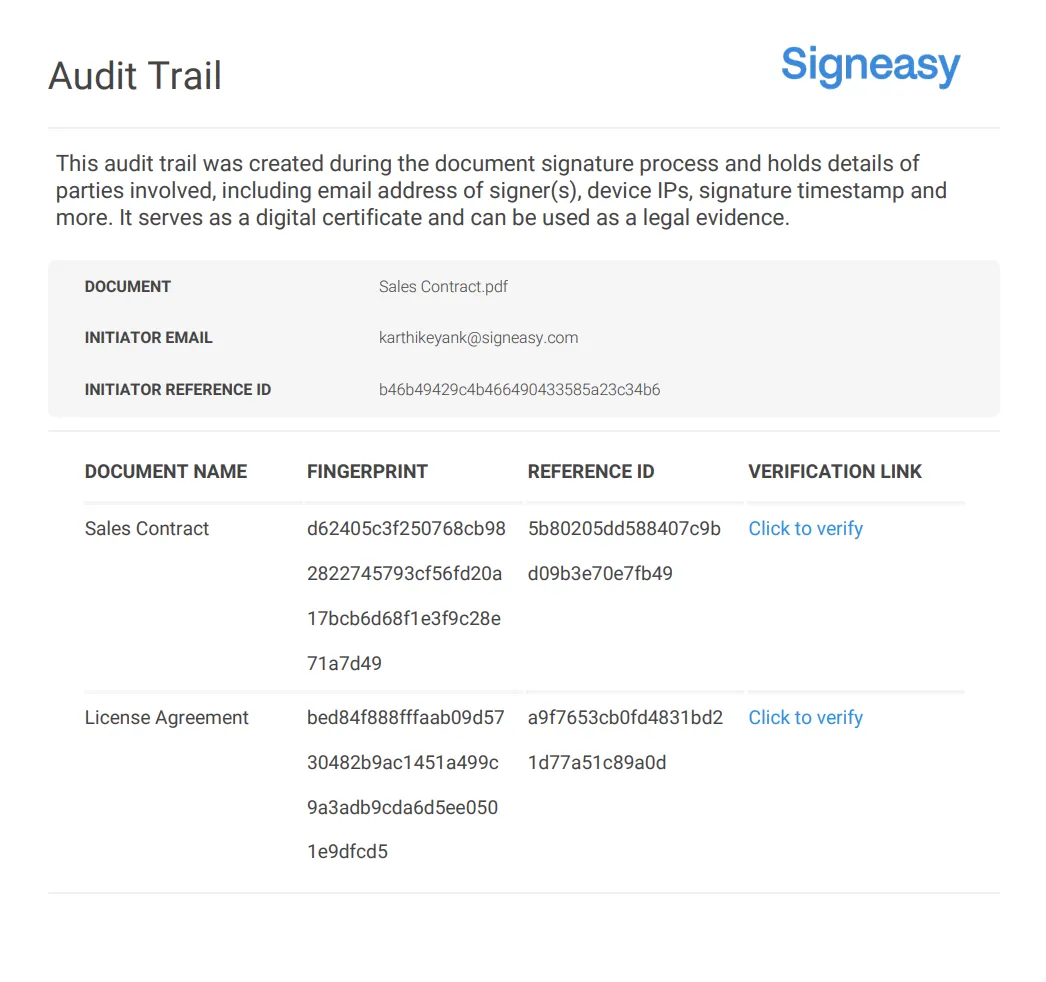
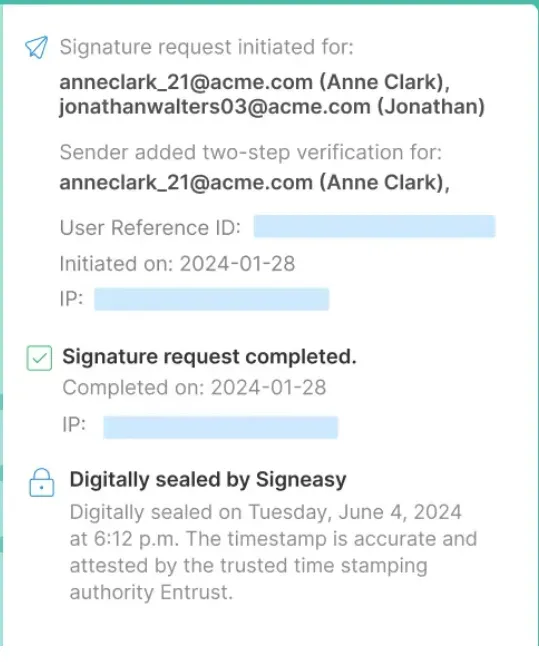
When you select B2B SaaS contract software, check for timestamps, activity logs, and secure record-keeping. The software should maintain detailed trails for every signature and update to protect
A clean audit trail protects you during compliance reviews, reduces dispute risk, and prevents gaps that can lead to billing errors, missed renewals, or unclear contract ownership.
5. Does it integrate with your CRM and billing stack?
Your contracts, billing events, and customer records must stay synced. Choose an eSignature solution that integrates with popular business and productivity tools, including HubSpot, Salesforce, Google Workspace, and billing tools to keep data aligned across teams.
6. Is your security standard met?
SaaS contracts include pricing, usage limits, and customer data. Many secure electronic signature solutions like Signeasy use digital certificates to cryptographically bind the signature to both the signer and the document, making any alterations detectable. They prevent:
- Unauthorised access through multi-factor authentication, biometrics, and password protection, ensuring only authorised users can sign documents.
- Document tampering with encryption and tamper-evident seals that immediately flag any changes made after signing.
- Identity fraud through government ID verification, biometric checks, and knowledge-based authentication to confirm signer identity.
- Audit trail manipulation using encrypted or blockchain-secured audit trails that cannot be edited or deleted.
- Data breaches through end-to-end encryption, secure cloud storage, and regular security audits that protect sensitive documents.
Implementation best practices for SaaS companies
When you implement SaaS contract management software, focus on steps that support subscription-driven workflows.
1. Assess current contract workflows
Identify where delays occur — renewals, approvals, or subscription amendments. This helps prioritise what your new tool must fix.
2. Map subscription/licensing clauses
SaaS contracts shift often, so standardising terms is important. Signeasy’s template management keeps pricing, renewal language, and usage clauses consistent across every deal.
3. Integrate with billing/productivity tools
Smooth handoff is essential. Signeasy connects with tools SaaS teams already use. Consider a team working inside Microsoft Teams. They can send documents for signature directly from their workspace, receive real-time alerts when customers sign, and store finalised contracts in SharePoint automatically.
4. Train teams
Sales, CS, legal, and finance all rely on contracts. You need to train your team on using the software and choose a solution with a simple interface and quick onboarding. As one G2 reviewer for Signeasy stated:
“I love SignEasy’s seamless user experience, from the intuitive interface to the effortless onboarding process.”
Signeasy also provides step-by-step guidance through its demo videos and resource library, helping teams get comfortable with templates, eSignatures, and repository features in minutes
5. Measure KPIs
Measure time-to-signature, renewal rate, and subscription change accuracy. These KPIs show whether your SaaS contract software rollout best practices are working.
Use cases and customer stories in the SaaS sector
Let’s go through three use cases in the SaaS sector demonstrating how contract management software supports real business needs:
1. Epicentre Consulting manages contracts in minutes with Signeasy
Problem: Their signing workflows were manual: contracts sent via email, requiring printing/scanning, not suited to a remote-working tech environment.
Solution: They implemented Signeasy’s eSignature and template tools with Google Drive/Gmail integrations to digitise approvals, speed contract turnaround and keep workflows aligned with their tech stack
Results: Contract turnaround time shrank dramatically; approvals moved from days to minutes.
2. Albea’s HR team makes document tracking easy
Problem: Albea's HR team struggled with managing documents, such as employee terminations, salary changes, and contract amendments, using a manual, paper-based process.
Solution: They adopted Signeasy to automate document signing and integrated Signeasy’s intelligent contract repository for easy access and management of HR documents.
Results: They turn around 73% contracts within 24 hours.
3. Eversendai streamlines contract workflows with Signeasy’s Microsoft integration
- Problem: Eversendai, a global construction and engineering leader with offices across multiple time zones, struggled with manual contract coordination. Differing schedules and paper‑based approval processes caused delays and inefficiencies in IT, HR, Finance, and Procurement workflows.
- Solution: They chose Signeasy for electronic signatures, reusable templates, and seamless integration with Microsoft SharePoint and Outlook, allowing teams to sync documents, standardize approvals, and collaborate across regions.
- Results: Signeasy’s automated workflows and Microsoft integration improved contract efficiency globally, with 69% of contracts completed within the first two days.
Why Signeasy stands out for B2B SaaS contract management
Signeasy is one of the most reliable SaaS contract management software options for teams dealing with fast-changing subscriptions, renewals, and customer agreements.
Its Intelligent contract repository, renewal alerts, usage tracking, and CRM/billing integrations give SaaS companies clean visibility across the entire contract lifecycle.
Unlike traditional CLM systems that require heavy setup and administration, Signeasy is designed to deliver contract management capabilities without operational complexity, making it easier for mid-sized teams to adopt and scale.
As Erica Ramirez, the HR coordinator of Albea Cosmetics, notes,
"I find Signeasy very useful and user-friendly. It has simplified our processes significantly, especially in handling documents like changes in salary, category changes, and terminations. One great feature is the ability to send reminders, which helps in urgent situations where documents must be signed promptly."
Try Signeasy today and streamline your SaaS contract workflow!




