



Ironclad is a powerful contract management software trusted by major US brands like Loreal, Open AI, Intercom, etc. At the same time, Ironclad’s exorbitant pricing and a highly customized model may not suit every business.
In this article, we’ll discuss better alternatives to Ironclad that won’t burn a hole in your pocket. How teams can manage contracts effectively, and get those long-pending signatures on documents with affordable options.
How we selected these alternatives
To help you make a confident decision, we evaluated 30+ contract management and eSignature platforms across five criteria: ease of use, pricing transparency, feature depth, integration availability, and customer satisfaction scores from G2 and Capterra. Every tool on this list holds a G2 rating of 4.2/5 or higher and has been validated against real-world use cases for legal, operations, and finance teams. We paid particular attention to companies with 50 to 1,000 employees, where Ironclad's pricing and complexity can feel disproportionate to the need.
What is Ironclad?
Ironclad is an AI-powered contract lifecycle management software offering a comprehensive suite of features to help US businesses manage documents through every stage. Users can create, edit, negotiate, search, send for signatures, store, and analyze contracts—all in one place.
Using a one-stop solution to manage contracts from inception is definitely more efficient. Ironclad has fascinating AI-driven features that streamline the entire process, eliminating the need for an overload of applications.
Features that stand apart -
- Workflows: Generate compliant contracts with thorough checks and build no-code workflows.
- eSigning: View the contract’s approval history and request signatures within Ironclad CLM.
- Edits: Get AI-suggested redlines and collaborate revisions with colleagues on the same raw document.
- Reviews: Mark important and uncertain areas, get pre-approved clauses (used by you or your team before), and move to prioritized sections instead of a full review.
- Insights: Make informed decisions with the help of AI-based visual reports, trends, and current status.
However, Ironclad’s pricing structure may not be affordable for all businesses, particularly for small to medium-sized companies and teams that outsource their contracts to legal firms, needing software primarily for managing legal operations and contract management.
Ironclad’s customized pricing aims to fit the specific needs of businesses, but the monthly costs can be excessive for those with limited budgets.
To put this into perspective, Vendr’s analysis shows that for an organization with a headcount of 200, Ironclad’s pricing ranges between $25,300 and $36,200 annually. For a headcount of 1,000, the range increases to $39,200 - $56,800.
Such costs are significantly higher when compared to simpler contract management tools like Signeasy, Docusign, or Juro, which are more accessible to fast growing businesses.
Nevertheless, it does make sense for larger companies with a huge ROI to spend on Ironclad. Costing isn’t much of an issue for them, and creating sophisticated workflows and documents with the help of Ironclad’s personalized plan is reasonable for such teams.
But, as per G2 reviewers, Ironclad does not support a robust document editor. Teams have to download the document and make edits locally. Additionally, it doesn’t support multiple file formats or the fact that approvals are not always visible - they have to be followed up manually.
What Ironclad users say on G2
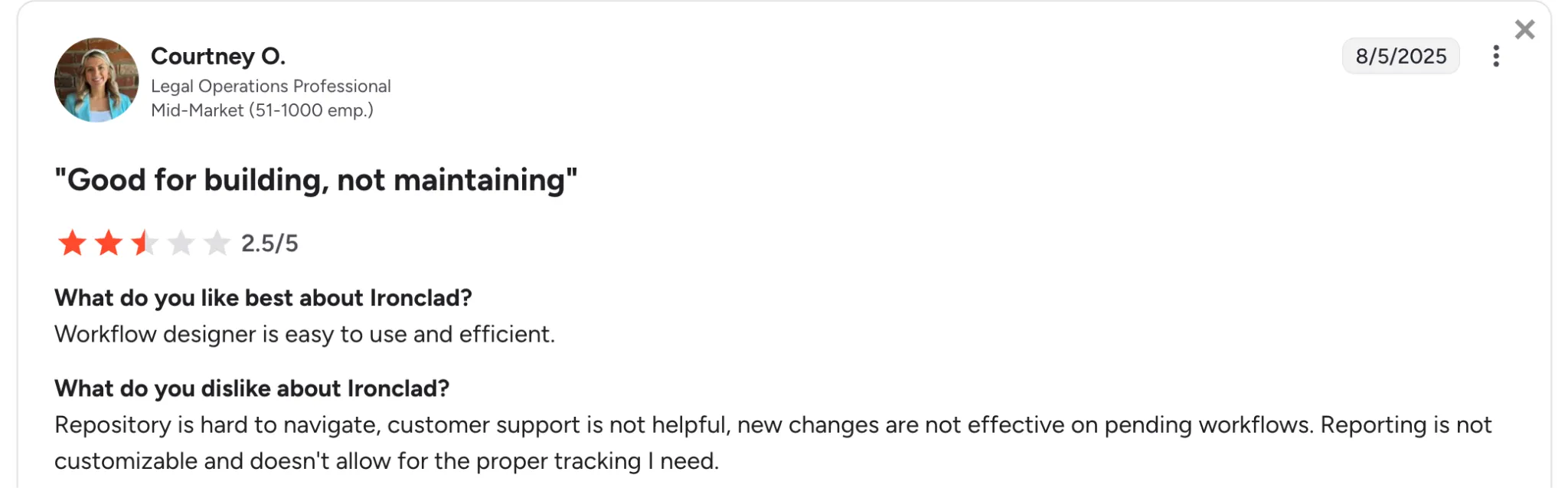
Ironclad has a strong user base, but alongside the praise, a few consistent themes emerge in the criticism that are worth weighing before you decide. Verified G2 reviewers across Legal Ops, legal teams, and mid-market companies reported that Ironclad's workflow builder is genuinely intuitive, and well-configured workflows do reduce room for user error.
But the friction shows up once you're past the setup phase. Navigation inside the repository is a recurring complaint, finding contracts is harder than it should be. Reporting feels rigid to many users, especially those who need custom tracking. And when things go wrong, support hasn't always been the safety net people expected.
Ironclad’s editing tool distorts Word documents during negotiation, which is a problem for teams where clean editing is non-negotiable. Ironclad's advanced AI capabilities live in a separate add-on that comes at an additional cost, and several users feel the value doesn't match the price.
If you're in Legal Ops, running a legal team, or managing contracts outside a sales-driven workflow, it's worth testing Ironclad on repository usability, reporting flexibility, and what post-sale support looks like before committing.
Why Ironclad's pricing leads teams to look for alternatives
Ironclad does not publish standard pricing. Every plan is customised, which means you will only find out the cost after a sales conversation. Based on Vendr's analysis (as of 2025), here is what businesses typically pay:
- A 200-person organisation: $25,300 to $36,200 per year
- A 1,000-person organisation: $39,200 to $56,800 per year
If your team primarily needs to sign, send, track, and store contracts without building complex legal workflows, there are more cost-effective options that deliver exactly what you need. The tools below offer transparent, predictable pricing starting from as low as $15/user/month, so you can plan your budget without surprises.
Features to consider when choosing an Ironclad alternative
While Ironclad is a popular choice amongst businesses, here are a few features to look for when you hunt for the best Ironclad alternatives.
- Pricing and scalability: The software should be affordable and allow you and your team to grow as your team expands. It’s a huge plus point if it has add-ons and customizable plans that let you change the current plan whenever possible.
- Security: Robust security measures are non-negotiable. Especially, if it’s contract management or eSignature software - they need to be equipped with all the latest compliance measures and have tight security to prevent any breaches.
- Compliance requirements: If your team works in a regulated industry such as healthcare, financial services, or government, look for a platform with HIPAA compliance, SOC 2 Type II certification, and built-in audit trails. Signeasy, DocuSign, and Adobe Sign all meet these standards out of the box, making them reliable choices for teams handling sensitive agreements. For a detailed breakdown of what HIPAA compliance means for your eSignature workflow, see our complete guide to HIPAA-compliant eSignatures.
- User interface: The UI and UX need to be smooth and uncluttered. The platform should have intuitive navigation, mobile accessibility, and customizable layouts to help you maneuver around the tool.
- Integrations: Every business has more than one application in its arsenal. And it’s vital to have multiple tools in constant synchronization. That is why you must look for a platform that offers numerous integration capabilities, if not, at least gives access to the most important tools like Google, Microsoft, etc.
- Workflow automation: Consider solutions that allow you to visualize workflows and easily modify them as your processes evolve. Automation and tracking the various contract stages will help you and your team reduce workload and always remain vigilant.
- Templates and storage: The platform should provide the ability to convert frequently used contracts into templates; saving your team’s time and effort. At the same time, the repository should be secure to store all the pending and completed contracts.
- Analytics and reports: Data-driven insights and real-time reports can help you improve your contract lifecycle and enhance your future contracts. Learn whether your contracts are performing as envisioned.
10 Best Ironclad alternatives
To create this list, we analyzed a wide range of contract management platforms, focusing on key factors like ease of use, pricing flexibility, feature set, integration capabilities, and overall customer satisfaction. We also considered feedback from industry experts and real users to ensure the recommendations align with diverse business needs. If you're looking at alternatives, there are many to compare. Adobe Sign works well for PDF-heavy workflows, while teams already using Dropbox may want to check our Dropbox Sign pricing guide to see if it fits their budget.
This approach helped us identify the top 10 alternatives that stand out as reliable and effective solutions beyond Ironclad.
1. Signeasy
Signeasy is a contract management software that helps teams manage their contracts under one platform. This includes preparing, sharing, storing, sending signature requests, and tracking the entire process. If you’re looking for software that’s easy to learn and implement, that’s Signeasy.
Bulk sending, in-person signing, or even multiple language support - such features necessary for eSigning aren’t present in Ironclad but can be found in platforms like Signeasy.
The eSign API from Signeasy offers a seamless and secure integration for businesses, enabling them to embed electronic signature capabilities directly into their applications and workflows for a streamlined document signing experience.
Top features:
- Contract management: Manage your contracts from the moment you prepare them until the end. Easily include these contracts in your workflows.
- Unlimited documents: Prepare and send unlimited documents for signatures, without worrying about high-volume workflows.
- Security measures: Adheres to global regulations and standards, such as GDPR, HIPAA, eIDAS, and SOC 2 Type II.
- Document edits: Edit document signer details even after sending your contract signature requests. Say no to re-dos.
- Add-on files: Attach extra documents such as ID proofs with the contracts while signing the contracts.
- Extensive file support: The platform supports over 25 file types, including PDF, HTML, and PNG, catering to diverse document needs.
- Constant support: Get 24/7 exceptional support and access to a frequently updated knowledge base.
- Template creation: Convert your regularly used documents into templates and reduce the onus of taking on repetitive tasks.
- Mobile compatibility: Access the eSigning features on the web, or even on your mobile - iOS or Android.
- Real-time tracking: Monitor the status of documents in the present. Teams can also send reminders to complete the process faster.
- AI-driven analysis: With artificial intelligence, you can automatically summarize documents and extract key contract terms.
Plans: Free forever; Essential ($15); Team ($30). This is for individuals and small teams. Signeasy also offers Business ($40) and Business Plus ($60) plans, ideal for larger teams, The above pricing is based on the monthly rate per user.
Pros:
- An affordable pricing model that helps teams grow without any restrictions
- The simplest interface that makes onboarding a child’s play
- It has a support team that has a high turnaround time
- Users can choose between 24 languages to prepare/share documents
Cons:
- Few contract management features
- It has a limited number of integrations
Ratings: 4.7/5
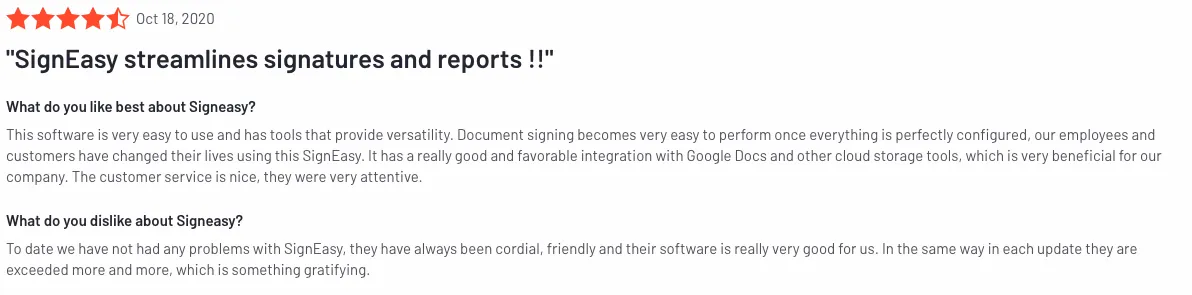
If you want a contract management platform that is ready to use from day one without a lengthy setup or a sales call to find out the price, Signeasy gives you transparent per-user pricing, unlimited documents, and a setup process measured in minutes, not weeks.
2. PandaDoc
PandaDoc stands out from Ironclad by offering comprehensive document creation tools that allow users to design visually appealing proposals and contracts. It also helps teams start their contract generation process from scratch - by accessing the content library’s various templates. For teams comparing it against other platforms, see our list of PandaDoc alternatives.
PandaDoc also offers multiple file formats, unlike Ironclad.
Top features:
- eSigning functionality: Collect secure signatures digitally using various platforms.
- Document repository: Import documents in bundles and get a quick view of the contracts without opening them.
- Contract creation: A wide range of customizable contracts, templates, and proposals pre-loaded into the platform.
- Collaboration tools: Speed up reviews with features that allow multiple users to edit and comment on documents simultaneously.
- Interactive documents: Use gifs, videos, and interactive tables to enhance dry contracts.
Plans: Essentials ($35); Business ($65); Enterprise (Customized). The above pricing is based on the monthly rate per user.
Pros:
- It allows users to collect payments right within the document
- Teams can create contracts from scratch
- Logical search engine that helps retrieve documents quicker
Cons:
- It doesn’t allow for any document edits post-sending
- Access to certain integrations, Webhooks, and API require a costlier plan
Ratings: 4.7/5
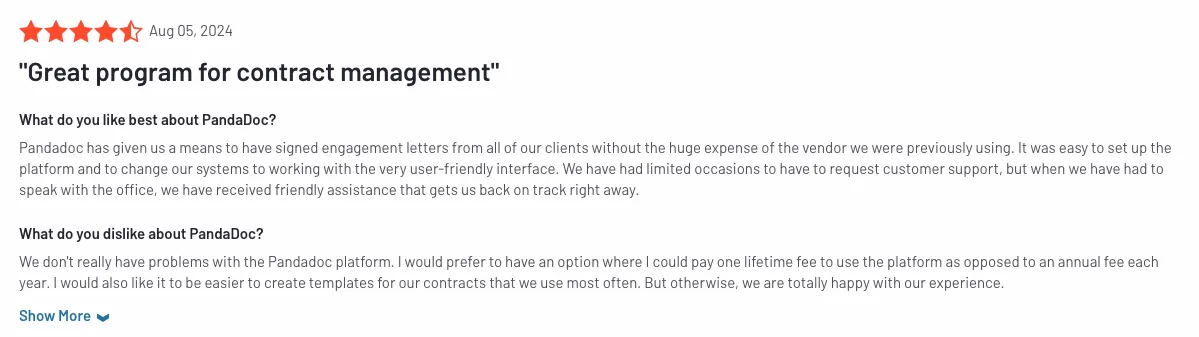
If your team creates proposals, quotes, and contracts from scratch rather than just managing signed documents, PandaDoc gives you a full document creation environment with content libraries and interactive templates before a signature is ever requested.
3. Docusign
Docusign is an eSigning behemoth that has been a top choice for businesses. It also promotes contract management from inception to renewal, boasting a seamless contract lifecycle.
Compared to Ironclad, Docusign has stronger security measures - packed with multiple authenticators, encryptors, eSigning regulations, and guidelines. For teams seeking simpler options, explore our list of Docusign alternatives.
Top features:
- eSigning and contract management: Sign, send, and track documents across platforms. And, manage your contracts from start to finish.
- Globally compliant: It adheres to standards such as ISO 27001, SOC 2 Type II, PCI Data Security Standard, and WCAG 2.0 level AA.
- Several integrations: Docusign provides 900+ integrations for teams, ensuring streamlined data across applications.
- Conditional logic: Teams can create a tailored experience for clients, and remove any room for errors.
- Power forms: Create self-service documents for signature by setting up an on-demand URL.
- Notarize documents: Provides visual notary sessions to notarize documents remotely.
Plans: Docusign Personal ($15); Docusign Standard ($44); Docusign Business Pro ($70) The above pricing is based on the monthly rate per user.
Pros:
- Multiple integration options for teams
- Robust security measures to protect documents
- It has strong authenticators to validate signatures
Cons:
- The pricing can be too costly for small to medium businesses
- Support is said to be inefficient by users
Rating: 4.5/5
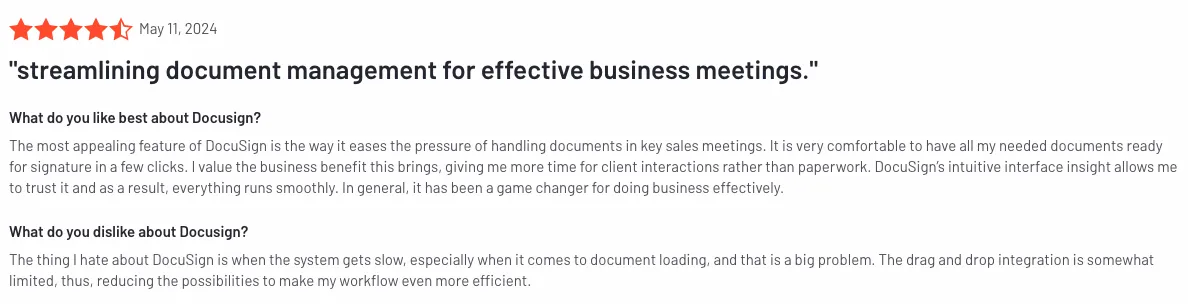
If your organisation handles high volumes of contracts across multiple regions and needs enterprise-grade security certifications to match, DocuSign gives you a complete contract lifecycle platform with 900+ native integrations and compliance with ISO 27001, SOC 2 Type II, and PCI standards.
4. Adobe Sign
Adobe Sign is known for having a smooth cloud-based system that lets users sign documents without signing onto the platform, and where teams can automatically save everything onto Adobe. For a comparison with a more intuitive option, see our Adobe Sign alternative guide.
Similarly, when we think of Adobe, we think of PDFs. And rightly so, since the platform is a pioneer in managing and editing PDFs.
Top features:
- eSigning: Collect signatures on the cloud and send documents quickly.
- PDF editing: Edit, redact information, and utilize various features while using PDFs.
- Custom workflows: Tailor the entire signing process with personalized instructions and fields.
- Seamless integration: Adobe integrates perfectly with its parent products, Salesforce, Microsoft, and Google Workspace.
Plans: Acrobat Standard ($12.99/mo); Acrobat Pro for Individuals ($19.99/mo); Acrobat Standard for teams ($14.99/mo); Acrobat Pro for teams ($23.99/mo). All plans above require an annual commitment.
Pros:
- Integrates well with Adobe’s other products
- Teams can share PDFs without worrying about future changes
- Collect signatures without needing a login
Cons:
- Erratic security measures
- Certain PDF features require an upgraded plan
- 24/7 customer support also needs a higher plan
Rating: 4.4/5
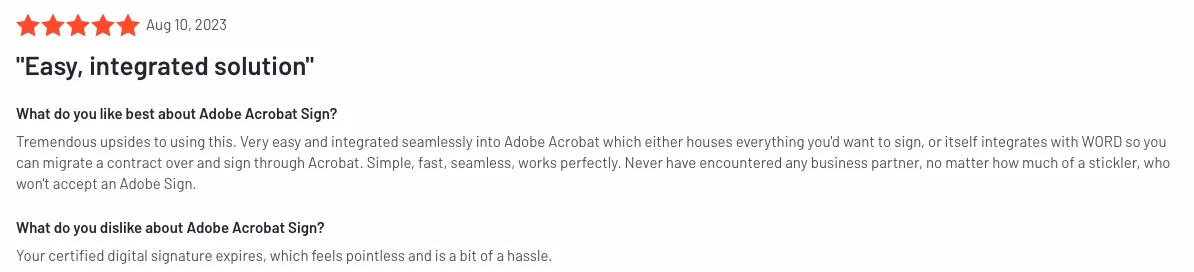
If your team works heavily in PDFs and already uses Adobe Document Cloud or Acrobat, Adobe Sign lets you sign, edit, and store documents entirely within tools you already know with no need to switch between applications during the signing process.
5. Agiloft
Agiloft is often known as the CLM that adapts to your company’s requirements, inch by inch. With Agiloft’s capabilities, teams can create a tailored contract management system that grows with the company, using no programming.
Agiloft stands apart from Ironclad based on its heavily customizable options and pricing. The former is easily an affordable option compared to the latter.
Top features:
- Document execution: Features like contract creation, document comparison, negotiation, etc. help accelerate the paperwork process
- Obligation tracking: Generate and manage commitments or responsibilities outlined in contracts
- Data search: Find the right data from the right contract using natural language search
- Integration hub: Integrates with tools such as Microsoft, Google, Tableau, and even eSigning platforms like Docusign and Adobe Sign
- Stakeholder portals: Provide dedicated interfaces for each group (employees, suppliers, customers) to manage interactions.
Plans: Essentials, Advanced, Premium. Each plan has varied features and customized pricing.
Pros:
- In-depth customization of workflows to meet specific business needs
- Excellent support and an ‘Agiloft University’ designed to train new users
Cons:
- Since it is highly customizable, setting up the system can be quite time-consuming
- Teams typically require a dedicated IT person to configure and maintain Agiloft
Rating: 4.6/5
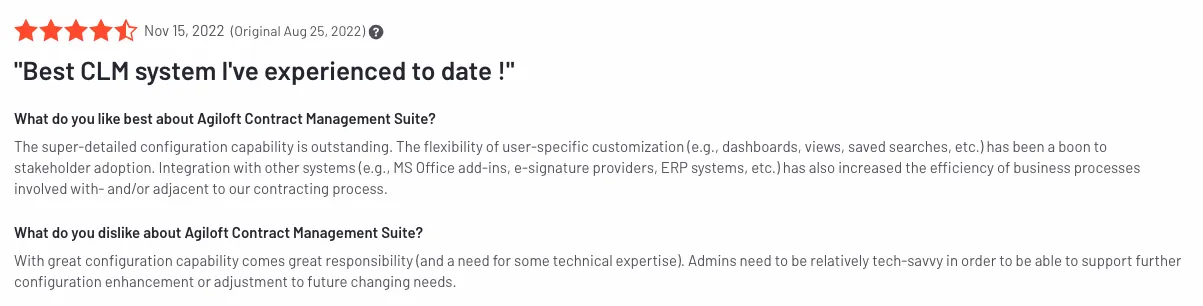
If you need a CLM that adapts precisely to your team's workflows without writing a line of code or depending on a vendor's implementation team, Agiloft gives you deep no-code customisation that your own team controls from day one.
6. Icertis
Icertis is perfect for companies that handle massive volumes of contracts. It also includes various compliance management measures for regulated industries ensuring adherence to multiple requirements during the contract lifecycle.
Additionally, Icertis is recognized for its adaptability across multiple sectors, including healthcare, financial services, retail, manufacturing, and government. In contrast, Ironclad primarily targets industries such as technology and professional services.
Top features:
- Contract intelligence: Enhance decision-making with AI that structures data into actionable insights and concise summaries
- Contract negotiators: Get help on all red lines, non-negotiable clauses, and fall-back languages
- Interactive tools: Simplify your contract reviews with natural language queries to extract information and manage risks
- Compliance standards: Provides automated tracking of contractual obligations and compliance requirements across industries
Plans: No standard pricing plans. Offers customized pricing.
Pros:
- Powerful reporting features to analyze contract processes
- Track obligations or key terms with centralized access to all contract data
Cons:
- Users can’t change fields later on after spotting a mistake. A separate ticket has to be raised.
- It can be exhausting to build a template, as all attributes have to be added manually
Rating: 4.2/5
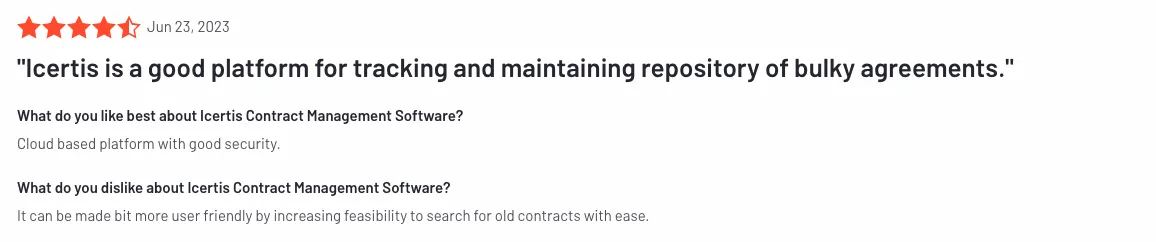
If your organisation operates in a regulated industry like healthcare, financial services, or manufacturing, Icertis gives you compliance tracking, audit trails, and risk scoring built into the core product rather than added on as an afterthought.
7. Spotdraft
Spotdraft is an AI-driven contract management automation solution that helps in-house legal teams streamline contract processes and address inefficiencies. It also offers rich analytics and reporting tools to gain insights into the contract performance.
Unlike Ironclad, which offers a basic Microsoft Word experience, Spotdraft features a custom editor that seamlessly integrates with Word. Additionally, Spotdraft's onboarding process is significantly quicker.
Top features:
- Review contracts: Review paperwork faster by running it against your playbooks and get smart suggestions For a broader comparison of platforms with this capability, see our roundup of the best ai contract review tools.
- Contract acceptance: Quickly send clickwrap agreements without needing assistance from others
- Automate workflows: Set up varied workflows for tasks such as contract approvals, review requests, counter-parties follow-ups
- Collect eSignatures: Get secure and legally binding signatures and speed up the approval process
- Build templates: Design and develop templates using no-code features, incorporating variables and complex data structures
Plans: No standard pricing plans. Offers customized pricing.
Pros:
- Quickly grasp key details using contract summaries and improve response times
- Users accolade it for its timely support
Cons:
- The absence of a bulk signing feature
- Lack of clarity in the contract progression workflow makes it difficult for users to know the next set of steps
Rating: 4.5/5
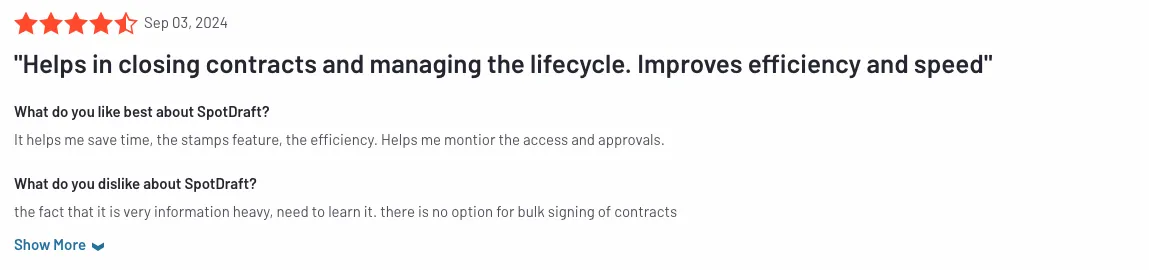
If your in-house legal team needs a faster and more intuitive contract workflow with a native Microsoft Word integration and an onboarding process measured in days rather than months, SpotDraft gives you the speed and usability that legal professionals consistently highlight in reviews.
8. Conga
Conga is an end-to-end CLM software that significantly shortens contract cycle times from days to minutes. Also with Conga’s integration with Salesforce, users can harness powerful features directly within the Salesforce interface. To understand what Conga costs across its tiers, see our complete conga sign pricing breakdown.
In addition to Salesforce, Conga provides robust integration with Microsoft, enabling teams to create contract templates, utilize a clause library, and track obligations. Such features are not available in Ironclad.
Top features:
- Continuous collaboration: Comment and redline contracts in real-time, and sync changes across all paperwork
- Risk mitigation: Extract key contract terms for accurate reports to avoid possible risks
- Clause library: Centralized repository of predefined legal clauses to insert into documents
- eSignatures: Secure electronic signatures with CongaSign, also allowing users to sign directly within Salesforce
Plans: No standard pricing plans. Offers customized pricing.
Pros:
- Completely integrates with Salesforce, where users can also use the data to generate contracts
- The ability to quickly build templates using clauses
Cons:
- The interface is said to be quite dated; often welcoming bugs
- A higher learning curve for admins
Rating: 4.2/5
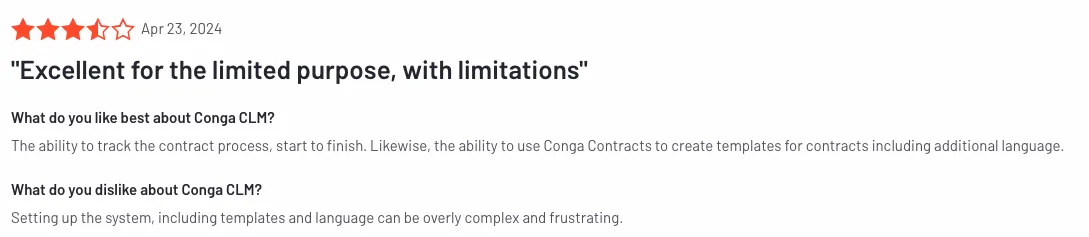
If your revenue team lives in Salesforce and you want your contract process to live there too, Conga lets you create, negotiate, and execute contracts without ever leaving your CRM, with full clause library and obligation tracking built in.
9. Juro
Juro is a robust contract management software that enables teams to collaborate, comment, redline, and edit documents in real-time. In contrast, Ironclad requires users to flag changes separately, download the document, edit it in Microsoft Word, and re-upload it, making the entire process cumbersome.
Ironclad's contract search capabilities are more limited than those of Juro alternatives and other alternatives, as it allows searches only by workflow title; however, it offers some connectors to help refine search results.
Top features:
- Advanced search: Quickly find documents, clauses, and key terms either through tags, access controls, or a structured search
- AI assistant: Tags key data, drafts contracts using playbooks, and automates contract revisions
- Collect eSignatures: Secure legally-binding signatures within the platform
- Review contracts: Split internal and external versions of contracts and manage edits and feedback separately
Plans: No standard pricing plans. Offers customized pricing.
Pros:
- Great support team, receptive to feedback
- Teams can quickly navigate through the contract process
Cons:
- Since attachments are not legally incorporated into the signed contract, they can be changed after the signing process
- Lacks certain features commonly found in more comprehensive CLMs
Rating: 4.6/5
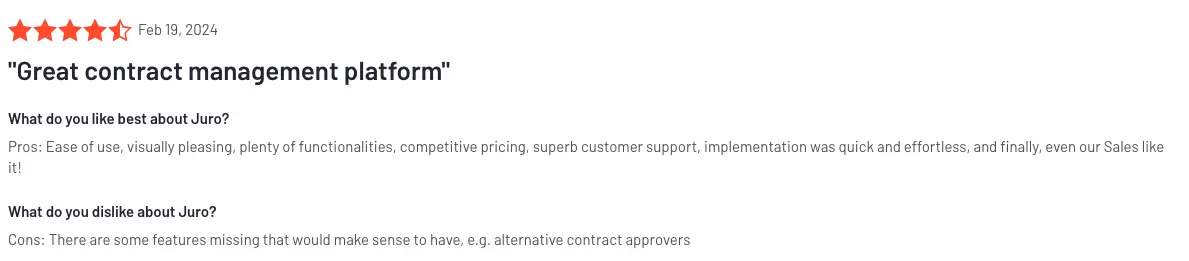
If your team spends too much time cycling documents between email, Word, and your CLM for every round of edits, Juro gives you real-time in-browser collaboration where commenting, redlining, and editing all happen in one place with no file attachments required.
10. Evisort
Evisort is an AI-powered contract management platform that automates contract data extraction (for the biggest files), analysis, and management - helping organizations streamline their workflows. The AI is far superior to most of the CLMs, including Ironclad.
Its AI ensures that organizations can tailor the technology to their specific needs while maintaining compliance and ethical standards in data handling. Their engine is trained on a dataset of over two trillion tokens.
Top features:
- Clause creator: Create clauses using straightforward inputs and generate multiple options
- Data extraction: Instantly extract clauses, fields, and metadata with OCR
- Renewal management: Automatically tracks contract expiration dates and alerts users on time
- Contract repository: Either upload contracts to Evisort or integrate existing repositories
Plans: No standard pricing plans. Offers customized pricing.
Pros:
- Intuitive system, where workflows can be created with no training
- There is no seat-based pricing
Cons:
- It cannot track multiple documents in one ticket, especially if the contract has more than one document
- It has a minimal list of integrations
Rating: 4.7/5
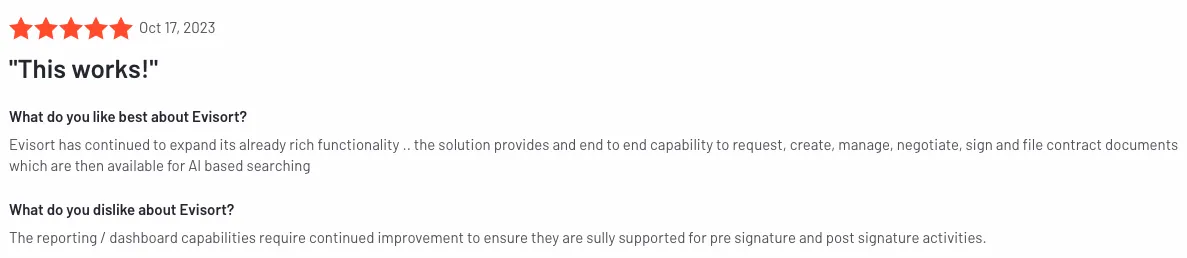
If your organisation needs to extract contract data at scale from large volumes of legacy documents, Evisort's AI gives you accurate metadata, clause, and obligation extraction with significantly less manual cleanup than most CLM tools require.
How to choose the right one for your business
While Ironclad is a sound choice for many colossal companies, it might not be practical for smaller or medium-sized teams to spend a fortune on a contract management platform.
It’s reasonable to look at other affordable options and platforms that provide the required workflow management and eSigning features. The list above will help you assess the best Ironclad alternatives.
But choosing the right contract management solution involves assessing your business’s unique requirements.
Consider factors such as the team size, budget, and specific features you need, such as collaboration tools or increased compliance standards.
What goals do you wish to achieve by investing in a contract management software? Each business has separate goals and requirements.
Additionally, evaluate the ease of use and customer support options. An unmanageable platform and an aloof support team can affect your team’s productivity.
A free trial or demo can also provide insights into understanding which alternatives to Ironclad suit your business the best.