
.png)


In 2026, there is no reason to print, sign, and scan a document just to get a signature. Whether you are collaborating with a colleague down the hall or a client halfway across the world, you can sign documents online free from any device.
An electronic signature is a digitized version of your handwritten signature that carries the same legal weight under laws like the ESIGN Act and eIDAS (electronic IDentification, Authentication, and Trust Services).
Online signing tools make it easy to upload documents, add signatures, request approvals, and securely manage agreements without paperwork or delays.
In this guide, you will learn:
- What an electronic signature is and how it differs from a digital signature
- Why signing online beats printing and scanning
- A step-by-step walkthrough for signing documents online free
- Which file formats you can sign
- How Signeasy helps you sign, send, and manage documents in one place
What is an electronic signature?

Unlike a digital signature, which uses a certificate-based ID to verify document ownership through encryption, an electronic signature is simply a digitized version of your handwritten signature. It can be created by drawing with your finger or mouse, typing your name in a signature font, or uploading an image of your handwritten signature.If you need help choosing a style, our signature ideas guide covers a range of options.
Thanks to eSignature legislation like the ESIGN Act in the United States and eIDAS in the European Union, electronic signatures are just as legally binding as wet ink. They can be used to sign virtually any type of business document, from sales contracts and offer letters to NDAs and vendor agreements.
Now that the basics are clear, it is worth looking at why signing online makes more sense than the traditional print-sign-scan routine most teams still default to.
Why sign documents online instead of printing and scanning?
Printing a document, signing it by hand, scanning it back in, and emailing the file adds unnecessary steps and delays to what should be a simple process. It costs money in paper, ink, and postage, and breaks down when someone is traveling or away from the office. There is also no reliable way to track whether a document has been signed, lost, or sitting in someone's inbox.
eSignatures remove all of that. A contract that used to take days of back-and-forth can be signed and returned in minutes. You can sign from your phone, tablet, iPad, or laptop, whether you are at your desk or on the move.
Every signed document is stored digitally with timestamps and audit trails, so retrieving an agreement during an audit or renewal takes seconds, not hours. Digital workflows also reduce errors by guiding signers to the exact fields that need attention before the document can be submitted.
For teams handling contracts regularly, the savings in time, paper, postage, and courier fees can be substantial. Getting started also takes less effort than most people expect.
Ready to try it? Here's how to start signing documents online for free.
How to access free document signing online
You can sign documents online for free using Signeasy's eSign tool to upload a file, add your signature, and download or send the completed document. The process is usually quick and works across various file formats.
Sign documents online
With the right online signing tool, you can get legally binding signatures from anywhere, on any device. Here’s how it works.
Step 1: Import your documents
Start by clicking on 'Upload File' or 'Drag and Drop' your file into Signeasy. You can easily import various document types, including PDF, Word, Excel, and more. If you're signing a PDF, you can sign a PDF online directly with Signeasy. Additionally, you have the option to import documents from cloud storage platform integrations, like Google Drive, Box, Dropbox, or OneDrive.
Step 2: Enter your email address
Provide your email and click 'Start Signing' to begin the online signing process.
Step 3: Add the signature field
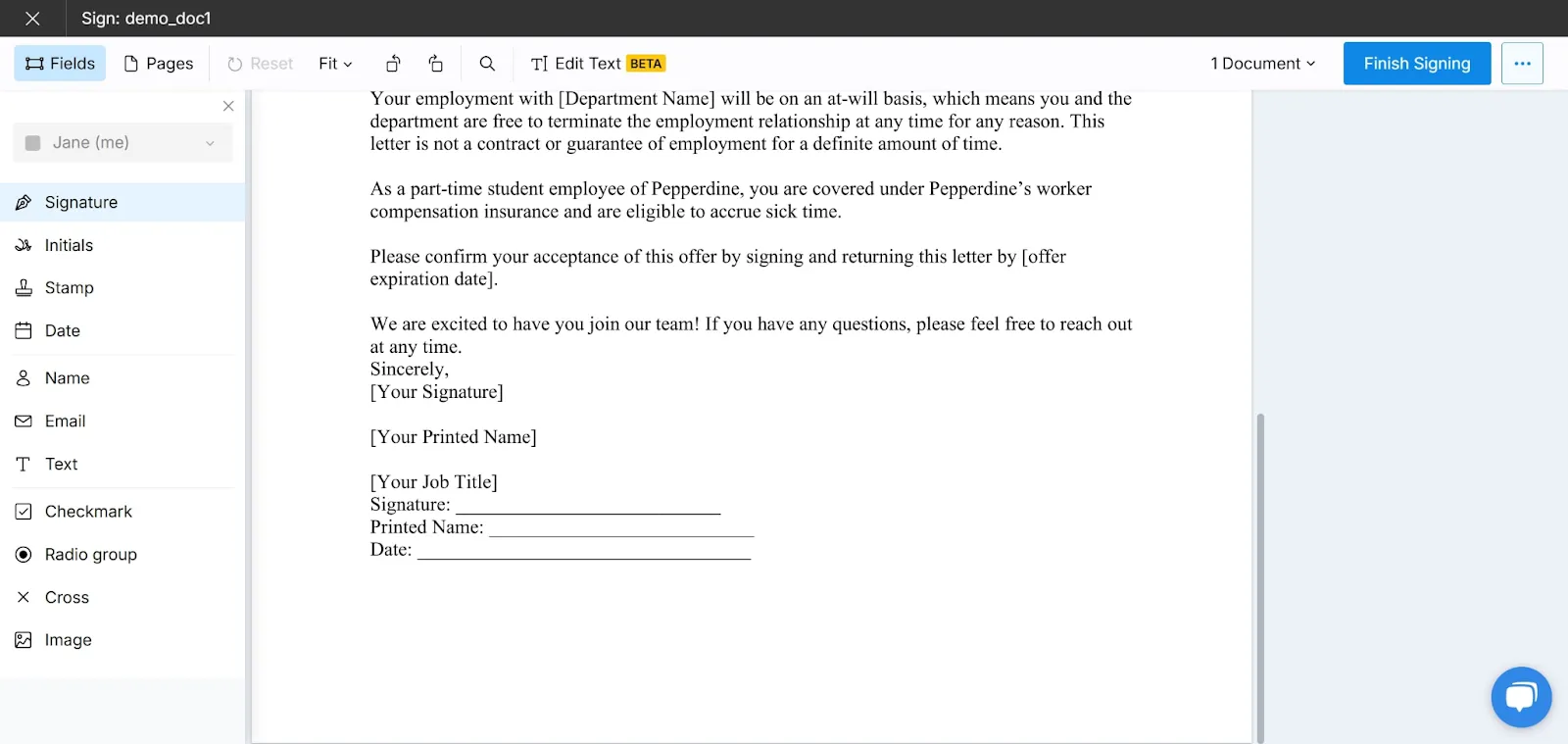
Once you've accessed the document, add annotations by selecting the desired section and choosing ‘Signature.’ Place the signature box in the appropriate location. You can also include additional fields like date, text, or checkboxes for further customization.
Step 4: Create your eSignature
Put your personal touch on the document by creating your electronic signature. You have multiple options: draw your signature using the available tools, type it out, or upload an image of your handwritten signature. You can modify and refine your signature until you are satisfied with the result.
Step 5: Verify your email address
To ensure the security and legality of the process, verify your identity by entering the one-time code sent to your email address.
Step 6: Complete the signing process
Once you have verified your email, click on 'Done' to finalize the signing of the document.
Step 7: Download or share the signed document
Your signed document is now ready for use. Download it to your computer or share it via email with the intended recipients. You will receive a time-stamped audit trail of the signature process, and a copy of the signed document will be delivered to your inbox.
Additionally, Signeasy provides notifications to track the signature process, allowing you to stay informed when someone views or signs the document.
Now, let us walk through the document signing workflow for two common scenarios.
If you need to sign a document yourself
Step 1: Log into Signeasy
Enter your account details and make your way to the document dashboard.
Step 2: Choose your workflow
In the top left-hand corner, beside the blue "Send for Signature" button, click on the smaller upward-facing arrow button. Then, select "Sign Document" from the drop-down menu.
Step 3: Upload your file
You will automatically be prompted to choose a document from your device storage, whether you're on desktop or our mobile app (available for iOS and Android). Find the file that needs to be signed, then upload it to your account. You can upload and sign Word documents, PDF documents, or nearly any other type of document under the sun!
Step 4: Start signing
The left-hand "Annotations" toolbar will have all the tools you need to fill out your document. If you haven't already configured a signature, you can do so during this step: you will have the option to upload an image of your signature, choose from Signeasy's preset signature fonts, or create one using a mouse, stylus, finger, or trackpad.For uploading, using a signature scanner ensures the best quality capture of your handwritten signature.
Once you're finished, you can drag and drop any of the annotation options into your document or place them with a click (signature, initials, date, text, checkmark, or image).
If you're not ready to finish up just yet, you can always click the "Save as Draft" button in the top right corner and come back to your document later.
Step 5: Finalize
Click the green "Finish" button in the top right-hand corner. You'll see a finalized PDF version of your file on-screen, at which point you can choose to download the file or send it off via email.
After that, you're done!
If you need to request a signature from someone else
Step 1: Log into Signeasy
Enter your login details to access your Signeasy account.
Step 2: Choose your workflow
In the top left-hand corner, click the blue "Send for Signature" button. You will then be sent to a document upload screen.
Step 3: Upload your file
Either drag and drop the necessary files into the Signeasy window or click the "Upload Files" button. You can also load a pre-saved template or click "Choose Originals" to load one or more documents you've previously imported to Signeasy.
Next, enter your recipients' email addresses in the box below. You will also have be prompted to import your contacts from Gmail, Outlook, or a CSV file. Finally, add a message for your signers if required – it will show up in the email they receive from Signeasy on your behalf.
If your document is ready to send right away, you can click the "Send without Fields" button in the top right corner. However, if you'd like to add a few document fields to show signers exactly where action is required (i.e. placing annotations that indicate where to sign or add personal information), click "Add FIelds."
Step 4: Add fields
The left-hand "Annotations" toolbar will have all the tools you need to mark up your document. You can drag and drop any of the annotation options into your document or place them with a click.
If there are multiple recipients, you can assign individual people to each annotation. For example, if two co-founders must provide their respective signatures for a contract, you can add two "Signature" annotations and specify which co-founder should sign each one.
Step 5: Finalize
Click the green "Send" button in the top right-hand corner, and Signeasy will automatically send off your signature request to all parties involved.
Step 6: Track your document
Track your document's progress using the "Pending" tab on your dashboard, and send reminders to lagging signers with a single click. You can also edit your recipients after sending out a request.
What file formats can you sign for free?
One of the most common frustrations with online signing tools is having to convert files before you can sign them.
You save a contract as a Word document, but the tool only accepts PDFs. Or a vendor sends over a scanned image, and you are stuck figuring out how to get a signature on a JPG. The best free electronic signature tools remove that friction by supporting a wide range of formats out of the box.
For reference, here are the file types you can sign for free with Signeasy:
You can also import files directly from cloud storage services like Google Drive, Dropbox, Box, or OneDrive, so there is no need to download and re-upload files manually.
Knowing which formats are supported answers the practical question. But many people also want to know whether the signature itself will hold up legally. Here is what determines that.
What makes an online signature legally valid?
In most countries, online signatures carry the same legal weight as handwritten ones, as long as a few conditions are met.
The signer must clearly intend to sign the document, and all parties must consent to conducting the transaction electronically. A complete copy of the signed file must be retained and remain accessible for as long as the agreement is legally required. There must also be a verifiable audit trail recording who signed, when, and from where, since this is what holds up if a signature is ever disputed.
Two major legal frameworks back this up. In the United States, the ESIGN Act and Uniform Electronic Transactions Act (UETA) make electronic signatures enforceable for nearly all commercial documents. In the EU, the eIDAS regulation recognizes three tiers of electronic signatures, all admissible as evidence across member states.
Signeasy automatically generates a time-stamped audit trail for every signed document, covering intent, consent, retention, and signer verification without any extra steps. The platform supports compliance with ESIGN, UETA, eIDAS, HIPAA, and 21 CFR Part 11.

Suggested read: eSignature Legality in the United States
Start getting documents signed for free
Signing documents online does not need to be complicated, and it does not need to cost anything to get started. Whether you need to sign a quick agreement yourself or send a contract out to multiple parties, the entire process takes minutes.
Signeasy offers a 14-day free trial with no credit card required, giving you full access to templates, team collaboration, and AI-powered contract summaries. It also integrates with tools like Google Workspace, Microsoft SharePoint, and HubSpot. You can sign on desktop, mobile, or iPad, and every signature is backed by a complete audit trail.
Over 48,000 businesses trust Signeasy to manage their contracts, and the platform holds a 4.7/5 rating on both G2 and Capterra. With a simple setup, transparent pricing, and responsive support, Signeasy is designed to meet your eSignature and contract management needs.
Sign your first document with ease. Start free trial today.