




You’re probably here for a simple reason. You’re close to buying Docusign.
Now you want to know if it’s actually worth paying for.
Many users say Docusign earns trust instantly. Recipients recognize the name and sign without pushback. That alone can reduce follow-ups and delays.
At the same time, recent reviews raise real concerns. Users talk about high pricing, inflexible plans, and basic tasks that take more effort than expected. For teams with simple signing needs, that gap can feel hard to ignore.
This article exists to help you make that call.
You’ll learn:
- How Docusign works and where it shines in real teams
- The most common pros reviewers praise and why they matter
- The recurring cons that appear after weeks of daily use
- A practical comparison with Signeasy, focused on pricing and operations
What is Docusign?
Docusign is a tool you use to send documents and get them signed online. That’s it at the simplest level. If you're wondering, is Docusign free, it offers a free account with limited signature requests, while paid plans provide access to more features and higher usage limits.
People commonly use Docusign for contracts, HR paperwork, sales agreements, and legal forms. It also keeps a record of who signed, when they signed, and how the document moved through the process. For HR teams, Docusign for HR can support routine employee paperwork. If you are looking for more options , check our adobesign alternatives page.
What it doesn’t do is write contracts for you. It doesn’t negotiate terms or manage every step of the contract lifecycle by default.
How Docusign works
At a high level, Docusign is designed to move documents from “sent” to “signed” without unnecessary back-and-forth.
Here’s how the process typically plays out.
Step 1: Add the document
First, you add your document.
It can be a contract, an offer letter, or a form you’ve sent a hundred times before. PDFs and Word files work just fine.
Step 2: Set up recipients and fields
Next, you decide who needs to sign.
Add the signers and place signature fields, dates, or initials where they belong. Each field is tied to a specific recipient, so there’s no confusion about who signs what.
Step 3: Send for signature
Then you send it out.
The recipient gets an email, opens the link, and signs from their browser or phone. They don’t need to create an account. That part usually surprises people.
Step 4: Track progress
While all this happens, you can see what’s going on — when a file is viewed, signed, or still waiting on someone.
Step 5: Store the completed document
Once everyone signs, Docusign sends the final copy to all parties and stores it with a full activity record.
Also Read: Sign PDF Online
Docusign pros: the good
If you scan enough reviews, you will spot a pattern. Most people don’t describe Docusign as exciting but dependable.
Recent Docusign reviews across G2, Capterra, and GetApp come from people who use Docusign daily including sales managers, HR teams and legal and operations teams managing approvals at scale.
Here’s where Docusign consistently earns credit.
1. Familiar and widely accepted by signers
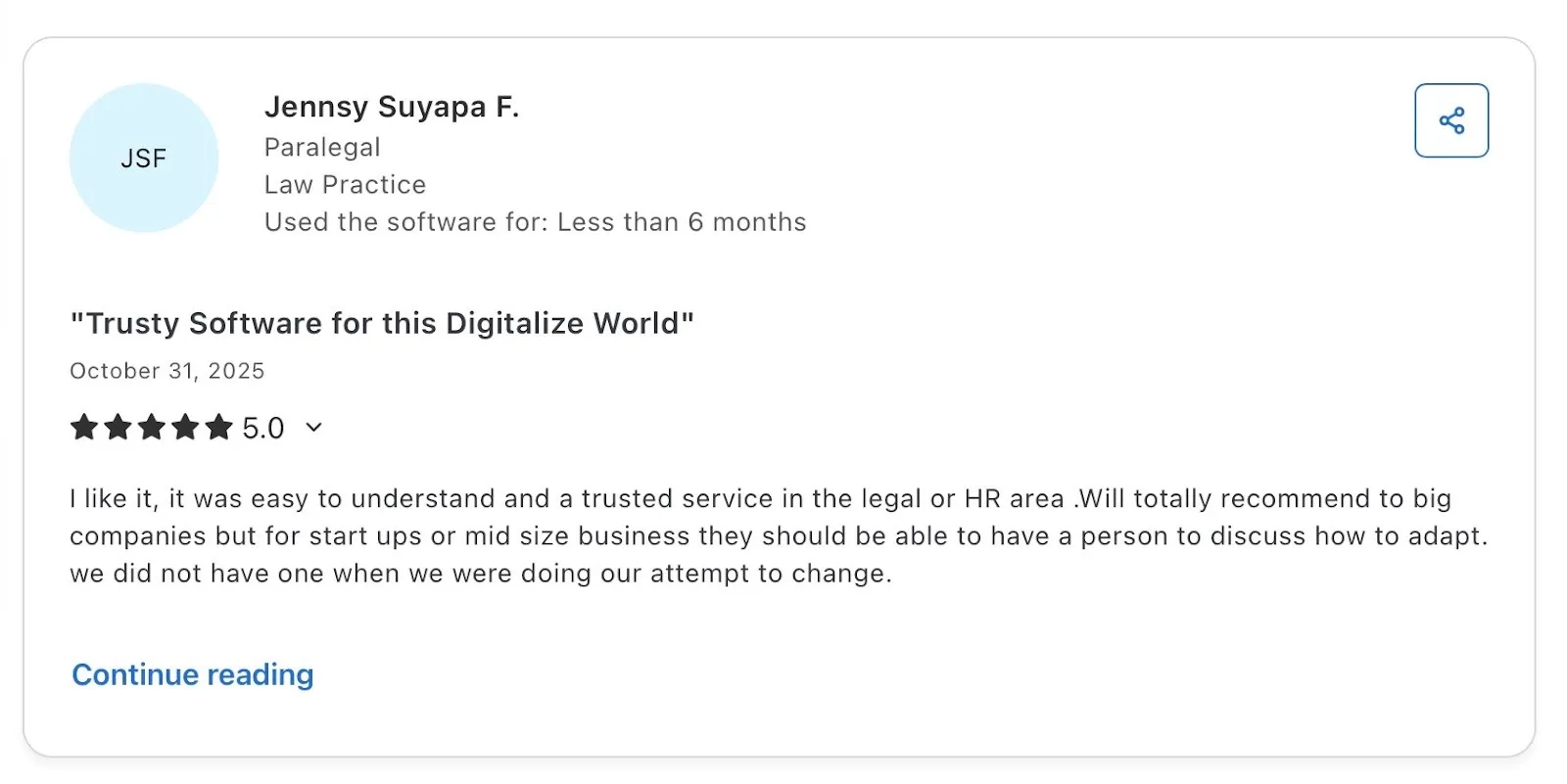
A recurring theme across G2 and Capterra is trust. Reviewers in sales, HR, and operations say that when they send a document through Docusign, recipients already know what it is and how it works.
Source
2. Multi-party signing that removes the usual headache
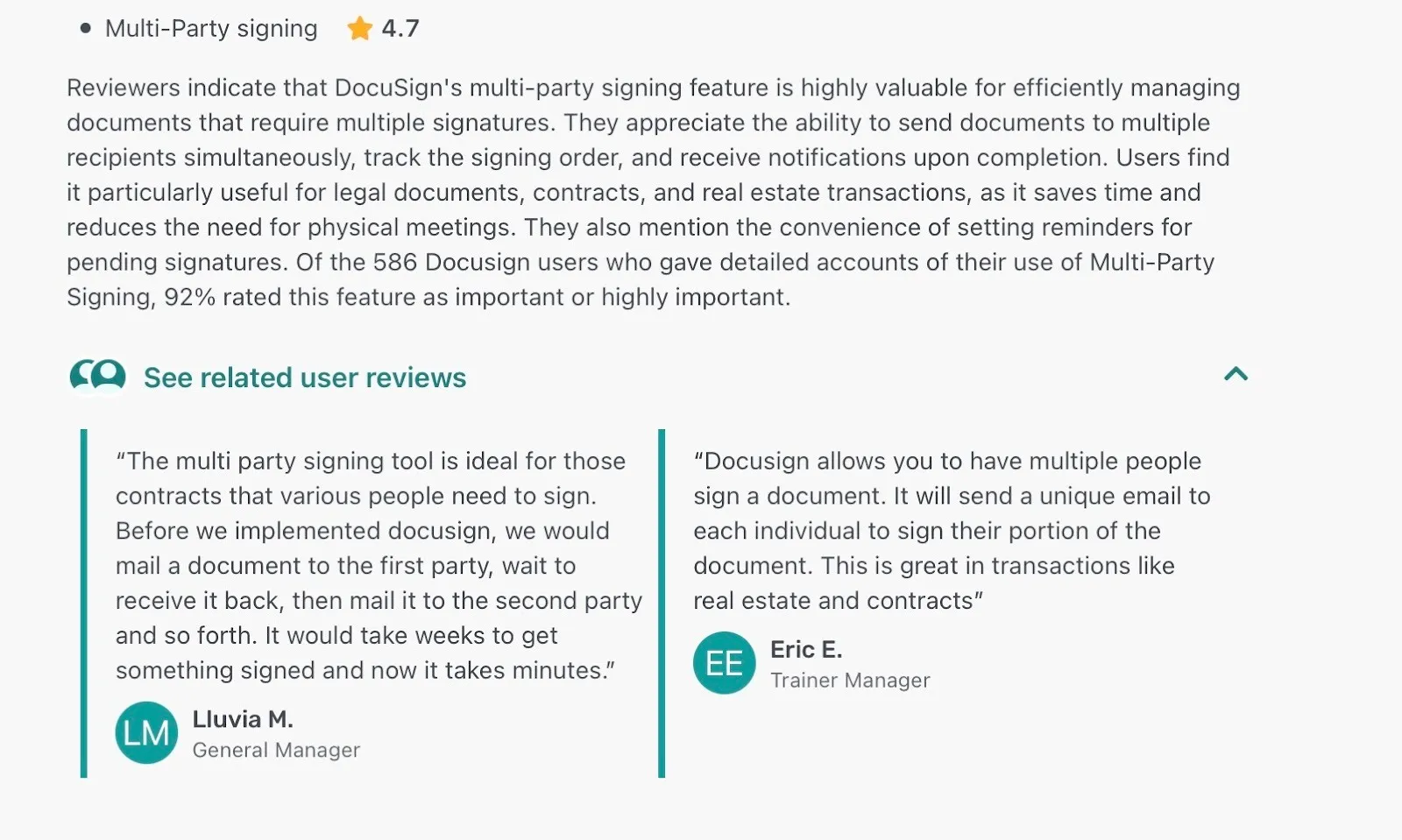
Anyone who’s dealt with documents that need more than one signature knows how messy it can get. One person signs, sends it back, someone else forgets, and suddenly weeks are gone. Reviewers on G2 talk about this exact pain and how Docusign fixes it.
Source
Instead of passing the same file around, Docusign sends the document to everyone involved, keeping the signing order straight. It lets everyone sign their part without stepping on each other.
3. Easy to roll out, easy to stick with
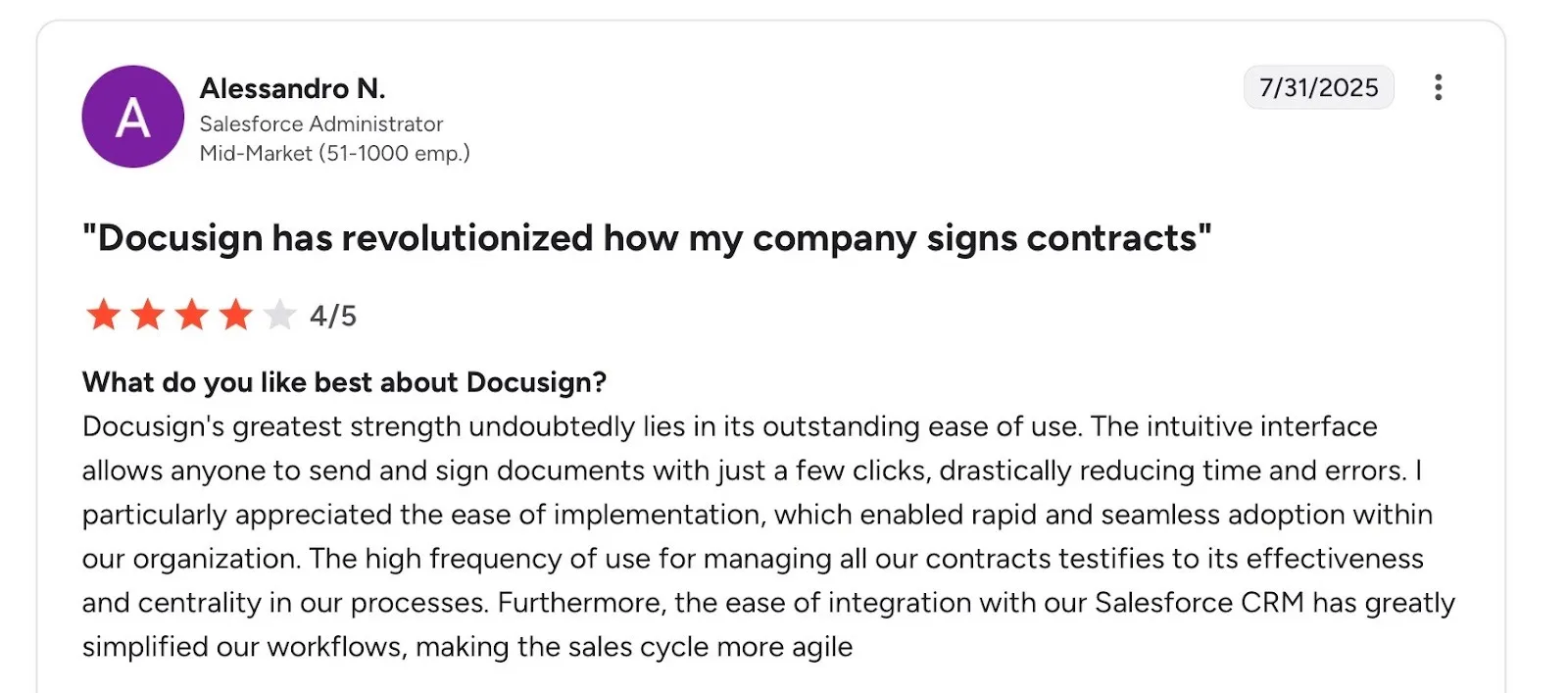
What stands out is not just day-one usability, but adoption over time. The reviewer mentions that Docusign became a central part of how contracts are handled, simply because people kept using it.
Source
There was no long rollout phase or constant retraining. The Salesforce integration also gets specific praise for reducing manual work and keeping the sales cycle moving without extra steps.
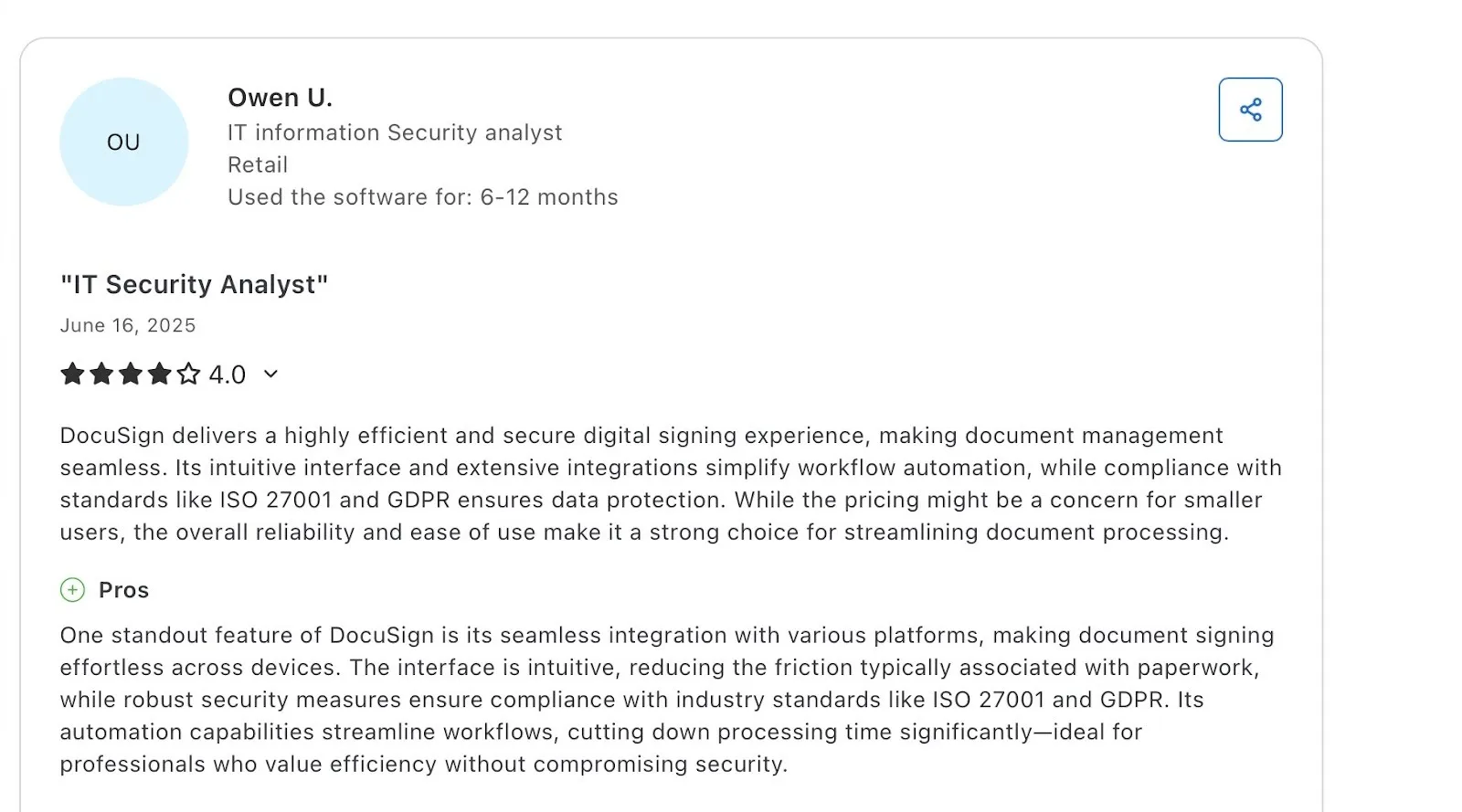
4. Strong security without slowing things down
The interface stays intuitive, integrations work across platforms, and workflows remain automated, while security standards like ISO 27001 and GDPR are still covered. For teams handling sensitive documents, that combination matters. Nobody wants to trade usability for compliance, or vice versa.
Source
Docusign cons: the challenges
After a few weeks or months of regular use, the questions change. Instead of “Does this work?” the focus shifts to “Why does this cost so much?” or “Why is this suddenly limited?”
People talk about small surprises that add up over time like running into limits earlier than expected or needing support for things they assumed would be simple.
The tension comes from how the experience feels once Docusign becomes routine instead of new.
These are the challenges users call out most often.
1. Cost adds up quicker than expected
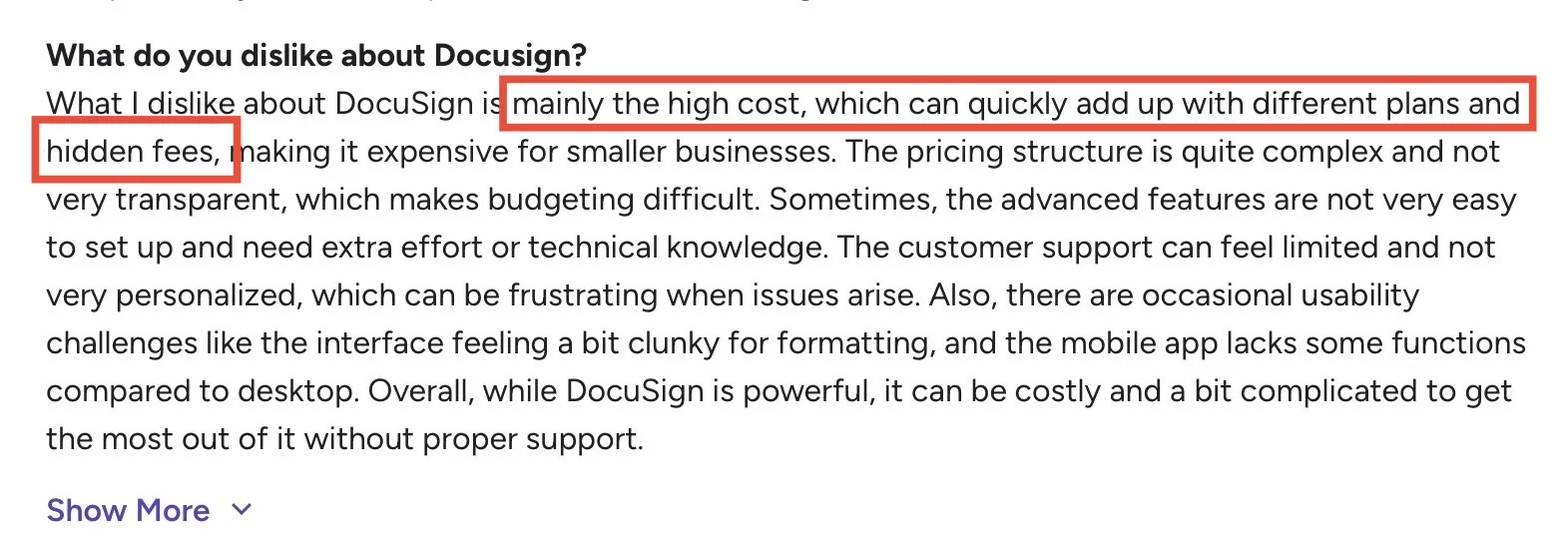
Cost is the complaint that shows up first in reviews. Users talk about paying more than planned once different plans, add-ons, or usage limits come into play.
Source
What looks manageable at the start can become expensive over time, especially for smaller teams trying to budget month to month. The pricing structure also feels harder to follow than it should, which makes forecasting spend tricky.
2. Billing, renewals, and refunds can turn into a headache
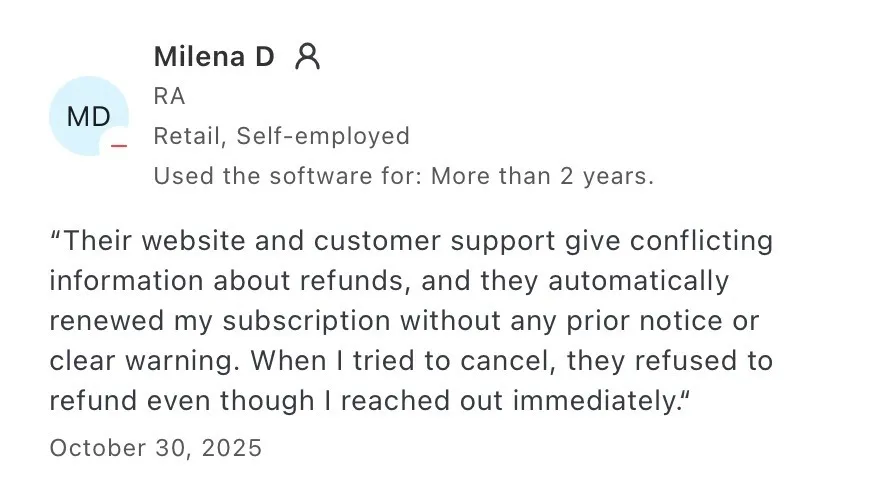
Some long-term users say pricing issues show up during renewals and cancellations. Reviews describe subscriptions renewing automatically without clear advance notice, followed by confusion when trying to reverse the charge.
Source
Users also report getting different answers from the website and support about refunds, and quick cancellations don’t always lead to refunds.
For a business-critical tool, billing and refund experiences often undermine the trust Docusign builds during everyday use.
3. Alerts work… until they don’t
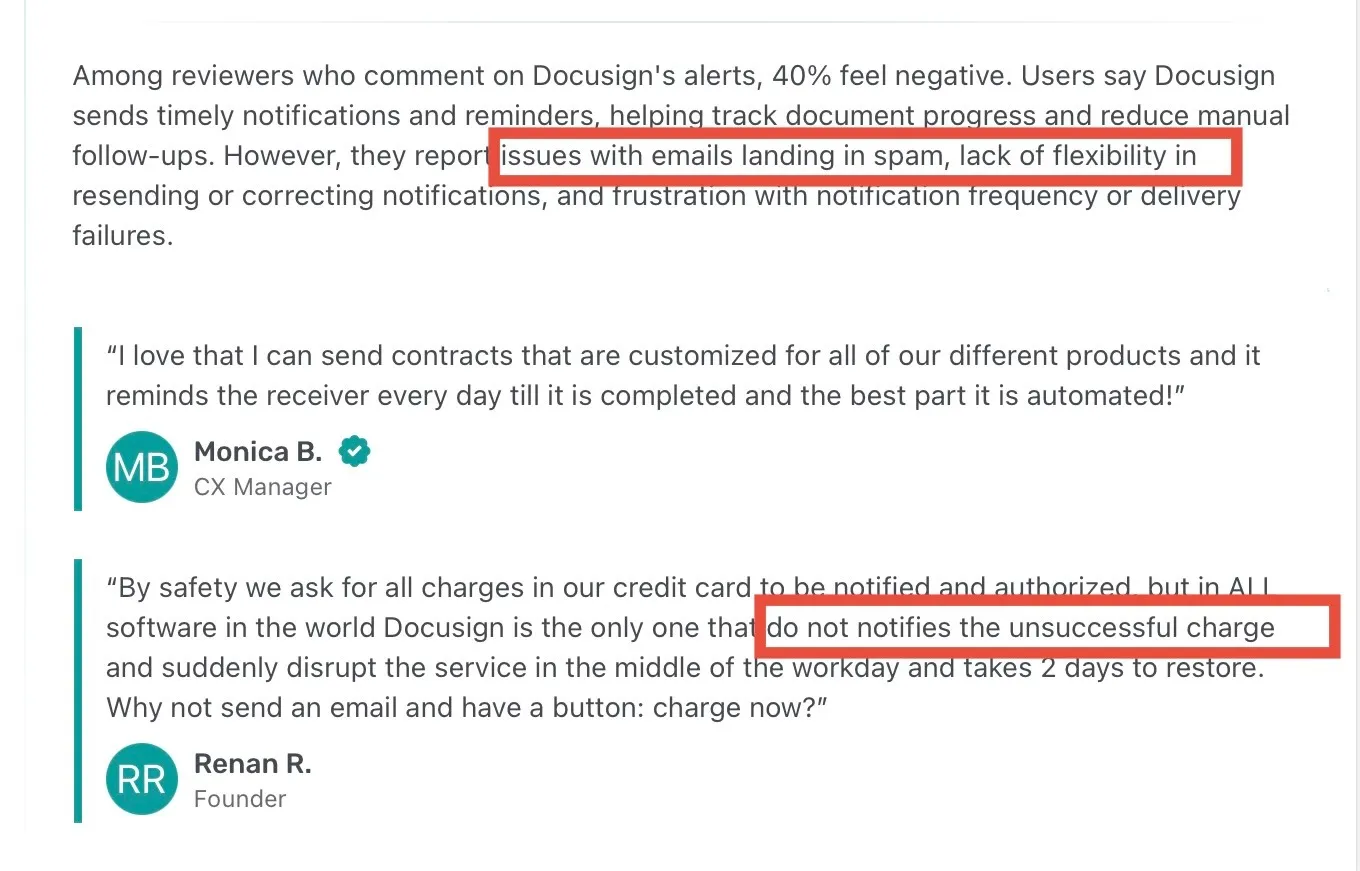
Alerts and reminders are one of those features people notice only when something goes wrong. Reviews on GetApp show a mixed reaction. Some users like the automated reminders because they reduce manual follow-ups and keep documents moving without extra effort.
Others have a very different experience. Several reviewers mention notification emails landing in spam, limited control when a reminder needs to be corrected or re-sent, and frustration around delivery timing.
Source
The takeaway from this feedback is pretty clear. Docusign handles basic reminders well, but once notifications need more flexibility or reliability, cracks start to show.
4. Finding documents isn’t always as easy as sending them
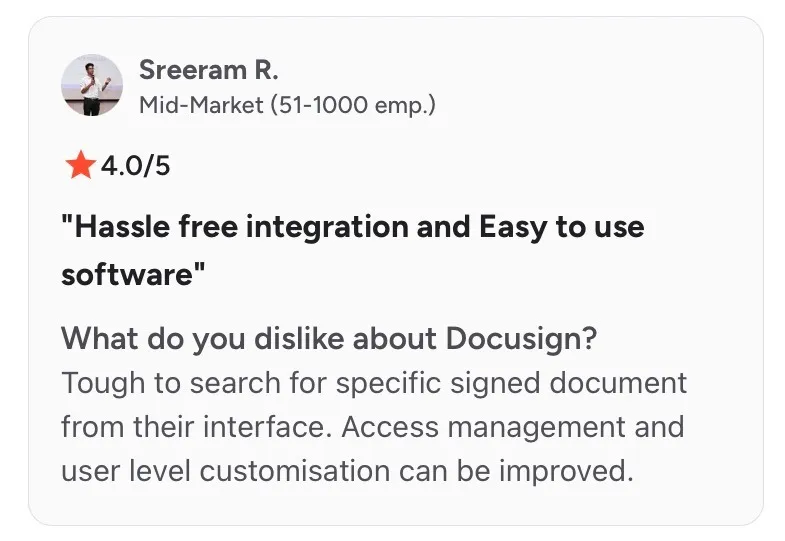
This comes up in reviews from mid-market users who deal with a lot of signed paperwork. Sending documents feels simple enough, but tracking down a specific signed file later can be frustrating. Reviewers mention that search filters don’t always surface what they’re looking for, especially when documents pile up over time.
Source
Access controls and role management often feel limited and unintuitive as teams grow, making post-signing document management harder than expected.
Sending is simple, but organizing and controlling access later is where friction shows up.
5. Performance can test your patience
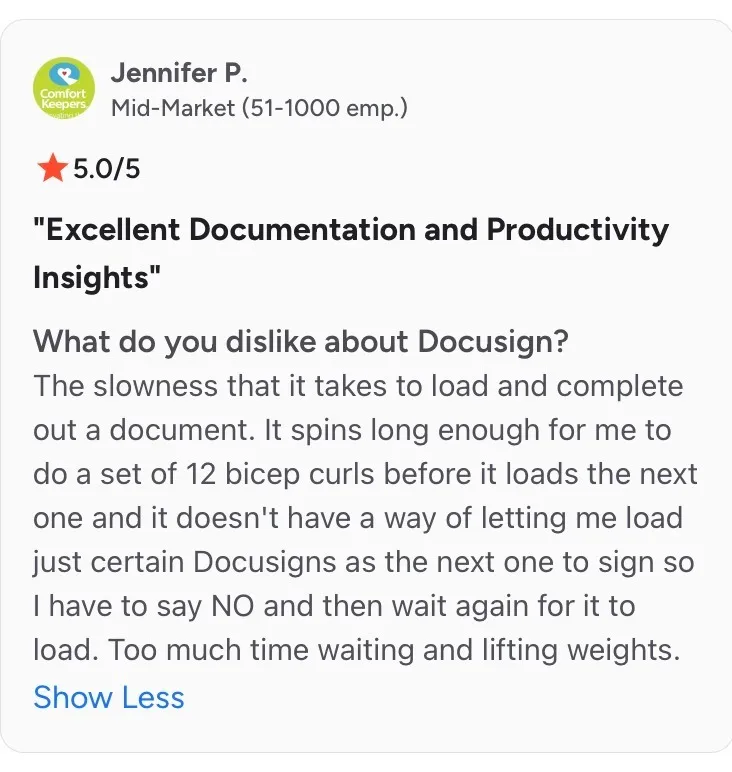
Other reviews mention documents taking longer than expected to load, with noticeable lag between one action and the next.
Source
What makes it more frustrating is the lack of control during those wait times. Users say they can’t easily skip ahead or choose which document loads next, so they end up stuck waiting or canceling and starting over. For help resolving these issues, see DocuSign troubleshooting.
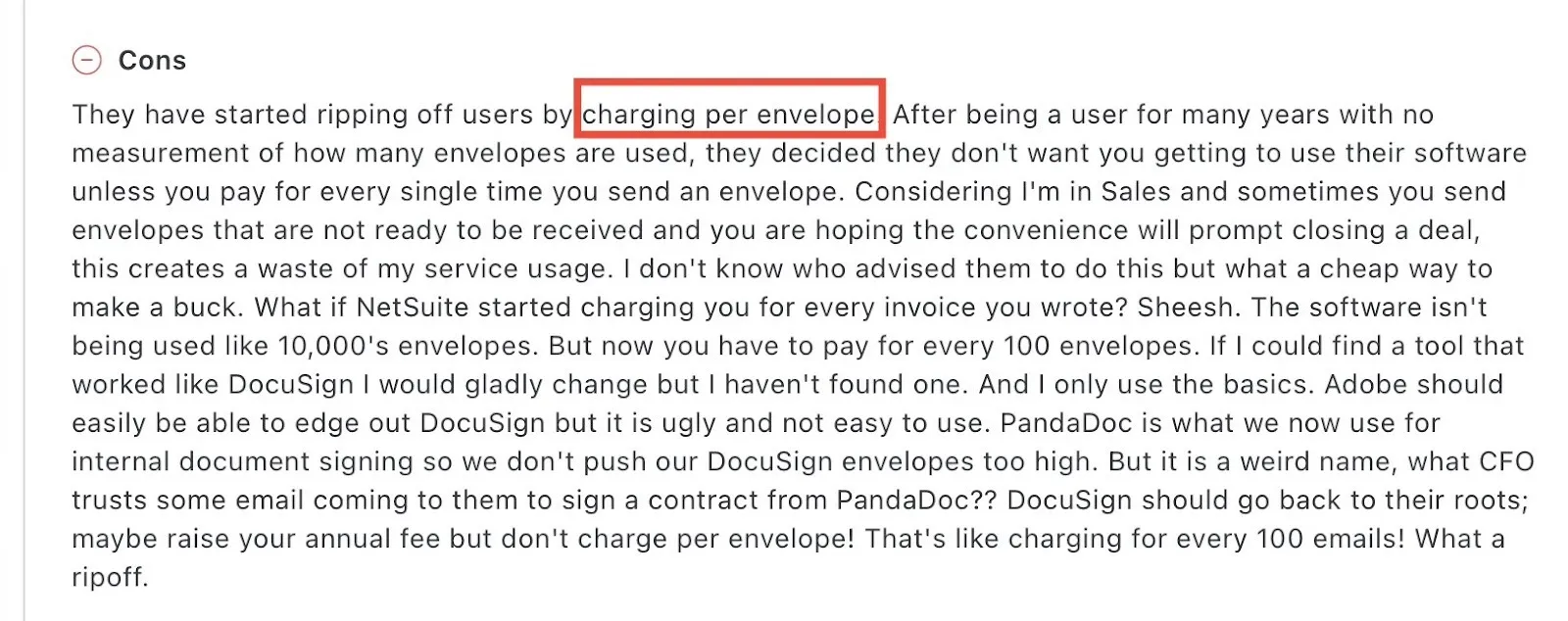
6. Per-envelope pricing feels punishing for everyday sales work
Sales teams point out that sending drafts, test contracts, or early-stage agreements is part of the job. When every send counts against a limit, usage feels wasted instead of productive.
Source
Users say they’d rather pay a higher flat annual fee than be penalized for normal day-to-day signing behavior. For teams that only use basic features, this pricing shift feels less like value-based billing and more like a constant meter running in the background.
Docusign vs Signeasy: comparison
Once the trade-offs become clear, the question shifts from “Does Docusign work?” to “Is there a smoother way to do this?” Teams want the same reliability without pricing friction or operational drag.
Signeasy comes up often because it keeps signing simple while addressing the limits and cost concerns raised earlier.
The comparison below looks at how both tools perform in real workflows, and how Signeasy balances the gaps that tend to push teams to explore alternatives.
Bottom line: Docusign continues to make sense for organizations that are comfortable with structured plans, usage limits, and enterprise-style controls. Signeasy stands out for teams that want the same reliability with clearer pricing, simpler setup, and a smoother day-to-day experience as signing volume grows. For a closer comparison with Foxit eSign vs Docusign, you can explore their differences.
Docusign pricing breakdown: plans, limits, and real-world costs (as on Jan, 2026)
If there’s one theme that kept showing up while scanning reviews, it was Docusign’s pricing.

Source
Users repeatedly point out that advanced features sit behind higher-tier plans. Things like bulk sending, advanced templates, automation, or even making small updates to existing forms often require an upgrade. What starts as a basic signing tool slowly becomes more expensive as needs evolve.

Source
There’s also a recurring sense of mismatch. Reviewers acknowledge Docusign’s strength in security and compliance, but question whether the price still makes sense when signing needs are occasional or when teams don’t need enterprise-level depth. Add in mentions of slow support responses and occasional UI lag during high-volume use, and pricing starts feeling harder to justify.

Source
This section builds on those concerns. Instead of treating pricing as a static list, we’ll walk through Docusign’s plans one by one and look at what’s actually included at each level.
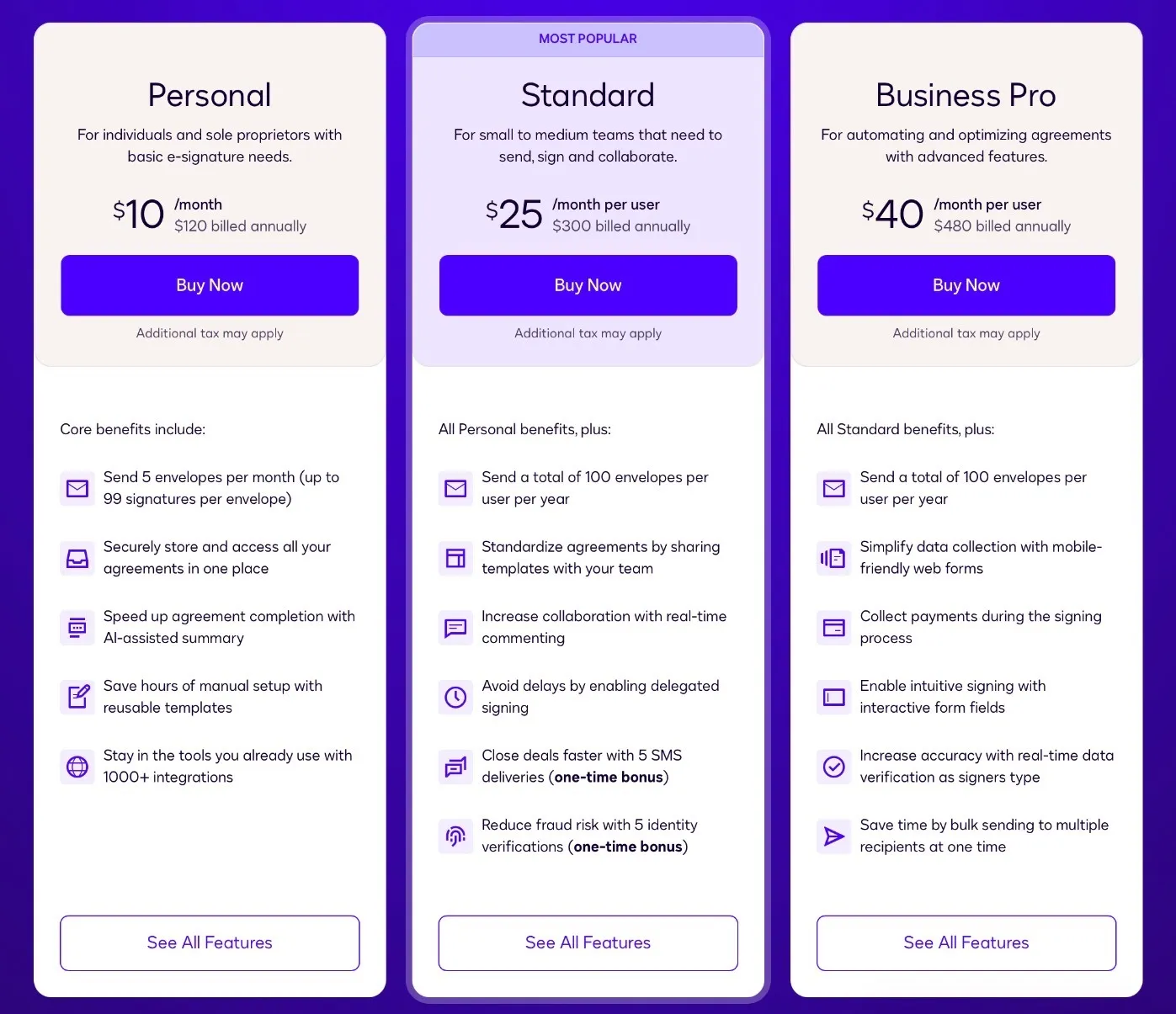
1. Starter / Personal plan: designed for light use, quick to outgrow
Cost: $10 per user per month
- Covers basic signing and simple workflows
- Usage limits apply quickly; resends and fixes count toward limits
- Works for occasional signing, feels restrictive with regular use
2. Standard plan: where team features begin and pricing starts to stretch
Cost: $25 per user per month
- Adds shared templates, reminders, basic branding, and team access
- No bulk sending or automation
- Envelope limits remain, so volume still needs monitoring
3. Business Pro plan: more power, noticeably higher commitment
Cost: $40 per user per month
- Unlocks bulk sending, advanced fields, attachments, and payments
- Better fit for sales, HR, and operations workflows
- Higher cost, with envelope limits still in place
4. Enterprise plans: custom pricing, custom commitments
- Includes SSO, advanced admin controls, higher limits, and priority support
- Designed for large organizations with strict governance needs
- Long-term contracts can make switching later feel costly
All tiers belong to Docusign and scale in features but limits and pricing complexity increase as usage grows.
Hidden costs to watch for with Docusign pricing
Beyond the plan prices themselves, several costs tend to surface only after teams start using Docusign regularly.
One of the most common is per-envelope usage. Actions that feel routine like resending a document or fixing a small error can count toward limits. Over time, this pushes teams into higher tiers sooner than expected.
Add-ons are another factor. Features like advanced automation, integrations, identity verification, or higher sending volumes often sit outside base plans. For businesses that need custom integrations, Docusign API pricing is another cost to consider, as API plans and usage can be separate from standard eSignature plans. These extras may start small, but they add up quickly once workflows mature.
There’s also the upgrade pressure. As soon as volume increases or teams need features like bulk sending or deeper admin controls, upgrading stops feeling optional. For many users, pricing growth is driven less by team size and more by everyday usage patterns. If you're comparing Docusign with other eSignature platforms, Docusign vs PandaDoc can help put these pricing differences in context.
How Signeasy balances Docusign’s pricing limitations
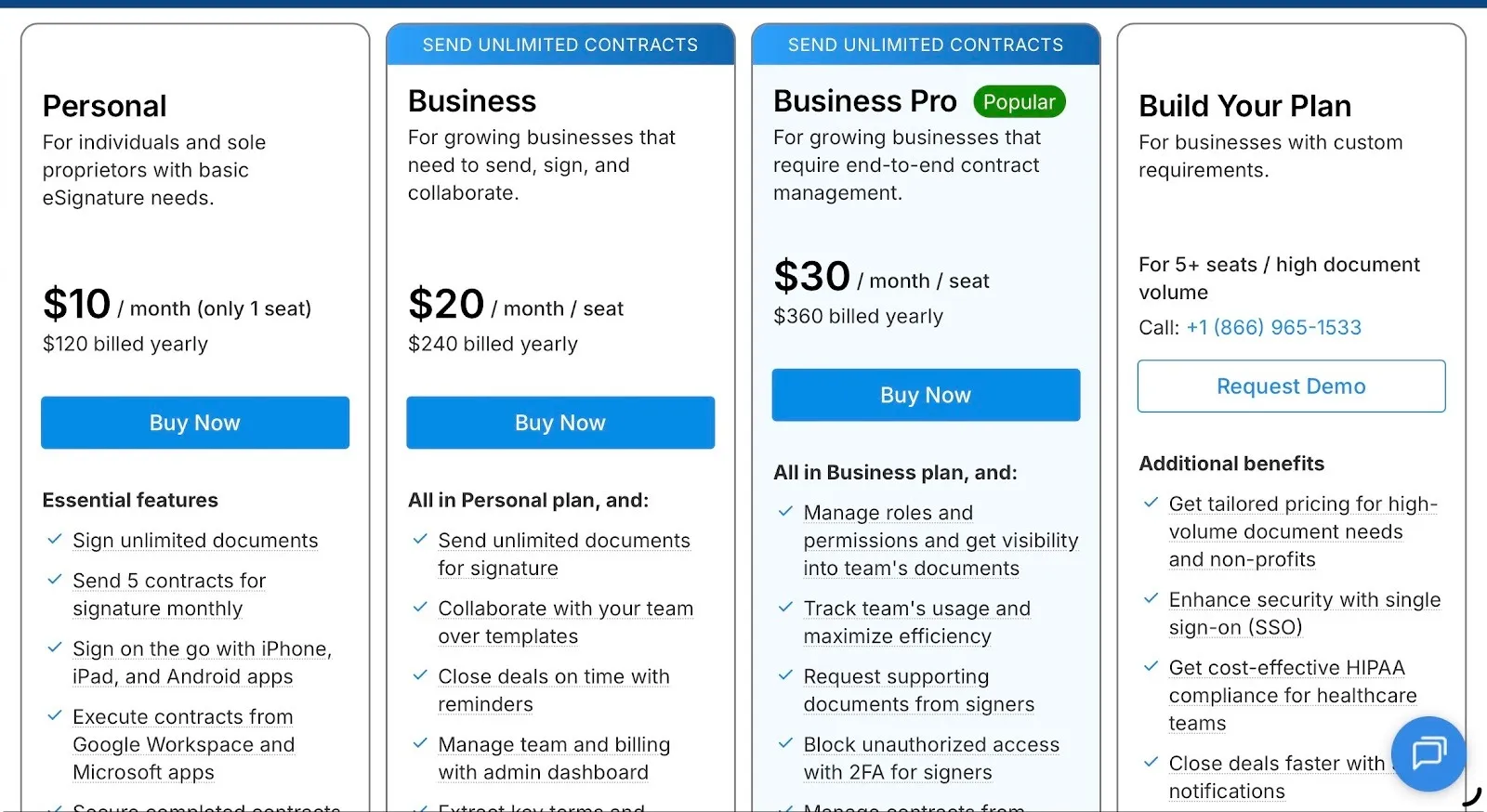
Most pricing complaints around Docusign trace back to one thing: usage-based constraints. Envelope limits, paid resends, and feature gating make cost hard to predict once documents start moving regularly.
Signeasy approaches this differently and that difference shows up clearly in day-to-day use.
- No envelope-based pricing: Signeasy doesn’t charge per envelope. Sending, resending, or fixing documents doesn’t consume usage limits.
- Unlimited contracts on Business and Business Pro: Higher volume doesn’t change the bill. Teams can send as many contracts as needed without worrying about hitting a cap.
- Advanced features without forced upgrades: Collaboration, reminders, and role-based access are available without jumping tiers just to unlock everyday functionality.
- Predictable scaling: Costs increase with seats, not with how often documents are touched, making long-term budgeting easier.
- Lower risk if it’s not the right fit: Signeasy’s 100-day money-back guarantee means teams can try it in real workflows and if things don’t work out, the money comes back.
1. Who should use Docusign?
- Teams operate at large or enterprise scale with clearly defined processes and dedicated admins
- Signing volume is high and predictable, making envelope limits easier to plan around
- Compliance, governance, and audit trails are top priorities
- Brand familiarity matters when sending documents to external parties
- Budgets can accommodate tiered pricing, add-ons, and periodic upgrades
- Teams are comfortable managing structured workflows over flexibility
2. Who should consider alternatives?
- Signing volume changes month to month and usage limits feel restrictive
- Costs rise because of envelope charges, resends, or plan upgrades, not team growth
- Teams want simpler pricing without constantly tracking limits
- Admin overhead around permissions, setup, or billing feels heavier than expected
- Mobile signing and speed matter as much as desktop workflows
- Teams want room to test a tool properly before committing long term, check our Best Docusign alternatives.
For teams also evaluating alternatives, our Xodo Sign vs DocuSign comparison breaks down the key differences in features, pricing, and signing capabilities.
Why Signeasy is a smarter alternative to Docusign
At this stage, the decision usually comes down to control versus simplicity. Teams aren’t looking for more features. They’re looking for fewer constraints, clearer pricing, and a tool that fits into everyday work without constant supervision.
Signeasy appeals to teams that want enterprise-grade signing without carrying enterprise-style complexity. It doesn’t try to mirror Docusign feature for feature. Instead, it focuses on removing the friction that tends to surface over time.
Here’s where Signeasy stands apart:
- Unlimited sending without envelope math: Business and Business Pro plans support unlimited contracts. Teams don’t have to think twice about resends, drafts, or revisions.
- Mobile-first, including offline signing: Signeasy supports offline signing on mobile devices, which is useful for field teams, in-person workflows, or environments with unreliable connectivity.
- Intelligent document management: Signed and pending documents live in one clean workspace, making retrieval and sharing easier without complex filters or admin work.
- Simpler role management for growing teams: Permissions stay straightforward, so access can be managed without heavy admin involvement as teams expand.
- Real evaluation time, not pressure to commit: The 100-day money-back guarantee gives teams enough time to test Signeasy in real workflows and walk away if it’s not the right fit.
- Designed for cross-team use: Sales, HR, legal, and operations can all use the same setup without separate rules or workarounds.
Switch to Signeasy for unlimited sending and clearer pricing. Start a free trial now.