



If you're researching eSignature (and contract management) solutions, you may have come across OneSpan, a platform used by some financial institutions and larger organizations.
But what do real users say about working with it day-to-day? And more importantly, is it the right choice for your business?

Source
Many teams choose OneSpan for its strong reputation in regulated industries. Users report getting documents signed in minutes instead of waiting weeks or months.
They also mention smoother customer experiences, though these benefits come with tradeoffs worth considering before you commit.
This OneSpan review covers:
- How OneSpan’s features perform, based on real user feedback
- What the pricing looks like once you factor in actual usage
- How the platform handles day-to-day tasks and support requests
- How it compares to Signeasy and which teams it fits best
Before diving into features and pricing, let's start with the basics.
What is OneSpan?
OneSpan is an eSignature and digital security platform designed for organizations that need strict authentication and advanced protection during document signing. It brings together eSignatures, identity checks, and fraud-prevention tools in one system.
Because it’s built for high-security environments, it’s most commonly used in finance, healthcare, government, and insurance. Teams that need extensive control, custom workflows, or strict verification processes often lean toward it.
For mid-sized companies to enterprises looking for a more intuitive contract management experience, Signeasy is worth considering. The eSignature platform balances advanced features like bulk sending, custom branding, and API integrations with ease of use.
How we sourced our data
To provide accurate recommendations, we reviewed OneSpan's official website, pricing pages, feature documentation, and user help resources. We also analyzed verified user reviews from G2 and Capterra, examining feedback patterns across different company sizes and industries.
Our evaluation focused on ease of use, pricing transparency, mobile functionality, and enterprise features. This approach saves you hours of research and helps you determine whether OneSpan fits your contract management needs.
Let's dig into the specific tools and capabilities OneSpan brings to the table.
OneSpan features: A closer look
OneSpan packs an extensive feature set designed for organizations that need robust security and compliance capabilities. Here's what you get across different tiers.
- Core eSignature features
The foundation includes everything you'd expect: customizable fields, reusable templates, bulk sending, and automated reminders. OneSpan's volume-based pricing model works well for high-volume workflows where you're processing thousands of documents monthly.
You get detailed audit trails, analytics dashboards, and the ability to set signing orders — useful when multiple approvers need to review documents sequentially.
The platform also supports embedded signing, letting you keep users within your own application instead of redirecting them elsewhere.
- Accessibility and authentication
The platform supports 20 languages and meets WCAG 2.0 Level AA accessibility standards. You can facilitate in-person signing, remote signing, and video signing depending on your needs.
On the authentication side, OneSpan goes deep with options including SMS codes, knowledge-based authentication, government ID verification, biometrics, smart cards, and passkeys.
Financial institutions particularly value this multi-layered security approach, which explains the strong OneSpan ratings in the banking sector.
- Branding and customization
OneSpan lets you customize nearly every touchpoint. You can brand the signing experience, sender interface, and even audit trails with your company's visual identity.
Enterprises that need seamless brand consistency across customer interactions will appreciate this level of control. Signeasy offers branding capabilities too, but with a more streamlined setup that gets you up and running faster.
- Integrations and APIs
Developers get sandbox accounts, REST APIs, and fully supported SDKs for custom builds. OneSpan integrates with major CRM platforms, productivity tools, storage solutions, and industry-specific applications.
The technical infrastructure supports complex enterprise deployments where you're connecting multiple systems.
- Compliance certifications
OneSpan holds SOC 2 Type II, ISO 27001, FedRAMP, HIPAA, and eIDAS certifications. Regulated industries like healthcare, IT, procurement, and government contracting rely on these credentials during routine compliance audits.
- Support options
Support ranges from community forums and email assistance to phone support and dedicated account representatives on premium plans. Response quality varies based on your subscription tier and specific issue complexity.
OneSpan vs Signeasy features at a glance
Both platforms offer solid eSignature capabilities, but their approaches differ. The comparison below shows each platform's strengths so you can pick the better option for your contract management.
OneSpan covers the essentials and adds strong identity verification for regulated industries, but its feature set leans heavily toward security rather than contract intelligence.
It handles core eSign workflows well — bulk send, sequential signing, embedded signing, and strict authentication — yet it doesn’t move into modern CLM territory.
The absence of a smart repository, automated renewals, and AI-driven insights keeps it firmly in the eSignature category rather than a full contract management solution.
Signeasy, on the other hand, extends far beyond basic signing. Its AI-powered repository, smart search, summaries, and key-term extraction make contract handling faster and easier for teams that want more clarity without heavy setup.
Automated renewal reminders and signer attachments bring additional ease to everyday workflows. This gives Signeasy an advantage for companies that want a tool that reduces manual effort, not just manages signatures.
Signeasy also edges ahead in usability and flexibility. It offers smoother onboarding, mobile-first in-person signing, stronger cross-device continuity, and friendlier navigation.
Its workflow automation options are broader, making it easier for teams to build and refine internal processes.
Although OneSpan offers deeper identity verification and some government-grade certifications, Signeasy delivers a more intuitive experience and a more complete contract management path for growing businesses.
OneSpan pricing and plans: A detailed breakdown
OneSpan doesn't publish pricing publicly, instead offering volume-based custom quotes tailored to transaction volume and security requirements.
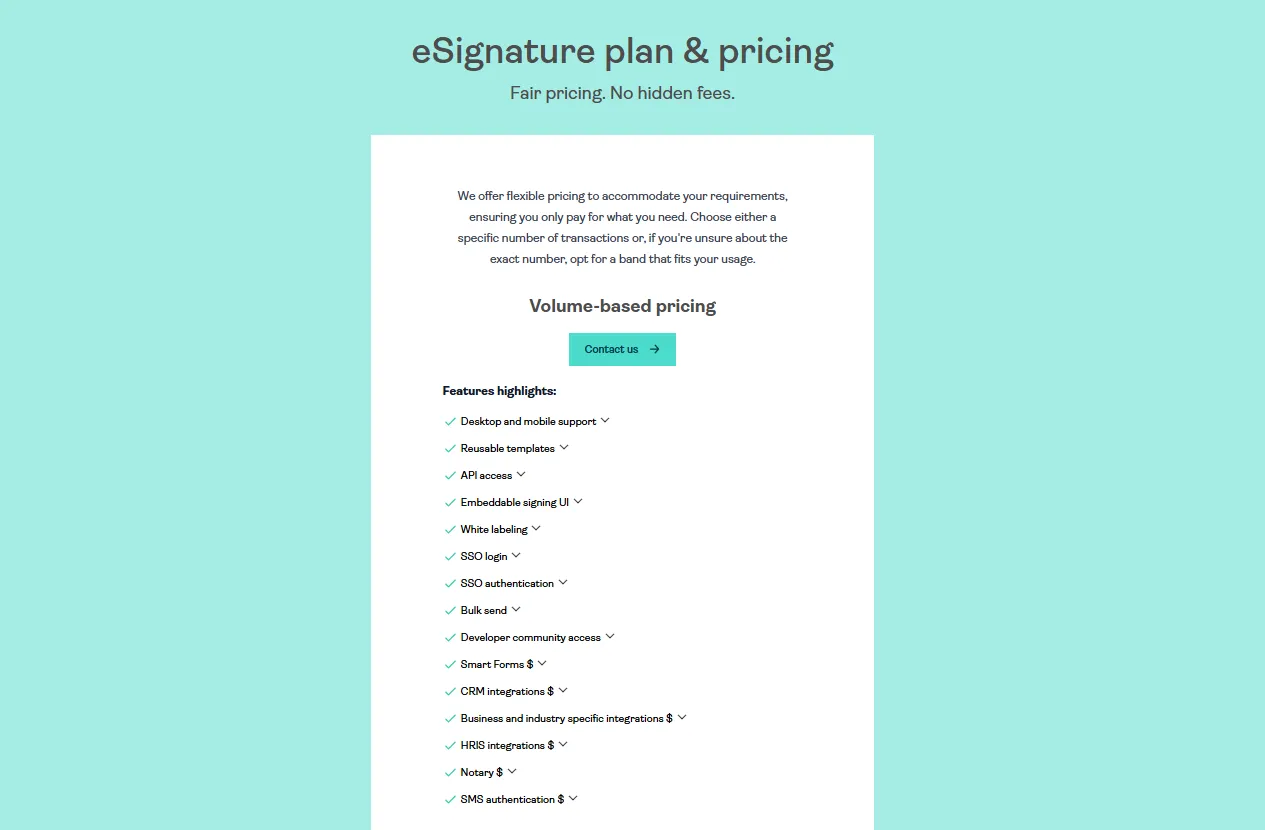
Here's a closer look at OneSpan's pricing structure and how it compares to more transparent alternatives:
1. Volume-based pricing (custom quote required)
OneSpan's single pricing approach requires contacting their sales team for a custom quote. There are no publicly listed tiers — just one volume-based model that scales with usage.
The plan typically includes advanced features such as:
- API access with SDKs for multiple programming languages (.NET, Java, iOS, Android)
- Embedded signing for seamless integration into your website or application
- Complete white-label branding control with no OneSpan branding visible
- SSO authentication for secure enterprise access
- Bulk send capabilities and Smart Forms for complex data collection workflows
It’s ideal for high-volume enterprises processing thousands of signatures monthly, particularly in banking, government, and heavily regulated industries.
OneSpan reviews, however, consistently mention that this custom pricing model creates budgeting difficulties. Without transparent costs, smaller businesses struggle to evaluate whether the platform fits their budget before investing time in sales conversations.
The volume-based structure can be cost-effective at scale but makes comparison shopping nearly impossible without quotes from multiple vendors.
2. Free trial and developer sandbox
OneSpan offers a 30-day free trial with no credit card required. During the trial period, you get full access to test features and send real documents for signature.
After 30 days, you can't create new transactions, but existing documents remain accessible for 120 days — giving you time to make a decision without losing your work.
Developers get a separate free sandbox account that stays free indefinitely. This includes:
- REST API access and comprehensive documentation
- SDKs for .NET, Java, iOS, and Android
- Community forum support
- Code examples and integration guides
The sandbox environment makes it easier to prototype custom workflows before committing to paid plans.
3. Additional solutions (custom pricing)
Beyond eSignatures, OneSpan offers supplementary products that also require custom quotes:
- OneSpan Notary: Remote online notarization services with live video sessions, identity verification, and eJournal capabilities. Pricing varies based on volume and industry requirements.
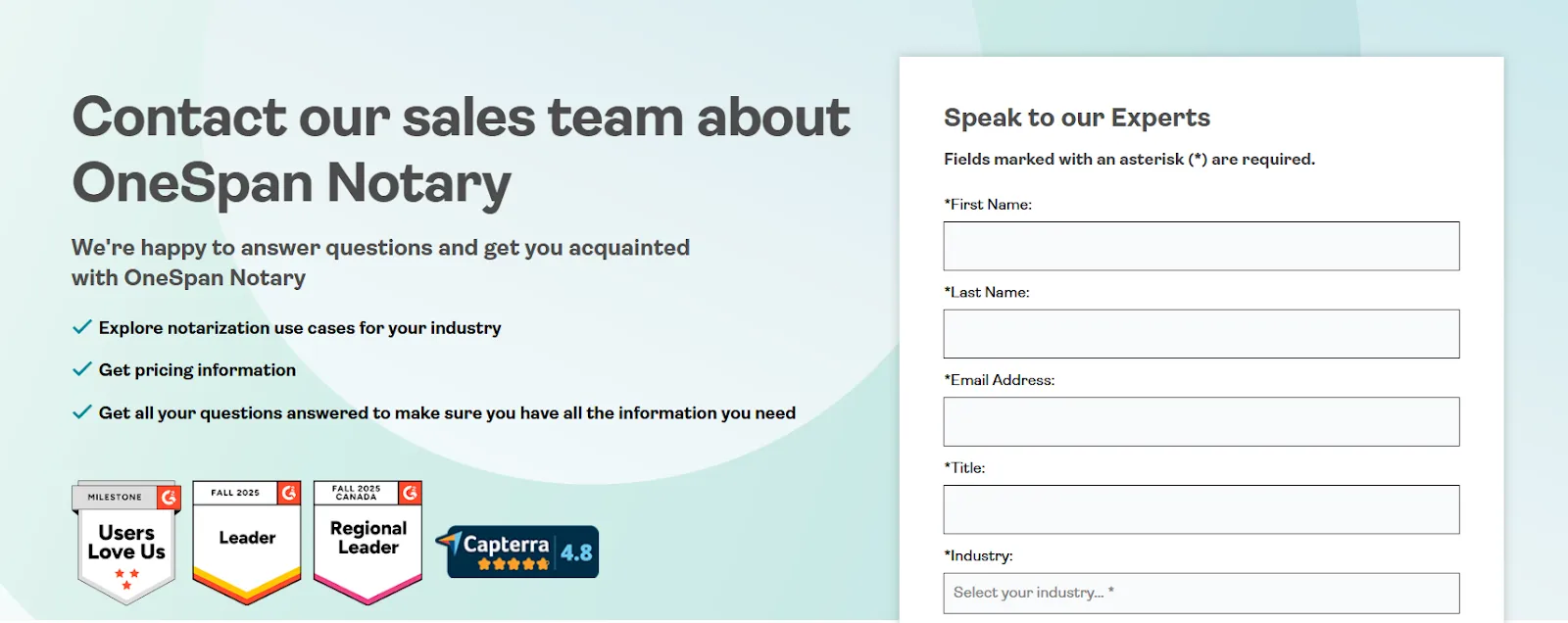
- Security solutions: Hardware authenticators, mobile authentication tools, and multi-factor authentication products for fraud prevention. All priced separately based on deployment size.
For businesses seeking straightforward contract management pricing without lengthy sales processes, this lack of transparency can be frustrating.
4. Cost comparison with other eSignature solutions
OneSpan's custom quote model makes direct comparisons challenging, but here's how it compares to other eSign platforms like Signeasy, Docusign, PandaDoc, and SignNow with published pricing at the enterprise level:
What this means for you:
OneSpan's custom pricing suits enterprises with predictable high volumes but makes budgeting nearly impossible without a sales conversation. Docusign caps documents at 100 per user annually on lower tiers — you'll hit limits fast with regular contract workflows.
Suggested Read: Signeasy vs. Docusign
PandaDoc starts at $49 monthly, making it the most expensive option for teams that don't need its sales-specific features. SignNow's per-signature API fees look affordable initially but accumulate quickly as automation scales.
5. OneSpan vs. Signeasy: Transparent pricing comparison
Signeasy takes a transparent approach to pricing. All plans and costs are clearly displayed on our website. You can see what you'll pay without contacting sales.
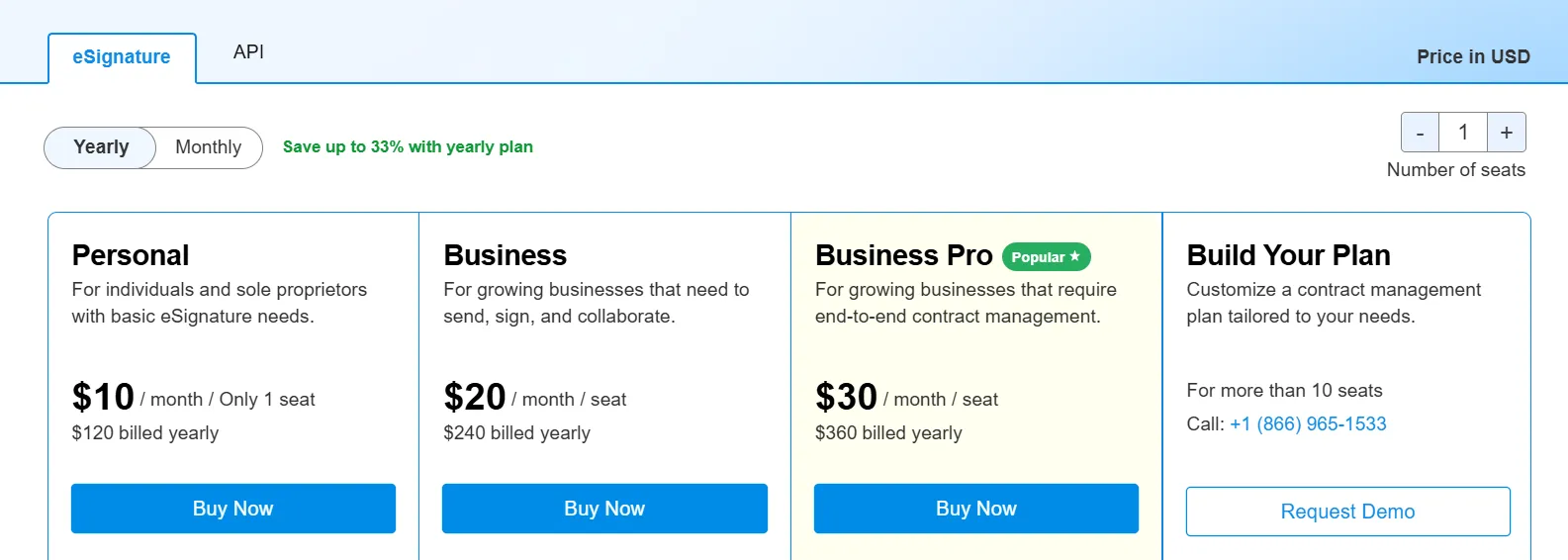
Here's how Signeasy's pricing structure breaks down:
- Free plan
Signeasy offers a free plan with three documents per month — ideal for individuals who need occasional signatures. You can sign and send documents in 25+ file formats with secure signing and document customization at no cost.
- Personal plan: $10/month
The Personal plan is designed for solo users with regular eSignature requirements. With annual billing, you get:
- Send up to five documents for signature via email each month
- Unlimited self-signing capabilities
- Support for all major file formats (PDF, Word, Excel, JPG, PNG, etc.)
- Password protection for sensitive documents
- Ability to edit signer details and add stamps, timestamps, and signer IDs
This plan costs significantly less than enterprise platforms while covering essential needs for freelancers and individual professionals.
- Business plan: $20/month per user
Signeasy's Business plan, at $20 per month per seat, removes document caps entirely and adds team collaboration features:
- Unlimited documents: Send as many contracts as needed in 25+ formats with no monthly restrictions
- Team collaboration: Create up to five reusable templates, share them across your team, or generate public signing links for bulk signature collection
- Built-in reminders: Automated follow-ups on day one and day seven keep workflows moving, with manual reminder options available
- Diverse integrations: Connect with Google Drive, Gmail, Google Sheets, Google Docs, Microsoft Teams, and Microsoft Outlook to manage documents without switching tools
- Admin dashboard: Invite team members, manage permissions, and handle billing from a centralized interface
- AI-powered features: Automatically summarize contracts and extract key terms instantly (capabilities OneSpan doesn't offer at any price point)
The Business plan provides enterprise-grade functionality with transparent, predictable costs. No sales conversations required.
- Business Pro plan: $30/month per user
For mid-sized teams managing multiple departments and senders, Signeasy's Business Pro plan adds advanced visibility and control:
- Usage tracking: Monitor team performance, track contract stages, and download or share reports to maximize efficiency
- Role-based permissions: Manage team access effectively, control document visibility, and ensure proper oversight of all contracts
- Advanced integrations: Connect with SharePoint and HubSpot to send, track, and manage documents within your existing workflow tools
- Two-factor authentication for signers: Add extra security layers ensuring only verified signers can access sensitive documents
- 24/7 priority support: Get instant help resolving issues efficiently, regardless of when problems arise
At $30 per user monthly, Business Pro costs less than Docusign's Standard plan ($40/month) while offering more comprehensive features — including unlimited document sending and AI contract intelligence.
- Build Your Plan: Custom pricing for 5+ seats
For organizations with 5+ users or specialized requirements, Signeasy offers custom pricing through the Build Your Plan option. This tier includes:
- Tailored pricing: Discounts for high-volume document needs and non-profit organizations
- Enhanced security: Single sign-on (SSO) integration with preferred identity providers
- Compliance certifications: HIPAA compliance for healthcare teams and 21 CFR Part 11 compliance for FDA-regulated industries
- SMS notifications: Send instant text alerts for pending documents instead of relying solely on email
- Dedicated Success Manager: Get assisted onboarding and ongoing support for faster ROI
- Bulk send capabilities: Automate individual signature requests to large contact lists via CSV uploads
Signeasy clearly outlines who this plan serves and what's included, which removes guesswork from the decision process, a transparency OneSpan's hidden enterprise pricing lacks.
- API pricing plans
Signeasy also offers transparent API pricing for businesses building custom integrations:
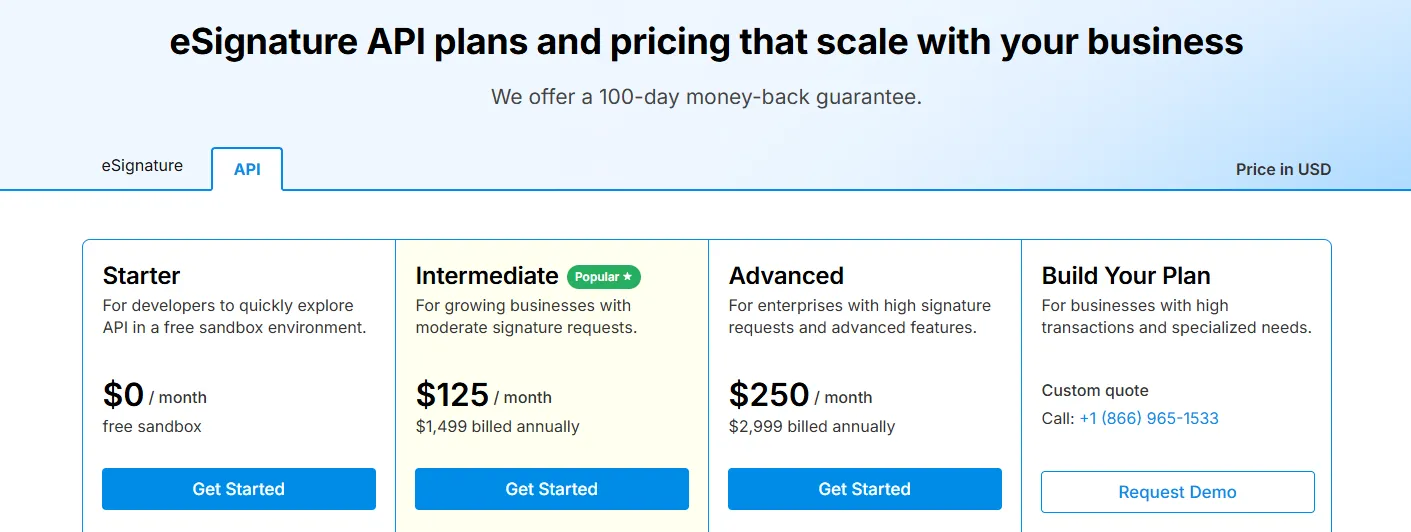
- Starter: Free sandbox environment for developers exploring API capabilities (100 signature requests)
- Intermediate: $125/month ($1,499 billed annually) for growing businesses with moderate signature volumes (1,000 requests)
- Advanced: $250/month ($2,999 billed annually) for enterprises with high signature demands (2,000 requests) plus dedicated Success Manager support
- Build Your Plan: Custom quotes for businesses with high transaction volumes and unique integration requirements
Estimate your savings with our ROI calculator
6. Free trial availability and limitations
OneSpan offers a 30-day free trial with full feature access. No credit card required upfront. After 30 days, you must contact sales for paid plans or lose the ability to create new transactions (existing documents remain accessible for 120 days).
Signeasy, on the other hand, provides a 14-day free trial across all paid plans. No credit card required to start. Additionally, paid annual plans include a 100-day money-back guarantee, giving you more than three months to evaluate the platform risk-free after purchase.
Let's switch focus from costs to usability — how intuitive is OneSpan for new users?
Ease of use: Is OneSpan user-friendly?
Let's talk about the real user experience (beyond the marketing claims).
- Interface design and onboarding experience
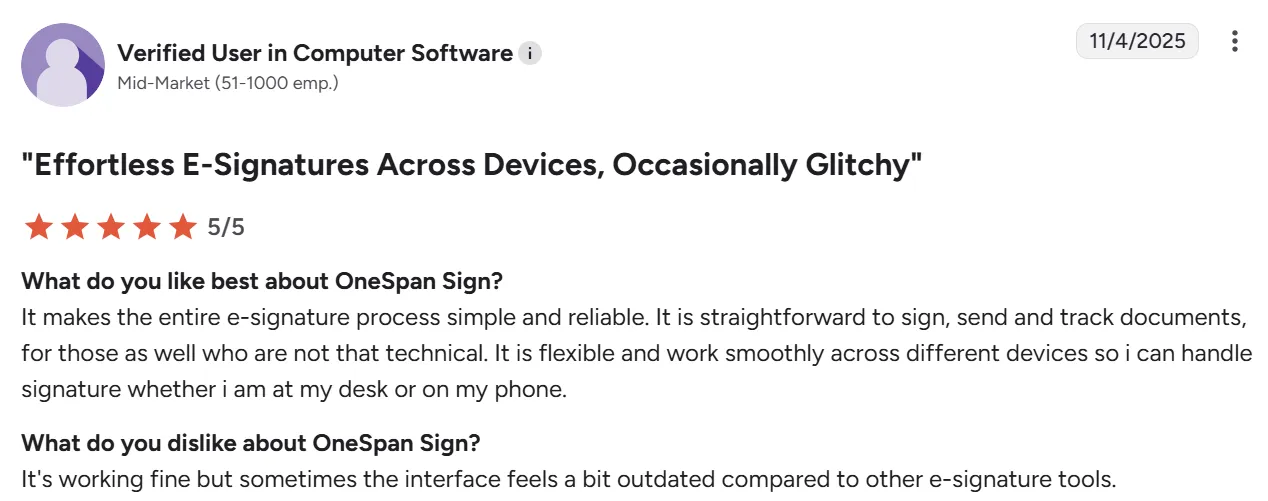
OneSpan's interface gets mixed reactions from users. Some describe it as "simple" and "intuitive," particularly for basic document signing.

Source
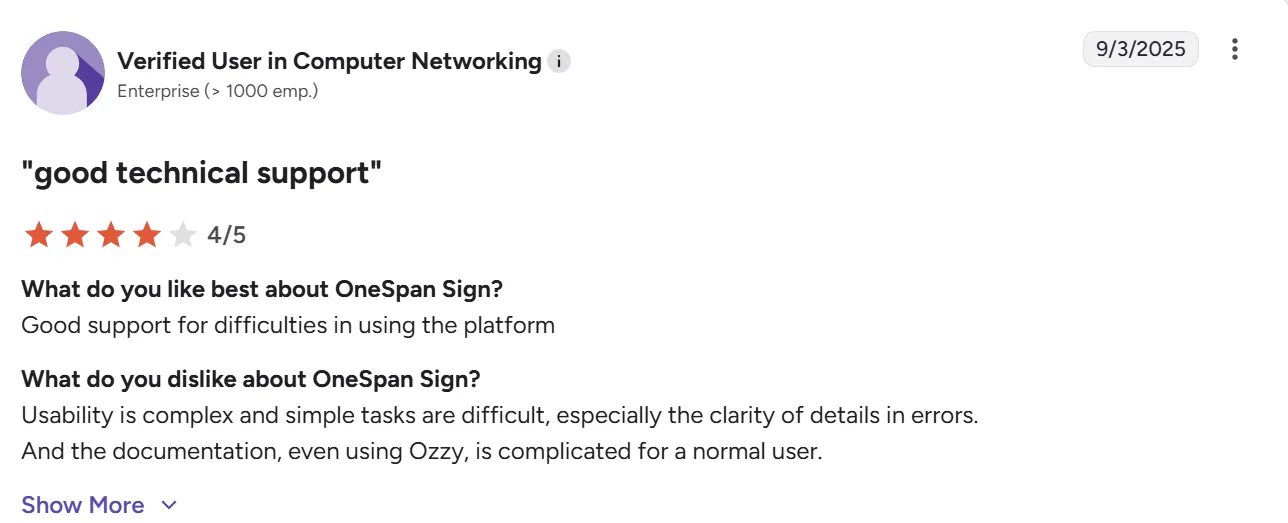
However, others find "usability is complex and simple tasks are difficult, especially the clarity of details in errors."

Source
One user noted that while "the use of the application is quite intuitive and does not have a steep learning curve," another user mentioned the "only disadvantage is having little knowledge about the tool and not finding much info on the internet."
- Learning curve for new users
The learning curve varies significantly based on how you're using OneSpan.
For straightforward signing workflows, users report it's "easy to set up" and "easy to understand for the user."
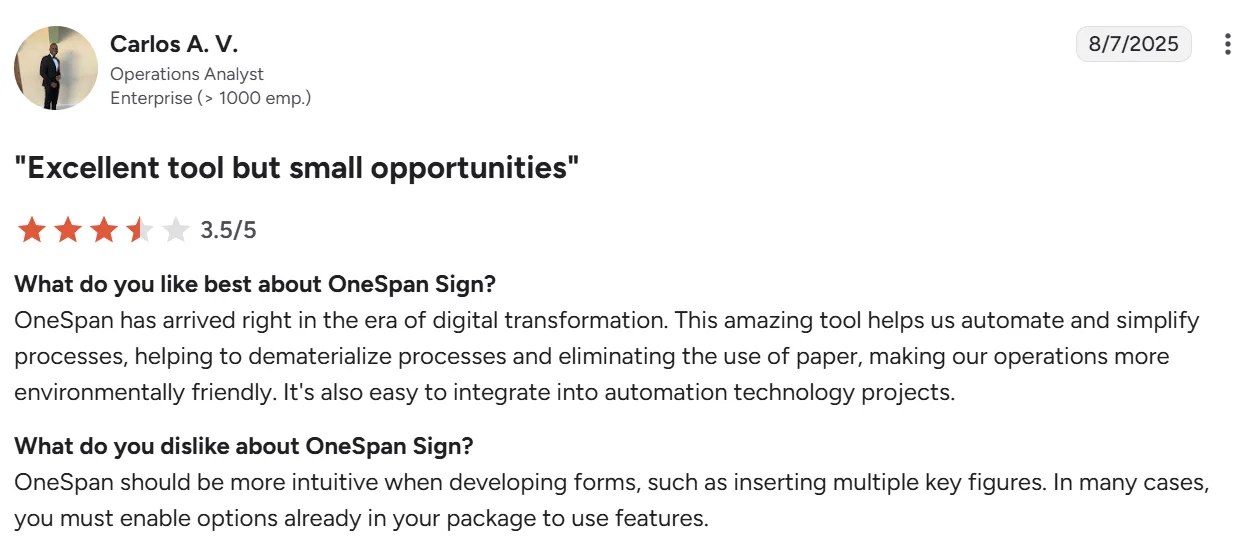
But when developing forms or working with complex features, "OneSpan should be more intuitive when developing forms" and "in many cases, you must enable options already in your package to use features."

Source
The API gets better marks — developers appreciate that "flexible methods from the API allow for quick integration."
- Speed of setup and sending documents
Users confirm "you can have a file prepared and signed within a minute" once you know the system. However, "moving from test to production can be a bit cumbersome if you have complicated templates."
- Mobile usability
The mobile experience has room for improvement. One user noted "the mobile experience is still not responsive and needs the capability to support HTML5."

Source
Another mentioned "the display on the mobile device isn't the best as it does not display the page nicely and creates a lot of scrolling back and forth to read the complete document."
What about Signeasy
For comparison, here's how Signeasy handles everyday use.
- Ease of use
Signeasy lives up to its name. Users consistently describe it as "easy to navigate and get what I need" with setup taking "just a few minutes."

Source
The interface is "clean and intuitive" where "even non-tech-savvy clients can navigate the signing process without confusion." One user summed it up: "What I like best about Signeasy is its simplicity and user-friendly interface."
- Mobile experience
Signeasy works well on mobile with full functionality across iOS, Android, tablets, and iPads. Users appreciate that it's "wonderful, especially useful for docs needed to be signed electronically and yes you can do it on mobile or while on the move."
The cross-device experience is seamless. You can start on one device and finish on another without friction.
- Setup speed
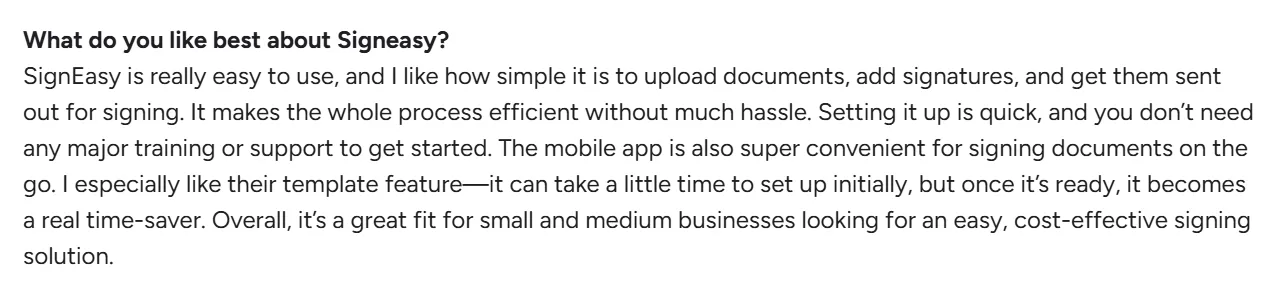
Getting started is genuinely fast. Users report "setting it up is quick, and you don't need any major training or support to get started."
Source
Templates "can take a little time to set up initially, but once it's ready, it becomes a real time-saver."
- Customization
Signeasy offers practical customization without overwhelming users. You get "reusable templates and multi-document envelopes" that work well for batch processing.
The branding options let you add logos and custom elements while keeping the process straightforward.
After the user experience review, here is the final list of advantages and disadvantages.
Pros and cons of OneSpan
From OneSpan reviews, here's what users consistently highlight across different industries and company sizes.
1. OneSpan’s pros
- Enterprise-grade security and compliance: Trusted by major banks with certifications including SOC 2, HIPAA, eIDAS, and FedRAMP. The platform "meets legal requirements for a digital signature" with strong encryption.
- Powerful API and integration capabilities: Developers appreciate that "flexible methods from the API allow for quick integration" with fully supported SDKs for multiple programming languages.

Source
- Complete white-label customization: You get complete control of your branding including personalized email sender addresses, custom landing pages, and no OneSpan branding visible to end users.
- Legally binding signatures with solid audit trails: Documents are encrypted in transit and at rest, providing security and compliance features that satisfy regulatory audits.
2. OneSpan’s cons
- No pricing transparency: OneSpan doesn't display pricing publicly. Users mention "price is always an issue" and note the custom quote process makes budgeting difficult upfront.

Source
- Inconsistent customer support quality: Support experiences range dramatically from top notch to "awful customer support (3+ months to solve a case)" with some reporting issues that cost them "dearly in legal fees."

Source
Others report "customer service and sales are extremely slow to respond."
- Complex setup for advanced features: While basic signing works well, users report "forms can become a bit rigid” and “sometimes it's hard to find documentation needed to get answers.”
Signeasy addresses these pain points with transparent website pricing, consistently praised customer support, and intuitive setup requiring no training. Advanced features remain accessible without complicated processes, letting teams start productive work immediately.
Seeing OneSpan alongside alternatives gives you a better perspective on its value.
How does OneSpan compare to competitors?
When evaluating enterprise-grade eSignature solutions, comparing top-tier plans gives you the fairest picture. Here's how OneSpan's custom offering stacks up against premium plans from leading competitors.
What does this mean for you?
Docusign leads in government compliance with FedRAMP but caps documents even on premium tiers and charges top dollar. PandaDoc works well for sales teams with payment collection and pricing tables. SignNow offers affordable per-signature pricing but can get expensive with high API usage.
Suggested Read: Signeasy vs. PandaDoc
Signeasy distinguishes itself with unlimited document sending (fair use policy), AI-powered contract intelligence unavailable elsewhere at this price point, and transparent custom pricing.
The intelligent repository with smart search, automated summaries, and key terms extraction helps teams manage contracts post-signature — a gap most platforms leave unfilled. The mobile app delivers full functionality offline across all devices.
For mid-sized to enterprise teams seeking advanced features without Docusign's premium pricing or OneSpan's lack of transparency, Signeasy offers the strongest balance of capability, usability, and value.
Competitor comparison complete. What support is available when things go wrong?
OneSpan resources
OneSpan maintains an extensive resource center with case studies, datasheets, webinars, and white papers covering topics from digital agreements to authentication solutions.
The OneSpan Community Platform serves as the central hub for documentation, offering guides, interactive API documentation, SDK downloads, and code examples across their product lines.
The Electronic Signature Support Center provides access to forums, blogs, and real-time system status updates. Developers can interact with REST API documentation and download SDKs for integration projects.
If you can't find what you're looking for in the documentation, you can ask questions in the community forums.
OneSpan also publishes several resources:
- Analyst reports, including the IDC MarketScape Worldwide eSignature Software 2023 Vendor Assessment where they were named a leader
- Industry-specific guides covering financial services, insurance, healthcare, and government use cases
While the resource library is comprehensive, user reviews note that finding specific documentation can sometimes be challenging. The materials lean heavily toward enterprise and developer audiences rather than general business users.
Given all the details, what kind of organization should choose OneSpan?
OneSpan vs Signeasy: Which platform fits your business?
Is OneSpan right for your business, or would Signeasy be a better fit? The answer depends on three key factors: your company size, industry requirements, and specific use cases:
- Small businesses vs. large enterprises
OneSpan targets high-volume enterprises in heavily regulated industries where security requirements justify custom pricing and complex implementation.
Banks, government agencies, and healthcare systems processing thousands of monthly transactions benefit from OneSpan's FedRAMP certification, government ID verification, and knowledge-based authentication.
Small to mid-sized businesses can find OneSpan's lack of pricing transparency and enterprise-focused setup frustrating. The platform requires sales conversations for quotes and technical expertise for advanced features — barriers that slow teams needing quick contract turnarounds.
Signeasy suits mid-sized businesses seeking enterprise capabilities without enterprise complexity. Transparent pricing, fast setup, and unlimited document sending (across paid plans) mean teams start productive work immediately.
The intelligent contract repository with AI-powered search and Smart QA helps growing organizations manage contracts efficiently as volume scales.
- Industries that benefit most from its features
Financial services companies and government contractors get the most value from OneSpan. These organizations need FedRAMP certification and multi-layered authentication (smart cards, biometrics, passkeys) that some platforms don't offer.
Healthcare organizations handling protected health information value the HIPAA compliance and detailed audit trails.
Sales teams, real estate agents, legal firms, HR, and general businesses have different priorities. Signeasy matches OneSpan on core security certifications (SOC 2, HIPAA, eIDAS) but won't slow your team down with complicated setup.
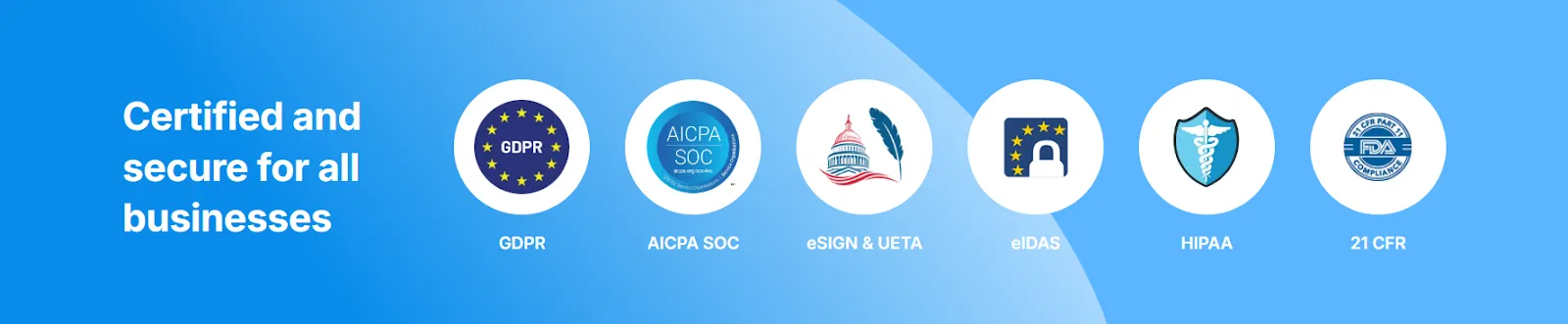
The mobile-optimized experience with offline signing, biometric authentication, and cross-device continuity supports field teams collecting signatures on-site.
- Specific use cases where it excels
OneSpan handles high-volume automated workflows well through its transaction-based pricing and embedded signing capabilities. Organizations integrating eSignatures into customer-facing applications benefit from the white-label customization and robust APIs.
However, Signeasy addresses gaps OneSpan leaves unfilled. The AI contract insights automatically extract key terms, generate summaries, and answer natural language questions.
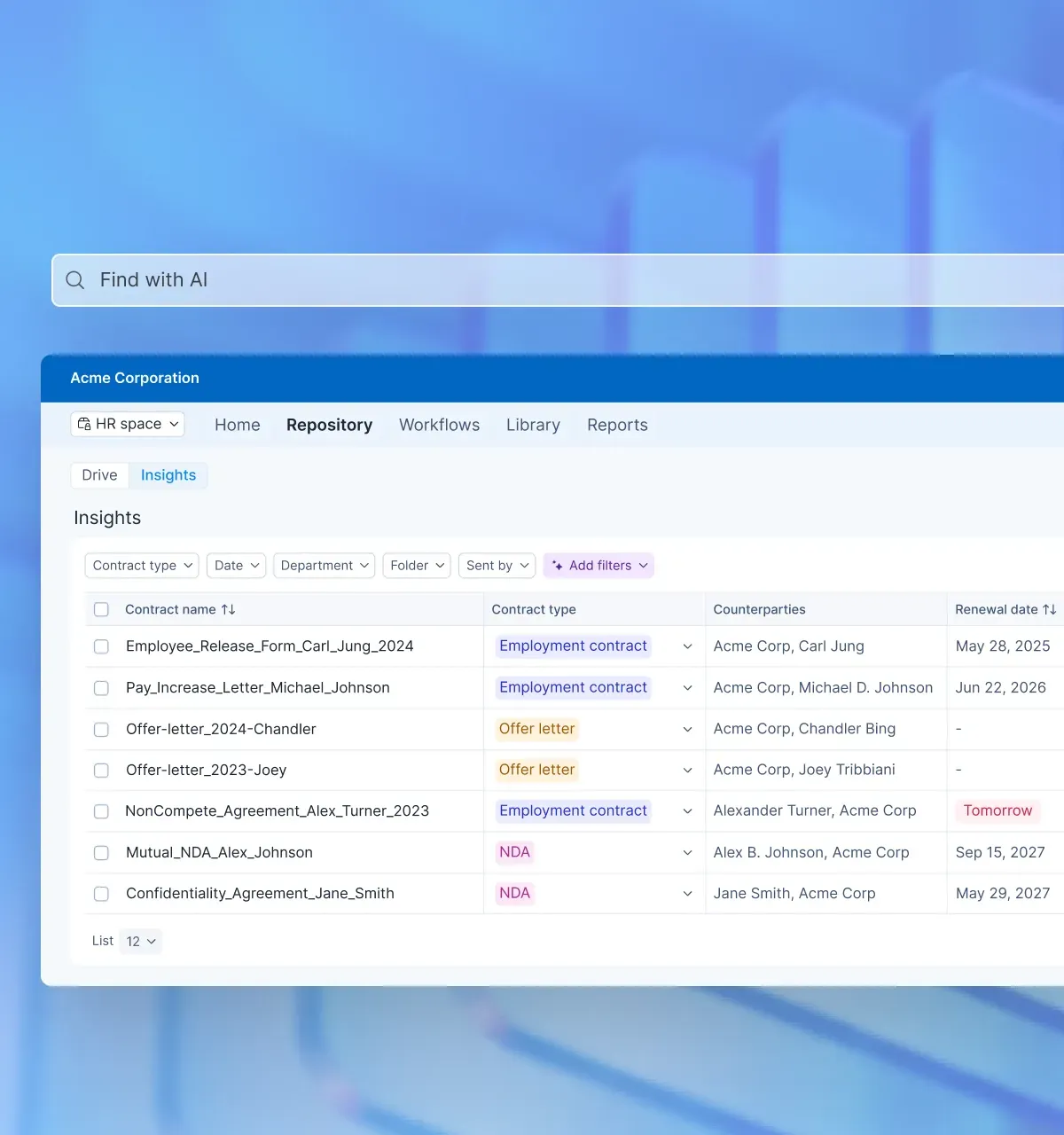
Automated contract renewal reminders prevent missed deadlines. The intelligent repository with categorization and powerful search helps teams locate documents instantly, while OneSpan offers only basic storage.
For businesses prioritizing speed, transparency, and post-signature contract intelligence, Signeasy provides a stronger foundation for sustainable growth.
With the ideal user defined, let's summarize our findings in a conclusion.
OneSpan review verdict: Is it worth your investment?
OneSpan delivers serious security for enterprises in banking and government. If you need FedRAMP certification or government ID verification, it's one of few platforms that can help.
But most businesses don't operate under those constraints. The lack of pricing transparency, inconsistent support, and some missing AI capabilities make OneSpan a poor fit for teams that need to move quickly.
Signeasy gives you enterprise-grade security with none of the friction. Transparent pricing, AI-powered contract insights, and an intelligent repository mean you spend less time wrestling with software and more time closing deals.
Ready to see the difference? Try Signeasy free for 14 days. No credit card required!