
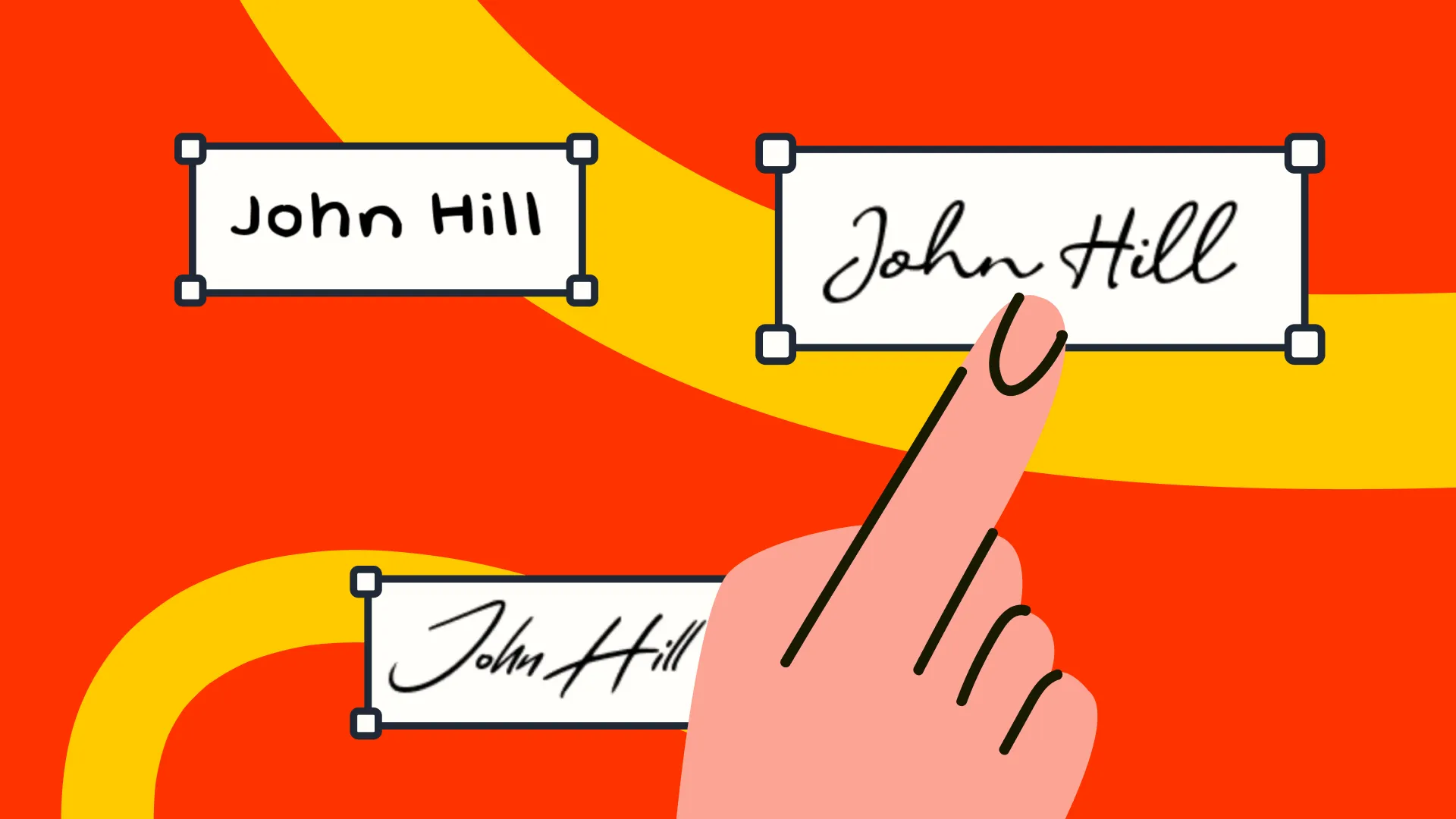


Looking for signature ideas? Your signature is more than just a way to sign your name. It can be simple and professional, bold and distinctive, or completely unique to you.
Your signature should be easy to write and easy to recognize as your own. If it is too complicated, it can become slow and difficult to repeat. If it is too simple, it may look generic and can be easier for someone else to copy.
The best signature sits somewhere in the middle. You should be able to write it quickly, recognize it instantly, and reproduce the same basic shape without thinking about every stroke. It should also have one or two details that make it distinctly yours.
You can create a distinctive signature in many ways. Write out your full name in cursive, use your initials, add a simple underline, or finish with a subtle flourish. Exploring different signature ideas helps you figure out what feels natural before using the same style on paper and online.
This blog on signature ideas will help you explore:
- Popular signature ideas you can try
- Famous signatures you can use for inspiration
- Benefits of creating a unique signature
- Factors to consider before finalizing your signature
- Different types of signatures and how they work
- How to create your signature online
- Ways to improve a signature you already like

Signature ideas based on popular signature styles
Signature styles can range from a simple version of your everyday handwriting to a more distinctive design built around initials, flourishes, or unique letterforms. The right choice depends on how you want your signature to look and how easy it is to write consistently.
Here are some popular signature styles to try. Experiment with a few variations before settling on one signature idea that feels natural and looks like you.
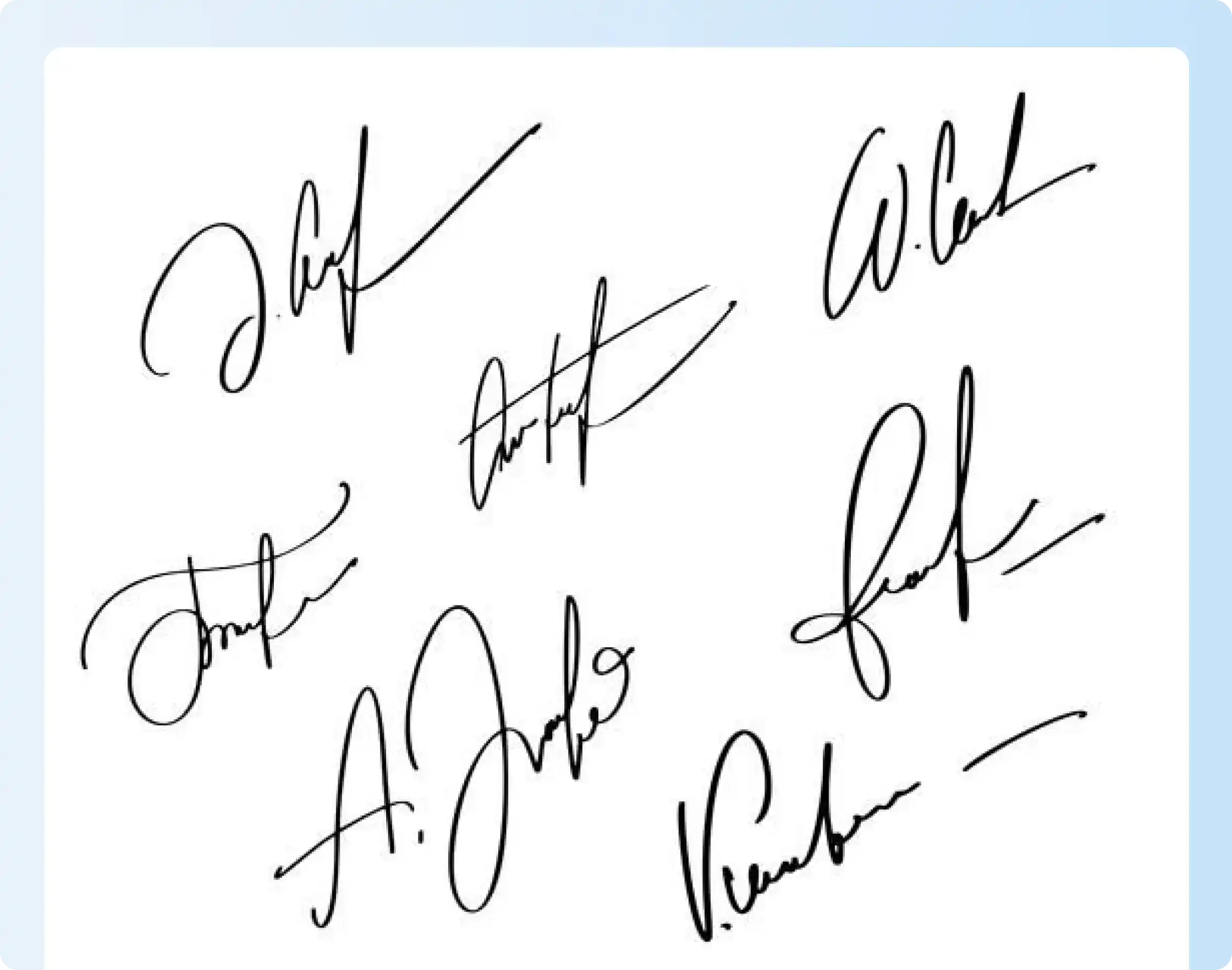
1. Traditional signature styles
Traditional signatures often use more of your full name with connected cursive letters. They work well if you want your signature to remain recognizable without adding much decoration.
Example: This image shows several traditional signature styles created with cursive strokes, large initials, loops, and simple underlines. Some signatures spell out full-name, while others emphasize the first initials and last name.
2. Creative signature styles
Creative signatures experiment with initials, monograms, symbols, loops, extended finishing strokes, or unusual letterforms.
The goal is to add one or two memorable visual elements without making the signature difficult to repeat.
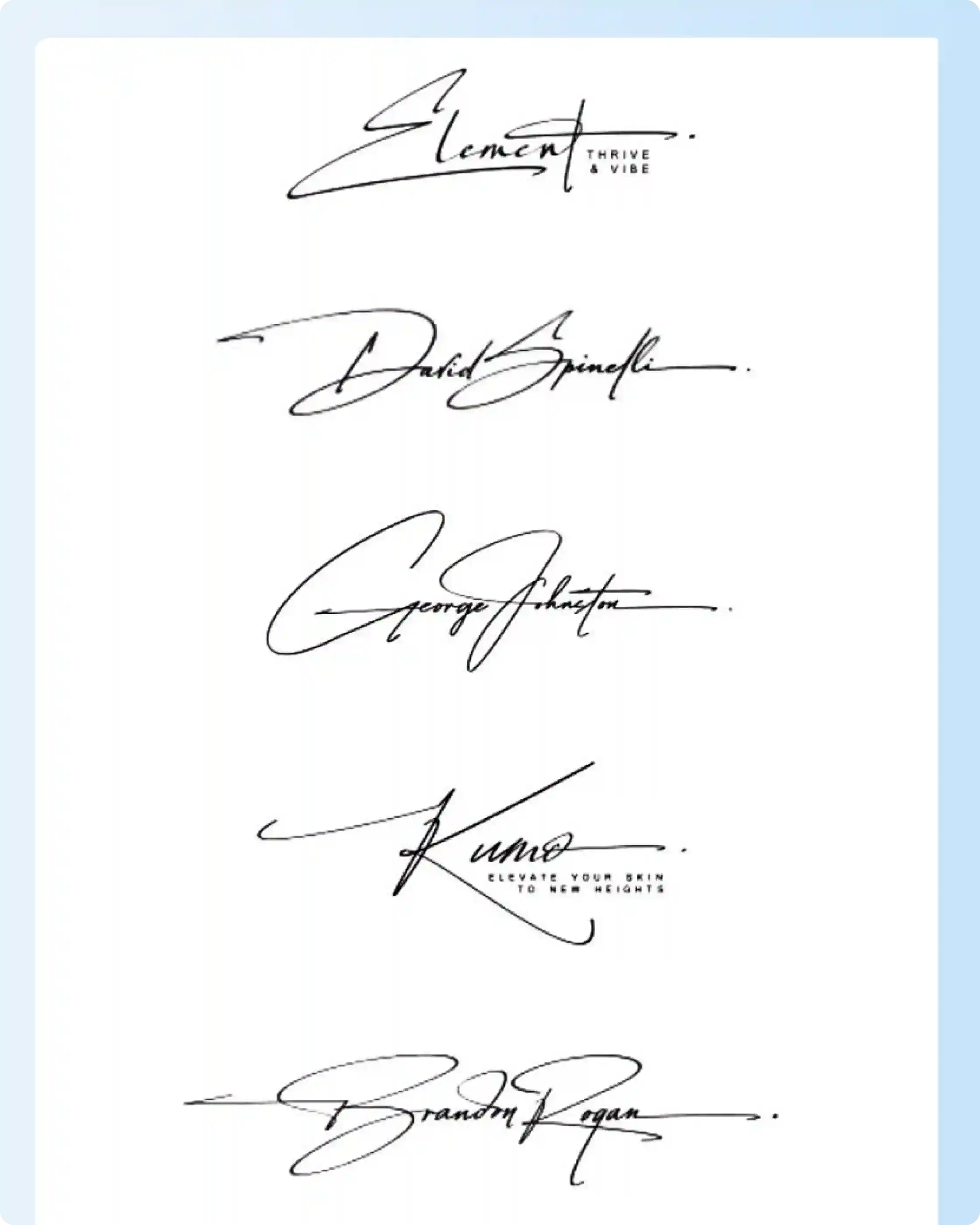
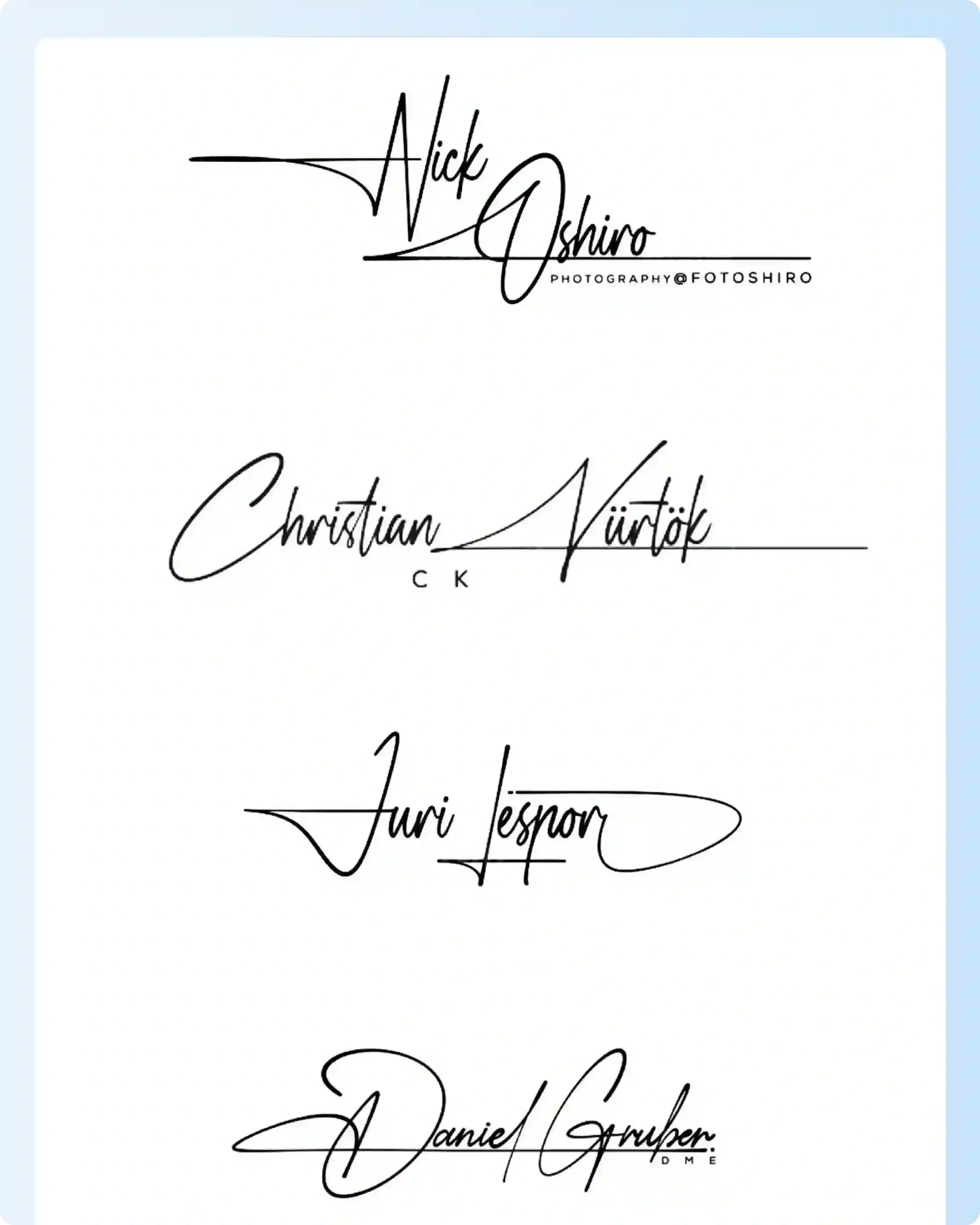
Example: Creative signature styles use oversized initials, sharp angles, long horizontal strokes, and decorative underlines. They also pair the signature with small tagline-style text, which gives the signature a brand-like feel.
3. Signature variations
You can create fuller and shorter versions of the same signature for different contexts.
A full-name version may suit formal correspondence, while an initials-based version can be faster for personal notes or routine use.
For important documents, follow the signing requirements provided for that transaction rather than assuming a single signature format is always required.
Read more: How to Create a Handwritten Signature Online for Free
4. Minimalist signature styles
Minimalist signatures use fewer strokes and limited decoration. Common approaches include initials, a first initial plus surname, compact cursive, or a short underline.
Example: minimalist signature ideas using the name “Anastasia.” Each version keeps the design clean, with a large initial, simple connected letters, and limited decoration.

5. Bold and dynamic signature styles
Bold signatures use larger capital letters, stronger strokes, a noticeable slant, or a clear underline.
These choices create a stronger visual presence, but the signature should still be practical to reproduce.
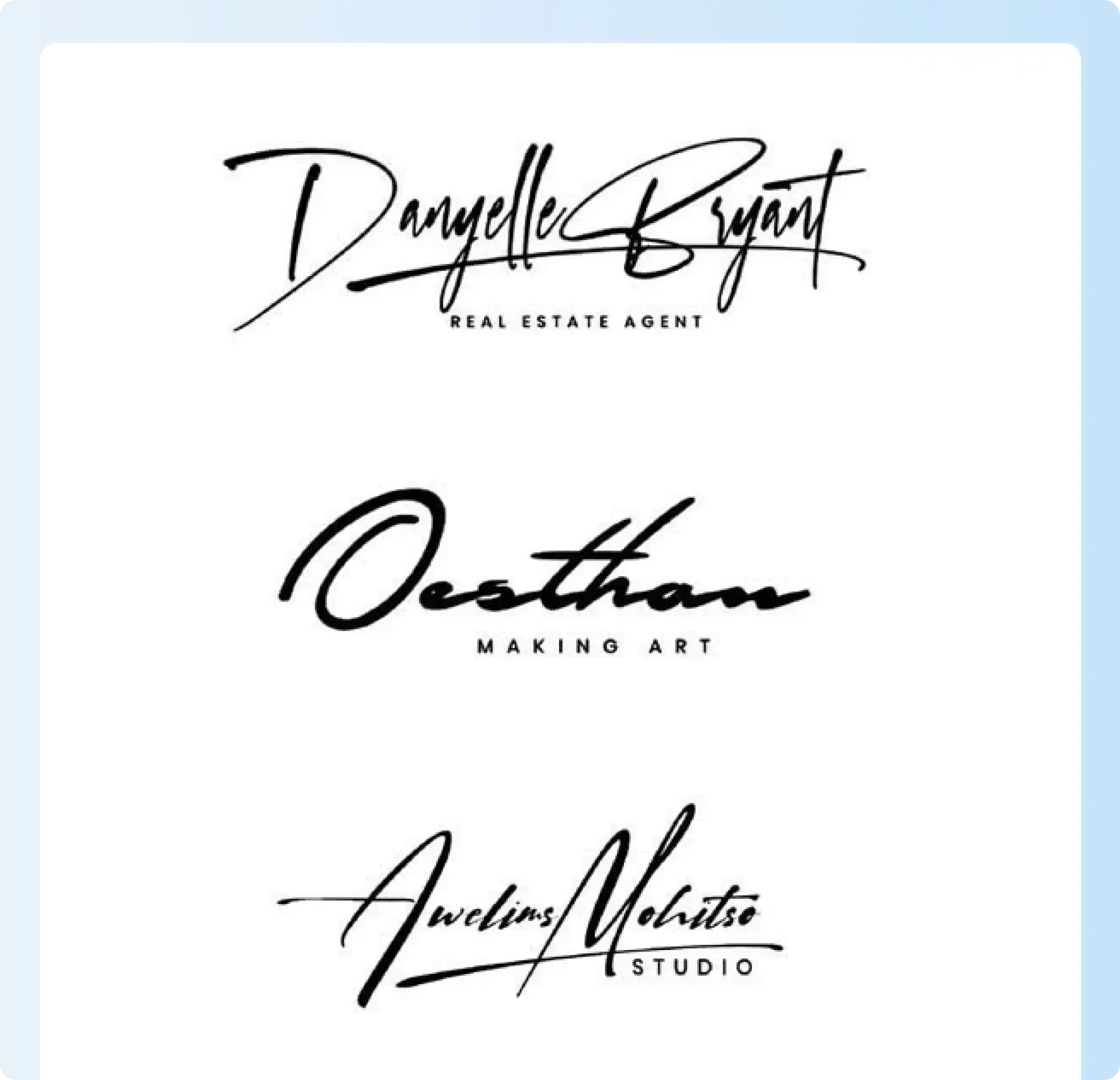
Example: Bold and dynamic signature styles with large capital letters, thick strokes, extended underlines, and strong horizontal movement. Some examples also include professional taglines.
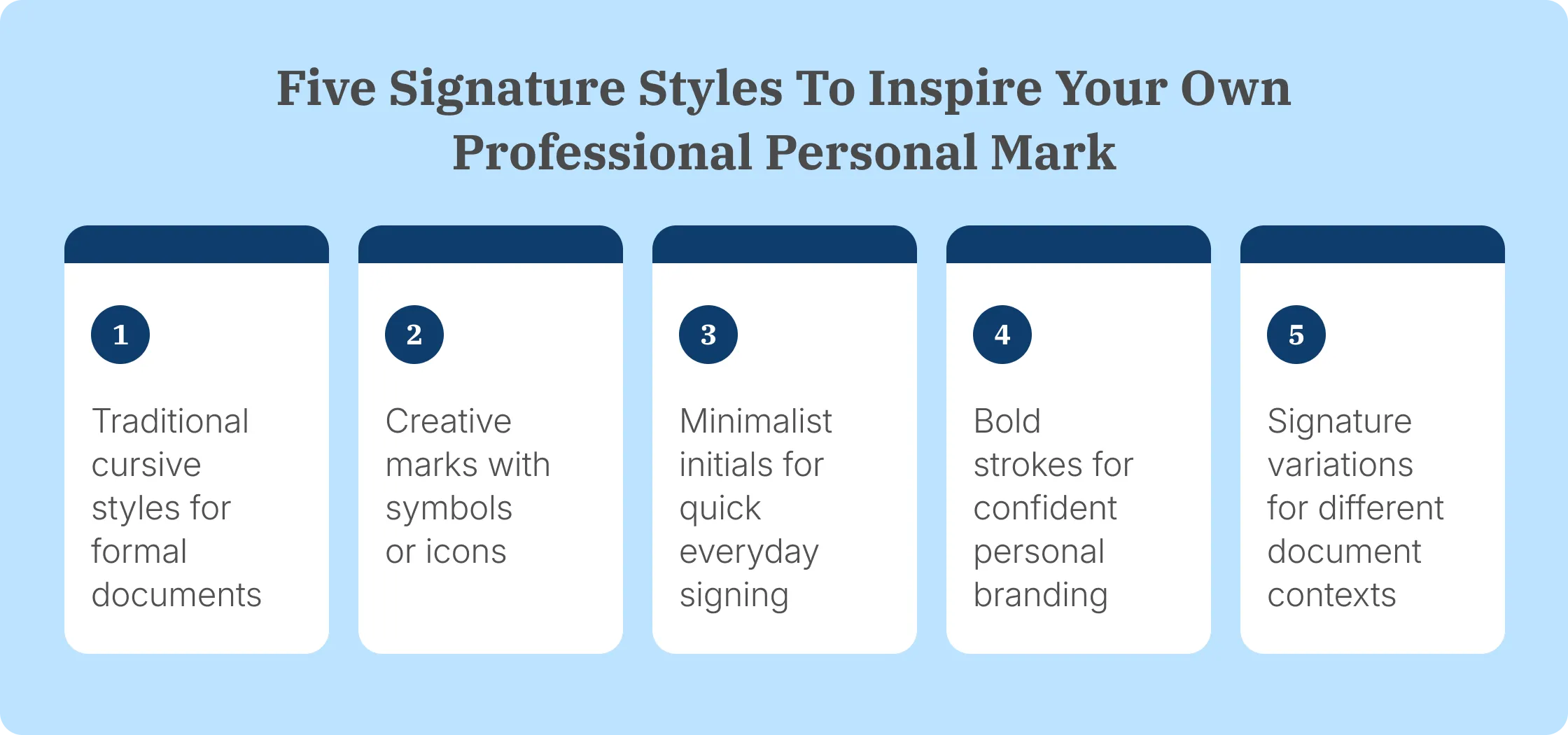
5 Signature ideas inspired by famous people
Famous signatures can be useful as design references because they demonstrate techniques such as distinctive initials, scale, flourishes, compact forms, and symbols.
Look at how each signature uses letter size, spacing, loops, symbols, or rhythm. You do not need to copy these signature ideas. Use them to understand what makes a signature memorable and easy to recognize.
.webp)
- Walt Disney: Walt Disney’s signature is known for its flowing letters and exaggerated capitals. It shows how one or two unusual letter shapes can make a signature stand out.
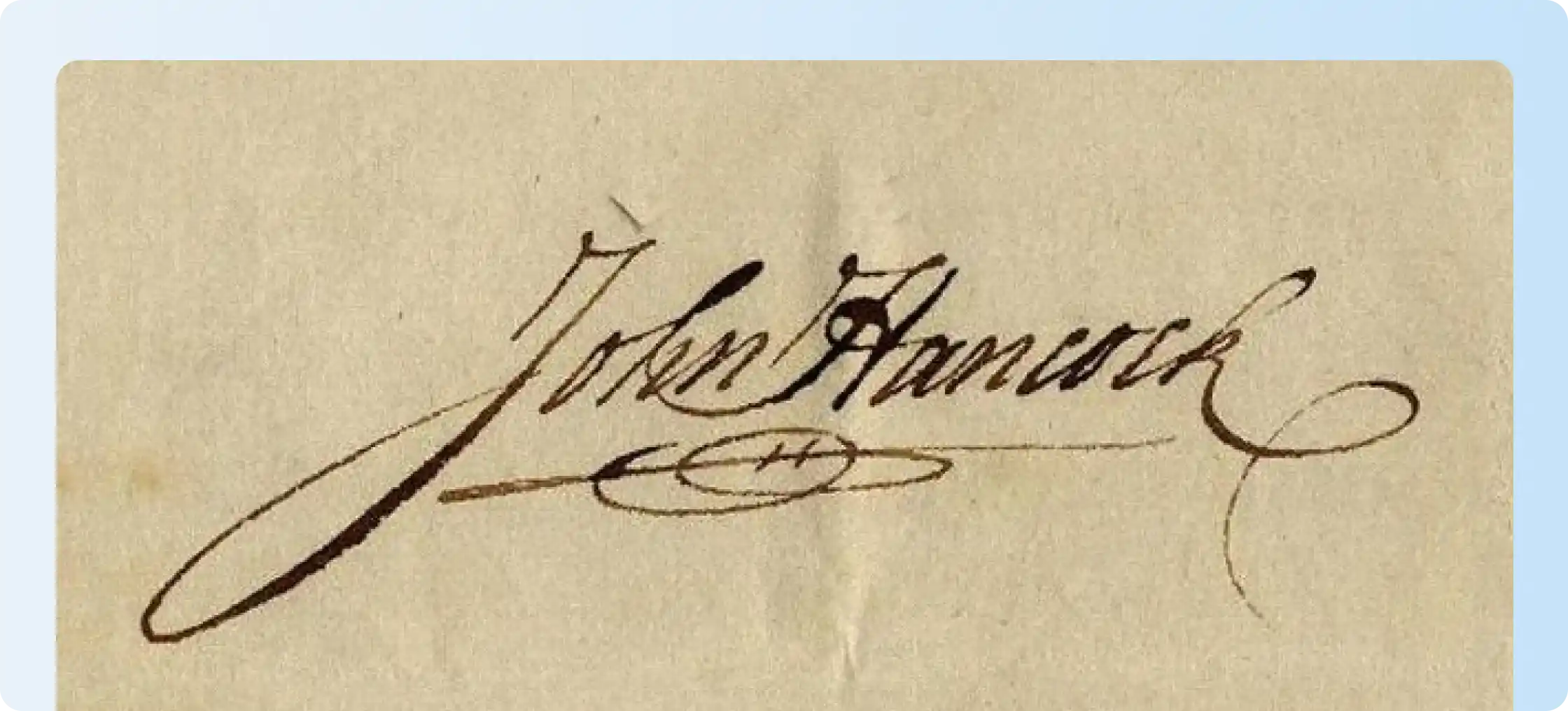
- John Hancock: His signature on the U.S. Declaration of Independence is known for its large size and strong flourishes. It is a useful example of a bold signature style.
.webp)
- Barack Obama: His signature uses connected strokes and prominent initials while staying compact. It shows how prominent initials and connected strokes can create a compact signature without extensive decoration.
.webp)
- Bill Gates: His signature is compact, connected, and simple. It works as an example for people who prefer a businesslike signature with limited flourishes.
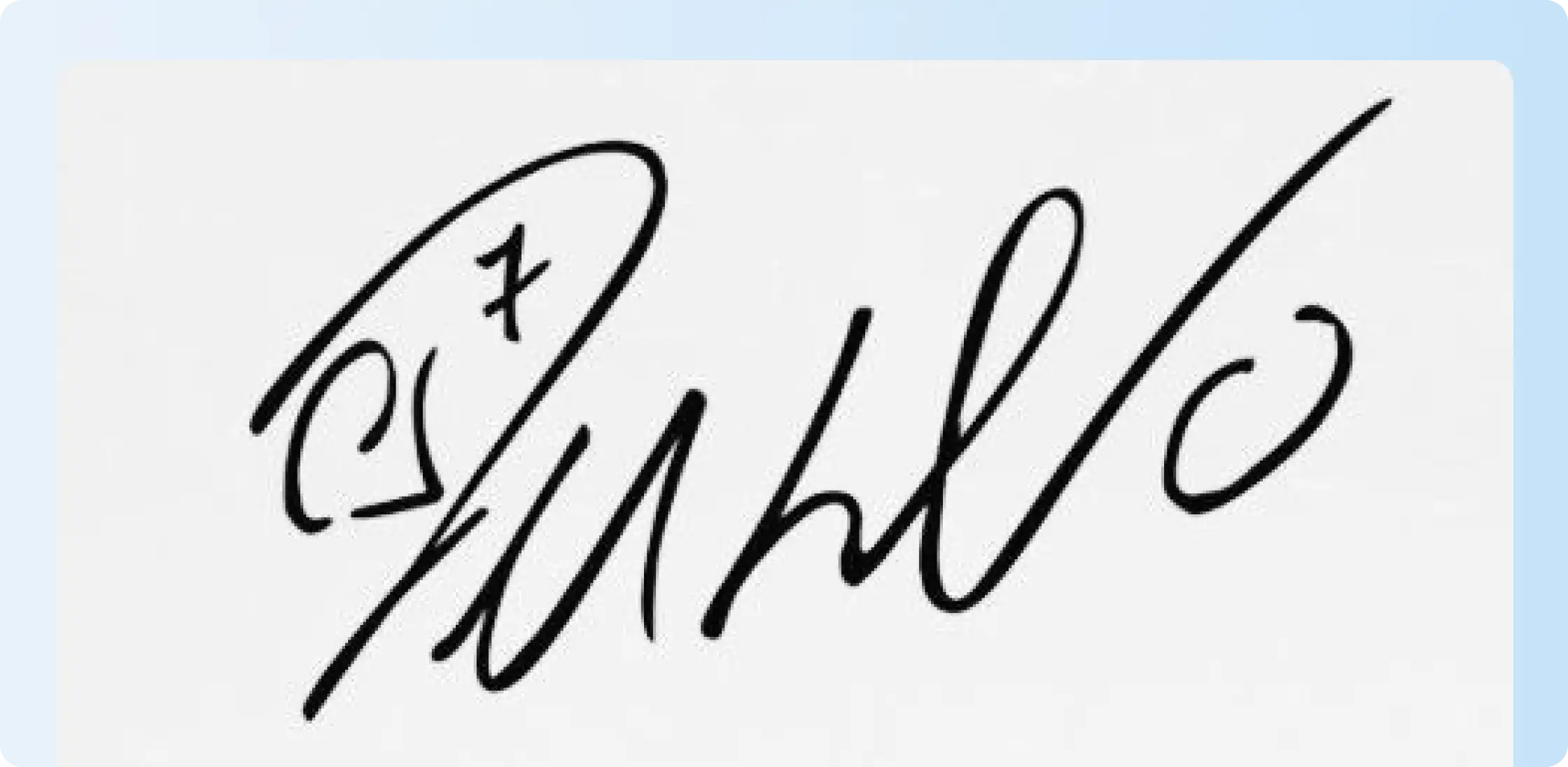
- Cristiano Ronaldo: Some versions of Cristiano Ronaldo’s autograph use the number 7, which is closely connected with his sporting identity. It shows how a meaningful number or small symbol can become part of your signature.
The common lesson from these signature ideas is that you don’t need several decorative elements. One recognizable capital letter, underline, or repeated stroke can be enough.
What are the benefits of having a unique signature?
A unique signature gives your documents a recognizable personal mark that’s easier to write consistently. The best signature ideas stay distinctive without becoming difficult to repeat.
Your signature doesn’t have to make every letter perfectly readable. What matters more is keeping the distinctive overall shape and few consistent elements that you can reproduce each time you sign.
1. Prevents forgery
A unique signature can be easier to distinguish from other signatures. A prominent initial, connected letters, or a simple finishing stroke can give your signature a recognizable shape.
However, a unique signature alone doesn't guarantee protection against forgery. For important documents, signatures are typically just one part of a broader process that may include identity verification or other security measures.
2. Prevents confusion
A recognizable signature can make it easier to identify who signed a document, particularly when people have similar names.
This can help across business contracts, forms, approvals, and everyday paperwork. Keep in mind that a signature doesn’t replace identity verification where stronger authentication are required.
3. Professional branding
Using the same signature style across business documents gives your paperwork a more consistent and professional appearance.
You could use your full name, your first initial with your last name, or a shorter initials-based design. Choose the format you can reproduce comfortably.
4. Memorability and recognition
A consistent signature can make your signed documents easier to recognize when they're reviewed later. This can be especially useful for contracts, approvals, forms, letters, consent documents, and other records that may need to be referenced over time.
Some popular signature ideas include:
- Full-name cursive
- First initial + last name
- Connected initials
- Compact, minimalist signatures
- A simple underline or finishing stroke
5. Influence and impact
A bold or stylized signature can create a stronger visual presence on autographs, creative work, or personal correspondence.
For contracts and routine forms, however, repeatability and fit within a normal signature field usually matter more than visual drama.
These styles tend to work well because they give you recognizable features without making the signature unnecessarily difficult to reproduce.
6. Confidence and self-expression
Your signature shouldn’t feel like something you have to carefully recreate every time.
Once you find a style that suits the way you naturally write, signing becomes faster. You’re also more likely to keep the design consistent.
What factors should you consider when creating a signature for your name
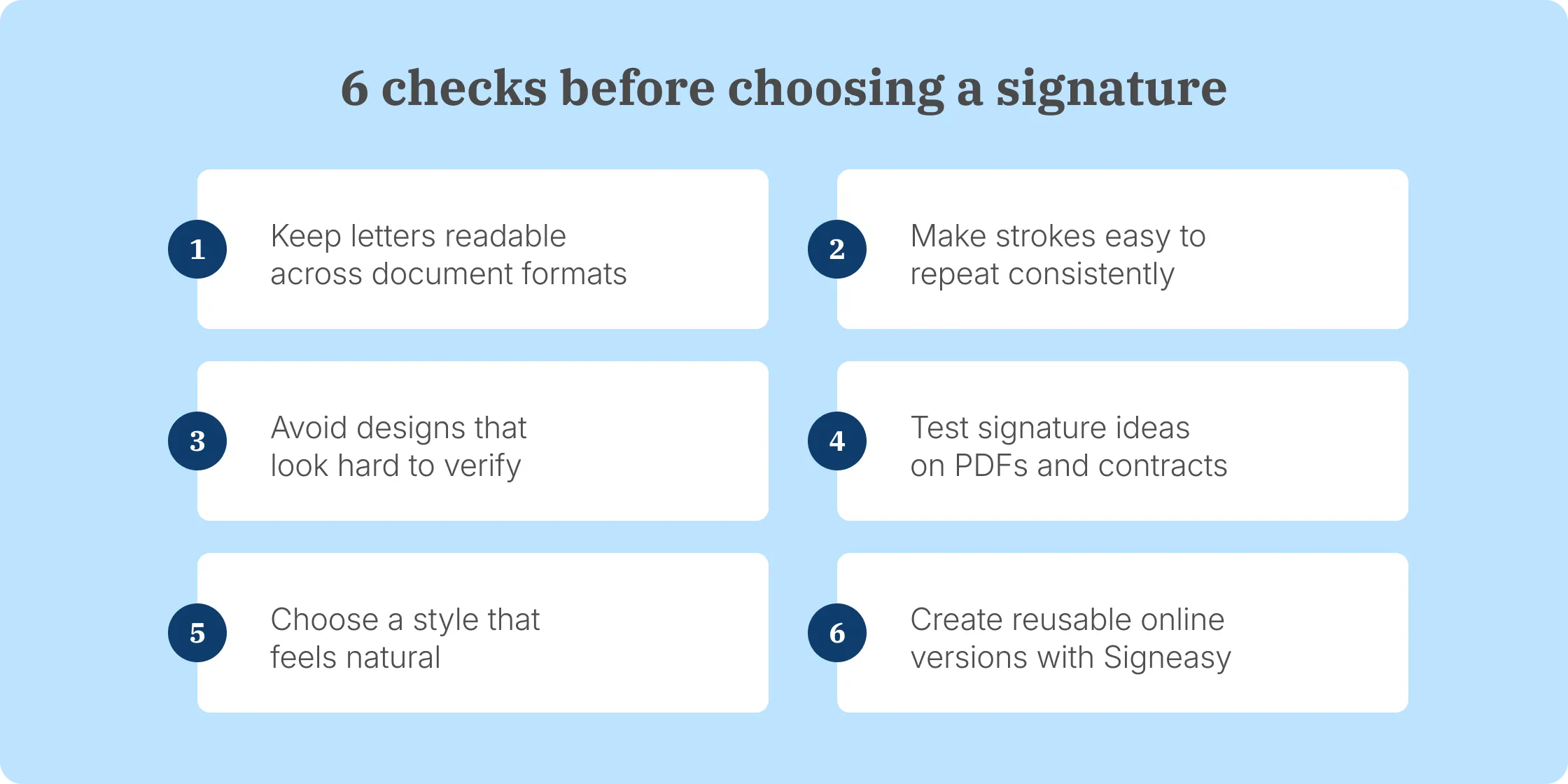
Finding the right signature idea isn't just about making your name look stylish. A good signature should be recognizable, practical, and easy to reproduce. Before settling on a design, write it several times and see whether you can maintain the same basic shape without slowing down.
- Recognizability: Your signature doesn't need to spell every letter clearly. Focus on creating a recognizable shape with a few defining strokes or features.
- Consistency: Aim to reproduce the same core shapes, proportions, and finishing strokes each time you sign. Exact copies are not necessary for a handwritten signature.
- Personal fit: Choose a style that feels natural to write. Initials, cursive, a simplified surname, or one controlled flourish can make the signature distinctive without adding unnecessary complexity.
- Size: Test the signature at both normal handwriting size and inside a smaller digital signature field. Fine details can disappear when the signature is reduced.
- Long-term use: Prefer a design you can continue to use comfortably over time rather than one that relies on elaborate decorative flourishes.
- Practicality: Sign the design several times in a row. If it becomes slow or changes dramatically each time, simplify it.
Signature ideas based on types of signatures
Signature ideas can look very different depending on how much of your name you want to include. You might use your full name, initials, connected letters, or one distinctive stroke. Start by trying a few common styles and see which one feels easiest to write and recognize.
1. Wet signatures (handwritten)
A wet signature is the traditional signature you write by hand using ink on paper. You might sign your full name, use initials, or develop a shorter style that feels natural and is easy to repeat.
If you want your handwritten signature to feel more distinctive, experiment with cursive styles, letter size, spacing, or a small underline. Keep the design simple enough to reproduce consistently whenever you need to sign.
You can also create a handwritten signature online by drawing it on screen or turning an existing handwritten signature into an image for electronic use.
2. Electronic signatures
An electronic signature, or eSignature, is a broad way of showing your intent to sign electronically. It can include typing your name, drawing a signature on screen, uploading an image of your handwritten signature, or selecting a checkbox to show agreement.
This gives you more flexibility with your signature ideas. You can recreate the look of your handwritten signature or choose a clean typed style when appearance matters less than completing the document quickly.
Signeasy’s online document signer lets you draw or upload your handwritten signature and add it directly to a document. You can also sign a PDF online without printing or scanning the file first.
3. Digital signatures
A digital signature is a specific type of electronic signature, but the two terms are not synonymous. Digital signatures use cryptographic technology, such as Public Key Infrastructure (PKI), to help verify authenticity and indicate whether a document has been altered after signing.
You will usually see digital signatures in situations that require stronger document verification or security. The focus here is less on how the signature looks and more on protecting the integrity of the signed document.
Signeasy’s Trust Seal, for example, uses PKI technology to add a tamper-evident digital seal to completed documents.

4. Email signatures
An email signature usually appears at the bottom of an email and includes details such as your name, job title, company, phone number, or website. Its main purpose is identification and professional branding rather than signing a formal document.
You can still bring some personality into it. A clean handwritten-style version of your name, a simple logo, or consistent typography can make your email signature more recognizable without making it difficult to read.
Keep in mind that an email footer is different from using an electronic signature to formally indicate your intent to sign a document.
5. Clickwrap signatures
A clickwrap signature appears when you select a checkbox or click a button, such as “I Agree,” to accept the stated terms. It is a form of electronic signature because your action can show your intent to agree electronically.
You commonly see clickwrap signatures when accepting software terms, creating online accounts, or completing digital transactions. Unlike handwritten or typed signatures, there is usually no visual signature design involved. The signing action itself records your acceptance.
6. Biometric signatures
A biometric signature uses a physical or behavioral characteristic to help verify your identity during an electronic signing process. Examples include fingerprints, facial recognition, and handwriting dynamics, such as the speed and pressure used while signing.
Biometric signatures are less about creating a distinctive visual signature and more about confirming who is signing. They can add another layer of identity verification when a transaction requires stronger authentication than a standard typed or drawn eSignature.
How to create your signature online using a generator
Online signature generators let you try different signature ideas without repeatedly writing them on paper. You can experiment with styles until you find a signature that feels natural and looks clear on digital documents.
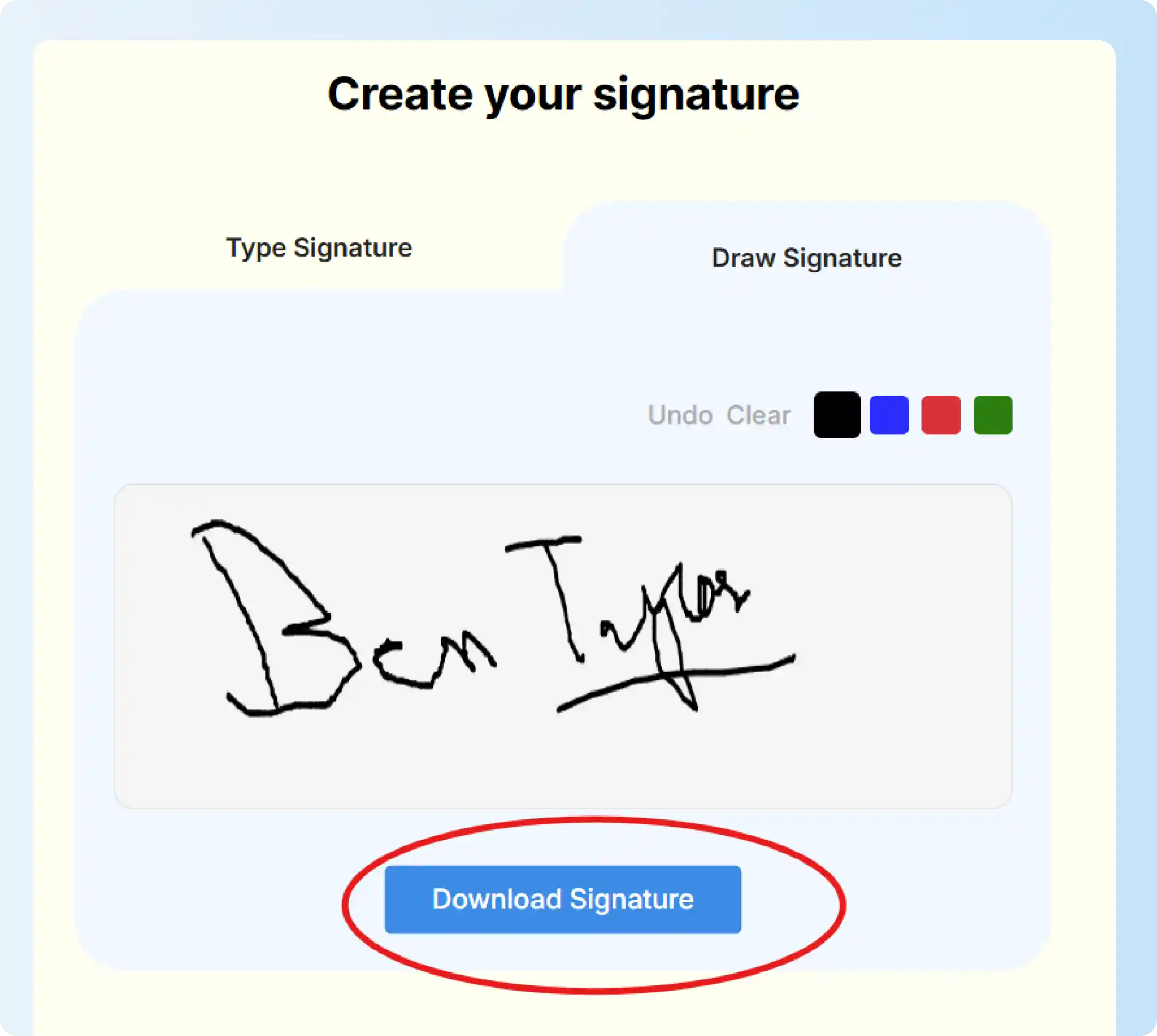
The Signeasy online signature generator gives you two easy ways to create your signature. Type your name and choose a signature style, or draw it using your mouse, trackpad, or touchscreen. Once you’re happy with the result, download the signature for digital use.
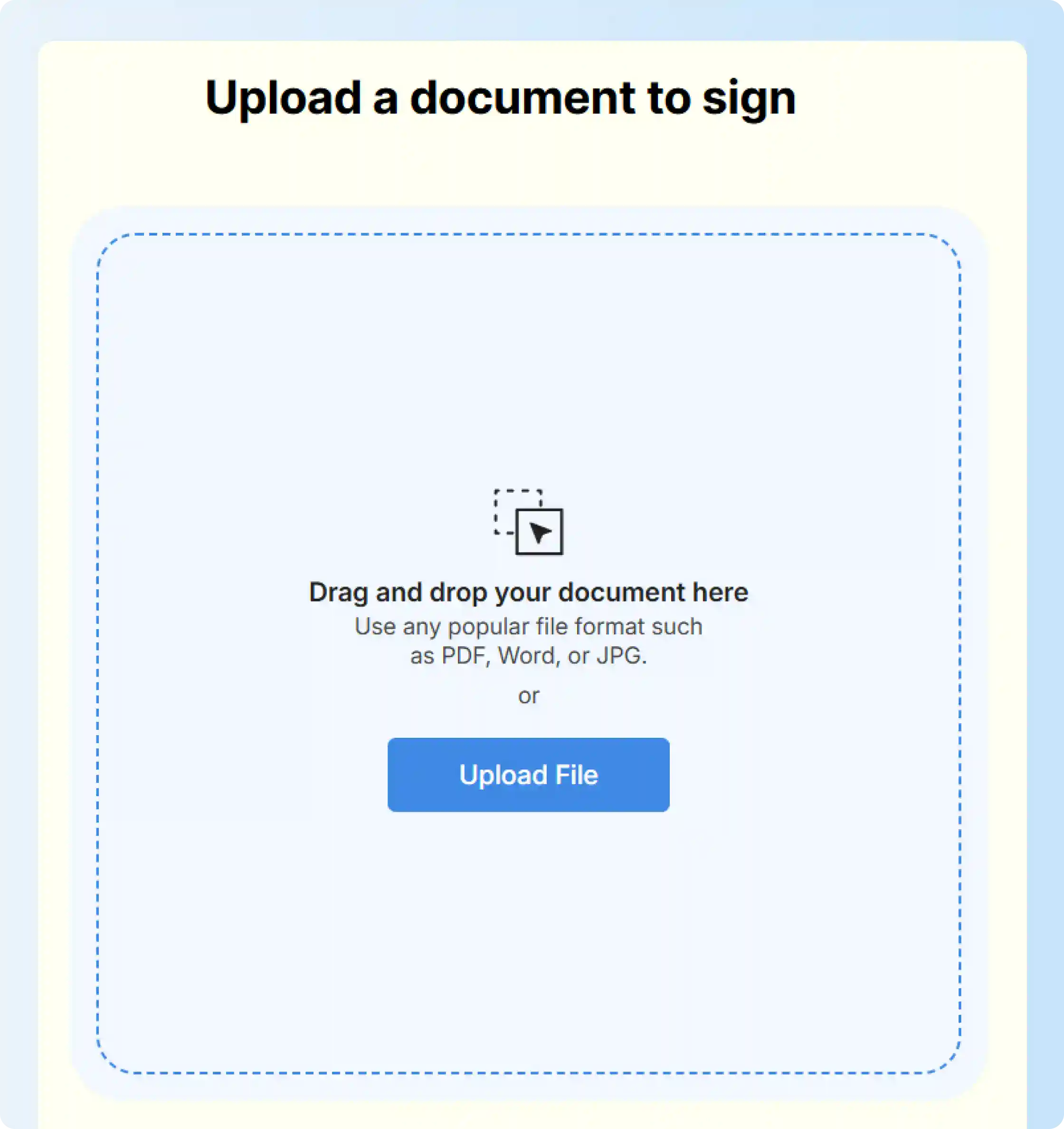
You can also upload a document and sign it directly with Signeasy. This lets you see how your signature looks inside an actual signature field before you start using it regularly
- Step 1: Open the Signeasy online signature generator - Go to Signeasy’s online signature generator. You will see two main options: create your signature on the left or upload a document to sign on the right.
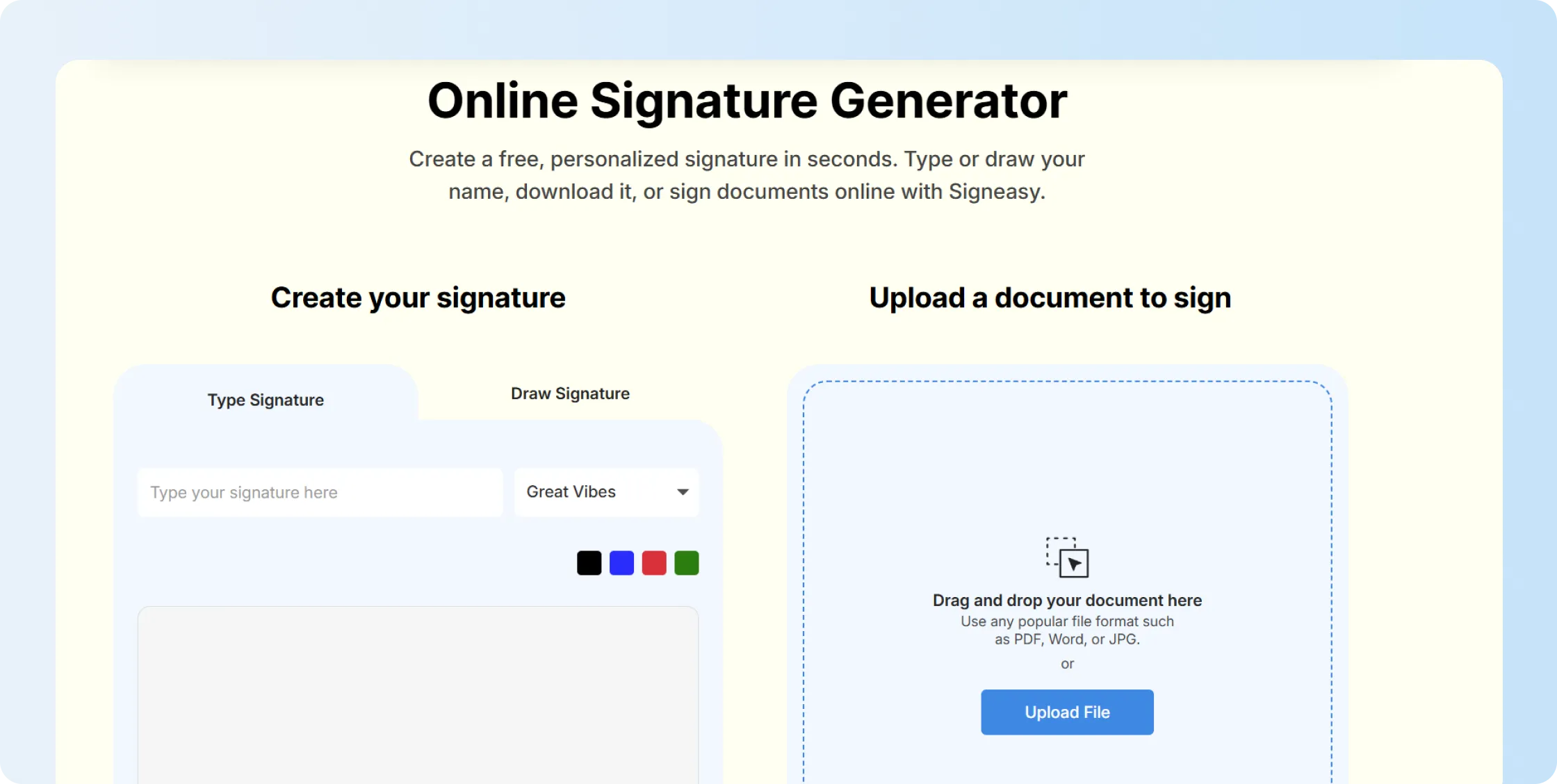
- Step 2: Type or draw your signature - Choose “Type Signature” if you want to enter your name and select a signature style. Choose “Draw Signature” if you want to create a handwritten version using your mouse, trackpad, or touchscreen.
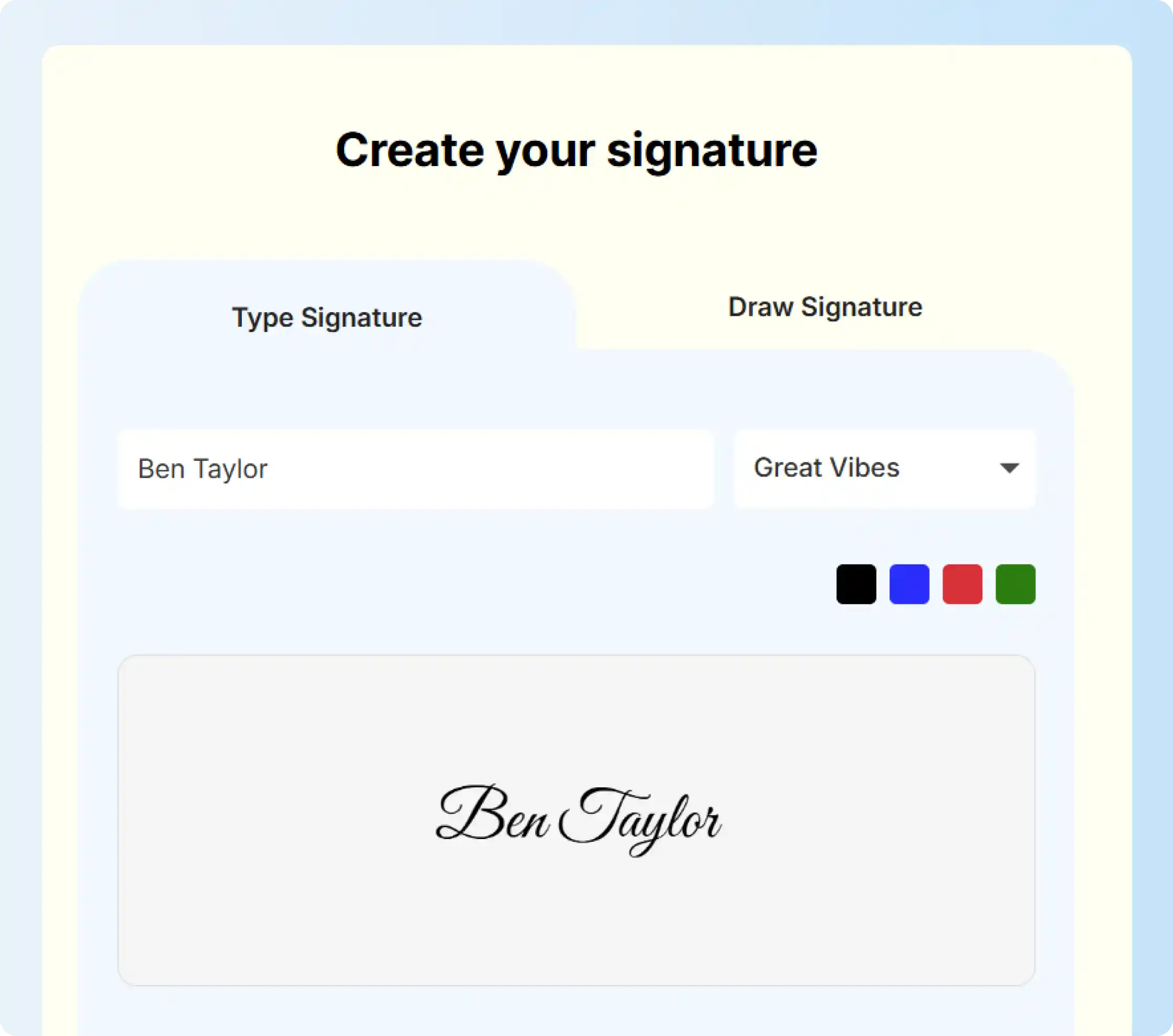
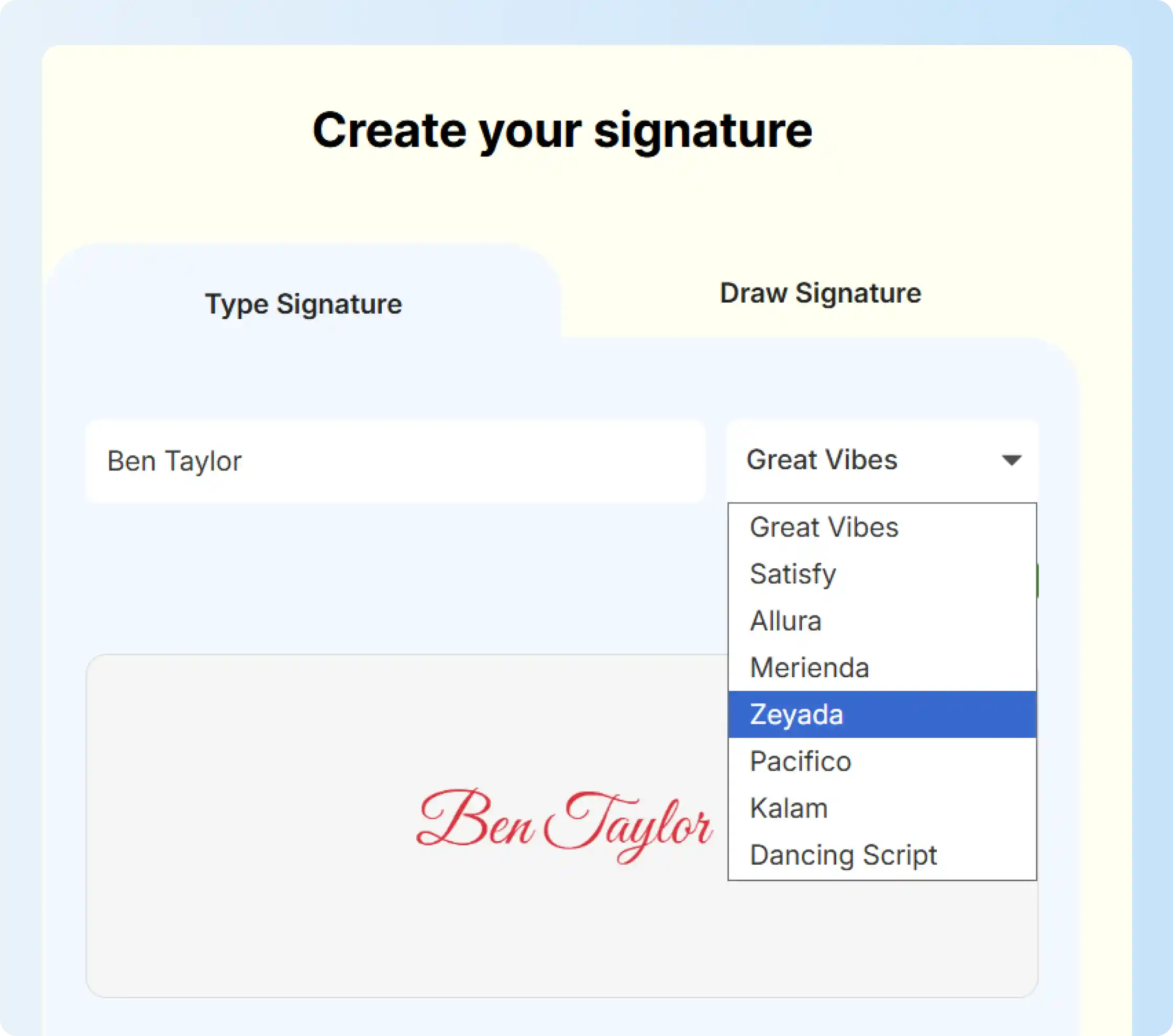
- Step 3: Choose your signature style and color - If you type your signature, select a font style from the dropdown and choose a signature color. This helps you test different signature ideas before downloading the final version.
- Step 4: Download your signature - Once your signature looks right, click “Download Signature.” You can save it and use it where a standalone signature image is needed.
- Step 5: Upload a document to sign online - If you want to sign a document, use the “Upload File” option on the right. You can drag and drop your file or upload a PDF, Word document, or JPG.
- Step 6: Place your signature and complete signing - After uploading the document, place your signature in the required field, adjust its size, and complete the signing process online with Signeasy.
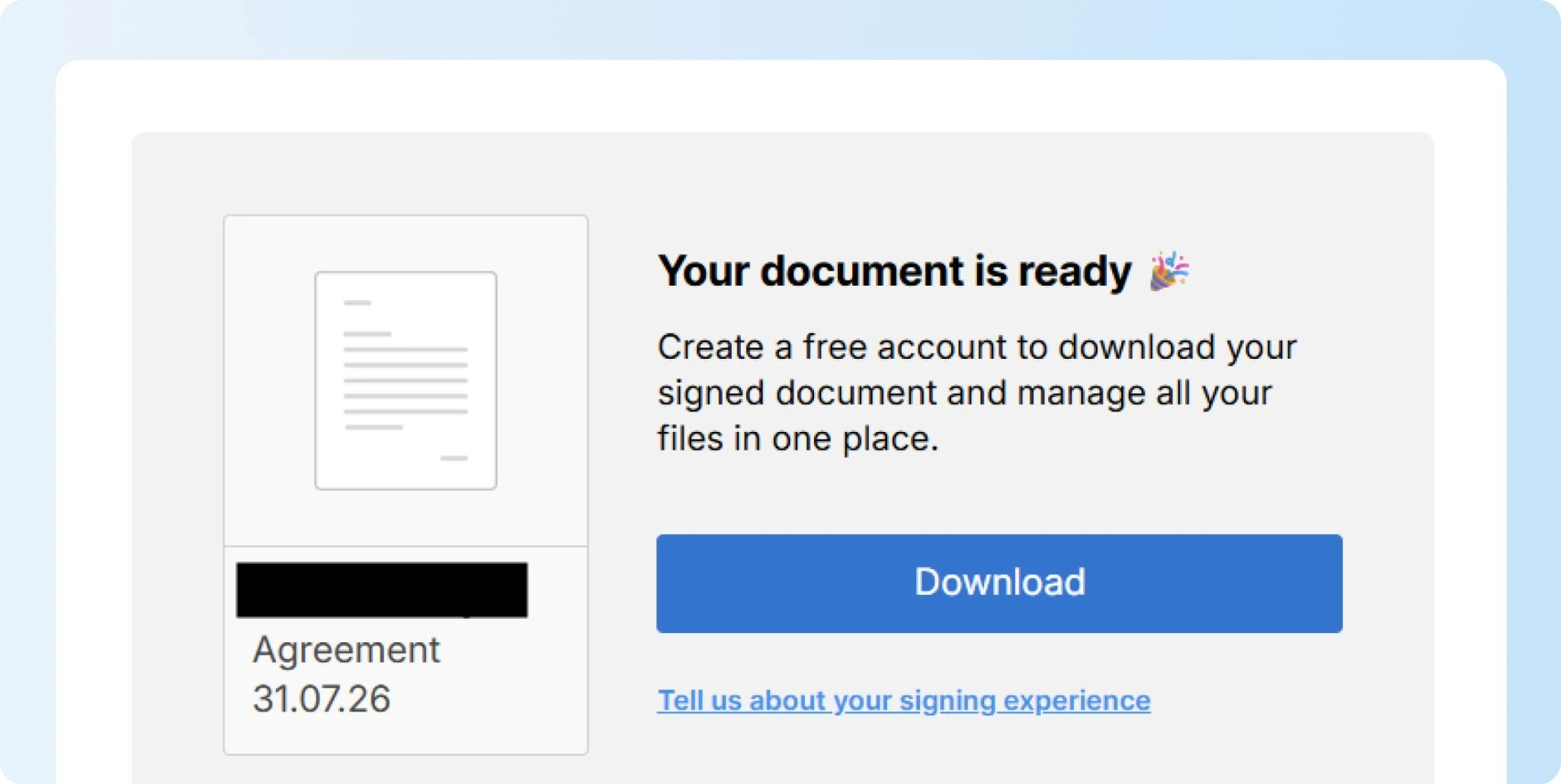
You don’t have to settle on your first signature idea. Try a few versions and see how each one looks inside a real document. Once you find the right style, you’ll have a signature you can use consistently across your digital documents.
Signature ideas to refine your signature
Refining a signature means improving a design you already like rather than creating a completely new one. You might make it faster to write, easier to repeat, clearer at smaller sizes, or more distinctive by adjusting a few strokes.
Start with your current signature and identify what feels awkward. Then make small changes to the letters, spacing, flourishes, or overall shape until it feels easier to use consistently.
1. Experiment with different letterforms
Start by testing a few versions of your name. You might prefer cursive, block letters, initials, or a mix of styles. Choose one that looks distinctive without making the signature difficult to read or reproduce.
2. Add flourishes or embellishments
A loop, underline, or simple curve can give your signature more character. Keep decorative elements subtle so they enhance the design rather than making the signature feel crowded.
3. Incorporate personal symbols or icons
You can include a small symbol or mark that has meaning to you. It could relate to your initials, profession, interests, or personal style. Make sure it remains easy to recreate each time you sign.
4. Experiment with spacing and alignment
Small changes can make a big difference. Try bringing letters closer together, changing their height, or altering the angle of your signature. Look for a layout that feels balanced and comfortable to write.
5. Simplify and streamline
If your signature feels too complicated, simplify it. Fewer strokes can make signing faster while keeping the overall style recognizable.
6. Practice your signature regularly
Once you find a version you like, write it several times. Regular practice helps you develop a consistent motion, making the signature easier to reproduce across documents.
Make your mark with signature ideas
The best signature idea is one you can use comfortably and consistently. That could mean a traditional cursive signature, a clean initials-based design, or a simple digital version.
Signeasy helps you create your signature by typing, drawing, or uploading your handwritten signature. You can then use it to sign documents online without printing, scanning, or switching between tools.
Book a demo today to learn how to create your signature with Signeasy and start signing documents online securely.