

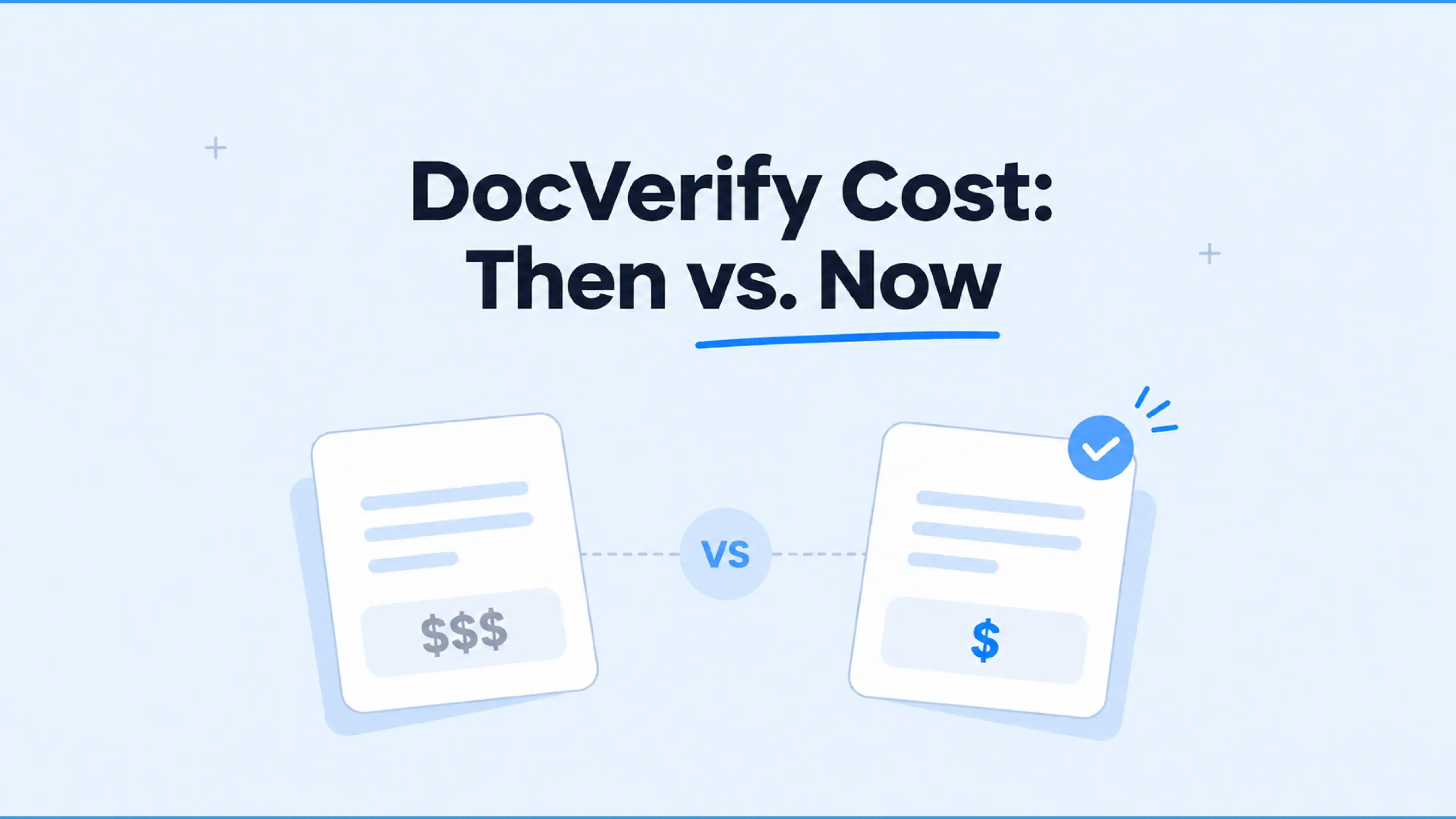


DocVerify pricing is harder to pin down since ICE stopped publishing the former Business E-Sign and Enterprise plans. G2 last recorded $24 and $65 per license/month, both prepaid annually, but those figures are historical. ICE now identifies the former technology as Expedite. This article explains what the old subscriptions included, where additional charges arose, and what to request when comparing current signing and notarization services.
How much does DocVerify cost in 2026?
ICE does not publish current subscription prices for the former DocVerify plans. G2 and Capterra still display the historical Business E-Sign, Enterprise, and Enterprise Group tiers. Those amounts describe the old licensing model, not an available ICE quote.
Here are the former plan prices and their principal functions:
Pricing sources: G2's DocVerify listing and Capterra's plan listing. These are historical directory records.
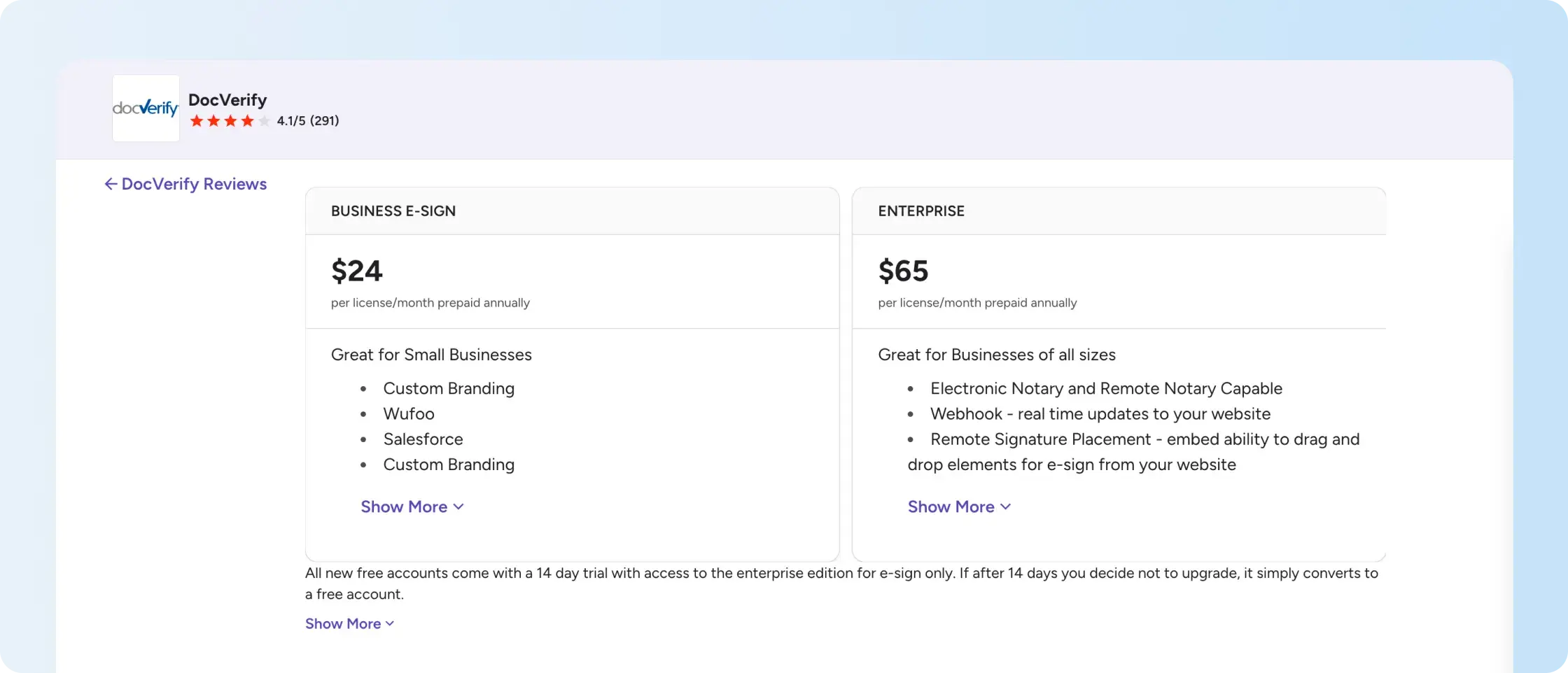
The historical table distinguishes standard eSignature from electronic notarization and API access. It does not establish what ICE charges for those functions today.

What did the former DocVerify plans include?
The former DocVerify pricing tiers differed mainly in access to notarization and integrations. Business E-Sign covered ordinary eSignature workflows; Enterprise added functions for notarial transactions and embedded signing. Here is what each historical tier listed.
What did Business E-Sign include?
Business E-Sign covered routine electronic signature requests. It included reusable templates, branding, smart tags, document packets, custom roles, a security cover page, and Salesforce and Wufoo integrations. Electronic and remote notarization were listed under Enterprise instead. G2's $24 per-license monthly equivalent required annual prepayment, so the former listing does not confirm a month-to-month subscription.
What did Enterprise include?
Enterprise included electronic and remote notarization, full eSign API access, webhooks, remote signature placement, InstaForm, and the Easy Sign Widget. G2 listed no separate setup or access fee for the eSign API on this former $65-per-license tier. That description does not confirm what the DocVerify API supports under ICE today or establish current per-notarization charges.
Did Enterprise Group use custom pricing?
Yes. Enterprise Group used negotiated pricing instead of a fixed per-seat rate. Capterra's historical feature list included bulk transaction-credit purchasing, credit rollover, API access, and electronic notarization. Since both subscription commitments and transaction usage affected the arrangement, a current ICE quote needs to cover license counts, credits, integration scope, implementation charges, and renewal terms.
Need electronic signing without a notary workflow? See the sending and tracking process in Signeasy.
How did monthly and annual DocVerify pricing differ?
The historical sources show different DocVerify prices, so they cannot be treated as one confirmed billing schedule. G2 recorded $24 and $65 per license/month with annual prepayment, while Capterra showed $30 and $75 per user/month. An older promotional image also showed different annual totals. The table below separates those figures by source.
Here is the source-by-source comparison:
The older promotional image listed $268 and $760 annually, compared with $288 and $780 when G2's monthly equivalents are multiplied by 12. These differences show why the historical figures cannot establish today's purchase price. For a current budget, ask ICE for one quote that specifies the billing period, number of licenses, transaction allowances, and renewal terms.
What additional charges affect DocVerify cost?
The former Enterprise subscription included remote online notarization (RON), but its license price does not show what a business would pay for notarization today. ICE does not publish a current per-session rate for the former DocVerify plans. For real estate and financial services teams, the total cost depends on the quoted charges for notarial sessions, identity checks, recordings, and related services.
Here are the billing and support terms to verify:
- Notarization fees: Confirm the cost to conduct notarization sessions through RON or in-person electronic notarization, and whether the agreement includes a transaction allowance.
- Identity verification and storage: Confirm whether the quotation includes identity checks, session recordings, document storage, and encryption for stored documents and data transfers.
- Failed transactions: Establish whether unsuccessful identity checks or restarted notarization sessions incur additional charges.
- Customer support: Confirm the available support channels, operating hours, and escalation process for technical issues affecting time-sensitive signing or notarization.
- Renewals and cancellation: Review the contract term, renewal notice requirements, refund provisions, and any minimum transaction commitments.
These details identify the transactions that affect the total charge. The former license rates do not establish ICE's current transaction fees or support terms.
How did DocVerify's transaction credits work?
DocVerify historically used prepaid transaction credits for certain document and notarization activities. Capterra's Enterprise Group listing also included bulk credit purchases and credit rollover, so transaction volume affected costs alongside the subscription. ICE has not documented a universal replacement policy for these credits. A current quote needs to clarify which activities consume credits, whether unused balances carry forward, and how failed transactions are billed.
ICE's current public documentation does not establish a universal replacement credit policy for large enterprises or other buyers. Buyers should ask which actions consume a charge, whether unused balances carry over, and how unsuccessful transactions are handled.
To compare DocVerify pricing against eSignature alternatives, request quotes using the same transaction volume, required features, and support expectations. This makes the comparison more useful than relying on historical license rates alone.

What happened to DocVerify after ICE acquired Black Knight?
DocVerify pricing became a historical reference after ICE completed its acquisition of Black Knight on September 5, 2023. Pennsylvania's electronic-notary vendor registry identifies Expedite (formerly known as DocVerify). ICE now describes Expedite as document and closing fulfillment software for the mortgage industry, without publishing the old subscription tiers from DocVerify’s platform.
Here are the currently documented related ICE offerings and their distinct functions:
Sources: ICE Expedite, Simplifile eSign Events, and Pennsylvania's approved notary vendors.
ICE's current offerings serve different mortgage and signing workflows, so the former DocVerify subscription prices do not establish what those services cost today. Mortgage closing teams need to identify the relevant settlement or notarization service. Businesses collecting signatures on sales agreements, employment documents, or client contracts have a different requirement: ordinary eSignature without a built-in notary workflow.
Only need signatures on business agreements? See how Signeasy prepares documents, sends reminders, and tracks completed requests without a notary workflow.
How does DocVerify compare with Signeasy?
DocVerify's former Enterprise tier combined electronic signing with notarization, while Signeasy provides current eSignature subscriptions and separately priced API plans without built-in remote notarization. These services address different document requirements. The comparison below separates ordinary business signing from transactions that need a notary and shows where current prices and feature availability are documented.
Here is how the offerings differ on the main buying criteria:
For everyday business agreements, compare the number of paid senders, included templates, reminders, audit trails, and integrations. Those details matter more than treating a historical DocVerify price as a current ICE offer. The signNow pricing guide applies similar buying criteria to another eSignature subscription.
Compare the actual signing workflow your team uses, from sending an agreement to retrieving the final record.
Why should businesses consider Signeasy for everyday eSignatures?
Signeasy supports recurring eSignature requests for growing and mid-sized businesses that do not require built-in remote notarization. For repeat documents, reusable contract templates preserve the fields and roles, so teams do not have to prepare the same agreement from scratch. Business includes five templates per account, while Business Pro includes unlimited templates and approval workflows for documents that need internal review.
Here are the product functions to assess against your team's documents:
How does Signeasy prepare and reuse agreements?
Signeasy lets senders upload documents, place signature fields, and assign recipients using document preparation tools. Our reusable contract templates support repeat agreements without recreating fields each time. The Signeasy Business plan includes five templates per account; the Signeasy Business Pro plan includes unlimited templates. Teams requiring internal review can assess approval workflows, which are available on eligible higher plans.
How does Signeasy show document status?
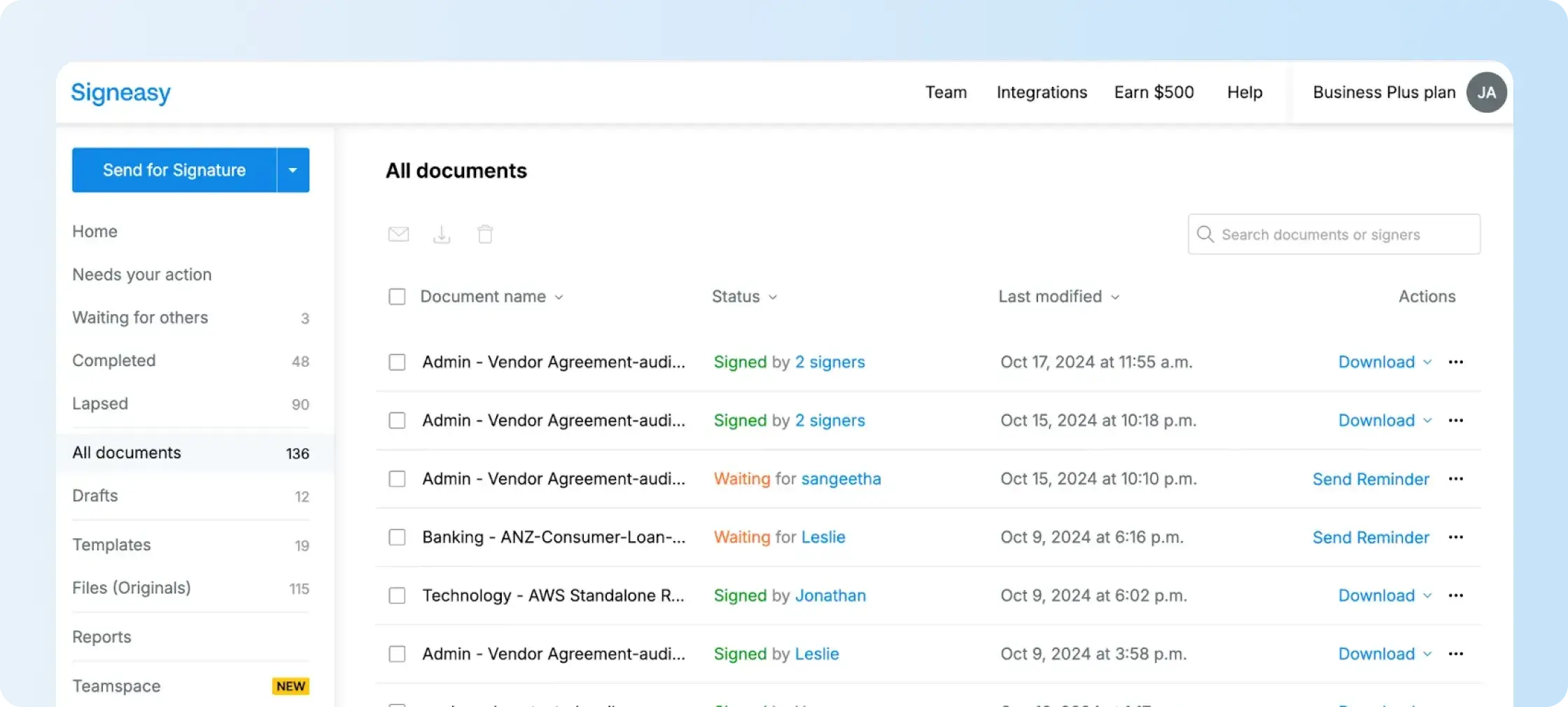
Signeasy displays agreements awaiting action, sent requests, and completed documents through the document-management view. The document tracking guide explains how senders follow progress and send reminders. This provides a practical alternative to searching individual inboxes for an agreement's current status.
How does Signeasy connect signing with team workflows?
Signeasy supports sending documents through Google Workspace and Microsoft Teams, subject to the applicable account setup. For teams managing obligations after signing, Intelligent Contract Management and the contract repository address searchable storage and broader agreement oversight. These functions should not be assumed to be part of every basic eSignature plan.
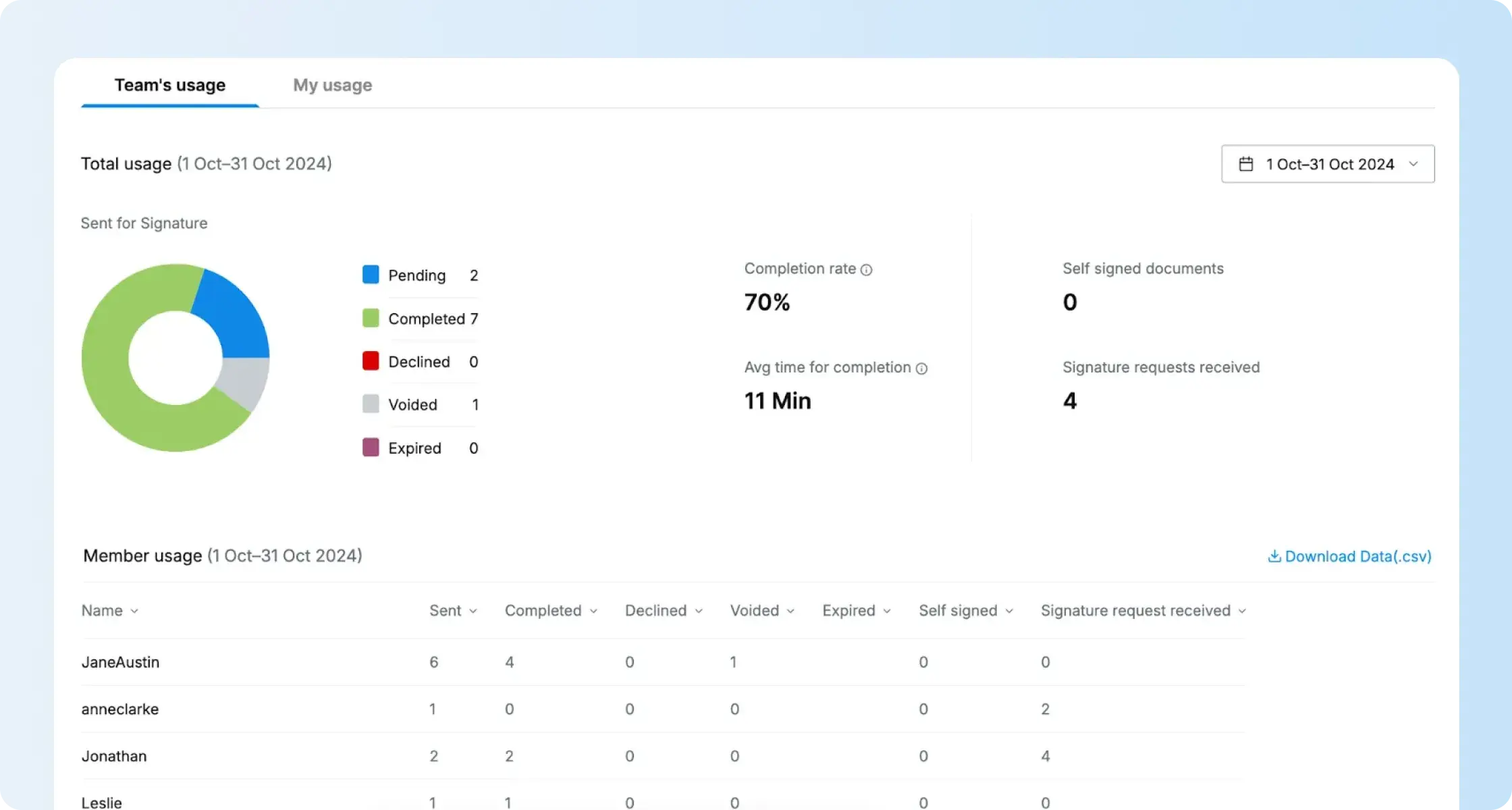
Development teams planning embeddable eSignature workflows in their own applications should evaluate the separately priced Signeasy eSignature API, including embedded signing and webhooks, rather than assuming web-app seats cover production API use. For cross-vendor context, see our Docusign pricing guide and Docusign alternatives comparison.

When should buyers choose an ICE service instead?
Choose an appropriate ICE closing service when the transaction requires mortgage fulfillment, electronic notarization, or remote online notarization (RON). Signeasy does not supply built-in remote online notarization, so replacing a specialist notary workflow with a standard eSignature subscription would leave a functional gap.
Here are the decisions to confirm before requesting an ICE quotation:
- Transaction type: Identify whether documents need ordinary eSignatures, in-person electronic notarization, or a remote online notary authorized for the relevant jurisdiction.
- Applicable service: Ask whether Expedite, Simplifile eSign Events, or another ICE arrangement performs the required steps and meets applicable compliance standards.
- Full commercial scope: Document license fees, transaction charges, identity verification, recording, support, implementation, and renewal terms, including any work needed to connect client portal software.
These answers establish whether the former license model is relevant or whether the buyer needs a different ICE service quotation.
What is the final verdict on DocVerify pricing?
DocVerify pricing remains a historical reference, not a current ICE rate card. The former Enterprise tier included notarization and full API access, while Business E-Sign focused on ordinary signing. Buyers requesting ICE services need a quotation for the exact transaction, usage, support, and regulatory requirements.
For business documents that only need electronic signatures, Signeasy's published plan rates support transparent pricing comparisons, and teams can demonstrate the actual workflow before committing to a purchase. The comparison should be based on what the team sends, who needs access, and whether notarization is required.