



With ratings of 4.8 on G2 from 584+ reviews and 4.7 on Capterra from 358+ reviews, Signaturely positions itself as an easy-to-use platform that delivers quick eSignatures.
An overwhelmingly positive review of Signaturely on G2 reads like this:
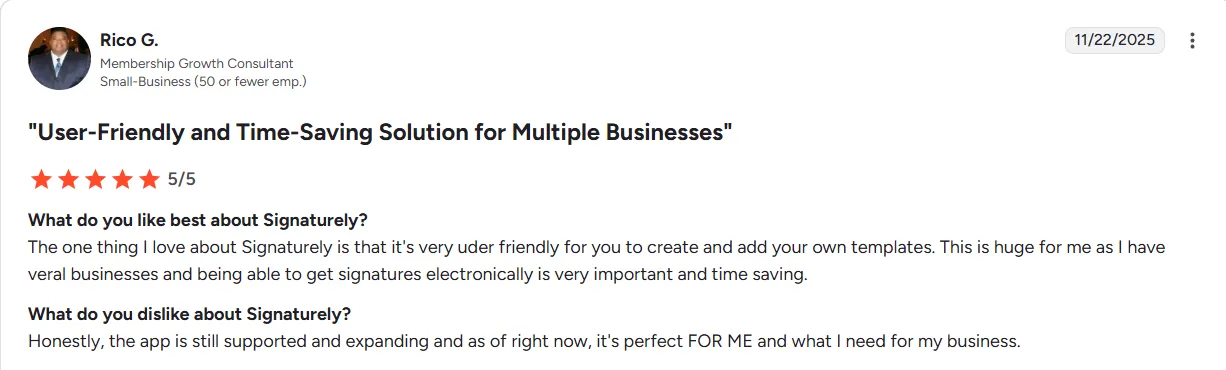
Source
But when you think all is well, you also get reviews that say many not-so-nice things about the tool, like limited integrations, pricing issues, etc., as shared in another G2 review below:
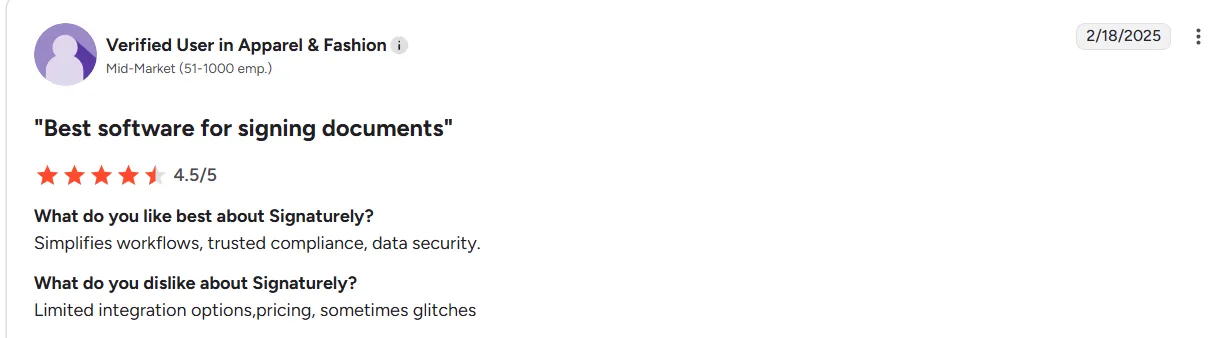
Source
Hence, before you jump into buying the tool, you need to know what the tool does well and where it falters. And that’s what we aim to do here with this review.
Here, we objectively analyze:
- Key Signaturely features and capabilities
- Common limitations reported by real users
- Signaturely pricing details and subscriptions
- How the platform fares against alternatives like Signeasy
Let’s get started.
What is Signaturely?
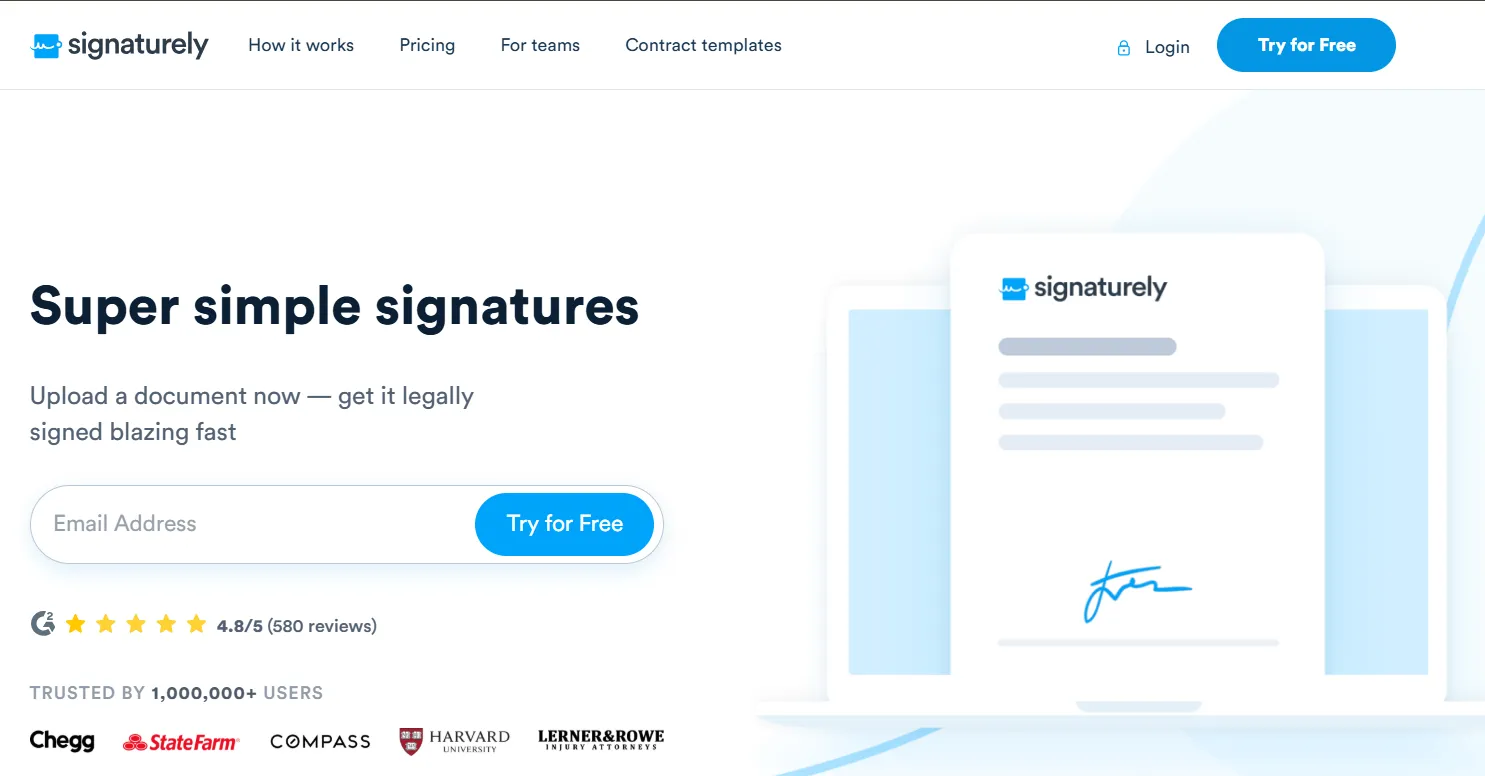
Signaturely is a cloud‑based eSignature platform that lets you upload, send, sign, and manage documents online. It is built to replace manual, paper‑based signing processes.
Using Signaturely, you can:
- Upload PDFs, Word docs, or other file types to Signaturely and add signature fields, text boxes, checkboxes, date fields, etc., as needed.
- Choose who signs the document and define the signing order to make it easy for contracts, NDAs, or agreements that need multiple parties.
- Create your own contract templates or edit the ones provided by the platform to save time in creating commonly used contracts.
The platform is ideal for freelancers, small businesses, and anyone who wants a quick, legally binding way to get documents signed online.
Signaturely features: A closer look
As an eSignature platform, Signaturely offers a variety of features, such as document tracking and remote signing, to make online contract signing easy.
Let’s take a closer look at these features and what users say about them:
1. Custom templates
Signaturely offers an extensive library of customizable contract templates, such as land lease agreements, snow-removal agreements, NDAs, sublease agreements, and more.
You can customize these contracts within the platform to suit your needs and use them. The platform also lets you create templates as you need.
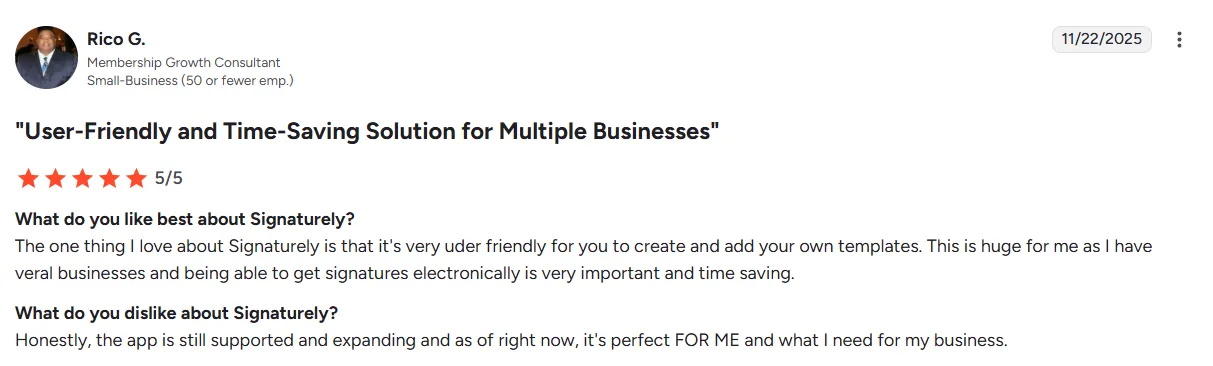
Users love this feature because it helps them save time and effort. Here is a review by Rico G. on G2 praising Signaturely for this feature:
Source
2. Team collaboration
Signaturely allows your teams to collaborate on a contract document and ensure it meets the cross-departmental needs before sending it for signing.
This allows you to save time by avoiding multiple back-and-forths between teams.
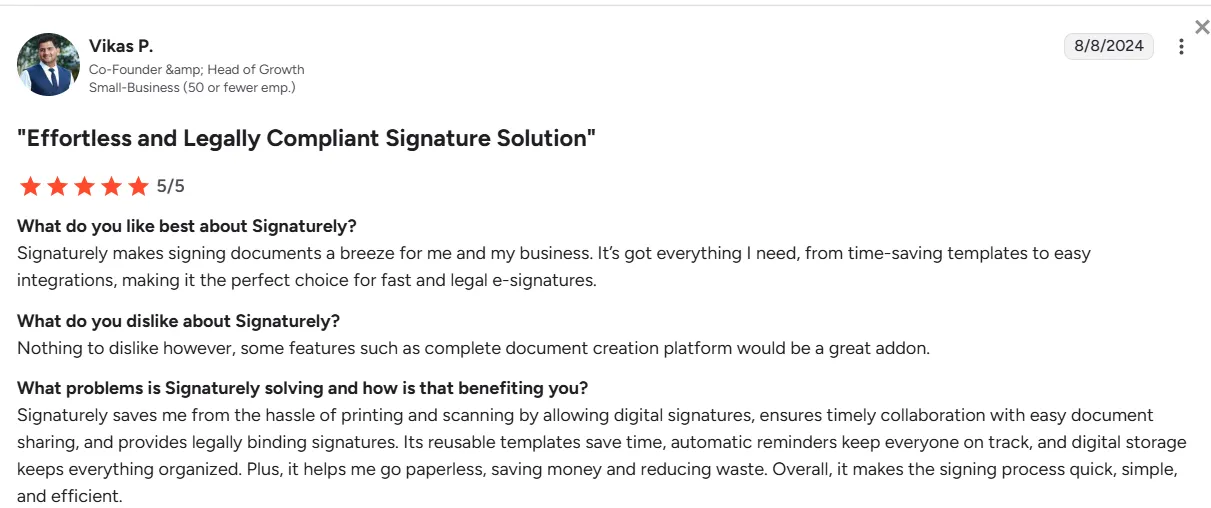
Team collaboration is another benefit that users love about Signaturely.
Source
One thing to keep in mind is that the team collaboration offered by Signaturely is pretty basic compared to what tools like Signeasy offer. With Signeasy, which offers extensive contract management features, you can upload and edit documents with your teams, send reminders, and track pending signs.If you're exploring more platforms,check our pandadoc vs docusign comparison .
3. Ease of use
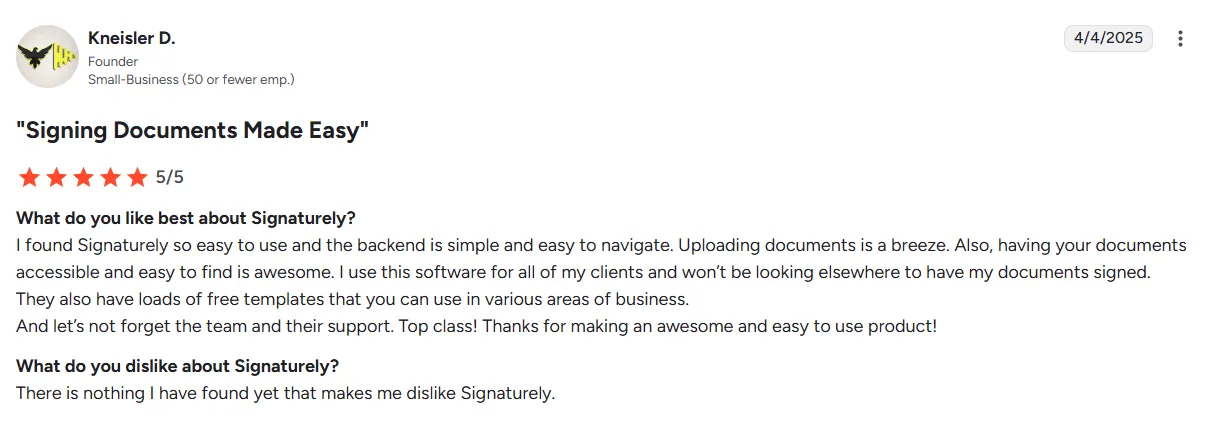
Signaturely is easy to use, period. You add your document to the platform and choose the required fields for the signature using a simple, intuitive UI. You can then send it via email with a link to the signer. There is no complication.
Source
4. Guided signing
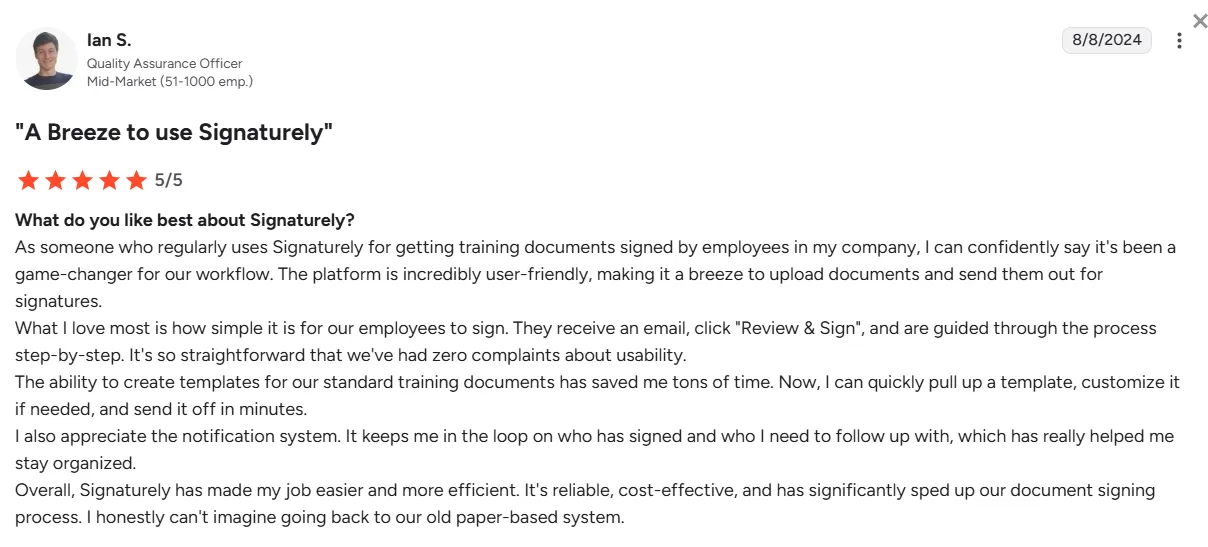
This feature guides signers through the platform step by step to complete the signing process. Guided signing also ensures signers do not miss any field that requires their attention while signing.
Many users love this feature, as it helps even non-technical people navigate the document for successful eSigning.
Source
5. eSignature authentication
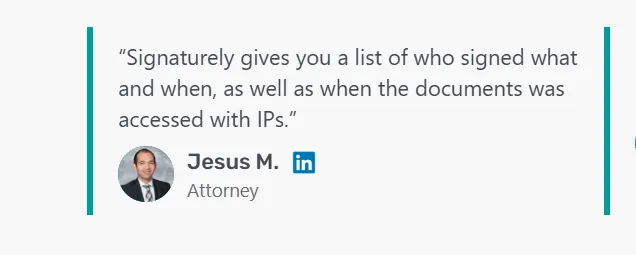
Signaturely offers eSign authentication features to ensure the authenticity and validity of the signatures. The integrated process lets users see who signed which document and when, including the IP address used to access it.
Source
6. Customization
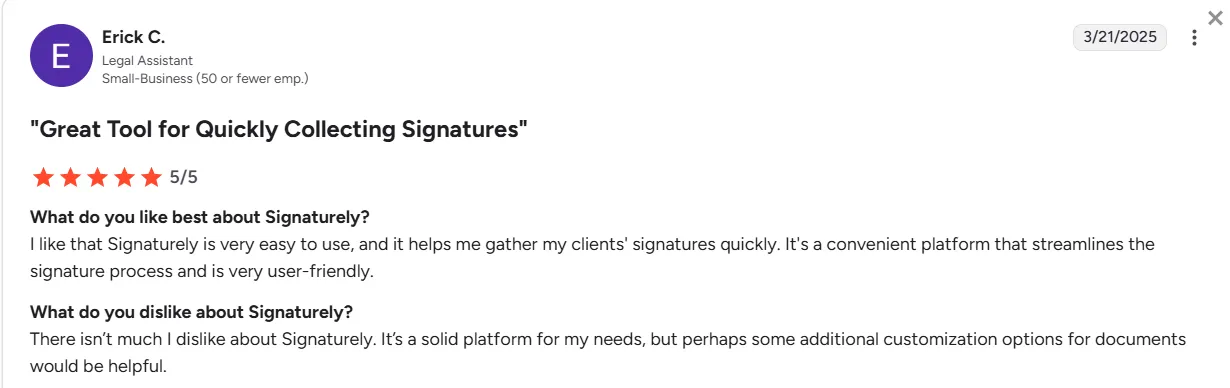
Despite being easy to use, Signaturely falls behind in customization.
Even users who are otherwise happy with the tool point this out. Hence, if you are looking for a tool with many customization options, Signaturely will disappoint you.
Source
Signeasy, on the other hand, is a contract management platform that comes with strong customization options.
7. Integrations
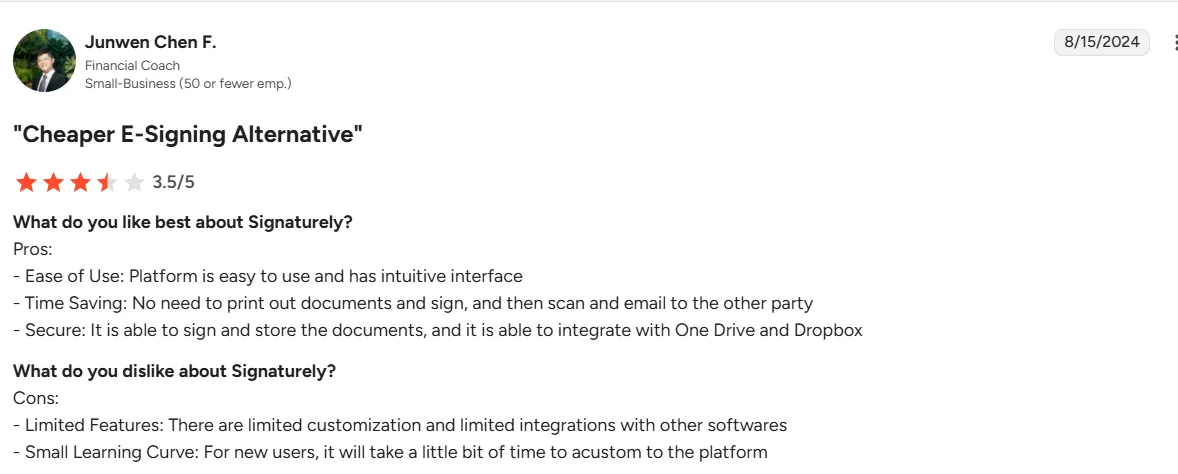
This is another glaring limitation that users point out in even 5-star reviews in platforms like G2 and Capterra.
As of this writing, the tool only offers integrations with Google Drive, Dropbox, OneDrive, and Box. This is a limitation for businesses that use CRM tools such as HubSpot and Salesforce.
Source
Ease of use: Is Signaturely user-friendly?
If you look at most Signaturely reviews, you'll find they all agree on one thing: Signaturely is very easy to use.
Let’s check these reviews and explore how user-friendly Signaturely really is:
1. Set up and onboarding
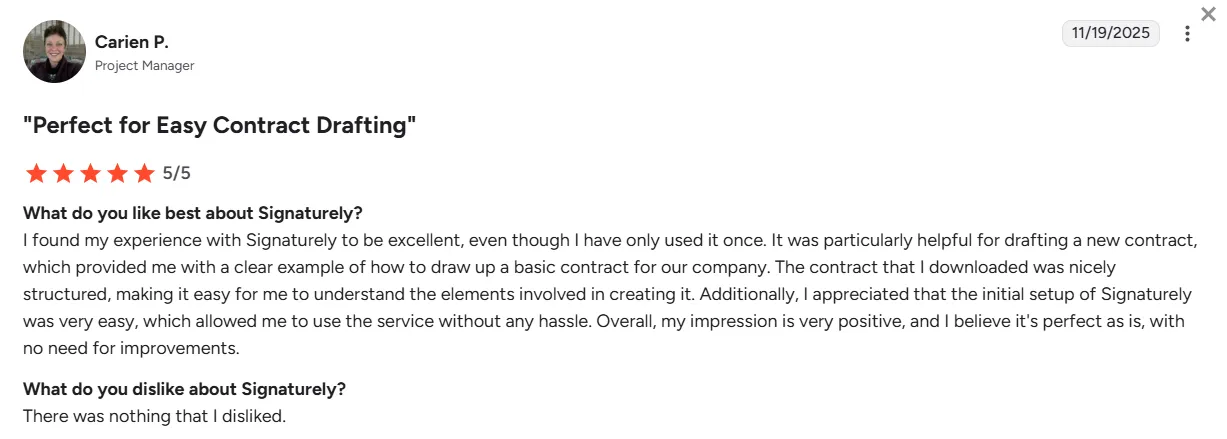
Signaturely is easy to get started with. The sign-up process is quick, and the interface is clean and intuitive.
First-time users can upload a document, add fields, and send it for signing in just a few minutes. Right after signing up, you can start using it for collecting eSignatures.
Source
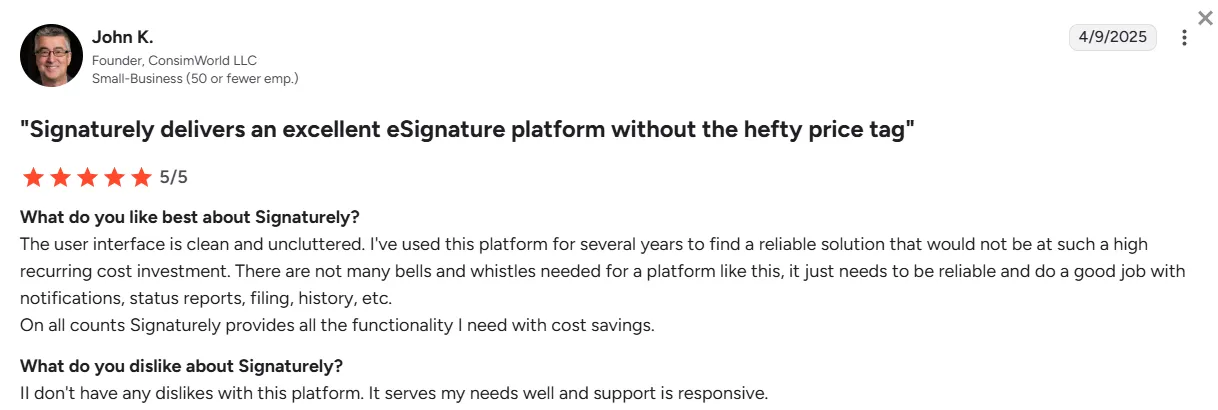
2. Interface and navigation
One of the first things you notice when using Signaturely is that it keeps things simple.
The dashboard is clean, with clear labels and minimal clutter. You can quickly access drafts, signed documents, and templates. Everything is organized logically.
This means you don’t need to dig around to find what you are looking for.
Source
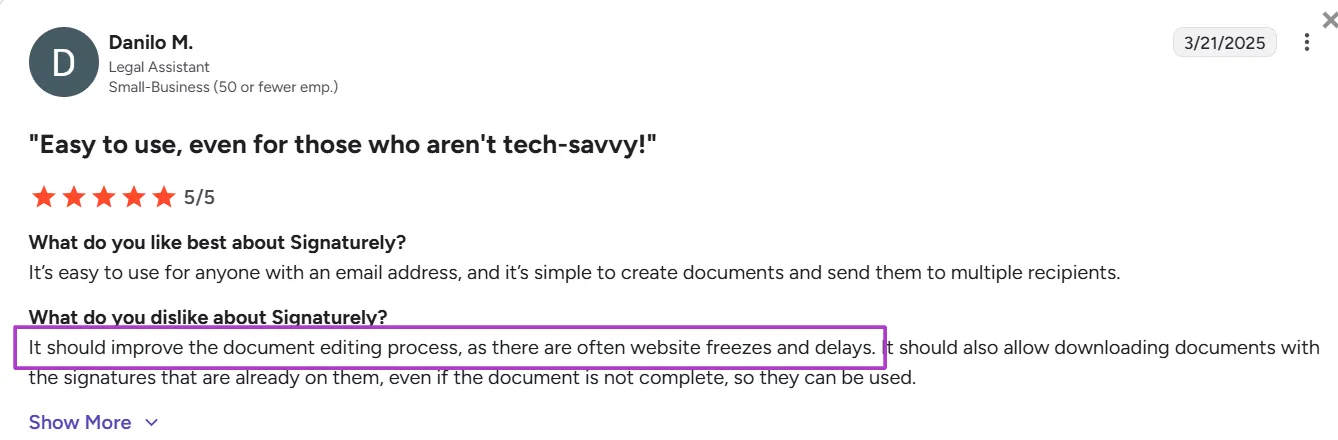
3. Document creation and editing
Creating documents is straightforward in Signaturely. You upload a file, drag and drop signature fields, text boxes, or checkmarks, and set the signing order.
It also offers a library of templates that can be edited and reused. If needed, you can create your own templates for reuse.
Source
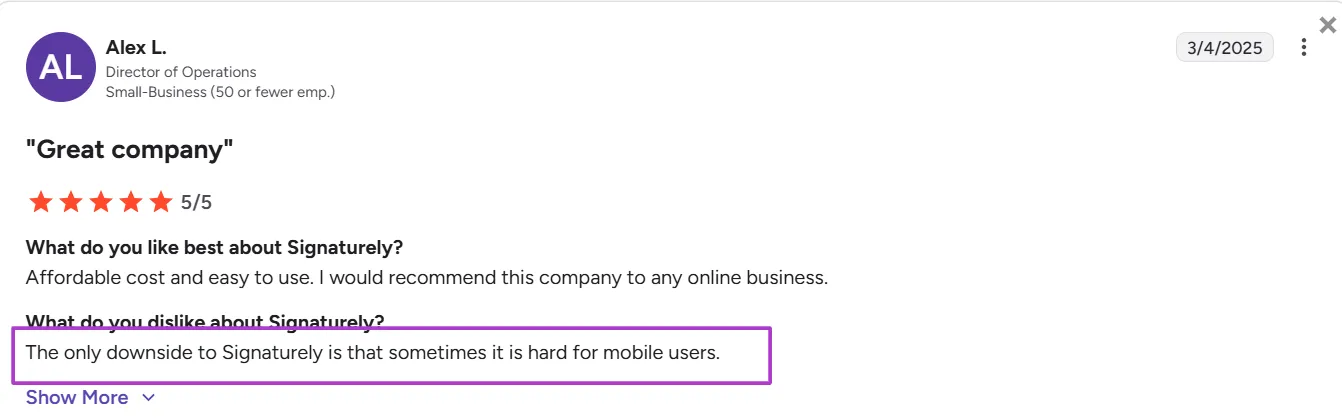
4. Web and mobile experience
Signaturely is fully web-based, so there’s nothing to install. It works well in all major browsers, and signers can complete documents from any device.
However, the lack of a mobile app is a let-down for most users who want to use the platform on their mobile phones.
Source
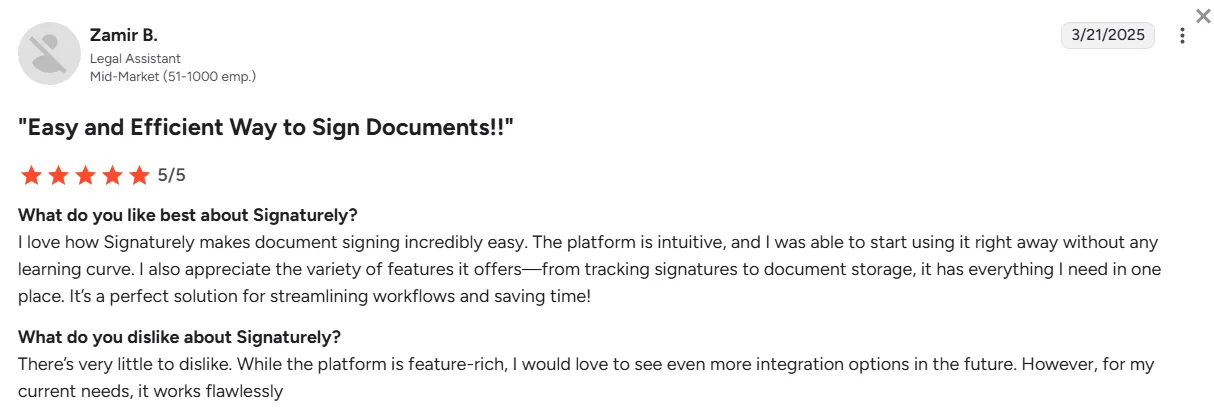
5. Learning curve
The platform is designed for non-technical users. Most people can figure it out within 10–15 minutes.
There is helpful onboarding guidance and tooltips on the app. But you probably won’t need them unless you are dealing with advanced workflows.
Source
Signaturely pricing and plans: A detailed breakdown
Signaturely offers two different plans:
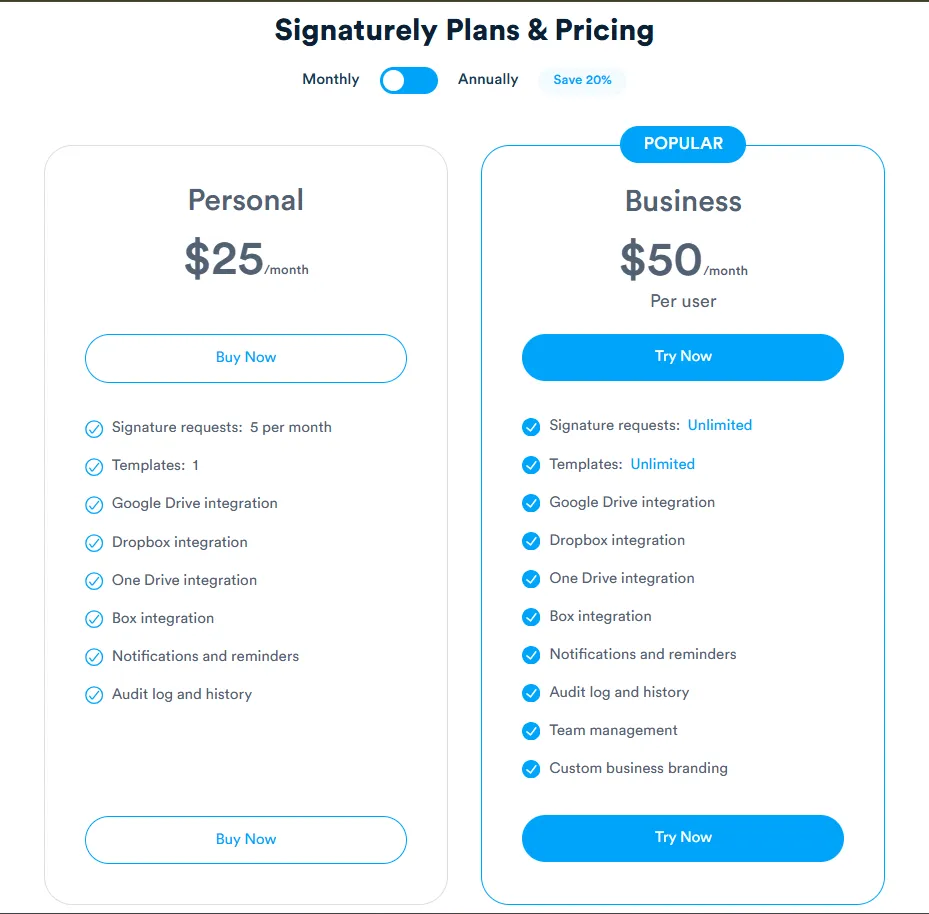
Here is a closer look at the plans offered by Signaturely (as of January 2026):
1. Free plan
Signaturely’s Free plan is a good option if you only send documents occasionally.
You can send 1 signature request per month and use basic features, such as uploading documents and requesting signatures. However, it comes with the following limitations:
- Only 1 document per month
- No saved templates
- No team features
- No advanced integrations
2. Personal plan
The Personal plan costs $25/month on a monthly plan and $240/year on an annual plan.
It removes the document limit and allows 5 signature requests. You also get 1 reusable template. This is useful if you often send the same type of document.
This plan is ideal for freelancers, consultants, or anyone who sends a limited number of contracts.
3. Business plan
The Business plan starts at $50/month/user, on a monthly billing plan, whereas the annual billing plan is $480/year.
It includes everything in the Personal plan, plus:
- Unlimited templates
- Notifications and reminders
- Team management features
- Audit logs and tracking
- Custom branding
The plan is suited for teams or businesses that want better control, more automation, and shared access across team members.
Cost comparison with other eSignature tools
While Signaturely is easy to use and user-friendly, it lacks contract management features, integrations with CRMs like HubSpot, automations, and more.
Let’s compare Signaturely’s plans with other eSignature tools, like Signeasy, which is a contract management tool.
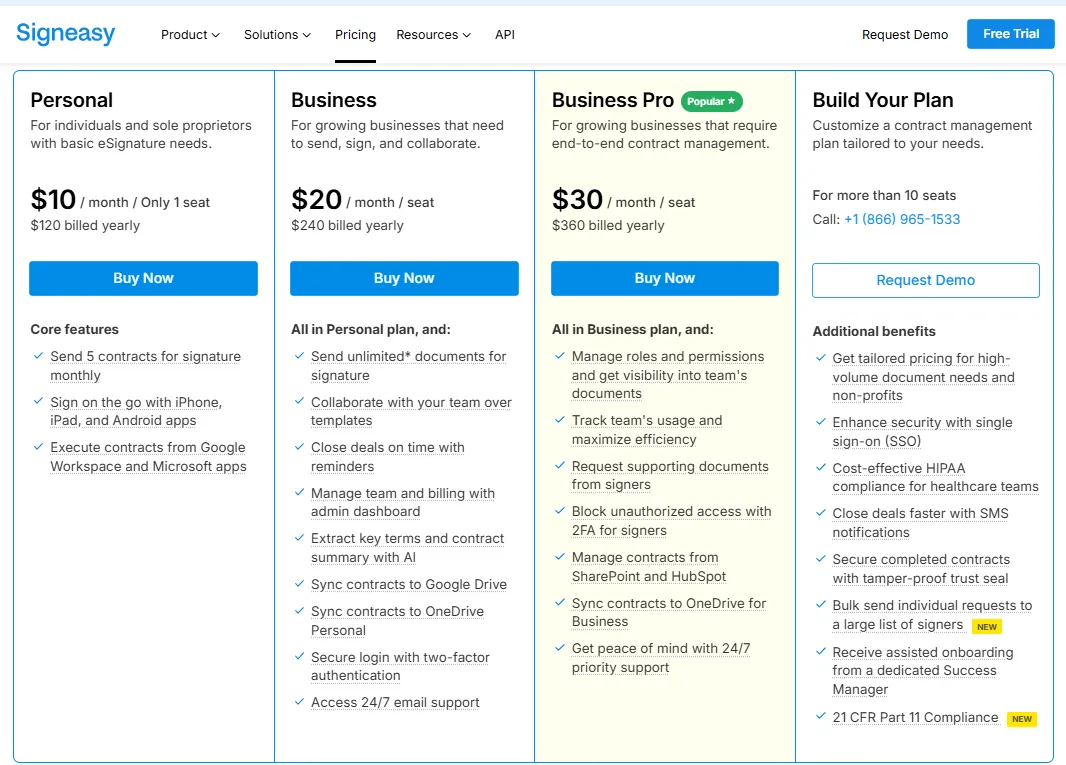
Here are Signeasy’s pricing plans (as of December 2025):
1. Signaturely vs Signeasy: Free plans
Signaturely’s free plan is designed for very light, occasional use, with a single monthly signature request and minimal controls.
Signeasy’s free plan supports a broader range of file types, higher document limits, and basic security features, making it more usable for routine signing needs.
2. Signaturely vs Signeasy: Personal plans
Signaturely’s Personal plan covers core signing needs but limits document volume and template usage, which may constrain regular users.
Signeasy’s Personal plan offers wider file support, stronger security options, and more flexible self-signing at a lower price point, indicating a focus on usability alongside basic contract features.
3. Signaturely vs Signeasy: Business plans
Signaturely’s Business plan focuses on unlimited signatures and templates but excludes mobile access, advanced integrations, and AI capabilities.
Signeasy’s Business plan includes broader integrations, administrative controls, security features, and AI tools, suggesting a more operationally comprehensive approach for teams.
Apart from these two plans, Signeasy also offers two additional plans that Signaturely does not provide, namely Business Pro and Build Your Plan.
Let’s explore these plans here:
4. Business Pro
If your business needs more than just basic signing, the Business Pro plan is the best option. It costs $30/month/user on a monthly plan or $20/month/user on an annual plan.
The plan offers everything in Business, and:
- Contract workflow automation capabilities and unlimited templates
- 24x7 priority support to address issues quickly
- Advanced integrations with SharePoint, HubSpot, etc.
- Use 2FA for signers to block unauthorized access to contracts
- Get visibility into teams’ docs and manage roles and permissions
This plan is ideal for businesses that need more control, higher security, and deeper integrations with existing tools.
5. Build Your Plan
If your organization needs a tailored solution, the Build Your Plan option is the way to go. Pricing is custom, based on your team’s size and needs.
The plan includes everything in Business Pro, and:
- Custom onboarding and dedicated account manager
- Increased API limits for higher-volume use
- Centralized contract repository features
- Premium support with SLA-based response times
- Advanced admin controls and workflow customization
This plan suits large teams that need flexibility, scalability, and enterprise-level support across departments and locations.
Signaturely vs Signeasy: API plans
Both Signaturely and Signeasy offer API plans. Let’s check out the details of both plans here as of December 2025:
Signaturely lets businesses integrate its eSignature capabilities directly into their own apps, websites, or workflows using its API. The API plans are billed separately from the regular eSignature plans.
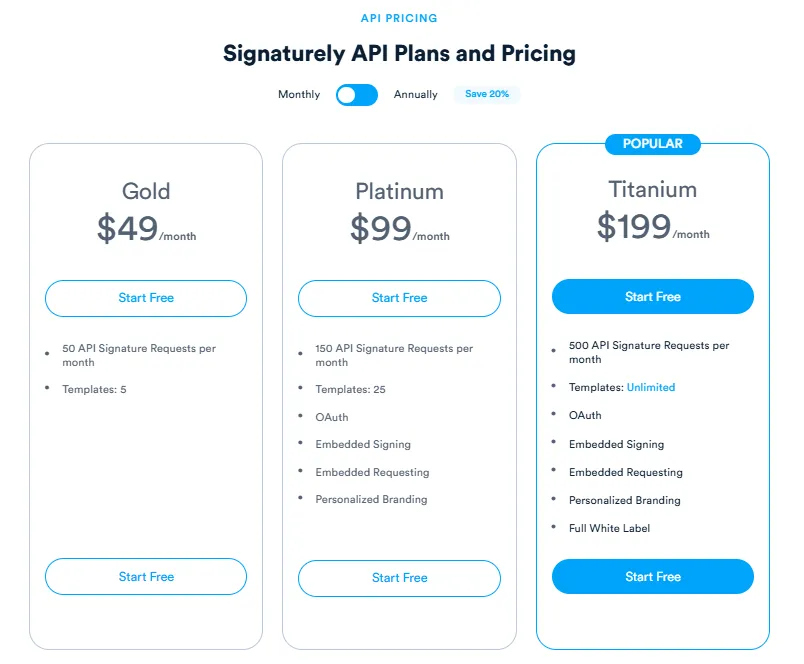
It offers three different API plans:
- Gold Plan: Ideal for small businesses or developers testing eSignature integrations.
- Platinum Plan: The Platinum plan is designed for growing businesses that need more signature volume and flexibility.
- Titanium Plan: Designed for high-volume use and advanced API integrations.
Compared to Signaturely, Signeasy's API plans showcase the platform’s strength as a complete contract management tool.
Here is a quick overview of the API plans offered by Signeasy:
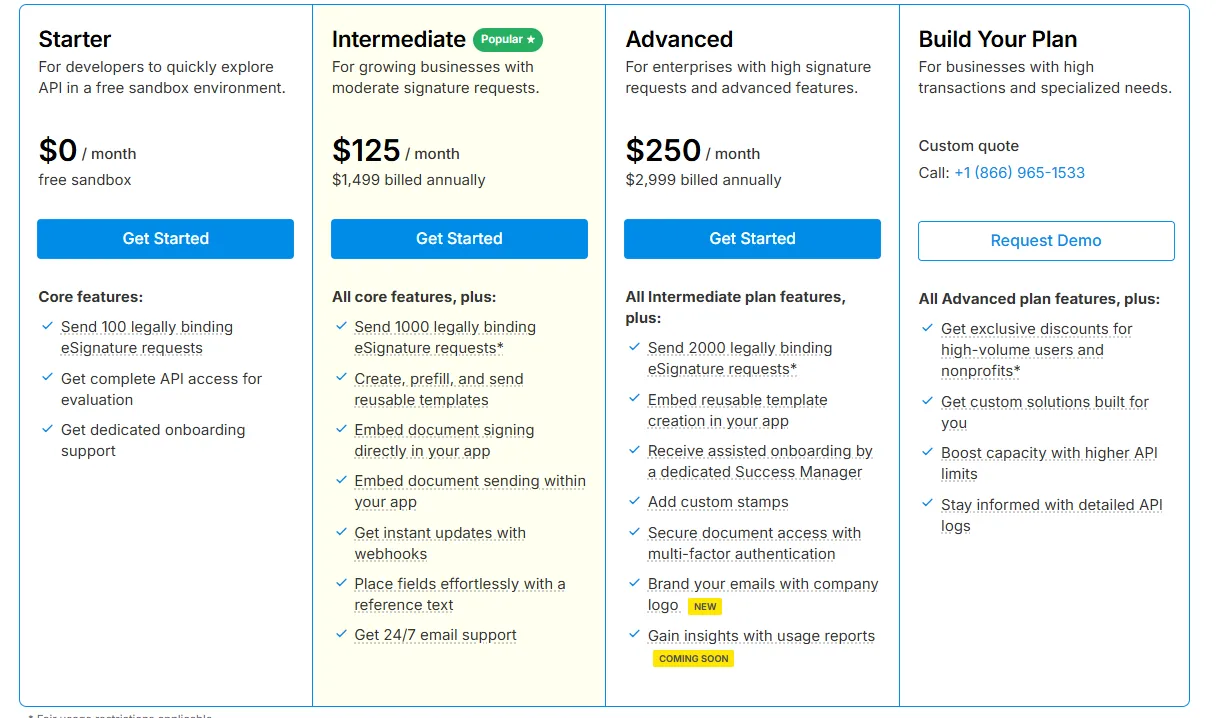
Businesses that grow rapidly can use Signeasy's API plans. You can choose one of four different API plans by Signeasy:
- Starter: This free plan is ideal for businesses looking to use Signeasy API in a free sandbox environment.
- Intermediate: At $125/month ($1,499 billed annually), this plan is best for growing businesses with limited signature requests.
- Advanced: This plan is available for $250/month ($2,999 billed annually) and is suitable for enterprises with high signature requests and advanced features.
- Build Your Plan: Under this plan, you can build custom plans that meet your exact eSignature needs.
Signaturely vs Signeasy: Free trial availability and limitations
Both platforms offer free trials. Signaturely offers a 7-day free trial with access to all the features provided by the Business plan.
After the free trial, you will be automatically charged $50 for the Business plan. To avoid charges, you need to cancel the trial before the billing period.
At the same time, Signeasy has a 14-day free trial. It offers all the features in the Business Pro plan, such as unlimited templates and signature requests, automated contract approvals, and more.
After the free trial, you will either be charged for the plan you chose when signing up (if your payment method is updated) or receive a free account.
How does Signaturely compare to Signeasy?
Signaturely and Signeasy both aim to simplify electronic signatures. But they are made for different users.
Signaturely focuses on minimal, budget-friendly eSigning for individuals or small teams. Signeasy, meanwhile, is a complete contract management platform designed for scaling businesses that need automation, visibility, and control.
Here’s how they compare across features, pricing, usability, and ideal user fit:
1. Features
Signaturely handles basic signature workflows well. You can send, sign, and track documents with audit trails and email reminders. It is clean and functional, but beyond that, it is limited.
Signeasy offers a much broader toolkit for complete contract management. It offers contract automation, AI features, eSign workflow automation, team collaboration, secure signing, and more at scale.
Let’s compare their capabilities:
a. Scope of functionality
Signaturely is focused on core eSign tasks, such as sending, signing, and storing documents.
Signeasy, on the other hand, covers the full contract management process. It helps you draft, share, route, track, manage, store, and organize contract documents and report their performance. It also offers AI tools for quicker review and decision-making.
b. Workflow automation
Signaturely lacks built-in automation for approvals, reminders beyond basics, or renewals.
Signeasy automates key contract workflows to save time and reduce errors. This makes it ideal for fast-moving teams.
c. Integrations
Signaturely integrates with cloud storage tools like Google Drive and Dropbox.
Signeasy integrates with those and more, such as Google Workspace, Microsoft Teams, Outlook, HubSpot, and SharePoint. It helps teams manage contracts directly within the tools they already use.
d. Security and compliance
Both tools comply with standard eSignature laws such as ESIGN and UETA. But Signeasy goes further with SOC 2, GDPR, HIPAA, 21 CFR Part 11, and role-based access.
You also get 2FA for signers and more admin visibility with Signeasy, which is vital for sectors like healthcare or finance.
e. Mobile accessibility
Signaturely doesn’t offer a mobile app.
Signeasy offers dedicated iOS and Android apps for signing, tracking, and managing contracts from anywhere. For remote teams or on-site professionals, Signeasy becomes a suitable option.
f. Scalability
Signaturely is best suited for freelancers or very small businesses.
While Signeasy is ideal for enterprise businesses that consistently scale, it can also be used by small teams. However, the focus remains on multi-department teams, with custom enterprise plans available.
g. Collaboration and reporting
Signaturely includes basic team management in the Business plan. But it lacks deep collaboration tools.
Signeasy helps track performance and manage documents as a business asset.
The platform enables this through shared templates, admin dashboards, audit trails, and an intelligent contract management powered by AI.
Lean More: Signeasy reviews, ratings, and features 2026
2. Pricing transparency
Both Signaturely and Signeasy have transparent pricing policies. The plans and their costs are clearly mentioned on the pricing page.
However, Signaturely does not clearly differentiate the plans for its users. But Signeasy also compares its plans with each other, helping users clearly understand how each plan is different from the others.
3. Ease of implementation and adoption
Signaturely is very simple to use and set up. This makes the platform ideal for individuals and small teams. Signeasy is also easy to implement. And it offers more guidance through onboarding, tutorials, and customer support.
4. Ideal user segments
Signaturely works well for freelancers and very small businesses that send a limited number of contracts each month and need a basic signing tool.
At its core, Signeasy is an AI-enabled contract management tool, which makes it ideal for mid-market teams. With secure signing, contract management, automation, collaboration, and cross-platform flexibility, Signeasy delivers that.
5. Customer support and resources
Signaturely offers responsive and straightforward customer support. It offers a pretty detailed, simple help center that covers most issues.
The Help Center has articles for everything related to the platform, such as:
- Getting started
- Teams and API
- Plans and billing
- Docs, templates, and forms
- Settings and troubleshooting
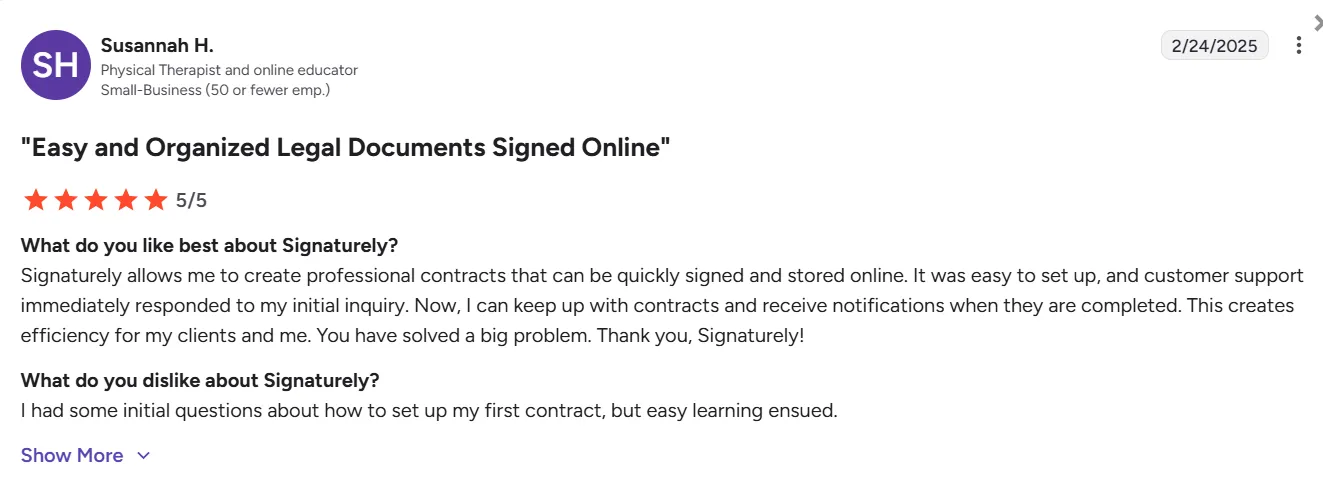
Most Signaturely users say customer support is very responsive and helps them resolve their issues quickly.
Source
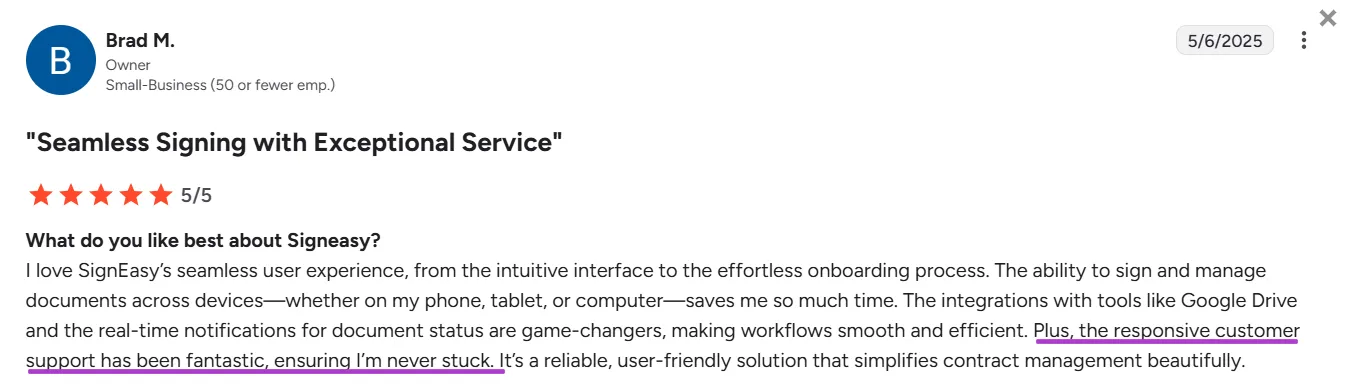
On the other hand, Signeasy offers a more robust customer support experience, especially on higher plans, with dedicated help via 24x7 chat, email, and phone support.
In addition, the platform provides extensive documentation to help users resolve their issues on their own.
Source
Apart from this, Signeasy also offers a range of tutorials, webinars, and product demos that make user onboarding even easier.
Who is Signaturely best suited for?
This was the question we have been asking throughout the entire Signaturely review process.
What we have found is quite interesting: Signaturely offers simple, efficient eSignatures for small and medium businesses. And it delivers strongly on that front, as evident in most user reviews on platforms like G2, Capterra, and more.
Let’s check out how suitable Signaturely is for different types of businesses here:
1. Freelancers and small businesses
Signaturely is a good fit for freelancers, solo professionals, and small teams that need a simple, no-fuss way to send and sign documents.
This is chiefly because the platform:
- Offers Free and Personal plans that are cost-effective for limited use
- Comes with a simple interface that is clean and easy to use
- Meets all the legal requirements for eSignatures
This enables the platform to help small businesses stay organized without overcomplicating the eSigning process.
2. Mid-sized teams and enterprises
While Signaturely does offer a Business plan, it falls short for mid-sized or enterprise teams with more complex workflows.
We have found the following gaps that can deter mid-sized and enterprise businesses from the platform:
- No bulk sending or advanced automation
- Lack of mobile apps for on-the-go access
- Limited integrations beyond basic cloud storage
- No AI tools for reviewing or summarizing documents
- Basic admin controls without role-based permissions
As such, larger teams often find platforms like Signeasy more suitable, as it offers automation, deep integrations, team management, and smarter contract handling at scale.
3. Industry-specific use cases
Signaturely works well for businesses that need a simple tool for low-volume, straightforward documents.
It is suitable for tasks such as basic client contracts, freelance agreements, or internal approvals, which are common in small businesses, legal services, or solo consulting setups.
However, Signeasy is ideal for a range of enterprise-level businesses, from the following industries:
- Banking and finance: Financial institutions rely on Signeasy for secure eSignatures in loan processing, client onboarding, and internal compliance workflows.
- Construction: Firms use it for subcontractor agreements, compliance forms, and change orders to ensure quick, trackable approvals from multiple parties.
- Education: Universities and schools use Signeasy to manage admissions, staff hiring, and student agreements, leading to swifter approvals and zero paperwork.
- Healthcare: Signeasy simplifies consent forms, insurance paperwork, and patient onboarding with HIPAA-compliant eSignatures and secure access control.
- Real estate: Agents and clients can sign property documents anytime, anywhere. Signeasy helps reduce delays and close deals at speed.
These use cases show that Signeasy is better suited for mid-market and enterprise teams that need industry-grade contract management capabilities, such as AI features, scalability, and security beyond what Signaturely offers.
Use Signeasy for efficient, AI-powered contract management
Signaturely is a great option for individuals and small businesses that need to send documents for eSignatures. It is also legally compliant and easy to get started with, especially if you are looking for a simple solution.
But when your document volume grows, or your team expands, Signaturely starts to show its limits. There is no automation, no mobile app, and limited integrations. This can quickly become a serious issue when scaling or managing complex workflows.
That is where Signeasy comes in. It offers a complete, enterprise-level contract management platform for modern businesses and growing teams.
With more robust features and better scalability, it is a stronger alternative for long-term use.
Signeasy brings you:
- AI tools for contract summaries and smart notifications
- Automation for approvals and contract workflows
- Role-based access, 2FA, and audit trails
- 24x7 chat, email, and priority support
- Enterprise-grade security (SOC 2, HIPAA, 21 CFR Part 11)
- Integrations with Google Workspace, Microsoft, HubSpot, etc.
Hence, if you want to save your team’s time and scale your contract process with AI’s help, Signeasy is the right choice.
Request a demo of Signeasy to explore the platform and learn how it can change how you manage contracts in your business.