

According to World Commerce and Contracting’s study, on average, contract-related data is scattered across 24 different systems. This makes it nearly impossible to track commitments or optimize decisions on a timely basis.
This fragmentation is often the result of decentralized contract storage — where contracts live across inboxes, shared drives, personal folders, tools, and legacy systems.
Centralized contract storage brings all contracts into a single, structured repository, offering consistent access, visibility, and control.
While decentralized setups may feel flexible in the short term, they often introduce long-term inefficiencies, risks, and blind spots that compound as organizations scale.
In this blog, you’ll learn:
- What centralized and decentralized contract storage are
- How centralized contract storage improves daily work, with a direct side-by-side comparison
- How to transition to centralized contract storage and the features to look for in a centralized contract storage software
- How Signeasy enables centralized contract storage by capturing, organizing, and securing contracts in one system
What is centralized contract storage?
Centralized contract storage is a system where all contracts are stored, managed, and accessed from a single, unified repository rather than being spread across multiple tools, folders, or individuals.
It serves as a single source of truth. Teams can securely store contracts, control access, track versions, search clauses, and maintain compliance.
Most teams don’t adopt centralized storage on day one. They move to it when contract volume grows and the old setup stops keeping up.
What is decentralized contract storage?
Decentralized contract storage means contracts are kept across multiple locations such as email inboxes, shared drives, and personal folders. There is no single system designated as the source of truth.
Centralized vs decentralized contract storage: a side-by-side look
Centralized and decentralized storage lead to very different contract workflows through their impact on access and ownership.
Here’s how the two approaches compare:
How to transition from decentralized to centralized contract storage
If you’re moving from decentralized to centralized contract storage, treat this as an operational checklist. The goal is to reduce confusion first, then bring structure to contracts that are still in use.
Use the steps below in sequence:
Step 1: List where contracts are currently referenced
Identify the systems and workflows where teams actively look for contracts currently.
Step 2: Define what counts as an active contract
Action: Agree on which documents qualify as active, contracts.
Clarify:
- What counts as legally binding
- How amendments are treated
- Whether expired contracts still need visibility
Step 3: Prioritize contracts by risk
Action: Create a short list of contracts that must move first.
Focus on:
- Renewing contracts
- Revenue- or spend-linked contracts
- Contracts tied to regulatory or compliance exposure
Step 4: Choose the system before moving files
Action: Select the platform that will serve as the long-term source of truth before migration.
Ensure it supports:
- Easy access for non-legal teams
- Clear ownership and permissions
- Retrieval without manual follow-ups
Step 5: Add minimum structure during migration
Migration is not the time to redesign your entire contract taxonomy. Standardize only the fields teams actually rely on to find, manage, and review contracts later.
Focus on:
- Contract owner to make accountability clear and avoid follow-ups
- Contract type to group contracts logically and support quicker review
- Key dates to surface renewals, expirations, and obligations early
Step 6: Assign ownership and access rules
Before rollout, lock in who is responsible for what. Clear ownership prevents confusion and stops contracts from drifting back into side copies.
Decide:
- Who uploads contracts
- Who can edit vs view
- Who approves changes
Step 7: Roll out through real work
Instead of explaining the system in isolation, use it to resolve an existing bottleneck so teams see its value immediately.
Introduce centralized storage through:
- Upcoming renewals
- Active audits
- Ongoing approvals
Features to look for in centralized contract storage software
Many teams centralize contracts and still struggle, usually because the tool wasn’t built for everyday access and reuse.
The following features define whether a centralized repository works in practice:
- Automatic capture of contracts: The tool must store contracts immediately after signing. Every completed contract should land in the repository by default.
- Search based on contract context: Contracts should be searchable by signer, status, type, or date. Teams shouldn’t depend on exact filenames to locate contracts months or years later.
- Role-based access control (RBAC): View, edit, and approval permissions must be defined by role to limit risk while keeping contracts accessible.
- Complete activity and audit history: Every action(sending, viewing, signing, updating) should be logged automatically. This creates a reliable timeline for audits, reviews, and disputes.
- Controlled sharing without duplication: Contracts should be shared through secure access.This prevents version sprawl and keeps everyone referencing the same document.
- Access across devices and workflows: Teams must be able to retrieve contracts during work. Web and mobile access ensures contracts are available when approvals, or reviews happen.
Why teams use Signeasy for centralized contract storage
Centralized contract storage works best when it’s closely tied to how contracts are created, signed, and accessed later. Signeasy’s Intelligent Contract Management fits naturally into this flow by making contracts easy to store, find, and share without adding extra steps after signing.
Key features include:
1. Centralized storage for contracts
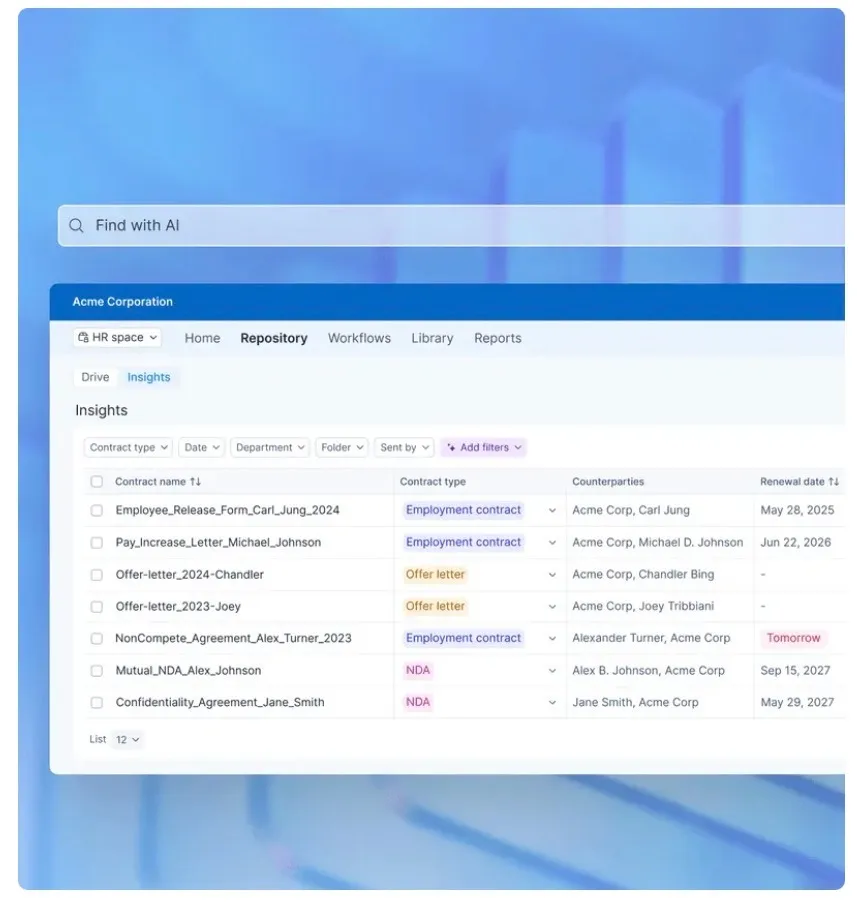
Contracts are automatically stored in a single repository once execution is complete. Each record includes contract type, status, and key dates, so teams can quickly locate finalized contracts without manual uploads.
2. Contract execution visibility
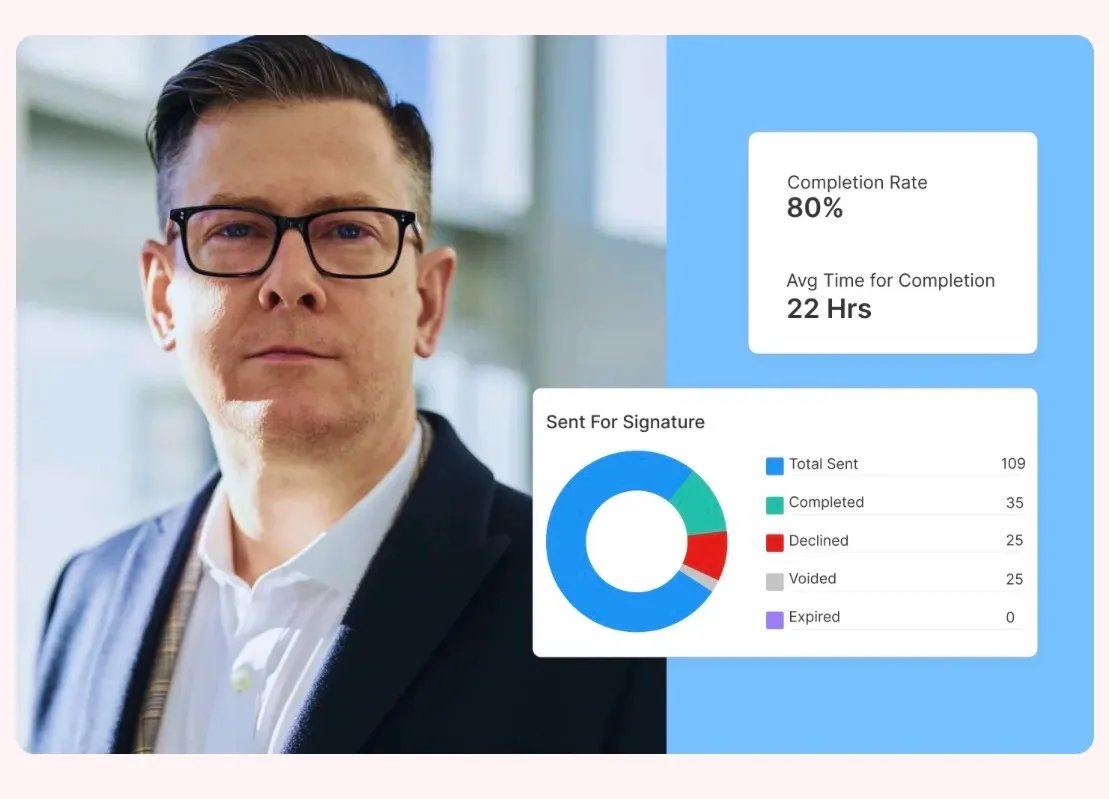
Execution insights show which contracts are completed, pending, or delayed, along with average signing time. This makes delays visible early and helps teams follow up with intent.
3. Search by document name, signer, and status
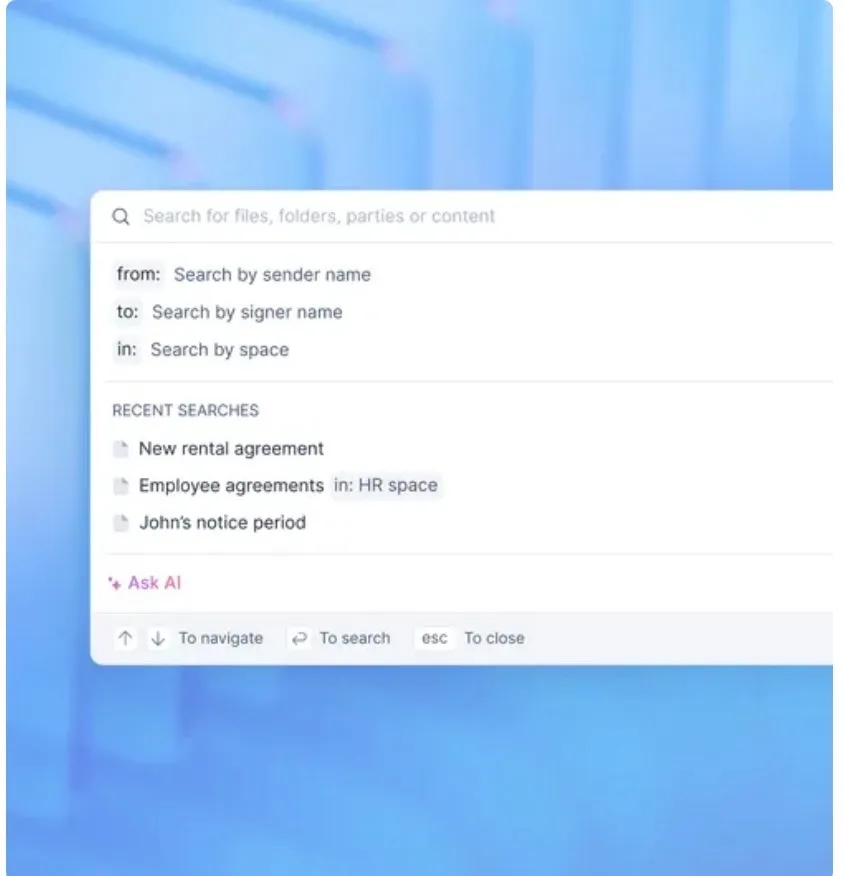
Teams can locate contracts using practical filters such as sender name, signer name, workspace, or status instead of relying on exact filenames. This allows users to retrieve contracts based on context.
4. Role-based access and permissions
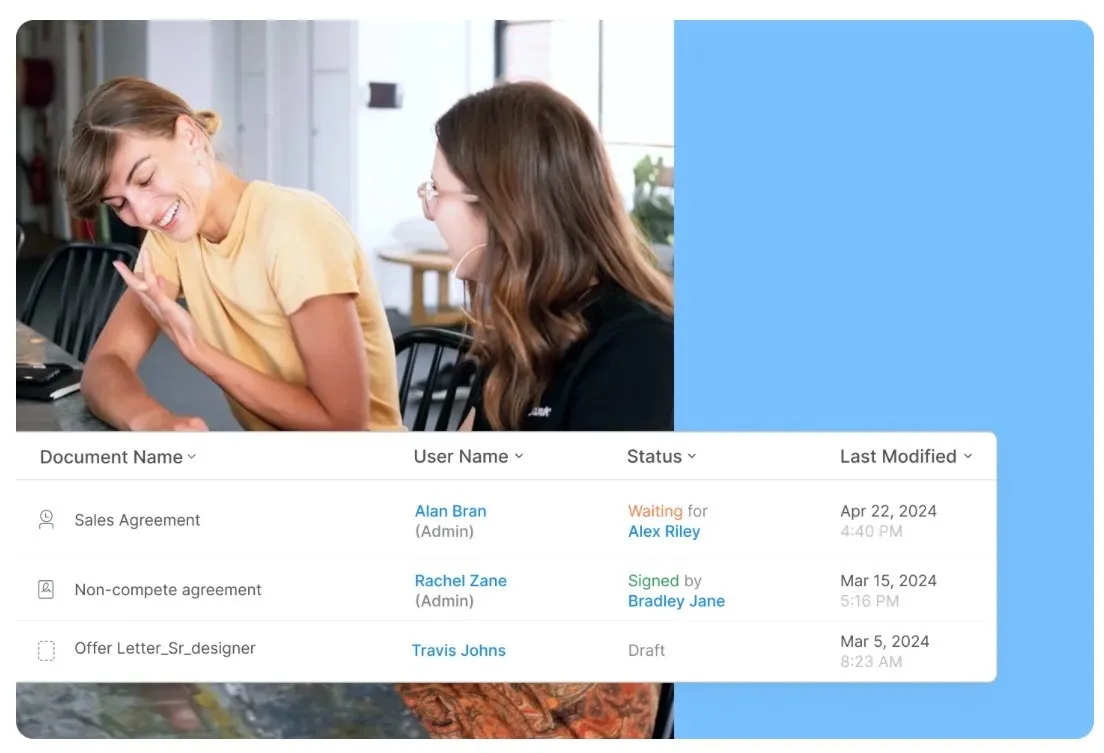
Access can be controlled based on role, allowing teams to share visibility without granting edit rights to everyone. Legal, finance, and operations can access what they need without exposing sensitive documents unnecessarily.
5. Audit trail and document activity history
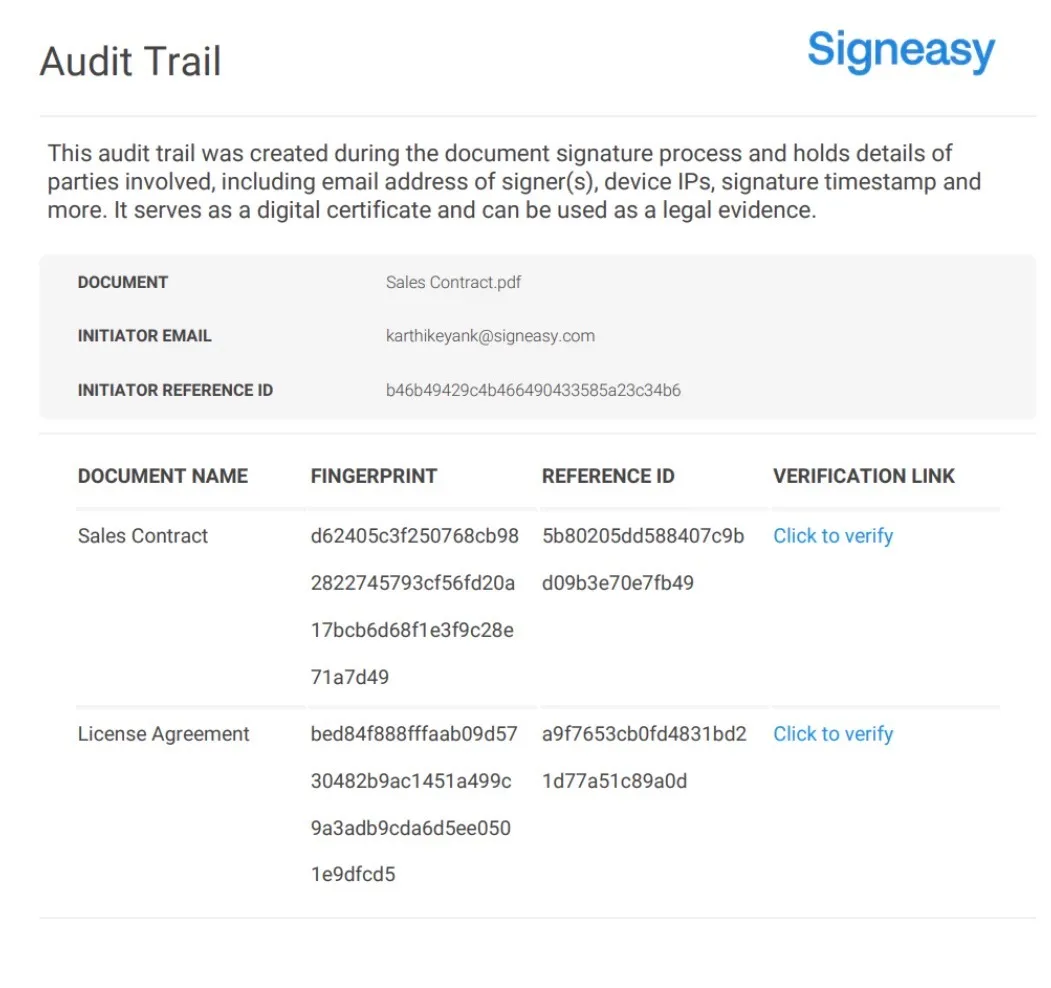
Each contract includes a record of key actions such as sending, viewing, and signing. This creates clarity during audits, internal reviews, or disputes without relying on email threads or manual timelines.
6. Secure contract sharing
Contracts can be shared directly from the system rather than being downloaded and reattached. This helps prevent duplicate copies from circulating and ensures everyone is referencing the same document.
7. Web and mobile access
Contracts are accessible from both desktop and mobile devices, which supports approvals, reviews, and sharing when teams aren’t working from a single location.
Ready to centralize contracts without extra steps? Start free trial with Signeasy.