
.webp)


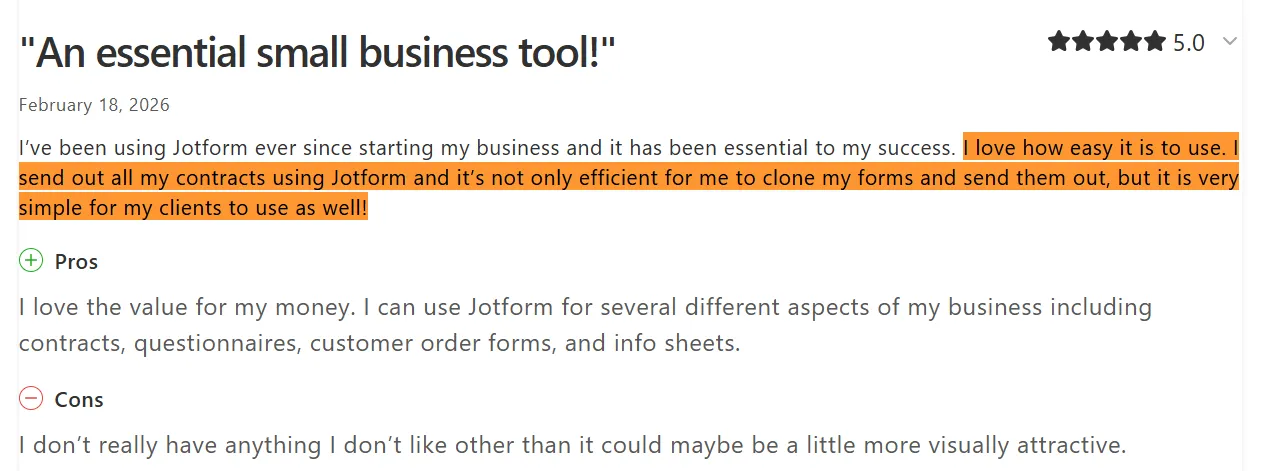
We manually analyzed over 1,000 Jotform reviews, and the no-code form builder often comes up in the workflows of small business owners, freelancers, and independent operators who need contracts, intake forms, and data collection handled without switching between platforms.
Source
With that level of traction, it is worth noting that almost every five-star review in that pool comes from a solo operator or small team whose contract workflow looks nothing like an HR department managing onboarding across fifty locations.
Form builders and contract management tools solve different problems, and the architecture reflects that. Jotform is single-user below Enterprise, reserves HIPAA compliance and custom branding for higher tiers, and has room to grow in reporting depth and folder organization at team scale.

Source
The details behind the appeal and the limitations are what this guide works through. We’ll cover:
- What Jotform offers and how its features serve contract workflows
- How the pricing tiers stack up and where teams hit upgrade walls
- What verified G2, Trustpilot, and Capterra reviewers say about real-world use
- How Jotform compares to Signeasy on features, pricing, and contract management fit
How we sourced our data
To put this review together, we went through Jotform's official website, pricing pages, and feature documentation. We also pulled verified reviews from G2, Capterra, and Trustpilot, covering feedback from individual users, small businesses, and mid-market teams across healthcare, education, real estate, and professional services.
The evaluation focused on signing capabilities, pricing transparency, team collaboration features, and how well the platform holds up for contract-heavy workflows. The goal is to save you the hours of cross-referencing and give you a grounded answer on whether Jotform fits your team's contract operations.
What is Jotform?
Jotform started as a no-code form builder and has since grown into a multi-tool platform covering forms, apps, eSignatures, and payment collection. The platform has a broad user base, skewing heavily toward small businesses, nonprofits, and solo operators.
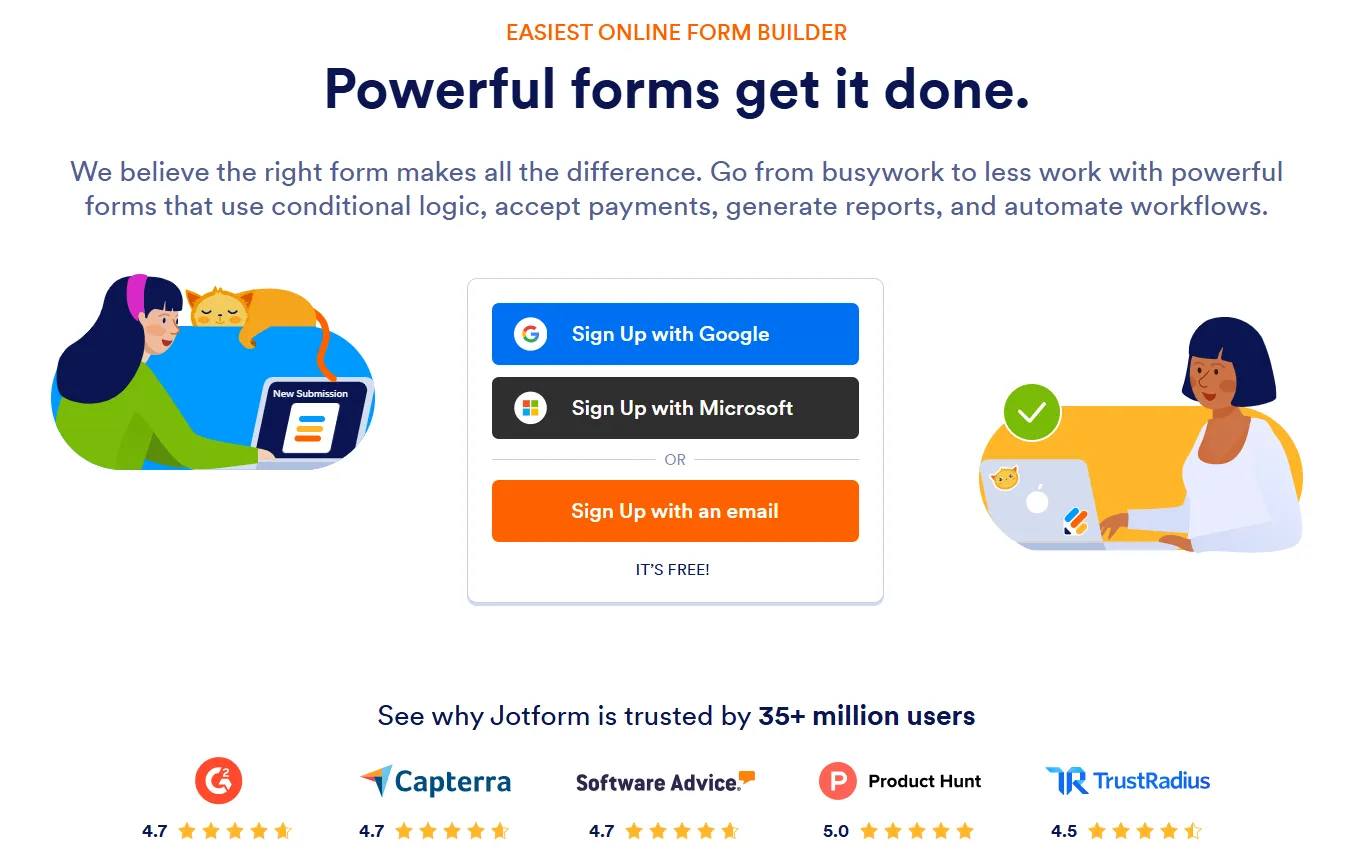
Despite expanding into eSignatures and workflow automation, Jotform is not a contract management tool. There is no contract repository, no AI contract intelligence, and no dedicated workflow built around how contracts move through a team. Jotform Sign handles signatures, but signing sits as a secondary feature inside a platform designed primarily around data collection.
The feature breakdown below covers what Jotform does well, where reviewers flag limitations, and what that means for contract-heavy workflows.
Jotform features breakdown
Jotform reviews across G2 and Capterra reflect a platform that handles form creation and signing workflows well within its design. The boundaries come into view when contract teams start pressing on compliance depth, multi-user access, and reporting visibility.
1. eSignatures and document signing (Jotform Sign)
Jotform Sign is the platform's native eSignatureoffering. It supports legally binding document signing, lets users configure multi-step signing workflows, and logs an audit trail on completed documents. Reviewers consistently describe it as easy to deploy and straightforward for signers to complete — a fair assessment for basic client intake and simple contracts.
Signing volume is where the tiers start to show their shape. Signed document limits range from 100 per month on the entry paid plan to 1,000 at Gold. At $129/month, Gold is the realistic entry point for contract teams, which puts it at roughly three times the cost of where most teams start.
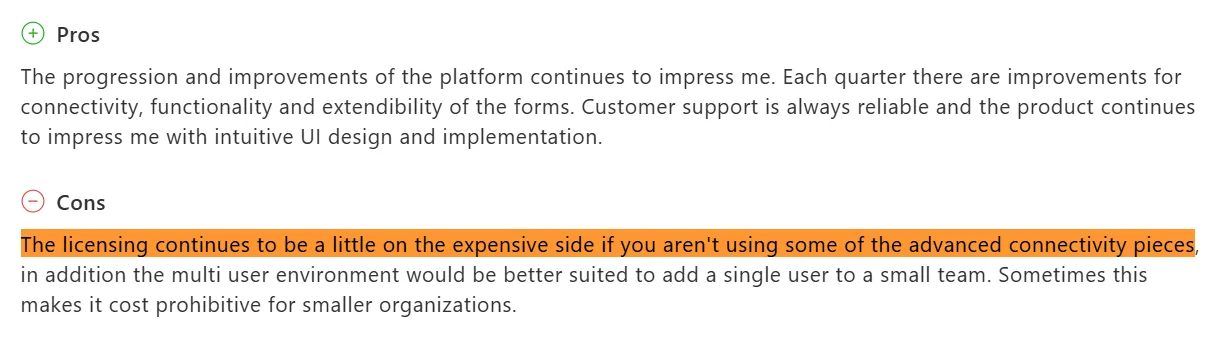
A long-term Jotform user and IT Director at a religious institution on Capterra recommends the platform without hesitation. The one reservation is cost: as signing and usage needs scale, the licensing structure starts working against smaller and mid-sized teams before they reach the volume that justifies the next tier up.
Source
Offline signing is not available on Jotform Sign. Neither is in-person signing, and signer attachments are absent across every plan. Real estate agents closing deals on-site or field operations teams working outside a WiFi environment will find those gaps slow workflows down, or worse, stop them entirely.
2. Form builder, templates, and workflow automation
The crowd favorites in Jotform reviews are the template library, the no-code builder, and the integration options across tools like Zapier, Google Sheets, Salesforce, and Square. Those three elements run through positive reviews from users in different industries and roles.
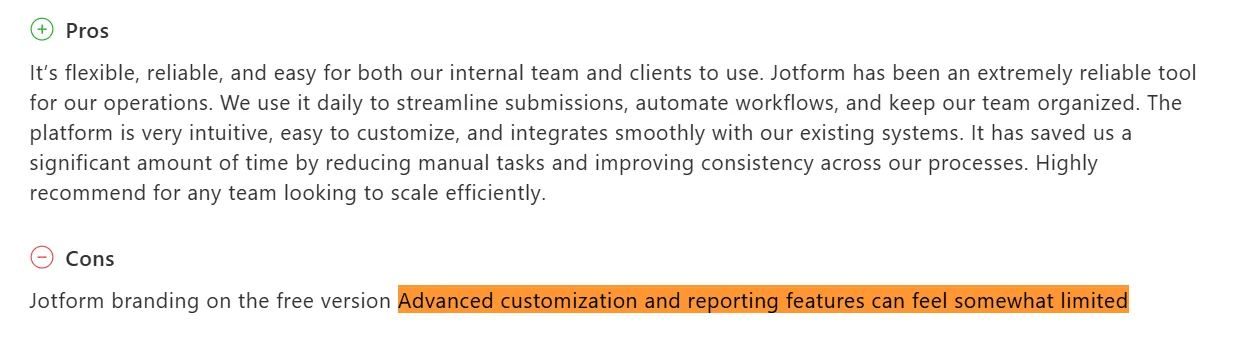
Conditional logic lets forms adapt based on responses, and approval routing handles basic submission workflows without much configuration. Both features perform well within their limits. Where that change is at a higher volume and complexity. Shane K., a Director of Growth in real estate on Capterra, noted that advanced customization and reporting feel limited as workflows move past routine form collection.
Source
Folder organization draws the same feedback across multiple reviews, with users finding it harder to navigate as the document library expands.
Contract teams tracking multiple agreement types across departments will likely hit the folder organization and reporting limits before individual users do. Workflow automation handles the intake side well enough, but that is where its contract-specific usefulness stops. Moving a document through negotiation, approval, and storage requires a different kind of infrastructure entirely.
3. Compliance, security, and authentication
SOC 2 certification and audit trails are available on every Jotform plan. For regulated teams in healthcare and education, those two features consistently come up as the deciding factor in their reviews. Authentication options include password protection and phone verification, with government ID checks available for documents that require stricter access control.
Several compliance features are split across tiers, and the ones contract teams need most sit at the higher end. HIPAA compliance is only available from the Gold plan ($129/month), and certificate-based signatures remain outside standard plan access despite being a routine requirement in legal and financial workflows.
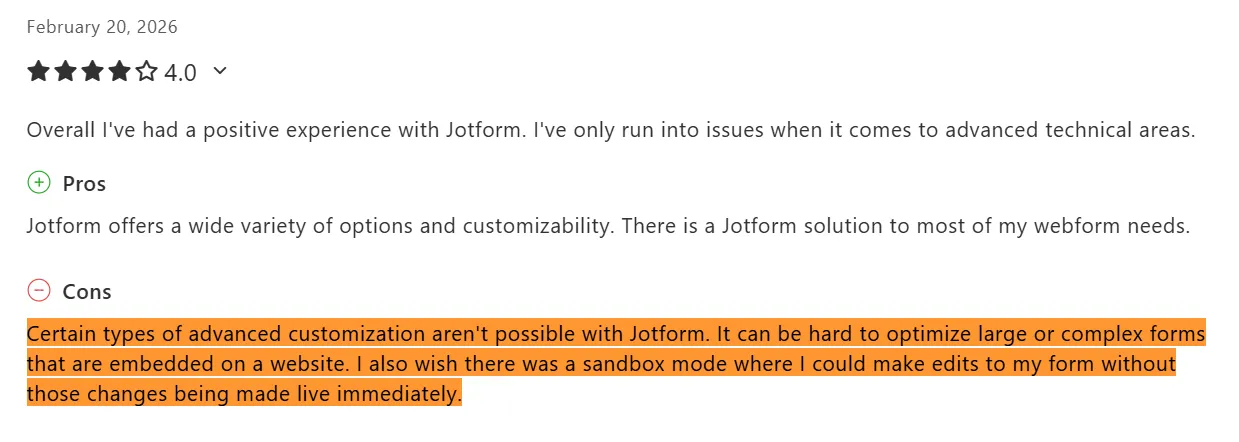
A compliance-sensitive team has to reach Gold at a minimum before the coverage starts to match the work. Exactly what a customer reviews about Jotform flagged on Capterra:
Source
The inability to stage changes before they go live is not a minor inconvenience in regulated environments. Pushing untested workflow changes to live documents is precisely the kind of operational risk compliance teams are built to prevent.
Features covered. Now, for the pricing that determines whether any of its tiers suit your team's requirements.
Jotform pricing and plans
Jotform runs five pricing tiers: Starter, Bronze, Silver, Gold, and Enterprise. The first four carry published prices; Enterprise requires a custom quote.
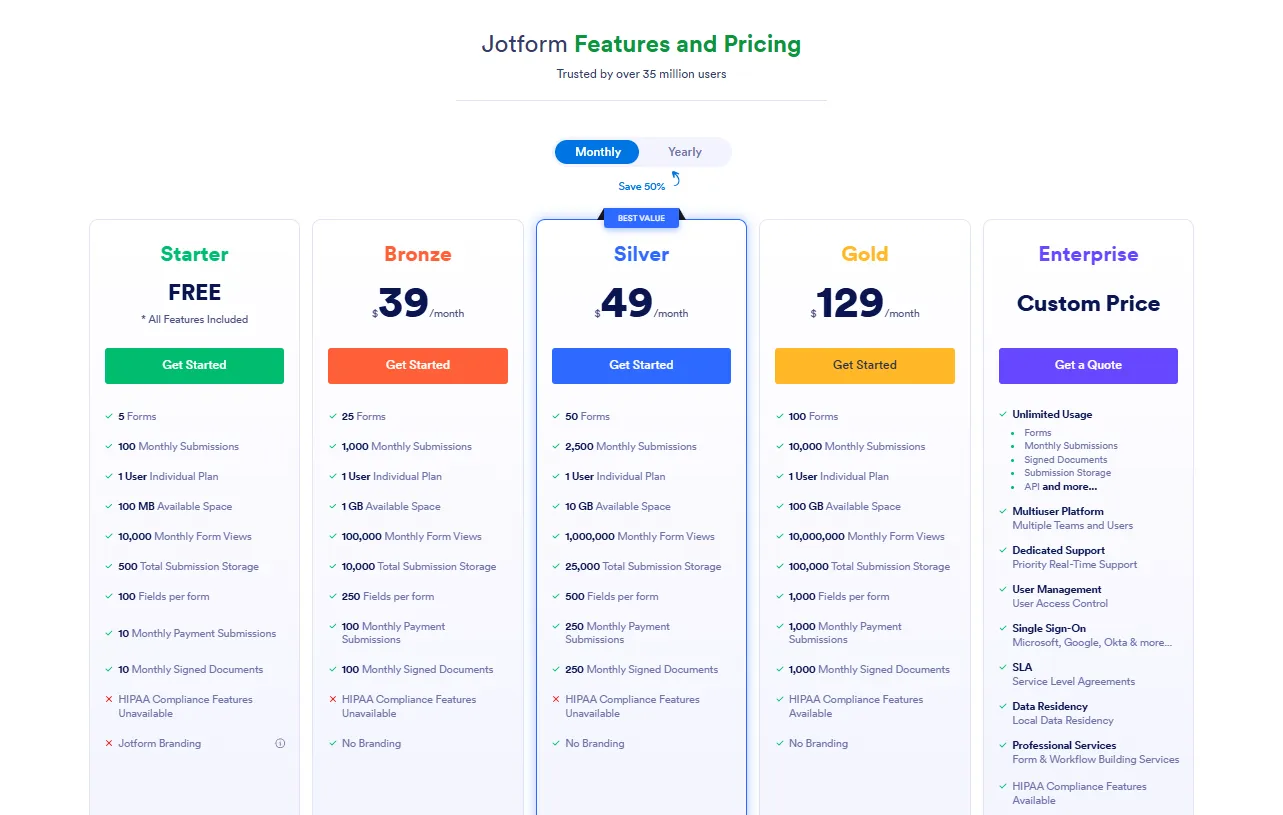
Here is what each plan actually covers and what users say about them.
1. Starter: Free
Jotform’s Starter plan includes five forms, 100 monthly submissions, 10 signed documents, and 500 total submission storage. It carries Jotform branding throughout and operates under strict usage limits, making it a testing ground for individuals rather than a viable option for teams running active workflows.
2. Bronze: $39/month
The Bronze covers 25 forms, 1,000 monthly submissions, 100 signed documents, and 1 GB available space with 10,000 total submission storage. Jotform branding drops off at this tier. Solo operators and freelancers handling occasional client contracts will find enough room here to work independently, though the plan remains a single-user setup.
3. Silver: $49/month
Silver features 50 forms, 2,500 monthly submissions, 250 signed documents, and 10 GB available space with 25,000 total submission storage. The plan steps up to 50 AI agents and 2,500 monthly conversations, giving individual operators enough headroom to run lead capture, client intake, and follow-up workflows without manual intervention.
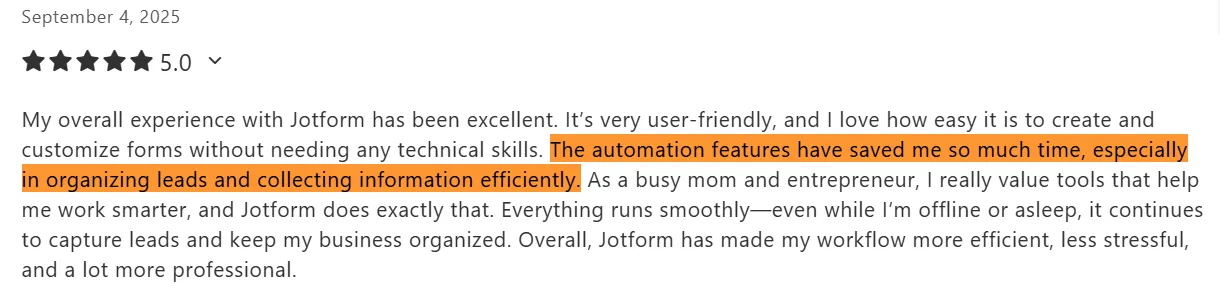
A financial advisor on Capterra runs two businesses through Jotform and points to exactly that automation depth as the reason her lead generation keeps moving even when she is not actively working.
Source
For a solo operator in that position, that is the plan's real value proposition. The 250 monthly signed documents sit alongside that, and for low-to-moderate individual signing volume, they can work well.
4. Gold: $129/month
Jotform’s Gold tier includes 100 forms, 10,000 monthly submissions, 1,000 signed documents, 100 GB storage, and HIPAA compliance. This is where contract teams in regulated industries land by necessity.
The signed document allowance meets moderate team volume comfortably, and HIPAA coverage makes it the minimum viable option for healthcare and financial services workflows.
Although it remains a single-user plan by design.
5. Enterprise: Custom quote
The Enterprise plan includes unlimited submissions, forms, signed documents, and storage. API access, sandbox mode, and certificate-based signatures are also exclusive to this tier. Multi-user access, SSO, custom branding, user management, dedicated support, and data residency are all gated here, with no equivalent available on any published plan below it.
A program director on Capterra needed collaborators on her account and moved to Enterprise to get them, describing the cost of multi-user access as one of her primary frustrations with the platform.

Source
The jump from Gold is not incremental. Every feature built for team operations sits exclusively at this tier, and pricing is only available through a direct conversation with sales. For legal ops, HR, and procurement teams evaluating total cost of ownership, that gap between Gold and Enterprise is the line in the pricing structure that changes the budget conversation entirely.
Sandbox mode captures something broader about how Jotform's plan structure works. Teams on Bronze through Gold cannot test form changes before pushing them live, and that sits in a pattern alongside HIPAA compliance, API access, and multi-user collaboration. The paid plans may offer functionality. The question teams need to answer is whether that functionality meets their requirements before the next upgrade trigger arrives.
Across G2, Capterra, and Trustpilot, ease of use is the signal that shows up most reliably in Jotform reviews. The nuance is in the use case.
Is Jotform user-friendly?
Jotform's usability reputation is a common signal across reviews, and it aligns with the platform's core positioning as a no-code form builder. To verify it properly, we looked at the interface and onboarding experience, the learning curve, and what day-to-day use looks like in practice.
1. Interface and onboarding experience
The drag-and-drop builder is genuinely accessible. Users across technical and non-technical backgrounds report getting to a working form without needing coding knowledge or lengthy configuration. The template library shortens that process further for most. The UI stays clean across form types, and reviewers across healthcare, education, and professional services point to it as one of the clearest interfaces in its category.
A Capterra reviewer cites Jotform’s drag-and-drop builder as a standout, specifically its cross-device consistency and easy branding customization.

Source
Marketing and operations teams handling intake forms and client-facing documents will feel most at home here. The interface starts to work against you when HR or legal ops teams go looking for signing order configuration, authentication settings, or document routing controls. Those options exist, but the navigation reflects a product built around form logic first.
2. Learning curve for contract workflows
Jotform earns its reputation on the simple end of the spectrum. Conditional logic and basic approval routing come together without much resistance. The further a workflow moves from standard form collection, the more configuration effort it demands.

Source
Both points land harder for contract teams than for individual users. A solo operator building a registration form works around interface quirks without much consequence. A team managing document access across departments, approvals, and signing sequences runs into those same quirks at every step.
Mobile performance adds another variable. Another Capterra reviewer noted that Jotform does not run at full capacity on mobile data connections, which creates inconsistency for teams that need reliable access outside a WiFi environment.
3. Setup speed and day-to-day use
Getting started on Jotform is actually simple. Account setup is straightforward according to reviewers, and the template library gives most teams a starting point without building from scratch. Once a form or signing workflow is configured, cloning it for repeated use is one of the platform's most cited practical strengths.
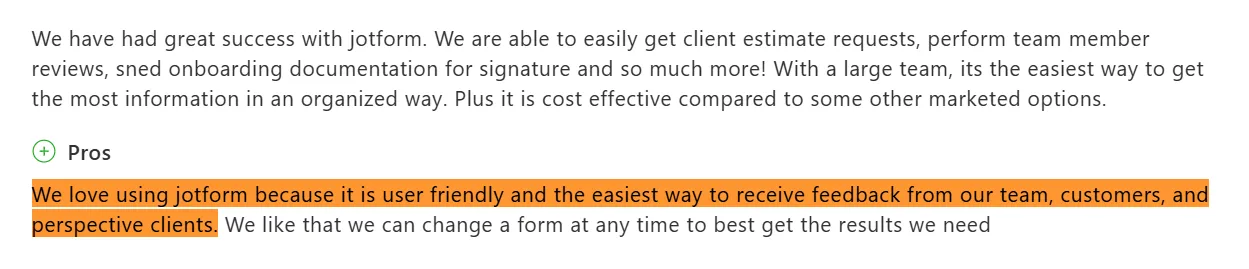
A Capterra reviewer runs a growing cleaning company and uses Jotform daily across client estimates, team reviews, and onboarding documentation.
Source
She points to the ability to update forms at any time as a key reason the platform stays useful as her team's demands shift. Operations-focused users handling recurring document workflows tend to land on the same conclusion.
At this point, the picture of Jotform is fairly complete. Time to bring Signeasy into the frame.
Jotform vs. Signeasy: Feature comparison
Jotform is a form-building platform with signing built in. Signeasy is purpose-built for contract automation workflows and eSignatures. The table below compares their paid tiers directly across signing capabilities, team collaboration, compliance coverage, and integration depth.
As covered earlier, the single-user ceiling is the most visible constraint, but it isn't the only one. Custom branding, roles and permissions, and team usage reports are all gated behind Enterprise, a tier most mid-sized teams will not reach on standard budgets.
Signeasy Business at $30 per month includes unlimited users, custom branding, AI contract insights, and offline and in-person signing. Teams needing HubSpot workflows or role-based access move to Business Pro ($40 per month) before Jotform's Enterprise pricing conversation even begins.
Both platforms include audit trails across all paid plans. Past that point, the two platforms are playing different games in terms of collaboration depth, signing flexibility, and integration reach.If you are checking for more options , read our adobesign alternatives page.
Features tell you what is possible. Pricing tells you what it costs to get there as a team.
Jotform vs. Signeasy: Pricing comparison
For a 3-user team, Jotform's only viable option is Enterprise. Signeasy Business covers the same team at $90/month ($30 per user), with unlimited sending, AI insights, and custom branding included.
At 10 users, the gap widens. Signeasy Business runs $300/month. Business Pro, which adds HubSpot, SharePoint, signer attachments, and role-based access, comes to $400/month. Jotform has no published equivalent for a team of that size.
Jotform's API pricing sits exclusively behind Enterprise, while Signeasy publishes eSign API pricing separately and independently from its main plan tiers, giving teams a complete cost picture so they can better evaluate the total cost of ownership.
The upgrade triggers on Jotform's side tend to arrive before teams expect them. Moving from individual to team access, adding API connectivity, or reaching signing volume that justifies Enterprise, each point toward the same destination: a sales conversation with no number attached.
See Signeasy's eSignature pricing for a full plan breakdown and discounted annual pricing.
What do users say about Signeasy?
Signeasy holds a 4.7/5 rating on G2 across 700-plus reviews and the same score on Capterra across 400-plus reviews, as of April 2026. Ease of use is the surface read. The deeper signal in verified feedback covers:
- How quickly teams move from setup to active contract workflows without IT involvement,
- How the platform performs across devices in the field, and
- How enterprise legal teams handle high-volume signing without workflow overhead.
1. Interface and ease of use
Getting a team onto a new contract tool without a training session is rarely the expectation. Signeasy comes close to it. A sales coordinator at a mid-market company uses the platform roughly 10 times a week to get contract signatures from out-of-state customers.
Getting started took minimal time, and bringing the rest of the office up to speed required no formal training. For operations and sales teams where multiple people send contracts daily, that onboarding experience shortens the distance between setup and the first contract sent.

Source
2. Workflow performance at team scale
For mid-market teams, the template functionality tends to carry the most daily weight. An IT Administrator at a mid-market company on G2, for example, uses Signeasy templates to place static signing links directly in emails. His team sends onboarding and client intake documents without logging into the platform each time, removing a step that adds up across a high-volume workflow.
The visibility layer does the rest. The reviewer tracks who has signed and who has not across staff and clients spread across the state. That real-time status alone recovered a significant portion of one team member's time that was previously spent on manual follow-up.

Source
3. Enterprise-level contract velocity
Enterprise legal teams bring a different set of demands to contract signing. A verified in-house legal user at an enterprise company with over 1,000 employees points to Signeasy's ability to send, track, and confirm signatures on all legal documents from one place. The templates feature, in their words, is very helpful for signing documents on a massive scale.

Source
Legal teams managing vendor agreements and compliance documentation across departments will find this kind of repeatable signing process to be what makes volume manageable. Signeasy's AI contract review, key term extraction, and central repository extend that capability into the review and storage stages teams manage after the signature lands.
The review signal from both platforms is now on the table. The question is which one maps to your team's actual workflow.
Jotform vs. Signeasy: Which platform fits your team?
So far, we’ve covered Jotform reviews across features, pricing, ease of use, and how the form builder compares to Signeasy. This section answers your deepest question: Is Jotform the right fit for your use case?
1. When Jotform makes sense
Jotform is a natural fit for solo operators and small teams where forms and signatures are part of the same workflow. The tool was built around those use cases — a freelancer bundling intake forms with a signature field, a small nonprofit managing event registrations — and it delivers on them without asking much in return.
Teams already running data collection on Jotform who need occasional signing can stay put, as long as the volume stays predictable and the work does not need a second person in the account.
2. When Signeasy is the better fit
The profile changes once contracts move from occasional to daily. HR teams managing onboarding paperwork across distributed staff, sales coordinators tracking client signatures, and operations managers running multi-step approvals are all working at a scale that a single-user plan with a monthly signing cap was not designed for.
Signeasy is built for that level of work. Multi-user access starts at Business ($20/user/month), with Intelligent Contract Management included. Sales teams connecting contracts to HubSpot do so natively on Business Pro, and in-person and offline signing covers field teams without a plan upgrade.
Pricing scales per seat, so teams pay for the users and features they need without being penalized for growing.
Verdict: Is Jotform the right tool for contract teams?
Jotform is an excellent form builder with signing built in. For solo operators and small teams handling occasional contracts, it delivers cleanly within its design. The constraints become visible when team collaboration, compliance coverage, and contract volume shift from edge cases to daily realities.
Signeasy was designed around the problems that surface when contracts become the center of the work. The pricing scales per seat, the feature set does not require an Enterprise conversation to unlock team-level functionality, and the 100-day money-back guarantee means the evaluation period extends well past a standard free trial.
G2 also recognized Signeasy for Fastest Implementation and Easiest Setup in the Enterprise segment of the eSignature and contract management category, reflecting a setup experience that gets teams operational before the competition has finished its sales cycle.
The right contract management tool should not require an Enterprise conversation to prove its value. Request a Demo and see how Signeasy fits your team's workflow from day one.