
-min.png)


FormSwift launched in 2012 and was acquired by Dropbox in 2022. It positions itself as an all-in-one platform for creating, editing, and signing documents online.
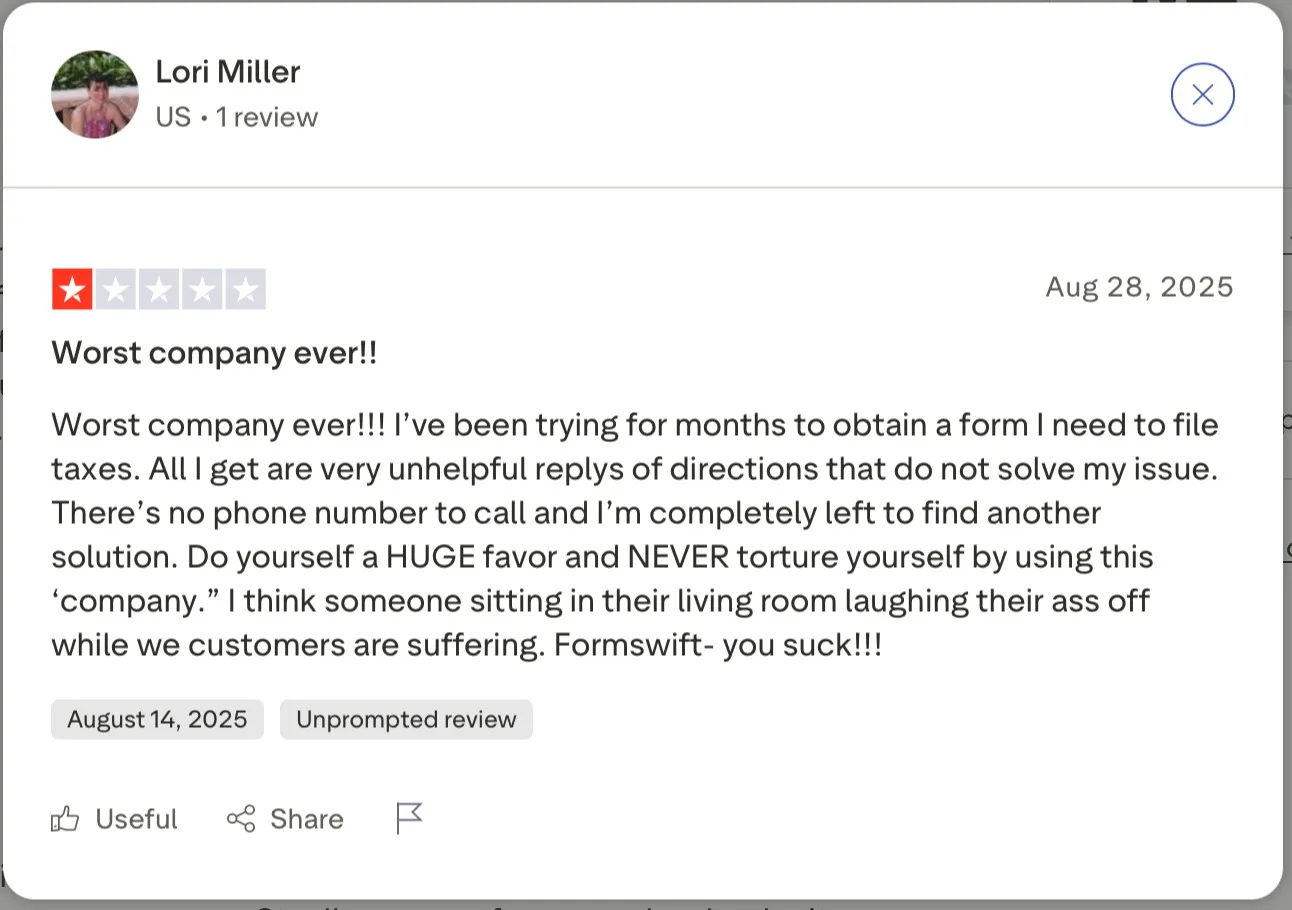
Yet, if you scan through the most recent FormSwift reviews, a pattern emerges.
Users voice frustration with hidden charges, poor support, and an overall lack of reliability. That’s why many people land here: they’re questioning if FormSwift is the right fit, or if it’s time to move on.
Source
The truth is, with digital document solutions becoming essential for everyday business, companies now expect clear pricing, dependable service, and intuitive tools.
Here’s what you can expect from this blog:
- What FormSwift does, how it works, and who it’s best for
- A full feature, pricing, and usability breakdown with real user reviews
- Pros and cons backed by ratings across major platforms
- How FormSwift stacks up against Signeasy, DocuSign, and Adobe Sign
What is FormSwift?
FormSwift is an online tool designed to make handling paperwork less of a headache. Instead of drafting documents from scratch, you get access to thousands of templates for business contracts, tax forms, HR documents, real estate agreements, and more.
It’s aimed mainly at individuals, freelancers, and small businesses that want something simple without investing in heavy software.
How it works
The platform keeps things straightforward. You can pick a template or upload a PDF, make edits right in your browser, and add elements like text, dates, or checkboxes. When you’re ready, you drop in your electronic signature and save, download, or share the document. For many users, this feels like a quick fix for everyday paperwork.
But while this approach works for simple needs, how does it compare to tools built specifically for eSignatures?
FormSwift puts most of its weight behind document creation and templates, while eSignature tools like Signeasy are purpose-built for fast, secure, and compliant eSigning.
If your main need is building forms, FormSwift does the job. But if you’re focused on signing workflows, compliance, and team productivity, Signeasy is usually the better fit — especially as a contract management platform built for ease and scale.
FormSwift features: A closer look
One of the main reasons people check FormSwift reviews is to understand what the platform actually offers beyond its marketing claims. On paper, it’s more than just an eSign tool combining templates, editing, and signing in one place.
The question is whether these features make day-to-day document tasks easier, or add unnecessary friction. Here’s a closer look at the tools you get with FormSwift and how they’re supposed to help you manage paperwork.
1. Document and form templates
FormSwift’s biggest selling point is its large template library. You’ll find more than 500 pre-built forms covering categories like business contracts, HR forms, tax filings, real estate agreements, and personal paperwork.
These templates are designed for quick customization, so you don’t need to draft legal or business documents from scratch.
2. Editing tools (PDF editing and form filling)
FormSwift doubles as a lightweight PDF editor. You can upload PDFs, Word files, or images and make changes directly in your browser.
Features include adding or removing text, adjusting fonts and colors, inserting or removing images, highlighting important sections, redacting sensitive details, and even converting PDFs to Word files.
3. eSignature capabilities
FormSwift supports multiple signing methods: typing your signature, drawing it, or uploading an image. You can also request signatures from others, making it suitable for small signature workflows.
Each document signed includes a simple audit trail so you know who signed and when.
4. Sharing and collaboration features
Once edited or signed, documents can be shared by email or downloaded in multiple formats (PDF or Word).
You can request signatures from collaborators, though collaboration is limited compared to advanced tools that support team dashboards and role-based access.
5. Security and compliance
FormSwift ensures signatures are legally binding and provides audit trails to track activity. It also uses encryption for documents during storage and transfer.
However, its compliance certifications are relatively basic compared to enterprise-grade solutions.
6. Mobile access and app functionality
FormSwift is fully web-based and can be accessed through mobile browsers, so you can view, edit, and sign documents on the go.
However, there’s no dedicated mobile app with advanced signing tools, which may limit convenience for teams that rely heavily on smartphones or tablets.
7. Conversion tools
FormSwift supports exporting documents to PDF or Word formats.
While users often seek full PDF ↔ Word reconversion capabilities, that level of bidirectional conversion isn’t clearly documented in official sources.
8. Searchable templates
FormSwift’s large template library could be overwhelming, but it comes with a search function that makes it easier to find exactly what you need.
Whether it’s a job application, lease agreement, or tax form, you can type in a keyword and find what you need instantly. This saves time by letting you skip through dozens of categories and go straight to the right template.
How do FormSwift’s features compare to Signeasy
FormSwift pricing and plans
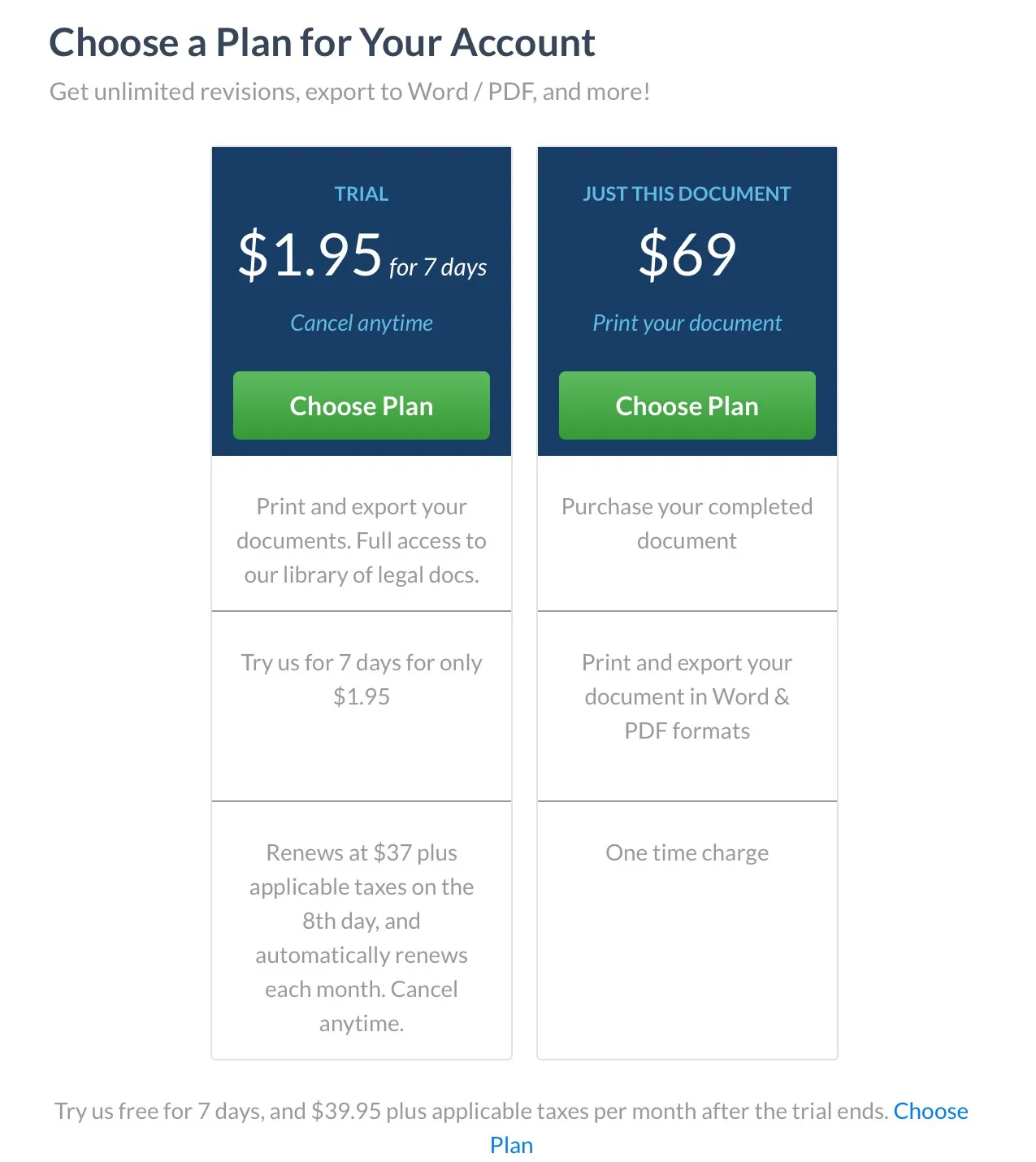
Pricing is a major point of confusion in many FormSwift reviews, and for good reason. Details aren’t clearly published on their main site. Instead, pricing shows up in the upgrade flow and in the billing FAQ. Here’s what we know for sure:
1. Trial plan
- $1.95 for seven days
- Full access to the document library and editing tools
- If not cancelled, it renews automatically at $37/month (+ taxes) starting on day eight.
- Cancel anytime via your account settings
2. Just this document plan
- $69 one-time fee
- Lets you purchase and download a single completed document
- Downloadable in Word and PDF formats
3. Subscription model
- After the trial, users are billed $37/month (+ taxes) as a recurring membership
- Membership includes unlimited access to templates, document editing, signing, and downloads
- Billing FAQ confirms subscriptions renew automatically unless cancelled in advance
**Pricing (as of November 2025)
🔍 What users say about FormSwift’s pricing
If you’re checking FormSwift reviews, pricing and billing are the issues that come up most often. While the platform delivers on its promise of templates and simple editing, many users share frustration with unclear trial terms, unexpected charges, and cancellation difficulties.
Review platforms like Capterra and Sitejabber highlight consistent patterns that are worth considering before you sign up.
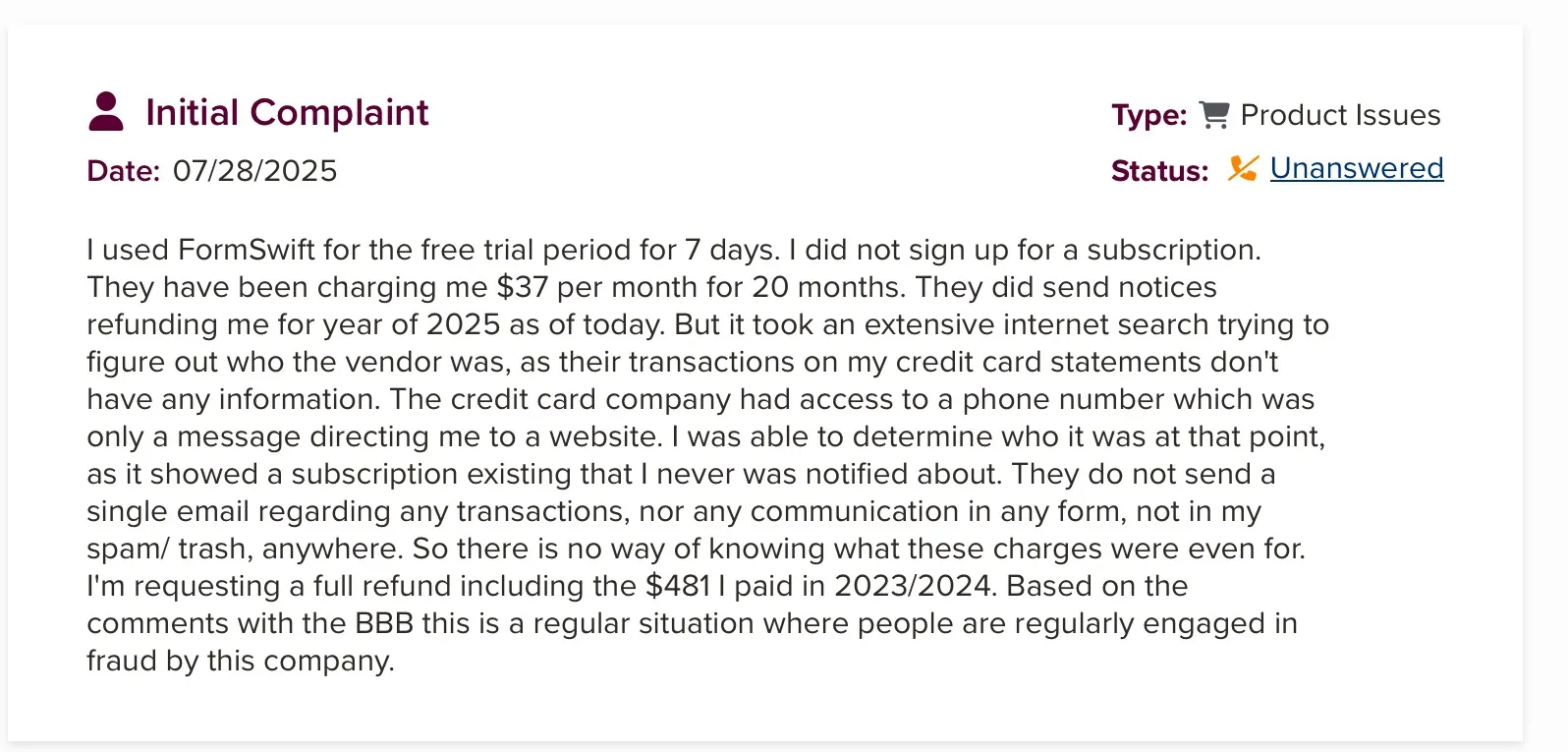
- A user claimed they used the 7-day trial, never meant to subscribe, yet were charged $37/month for 20 months.
Source
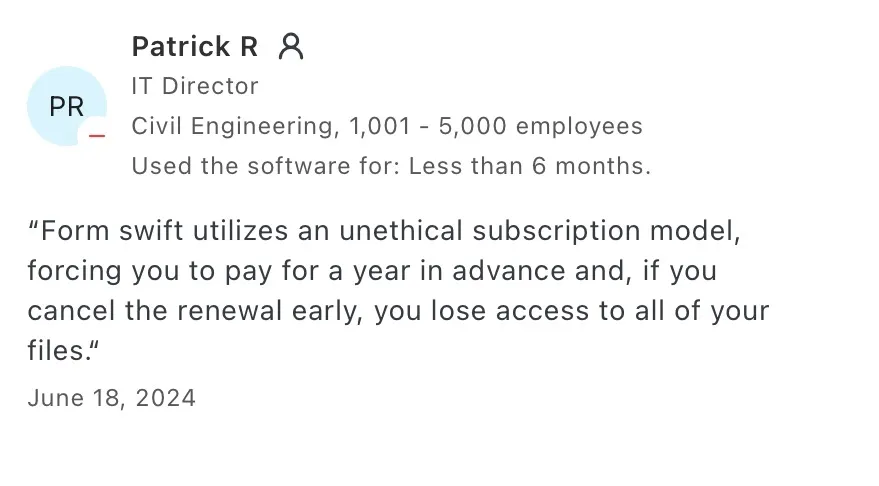
- Some mention losing access to documents once cancellation is done, or being forced to keep the subscription until renewal date even if they try earlier.
Source
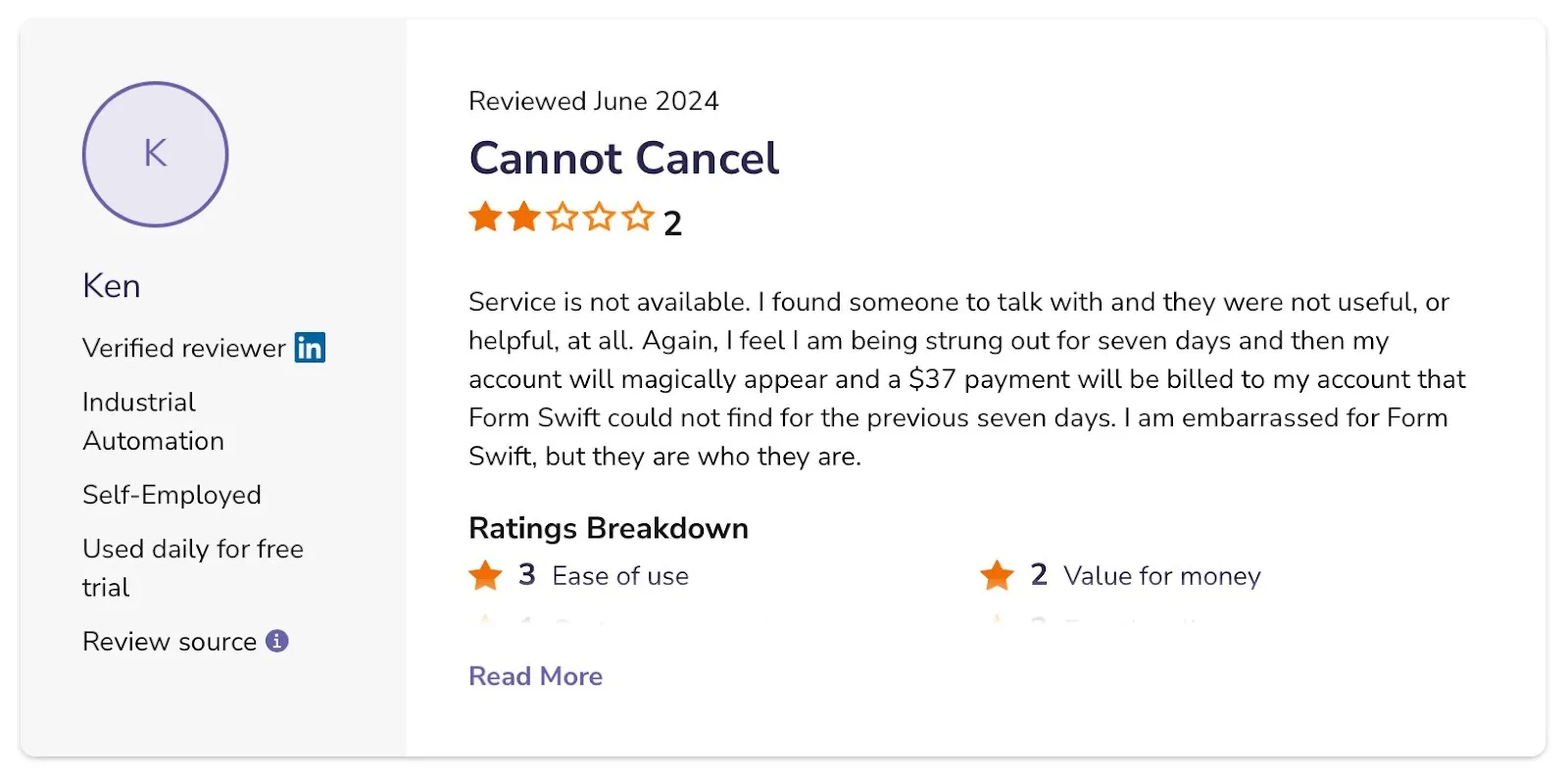
- Several users say that canceling is difficult even after submitting cancellation requests, billing continues.
Source
Unlike FormSwift’s confusing trial and hidden renewal charges, Signeasy’s pricing is transparent. Plans start at around $10 per user per month, with clear tiers for individuals, teams, and businesses.
Moreover, Signeasy has a free plan that includes three documents per month. It also provides an online signer that supports 25+ file types, secure signing, document customization, and more.
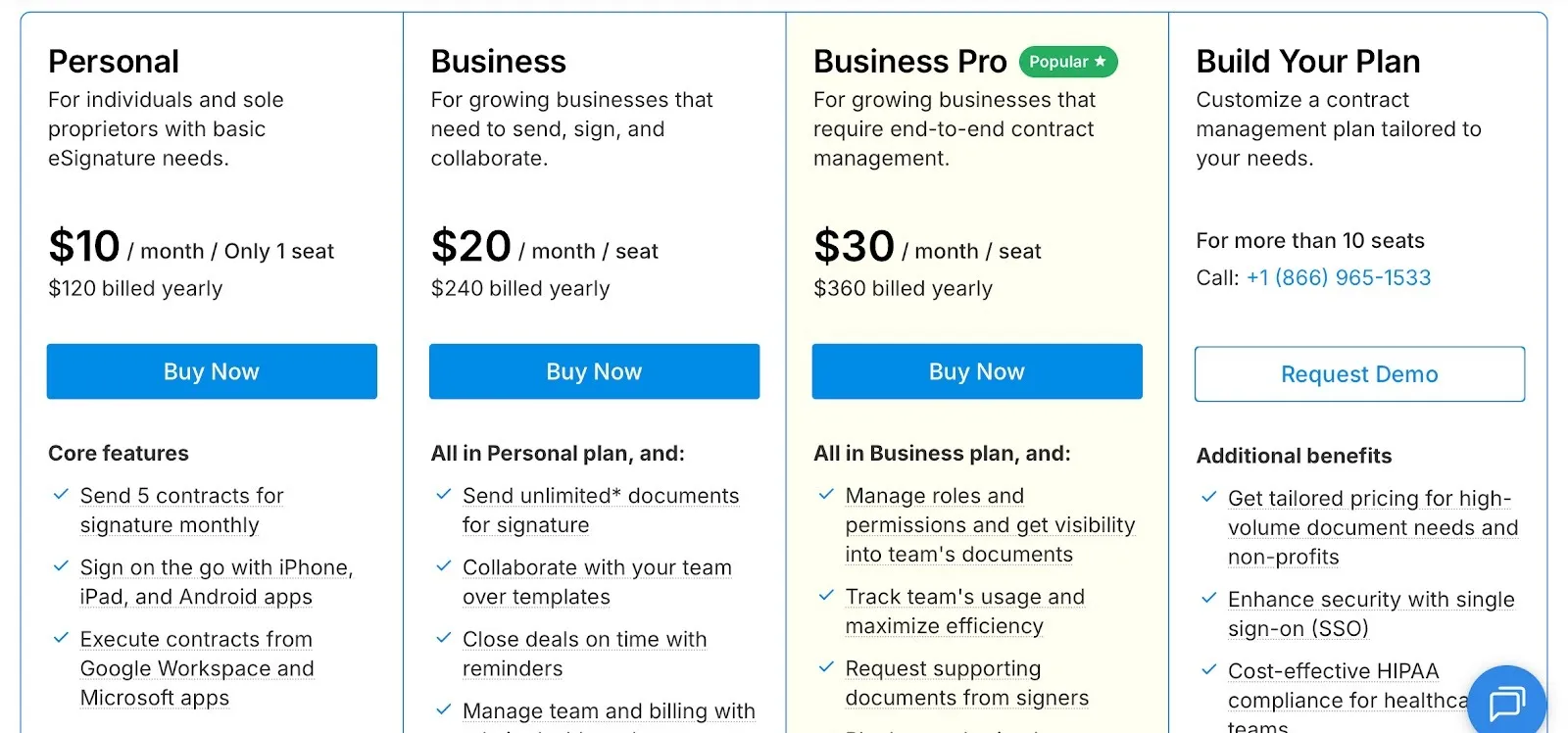
You know upfront what you’re paying for — from basic signing to advanced features like audit trails, integrations, and reminders. There are no surprise fees or unclear “one-time document” costs like the $69 option seen with FormSwift. For growing teams, this clarity and scalability make Signeasy the more reliable long-term choice.
FormSwift vs. Signeasy: pricing comparison
This table makes it clear:
- FormSwift is positioned more as a flat membership with a one-time option, but comes across as costly for single documents and confusing due to the $1.95 trial auto-renewal.
- Signeasy uses a per-user model, starting cheaper for individuals and scaling more predictably for teams.
Ease of use: Is FormSwift user-friendly?
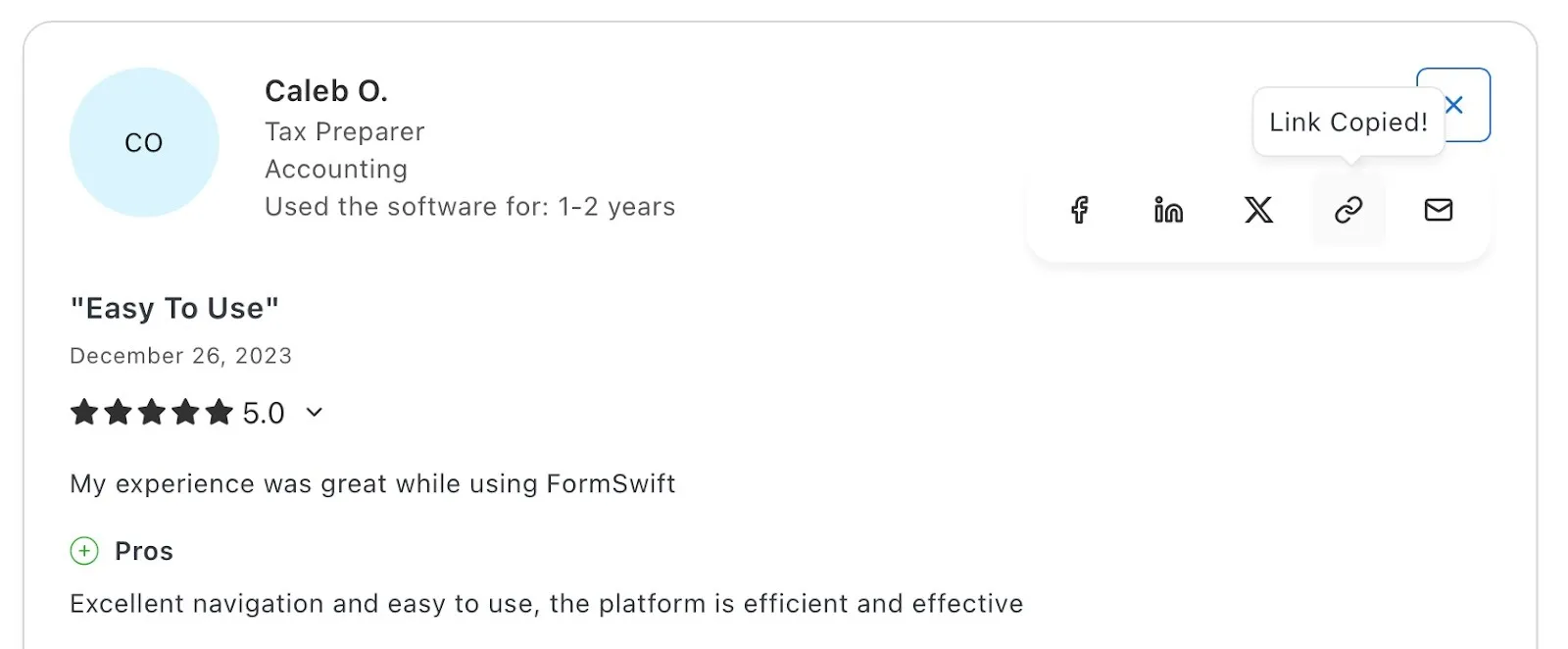
FormSwift is generally easy to use for basic PDF editing and signing, with users appreciating features like text editing and redaction. However, reviews also point out drawbacks like limited customization which suggests it may not feel as seamless once you go beyond the basics.
1. Interface and onboarding experience
The platform does a good job covering the basics. Uploading files is quick, and the editor includes common functions like adding text, highlighting, or redacting sensitive content. For simple needs, most users find the interface straightforward.
Source
2. Learning curve for new users
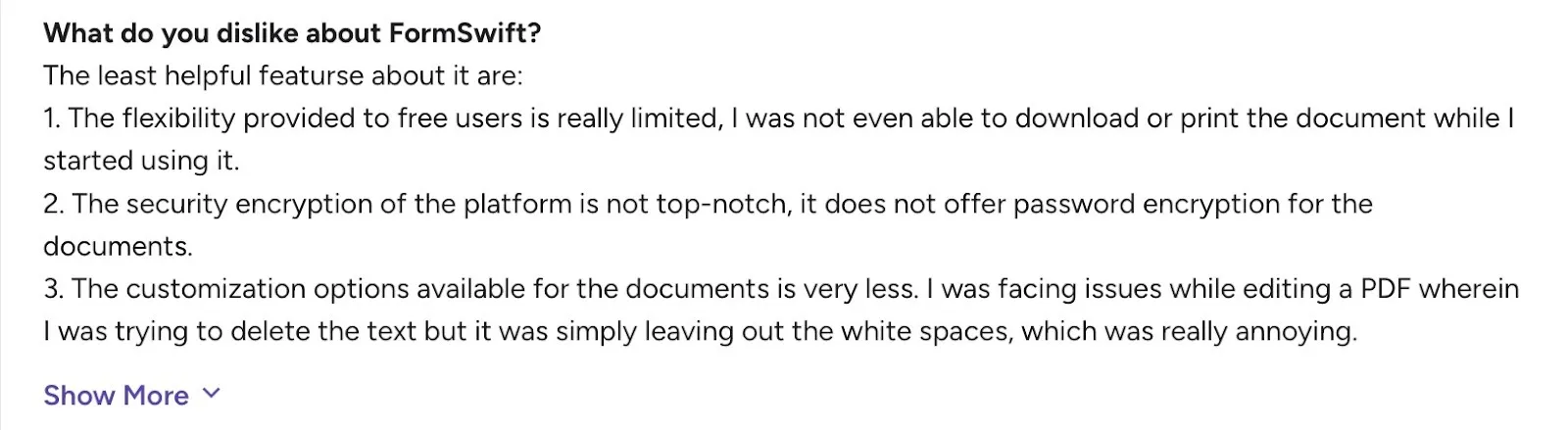
Where FormSwift falls short is in more advanced editing. Tasks like removing or adjusting text can feel clunky, and customization options are limited. This makes the learning curve steeper if you’re trying to do more than just fill out or sign a form.
Source
Pros and cons of FormSwift
Across review sites, praise for FormSwift is relatively modest. A few users do like the templates and simple signing, but beyond that, the positives are pretty limited. On the flip side, complaints around pricing, cancellations, and flexibility come up more often. Let’s break it down.
Pros
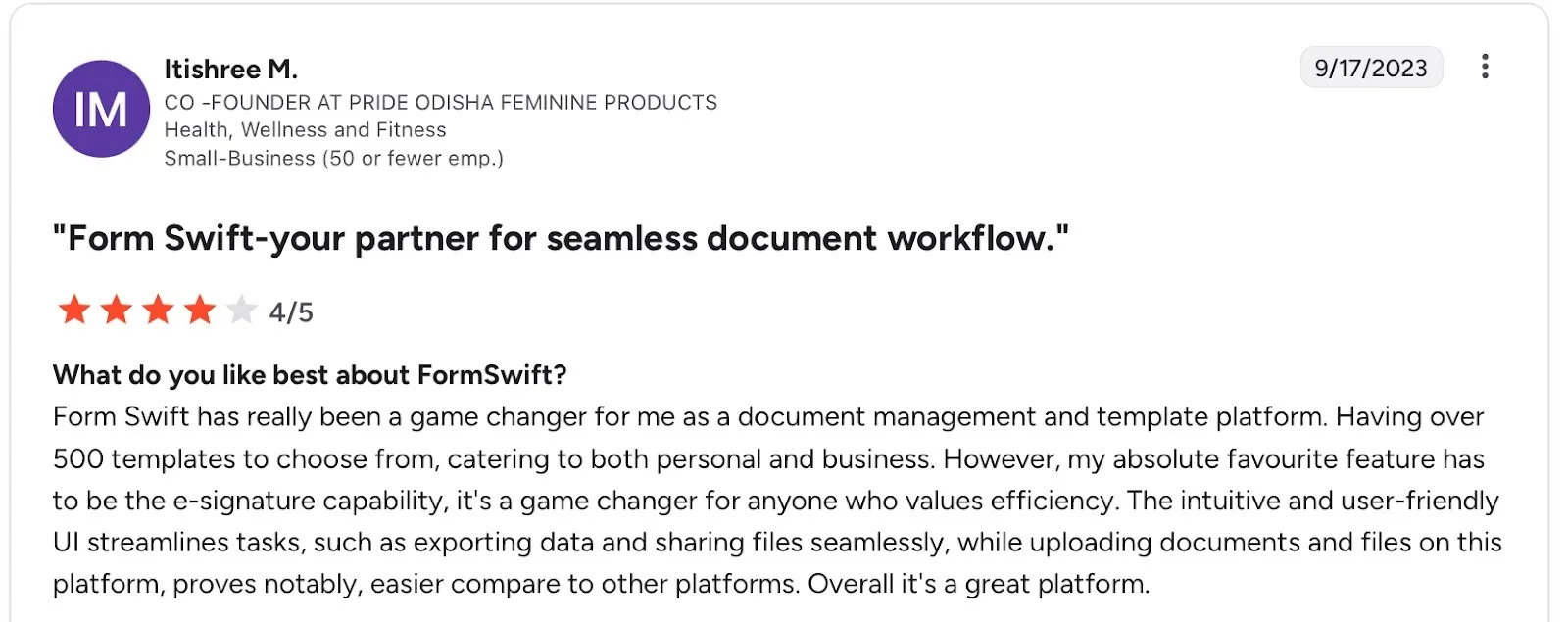
1. Large template library
FormSwift offers over 500+ ready-made templates covering legal, HR, tax, and personal use cases. This makes it convenient for users who need quick access to standardized forms without drafting from scratch.
Source
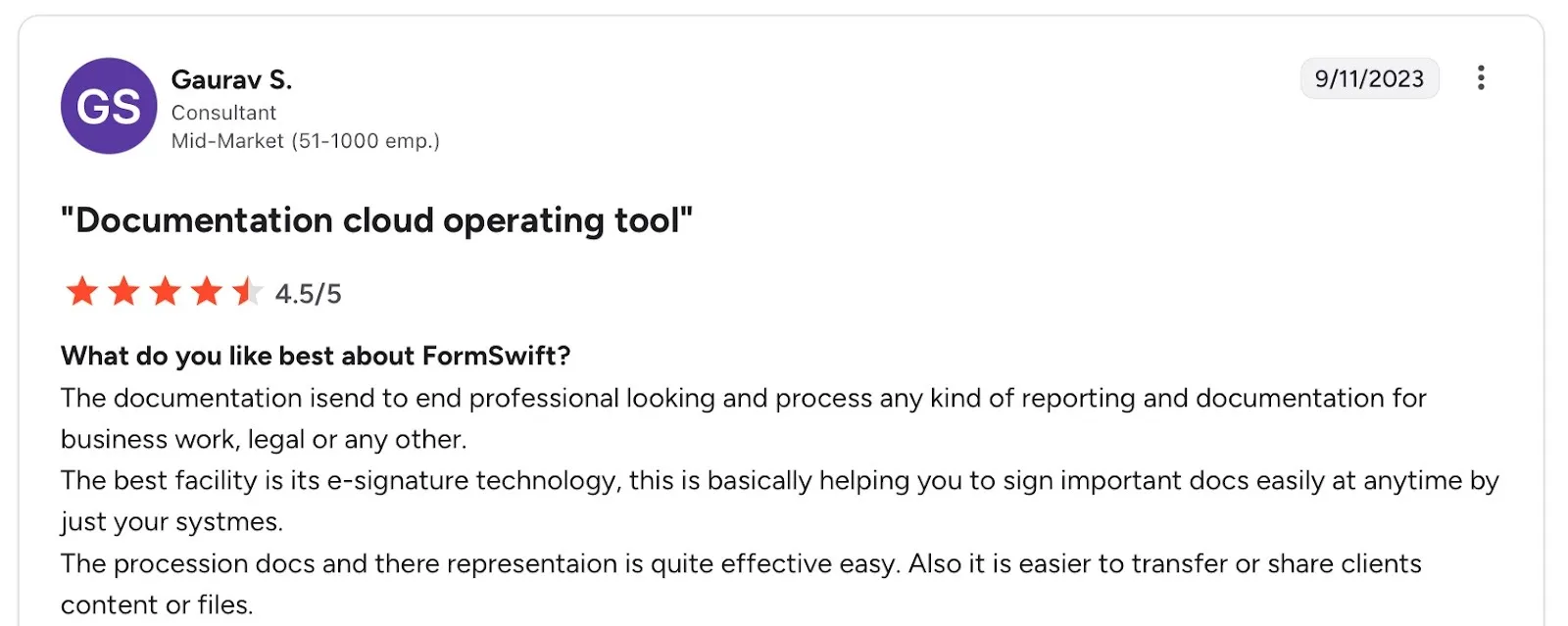
2. Basic PDF editing tools
Users appreciate that the platform includes essential editing options such as adding text, redacting content, and highlighting, all accessible directly from the browser. These functions make it easy to complete simple edits quickly.
Source
Cons
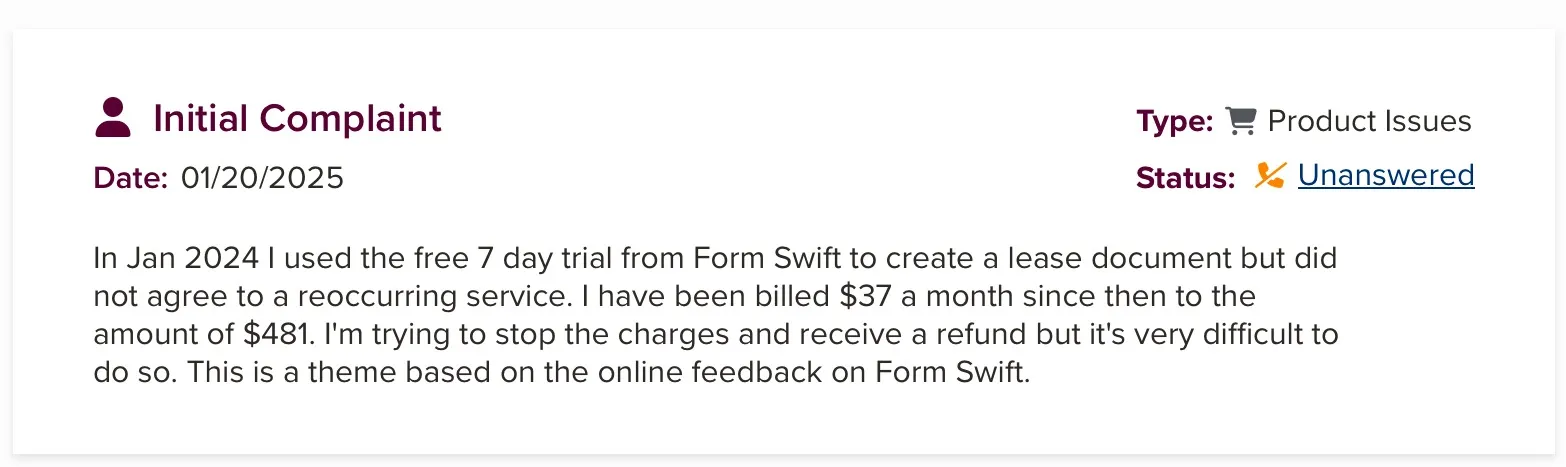
1. Pricing transparency
Many reviews point out that FormSwift’s pricing is not straightforward. The $1.95 trial often auto-renews at $37/month, catching users by surprise. This lack of clarity has led to negative experiences and complaints.
Source
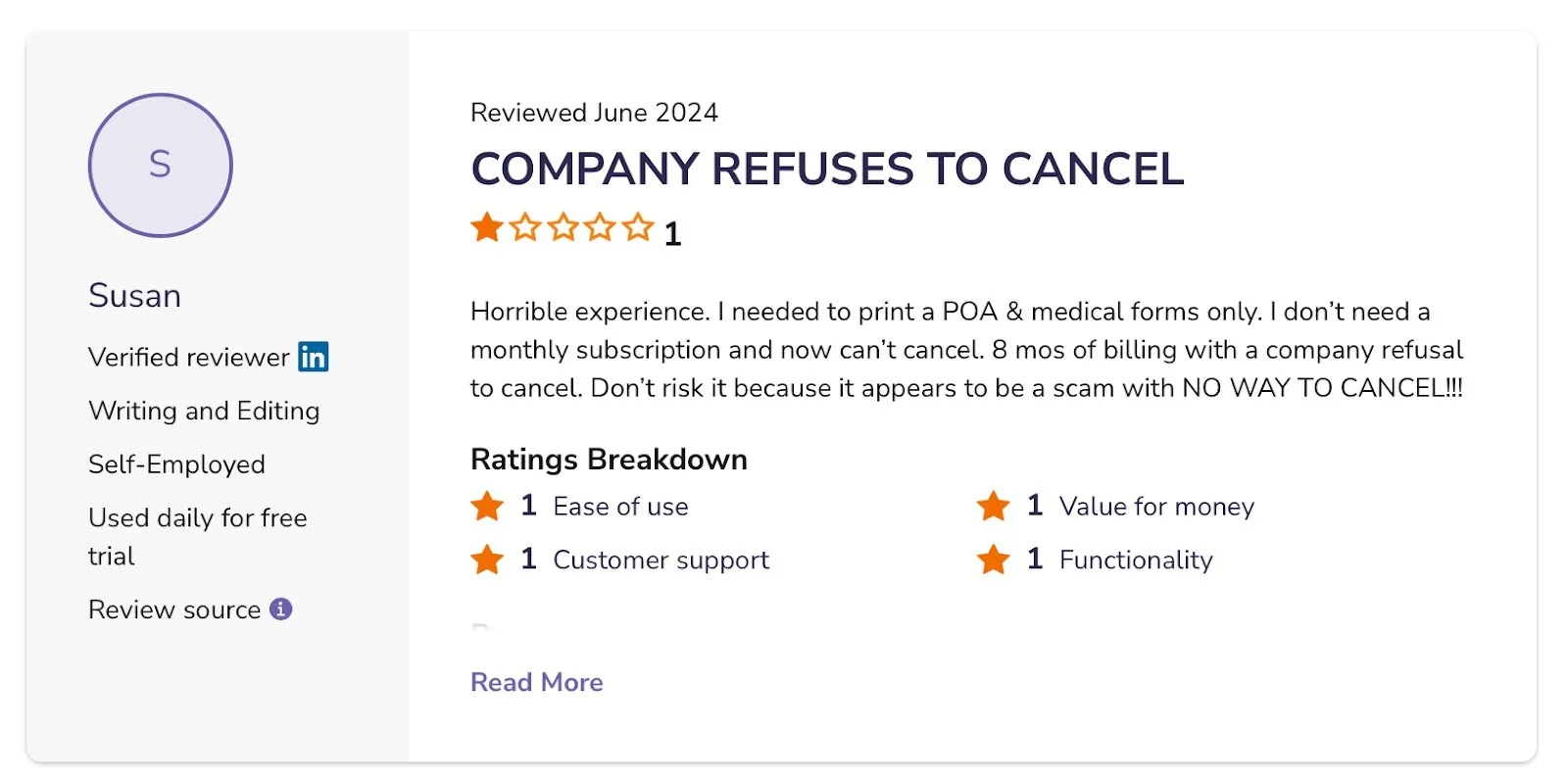
2. Subscription and cancellation issues
Users frequently complain about difficulties with cancelling subscriptions. Even when they try to cancel within the trial period, they report being charged, leading to frustration and distrust.
Source
3. Limited business features
While FormSwift works fine for individuals, it lacks team-oriented functions like role-based permissions, multi-user dashboards, or workflow automation. Businesses that need advanced collaboration may find the platform restrictive.
4. Mobile limitations
Unlike competitors, FormSwift does not have a dedicated mobile app. Users note that this makes working on mobile less convenient, as the experience is limited to mobile browsers.
How does Signeasy fix what FormSwift gets wrong?
- No hidden renewals or surprise charges. You always know what you’re paying for.
- Dedicated apps for iOS and Android let you create, sign, and track contracts anywhere.
- Role-based access and shared dashboards make collaboration easy.
- Store, search, and manage all your contracts in one secure place.
- Track every stage with built-in CLM capabilities.
Switch to Signeasy to simplify, track, and manage contracts all in one place. Start your free trial now.
How does FormSwift compare to competitors?
Choosing an eSignature solution usually comes down to features, pricing, ease of use, support, and increasingly, mobile access. FormSwift works well for basic editing and templates, but it lags behind competitors that offer polished apps.
1. FormSwift vs. Signeasy
- Features: FormSwift emphasizes its template library and browser-based PDF editing. Signeasy focuses on secure, fast signing with extras like reusable templates, reminders, and audit trails.
- Pricing: FormSwift charges $37/month (or $69 one-time per document), while Signeasy starts around $10/user/month, making it more affordable and scalable.
- Ease of use: Both are simple for basic tasks, but Signeasy is consistently rated higher for its streamlined workflows.
- Support: FormSwift reviews often mention cancellation and billing issues. Signeasy receives better feedback for its multi-channel support.
- Mobile usability: FormSwift can be accessed from mobile browsers, and you can upload image files (like JPGs) to convert them into editable PDFs. However, it doesn’t offer a dedicated mobile app, which makes it less convenient for users who want to manage or sign documents on the go.
2. Other competitors
- Docusign: Enterprise-focused, with a robust mobile app and global compliance features, but more complex and expensive.
- Adobe Sign: Integrated with Acrobat and Microsoft apps, including a mobile offering, but setup can feel heavy for new users.
If you're comparing DocuSign with other eSignature platforms, explore our guide to the best Docusign alternatives.
FormSwift’s customer support and resources
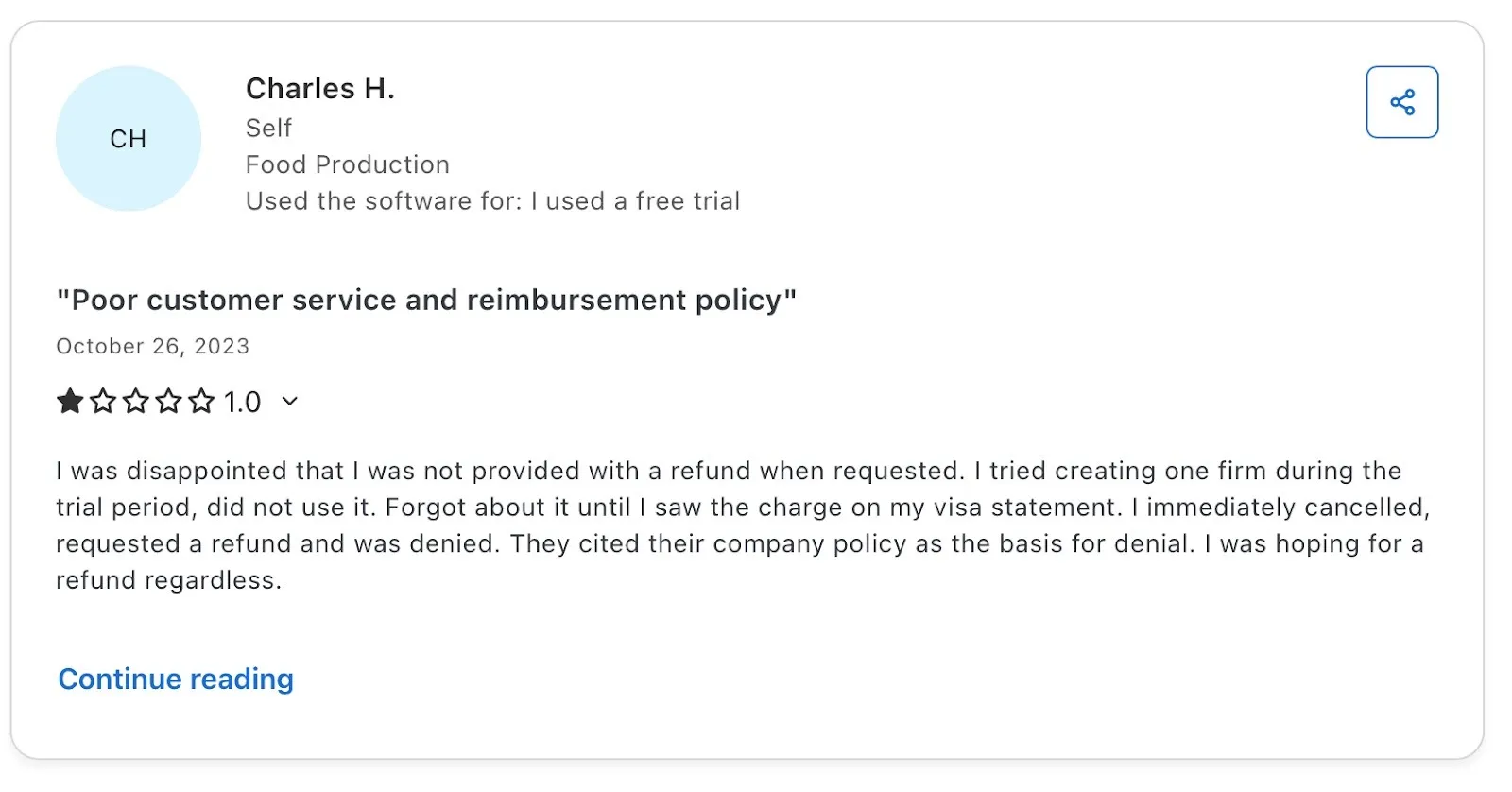
Support is one of the weaker areas highlighted in FormSwift reviews. Users often mention difficulty getting timely help, especially with billing or cancellations. The platform mainly relies on email support and a small help center, with no chat or phone options.
In contrast, competitors like Signeasy offer multiple support channels and richer resources that make troubleshooting easier.
Source
1. Support
FormSwift’s support options are fairly limited. Most users rely on email support, as there’s no evidence of live chat or phone support being available. Reviews often mention slow or unhelpful responses, especially around billing or cancellation issues. This makes it difficult for users to resolve urgent problems quickly.
2. Resource materials
FormSwift maintains a basic help center and FAQ section that covers topics like billing, editing documents, and account management. However, there are no in-depth tutorials, training resources, or community forums where users can share tips or ask questions. For individuals this may be enough, but business users looking for structured onboarding or troubleshooting guides may find the resources lacking.
3. SLA or response times
FormSwift does not publicly share any service-level agreements (SLAs) or guaranteed response times for support requests. This lack of transparency is another drawback for business users who expect timely assistance.
4. How Signeasy compares
Signeasy provides more robust support options, including email, live chat, and phone support depending on the plan. Users generally report faster and more helpful responses.
In addition, Signeasy offers a well-documented knowledge base, video tutorials, and onboarding guides, making it easier for new customers to get started.
While FormSwift’s resources are minimal, Signeasy’s combination of support channels and self-help content provides greater confidence for individuals and teams alike.
Who is FormSwift best suited for?
FormSwift is a better fit for some users than others. Let’s look at how it works for different business sizes, industries, and everyday use cases.
1. Small businesses vs. large enterprises
FormSwift is better suited for individuals and small businesses that need quick access to ready-made forms and basic signing tools. Freelancers, landlords, or small HR teams can benefit from its large template library without investing in complex software.
Larger enterprises, however, may find it limiting. The lack of team management features, advanced integrations, and role-based controls makes it less practical for high-volume or compliance-heavy workflows.
2. Industries that benefit most
- Real estate: Lease agreements, rental applications, and disclosure forms can be filled and signed quickly.
- Legal and small law firms: Access to basic contracts and forms is convenient, though it won’t replace full-fledged legal management tools.
- HR and recruiting: Employment applications, offer letters, and verification forms can be generated without drafting from scratch.
- Self-employed professionals: Freelancers and consultants often rely on standard contracts and waivers, which FormSwift provides in abundance.
3. Specific use cases where it excels
- Filling and editing forms with signatures: Great for situations where you need to quickly tweak a document, fill in details, and sign it.
- When template variety matters: Ideal for users who prioritize access to a wide range of pre-built forms over advanced integrations.
- Light users vs. high-volume workflows: A strong fit for light users who only need a handful of forms signed each month. For high-volume workflows with automation or team collaboration, it falls short compared to tools like Signeasy or Docusign.
4. FormSwift vs. Signeasy: who gets more value?
FormSwift rating and user reviews
Ratings give a clear picture of how users actually feel about a platform. For FormSwift, the scores hover between 2.8 and 4 stars across major review sites. Users appreciate the templates, but frequent complaints about pricing and support pull the ratings down. Let’s look at how it performs across platforms — and how it compares with Signeasy.
1. Average ratings across platforms
- Capterra: 2.9/5 (based on 26 reviews)
- G2: 4/5 (based on 28 reviews)
- SoftwareAdvice: 2.8/5 (based on 26 reviews)
- BBB (Better Business Bureau): Numerous complaints filed, particularly about billing and cancellation
2. What people like
- Large variety of templates that saves time
- Simple PDF editing tools (redact, add text, highlight)
- Works for quick, one-off signing needs
3. Common complaints
- Unclear pricing and auto-renewal after the trial.
- Cancellation issues leading to unexpected charges
- Limited advanced features for businesses
- No dedicated mobile app
4. How does Signeasy compare?
Signeasy consistently outperforms FormSwift across major platforms:
- Capterra: 4.7/5 (based on 459 reviews)
- G2: 4.7/5 (based on 756 reviews)
- App Store / See Google Play : 4.7/5 and 3.7/5 average across thousands of reviews
Users highlight Signeasy’s ease of use, fast signing, and responsive support. Complaints are fewer and usually focus on additional feature requests rather than core issues.
Why move to Signeasy?
Managing contracts efficiently requires control, visibility, and automation at every stage. Signeasy delivers exactly that. It’s a modern Contract Lifecycle Management (CLM) platform built for businesses that want to simplify document workflows and close deals faster.
While FormSwift focuses on templates and basic signing, Signeasy empowers teams to handle the full contract process all in one secure, centralized platform. That’s why growing businesses and enterprises alike trust Signeasy to keep their document workflows smart and scalable.
Here’s what sets it apart:
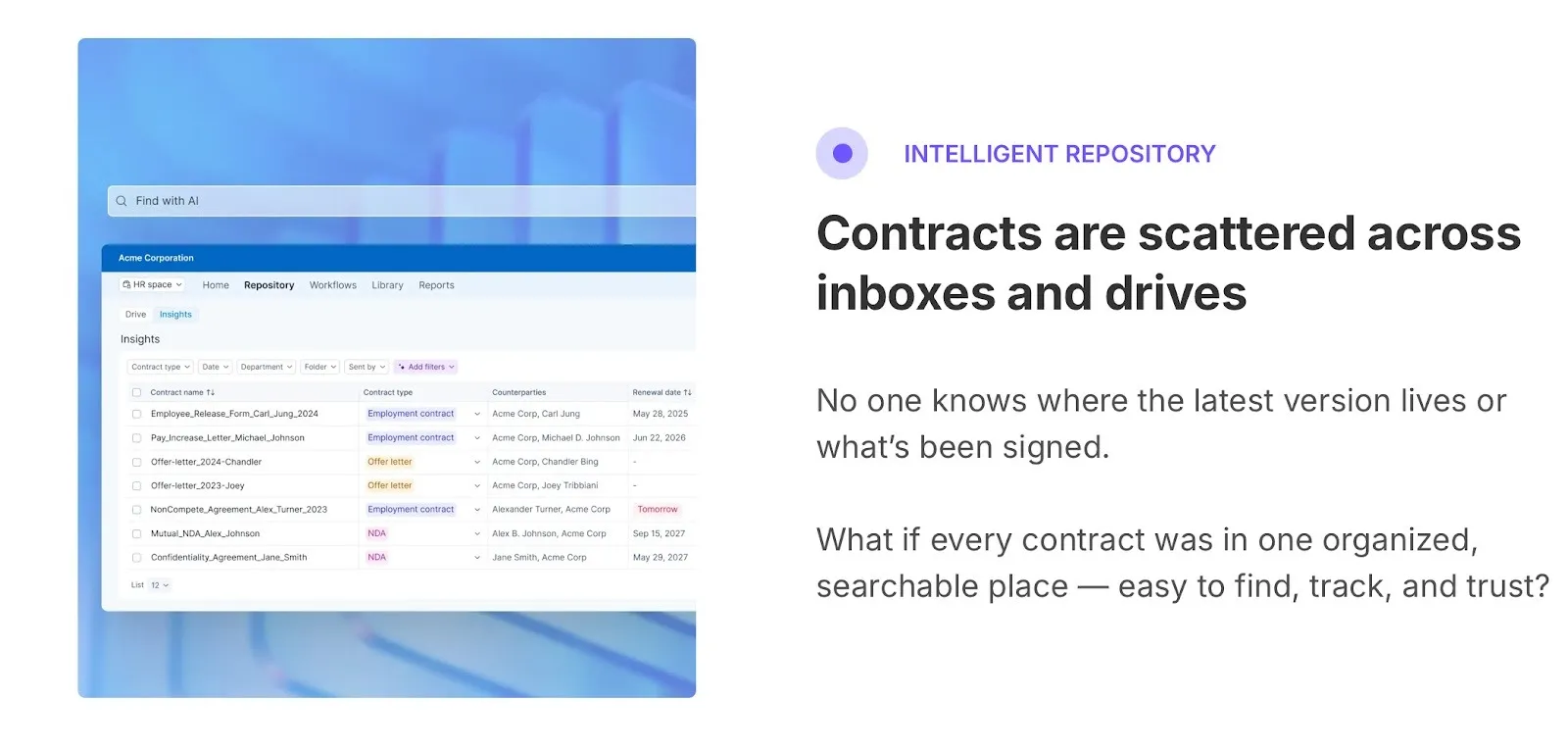
- Intelligent Contract Repository: Store, organize, and retrieve all contracts instantly. Track ownership, deadlines, and renewals with zero confusion.
- Automated workflows: Streamline approvals with pre-set routing, reminders, and multi-party signing.
- Real-time visibility: Track who’s viewed, signed, or approved documents with complete audit trails for compliance and accountability.
- Role-based access: Control permissions and ensure that sensitive data stays protected within your team.
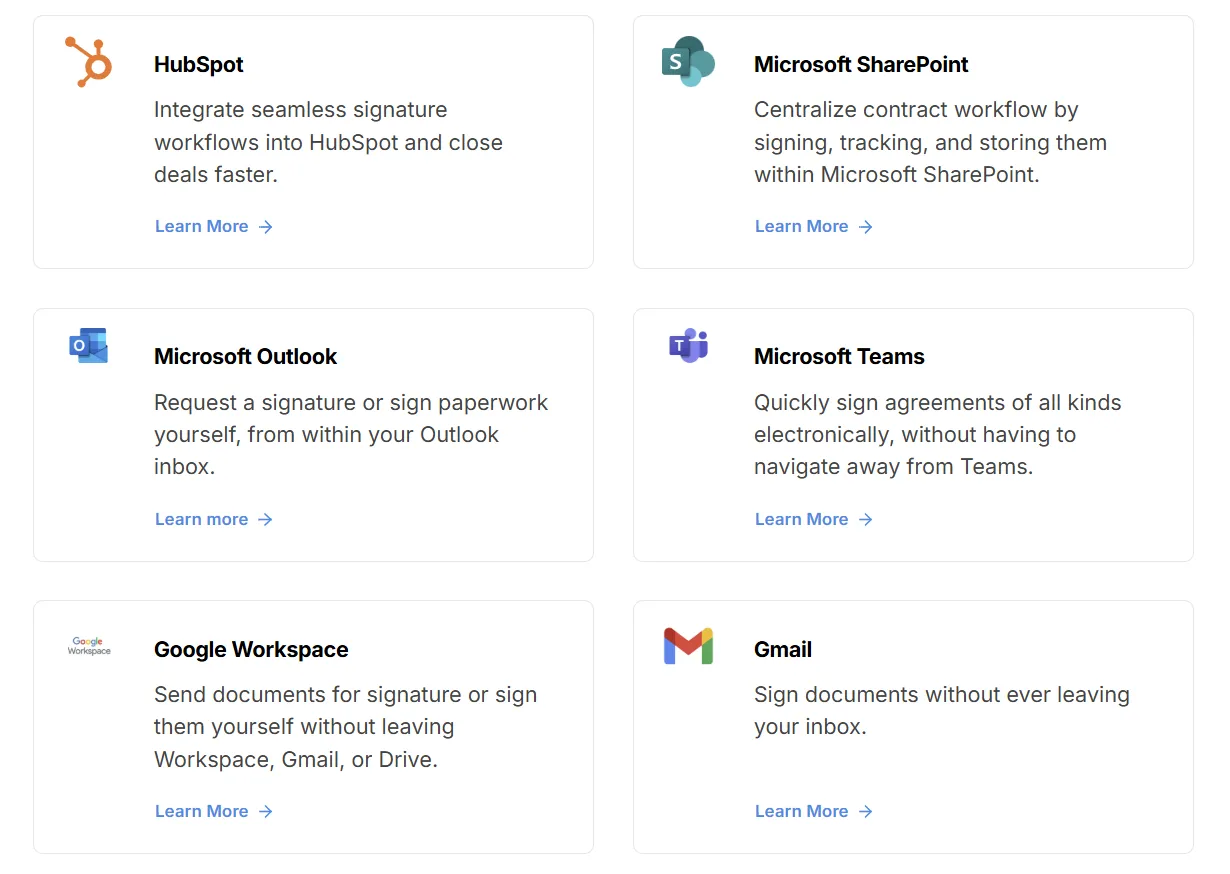
- Powerful integrations: Works seamlessly with Google Workspace, Microsoft Teams, Hubspot, and Dropbox to fit into your daily operations.
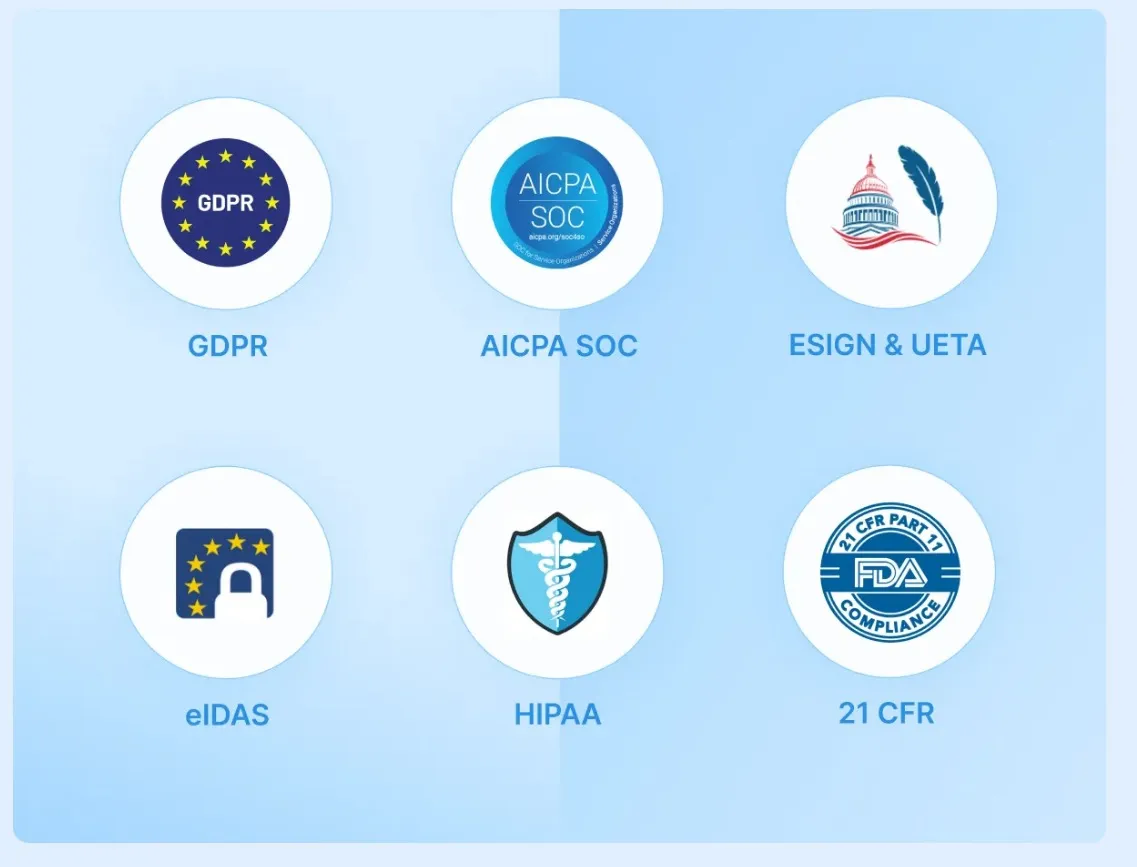
- Compliance and data security: Fully compliant with ESIGN, eIDAS, UETA, and GDPR, offering enterprise-grade encryption and authentication.
Final thoughts: Is FormSwift worth it?
FormSwift is useful if you need quick access to templates and basic signing without complicated setup. It works best for individuals, freelancers, and small businesses that value pre-made forms more than advanced integrations or team workflows.
Where it falls short is in pricing clarity, mobile support, and customer service — areas that matter once you start handling documents regularly or at scale. For those needs, Signeasy is the stronger option, offering transparent pricing, dedicated mobile apps, and business-ready features that grow with you.
If templates are your main need, FormSwift might suffice. But if you want a trusted eSignature tool with transparent pricing, smooth signing, and business-ready features, Signeasy is a more reliable option.
Want signing to be faster, clearer, and stress-free? Start with Signeasy today.