
.png)


Your contracts live in email threads, shared drives, desktop folders, and individual hard drives. When a renewal deadline arrives or an auditor requests a specific clause, your team scrambles to find the right version.
The cost is measurable. World Commerce and Contracting estimates that poor contract management erodes up to 9% of annual revenue (2023). Missed renewals and compliance exposure compound the damage quarter after quarter.
The fix does not require a complex enterprise CLM system. A centralized contract repository gives growing teams the structure and visibility they need without the overhead. It gives every stakeholder one governed, searchable system for drafts, executed agreements, amendments, and renewals.If you're evaluating a CLM platform like CobbleStone as a fix, start with our breakdown of cobblestone contract management pricing before booking a sales call.
In this guide, you will learn:
- What a centralized contract repository is and how it differs from basic document storage
- Measurable benefits for legal, operations, finance, and HR
- Core features your repository needs
- A step-by-step blueprint to build one
- Where Signeasy fits in the workflow
What is a centralized contract repository?
A contract repository is a centralized system for storing, organizing, and managing all of an organization's contracts. Shared drives and email folders lack structured metadata, searchable fields, and lifecycle tracking. A purpose-built repository provides all three, making every agreement instantly retrievable and audit-ready.
Contracts scattered across CRMs, inboxes, and spreadsheets create version conflicts and missed renewals. Compliance gaps follow when legal, finance, and procurement teams work from different document sources. A contract repository gives every stakeholder a single source of truth, with role-based access controls and proactive renewal alerts built in. It's a core building block of digital contracting, turning scattered files into structured business records.
Core features of a contract repository and their benefits
A contract repository gives your team one place to store, search, and manage every agreement across its full lifecycle. Fewer delays, stronger compliance, and no missed renewals follow. The features below break down how each capability delivers that.
1. Intelligent contract repository
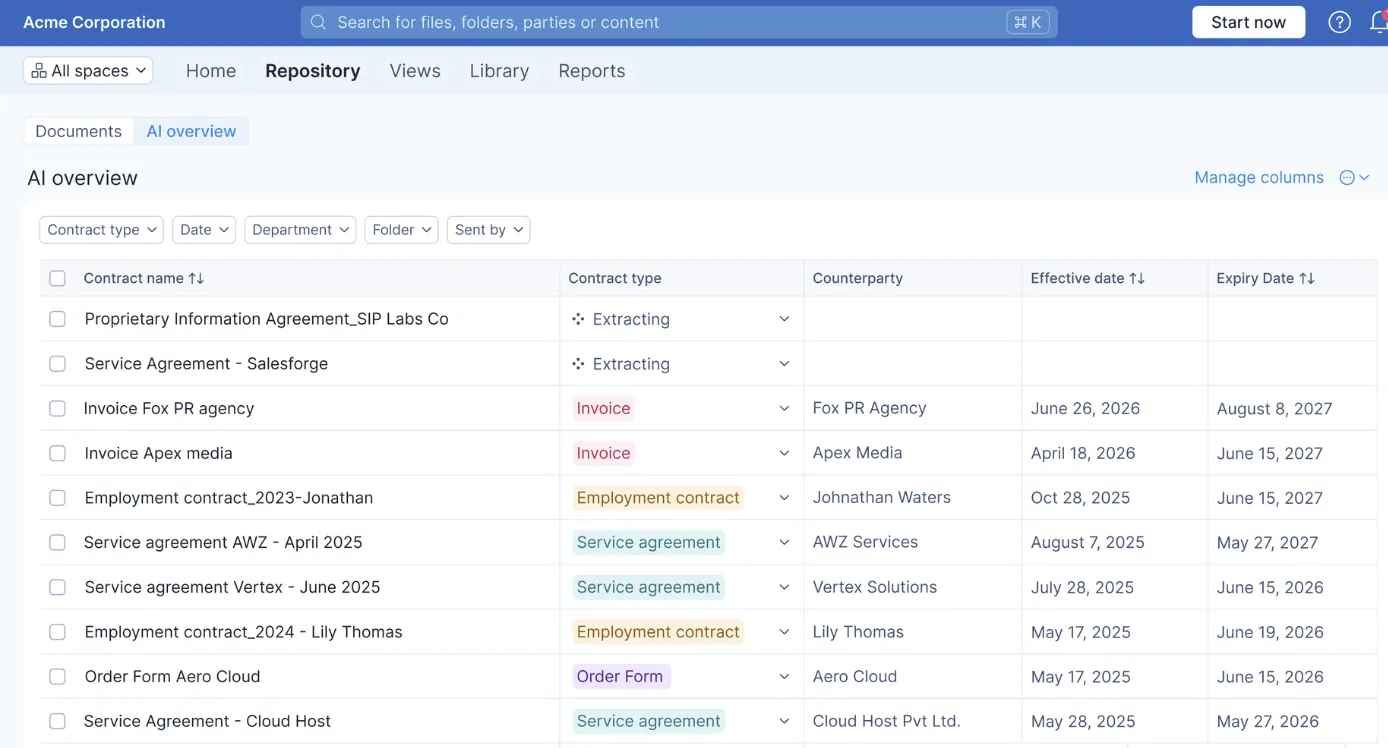
A metadata-first approach converts static PDFs into structured, queryable records. Each contract receives lifecycle state tags: draft, in review, pending signature, executed, active, and expired. Obligation tagging lets legal flag specific clauses for rapid review, so provisions like indemnity caps and governing law are easy to locate during audits or negotiations.
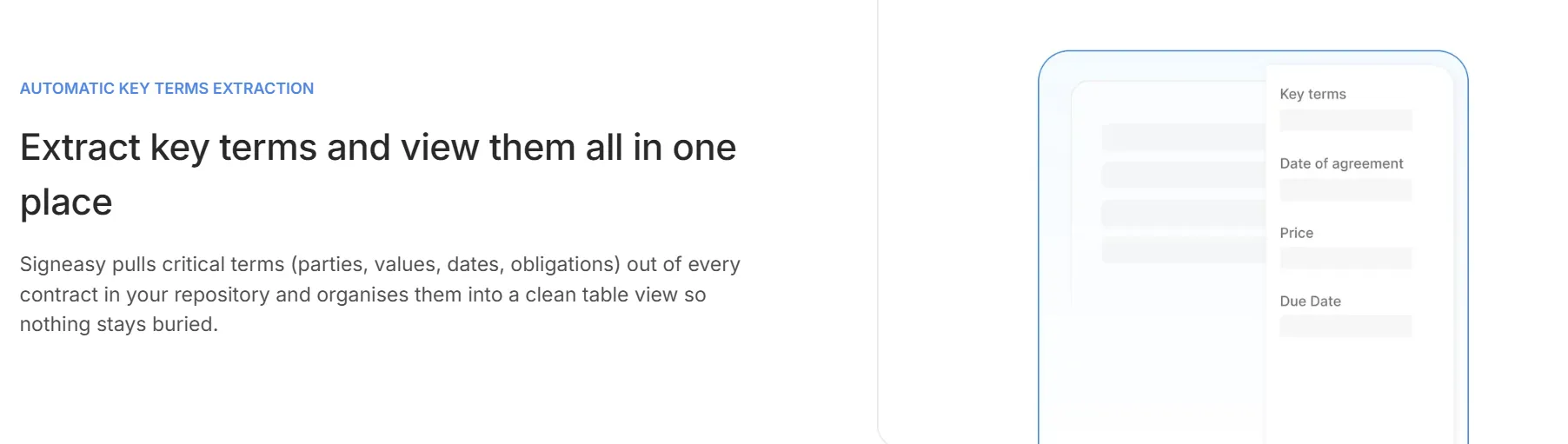
Signeasy AI supports this by automatically extracting key terms and generating contract summaries, reducing manual review time on routine agreements.

2. Centralized storage and single source of truth
Consolidation removes the silos that form when sales saves agreements in a CRM, legal archives in SharePoint, and procurement tracks in spreadsheets. Duplicate versions and conflicting edits disappear when every team accesses the same current agreement at all times.
.gif)
3. Advanced search and retrieval
Full-text search paired with metadata filters lets your team locate any agreement within seconds. Filters for counterparty, effective date, value range, contract type, and owner narrow results quickly. When legal, finance, and procurement access the same repository with role-appropriate filters, contract visibility becomes a shared operational resource.
A centralized repository can reduce the time required to locate an executed MSA from 25 minutes to under 90 seconds. Approval routing can shrink from five days to two, because reviewers receive the correct version on first delivery.
Saved searches add further value. A procurement lead can bookmark all MSAs expiring within 90 days with annual value above $25,000, then revisit that view weekly without rebuilding the query.
4. Workspaces
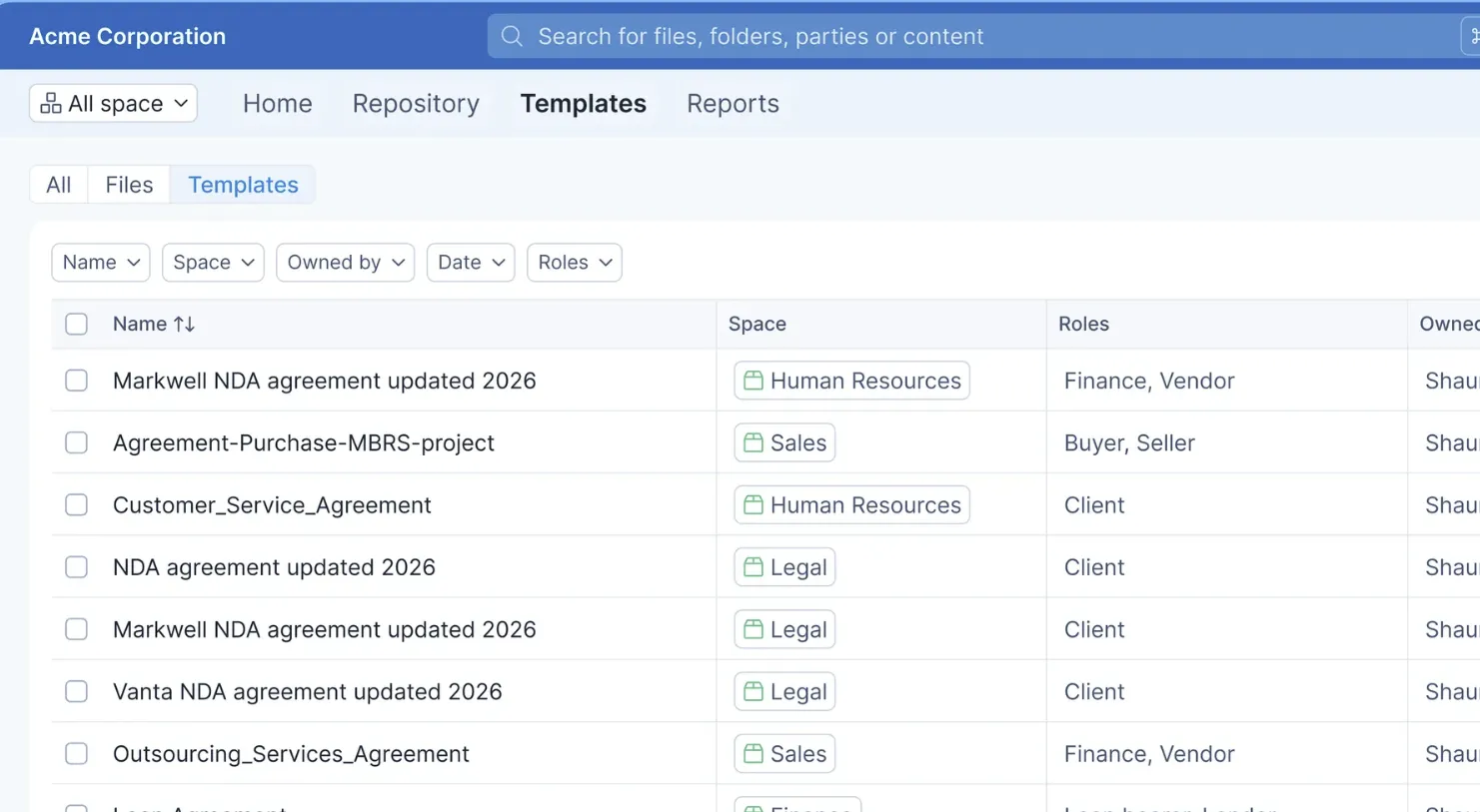
Workspaces let teams organize contracts by department, project, or region without losing visibility across the business. Each workspace carries its own access rules, so HR manages employment contracts independently from procurement's vendor agreements. Leadership retains a cross-workspace view of everything in flight.
Signeasy's Spaces supports this structure out of the box, scaling as your contract volume and team size grow.

5. Access controls and permissions
Role-based access ensures each user sees only the contracts relevant to their function. Legal accesses all agreements, sales accesses customer-facing contracts, and HR accesses employment records. Sensitive agreements, such as executive compensation addenda, stay protected while remaining accessible to authorized personnel.
6. Approval workflows
re-signature routing removes ambiguity about who must approve each contract. Smart routing triggers the correct approval chain based on defined business rules. Any agreement above $100,000 automatically routes to the CFO, while standard NDAs bypass executive review entirely.
Most contract delays occur before the signature, during drafting and internal approvals. A clause library with pre-approved fallback positions for indemnification and limitation of liability lets sales reps handle routine agreements independently. Legal steps in only when a counterparty's redlines exceed defined thresholds.
7. eSignature workflows
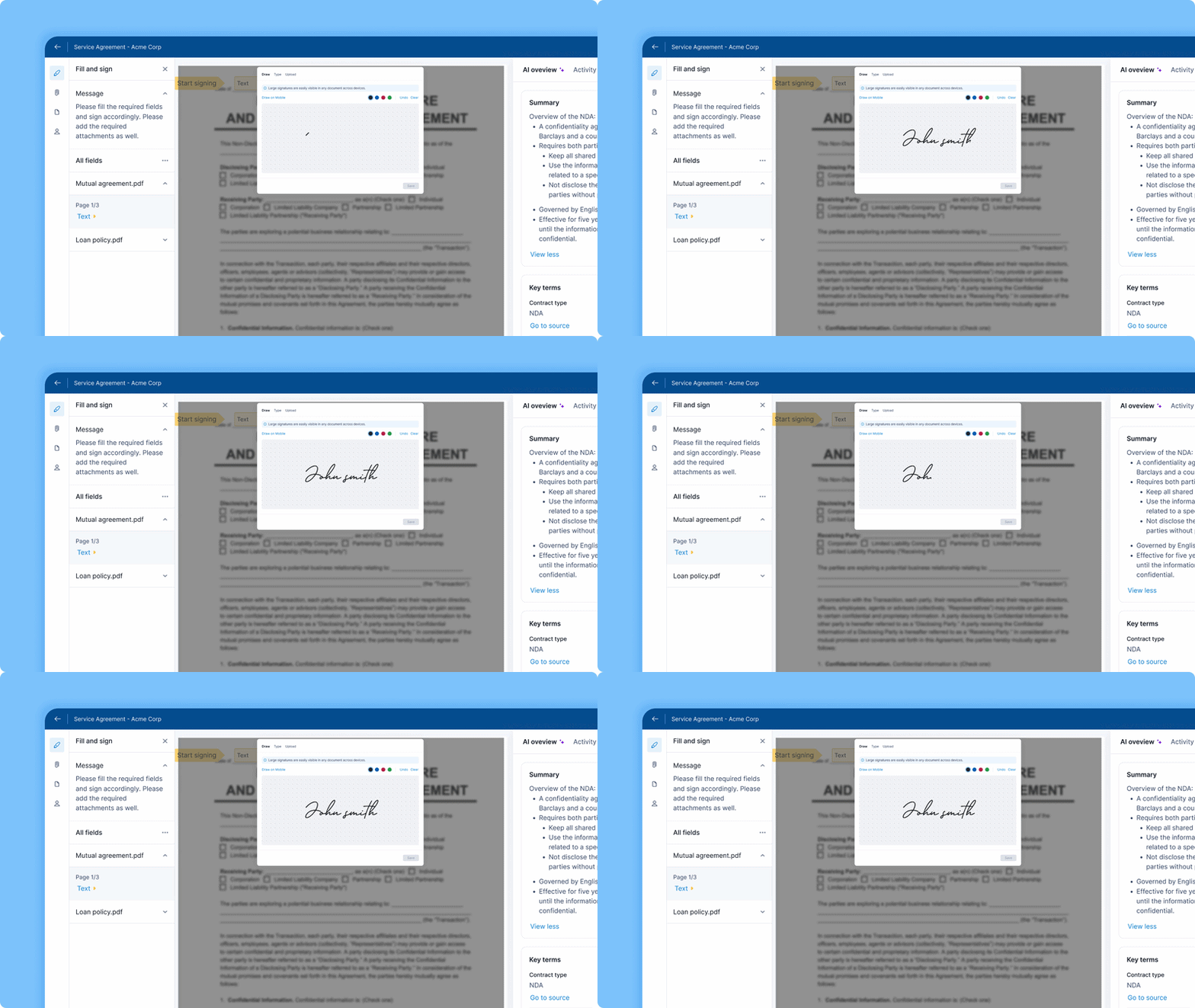
A repository without a reliable signing workflow creates a handoff break. Contracts leave the system for signature and do not always return. Native eSignature capabilities close that disconnect. Sequential and parallel signing, bulk send, public signing links, and in-person signing with biometric authentication cover every workflow your team encounters. Signers receive a secure link and can sign from any device without creating an account. Once executed, the signed copy saves automatically to the repository.
8. Real-time tracking
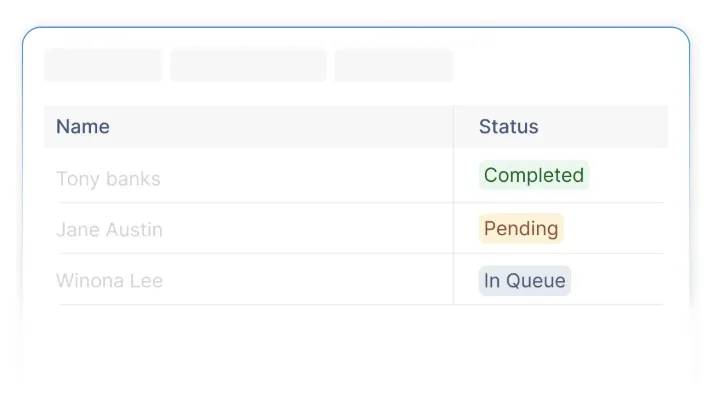
Status dashboards show each contract's position in the lifecycle, from draft through execution. Usage reports identify where contracts slow down. Team performance reports give General Counsel the data needed to advocate for process improvements. Every contract remains visible, every delay surfaces immediately, and every stakeholder stays informed.
9. Alerts and notifications
Automated reminders for upcoming deadlines, pending approvals, and renewal windows keep contracts on track before deadlines pass. Renewal reminders and pending-signature nudges fire automatically, so contracts advance without requiring someone to monitor them manually.
%2520(1).gif)
10. Reporting and analytics
Dashboards covering team usage, contract stages, and renewal pipelines convert your repository into a decision-making tool. Monthly reporting keeps legal and RevOps aligned on throughput and risk exposure. Trend data also reveals process bottlenecks.
If contracts of a specific type are consistently delayed, you can pinpoint whether a new approval step or a particular counterparty is the cause. Signeasy's custom views and reporting give teams status reports, usage summaries, and CSV exports without requiring a separate analytics tool.
11. Renewal management
A single overlooked auto-renew clause on a $50,000 vendor agreement locks your organization into another year of spend you intended to renegotiate. Renewal and expiry reminders paired with automated obligation tracking prevent both unwanted renewals and accidental lapses.
Signeasy AI automatically extracts key dates from contracts, including renewal dates, expiry dates, and termination windows, so your team skips manual calendar tracking entirely. Finance teams gain a forward-looking renewal pipeline, improving budget forecasting and surfacing expansion opportunities with existing customers.
10. Audit trail and activity logging
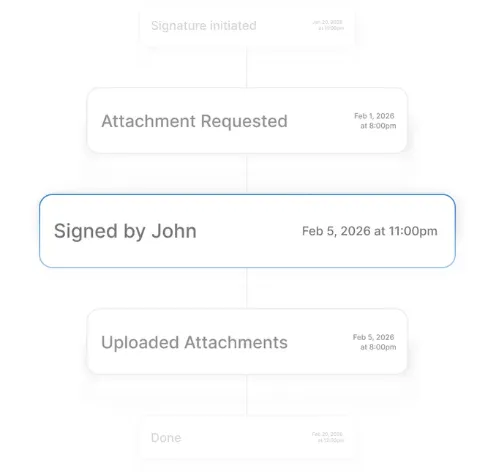
Every approval and signature event is captured with a timestamp and user identity, supporting compliance audits, dispute resolution, and due diligence processes. During a SOC 2 audit, your compliance team can export a complete access history for each contract in scope. Work that typically requires weeks of email archaeology becomes a filtered export completed in hours.
How to build a centralized contract repository (step-by-step)
The right implementation sequence determines whether your team adopts the system or reverts to old habits. The steps below provide a practical blueprint with clear ownership and milestones.
Step 1: Define scope, owners, and success metrics
Assign a clear owner and gather cross-functional input from legal, finance, and operations before selecting any tools. Establish your initial KPIs first. Useful starting points include average time to locate a contract, average cycle time from draft to execution, and number of missed renewals per quarter. These baselines let you measure progress objectively and make the case for expanding the rollout after the pilot.
Step 2: Choose your architecture and tools
Your architecture decision depends on contract volume, process complexity, budget, and IT constraints. Two common paths exist.
- Option A suits large enterprises managing thousands of contracts with complex approval chains. This path uses an end-to-end CLM suite that handles authoring, approvals, esignature, storage, and reporting in one platform.
- Option B combines a document repository with a dedicated esign tool, metadata layers, and workflow automation.
Signeasy fits naturally into Option B as the execution engine for templates, approvals, and signatures, with API connectivity to sync completed agreements into your repository.
Step 3: Design your metadata model and taxonomy
Your metadata model determines how discoverable and reportable your contracts become. Keep naming conventions consistent from day one. A field labeled "Client" in one department and "Customer" in another creates duplicate records and unreliable reports.
Step 4: Migrate and normalize legacy contracts
Begin with active contracts carrying upcoming renewal dates or compliance obligations. Build an inventory by source system, documenting the origin, current owner, date range, and retention requirements for each batch. Process scanned documents through text recognition software so legacy contracts become fully searchable.
For contracts lacking structured metadata, Signeasy AI can surface key terms, dates, and obligations to reduce manual backfill effort. Spot-check 10% to 15% of each migrated batch to verify metadata accuracy.
Step 5: Integrate with your stack
Connect your repository to the tools your team already uses, including Google Workspace, Microsoft 365, HubSpot, and cloud storage platforms such as Google Drive and OneDrive.
Signeasy's native integrations and API auto-save executed agreements directly to your connected storage, keeping your CRM and repository in sync without manual updates.
Step 6: Automate alerts, approvals, and SLAs
Configure standardized approval routes based on your business rules. Set up follow-up reminders so overdue approvals escalate before deadlines pass. Renewal and expiration reminders, along with pending-signature nudges, fire automatically based on the metadata captured in the repository.
Step 7: Train, govern, and iterate
Match role-based training to each team's workflows. Legal needs approval configuration and reporting. Finance needs contract value and renewal reporting. HR needs onboarding templates and status tracking, while operations needs visibility across all active agreements. Governance reviews every 90 days keep permissions current and metadata quality high.
Planning, costs, and pre-sign workflow
Before you build, two areas need attention upfront: how contracts are drafted and approved before they reach signature, and how to project the cost and return on your investment.
1. Designing your pre-sign workflow
The signature is the final step, but the work preceding it determines how fast and accurately contracts reach execution.
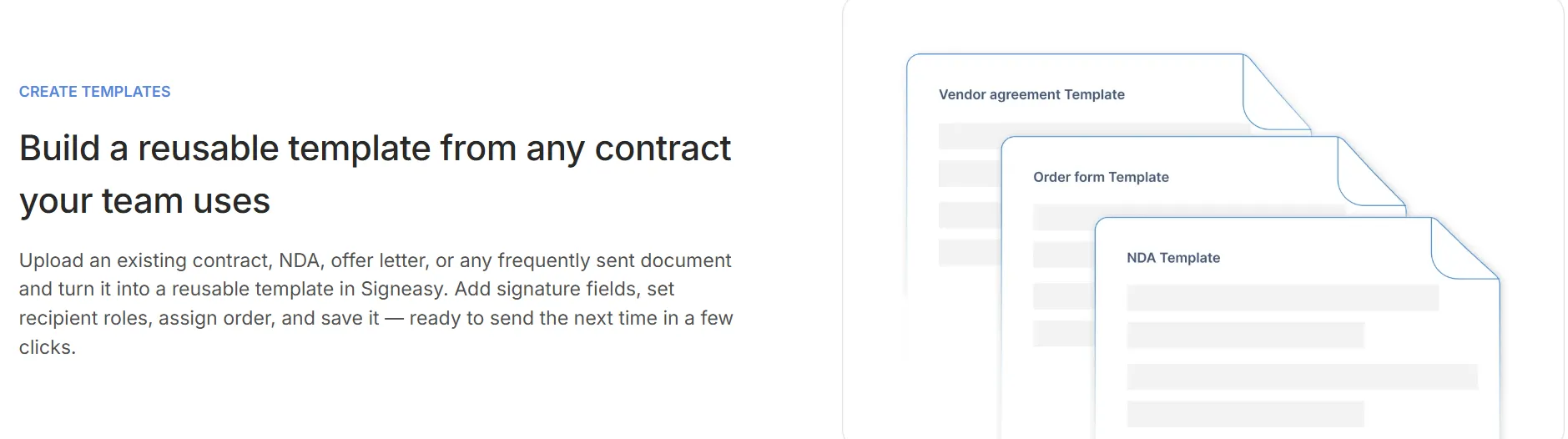
- Standardize templates and clause libraries. Approved templates with pre-vetted language remove the blank-page problem. Include primary and fallback positions for commonly negotiated terms like indemnification, liability caps, and termination provisions. Tag jurisdictional variants so your team selects the right language at the point of drafting.
Signeasy AI can summarize incoming contract changes, helping legal quickly identify which edits fall within acceptable thresholds before a full review.
- Manage internal approvals. Define clear checkpoints where internal approvals occur before a revised version goes back to the counterparty. For example, the account owner can accept indemnity caps below a defined percentage of contract value, while uncapped liability always requires General Counsel sign-off.
- Finalize and send for signature. Before sending, verify the correct template version is in use, all variable fields are populated, and the right signers are assigned. Signeasy's role assignment and routing features handle this handoff cleanly.
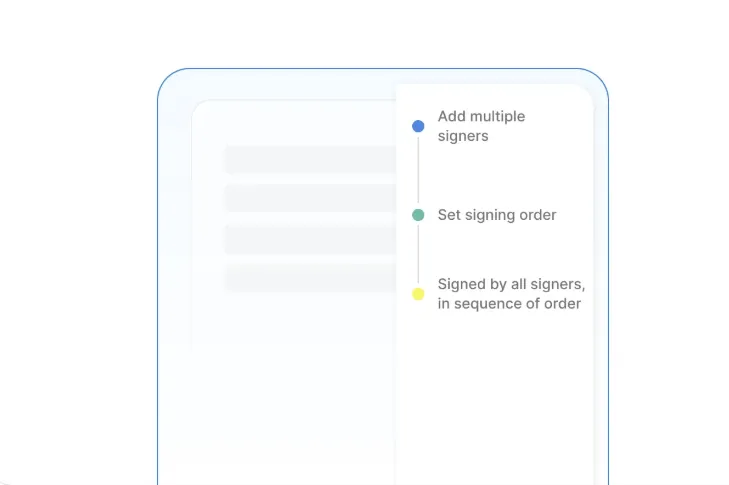
- Preserve versions and audit trails. Store every draft version alongside the executed copy and any amendments. Export-ready audit logs capture who approved and signed each version and when. This chain of custody is valuable during disputes or regulatory reviews.
2. Pricing, TCO, and ROI
Cost is one of the first questions leadership asks, and the answer depends on how you scope the project. For a full breakdown of what to budget for, see this guide to contract management software pricing.
An end-to-end CLM suite carries licensing fees, implementation costs, and ongoing admin overhead. A hybrid approach, pairing a document storage platform with a dedicated esignature tool like Signeasy and lightweight workflow automation, typically costs less for smaller or mid-sized teams. It also avoids the implementation overhead of a full CLM suite. Factor in migration labor, training hours, and less obvious costs like custom integrations and annual metadata audits from the start.
A conservative ROI model uses four inputs: monthly contract volume, average contract value, current average cycle time, and estimated annual renewal leakage.
**Figures are illustrative projections based on commonly reported outcomes. Actual results will vary.
Scale your investment to match organizational readiness. A 90-day pilot focused on one contract type or department proves the model before you request full-year funding. Set milestones at each stage that tie to the KPIs defined during scoping. This approach reduces risk and gives leadership confidence that each investment decision rests on demonstrated results.
Signeasy in your centralized contract repository strategy
Signeasy serves as the execution layer in your repository strategy, handling everything from template preparation to signed-document archival. It connects to your repository and business applications so contracts move from creation to execution to archival without manual handoffs.
Most teams are up and running in under a day, without the lengthy implementation or six-figure price tag of an enterprise CLM suite.
1. Where Signeasy fits in the stack
Your team prepares agreements using Signeasy's templates and reusable fields, routes them through approval chains, and collects signatures. The executed copy saves automatically to your repository, creating a closed loop where every contract is signed, stored, and searchable in one workflow.
2. Features that support your repository strategy
- Templates and approval routing standardize agreements before they reach the signer and keep contracts moving without manual follow-ups.
- AI-powered contract intelligence automatically extracts key terms, dates, and obligations, and generates summaries. Legal and operations spend less time reading contracts and more time acting on them. Signeasy's AI never trains on your contract data, keeping every agreement confidential.
- Workspaces let teams organize contracts by department or project with role-appropriate visibility, so sensitive agreements stay confined to the right people.
- Custom views and reporting give legal, finance, procurement, and HR the visibility each team needs without relying on a separate analytics tool.
- Mobile and in-person signing keep agreements moving from any device. API connectivity embeds signing directly into Google Workspace, Microsoft 365, HubSpot, and your contract repository.
3. Security and compliance
Signeasy encrypts documents using AES 128-bit encryption at rest and SSL 256-bit encryption in transit. Administrative controls let you manage team access, enforce authentication requirements, and export audit trails for regulatory or due diligence requests.
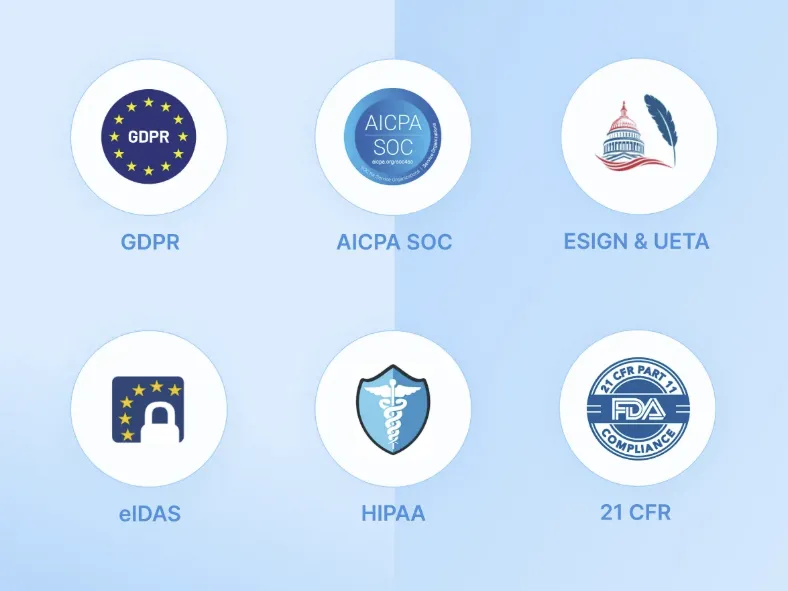
Signeasy meets SOC 2 Type 2, GDPR, HIPAA, ESIGN, eIDAS, and 21 CFR Part 11 compliance standards. Visit Signeasy's trust center for full encryption and compliance details.
Build a contract repository your team will actually use
The difference between a contract repository that sticks and one that gets abandoned comes down to adoption. Start narrow: one contract type, one department, a handful of mandatory metadata fields. Measure against clear baselines and expand once the model proves itself.
Signeasy is built for exactly that kind of rollout. Enterprise CLM suites take months to implement. Signeasy gets your team up and running in under a day, with AI-powered contract intelligence, automated renewals, and legally binding eSignatures built in from the start.
Centralize your contracts and speed up every workflow with Signeasy.