





If you work in real estate, chances are you have heard of Docusign. It is the most recognized eSignature tool in the industry, used by agents, brokers, property managers, and enterprise firms to move agreements through the signing process without the paper chase.
But recognition does not always mean the right fit. Docusign's platform has grown into a broad suite of products, such as Rooms, CLM, Identify, and Payments, built with large organizations in mind. For independent agents and smaller brokerages, that depth can translate into cost, complexity, and feature caps that get in the way more than they help.
In this guide, we cover
- What Docusign actually offers real estate professionals
- How it is priced
- Where it commonly falls short
- How Signeasy compares as a simpler, more cost-effective alternative for teams that need to move fast without the enterprise overhead
Read the full Docusign review here.
What is Docusign for real estate?
Docusign is an electronic signature and agreement management platform used across industries. In real estate, it has become the most widely recognized tool for digitizing transactions. Agents, brokers, title companies, property managers, REITs, homebuilders, and developers all rely on it.
The platform moves agreements through the signing process without printing, scanning, or requiring in-person meetings.
Docusign's real estate offering goes beyond basic eSignature. It bundles multiple products under the Docusign Agreement Cloud for Real Estate, covering everything from identity verification to payment collection. This breadth is what makes it appealing to large brokerages and enterprise real estate firms managing complex, multi-party transactions.
For independent agents and smaller teams, the question is whether that breadth translates to day-to-day value or whether it adds cost and complexity that the work does not require. If you're evaluating other platforms as well, Docusign vs PandaDoc offers another comparison to consider.
Docusign real estate features
The Docusign Agreement Cloud for Real Estate is a suite of five interconnected products. Each one addresses a different stage of the transaction workflow. Here is what each product does and who it is designed for.
1. Docusign eSignature
Docusign eSignature is the platform's core product and the one most agents interact with daily. It allows users to send documents for electronic signature, track signing status in real time, and store completed agreements securely. Signing works on any device, including mobile, and does not require the recipient to have a Docusign account.
2. Docusign Rooms for Real Estate
Rooms is a digital workspace designed specifically for real estate closings. It brings all parties together — buyers, sellers, agents, lenders, and title companies — into one secure space where documents can be collected, reviewed, and signed. Each transaction gets its own Room, which reduces the back-and-forth email chains that slow closings down.
3. Docusign CLM
Contract Lifecycle Management (CLM) handles the full agreement workflow from creation to execution to storage. The platform supports pre-built templates, version control, redlining, approval routing, and centralized document storage. CLM is designed for larger brokerages and enterprise firms that manage high document volumes and need audit trails for compliance purposes.
4. Docusign Identify
For transactions where identity verification is a compliance requirement, Docusign Identify supports ID document verification, SMS authentication, and knowledge-based authentication (KBA). This is especially relevant for transactions involving bank wire instructions or high-value property deals.
5. Docusign Payments
Payment collection becomes part of the signing workflow with Docusign Payments, which lets users collect rent, application fees, security deposits, and other payments directly within the agreement. It removes the need for a separate payment tool and shortens the steps between agreement execution and funds collection.
What documents can real estate agents sign with Docusign?
Docusign supports the full range of documents that move through a real estate transaction. The platform handles:
- Purchase contracts and counteroffers
- Listing agreements and buyer representation agreements
- Leasing contracts for residential and commercial properties
- Appraisals and disclosure statements
- Addendums and amendments
- Agent onboarding and licensing paperwork
- Escrow opening instructions
- Bank wire transfer instructions
- Deeds and title-related documents
- Inspection reports and work orders
- Non-Disclosure Agreements (NDAs) and investor documents
- Tax identification paperwork
Docusign and the NAR partnership
Docusign holds an official partnership with the National Association of Realtors (NAR) and is recognized as its preferred eSignature provider. Through the NAR REALTOR Benefits Program, members receive a discounted rate on Docusign eSignature plans.
The partnership also means Docusign integrates with many NAR-affiliated tools that Realtors already use, including zipForms and Lone Wolf. For agents operating within that ecosystem, the familiarity reduces adoption friction.
One important clarification: NAR membership does not make Docusign is free. The discount applies to base eSignature plans only. Products like Rooms, CLM, Identify, and Payments sit outside the partnership benefit and are priced separately. Agents who need the full Agreement Cloud will still face standard tiered pricing for those add-ons.
Docusign pricing for real estate
Docusign uses a per-user, per-month pricing model billed annually. The table below reflects the current eSignature essentials plans available to individuals and teams.
For businesses looking to integrate Docusign into their own applications or workflows, Docusign API pricing is separate from its standard eSignature plans and depends on API usage and requirements.
A few things worth noting for agents and brokers evaluating these plans:
- The Personal plan's 5-envelope monthly cap is quickly exhausted for any agent managing more than a couple of active transactions at a time.
- The Standard and Business Pro plans raise the allowance to 100 per user annually, which works out to roughly 8 per month.
- For agents closing 10 to 20 deals a month, this is still a ceiling that adds friction.
- Rooms, CLM, and Identify are not included in any of these plans and require separate licensing.
Where Docusign falls short for real estate professionals
Docusign's breadth is also its weight. The same features that make it attractive to enterprise firms can create real friction for independent agents and smaller teams. Real estate professionals on G2 have flagged several recurring issues.
1. Envelope limits restrict active agents
The Personal plan allows only 5 envelopes per month. The Standard and Business Pro plans cap sending at 100 documents per user annually. For an agent managing multiple listings, purchase contracts, disclosures, and lease renewals at the same time, these limits become a practical obstacle.
Upgrading to a higher tier or purchasing additional envelopes adds up quickly across a growing team.
Signeasy removes this ceiling entirely from the Business plan ($20/seat/month) upward, giving agents real-time visibility into every document's status — without counting envelopes.

2. Essential features are gated behind higher-tier plans
Features that many real estate professionals consider standard, bulk send, payment collection, mobile web forms, real-time data verification, are only available on Business Pro or above. Teams that need these capabilities must pay for the higher tier even if the rest of the feature set is beyond their needs.
Signeasy includes AI-powered contract summaries and key term extraction on the Business plan and above, without additional licensing.
"It's often more expensive than competing options, and some essential features are locked behind higher-tier plans."
— Sushank M., Head of IT, Real Estate, Mid-Market, G2, April 2026
3. Customer support is limited on lower plans
Email support is available on lower tiers, but live technical support is reserved for Enhanced plan customers. For a real estate agent dealing with a time-sensitive closing, a delayed support response can stall a closing or delay a signed agreement. Agents on standard plans have noted that reaching a support representative is difficult. If you're experiencing issues with Docusign, our guide on docusign not working covers common problems and troubleshooting steps to help get things back on track.
4. Setup requires time and configuration
Docusign's full suite, particularly Rooms and CLM, requires setup, workflow configuration, and often administrator involvement before it works as intended. Teams without dedicated IT or operations staff often spend more time on onboarding than they expect. The platform assumes a level of setup that independent agents rarely have time for.
Signeasy is designed to be operational within minutes, with no IT configuration required. For brokerages that need contract management depth without CLM complexity, Signeasy's Intelligent Contract Management product offers centralized storage, AI-powered search, and obligation tracking — without the enterprise overhead.
5. Cost adds up for small teams and independent agents
Docusign's pricing structure is designed around the needs of large organizations. For a solo agent or a boutique brokerage, the per-seat cost at Standard or Business Pro, combined with the additional licensing required for Rooms and CLM, can make the total cost disproportionate to the work being done.
Smaller teams and independent agents feel this most acutely. Signeasy is built for teams at this scale, with pricing and features that match the work.

Docusign vs. Signeasy for real estate
If you are an agent and or a team that finds Docusign's pricing, envelope caps, or setup complexity to be a poor fit, Signeasy is a strong alternative. The comparison below covers the features that matter most to real estate professionals on a day-to-day basis.
Stick with Docusign if:
- You are part of a large brokerage or enterprise firm with dedicated IT and operations support
- You rely on NAR-affiliated tools like zipForms or Lone Wolf and benefit from the ecosystem integration
- You need deep CLM capabilities, like version control, redlining, complex approval routing, across high document volumes
- You require Salesforce integration as part of your core workflow
Switch to Signeasy if:
- You are an independent agent, boutique brokerage, or growing team hitting Docusign's envelope caps
- You are paying for features you do not use just to access the ones you do
- Setup complexity and slow onboarding are slowing your team down
- You need unlimited sending, AI-powered contract review, and enterprise-grade compliance at a price that fits a team your size
Read more about Docusign’s pricing.
Why real estate professionals are switching to Signeasy
Signeasy's eSignature for Real Estate is an AI-powered contract management platform built around how agents, brokers, and property managers actually work. Here is what it offers and why it addresses the gaps that Docusign users in the industry regularly encounter.
1. Go digital for all your contracts and forms
Signeasy eliminates the need for physical presence at any stage of a transaction. Buyers, sellers, and tenants can sign purchase agreements, leases, and disclosures from any device, anywhere. There is no account creation required for signers, which eliminates a common friction point that slows signings down.
A buyer in a different city can sign a purchase agreement the same day it is prepared, keeping transactions moving without delays from logistics or geography.
2. Reusable templates built for real estate
Rather than building every document from scratch, agents create reusable templates for the contracts they send most often. Signeasy includes ready-to-use templates for lease agreements, maintenance contracts, property management agreements, brokerage agreements, and more.
Templates are available on the Business plan and above.

3. Real-time tracking, automated reminders, and sequential signing
Signeasy tracks every document in real time. Agents can monitor who has viewed the document, who has signed, and whose signature is still pending. Automated reminders go out to signers who have open tasks, so agents spend less time chasing signers and more time closing deals.
Agents can also set a signing order so documents route automatically from one party to the next, removing the need for manual coordination between buyers, sellers, and lenders.

4. Supporting file collection from clients
Signeasy lets agents request supporting documents — address proof, payslips, ID verification, mortgage documents — within the same contract workflow (available on Business Pro and above).
Clients attach files directly to the agreement, shortening the time between agreement and execution by removing the back-and-forth that delays closings.

5. Enterprise-grade security without enterprise complexity
Signeasy signatures are compliant with ESIGN, UETA, eIDAS, and GDPR. The platform is also SOC 2 certified and HIPAA compliant, meeting the security standards that larger organizations require. Audit logs are tamper-proof, and every completed contract carries a trust seal.
Compliance features are included as part of Signeasy's standard offering, not distributed across separate products and pricing tiers.

Learn more at Signeasy electronic signature.
6. Integrations with tools agents already use
Signeasy connects with Google Workspace, Microsoft 365, HubSpot, Microsoft Teams, and SharePoint (Business Pro and above). For brokerages with their own platforms or property management tools, Signeasy's eSign API (Electronic Signature Application Programming Interface) embeds signing directly into existing systems, so agents never need to switch applications.
For brokerages managing contracts across HR, legal, and operations, Signeasy centralizes document workflows across every department. This also makes it an docusign for legal that need secure signing workflows alongside their broader contract management processes.

7. Intelligent Contract Management
Teams that need more than eSignature can explore Signeasy's Intelligent Contract Management (ICM) product, a centralized contract repository with AI-powered search, key term extraction, renewal alerts, and obligation tracking. It offers the contract management depth that growing brokerages need, without the enterprise complexity or cost of a full CLM system.
All paid plans include unlimited document signing. The Business plan and above extend this to unlimited sending as well, removing the envelope-counting that frustrates high-volume agents on comparable Docusign plans. Signeasy offers a free trial so agents can test the full platform before committing, with no IT setup or configuration required.
What Signeasy customers say
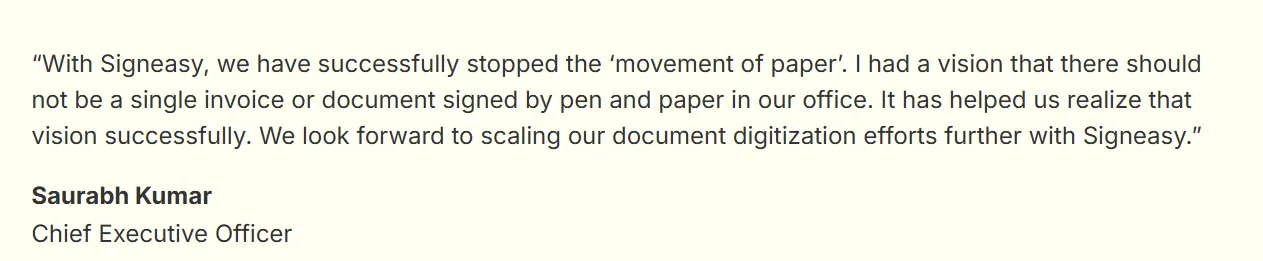
Agents and brokers who have moved to Signeasy consistently highlight ease of use, value for money, and the absence of per-document charges as the reasons for their decision. For teams considering a docusign migration, factors such as document transfer, workflow setup, and contract management should be considered before making the move.

S&C Homebuyers cut document turnaround times from 12–24 hours to just 2–4 minutes with Signeasy. By enabling real-time signing from anywhere, the team streamlined paperwork, accelerated offer approvals, and improved operational efficiency by 99.7%.

Similarly, GMR Cargo transformed its document approval process with Signeasy, replacing slow, paper-based workflows with secure digital signing. What once took nearly a week for multiple stakeholders to review and sign can now be completed in about a day, helping teams accelerate approvals, reduce manual effort, and make faster business decisions.
Docusign is a capable platform, but for many real estate professionals, its advanced features come with added complexity and cost. Signeasy takes a more practical approach, combining contract preparation, eSigning, tracking, AI-powered review, and secure storage in one easy-to-use platform.
Businesses across industries have used Signeasy to simplify approvals, speed up document turnaround times, and keep deals moving without the overhead of traditional enterprise software. If you're looking for a solution that balances functionality, ease of use, and value, Signeasy is well worth considering.
If Docusign's costs or document caps have been a frustration, Start Free Trial and see how Signeasy handles your day-to-day workflow.




