




We talk to operations managers, legal leads, and business owners every day. And the questions we hear most often sound something like this:
"Where is the latest version of our vendor agreement?" "Did that NDA expire, or did it auto-renew?" "Who on our team even signed this contract?"
These are smart, capable professionals. The problem is almost always the same: their contracts are scattered across email threads, shared drives, filing cabinets, and personal folders. There is no single source of truth, so every search becomes a scavenger hunt.
The numbers back this up. Businesses lose up to 20% of annual revenue to missed contract renewals. The average approval cycle burns through 12 emails that could be automated. And your team spends roughly 20 minutes tracking down a single clause when a client or auditor comes calling.
We have helped thousands of teams solve this exact problem, and the fix always starts in the same place: getting your contracts organized.
In this guide, we:
- Define what contract organization really means (and why it goes beyond filing)
- Break down why organized contracts protect your revenue, save time, and reduce risk
- Walk you through 7 actionable steps to organize your business contracts
- Compare the most common organization methods so you can choose what fits your team
- Flag the mistakes we see most often so you can avoid them
- Show you how Signeasy makes the entire process simpler
What does it mean to organize business contracts?
When we talk about contract organization with our clients, we make an important distinction upfront. Organization is more than sorting files into labeled folders. True contract organization means every agreement in your business is stored in a known location, tagged with useful metadata, and accessible to the right people at the right time.
We like to think of it as three layers:
- Storage: Every signed agreement, amendment, and supporting document lives in one centralized place. Your team knows exactly where to look, every single time.
- Structure: Your contracts follow a consistent naming convention and are categorized by type, department, vendor, or status. Anyone on your team can find a specific document in seconds, even if they have never touched that contract before.
- Action: Your system surfaces critical dates, renewal windows, and obligations automatically. Your team spends time on high-value work instead of manually tracking deadlines in a spreadsheet.
When all three layers are in place, contract organization becomes a competitive advantage. Your legal team reviews faster. Your finance team catches every renewal. Your sales team closes deals with confidence because the latest terms are always one search away.
Why contract organization matters for your business
We have seen firsthand how disorganized contracts create a ripple effect across every department. Here is what is really at stake when your contracts live in silos.
1. Revenue protection
Missed renewal dates cost you real money. When a profitable vendor contract lapses because the reminder lived in someone's inbox, or an unwanted subscription auto-renews because the expiration date was buried in a spreadsheet, the financial impact adds up fast.
We have worked with teams that recovered significant revenue simply by adding automated alerts to their existing contracts.
2. Time savings
Think about how your team currently searches for a contract. They open their email, try a few search terms, browse a shared drive, maybe ask a colleague. Industry data shows the average professional spends 20 minutes searching for a single clause.
Multiply that across dozens of contracts each month, and your team loses entire workdays to document hunting. A well-organized system with searchable metadata cuts that retrieval time to seconds.
3. Compliance and risk reduction
If you operate in healthcare, finance, construction, or any regulated industry, you know that auditors expect you to produce the right document quickly. Organized contracts make compliance straightforward.
You pull up the agreement, show the relevant terms, and move on. We have seen teams go from multi-day audit preparation to same-day responses after centralizing their contracts.
4. Cross-team alignment
When your contract communication is scattered across emails, your procurement, finance, legal, and sales teams struggle to stay on the same page. A centralized system gives everyone visibility into contract status, approvals, and key terms.
You stop having meetings just to figure out where a contract stands, and your team starts making decisions faster because the information is already in front of them.
5. Audit readiness
Whether you are facing an internal review or an external audit, organized contracts mean you can produce any document on demand. Scrambling through old emails and shared drives under time pressure creates unnecessary stress and exposes your business to risk. A centralized, organized system removes that pressure entirely.
Suggested read: How to Perform a Contract Compliance Audit
7 steps to organize your business contracts
This is the step-by-step process we recommend to every team we work with, whether they have 50 agreements or 5,000.
Step 1. Audit your existing contracts
Before you organize anything, you need to know what you are working with. Start by gathering every contract your business currently holds. This includes active agreements, expired documents, amendments, renewals, and any supporting correspondence.
Check every location where contracts might live: email attachments, shared drives, physical filing cabinets, individual employee folders, and cloud storage platforms. Create a master list that captures the document name, parties involved, contract type, and current status (active, expired, pending).
You will likely discover that you have far more contracts than you expected, often spread across more locations than anyone on your team realized. That is completely normal, and it is exactly why this audit matters.
Step 2. Categorize by type and department
Now that you have your master list, group your contracts into logical categories. Common approaches include organizing by contract type (NDAs, service agreements, vendor contracts, employment agreements), by department (sales, HR, legal, procurement), or by counterparty (vendor name, client name).
Here is a practical tip: choose the primary category that matches how your team actually searches for contracts. If your sales team looks for agreements by client name, organize around client names first. If your legal team searches by contract type, lead with that. The best system reflects your team's real workflow, because that is the system people will actually use.
Step 3. Digitize paper contracts
If your business still holds paper contracts, scanning and digitizing them is essential. Paper documents are vulnerable to physical damage, difficult to search, and impossible to share quickly across teams.
Use a high-quality scanner to create PDF versions of every paper contract. Apply OCR (optical character recognition) so the text becomes searchable. Once you have digital versions, store the originals in a secure location and work exclusively from the digital files going forward. This is the foundation of digital contracting , where every agreement becomes a searchable, trackable record instead of a static file.
We have seen teams like Mercure Hotel Suites & Apartments in Dubai eliminate roughly 10,000 printouts a month by digitizing their contract workflows, cutting turnaround times from weeks to days.
Step 4. Centralize storage in one location
Scattered storage is the root cause of most contract organization problems. You need to move every contract into a single, centralized repository — both your newly digitized files and everything that already exists digitally.
This repository becomes your single source of truth. Every team member knows where to find every contract. Version control issues disappear because there is only one location to check.
A dedicated contract repository management platform offers centralized storage with custom folders that scale with your contract volume. Every contract your team signs is automatically stored in the repository, so your system stays organized as your business grows.

Step 5. Tag contracts with metadata
This is where your organization system goes from "good enough" to genuinely powerful. Metadata transforms a simple file storage system into a search engine for your contracts. For each contract, we recommend adding these key data fields:
- Contract type (NDA, MSA, SaaS agreement, vendor contract)
- Parties involved (company names, signers)
- Effective date and expiration date
- Contract value (annual spend or revenue)
- Status (active, expired, pending renewal, under negotiation)
- Department owner (legal, sales, procurement, HR)
- Renewal terms (auto-renew, manual renewal, notice period)
With consistent tagging, you can filter, sort, and search your contracts by any combination of fields. Instead of browsing through folders, you type a query and find the right document in seconds.
Step 6. Set access permissions and ownership
Every contract should have a clear owner: the person or team responsible for managing that agreement through its lifecycle. Assign ownership based on department or contract type.
Then set role-based access controls so the right people can view, edit, or manage specific contracts. Your sales representatives might need read access to their client agreements, while your legal team needs full editing permissions across all contract types. Signeasy's contract workspaces let you organize permissions by project, region, or department so every team member sees exactly what they need.
Clear ownership prevents contracts from falling through the cracks. When one person is accountable for a renewal or an obligation, deadlines get met.

Step 7. Automate reminders and renewal tracking
Manual tracking of contract deadlines is unreliable, and we see this trip up even the most organized teams. People change roles, calendars get crowded, and spreadsheet reminders are easy to overlook.
Set up automated reminders for every critical date: renewal deadlines, expiration notices, review periods, and compliance milestones. The best systems let you customize reminder intervals so you get alerted 90, 60, and 30 days before a deadline.
Signeasy's contract renewal management uses AI-extracted key dates to send proactive reminders for renewals, expirations, and other milestones. You stay ahead of every deadline without maintaining a separate calendar or spreadsheet.

Choosing the right contract organization method
The best method for your business depends on your team size, contract volume, and how fast you are growing. Here is how we see the most common approaches play out.
1. Spreadsheets and shared drives
If you have fewer than 50 active contracts, a well-maintained spreadsheet paired with a structured shared drive can work. Create a tracking sheet with columns for contract name, type, parties, key dates, and status. Store the actual documents in folders that mirror your spreadsheet categories.
This approach works when your team is small, contract volume is low, and one person can realistically maintain the system.
This approach breaks down when multiple departments need access, contracts pile up, or you need to search within document text rather than just file names.
2. Cloud-based document management (Google Drive, SharePoint)
Cloud platforms offer better collaboration than local drives. Your team can share folders, control access, and search file names. Signeasy integrates with SharePoint which works well as an intermediate step if your business is growing.
The limitation: Cloud drives organize files, but they offer limited ability to tag metadata, automate renewal alerts, or search within contract text. As your contract volume grows, finding a specific clause still requires opening and reading individual documents one by one.
3. Dedicated contract management platforms
Purpose-built contract storage solutions combine centralized storage, AI-powered search, metadata tagging, automated reminders, and role-based access in a single system. If you want an intuitive solution you can adopt quickly and scale over time, this is the approach we recommend.
Signeasy's intelligent contract repository is built for teams that value simplicity and speed. The platform offers AI contract search across every file, folder, and workspace. Custom contract folders scale with your volume. And because Signeasy also handles electronic signatures, every contract your team signs flows directly into the repository. There is zero manual upload and zero gap between signing and storage.
.gif)
If you also need to streamline the signing and approval process itself, Signeasy's contract automation features reduce the back-and-forth that slows deals down.
Common contract organization mistakes to avoid
We have worked with hundreds of teams on their contract organization, and the same mistakes come up again and again. Here are the pitfalls we see most often.
1. Using inconsistent naming conventions
When every team member names files differently ("AcmeNDA_final_v2" vs. "NDA - Acme Corp - 2024 signed"), searching for contracts becomes guesswork. Establish a company-wide naming convention before you start organizing.
A simple format like [ContractType][CounterpartyName][Date] works well for most businesses.
2. Treating organization as a one-time project
Contract organization requires ongoing maintenance. New contracts arrive every week. Team members change roles. Vendors and clients come and go. Build a process for filing new contracts as they are signed, reviewing and updating metadata quarterly, and archiving expired agreements.
The most effective systems automate this maintenance so it happens in the background.
3. Relying on email as a storage system
Your inbox is where contracts go to get lost. Attachments get buried under new messages, threads fork into multiple versions, and departing employees take their inbox history with them.
Move every contract out of email and into your centralized repository as soon as it is signed.
4. Skipping metadata tagging
Storing contracts in organized folders is a good start, but folders alone limit your ability to search and filter. A contract can belong to multiple categories (it is both a vendor agreement and a procurement document), and metadata captures that complexity.
Invest the upfront time to tag every contract with the fields that matter to your team. Your future self will thank you.
5. Ignoring access controls
When everyone has unrestricted access to every contract, version control issues multiply, sensitive terms get exposed to the wrong people, and accountability disappears. Set role-based permissions from the start so each team member sees exactly what they need.
How Signeasy simplifies contract organization
We built Signeasy to take the effort out of contract organization. Instead of stitching together spreadsheets, cloud drives, and calendar reminders, your team gets every critical capability in one intuitive platform.
1. Centralized repository with AI search
Signeasy stores every contract your team signs in a centralized, searchable repository. Our AI-powered search works across every file, folder, and workspace, so finding a specific clause, date, or obligation takes seconds instead of minutes.
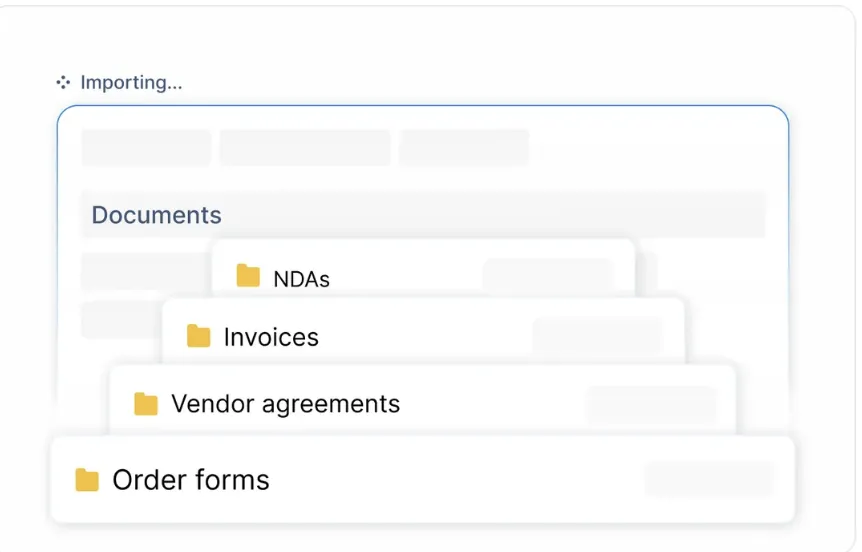
2. Custom workspaces for every team
Organize contracts by project, region, or department using custom workspaces. Each workspace supports role-based permissions, so your legal team, finance team, and operations team all get the right level of access. Real-time contract status and activity logs keep your decision-makers informed.

3. AI-powered contract insights
Signeasy's contract insights feature uses AI to extract key terms, dates, and obligations from every contract automatically. Advanced filters let you sort by contract value, date range, and more. Shared views surface the contracts that need your team's attention right now.

4. Automated renewal reminders
Proactive reminders alert you before renewal deadlines, expirations, and other critical milestones. Custom reminder intervals match your team's workflow. Because our AI extracts key dates automatically, you never have to update a calendar manually.
%2520(1).gif)
5. Legally binding electronic signatures
Signeasy's electronic signature software is globally compliant, backed by ESIGN, UETA, and eIDAS standards with detailed audit trails. Flexible signing workflows, templates, sequential signing, and auto-reminders keep your contracts moving. And because signed contracts flow directly into the repository, your organization system stays current with zero extra effort.
We built Signeasy to be powerful and easy to adopt. The interface is intuitive from day one, so your team spends time on contracts instead of learning software.
Start organizing your contracts the right way
Organizing your business contracts is one of the highest-impact improvements you can make. It protects your revenue, saves your team's time, reduces risk, and gives everyone the visibility they need to make better decisions.
Start with the seven steps we outlined above: audit, categorize, digitize, centralize, tag, set permissions, and automate. Whether you begin with a spreadsheet or move directly to a dedicated platform, the key is to build a system and maintain it consistently.
If you are ready to simplify contract organization from day one, we would love to show you how Signeasy brings it all together. Request a demo to see our intelligent contract management platform in action.




