



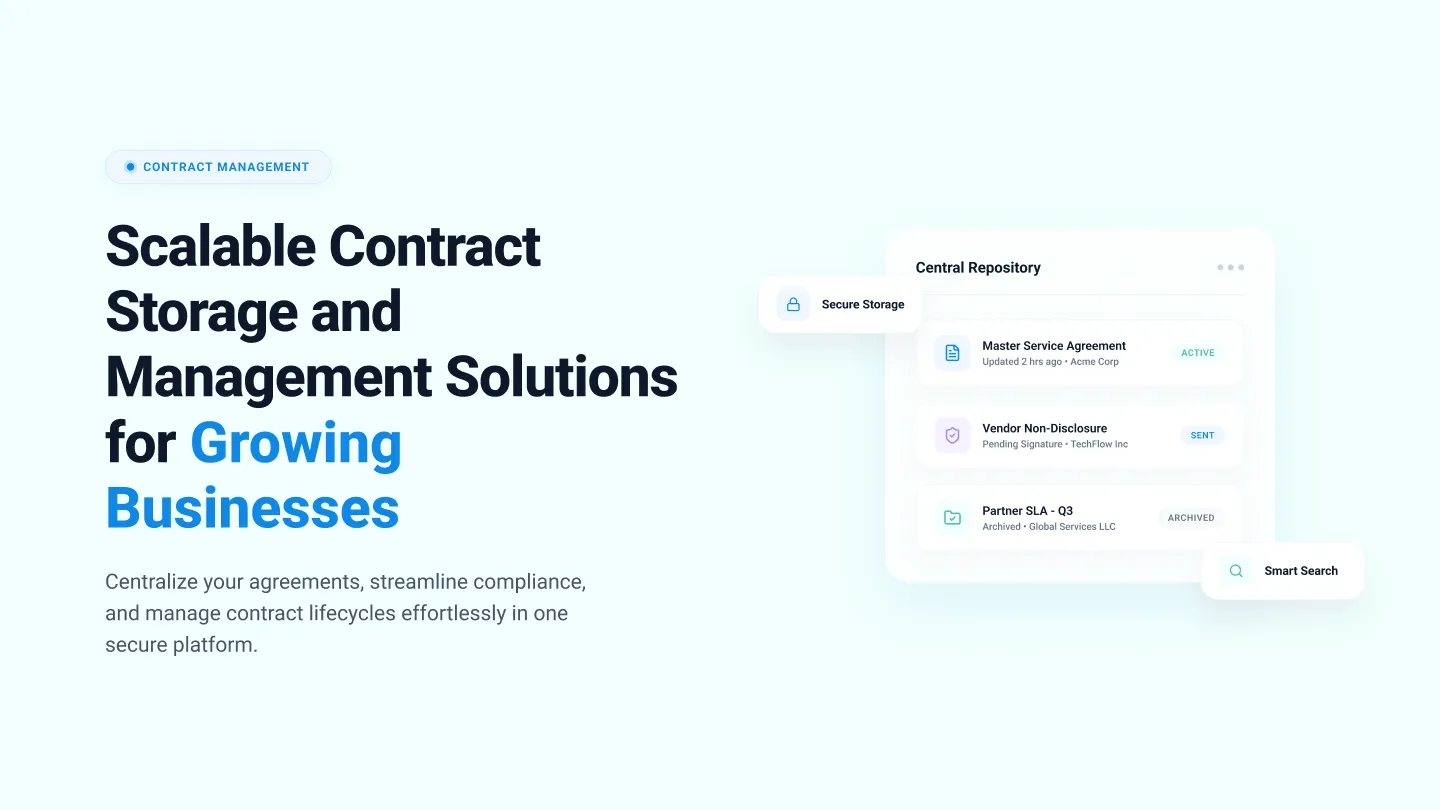


As demand for your product or service increases, so do the agreements that support it. These include MSAs (Master Service Agreements), order forms, renewals, and amendments.
To serve these customers, business operations expand. That means onboarding new vendors, negotiating SLAs (Service Level Agreements), signing DPAs (Data Processing Agreements), and managing procurement agreements to keep delivery smooth and compliant.
Scaling operations also means bigger teams. These add offer letters, policy acknowledgments, NDAs, and role-specific agreements.
Each stage of growth adds a new layer of contractual complexity. Without a centralized place to store and organize contracts, it’s impossible for teams to identify which contract is final, who owns it, or what terms apply.
Contract storage solutions remove this by centralizing every agreement in a single, searchable system.
In this guide, we’ll cover:
- What is contract storage
- Why do businesses need it
- Benefits of contract storage
- Steps to build one
- Features to look for
- Top contract storage solutions at a glance
- How Signeasy helps businesses store contracts and manage them
Let’s start with understanding what contract storage is.
What is contract storage?
Contract storage is the structured process of storing, organizing, securing, and retrieving contracts throughout their lifecycle. Without a centralized system, teams rely on basic tools like shared drives, email folders, or generic cloud storage to save contracts. These tools only store files, not manage them.
Purpose-built contract storage solutions instead help your internal teams and other stakeholders to instantly track and manage the latest contract version, see key dates like renewals, and know exactly who can access what.
1. Basic digital storage vs contract storage system
Basic digital storage and contract storage systems differ significantly in purpose, organization, and scalability. Let’s take a broader look at the differences:
You may be ready to transition to a digital contract storage system, or still be weighing the pros and cons. Either way, understanding the challenges growing businesses face with contract storage will help you decide whether it’s right for your organization.
Why growing businesses struggle with contract storage
Businesses grow on two verticals: customers and internal teams. Adding a new product line would mean new teams, new vendors, and potential clients. And this would mean an increase in volume of contracts, offering access to relevant teams, making sure all contracts are in compliance with necessary regulations, and maintaining security.
More importantly, it multiplies access points and stakeholders. More teams mean more people creating, editing, storing, and retrieving agreements, which makes contract storage a key step.
1. Growth creates more contracts and scattered contract sources
As teams expand, contracts get created and saved wherever work happens — email threads, shared drives, personal desktops, and departmental folders. When storage becomes “everyone’s job,” it translates to “nobody’s job”.
Contracts stop following a consistent structure, and the same contract sits in multiple places, owned by no one.
2. Permissions and audit records don’t scale in shared folders
Shared folders also don’t scale for permissions and traceability. Access gets messy when folders are shared broadly, and it becomes harder to prove what happened to a document over time.
How can teams confidently audit legal contracts when ownership is unclear, signatures are still pending, and no one is certain which version is the final, executed agreement?
Regulators or stakeholders care about recordkeeping and traceability, and enforcement is real. For example, on January 13, 2025, the U.S. SEC announced settlements with twelve firms totaling more than $63 million for recordkeeping failures.
3. Post signature tracking falls without a structured system
Basic storage does not track obligations, renewal windows, notice periods, or milestones. Where do these details end up? In spreadsheets, calendars, or someone’s memory. That is why contract value leakage persists at scale, with World Commerce and Contracting estimating nearly 9% value lost annually from poor contract management.
You can mitigate or even completely bridge these gaps with effective contract storage.
What are the benefits of effective contract storage?
What happens when a key renewal date is missed, or when legal needs to verify if the limitation of liability was modified in the contract?
Without centralized contract storage, teams rely on memory, scattered folders, or outdated copies.
1. Centralized visibility across departments
When you onboard a new vendor, the vendor agreement affects pricing decisions, payment cycles, service timelines, data handling practices, and compliance obligations. Operations across legal, finance, and procurement rely on the terms defined in that contract to do their jobs correctly.
If these teams don’t have shared visibility into the latest contract version, payment terms may be interpreted incorrectly, service expectations may not match what was agreed, compliance requirements may be overlooked, and delivery timelines may slip.
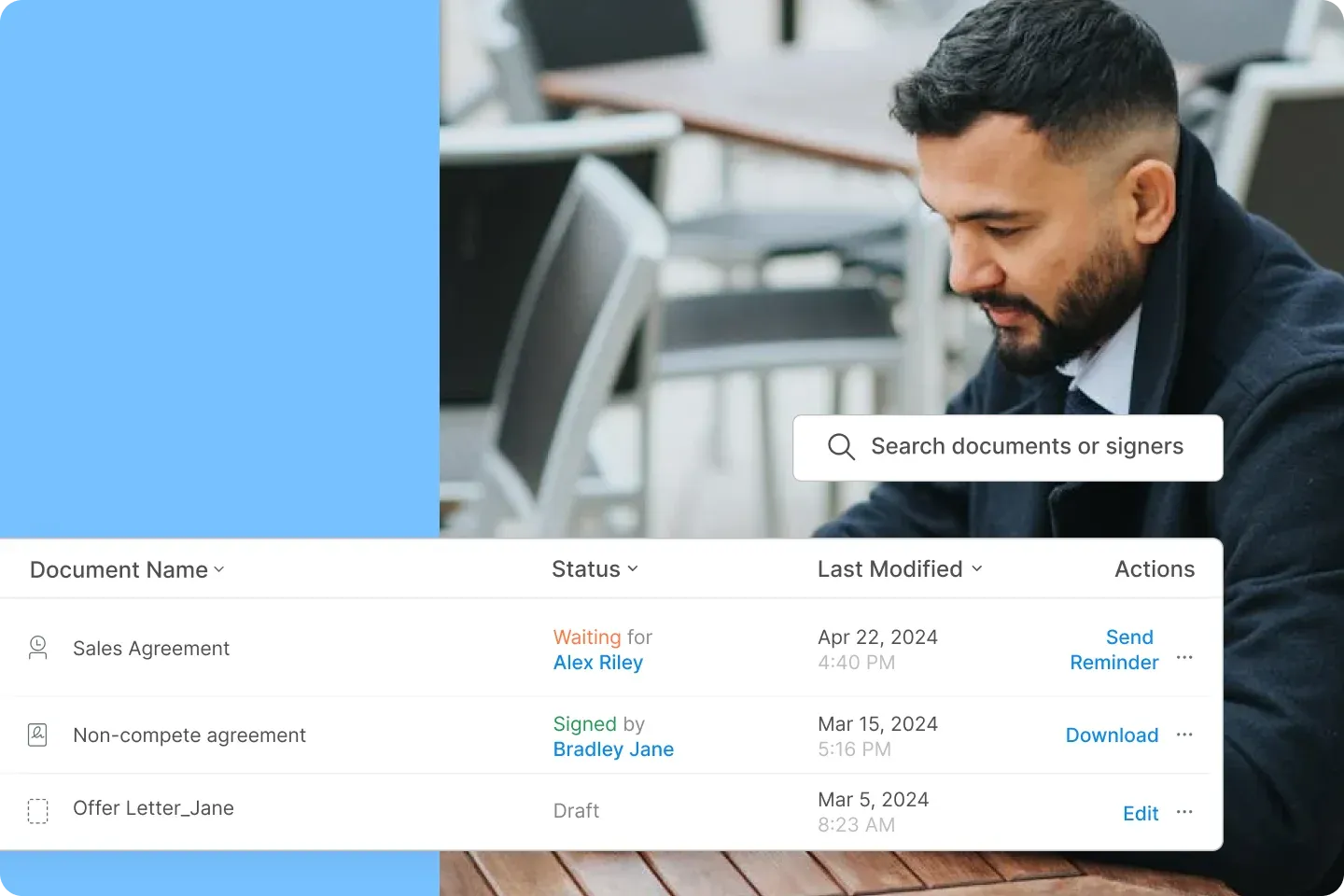
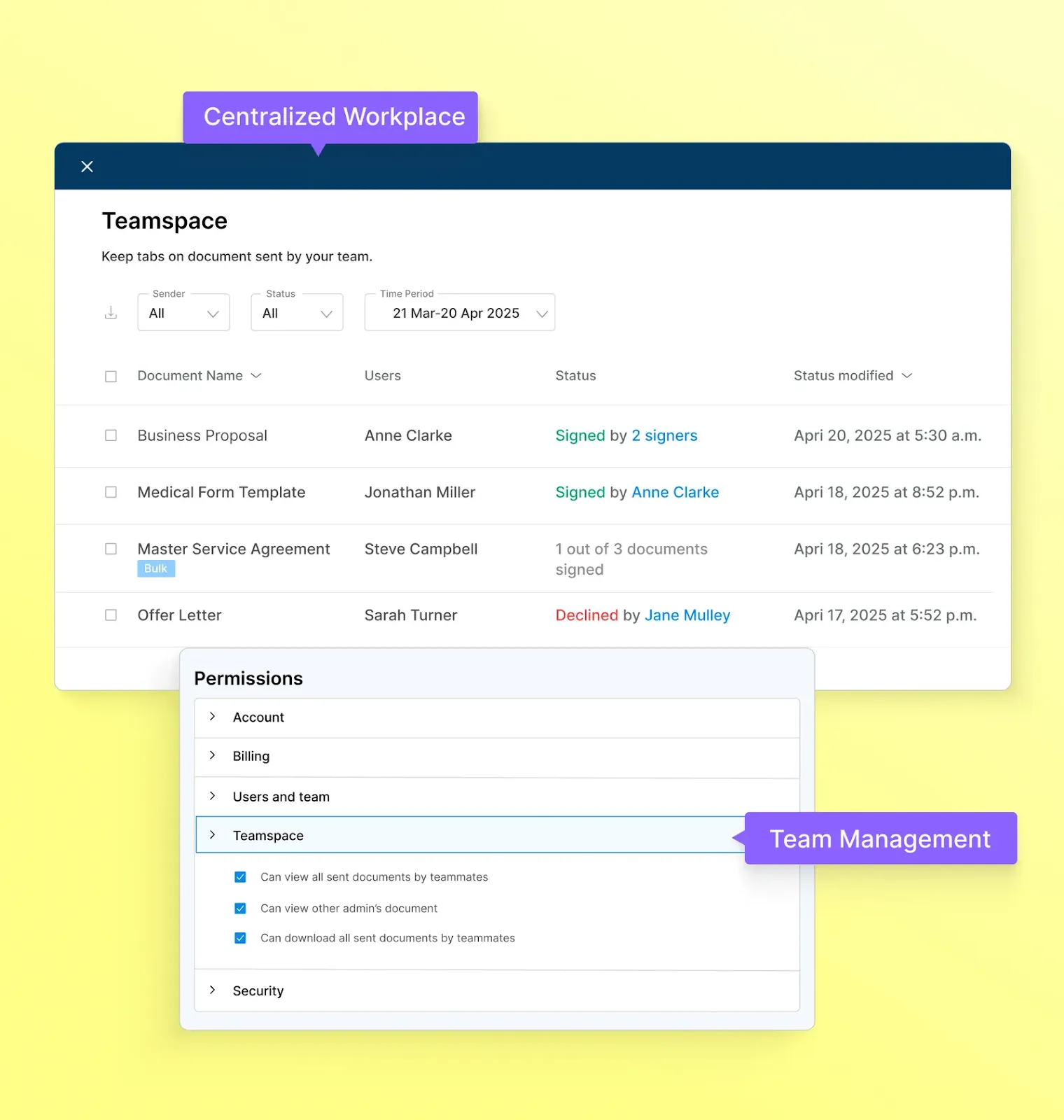
While tools like Google Drive or SharePoint can store contracts, they treat every file the same way. A contract storage solution, instead, gives teams centralized visibility, offering key details like the document name, assigned user signing status, and the last time it was modified.
For instance, Signeasy’s Spaces feature gives Sales, Legal, Finance, and Procurement shared visibility while keeping permissions tight.
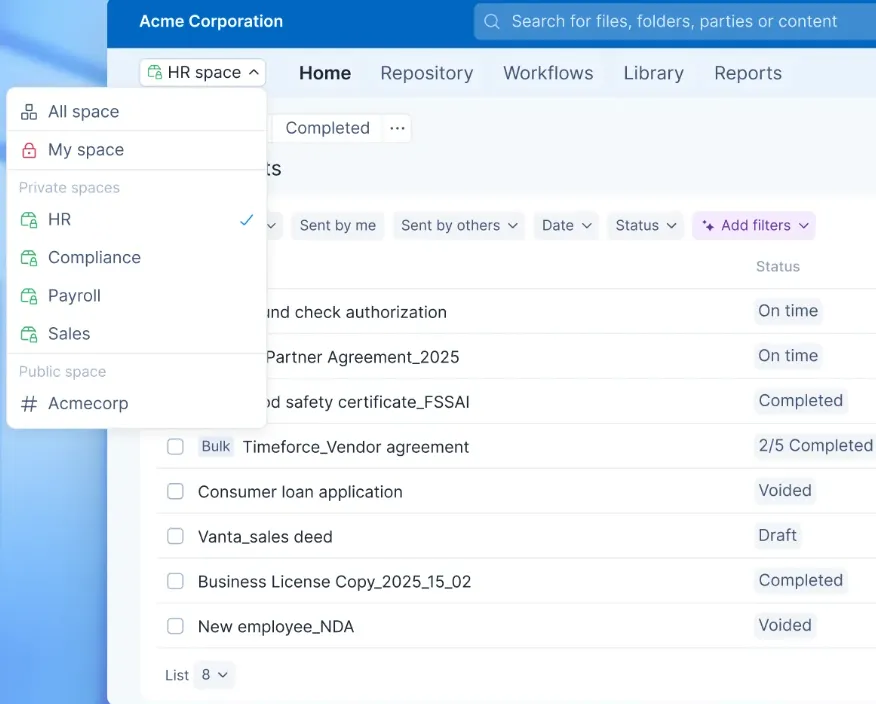
Legal teams gain clearer oversight of contract versions, approval status, and risk-related clauses. While finance teams benefit from instant visibility into commercial terms, payment schedules, and renewal dates.
As contract volume increases, these benefits compound. Less time is spent searching, and fewer deadlines are missed. Take a deeper look at how Signeasy’s contract automation benefits growing businesses.
2. Quick contract retrieval that speeds up decision-making
With centralized contract storage, teams can pull the exact contract and confirm the terms that drive action. It could be pricing, renewal windows, termination rights, SLAs, and obligations across departments. Here’s where quick contract retrieval becomes critical:
- Sales reviews the signed renewal clause and notice period before entering pricing discussions.
- HR pulls the executed offer letter to confirm non-compete or probation clauses before addressing a sensitive employee transition.
- Legal exports the final version along with its approval history to confirm whether a liability cap was revised before signing.
3. Improved compliance
According to IBM’s 2025 Cost of a Data Breach Report, the average cost of a U.S. data breach reached $10.22 million, driven largely by regulatory fines for non-compliance. In many cases, these penalties escalate when organizations cannot produce contracts that clearly define data protection obligations, security standards, or audit rights.
With solutions like Signeasy that are compliant with SOC 2 Type II, ISO 27001, GDPR, and HIPAA, you can meet regulatory requirements and minimize legal and financial risk.
4. Audit readiness
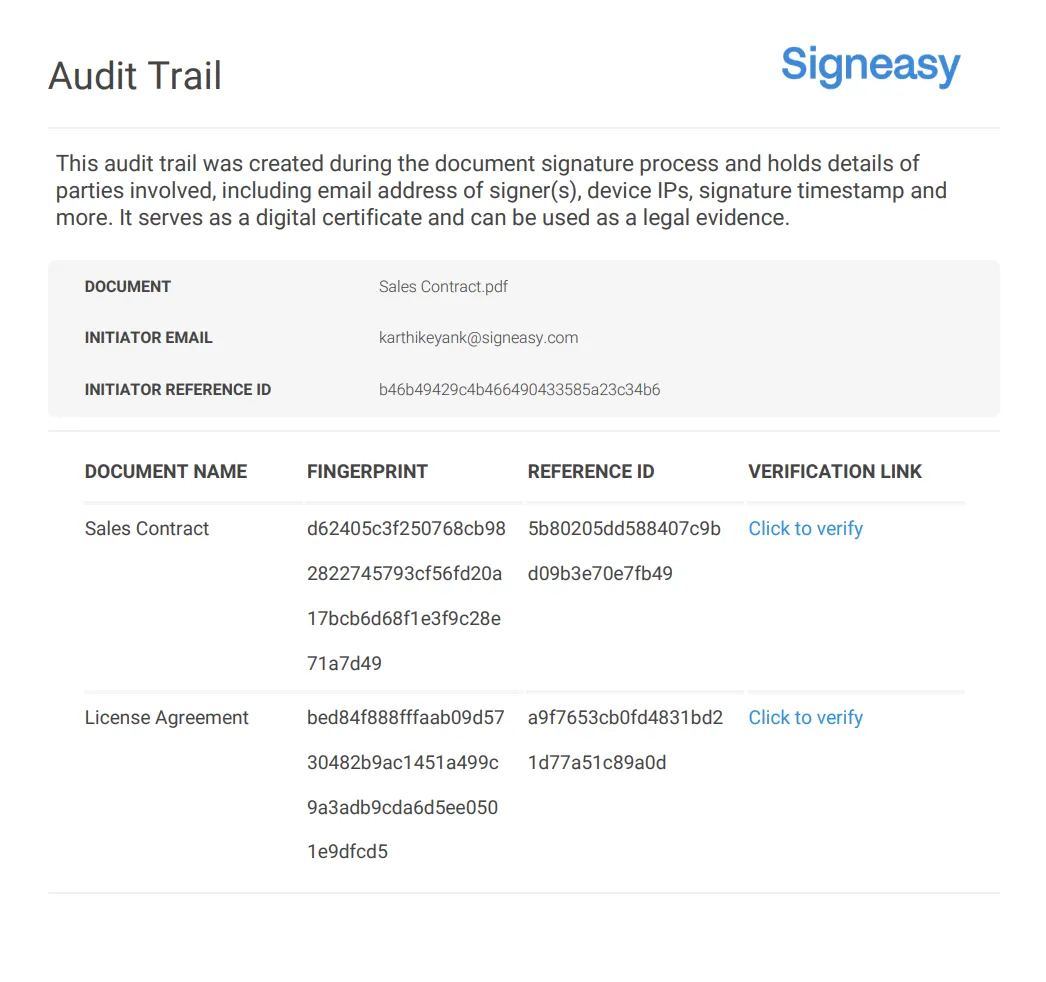
During disputes, regulatory reviews, compliance checks, or internal investigations, contracts are often questioned. Without an audit trail, teams can’t prove version integrity, validate that proper approvals were obtained, or show that the contract hasn’t been altered.
A contract storage solution supports audit readiness as it centralizes contracts, locks finalized versions, and records approval workflows and signature certificates.
Also read: How to perform a compliance audit
5. Reduced renewal and obligation risk
Contracts often come with specific obligations like payment terms or deliverables that must be met. If these aren’t properly tracked, the company may fail to comply with critical clauses, risking penalties, breaches, or damaged business relationships.
A structured contract storage system centralizes contracts and captures key metadata such as renewal dates, payment terms, and compliance obligations at the time of upload. With searchable records, automated reminders, and real-time visibility into contract status, your teams can track critical milestones and avoid missed deadlines, penalties, or compliance breaches.
Clear visibility, faster retrieval, and reduced risk are the result of a well-structured system.
However, how do you design a contract storage setup that scales with your business and holds up under audit scrutiny?
How do you build a contract storage system?
Define contracts, centralize them, standardize metadata, control access, and automate alerts. Together, these steps convert scattered files into a secure, searchable contract repository.
Let’s explore each step in detail:
Step 1: Define what needs to be stored
What qualifies as a contract in your business?
- List all contract types you use today: customer agreements, vendor contracts, NDAs, employment contracts, renewals, addendums.
- Assign ownership for each type (like legal, finance, HR, or sales).
- Define retention rules upfront — what must be kept, for how long, and who’s responsible.
- Create a short internal checklist so new contracts are tagged correctly at upload (type, owner, status).
This prevents irrelevant documents from clogging your system and ensures you never miss critical contracts.
Step 2: Centralize existing contracts
Start by consolidating all existing contracts into a single, secure digital repository. Gather contracts stored across email inboxes, drives, personal folders, cloud storage tools, and even physical files. Upload digital copies directly into your contract management system, and scan paper contracts.
You can even import a document from Dropbox, Box.net, Evernote, or Google Drive directly to Signeasy. The system automatically sorts and stores them by metadata such as contract type or signers, making it easy to retrieve and track documents at any time.
Step 3: Standardize naming and metadata
Metadata like contract type, counterparty, effective date, and renewal date are captured at the point of upload, so documents are consistent. Users can search easily, report, and track accurately, even as your contract volume grows.
For example, a contract manager can instantly filter by “vendor agreements” or search for contracts with upcoming renewal dates, and quickly pull up the right document or generate compliance reports.
Step 4: Control access and permissions
As a contract manager, you can create Teamspaces and assign access based on user roles and the type of legally binding agreements involved. Organize it by contract category, like customer agreements (MSAs, order forms, subscription agreements), vendor agreements (service agreements), and employment-related documents (offer letters, or employment/contractor agreements).
This way, users only see the contracts relevant to their role. For instance, a finance team member may have access to customer MSAs and vendor service agreements but not employment agreements stored within the HR workspace. (unless explicitly granted permission)
Plus, any access changes are automatic. So, if a user is removed from a Teamspace or role group, their visibility into all associated contracts is automatically revoked.
Watch how to assign user permissions in Signeasy to understand comprehensive role-based access: Introducing Advanced User Management with Teamspace
Step 5: Automate tracking and alerts
The auto-reminders are enabled by default with a solution like Signeasy. Your document signers receive two email reminders to complete their pending signature requests on the 1st and 7th day post-initiation.
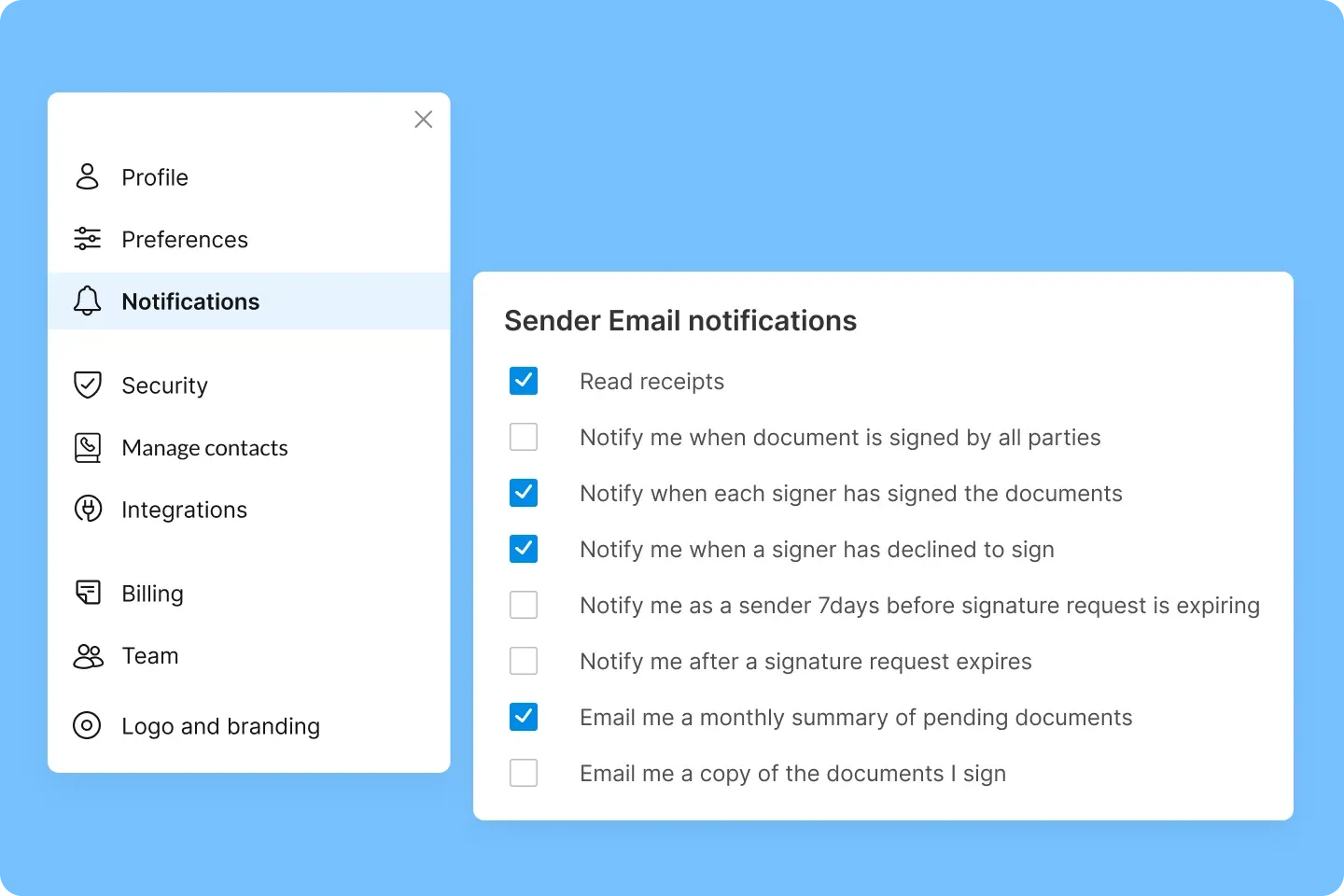
You also receive real-time email notifications for key status updates, such as when a document is viewed, signed, or completed, so you know its standing and any pending actions.
Essential features for contract storage solutions
An efficient contract storage solution surfaces key dates and negotiated clauses, improves productivity by eliminating manual contract hunts, and drives consistency with structured workflows, access governance, and complete audit records.
Use this list to assess whether a solution actually supports contract management at scale, not just document storage.
1. Centralized contract repository
Why it matters: A central repository gives you a single source of truth during audits, renewals, and escalations without duplication or version confusion. This means the stakeholders are reviewing the latest signed version, which reduces back-and-forth during compliance checks and eliminates the costly mistakes with outdated contracts.
Its intelligent contract management system lets you locate specific clauses, key terms, or contract data in seconds, without manually opening files. Contract metadata is automatically extracted and indexed, and users can create tailored views and filters to track renewals, expirations, and obligations at scale.
With clear version histories, permission controls, and traceable audit trails, teams can trust that they’re working from the final, approved contract.
2. Smart Q&A and advanced search
Why it matters: You shouldn’t need to remember file names or folder paths.
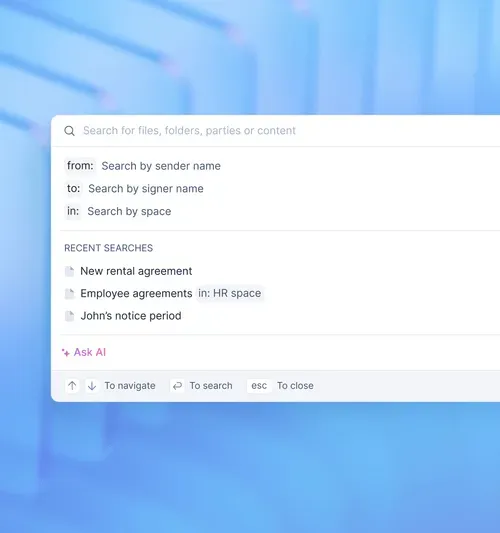
Advanced search and metadata filtering let you quickly locate contracts by sender, signer, department, or key dates. Good metadata means you can answer questions like “Which vendor contracts expire this quarter?” instantly.
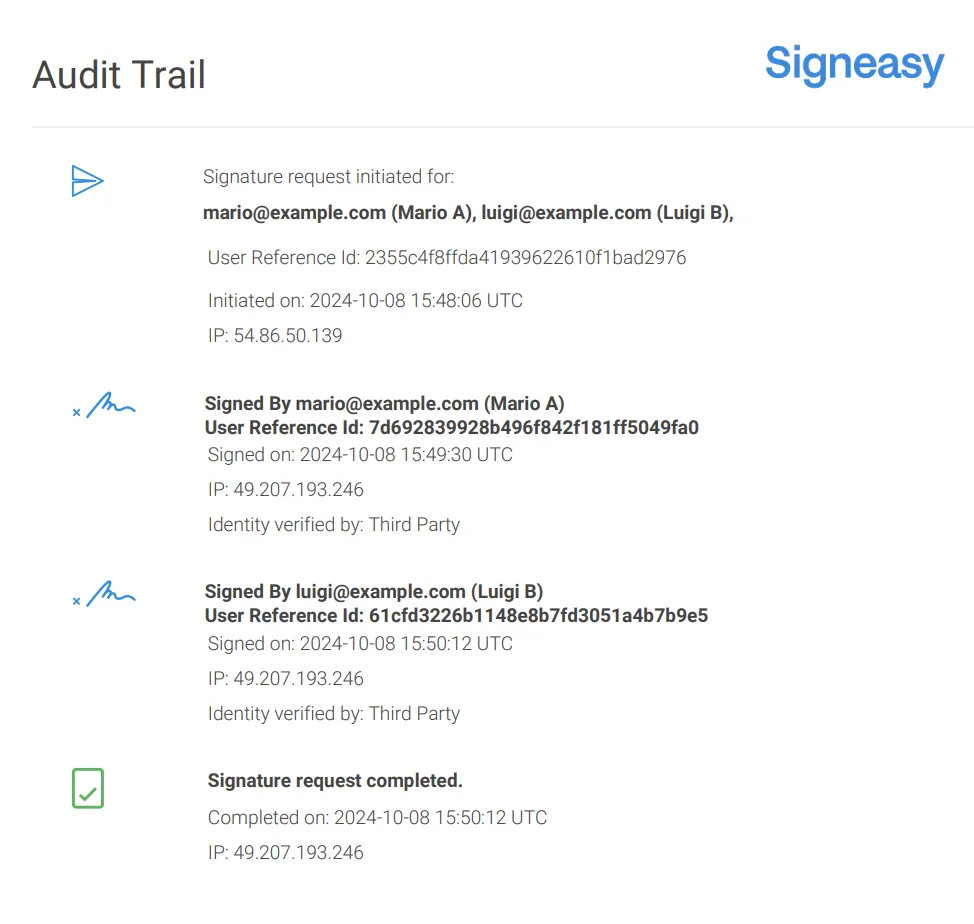
3. Access controls and audit trails
Why it matters: Access controls and audit trails are important for compliance. When sensitive contracts are involved, you need clear records of who accessed or modified each document and when.
For instance, during an audit, a compliance officer can easily track who signed an agreement and when, helping to ensure compliance with data protection laws.
4. Automated alerts and reminders
Why it matters: Manual tracking of renewals, expirations, and obligations leads to missed deadlines, causing legal and financial risk.
Choose a system that sends proactive reminders for key contract dates, like renewals or payment milestones. For example, a finance team will receive an alert when a vendor contract is about to expire, prompting timely negotiations or renewals to avoid cost increases.
5. Integration with contract workflows
Why it matters: Contracts are part of a larger process of creation, approval, and execution. Connecting storage to contract workflows ensures seamless handoffs and reduces delays.
A solution that integrates with your contract workflows automates tasks like approvals and signatures. For instance, a sales team can initiate a contract and set up an approval workflow in Signeasy so that internal reviewers sign off before the document is automatically sent to the client for eSignature. This ensures smooth, error-free transitions between stages.
Once you understand the must-have features, the next step is to evaluate the contract storage solutions available in the market and see how they stack up against each other.
Top 5 contract storage solutions compared
Choosing the right contract storage solution depends on your team’s size, workflow complexity, and how closely storage needs to connect with signing and approvals.
Let’s compare the five best options for contract storage solutions, namely Signeasy, ContractWorks, Agiloft, Ironclad, and Docusign CLM. They’re evaluated across key parameters, like setup time and automation capabilities.
While these platforms offer contract storage as part of a broader CLM suite, they come with greater complexity, longer setup times, or legal-heavy workflows.
For growing teams that need contract storage to work alongside execution and tracking, without long setup cycles or legal-heavy workflows, Signeasy offers a more practical fit.
Also read: Best contract management software in 2026
How Signeasy helps you scale as a contract storage solution
Signeasy approaches contract storage as part of a connected workflow rather than a standalone function. Contracts move through drafting, approval, signing, and storage in a single system, so teams don’t have to manage handoffs across tools.
As agreements are completed, they are automatically stored with relevant metadata, status, and audit history attached, making it easier to track obligations, monitor renewals, and retrieve documents when needed.
Built-in AI capabilities help surface key contract details and reduce the time spent reviewing documents manually, while features like templates, reminders, and flexible signing workflows keep processes consistent as volume grows.
This allows growing teams to maintain control over contracts without adding operational complexity.
Give your team a centralized, secure system built for modern contract workflows. Request demo with Signeasy!




