
.png)


What would your team do with 10–14 extra hours every week?
Atlassian research shows teams spend about 25% of their workweek searching for information before they can even complete a task.
This gap becomes obvious in document workflows. Moreland University ran into the same issue while handling large volumes of documents. Instead of preparing each one manually, the university integrated Signeasy’s API into its systems.
The results followed quickly — 43% of contracts are now signed within an hour, and overall turnaround time dropped by 50–70%.
This guide shows:
- What a document automation API is and how it connects your systems to document workflows
- How document automation APIs work, from templates to real-time tracking
- The difference between APIs and no-code tools for document automation
- Key benefits and features to evaluate for high-volume document workflows
- How Signeasy helps automate contract generation, signing, and tracking
What is a Document Automation API?
A document automation API allows two applications to communicate so documents can be created and managed automatically.
Your system sends data. The API receives it, processes it, and returns a ready document or triggers the next step, like sending it for signature.
Instead of handling documents manually, your application connects directly to a document workflow engine.
Here’s how it plays out:
- Your CRM sends customer data → the API generates a contract
- Your HR system sends candidate details → the API creates and sends an offer letter
- Your billing system sends transaction data → the API generates an invoice
Suggested read: What is an API contract, and how is it used?
How does a document automation API work?
Once integrated, a document automation API follows a defined sequence where your system triggers and controls each step in the workflow.
This is how the process typically works:
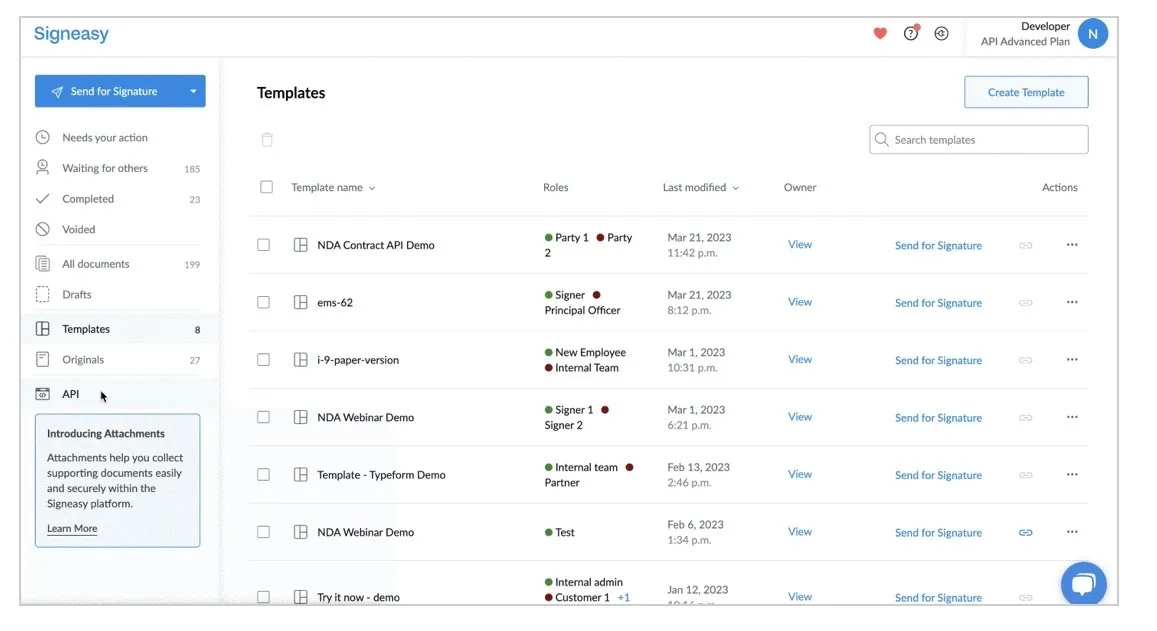
1. Templates with dynamic fields
You design documents as templates that include fixed content (like legal terms or formatting) and dynamic fields (placeholders for variable data). These fields are tagged and mapped so the API knows exactly where incoming data should be inserted.
2. API integration with your system
The application connects to the API using endpoints and authentication methods such as API keys or OAuth.
This integration allows the system to trigger document workflows programmatically based on specific events such as a status change in a CRM, a completed form, or a successful payment. The API acts as the bridge between your system and the document engine.
3. Structured data exchange
When a workflow is triggered, the system sends data in a structured format (typically JSON). Each data field is mapped to a corresponding placeholder in the template.
This mapping ensures that the right values such as customer details, contract terms, or dates are inserted into the correct locations without manual input.
4. Automated document generation and delivery
The API processes the request, merges the template with the incoming data, and generates a finalized document (usually in PDF or similar formats).
It can then automatically send the document to recipients via email or embed it within an application for signing.
Routing rules can also be applied, such as sending the document to multiple signers in a specific order.
5. Status tracking and record management
After the document is sent, the API continues to manage its lifecycle. Webhooks or callbacks notify the system in real time when actions occur, such as when a document is opened, signed, or completed.
The final signed document, along with metadata and audit logs, can be stored in the system for compliance, reporting, or future reference.
Document automation API vs no-code tools
Both options help you automate document workflows. The difference comes down to control, scale, and how deeply you want automation embedded into your systems.
A side-by-side comparison makes the differences clear:
Benefits of using a document automation API
As document volume grows, inefficiencies slow revenue, approvals, and onboarding. A document automation API removes these bottlenecks by shifting document workflows from manual tasks to system-driven processes.
The impact shows up across speed, accuracy, and scale:
1. Eliminates repetitive manual work
Document creation often involves pulling data from multiple systems, updating templates, and sending files manually. In industries like education, this shows up when teams prepare enrollment agreements using student data from SIS platforms.
A document automation API eliminates this by triggering document creation directly from your SIS, without manual steps.
2. Reduces errors from copy-paste processes
A single incorrect student record, outdated policy clause or missing patient detail can lead to compliance issues or rework. In industries like insurance, even a small data mismatch in a policy document can delay approvals.
A document automation API maps data directly from source systems, removing the risk of manual entry errors.
3.Speeds up document turnaround
Document delays often come from manual preparation and back-and-forth between teams. For example, in healthcare, this can slow patient onboarding, and in insurance, it can delay claims processing. A document automation API removes that friction.
4. Scales document generation without increasing headcount
As document volume grows, manual processes break down. For example, during peak admissions cycles or high claim volumes, teams struggle to keep up. A document automation API allows systems to handle increasing workloads automatically, without adding operational overhead.
5. Improves visibility with tracking and audit trails
Manual workflows make it hard to answer simple questions — Has the document been sent? Who signed it? What version is final? For example, in regulated industries like healthcare or insurance, this lack of visibility creates compliance risks.
A document automation API provides real-time tracking and centralized records, giving teams clear visibility into every stage of the document lifecycle.
Key features to look for in a document automation API
Once document workflows become part of your core operations, the API you choose directly impacts how reliably those workflows run. Feature gaps become obvious quickly — missed data, broken workflows, or delayed completions.
To avoid that, focus on capabilities that support real, high-volume document operations:
1. Flexible data mapping and dynamic fields
A document automation API should allow your system to pass structured data and map it directly to fields within a document. With Signeasy’s API, this happens through merge fields, where each field links to a specific data point (like student ID, policy value, or patient name).
When a workflow is triggered, your system sends this data in a structured format, and the API automatically inserts it into the correct fields.
The API generates documents with precision, not just speed. For example, an insurance policy document can pull coverage details directly from underwriting systems, or an enrollment agreement can populate student data from an SIS without manual input.
The result is consistent, accurate documents every time, even at high volumes.
2. Built-in eSignature capabilities
With built-in eSignature capabilities, teams can send, sign, and complete documents within the same workflow, without switching tools.For example, Signeasy’s API supports embedded and remote signing, allowing recipients to sign documents directly from email or within your application. You can define signer roles, set signing order, and place signature fields within templates.
3. Webhooks and real-time status updates
A document automation API should keep your system informed at every stage of the document lifecycle. Instead of manually checking status, your system receives updates automatically as events happen.
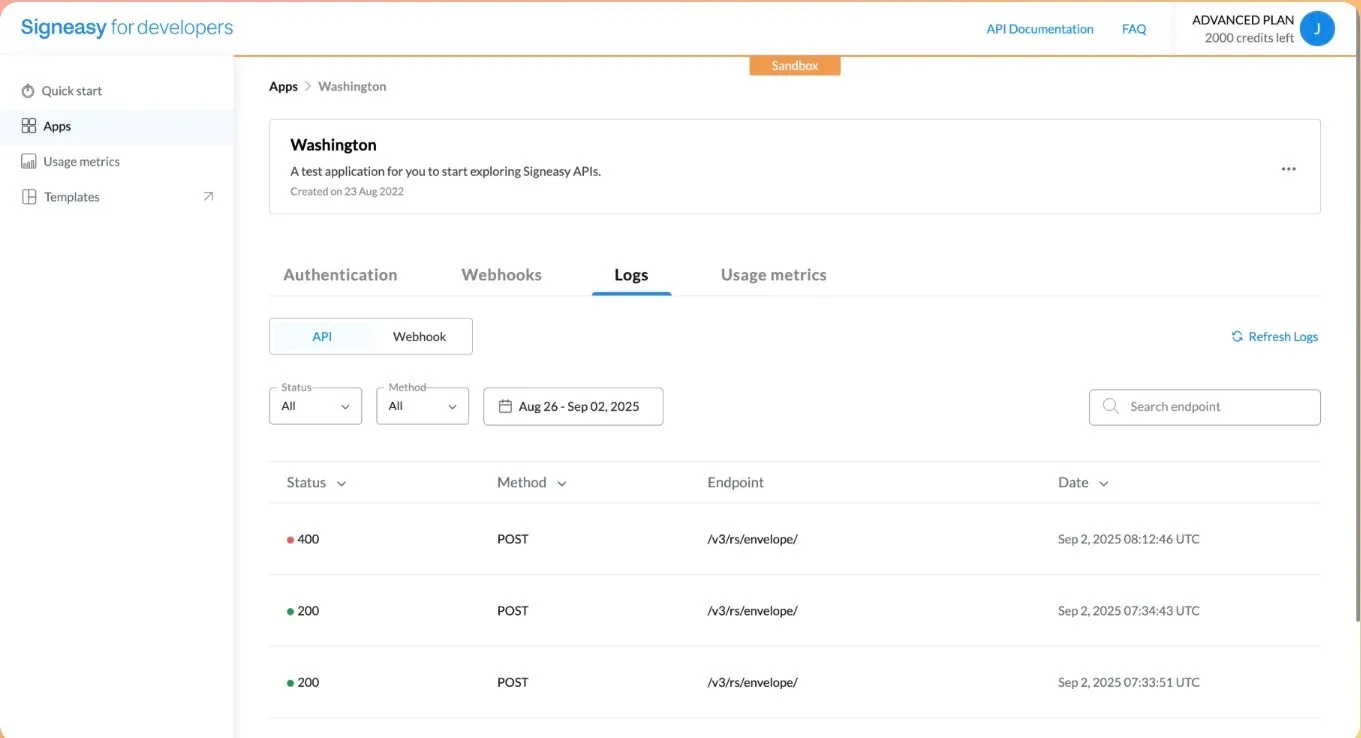
Signeasy’s API uses webhooks to send real-time notifications when key actions occur such as when a document is sent, viewed, signed, or completed. These updates flow back into your system instantly, so workflows can move forward without delays.
4. Security, encryption, and compliance support
A document automation API should protect sensitive data at every stage such as transmission, storage, and access. This includes encryption, secure authentication, and controlled access to documents.Signeasy’s API supports secure data handling through encrypted communication and access controls, ensuring that documents like student records, patient information, or insurance policies remain protected.
It also maintains audit trails for every document action, which helps organizations meet compliance requirements such as HIPAA, eiDAS and industry-specific regulations.
5. High availability and performance reliability
Document workflows often sit on critical paths — admissions, patient intake, claims processing. Any downtime or delay directly impacts operations.A reliable document automation API ensures consistent performance, even during high-volume periods. Signeasy’s API is built to handle large-scale document workflows with stable uptime and predictable performance, so documents are generated, sent, and completed without interruptions.
Also read: What is an eSignature API?
Why choose Signeasy for document automation
Most document automation tools stop at generation or signing. What follows — tracking, handoffs, and follow-ups — is where workflows typically break down. Contracts often get delayed due to handoffs, manual follow-ups, or disconnected systems.
Signeasy focuses on this stage. It connects document generation, signing, and tracking into one API-driven workflow. Contracts are sent and completed as soon as your system triggers them.

Key features include:
1. Easy-to-integrate REST API designed for developers
Integrate quickly into existing systems, so contract workflows can be triggered directly from platforms like SIS, EHR, or claims systems without rebuilding your stack.
2. Automated document generation and sending
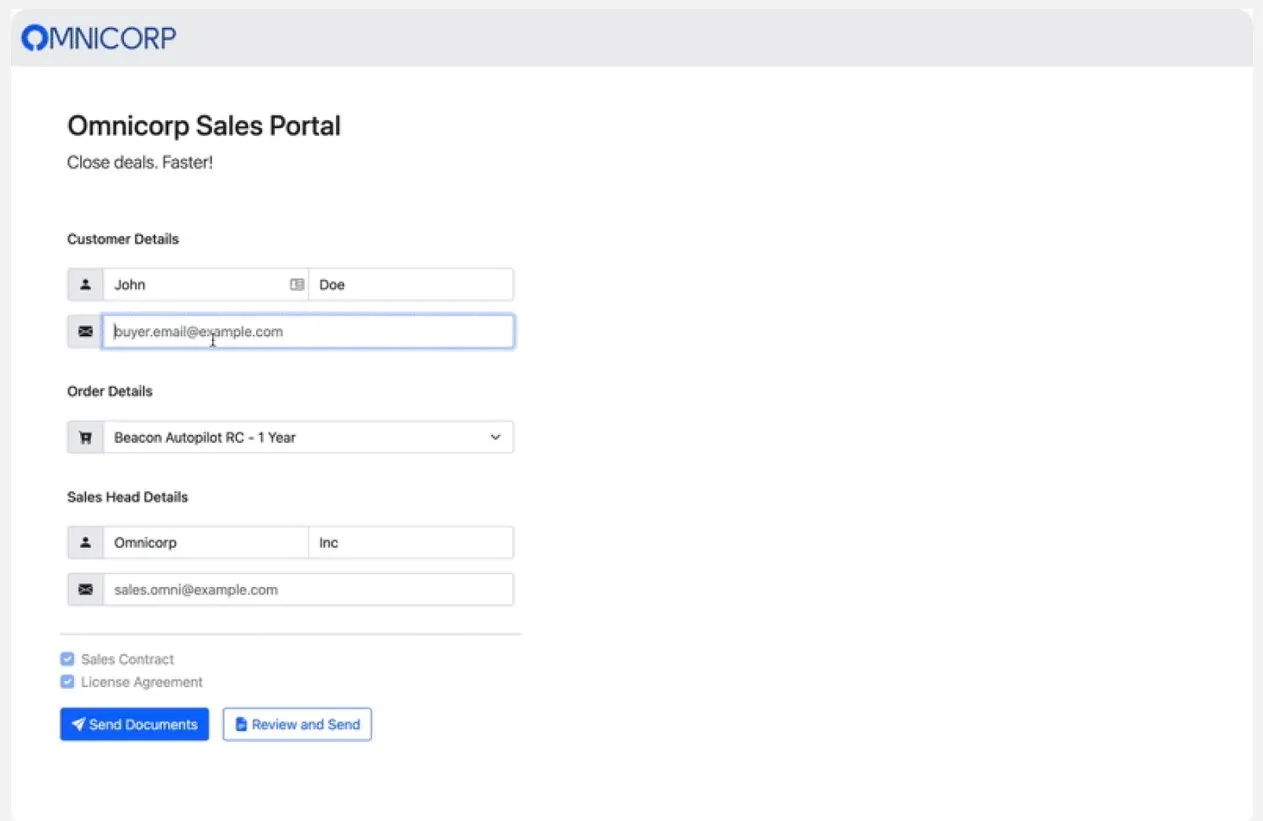
System triggers automatically create and send files. Whether it’s an enrollment agreement, consent form, or policy document, the process runs without manual intervention once configured.
3. Embedded eSignature within your product or workflow
Users sign within your application or through secure links, keeping them in the flow and reducing drop-offs at the final step.
4. Real-time tracking with webhooks and audit trails
Track every contract action in real time. Your system gets instant updates, so you always know what’s pending, completed, or delayed without manual follow-ups
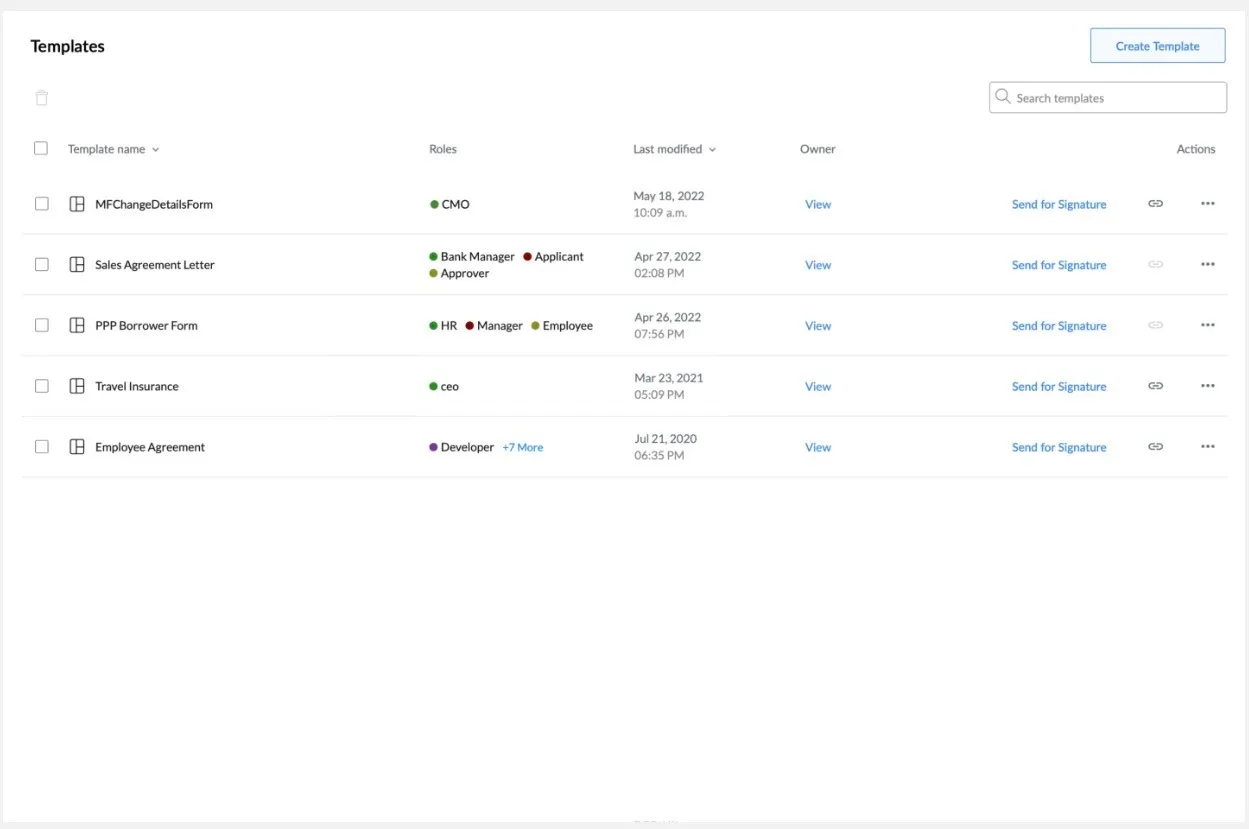
5. Reusable templates for high-volume documents
Save frequently used files like contracts, NDAs, or consent forms as reusable templates. Preloaded data from your systems can auto-fill fields, reducing repetitive setup each time.
6. Custom branding for a consistent signing experience
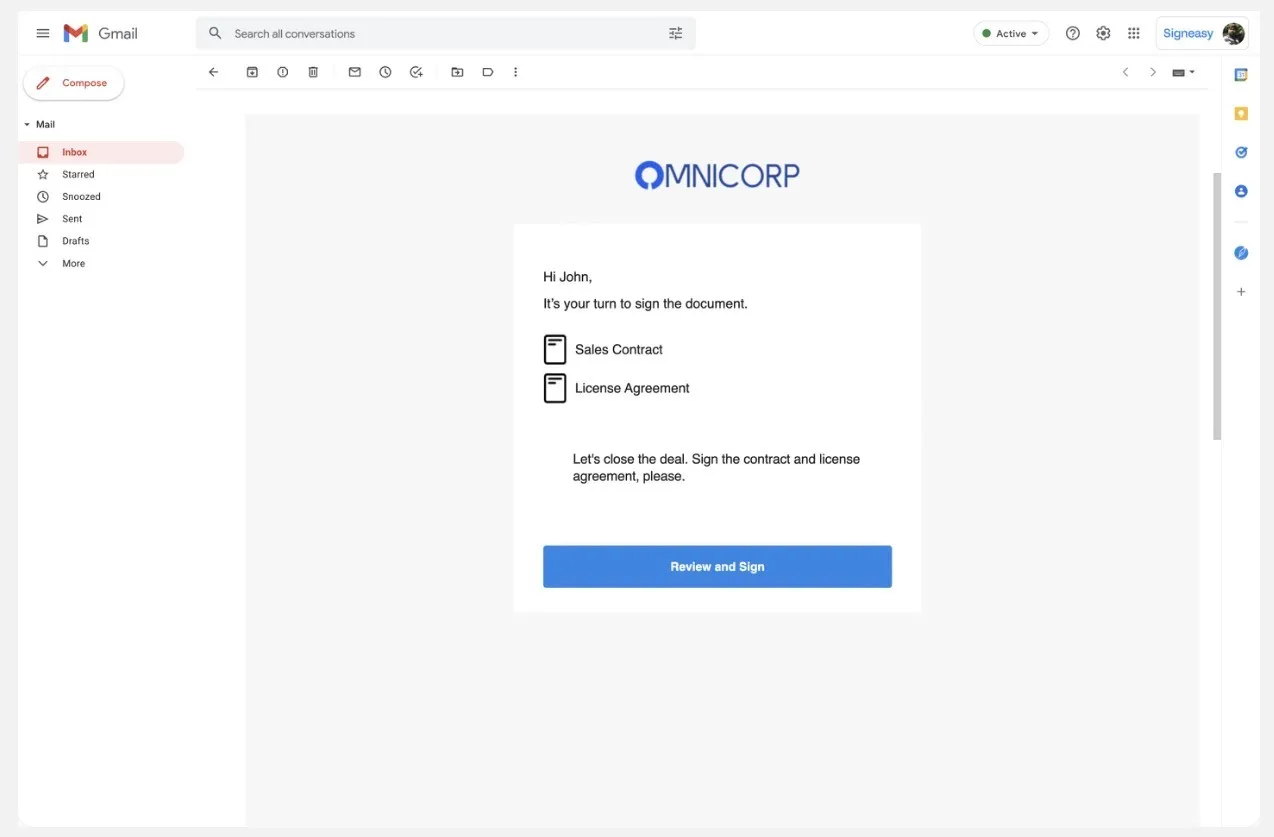
Add your company name, logo, and brand elements to signing workflows. Recipients get a polished, familiar experience that builds trust and can improve completion rates.
7. Secure storage and compliance-ready infrastructure
Store agreements with encryption, access controls, and audit logs to support compliance requirements across regulated industries.
8. Mobile-friendly execution for distributed teams
Review and sign agreements on any device, including iOS and Android, helping teams complete work faster from any location.
Ready to remove delays from your contract workflows?
Start building with Signeasy’s API and get your agreements signed when it matters most. Start Free Trial.