


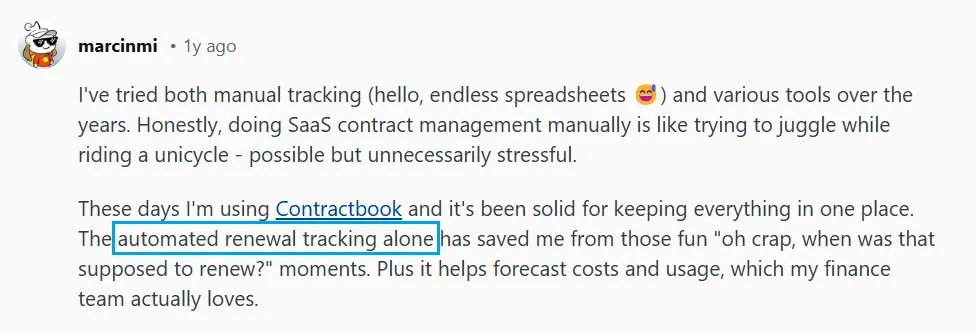
If you've been scouring Contractbook reviews, you've probably noticed something interesting. Users love the automation and responsive customer support:
Source
But obviously, not everyone's experience has been smooth. Implementation cycles and limited customization are sticking points:

Source
The real question isn't whether Contractbook works — it does. It's if you need that level of depth.
Most teams don't need enterprise-grade contract management with 50+ integrations. They need answers to basic questions: Where's the latest contract version? Who needs to approve it? When does it renew? What terms did we agree to?
This Contractbook review covers everything you need to know:
- Core features and actual functionality
- Pricing breakdowns and Signeasy comparisons
- Real user feedback on ease of use
- Investment value for your business
First, a quick primer.
What is Contractbook?
Contractbook is a contract management platform for drafting, signing, storing, and tracking contracts in one central system. It includes eSignature capabilities, template libraries, automated reminders, and workflow automation with AI-powered data extraction.
Best for legal teams, procurement groups, and mid-market companies needing deep contract management with complex approval workflows. However, users report 6-month setup times and unclear pricing requiring demo requests.
Signeasy offers similar AI contract intelligence with efficient deployment, published pricing, and unlimited sending for mid-sized businesses needing reliable contract management.
How we sourced our data
To provide accurate recommendations, we reviewed Contractbook's official website, pricing pages, feature documentation, and user help resources. We also analyzed verified user reviews from G2, Capterra, and Trustpilot, examining feedback patterns across different company sizes and industries.
Our evaluation focused on ease of use, onboarding timelines, cost transparency, and contract management features. This approach saves you hours of research and helps you determine whether Contractbook fits your business needs.
Contractbook features: A closer look
Contractbook positions itself as an all-in-one contract management system with built-in AI capabilities. Here's what users say about the platform's key features.
1. Centralize with AI
Contractbook's AI Import scans uploaded contracts and extracts key details like parties, dates, and payment terms automatically. Drag and drop files, and the system turns static PDFs into searchable records without manual entry.
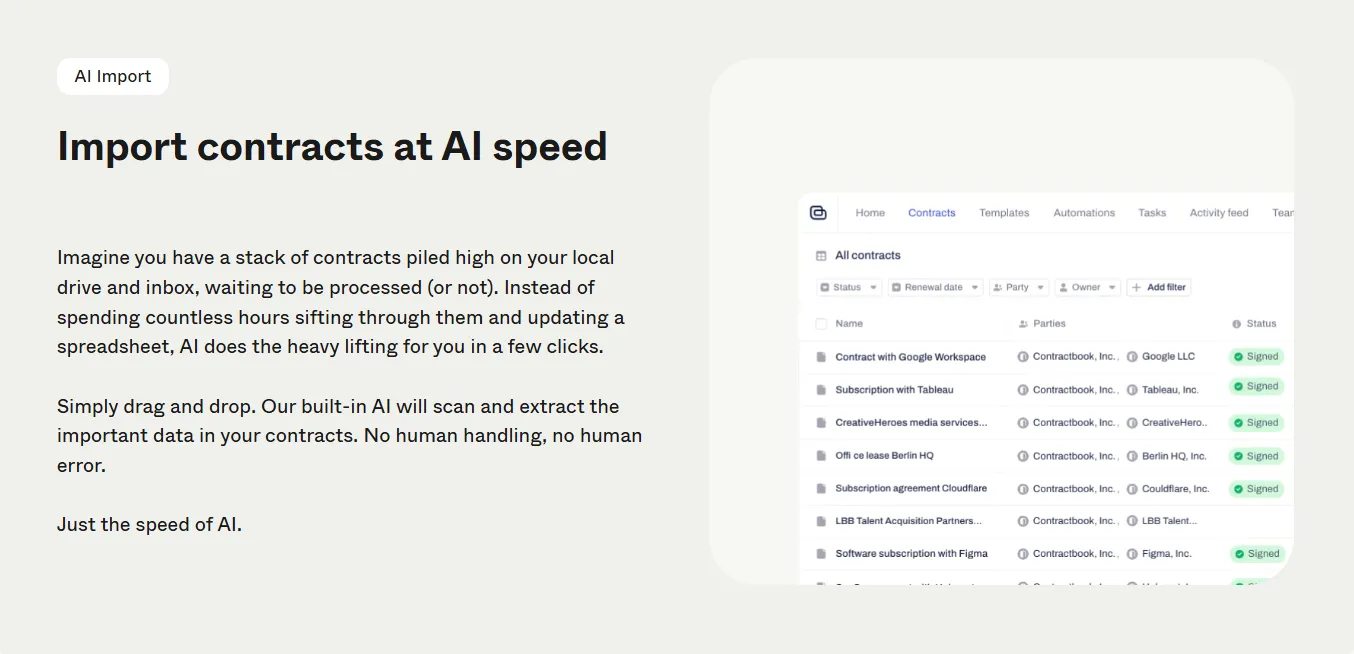
Filter contracts by counterparty, expiry date, or custom fields, set up recurring filters for contracts needing attention, and generate automatic reminders based on extracted dates. Contractbook reviews highlight this feature as a time-saver for teams with legacy contracts scattered across drives and inboxes.
Pros: Users praise centralized contract storage and automated renewal reminders as reliable for tracking contract portfolios.
Cons: Some reviewers report occasional bugs and stability issues during bulk imports.
2. AI contract assistant
Ask questions like "What's the termination clause?" or "When does this renew?" and get answers pulled directly from the document. The assistant also summarizes long agreements and flags potential issues based on standard clauses.
Contractbook reviews from legal teams mention using this to speed up due diligence. However, some users note the AI occasionally misses context in complex agreements.

Pros: Legal teams praise the Q&A functionality for speeding up due diligence and contract review processes.
Cons: AI occasionally misses context in complex agreements, requiring manual verification of extracted information.
3. Get insights with data
Contractbook turns centralized contracts into a filterable database. Create custom views based on contract type, renewal date, counterparty, or any extracted data field. OCR scanning converts older contracts and scanned PDFs into searchable documents.
Set contract-specific reminders, assign renewal tasks to teammates, and track approvals in real time.
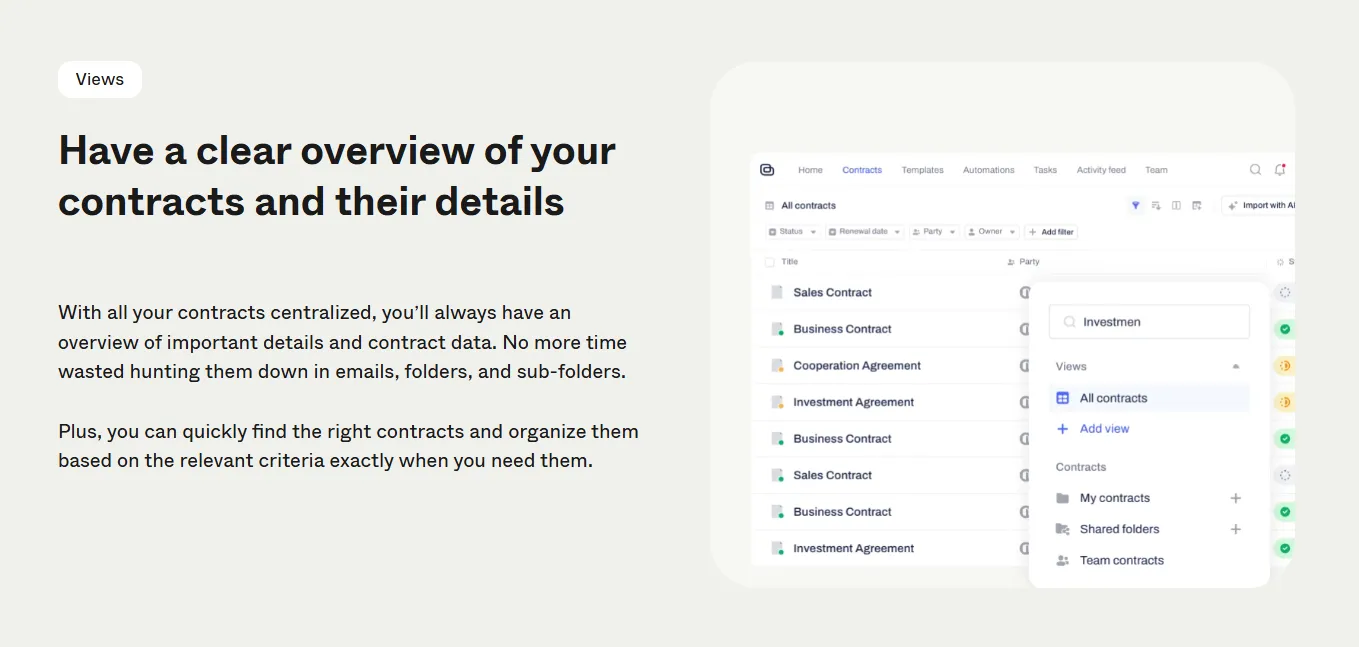
Pros: OCR scanning and filterable database views help teams quickly locate specific contracts and track renewals.
Cons: Limited template customization restricts advanced filtering options for some use cases.
4. Create, collaborate, and sign
Contractbook includes template-based contract creation with customizable data fields. Template owners control who can view, edit, or manage each template. Collaboration happens in real time with version history tracking every edit and approval.
Signing features include specified signing order with automated reminders, legally binding eSignatures across jurisdictions, and audit trails tracking every action. The no-code automation builder lets you create conditional workflows.
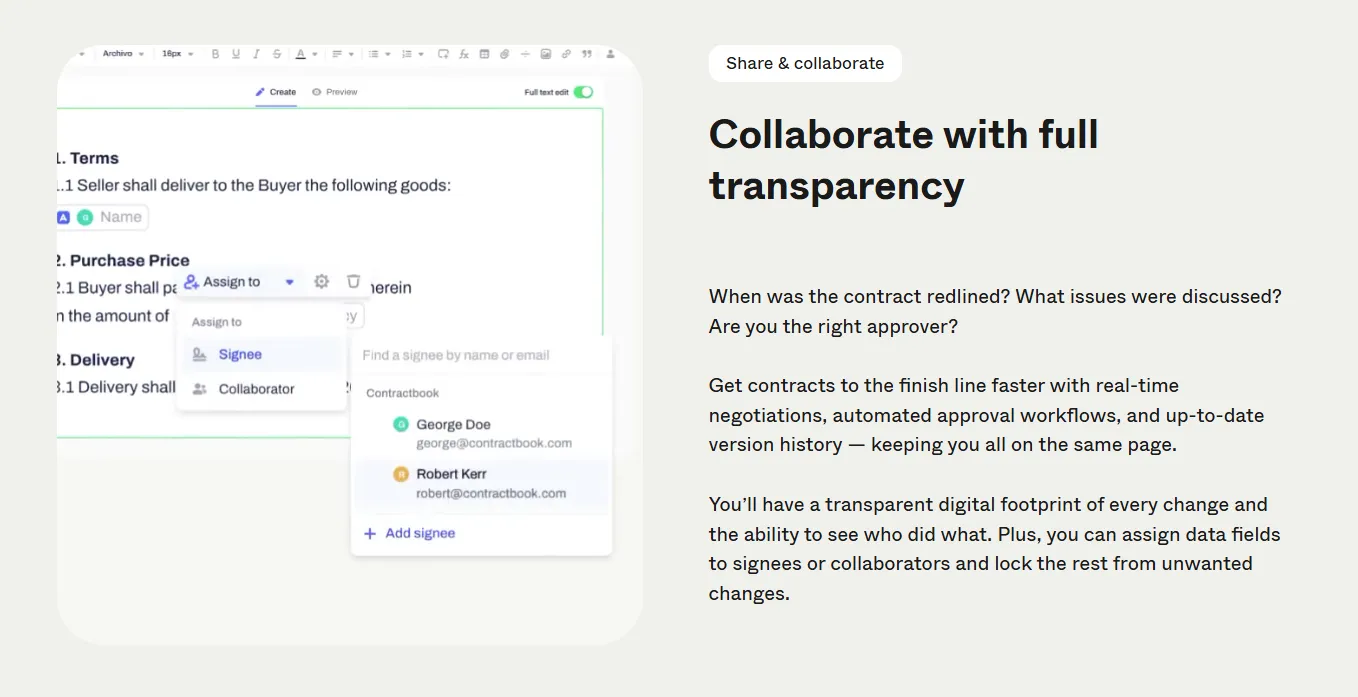
Pros: Smooth CRM integrations and workflow automation receive consistent praise.
Cons: Unclear renewal billing causes confusion for some users during subscription renewals.
Contractbook vs Signeasy features at a glance
Both platforms offer AI-powered contract management, but they differ in ways that influence setup, contract indexing, and cost clarity. Let's see how they compare across the feature categories that mid-sized businesses prioritize.
Contractbook leads in workflow automation and conditional template logic for legal teams managing approval chains across departments.
Signeasy focuses on a different model with features like in-person signing on mobile devices, public signing links that don't require recipient accounts, signer attachments for ID verification, and published pricing that skips the demo process.
Signeasy's Intelligent Contract Management includes an intelligent repository that categorizes documents by action stage, and API access comes included.
For mid-sized businesses that need reliable contract management without lengthy deployment, Signeasy delivers key capabilities like fully disclosed costs and eSign tools that work immediately.
Time to see what you're signing up for.
Contractbook pricing and plans
Contractbook uses a tiered subscription model with four main plans: Essential, Centralize, Accelerate, and Custom. All plans require demo requests for quotes, making upfront cost comparisons difficult. Add-ons like API access, Zapier integration, and Salesforce connectivity cost extra, with availability varying by tier.
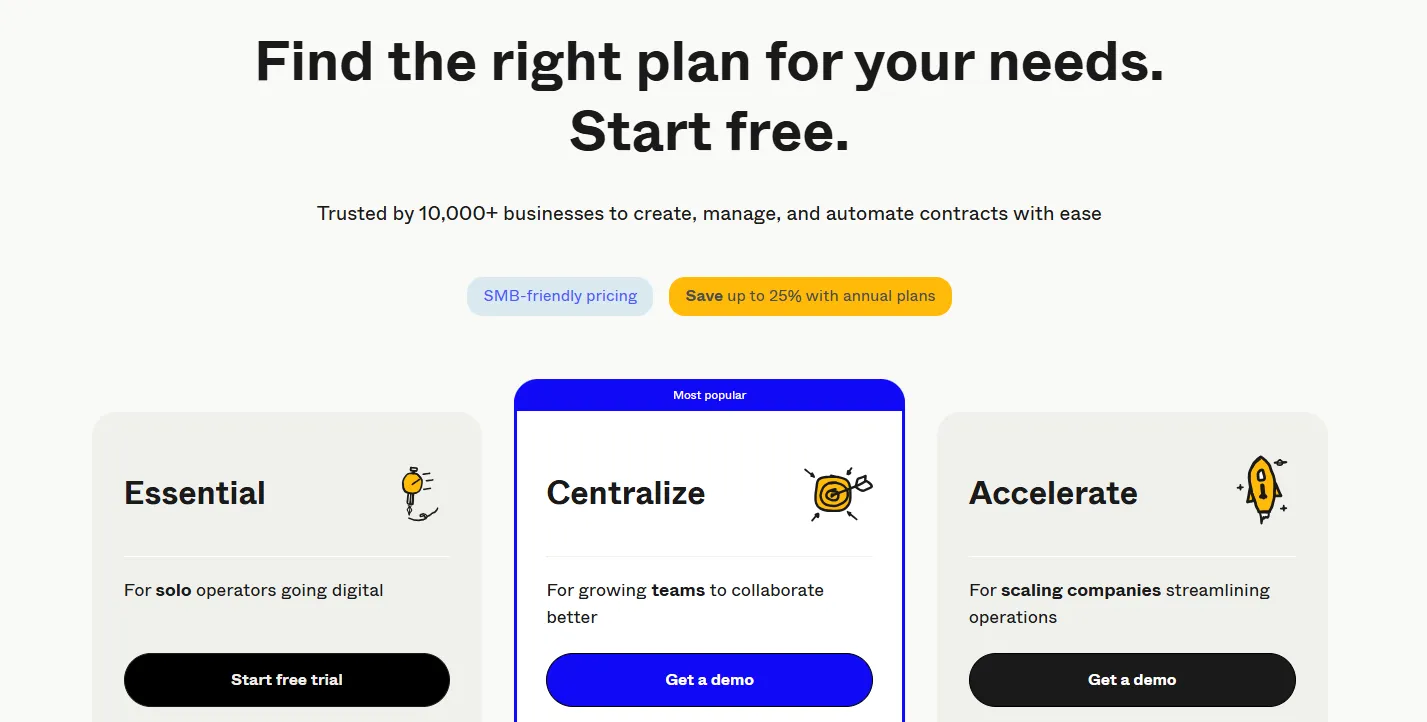
The main pricing concern from Contractbook reviews: annual contract limits ranging from 100 to 500 contracts depending on tier. As your contract volume grows, you'll face upgrade pressure or overage costs. HubSpot integration comes only with Accelerate plans, while other CRM connections require paid add-ons.
For detailed pricing breakdown and tier-by-tier comparison, see our complete Contractbook pricing guide.
Contractbook vs Signeasy: Pricing comparison
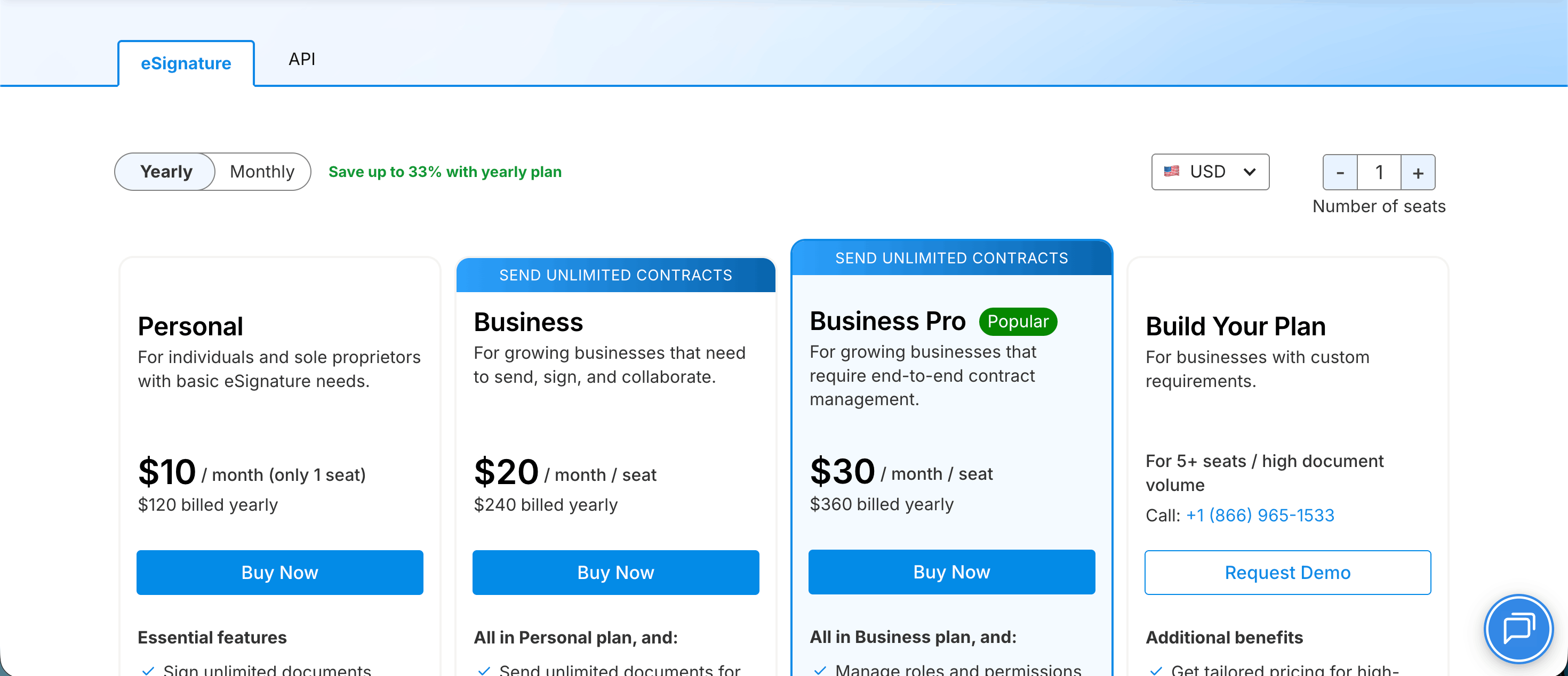
The table below highlights cost transparency differences, including pricing availability, annual contract limits, AI feature inclusion, and setup timelines:
The main pricing concern from Contractbook reviews: annual contract limits ranging from 100 to 500 contracts depending on tier. As your contract volume grows, you'll face upgrade pressure or overage costs. HubSpot integration comes only with Accelerate plans, while other CRM connections require paid add-ons.
Signeasy offers published pricing with unlimited contracts, AI features, and core integrations without add-on fees. Teams know exactly what they're paying before committing.
The user experience, unfiltered.
Ease of use: Is Contractbook user-friendly?
Contractbook reviews regularly mention the platform's clean interface and visual appeal. Users describe the layout as organized and visually intuitive, but learning to navigate the full feature set takes time.
1. Interface design and onboarding experience
The system uses a workspace-based system where you organize contracts into folders called "Spaces." The visual design feels modern with clean navigation menus and a dashboard that displays contract statuses at a glance.
One G2 reviewer noted the interface is "very clean and modern," while a Capterra user praised how "the interface is clean and user-friendly."

Source
Onboarding is where Contractbook's rating takes a hit. The platform offers guided onboarding with a dedicated success manager for Centralize and Accelerate tiers, but deployment timelines stretch longer than expected.
A G2 review from an education management user mentioned spending "less than six months setting up how Contractbook would work better for us."
Another Capterra reviewer noted "the onboarding was longer than expected" and found it "wasn't particularly intuitive."

Source
For teams running standard workflows, the 10-hour configuration support included with some plans helps. For complex workflows requiring custom automation, expect multiple consultation calls and configuration sessions.
2. Learning curve for new users
The learning curve varies by use case. If you're sending standard contracts with basic fields, you'll be up and running in no time.
One Capterra user managing simple contract workflows said it was "easy to use" and required no special training. A Trustpilot reviewer confirmed: "Excellent interface, easy signing."

Source
But the learning curve steepens for teams using automation, dynamic templates, conditional logic, and approval chains.
The automation builder requires understanding how to set triggers, conditions, and actions. A Capterra review mentioned the platform "could benefit from more differentiated user roles" since regular users get access to automation features they don't need, creating confusion.
If your team uses advanced features, it helps to designate one person to manage template setup and automation configuration while others rely on pre-built workflows.
3. Speed of setup and sending documents
Once templates are configured, sending contracts is refreshingly easy. You select a template, fill in dynamic fields, assign signers, set the signing order, and send. A G2 user noted Contractbook:

Source
The catch: template creation takes longer than competitors. You're not just uploading a PDF and dropping signature fields. You're building structured templates that support dynamic fields and approval logic.
The extra setup makes sense for teams sending the same contracts at scale, but it’s overkill for one-off agreements.
4. Mobile usability
Contractbook offers basic mobile web access with no dedicated mobile app yet. You can review contracts, approve workflows, and sign documents from a mobile browser, but the experience isn't optimized for small screens.
None of the Contractbook reviews we scoured specifically praised mobile functionality — which is telling.
Given these usability considerations, here's what the Signeasy experience looks like.
What about Signeasy
Now let’s see how Signeasy trims setup headaches, keeps templates simple, and gets contracts out the door right away.
1. Ease of use
Setup can take anywhere from minutes to a few weeks based on team size and workflow complexity. A G2 reviewer called it "seamless" with an "intuitive interface," while another noted "setting up an account takes just a few minutes."

Source
Signeasy doesn't require dedicated onboarding hours or success manager onboarding unless you're on the Build Your Plan tier.
Also Read: Signeasy reviews, ratings, and features 2026
2. Mobile experience
Signeasy includes full native mobile apps for iOS and Android with features built specifically for mobile workflows. You get iOS 18 widgets for quick access to templates and pending documents, Control Center shortcuts, Apple Pencil support for natural signing, and offline signing with biometric authentication.
Multiple reviews mention using Signeasy "on the go" and signing contracts "from anywhere." One G2 user commended:

Source
3. Setup speed
Template creation in Signeasy is intuitive: upload your document, drag fields onto the page, assign roles, and save. You can create reusable templates in under five minutes.
A Capterra reviewer switching from Docusign noted Signeasy was "affordable and fit our small business needs better" without mentioning lengthy setup periods.
4. Customization
Contractbook lets you create more complex templates with conditional logic, while Signeasy keeps things easy to use.
You get custom branding, pre-assigned roles, template tags for auto-population, and sequential signing workflows without needing to build complex automation rules. Mid-sized businesses can handle nearly all contract tasks with this setup, without complicated configuration.
But what about the competition? Contractbook competes with well-known names like Docusign, SignNow, and PandaDoc. If you want the full rundown on how these platforms compare (features, costs, implementation speed) check out our Contractbook alternatives guide.
As you finalize your decision on Contractbook, check whether Signeasy fits your use case.
Contractbook vs Signeasy: Which platform fits your business?
When should you choose one over the other? Let’s find out!
1. When Contractbook makes sense
Contractbook works for legal teams and procurement departments managing complex contract portfolios. You'll benefit most if you:
- Have dedicated resources for extended rollout timelines
- Need dynamic templates with conditional clauses based on location, contract type, or value thresholds
- Manage hundreds of contracts requiring granular tracking and reporting
- Can justify custom pricing based on specific workflow requirements
Industries: Legal services, procurement-heavy manufacturing, regulated healthcare organizations, enterprise SaaS companies with complex vendor agreements.
Use cases: Multi-party vendor contracts with staged approvals, employment agreements with location-specific clauses, client service agreements requiring legal review chains.
2. When Signeasy delivers better value
Signeasy targets mid-sized businesses (200-5000 employees) across departments — HR, sales, operations, finance, IT — that need reliable contract management without extended setup times.
- Signeasy’s benefits include:
- Speed to value: start signing in minutes, full deployment in hours
- Clear pricing: published rates with no hidden fees or surprise charges
- Unlimited documents: No artificial caps on Business and Business Pro plans
- Native mobile apps: iOS/Android with offline signing, biometric authentication, widgets
- Included integrations: HubSpot, SharePoint, Outlook, Google Workspace without add-on fees
- AI contract intelligence: Summaries, key terms extraction, Smart Q&A on mobile
- In-person signing: Collect signatures face-to-face on tablets for field work
- Industries where Signeasy works:
- Healthcare: Patient consent forms, HIPAA-compliant agreements, on-site signing for home health visits
- Banking and finance: Loan processing, account opening documents, compliance paperwork
- Construction: Field contract signing, subcontractor agreements, change orders on job sites
- Real estate: Property agreements, lease documents, client contracts signed during showings
- Technology/SaaS: Sales contracts, customer agreements, vendor partnerships
- Education: Enrollment forms, administrative documents, faculty agreements.
- Specific use cases:
- Sales teams: Send quotes from HubSpot, auto-populate deal data, track signatures in CRM, close deals up to 40% faster
- HR departments: Onboard new hires with offer letters and benefits forms, collect signatures on mobile during orientation
- Operations: Vendor agreements, service contracts, procurement documents with approval workflows
- Field services: Contracts signed on-site using tablets, offline capability for areas without connectivity
- Remote teams: Sign and manage contracts in Microsoft Teams or Slack without switching apps.
So, should you buy it?
Contractbook review verdict: Is it worth your investment?
Contractbook meets expectations as a contract management platform, but the investment goes way beyond subscription costs. Plan for roughly six months of extended rollout period, dedicated staff time for configuration, and ongoing maintenance of templates and workflows.
The platform justifies its cost when you're managing up to 500 contracts annually with complex approval chains that require conditional logic.
If your legal or procurement team spends significant time on contract analytics, renewal tracking, and data extraction from legacy agreements, Contractbook's AI capabilities pay dividends.
However, most mid-sized businesses don't need that depth. Signeasy, in contrast, focuses on AI contract intelligence, unlimited documents, and included integrations at upfront prices.
You'll prove ROI immediately and access the contract management essentials that drive productivity without paying for unused features.
Contractbook works when complexity demands it and resources support it. For teams prioritizing speed, transparency, and efficient functionality, Signeasy gives you better value. Start Free Trial.