


Docusign reviews often praise how easily recipients sign documents and how quickly senders track outstanding requests. Yet customer experiences differ when teams manage templates, annual envelope limits, subscriptions, and support. This Docusign review examines what users like, the problems they report, and what its eSignature plans cost. We also compare where Signeasy fits businesses that send contracts regularly.
What do Docusign reviews say in 2026?
Docusign customers generally praise the signing experience, including how quickly recipients complete documents and how senders track requests. Complaints tend to involve work around the signing process, such as maintaining templates, managing subscriptions, retrieving documents, and getting support. The reviews below show what individual customers experienced and which tasks businesses should evaluate before subscribing. Businesses evaluating DocuSign can also learn more about is DocuSign secure and how it protects signing transactions.
For this research-led Docusign review, we examined customer feedback from G2 and Trustpilot, along with ratings from Capterra. We also checked Docusign's official pricing, support, and product documentation. We haven't conducted hands-on testing, so individual customer experiences are distinguished from verified product features.
What is Docusign, and what does it help teams do?
Docusign eSignature helps businesses prepare agreements, send signature requests, track recipients, and keep records of completed transactions. Senders upload a document, add signing fields, and choose who signs. Recipients complete the request without buying a Docusign account. Once signing finishes, the sender can download the agreement and its Certificate of Completion, which records the signing events.
Docusign also offers Intelligent Agreement Management (IAM) for broader agreement workflows. The Docusign reviews discussed here focus on eSignature and its Personal, Standard, and Business Pro plans. Our guide to what Docusign is and how it works explains the wider product family.

What do users like most in Docusign reviews?
Users most often praise Docusign for preparing agreements, collecting signatures, and tracking outstanding requests. These experiences show why the product works well for routine eSignature. They also help distinguish the recipient's quick signing process from the additional work senders handle when managing forms, templates, and multiple requests.
Preparing and sending documents
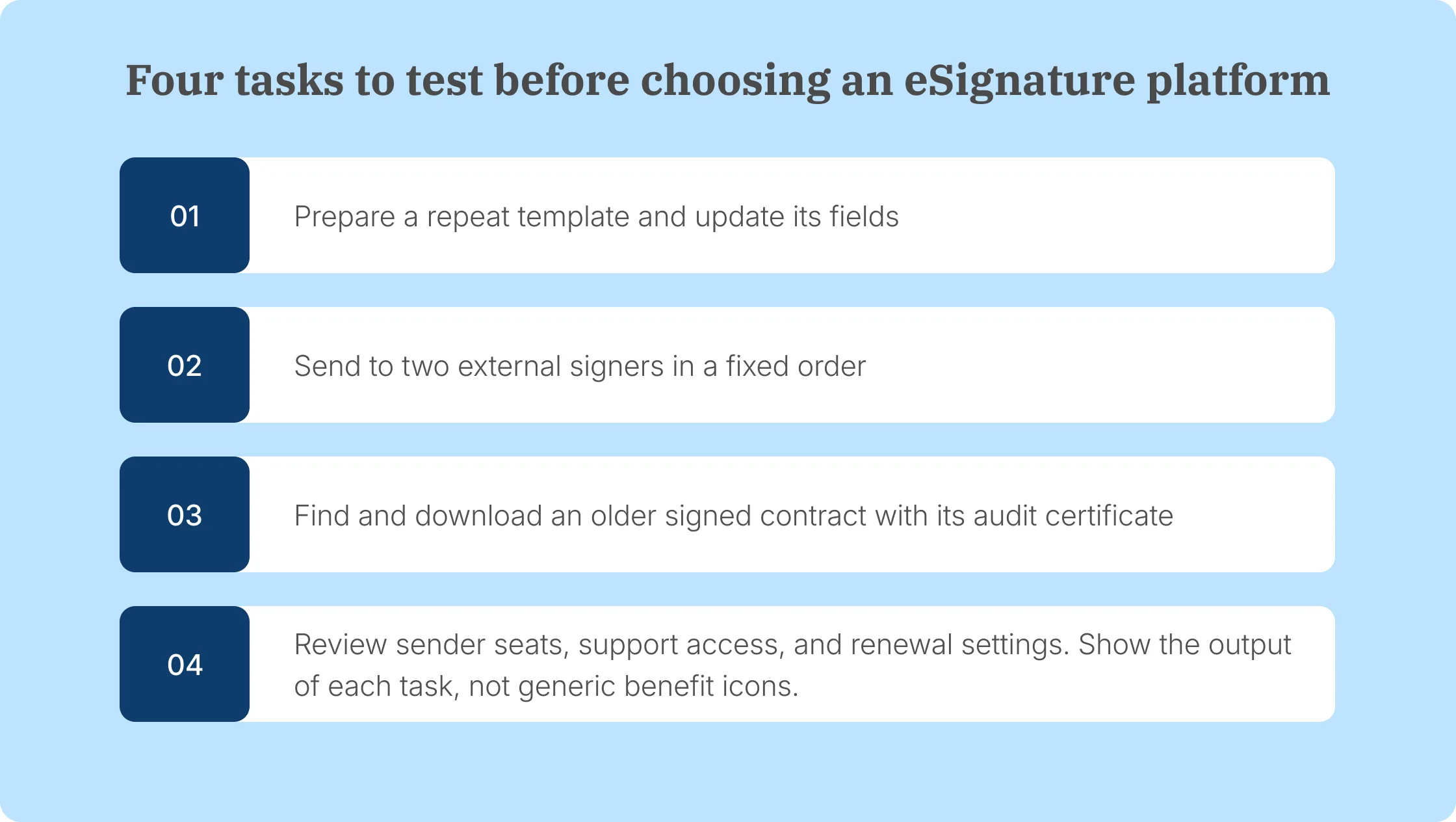
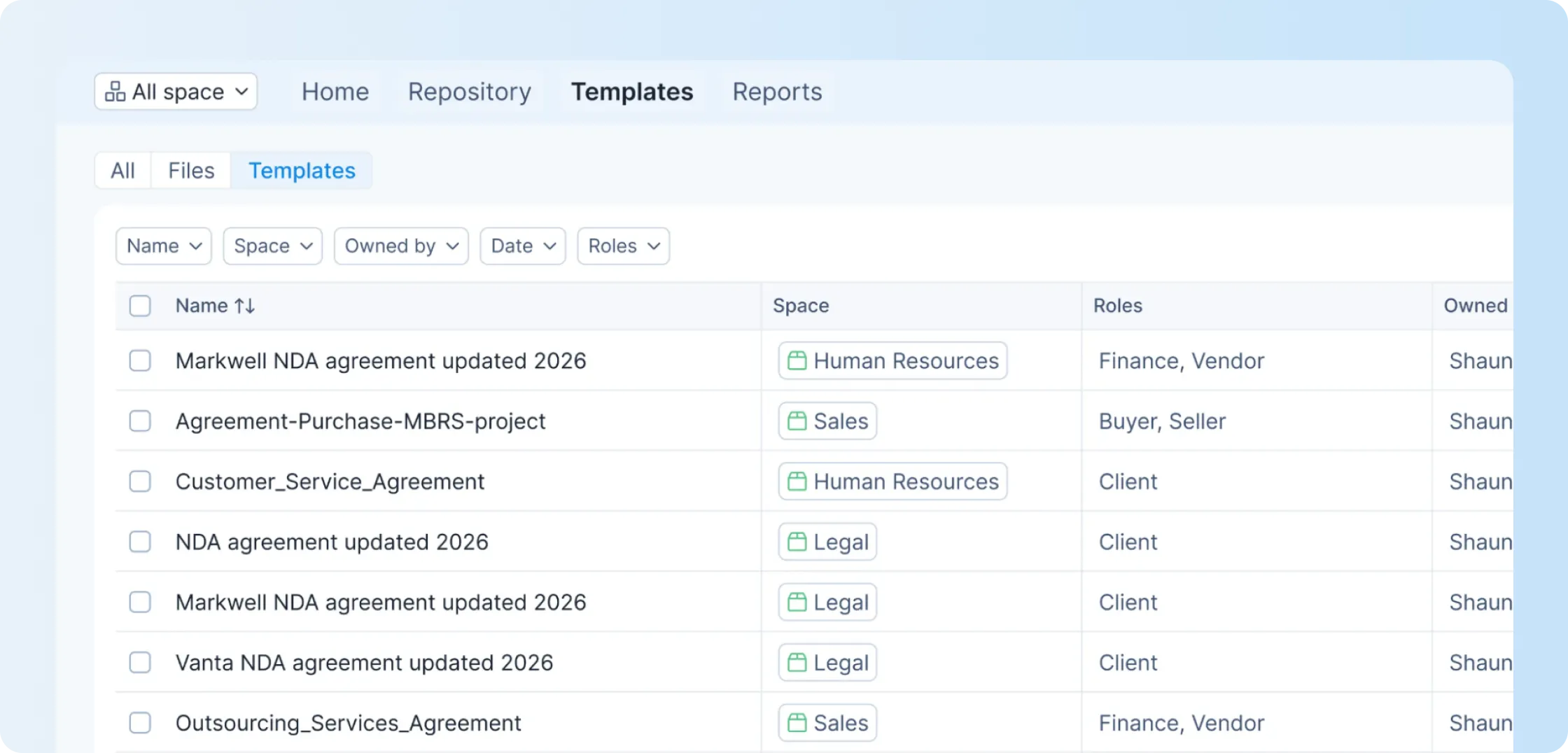
A sender can upload a PDF or Word document, place fields for each recipient, choose a signing order, and send the request. Reusable templates preserve frequently used fields and signer roles. A sales team sending standard service contracts, for instance, doesn't need to rebuild the signature page for every customer.
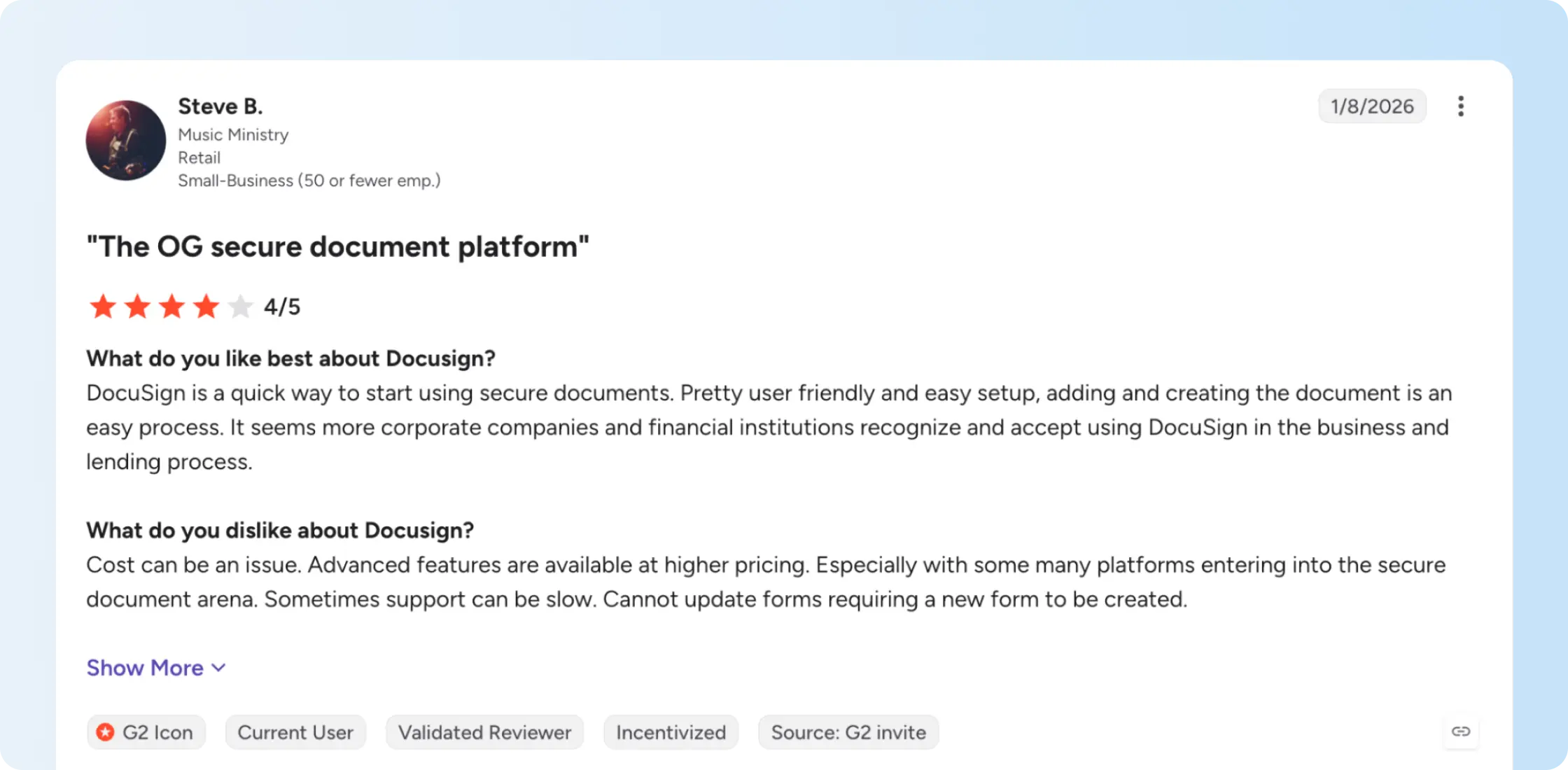
Among the Docusign reviews on G2, one customer praised how quickly they could prepare and send documents, especially when customers already recognized Docusign. They also reported difficulty updating existing forms and sometimes needed to create a new form. The reviewer mentioned higher prices for additional features. For teams that frequently revise agreements, that experience makes template editing worth testing alongside initial setup.
If your team sends the same agreement every week, the ability to edit templates is as useful as creating them. Our reusable contract templates let employees share approved fields and signer roles, reducing the setup needed for repeat requests.
Want to see how our reusable templates handle the agreements your team sends each week? Bring a sample document and compare the setup.
Tracking each request and its signers
Docusign shows senders when recipients view, sign, or complete their documents. Reminders help follow up on requests that remain outstanding, while the audit trail records signing activity. A Sales employee can see when a customer still needs to sign, and Operations can retrieve the completed agreement afterward.
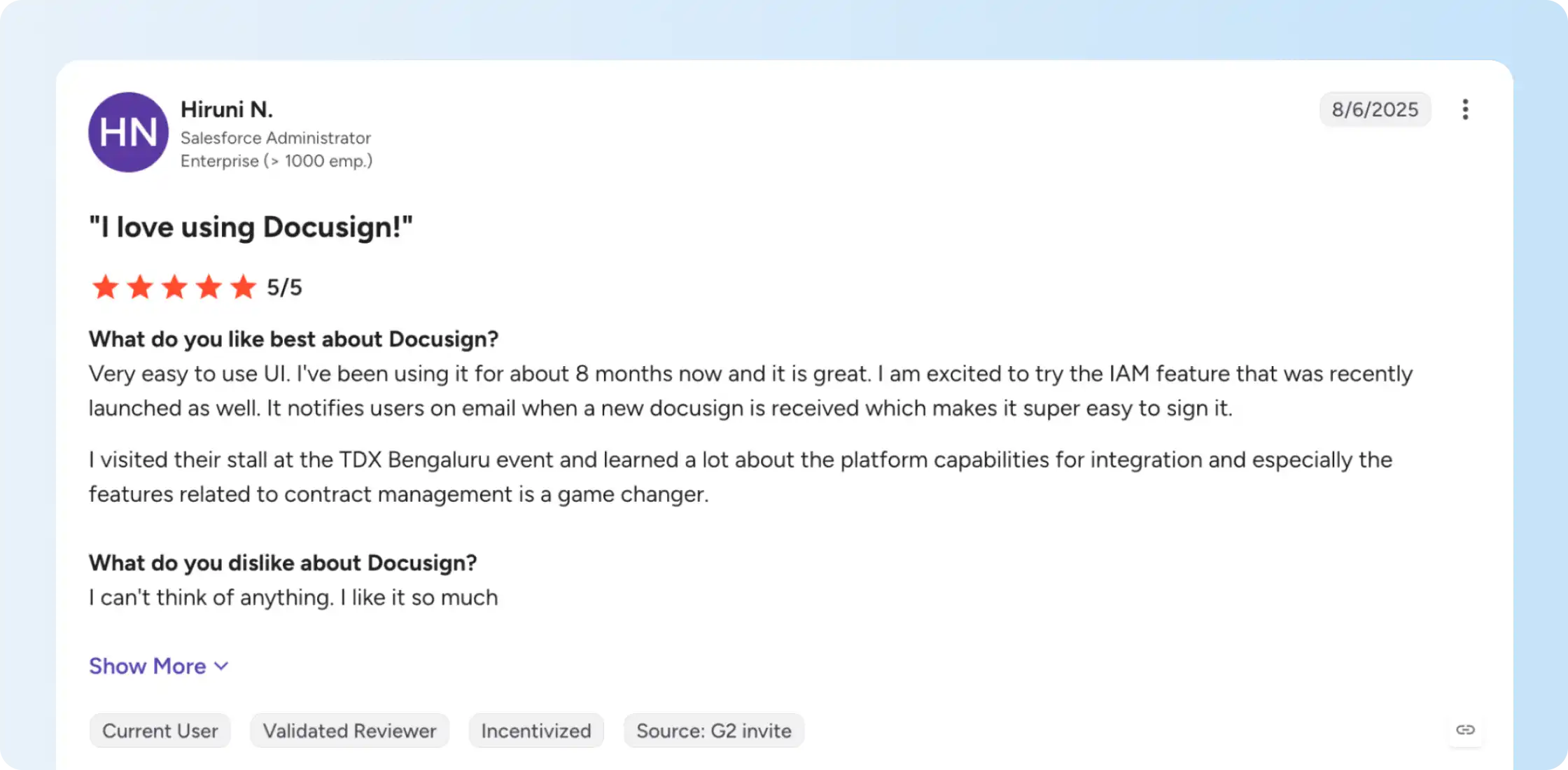
Docusign reviews on G2 also cover the recipient experience. One customer appreciated receiving email notifications when a document needed their signature. These alerts help recipients respond to requests, while senders use status tracking and reminders to follow up on outstanding agreements. Teams should test both sides of the process, especially when contracts involve multiple recipients.
The signing contracts online walkthrough covers tracking requests from sending through completion. With Signeasy, employees can also track outstanding requests and send reminders without searching through email threads.
Signing without creating an account
Docusign recipients can sign agreements without registering for an account or purchasing a license. They open the emailed request, review the document, complete any required fields, and submit their signature. This helps businesses collect signatures from customers, suppliers, and new hires who only need to sign occasionally.
Our guide to signing documents online explains the full process, including the steps employees should check after collecting signatures.
Compare how your team sends, tracks, and follows up on an agreement with multiple recipients.
What complaints appear in Docusign reviews?
Negative Docusign reviews describe problems beyond collecting signatures, including disputed renewal charges, difficulty retrieving older documents, and unsatisfactory support experiences. The following examples show what individual customers encountered and which subscription or workflow details buyers should examine.
Pricing and unexpected renewal charges
Docusign subscription costs increase when a team adds sender seats, upgrades plans, or exceeds its envelope allowance. Annual renewals also deserve attention because businesses need to check how many seats will remain active for the next term.
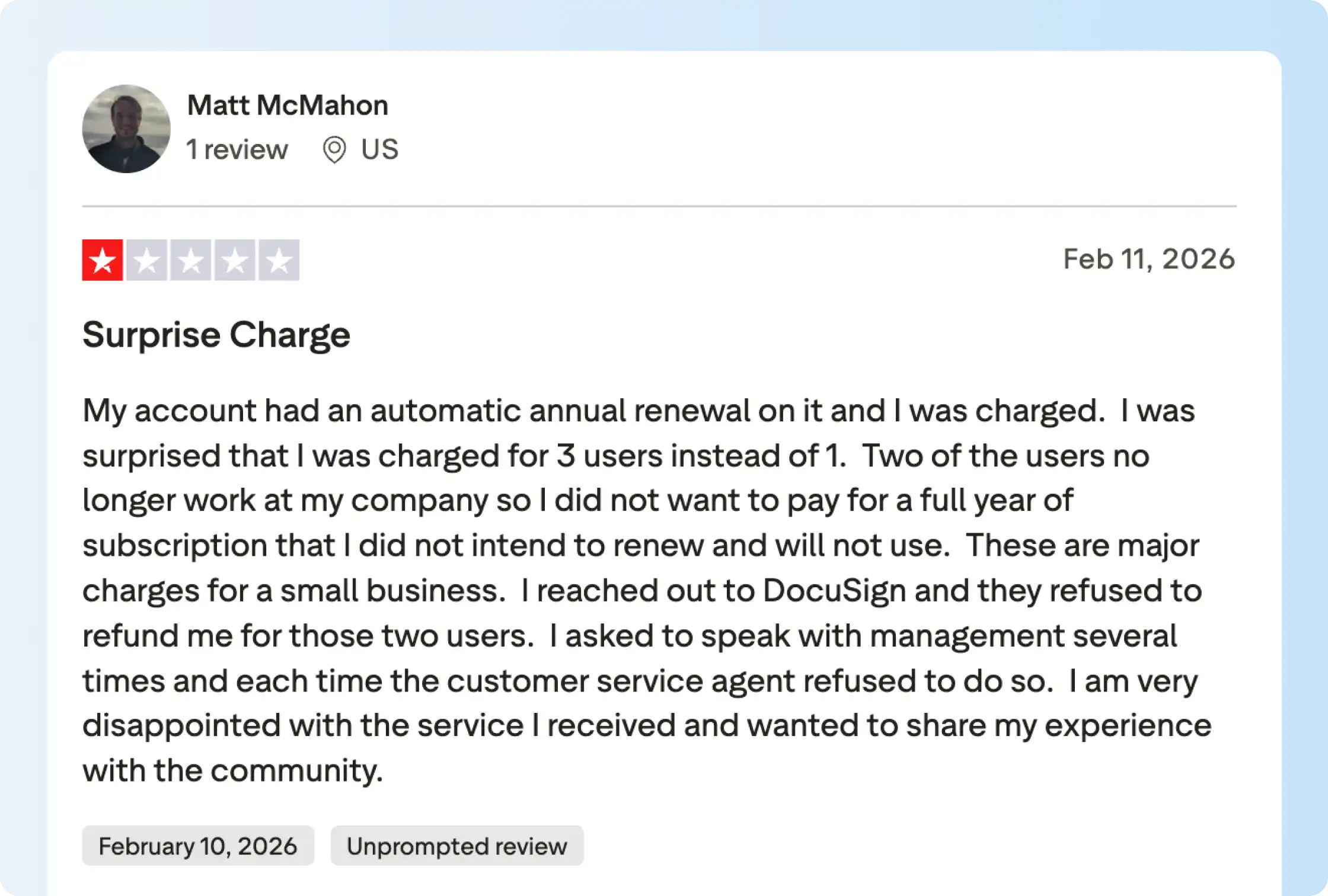
A billing complaint in Docusign reviews on Trustpilot came from a customer who reported being charged for 3 users at renewal despite expecting to continue with 1. They said they had tried repeatedly to resolve the charge but couldn't obtain a refund for the additional seats. This is an individual billing dispute, although it illustrates why account administrators should review seat counts and renewal settings before the next billing date.
Envelope overages can also increase a team's subscription cost. Docusign charges for sends beyond the included allowance on Standard and Business Pro, so businesses should estimate their annual sending volume before choosing a plan. Our Docusign pricing guide explains the additional-envelope rates and billing terms.
Need to compare annual sending costs for several employees? Bring your sender count and expected contract volume to review our Business and Business Pro plans.
Template upkeep and exporting signed files
Docusign supports reusable templates and completed-document downloads, but managing many agreements involves additional work. Teams need to update template fields as contracts change and retrieve signed copies when colleagues or customers request them.
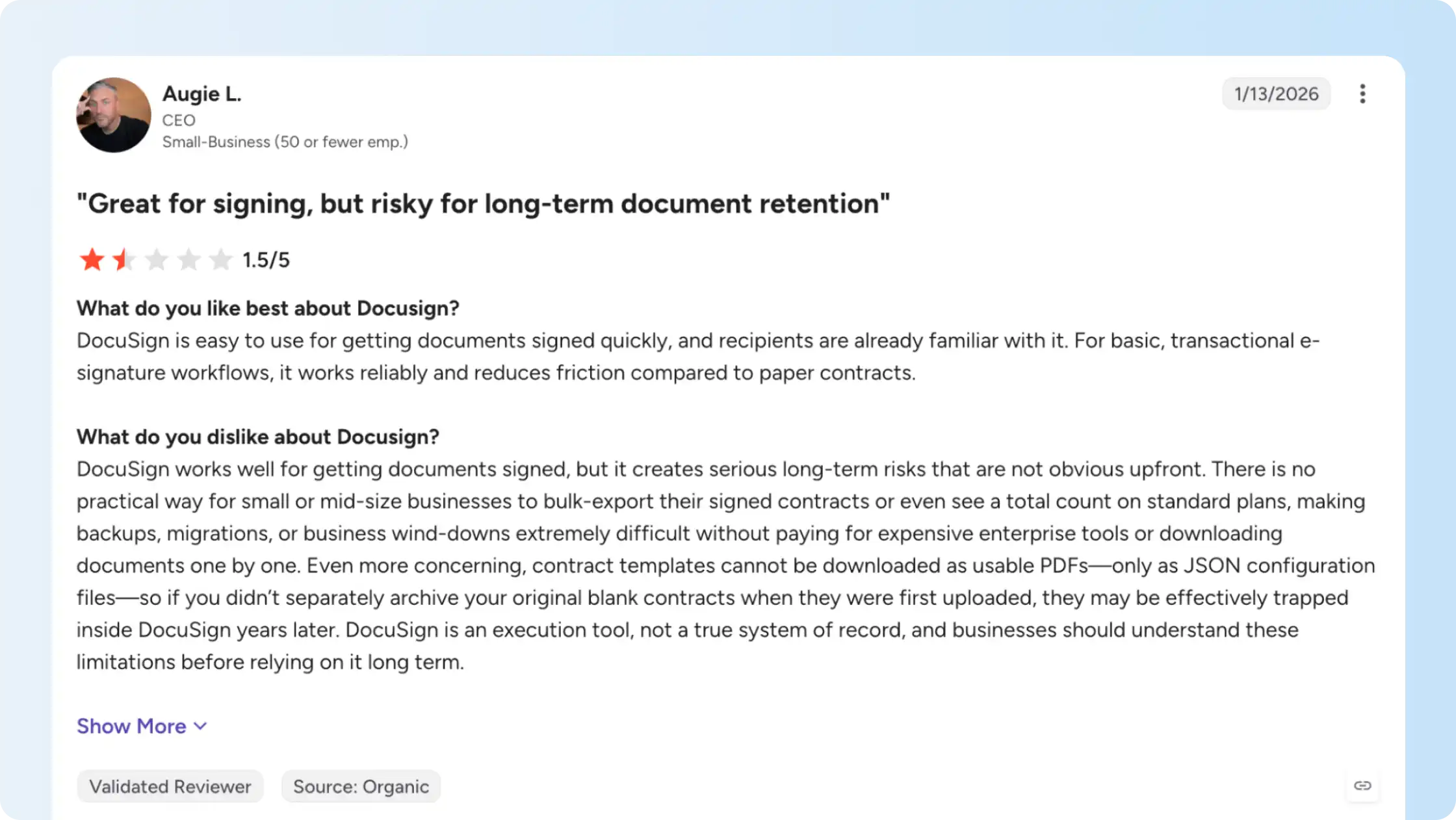
Docusign reviews on G2 include feedback from a customer who appreciated the signing process but had difficulty retrieving larger collections of agreements and exporting templates. The experience concerns the work involved, not the complete absence of download functionality. Docusign's help documentation explains how senders retrieve signing history and Certificates of Completion.
A relevant product test is to find an older signed contract, download its certificate, then work through the process for several completed files. If your business stores contracts outside its signing tool, our digital contract signing guide explains why the completed document and supporting record should stay accessible together.
Support when a problem needs resolving
Docusign includes Standard Support with paid web subscriptions. It provides chat, online case management, and a target initial response within 24 hours. Faster response targets and phone assistance are available through paid support plans. An initial response target describes when support aims to reply, not how quickly every issue will be resolved.
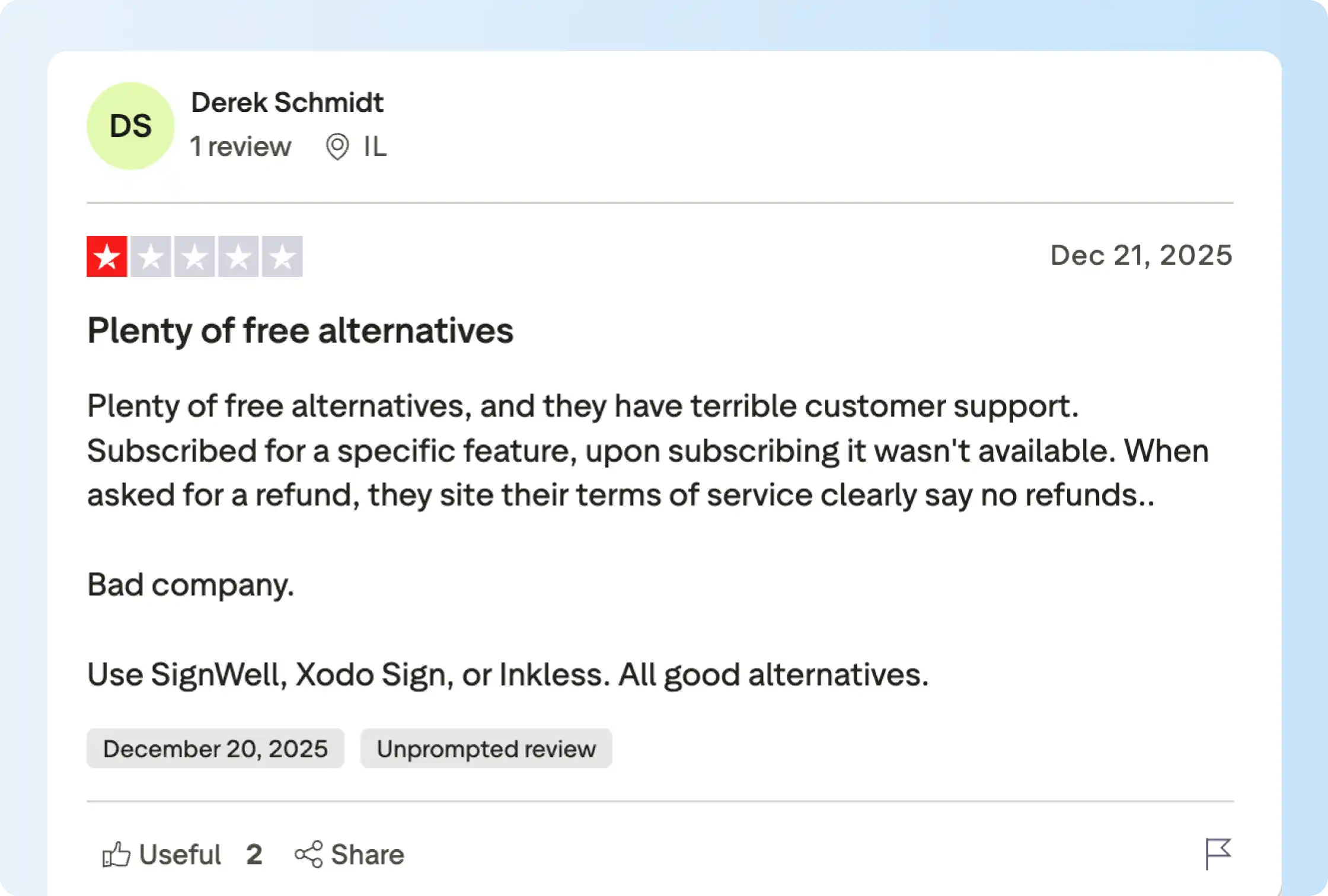
Docusign reviews also include customer experiences with feature access and billing support. One Trustpilot reviewer said they purchased a subscription for a specific feature but couldn't access it afterward. They also reported being denied a refund because of the subscription terms. That experience is relevant when evaluating feature availability, billing assistance, and refund policies before purchase.
When signing requests are time-sensitive, support availability affects how quickly employees can resume work. We include 24/7 email support on Signeasy Business and priority support on Business Pro. Our Signeasy customer reviews provide additional feedback about the signing experience and assistance customers receive.
Want to review how our team administration and support options work before choosing a signing platform?
How much does Docusign cost in 2026?
Docusign eSignature starts at $10/month for Personal under an annual prepaid subscription. Standard costs $25/user/month and Business Pro costs $40/user/month on the same billing terms. Businesses can also commit to a year with monthly payments or purchase a month-to-month subscription at a different rate.
Here are the US rates for the two annual options and the relevant envelope allowances.
US rates as of October 2026. Annual upfront and annual paid-monthly subscriptions are not the same as cancellable monthly plans.
For 5 employees sending agreements, Docusign Standard costs $1,500 annually when prepaid or $1,800 with monthly installments. Business Pro costs $2,400 or $2,700 on those same terms. Paying the annual commitment in installments adds $300 per year in either example, before extra envelopes and add-ons.
What counts as a Docusign envelope?
An envelope is a single signing transaction that holds one or more documents and can be sent to multiple recipients. It counts once against the allowance when sent, whether or not the recipient completes it. Standard and Business Pro annual plans include 100 per user for the year, not 100 each month. Docusign's true monthly subscriptions instead include up to 10 envelopes per user per month.
When an account sends more than its allowance, Docusign charges for additional envelopes on a pay-as-you-go basis or allows administrators to buy more in advance.
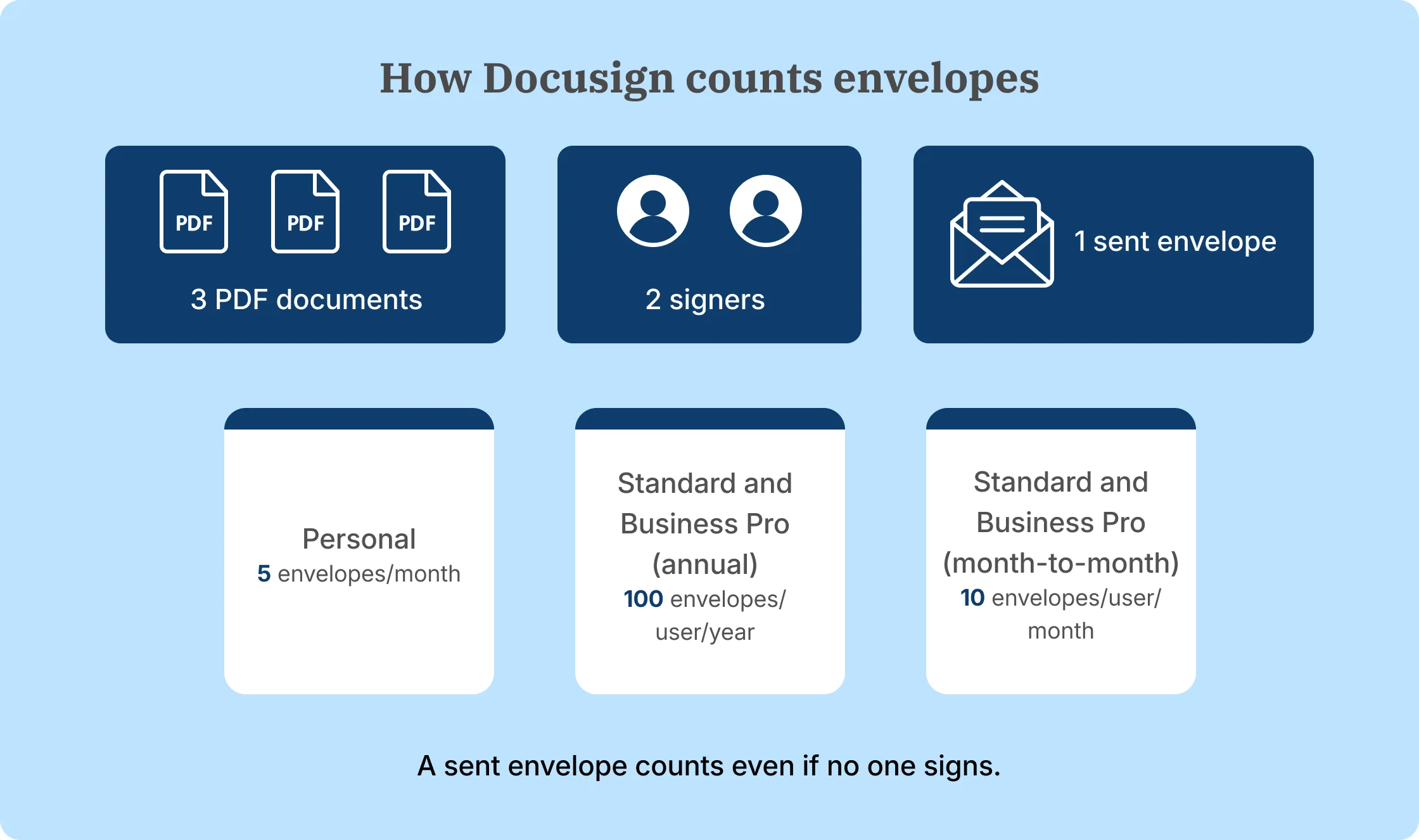
Additional services increase the cost beyond the subscription and envelope allowance. Docusign's eSignature pricing lists SMS delivery from $0.36 per delivery and identity verification from $2.40 per attempt. Eligible plans advertise 5 SMS deliveries and 5 identity checks as one-time bonuses, not recurring monthly allowances.
Is Docusign worth it in 2026?
Yes, Docusign is worth the cost for teams that regularly use its integrations, shared signing workflows, and Business Pro features. Bulk sending, web forms, and payment collection are useful when employees handle these tasks frequently. Businesses with Salesforce-connected processes also have reasons to evaluate DocuSign's wider integration ecosystem.
The value is harder to establish when employees mainly send prepared contracts and rarely use the higher-tier features. In that case, the annual cost, envelope allowance, support access, and ease of retrieving signed files deserve more attention. Docusign reviews help identify what to test, but trying those tasks with your own agreements will show which subscription features your team will actually use.
For a broader shortlist, our Docusign alternatives comparison covers products with different document, signing, and integration strengths.
Docusign vs. Signeasy: How do they compare?
Docusign and Signeasy both support contract signing, reminders, templates, and audit records. Docusign offers a wider integration ecosystem and includes bulk sending in Business Pro. At Signeasy, our Business and Business Pro plans include unlimited document sends, while Business Pro adds internal approval workflows and team permissions.
The pricing difference becomes easier to understand when comparing equivalent annual commitments. The table below uses Docusign's annual prepaid rates and our annually billed plans, alongside the features each includes.
Under these annual billing terms, Docusign Standard costs $300 per sender per year, compared with $240 for Signeasy Business. Docusign Business Pro costs $480, compared with $360 for our Business Pro plan. Those prices favor Signeasy for the two team-plan comparisons, but Docusign includes different features, including bulk sending and web forms in Business Pro. Our Signeasy vs. Docusign comparison examines those differences in greater detail.
Where Signeasy fits growing business teams
Signeasy fits growing businesses that regularly send contracts prepared by sales, HR, finance, and operations teams. Our Business plan includes unlimited document sends, shared templates, reminders, and signature tracking. Business Pro adds approval workflows, so managers can review agreements before employees send them to customers or suppliers.
Our integrations also keep signing close to the tools employees already use. Signeasy for Google Sheets helps teams prepare repeat requests using spreadsheet data. Microsoft Teams supports collaboration around agreements, while our SharePoint integration lets employees send and track documents from their existing SharePoint environment. Plan access should be checked against the current pricing details.
Businesses managing agreements after signing can also explore our intelligent contract management platform for contract search, AI-assisted insights, and renewal tracking. Those capabilities use separate packaging, so they aren't included simply because someone purchases a Signeasy eSignature plan.
Where Docusign retains an advantage
Docusign remains the stronger fit for businesses that depend on its wider integration ecosystem, particularly native Salesforce connections. Business Pro also includes bulk sending, PowerForms, and web forms. With Signeasy Business Pro, bulk sending is a paid add-on, and we don't offer a native Salesforce integration.
Teams should compare the functions they use regularly before choosing a plan. Our Business and Business Pro pricing provides transparent seat costs, while Docusign's plans require a closer look at envelopes, billing commitments, and any additional services.
Want to compare Signeasy's approval workflows, templates, and integrations with your current Docusign setup? Review those tasks using a real agreement.
Switching from Docusign to Signeasy
Switching from Docusign involves transferring templates, setting up employees, and deciding how existing agreements will be retained. Our Docusign migration guide explains how the Signeasy team imports templates and checks signer roles and fields. Saved signatures and historical Docusign envelopes don't transfer as native records, so businesses should plan how to retain completed PDFs and certificates.
We also offer white-glove migration and a competitor contract buyout program for eligible businesses. The scope and commercial terms are confirmed during the sales process. Teams using Docusign's Salesforce integrations, payments, or conditional form features should identify which workflows need rebuilding before the switch.
Already using Docusign? Discuss template migration, team setup, and eligibility for our competitor contract buyout program.
Docusign reviews: Our verdict
Docusign reviews support its reputation for easy recipient signing, reusable templates, tracking, and integrations. It suits businesses that depend on Salesforce connections or frequently use Business Pro features such as bulk sending and forms. Individual customer experiences also raise questions about annual renewals, document retrieval, and support that buyers should evaluate.
For growing businesses mainly sending prepared agreements, our Signeasy Business and Business Pro plans provide unlimited document sends and transparent seat pricing. Business Pro adds internal approvals and further team controls. The right choice depends on the workflows employees use, the annual sending volume, and the features included in the chosen subscription.