



"Anyone here use Docusign integration and have issues with it not updating a record field once signature complete? Wondering if it's a common issue."
That's from the Salesforce subreddit. This was the direct response from another user, confirming the issue is common:
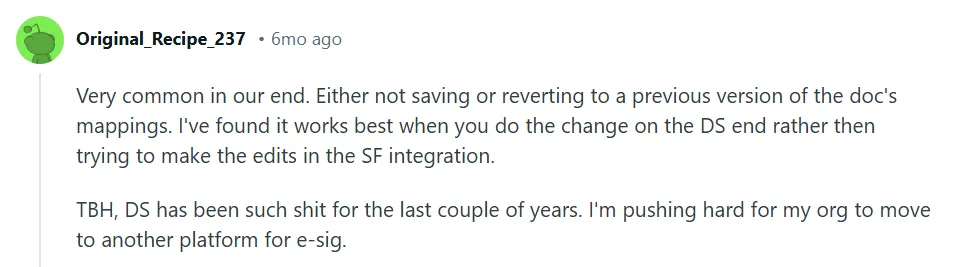
Source
Docusign comes loaded with an expansive integration library: native connectors for Salesforce, Workday, Microsoft, HubSpot, and hundreds of other platforms. This can also be useful when looking at Foxit eSign vs Docusign. For many organizations, these connections work exactly as intended.
In this guide, we’ll address:
- Docusign’s integration ecosystem
- Common implementation and operational challenges
- Hidden costs beyond the sticker price
- Alternative solutions for contract workflows
Docusign's integration ecosystem
Docusign provides three distinct ways to connect with other systems. Each serves different use cases and technical requirements.
1. Pre-built integrations
These are ready-made connectors that link Docusign to popular platforms like Salesforce, Workday, Microsoft Teams, and SAP. You install them from Docusign's App Center, configure settings, and start sending documents for signature without leaving your CRM or productivity tool.
For example, the Salesforce integration lets sales teams generate contracts, route them for approval, collect signatures, and automatically update deal records — all within Salesforce.
The appeal: no context switching, no manual uploads, and theoretically, no friction.

2. Extension apps
Extension apps add external capabilities directly into Docusign's platform. These connect to:
- Cloud storage (Google Drive, Dropbox, SharePoint)
- Data verification (Twilio, Smarty)
- Business systems (HubSpot, ServiceNow, Stripe)
- Project management (Asana, Jira, Monday.com)
When someone completes a signature, you can trigger automated actions: archive the document to SharePoint, create an Asana task, or verify an email address in real time.
3. APIs
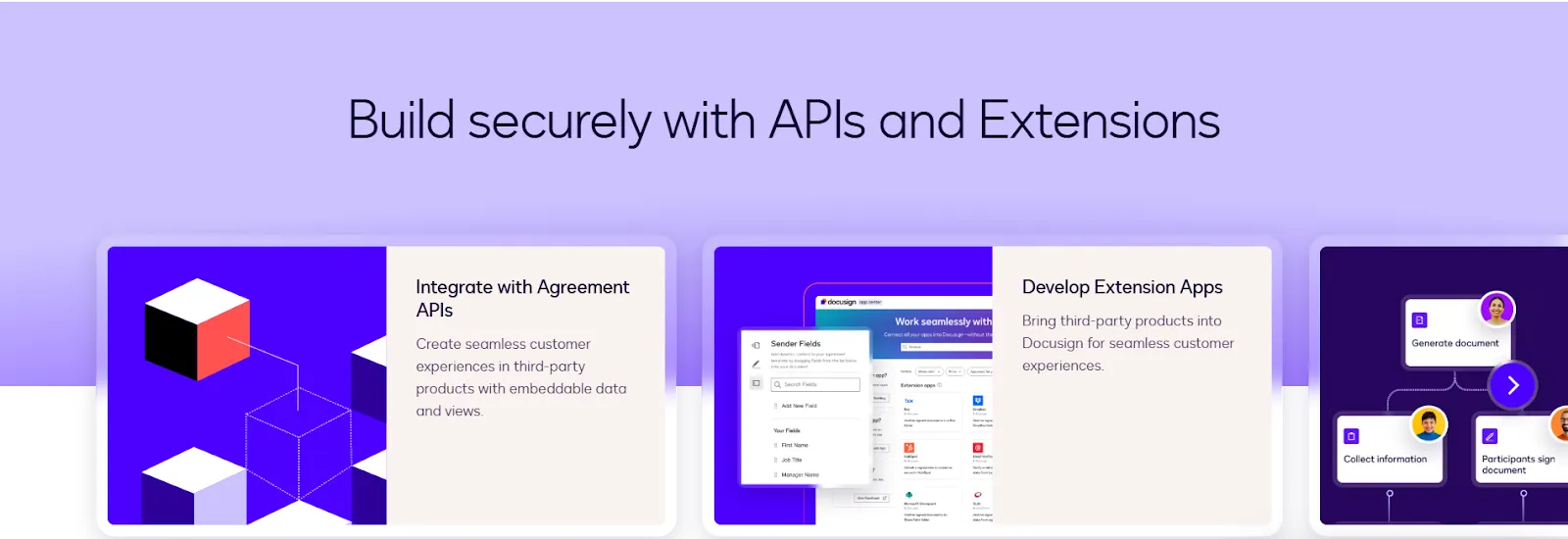
Docusign's APIs let technical teams build custom integrations from scratch. The platform offers several:
- Agreement APIs (Generate, Sign, Manage)
- Docusign eSign API (legacy core API)
- Maestro API (workflow automation)
- Web Forms API
APIs give you complete control over document workflows, but require dedicated development resources. Setup takes weeks or months, and ongoing maintenance falls on your internal team.
This path makes sense for companies with unique workflows that pre-built options can't handle, or for those looking for an docusign for legal that can be embedding signatures into proprietary software.
Now for the reality check.
Where Docusign integrations fall short
Docusign's integration catalog looks impressive on paper — over 1000 apps and counting. The execution, however, in some cases doesn't match the marketing.
1. Complex setup requirements create unnecessary friction
Getting a Docusign integration from sandbox testing to production can involve hurdles that aren't documented early on.
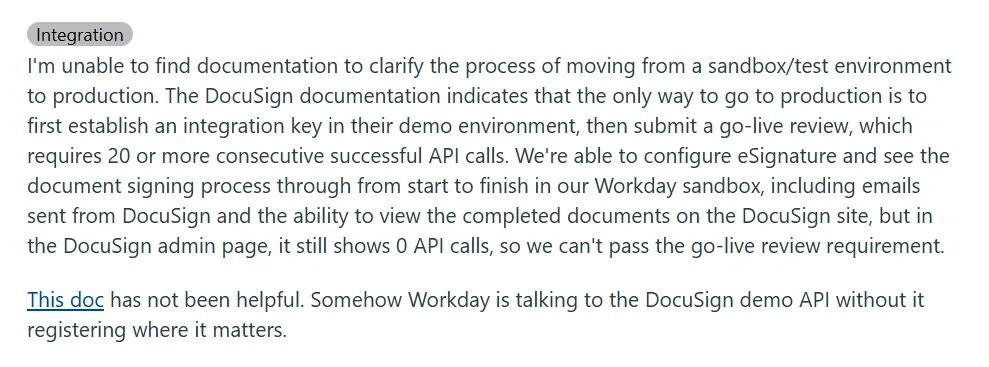
Source
You end up stuck in a catch-22: the integration functions perfectly in your test environment, but you can't get approval to use it with real users.
2. Field mapping and data sync issues are surprisingly common
Teams using Docusign with Salesforce also encounter problems where signed documents don't update CRM fields as configured. The signature completes, the document gets stored, but critical data — contract value, renewal date, custom fields — either doesn't transfer or reverts to a previous version. A ShareFile vs Docusign comparison can offer another perspective on integration capabilities.
One Salesforce administrator noted the issue happens so regularly that they've learned to make all changes on the Docusign side first, rather than trusting the native integration to handle updates reliably.
Also Read: ShareFile (RightSignature) vs Docusign vs Signeasy
3. Unwanted workflow steps appear without clear ways to remove them
Some integrations inject additional review screens or approval stages that weren't part of your original process design.
A Workday user described successfully configuring their integration and watching documents flow through the signing process, only to have an extra "review document" step appear afterward with text they couldn't edit or suppress.
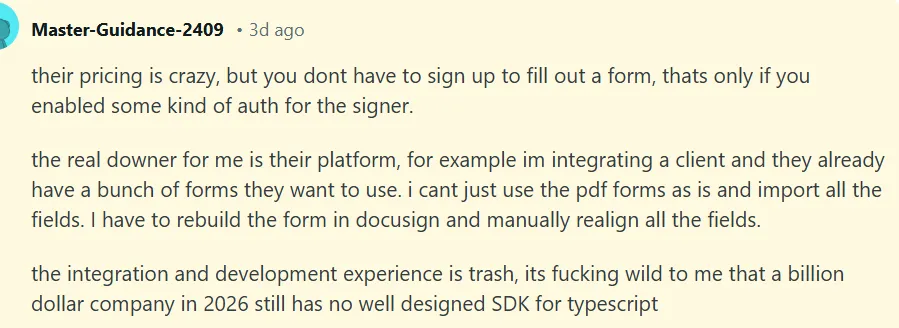
4. Integration workflows can create unexpected delays for recipients
The way some Docusign integrations handle document routing adds steps that slow down what should be a quick signing process. Recipients report confusion when documents don't arrive as expected, or when the signing interface behaves differently depending on which system initiated the request.
Source
These inconsistencies become problematic when you're working with external parties. Customers or vendors may not be familiar with your internal systems and just want to sign and move on.
5. Integrations can get stuck without explicit explanations
Teams report issues where Docusign integrations simply stop responding mid-process. Documents get hung up “awaiting integration response” during critical workflows like employee onboarding. If you're dealing with Docusign not working as expected, these troubleshooting issues can make it difficult to identify whether the problem is with the integration or the platform itself.
As a result, IT teams may need to reauthenticate connections and troubleshoot issues that were not present the day before.
6. Pricing variability compounds as you scale
While Docusign advertises many integrations as "free," the reality involves indirect costs:
- Higher-tier plans unlock certain integration features
- API calls get metered and billed separately
- Some connectors require enterprise-level accounts to function at all
See our breakdown of Docusign pricing for the full picture.
A small team testing an integration might not hit these limits, but as usage grows, so does the bill — usually in ways that weren't apparent during the initial evaluation.
The fundamental issue isn't that Docusign integrations never work. Many teams use them successfully every day. The problem is predictability. You can't reliably know which integrations will perform as advertised, which will require workarounds, and which will create more problems than they solve until you're already deep into implementation.
So what does broken integration actually do to your business?
How integration gaps impact your business
Picture this: A finance manager at a mid-sized SaaS company closes deals in Salesforce and generates contracts in Docusign, then collects signatures. They still have to manually update the CRM because the integration doesn’t sync data reliably.
The workaround involves spreadsheets, Slack messages, and daily Docusign checks.
This isn't high-level inefficient. It's a deep revenue problem.
According to MuleSoft's 2025 Connectivity Benchmark Report, 83% of IT leaders say integration challenges actively hinder digital transformation. The same percentage confirms that every delay translates directly to missed revenue opportunities.
When Docusign CRM integrations fail to sync contract data automatically, sales cycles stretch longer and forecasting accuracy suffers.
Data silos persist even when integrations technically exist. Your contract data sits in Docusign while customer records live in Salesforce, with no consistent communication between them.
Only 10% of organizations experience no challenges from data silos, the MuleSoft report found. The other 90% struggle with inefficiencies, inconsistent data, and incomplete information when making strategic decisions.
Contract teams feel this immediately. You can’t:
- Analyze renewal rates when signed contract data doesn't reach your CRM
- Identify approval bottlenecks when documents vanish mid-workflow
- Scale operations when basic integration functionality requires weeks of troubleshooting
When executives ask "How many contracts are pending signature?" and your team needs an hour to compile answers from multiple systems, you've lost strategic agility.
Integration gaps slow tasks and prevent contract management from functioning as a connected system.
Forget the feature count. Focus on this:
What to look for in a better-integrated solution
When evaluating alternatives to Docusign integrations, focus on what genuinely improves daily contract workflows rather than the size of an integration catalog.
1. Seamless compatibility with your existing tools
Integrations should work natively with Microsoft (SharePoint, Teams, Outlook) and Google (Drive, Docs, Gmail) without requiring complex authentication setups or constant troubleshooting.
The goal is signing and sending documents directly within the platforms your team already uses, not adding another system to manage.
2. Fast implementation timelines
Solutions that take days to configure — not months — let you start improving workflows immediately. Single sign-on (SSO) capabilities strip away the administrative burden of managing separate user credentials across multiple platforms.
3. Reliable data flow
Look for integrations where documents sync automatically to cloud storage, contract data updates CRM records without manual intervention, and status changes trigger the right actions in connected systems. Real-time tracking and notifications should work consistently, not intermittently.
Also Read: Docusign reviews 2026: Features, pricing, pros, and cons
4. Responsive support
Teams consistently value providers who help troubleshoot promptly over pointing fingers at third-party developers.
The integration should simplify your contract process, not add more hoops to jump through. For teams considering a docusign migration, evaluating implementation time, data flow, workflow compatibility, and ongoing support can help ensure a smoother transition. Let's look at what works.
How Signeasy solves common Docusign integration pain points
Mid-sized teams don't need to accept integration headaches as inevitable. Several organizations facing the same Docusign integration challenges found efficient solutions with Signeasy.
1. Fast implementation without complex setup hurdles
Eversendai, a global construction company with 15,000+ employees, needed integrations that worked across its offices worldwide. While scouring Docusign and Adobe Sign, they chose Signeasy specifically for its seamless Microsoft integration with SharePoint and Outlook.
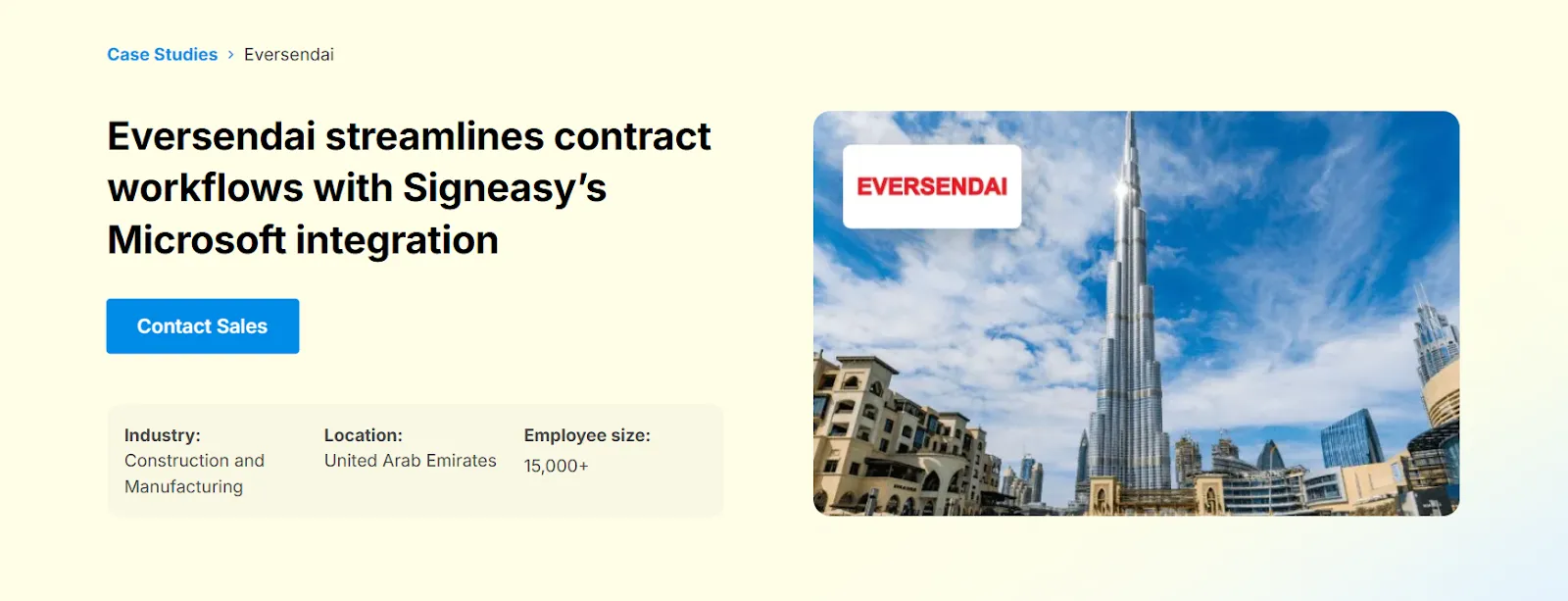
The result? No weeks-long setup processes or API registration roadblocks. Eversendai's IT, HR, Finance, and Procurement departments got up and running quickly, with 69% of contracts completed within the first two days.
The integration simply worked. Documents synced to SharePoint automatically, signatures were collected through Outlook without authentication issues, and teams could collaborate across time zones without the delays that plagued their previous manual processes.
2. Reliable data flow that reduces sync failures
SOHAR Port and Freezone in Oman previously struggled with paper-based contract management that took weeks to complete. After implementing Signeasy’s Microsoft integration, the team digitized signatures and set up automated workflows that consistently moved data to the right systems.
The integration with SharePoint, Teams, and Outlook reduced contract processing time by 80%, with 62% of documents signed within 24 hours. Key outcomes included:
- Sequential signing features that kept documents moving through approval chains in the correct order
- Single sign-on (SSO) that simplified access management across more than 200 employees
- Reliable handling of high document volumes without the field-mapping failures or data sync issues common in Docusign CRM integrations
3. Simplified workflows without unwanted steps
Palazzo Versace Dubai evaluated Docusign but found the pricing structure problematic and integration setup challenging. When they switched to Signeasy, the difference was immediate across HR, IT, Finance, and the Managing Director's office.

The integration worked within their existing Microsoft Outlook environment without injecting extra review steps or approval screens they couldn't control.
Their front desk team could process guest approvals in no time, HR streamlined seasonal employee onboarding, with Docusign for HR and IT managed Annual Maintenance Contracts efficiently. No mysterious workflow stages appeared mid-process. Just clean, predictable document routing.
4. API integration that works from day one
Moreland University needed to embed signature capabilities directly into their custom Learning Management System. Their API integration with Signeasy followed a carefully planned process that avoided typical implementation challenges.
The Signeasy team worked closely with Moreland's developers to ensure a smooth setup. Enrollment agreements, MOUs, and verification forms now process automatically within their platform.
With 43% of transactions completed within one hour and turnaround time reduced by 50-70%, the integration performs reliably at scale. Over 200 new candidates are onboarded monthly without the technical headaches that derail many API projects.
These aren't exceptional cases. They represent what happens when integrations prioritize usability and reliability over feature volume.
If you're comparing integration capabilities, see our Zoho Sign vs DocuSign comparison to understand how the two platforms differ.
In a nutshell, here's how Signeasy addresses the gaps teams encounter with Docusign integrations:
Thinking about making the switch? Explore our Xodo Sign vs DocuSign to see how their features, pricing, and integrations differ.
Migrating from Docusign to Signeasy
Switching from Docusign isn’t a decision to take lightly. You have active contracts, established workflows, and teams accustomed to a specific process. The good news is that most teams can make the move without disrupting day-to-day work with Signeasy vs Docusign.
Step 1: Transfer templates and documents
Template and document transfer happens through Signeasy's customer success team, who handle the technical details. Export your Docusign templates in ZIP format, and they'll import them into your Signeasy account with signer roles, fields, and workflow structure intact.
For the complete process, including field compatibility details, reference our in-depth migration guide.
Step 2: Onboard your team
User onboarding takes minimal time. Signeasy's interface is intuitive enough that most teams start sending documents within minutes of logging in. Full implementation typically takes up to two weeks, depending on your team size and workflow requirements.
Step 3: Verify data continuity and security
All signed documents include audit trails that detail every action: who signed, when, from which device, and with what IP address. Signeasy maintains encryption at rest and in transit, with certifications for SOC 2, GDPR, 21 CFR Part 1, and HIPAA.
Historical documents from Docusign won't automatically transfer, but completed contracts remain accessible in your Docusign account during any transition period.
Step 4: Test before full commitment
Run a pilot with a small team using real templates and workflows. Identify any adjustments needed for your specific use case before rolling out company-wide. Most organizations run both systems briefly during transition to maintain continuity.
Ready to evaluate? Start with a demo tailored to how your integrations work. Walk through your Microsoft or Google setup, or review your API use case in detail. Bring your actual templates and use cases so you can see exactly how Signeasy handles your workflows.
In the end:
Teams choose Signeasy over Docusign integrations
Docusign's extensive integration library looks impressive until you're the one troubleshooting field mapping failures. For mid-sized contract teams, the number of integrations doesn't guarantee they'll actually work when you need them to.
Signeasy addresses these gaps with predictable pricing and unlimited document signing. Costs remain stable as contract volume grows, while integrations are supported by the following capabilities:
- AI-powered contract repository that keeps signed agreements organized and searchable, preventing critical documents from getting scattered across systems
- Single sign-on that cuts down admin overhead
- Real-time tracking for visibility without constant manual checks
- Responsive support that won't bounce you between vendors
When Docusign integrations create more problems than they solve, contract teams need an alternative built for reliability. Signeasy works seamlessly with the Microsoft and Google tools your team already relies on. It gets you up and running in days instead of weeks and handles Docusign CRM integration challenges without the usual headaches.
Schedule a demo to see how Signeasy handles your specific workflow.