





Even teams with mature contract tools fall into the same trap.
The contract gets signed, uploaded, and then quietly slide into a folder or repository that no team checks until something breaks.
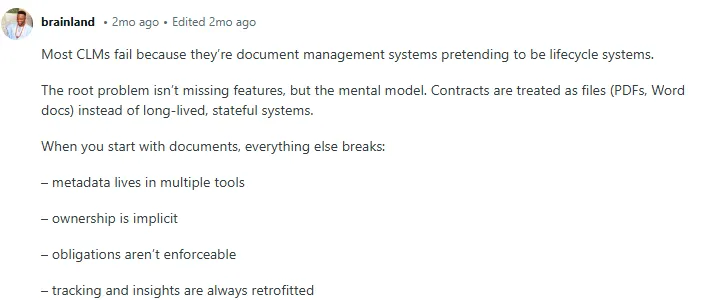
Users vent about such pain points in this Reddit thread. One of them shares how contracts are treated as static files instead of long-lived systems.
Digital contracting treats every contract like a living record with clear ownership, searchable terms, and tracked milestones.
This blog post covers:
- Definition and benefits of digital contract organization
- A step-by-step, repeatable system that helps teams digitize contracts and build efficient, scalable contract workflows
- Best practices and mistakes to avoid
- How Signeasy helps you move from scattered files to structured digital contracting
What is a digital contract organization?
Digital contracting or digital contract organization means storing, categorizing, tracking, and managing these contracts throughout their lifecycle. It starts after signing, by storing contracts in one place, tagging them, assigning ownership, and tracking key dates.
For example, a growing SaaS team can draft and route an enterprise contract for eSignature, then store the signed version in a central repository tagged by contract type, owner, renewal date, and value.
Contract management is the layer that keeps the full contract lifecycle organised and trackable.
But why do contract managers need digital contracting?
The current state of contract management
Contract managers relying on shared drives or folders to store and manage contracts lose business margins, delay revenue, and take on preventable compliance risk. Here’s the current state of contract management:
- Revenue loss: According to the World Commerce and Contracting report, organizations lose up to 9% of annual revenue due to poor contract oversight as renewal deadlines slip, pricing terms aren’t enforced, or obligations aren’t tracked properly.
- Highly inefficient: Reviewing and processing a low-complexity contract can cost thousands and take significant staff time, and finding a specific clause often takes hours.
- Poor visibility: Many organizations lack effective contract management systems, which correlates with revenue loss, errors, and poor visibility across the contract lifecycle.
Given the pitfalls of poor contract management, the World Commerce and Contracting study suggests more than 70% of organizations have already invested in a digital contract repository.
Let’s understand the benefits of investing in such a system.
Benefits of digital contract organization
Every team needs contracts exactly when decisions are being made. Digital contracting supports this by making contracts instantly accessible, searchable, and organized in one place. Here’s how:
1. Faster access to accurate contracts and accessibility
Your Sales team has likely sent a last-minute Slack like, “Does anyone have the fully signed MSA (Master Service contracts) with the updated pricing?” or HR has scrambled asking, “Can someone share the final signed offer letter, not the draft?”
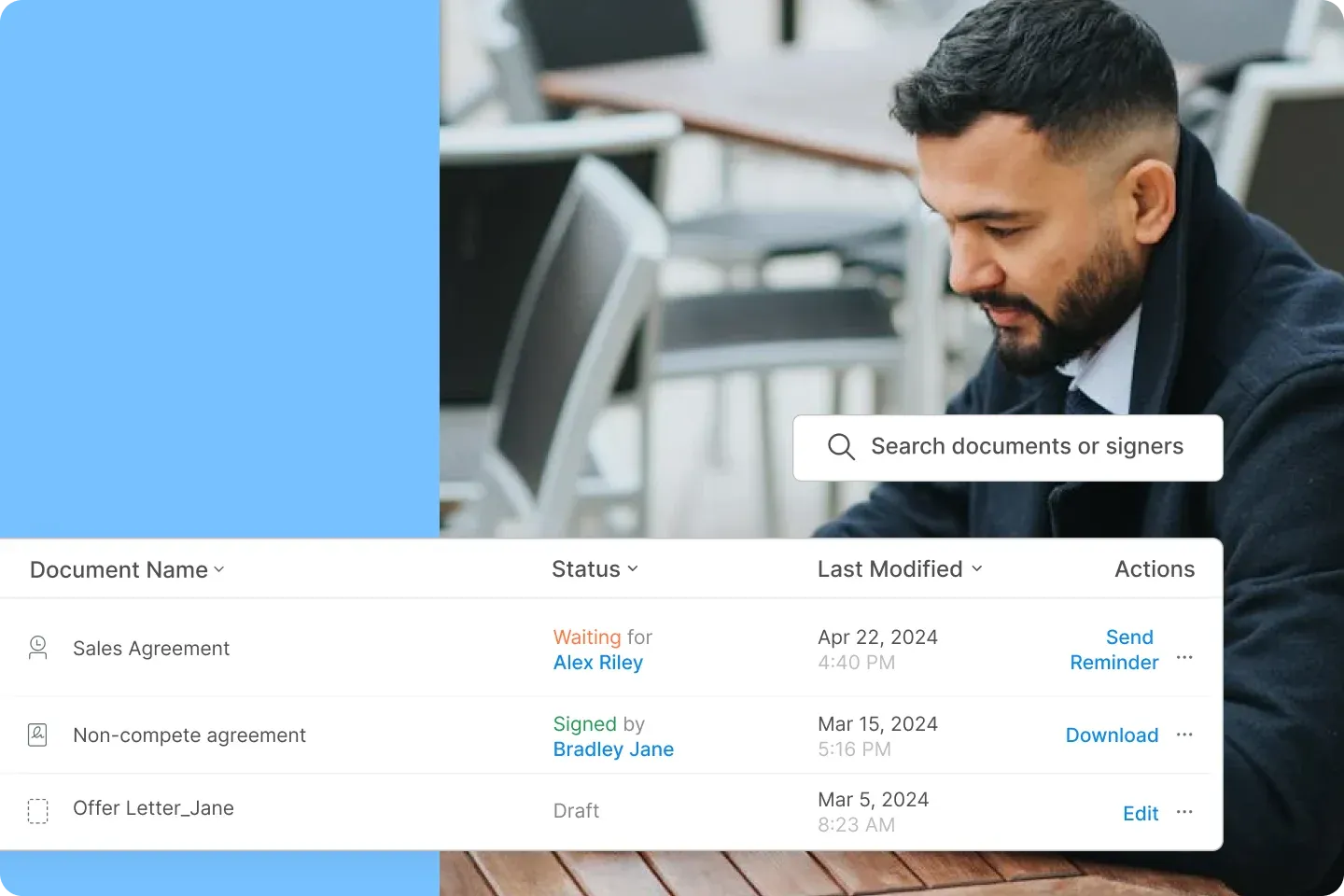
Instead of digging through inboxes or five versions of the “final” draft, your teams can instantly find the right contract with smart search and tailored views. They can search by document name or signers and get the document with its status and latest actions.
A solution like Signeasy even protects your documents from unauthorized access.
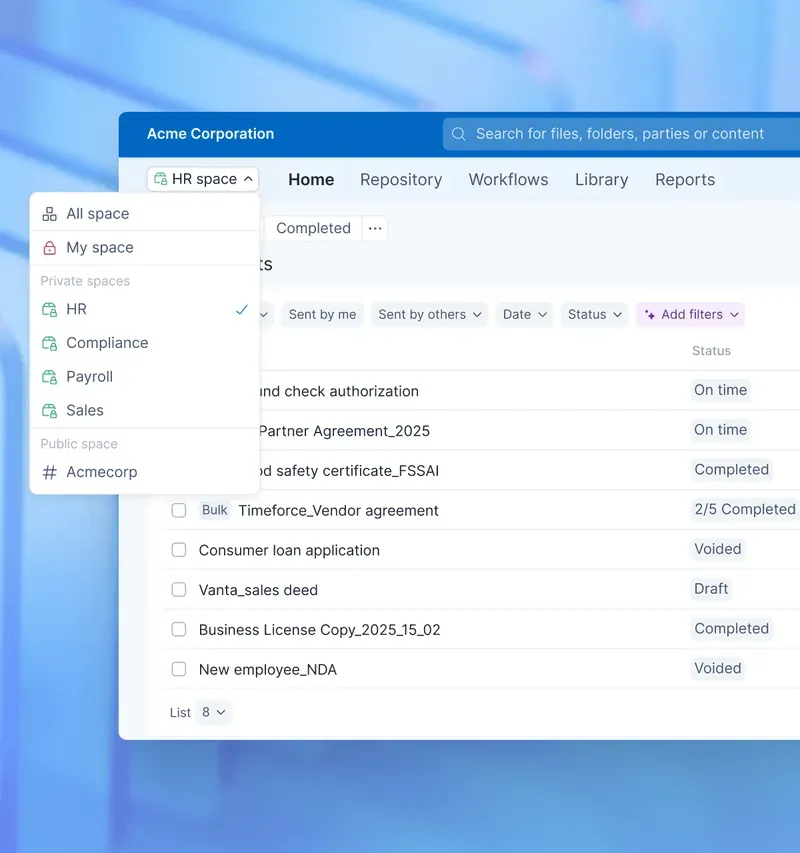
Users get access to specific contracts depending on their departments. They get to see which contract is signed, pending, how many signers have signed, etc., and get detailed information on every contract.
How does this benefit other departments?
- Sales quickly check pricing terms before negotiating
- Finance confirms payment clauses in seconds
- Legal pulls the latest signed version, and not an outdated draft
- HR easily finds the employment contracts in a central repository
With Intelligent contract management, every contract, from vendor contracts to offer letters, is stored in a centralized repository with a clear owner and a clear status.
This helps new hires avoid missing messy folders, department heads know exactly where contracts belong, and leadership gets visibility without asking five people.
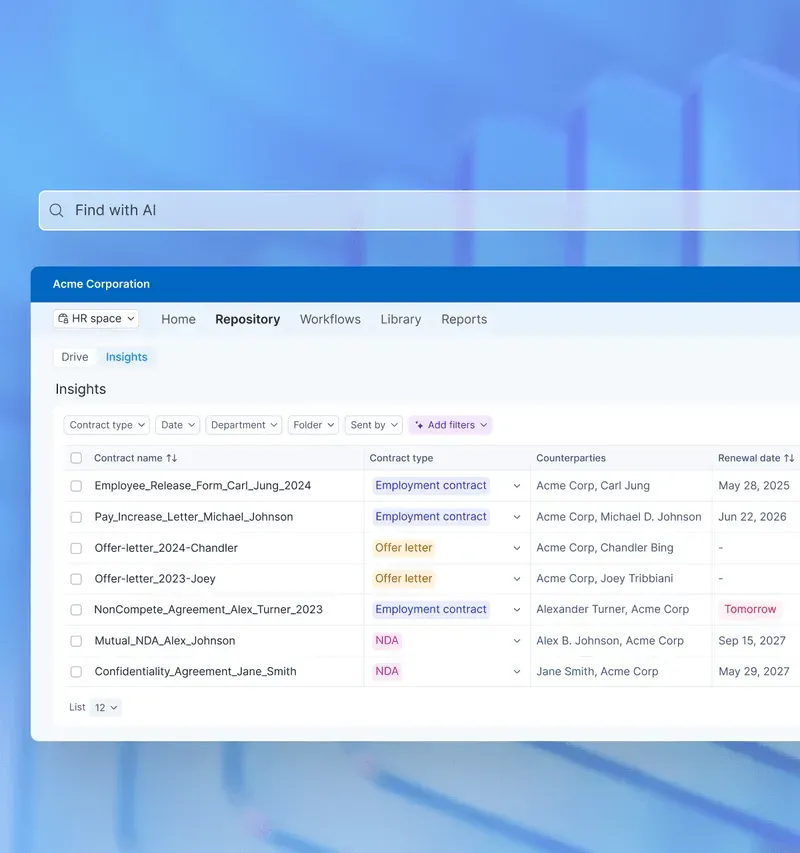
2. Better compliance visibility
When users can tag contracts by jurisdiction, policy type, renewal date, or regulatory requirement, compliance gets easy.
This is especially useful during internal audits, compliance audits, vendor reviews, or regulatory checks. A tool like Signeasy provides role-based access control (RBAC) to manage access to sensitive information. You can customize permissions based on user roles and responsibilities.
Plus, enterprise-grade security standards (SOC 2, GDPR, HIPAA, ESIGN/UETA, eIDAS), and full audit trails log every action for clear traceability.
How does this change daily operations:
- Legal quickly reviews the latest signed version, and not a draft with unapproved edits.
- Procurement gets renewal reminders before vendors auto-charge.
- Leadership has confidence that contract renewals won’t be missed.
3. Saved costs and time
Traditional contract management can trip your teams up in expensive ways. Nearly 30% of manual contracts contain errors, which can lead to compliance issues, revenue leakage, and awkward vendor or customer disputes.
It also costs you time. If contract cycles take 3.4 weeks (and sometimes more), deals stall, approvals drag, and teams spend more time chasing files than moving work forward.
Now that we know the benefits of digital contracting, let’s get to building or implementing a digital contract organization system.
A step-by-step digital contract organization system
Most contract problems begin before drafting, and they continue long after execution. A structured digital contract organization system fixes that by building control into every stage of the lifecycle.
Here’s how to set it up.
Step 1: Standardize how contracts are requested and drafted
Define how contracts enter your organization’s workflow. Instead of ad-hoc email requests, create a simple intake process where teams submit contract requests with key details such as:
- Contract type (vendor, sales, employment, NDA)
- Counterparty name
- Contract value or scope
- Required timelines
- Internal owner
Next, build a library of structured templates for commonly used agreements. Your teams can generate contracts quickly while maintaining formatting, clauses, and approval logic, which helps reduce drafting errors and prevent rogue versions from entering contract workflows.
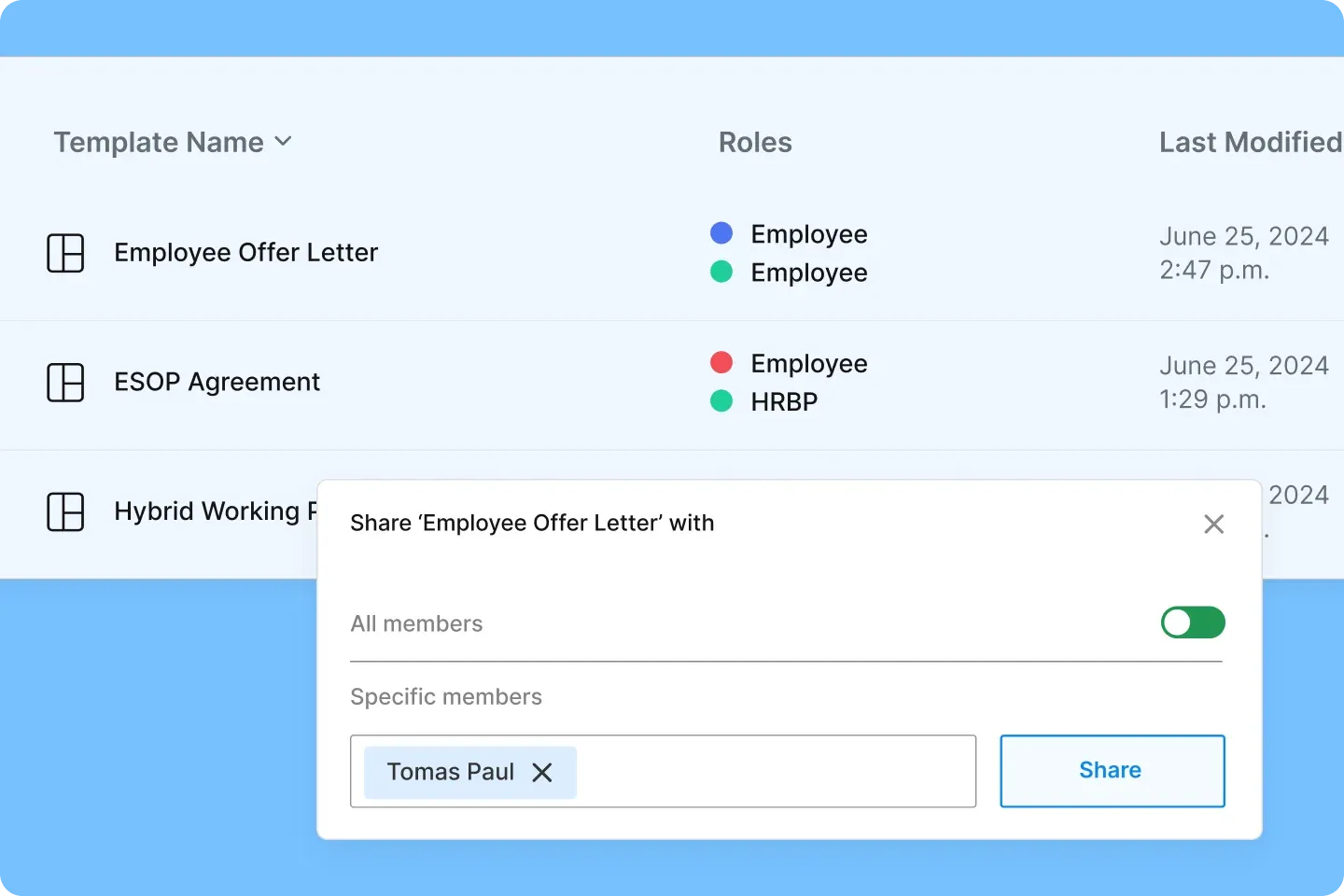
Step 2: Establish a structured collaborative review and negotiation process
Instead of sending documents back and forth over email, keep the review process within a single shared workspace.
Once the contract templates are in place, stakeholders can review, comment, collaborate, and track changes within the contract management system. This prevents version confusion and shortens negotiation cycles.
With Signeasy, you can even set the signing order for the correct sequence and notify signers when it’s their turn to sign by automating reminders.
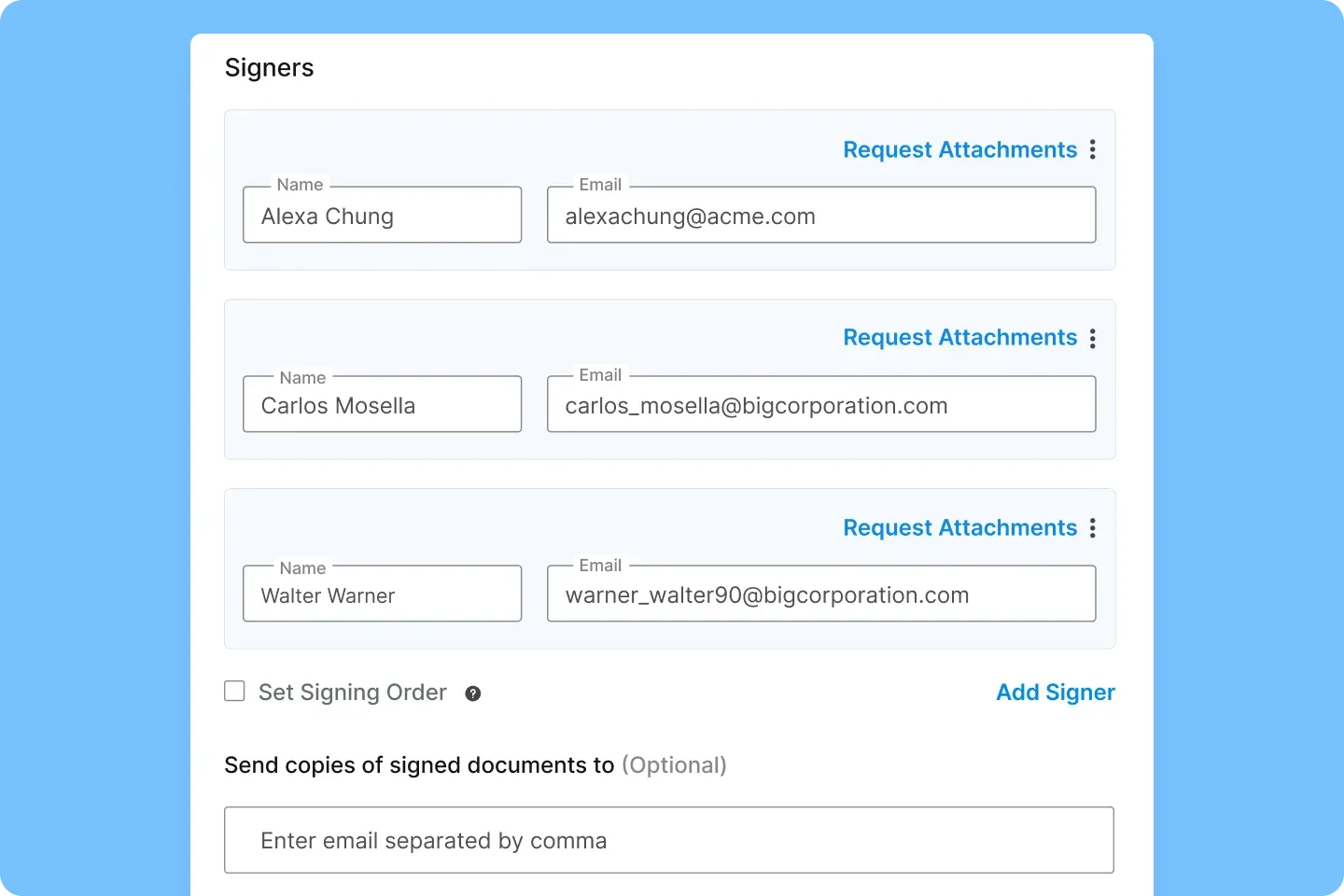
Step 3: Define clear contract approval workflows
Map out the approval path for different contract types as every agreement needs different level of review. For example,
- Low-value agreements → manager approval
- Medium-value agreements → manager + finance approval
- High-value or high-risk agreements → legal + leadership approval
Once the approval rules are defined, configure contract workflows so contracts automatically move to the next reviewer when a stage is completed.
A typical workflow might look like this:
Create from an approved template → Collaborate → Route for role-based approvals → Collect secure eSignatures in the right order → Auto-store the final version in one place
Step 4: Store executed contracts in a centralized repository
To keep the repository organized, companies should define a consistent tagging or metadata structure. For example, every contract can be categorized by:
- Contract type
- Department
- Counterparty
- Contract value
- Renewal or expiration date
- Contract owner
This structure makes contracts easy to retrieve and helps teams quickly find the information they need.
Signeasy‘s intelligent contract management automatically stores executed agreements in a centralized workspace with searchable metadata and activity history, so teams maintain an organized repository without manual filing.
Step 5: Monitor contracts and key contract dates
When was the last time a contract auto-renewed without anyone noticing?
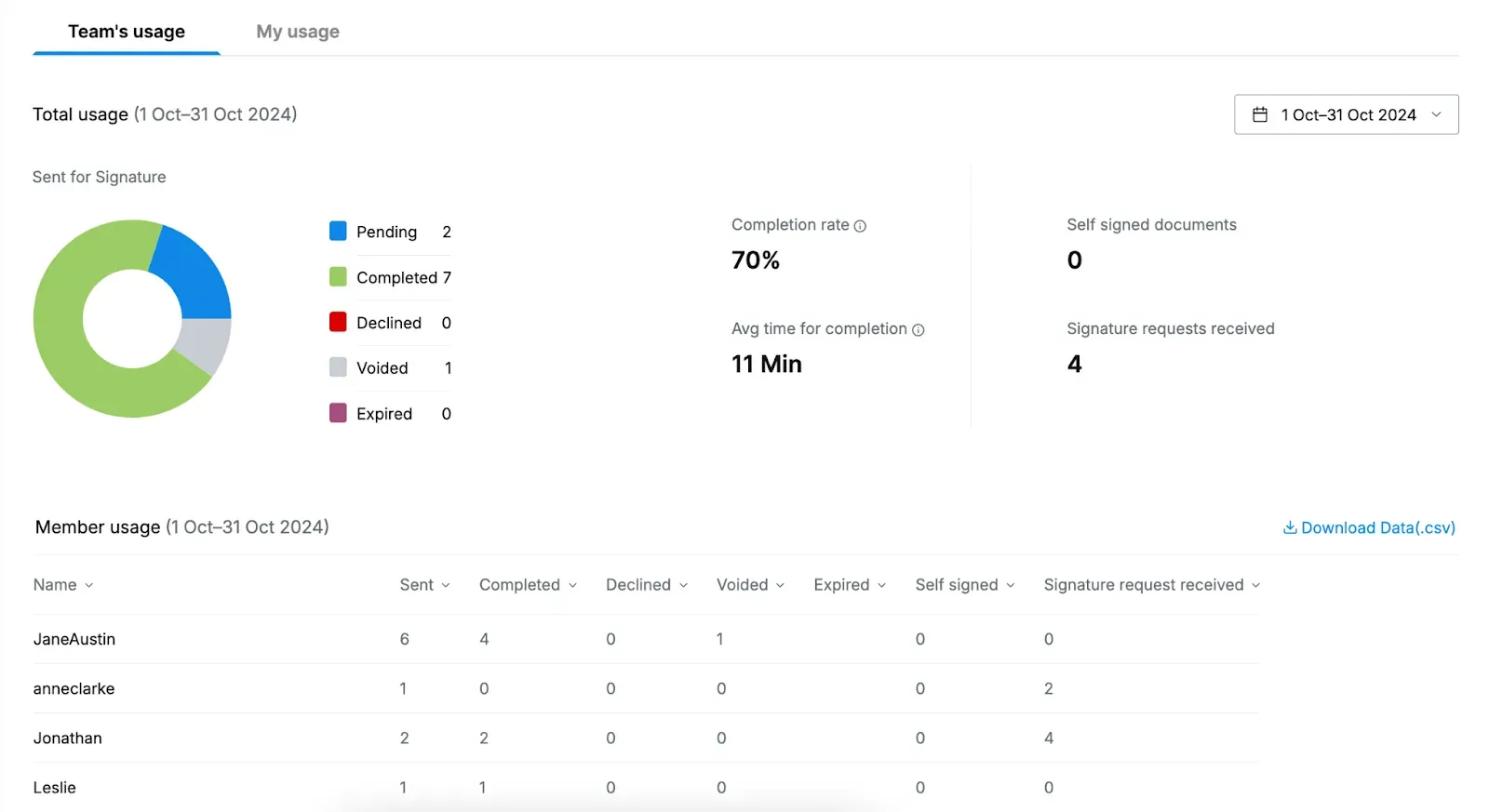
Teams should be able to track contract status, monitor key dates, and receive renewal reminders before deadlines hit. With a solution like Signeasy, its dashboard provides visibility into pending contracts, completion timelines, and upcoming expirations.
It helps you keep track of parameters like completion rate, average time of completion, and contract statuses within a time frame.
Essential features that support digital contract organization
A strong digital contract organization makes it easy for users to find, manage, and act on contracts. Below are the essential capabilities that turn contracts into structured, usable business assets.
1. Centralized contract repository
At the core of effective contract organization is a single, secure repository where every contract lives. Look for a system that automatically stores contracts in one unified space the moment they are signed. Teams can view document status (draft, sent, signed), track activity, and access the latest version without switching systems.
2. Structured metadata and search
A repository alone isn’t enough.
Contracts must be tagged with structured metadata, such as counterparty name, contract type, department, value, status, and dates. Combined with powerful search functionality (including text search across scanned PDFs) to make contract retrieval easy.
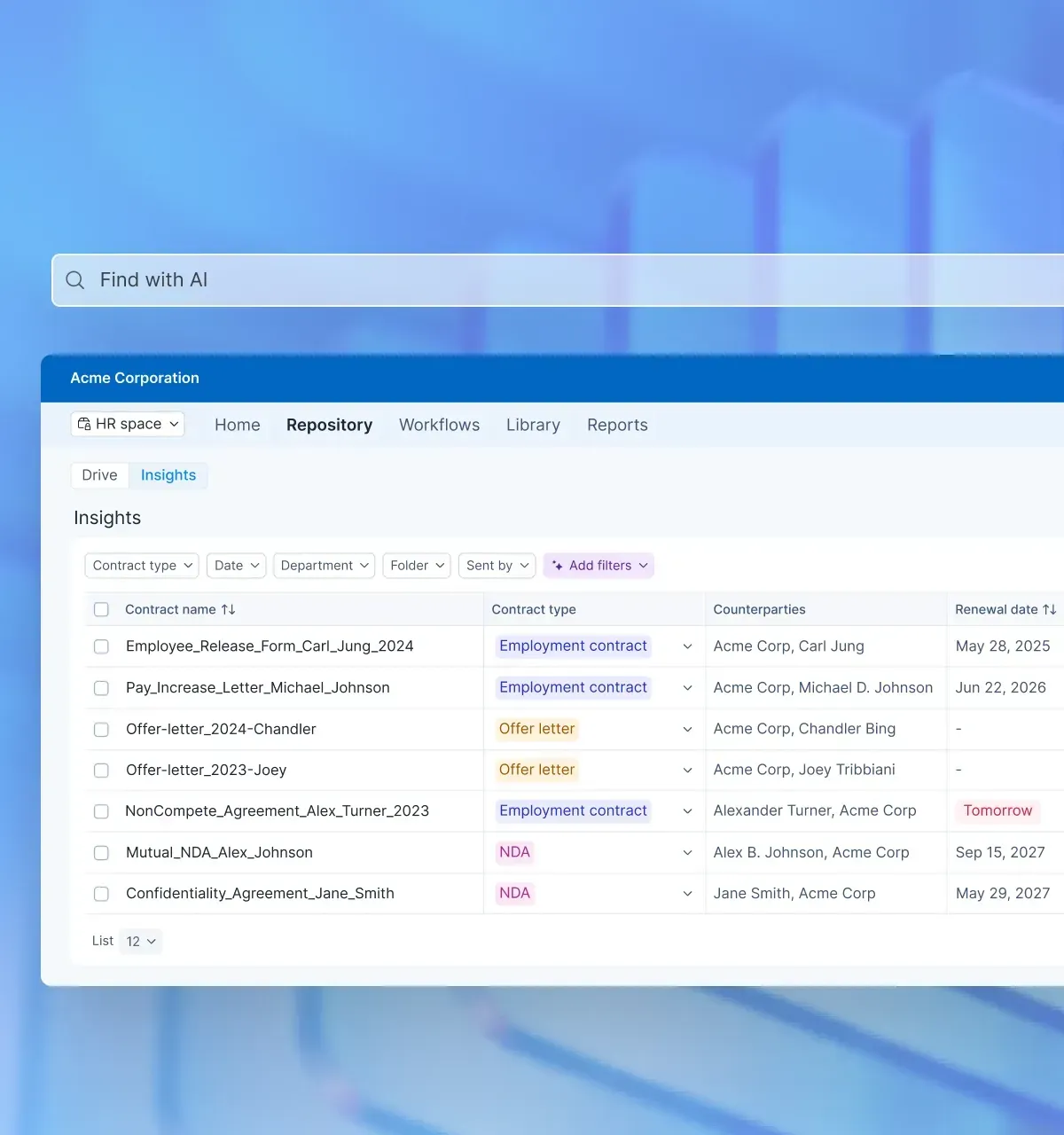
Users can search by document name, signer, clause keyword, or status and instantly see the document along with its activity history.
3. Role-based access and permissions
Contracts often contain sensitive financial, legal, or HR data. Choose a system that enforces role-based access so employees only see what they’re authorized to view.
Admins can assign permissions by department or role, ensuring confidentiality while maintaining cross-functional collaboration.
4. Workflow automation and audit trails
Look for a digital system that streamlines approvals and signatures through predefined workflows. Documents move automatically from draft to review to signature, with clear visibility at every stage.
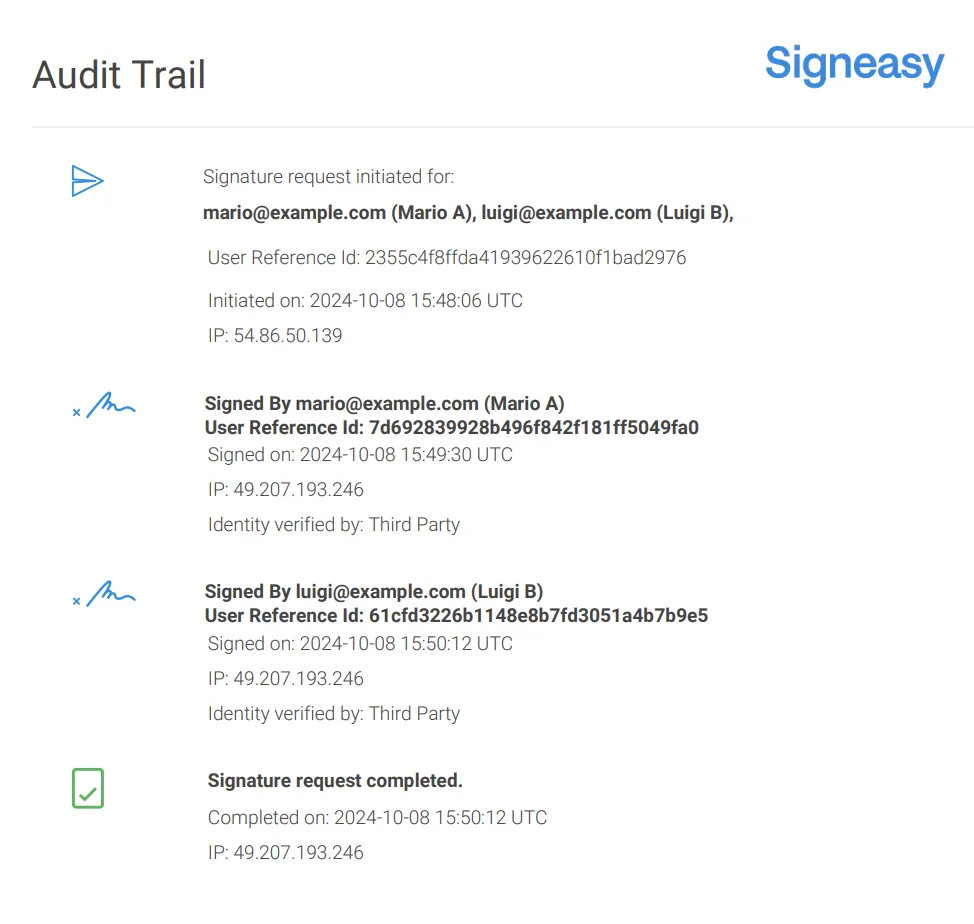
Plus, every action from edits, approvals, to signatures is logged in a secure audit trail. This means any user can review a contract, add comments, and route it to another team for approval, within the system.
5. Lifecycle tracking and alerts
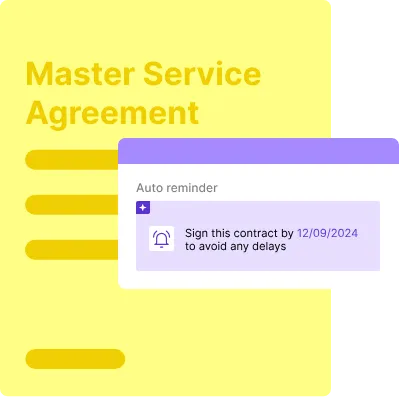
A structured system tracks key dates such as renewals, expirations, notice periods, and obligations, and sends automated reminders to ensure teams act on time. Instead of relying on calendar reminders or spreadsheets, choose a tool that has reminders and alerts as part of the contract lifecycle.
6. Integrations with business systems
Choose a tool that integrates with popular platforms such as Google Workspace, Microsoft 365, Gmail, Outlook, SharePoint, and other business systems, so your contracts stay aligned with CRM records, HR onboarding, and financial workflows without manual data entry.
The right integrations lay the foundation, but best practices turn digital contracts into organized, dependable business systems.
Best practices for contract organization
A strong contract organization is built on clear, repeatable processes. Here are the best practices for organizing contracts and making them more structured.
Even with a solid system, digital contracting rollouts usually hit a few predictable pitfalls. Here’s what to watch for.
Common pitfalls in digital contract organization and how to avoid them
Identify common mistakes such as treating contract storage as the end goal, overcomplicating folder structures, and neglecting ownership or change management.
- Treating eSignature as the end goal: Once a contract is signed, teams file it away and forget it.
- Overcomplicating storage structures: Deep nested folders with inconsistent naming make files hard to find.
- Unclear contract ownership after filing: No one knows who is responsible for updates, renewals, or risks.
- Amendments are split across tools: Signed versions are in one place, but redlines and amendments live in email or local files.
- Poor searchability inside stored contracts: PDFs exist, but text is unsearchable, or fields aren’t indexed, so teams still hunt manually.
- Key dates aren’t captured in a trackable way: Expiry and notice periods exist in the document, but not in reminders or reports.
Despite digital contracting, you might face contract management challenges around visibility, access controls, or compliance. A digital contracting setup only helps if contracts are organised for retrieval, governance, and follow-through, instead of just storage.
Here’s how Signeasy helps with digital contracting
Moving from manual processes to digital contracting is the first step. However, turning a basic repository into a true contract management ecosystem creates control. Signeasy fits both use cases — teams can move from simple document storage to complete contract lifecycle visibility.
You can draft contracts from approved templates, route through internal approval workflows, and send for eSignature from a single workspace. Since Signeasy integrates with popular tools like HubSpot, Google, and Microsoft tools, contracts can move through the lifecycle without constant file downloads or manual uploads.
For example, when Signeasy is integrated with Google Workspace, teams can prepare agreements stored in Google Drive and send them for signature directly from the same environment. Once signed, agreements are automatically stored in a central repository with clear ownership, searchable metadata, and version history.
Ready to move from scattered files to structured digital contracting? Request demo with Signeasy and make contracts a reliable business asset!




