



If you are here looking to understand Formstack better, you may have already heard many good things about it, like:
- It is one of the best ways to build forms with its low-code setup.
- It helps teams save a lot of time by streamlining eSignatures.
- It offers plenty of integrations and reliable customer support.
- It is ideal for sectors like finance due to its compliance features.
But despite these positive elements, Formstack is not the walk in the park you might expect under the hood.
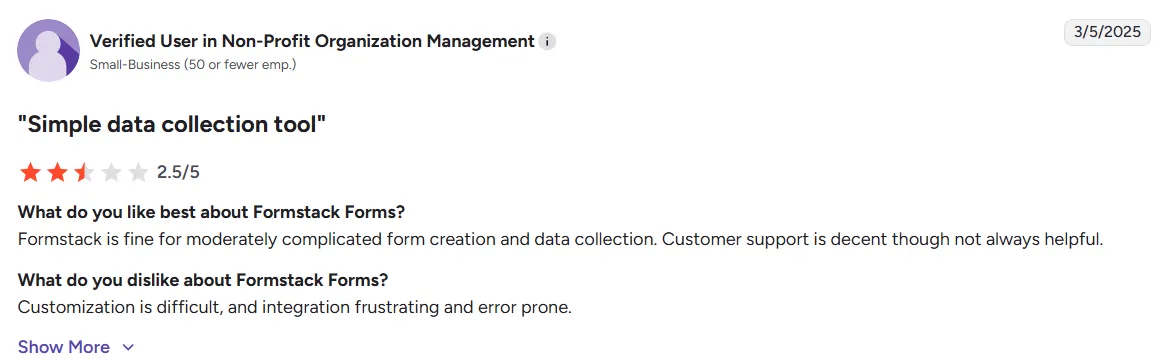
A user on Capterra says the pricing structure is confusing. A TechRadar review notes that many advanced features are locked behind top-tier plans. One review on G2 mentions limited and complex customizations, as given below:
Source
So we decided to review the platform in detail to help you:
- Understand what Formstack is
- Get a closer look at its key features
- Break down its pricing plans
- Explore its pros and cons
- And, finally, see how it compares with Signeasy
Let's get started.
What is Formstack?
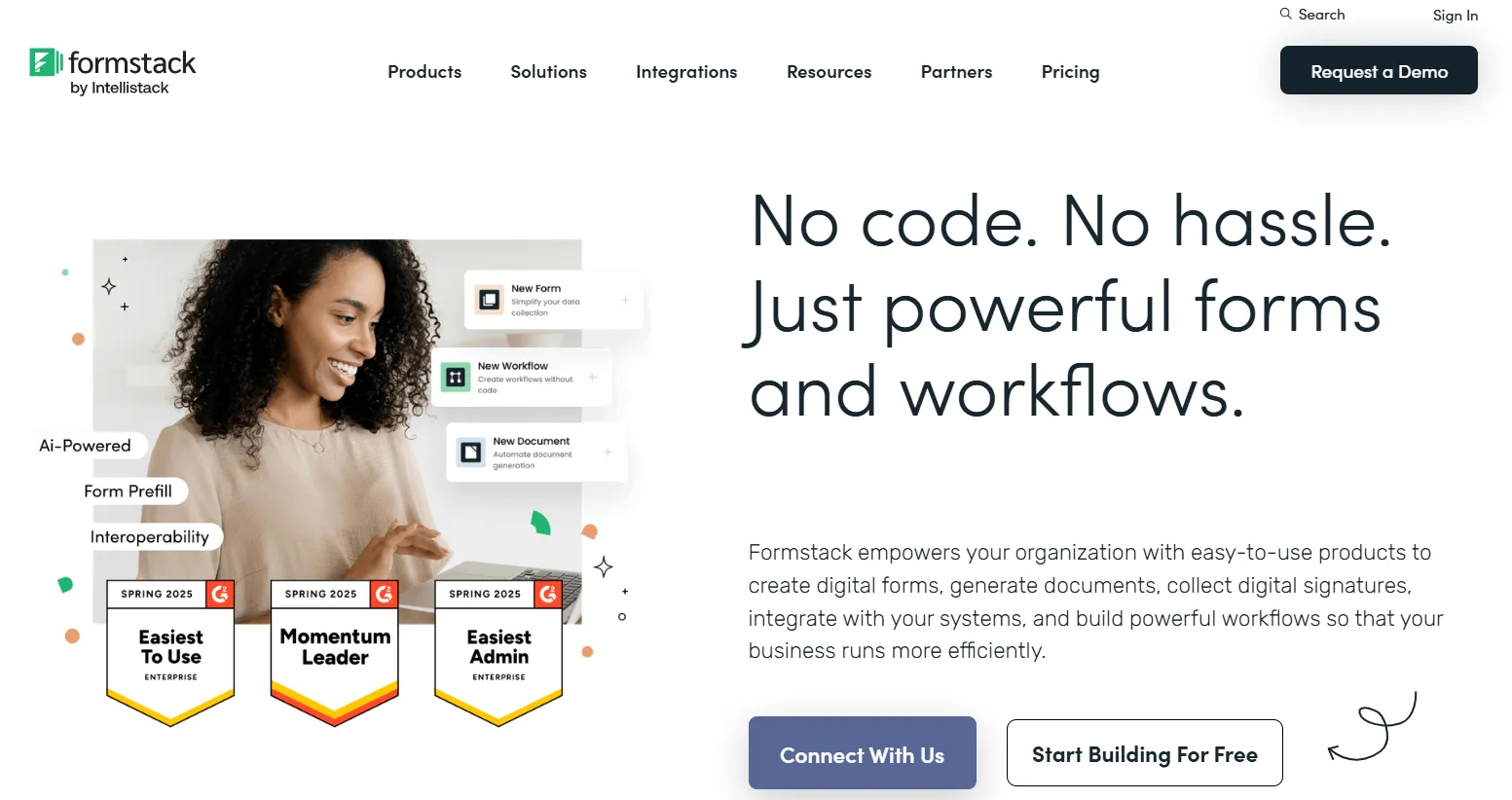
Formstack is a workflow automation platform for businesses to collect details, create digital forms, and manage eSignatures. It is primarily a data collection and workflow automation suite, with eSignatures being one component of its larger offering
The platform started as a form builder but has grown into a suite of tools for data collection, document generation, and approvals. It is ideal for teams that handle a lot of paperwork, such as HR, finance, etc., with templates, integrations, and compliance features.
But while its versatility is a plus, many users find it more complex than needed when all they want is simple, fast eSigning.
And here is where Signeasy, which offers enterprise-level contract management features, fares better against Formstack’s broader service scope.
Learn More: Best digital signature providers in 2025
Formstack features: A closer look
Formstack offers a broad range of tools that go beyond eSignatures. It makes it possible to design forms, automate workflows, and manage documents from one platform.
Let's take a closer look at a few of the top features Formstack offers here.
1. Form builder
The form builder is where Formstack began. It is a drag-and-drop interface that lets you create forms, surveys, or data collection pages without coding. You can customize fields, apply conditional logic, and connect to CRMs or cloud storage.
2. eSignature
Formstack Sign is the eSignature tool within the Formstack suite. It helps businesses send, sign, and manage contracts, invoices, and agreements. As each signed document comes with a detailed audit trail, you can also ensure compliance under ESIGN and UETA.
3. Document management
Formstack Documents automates how businesses create, populate, and deliver contracts, invoices, and agreements. It also supports formats like DOCX, PDF, PPTX, and CSV, and offers an AI-powered document builder.
While the automation features are great, it might be a bit over the top for teams that just need a simple document management tool.
Learn More: Top 10 document management systems (DMS) in 2025
4. Workflow automation
Managing approvals, reviews, and document routing are always challenging. If you look closely, you can see this is where most errors happen. This is also where most of your time is spent. Formstack helps you address all these issues with its workflow automation.
Learn More: Contract automation: Software, benefits, and features
6. Integration capabilities
Formstack offers 250+ integrations. From business tools to forms, documents, and signatures, you can integrate it with any tools in your everyday workflows.
Some of the popular integrations of Formstack are Salesforce, HubSpot, Zoho, Google Drive, Dropbox, Stripe, and PayPal.
7. Security and compliance
Formstack meets enterprise-grade security standards like SOC 2, HIPAA, PCI, and GDPR. It encrypts all documents in transit and at rest, and tracks every action with audit trails. This makes the tool ideal for regulated industries like finance and healthcare.
For teams whose primary focus is document signing, Signeasy provides the same core compliance standards (SOC 2, HIPAA, GDPR, eIDAS, and ESIGN/UETA) without Formstack’s complexity.
Formstack vs Signeasy: A feature-wise comparison
Here is a quick overview of how Formstack and Signeasy compare with each other in terms of the features they offer:
While Formstack offers robust form-building features, Signeasy focuses more on lightweight contract management features with AI-driven document management and approval workflows.
Formstack pricing and plans: A detailed breakdown
A key area that most businesses need to focus on when picking a tool like Formstack is the pricing.
To begin, Formstack offers three categories of plans:
- Forms: Tools and features ideal for users who want to collect, manage and integrate data
- Salesforce Solutions: Tools and no-code features ideal for Salesforce users who want to securely collect data within the platform
- Document Automation: Tools and features suitable to help eliminate paperwork and automate document generation, eSigning, and workflow automation
Forms
Here is a quick overview of the annual plans offered by Formstack under the category of Forms:
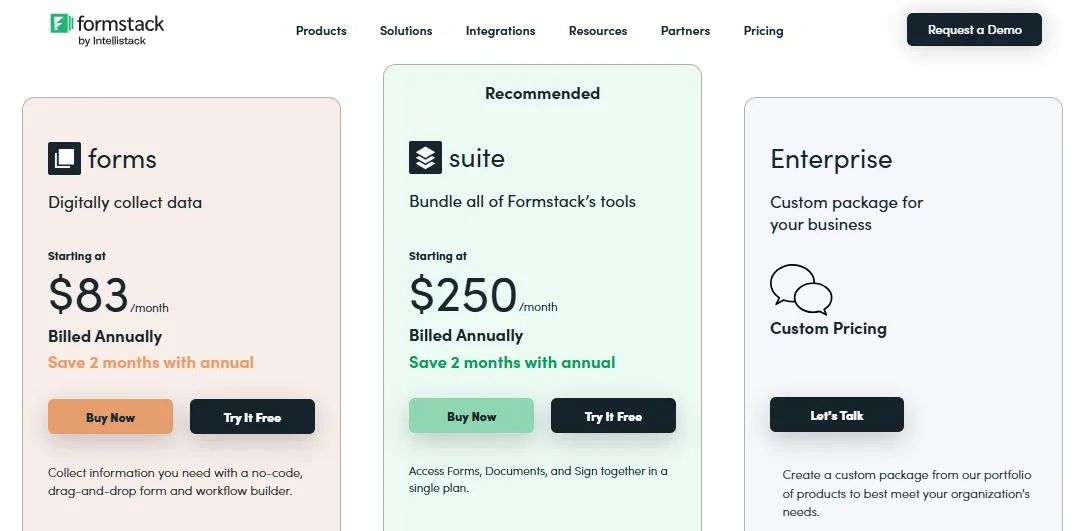
The following breakdown will give you a deeper understanding of the plans under this category:
1. forms
Formstack’s forms plan is best for businesses that need to collect and manage data with online forms. It starts at $83/month on an annual billing plan for 1 builder user, 25 forms, 1000 submissions per form, and 2 GB of storage.
You get access to a no-code, drag-and-drop form builder, along with essential automation tools.
It also offers useful features like:
- Unlimited submissions and form views
- Dynamic task assignment
- Form-to-form prefill
- Custom branding
- Workflow access
However, this plan is limited to form building only. There are no document generation or eSignature features.
2. suite
The Suite plan gives you access to Forms, Documents, and Sign. It starts at $250/month when billed annually. It has 3 builder users, 100 forms, 5000 submissions per form, and 10 GB storage.
You can also access 100 document templates and get unlimited document signatures. In addition, you also get advanced features like:
- Workflow dashboard
- Custom branding
- Group approvals
- Smart lists
- Data routing
3. Enterprise
The Enterprise plan is for organizations that need full control, higher limits, and compliance support.
It includes everything in the Suite plan, and:
- Dedicated Customer Success Manager
- Single Sign-On (SSO) eligibility
- Enterprise-grade security and compliance
- User-level permissions and account controls
You need to contact Formstack’s sales team for a custom quote.
Salesforce Solutions
Here is a quick overview of the plans available under this category for Formstack users:
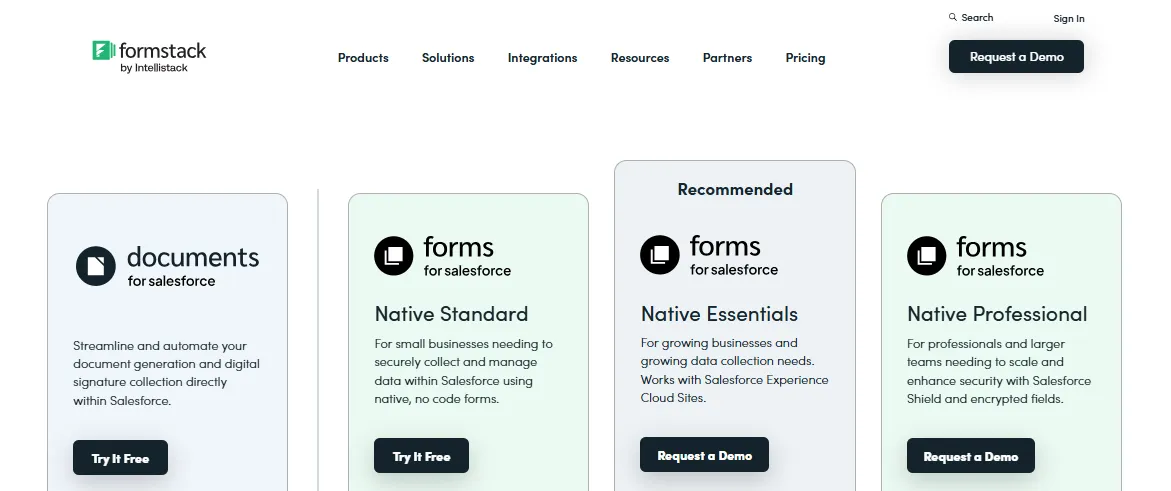
Let’s break down each plan in detail here:
- Documents for Salesforce: It is suitable for teams looking to create documents and collect signs directly inside Salesforce.
- Native Standard: The Native Standard plan is best for small businesses using Salesforce to collect and manage form data.
- Native Essentials: This plan supports growing teams and lets you use Salesforce Experience Cloud Sites while building on the features offered by the Standard plan.
- Native Professional: It is ideal for larger teams that need advanced security and more submissions.
Document Automation
Under this category, Formstack offers four different plans. Here is a quick overview of the plans:
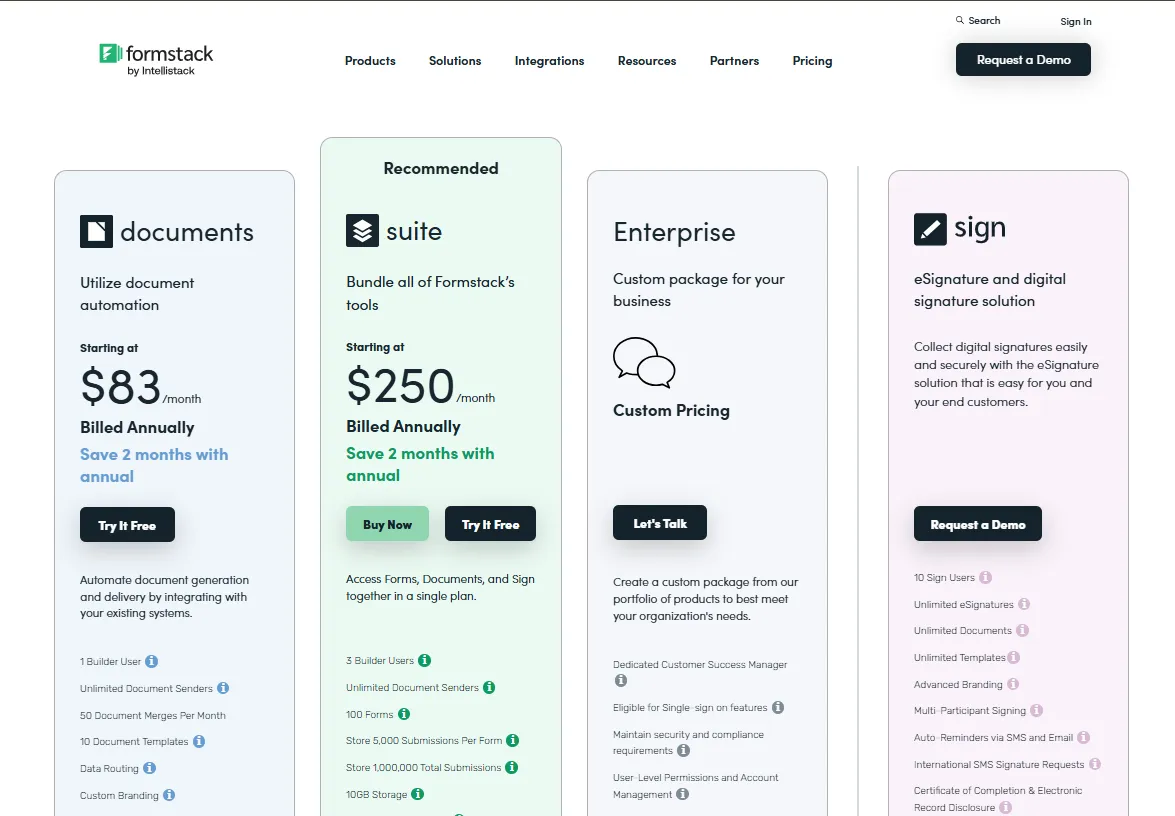
The following breakdown will help you understand Formstack’s pricing even better:
- Documents: This plan is designed to automate document generation and delivery by integrating with the users' existing systems. It is also ideal for teams looking to automate document creation and sharing.
- Suite: This is the same plan offered by Formstack under the Forms category.
- Enterprise: The Enterprise plan is a custom package built for organizations with complex needs or higher security and compliance standards.
- Sign: The sign plan is focused on eSignatures and digital document signing. This custom plan is perfect for teams that need a dedicated, flexible eSignature solution.
Learn More: Docusign vs Signeasy
3. Cost comparison with other eSign solutions
Formstack offers multiple plans under different categories for its users. The sheer number of plans and overlapping features may make it difficult for users to pick a suitable plan quickly.
This becomes more evident as we look at other eSignature tools and their plans, as shown in the table below:
Now, let’s take Signeasy’s pricing plans for example and review the pricing plans in depth.
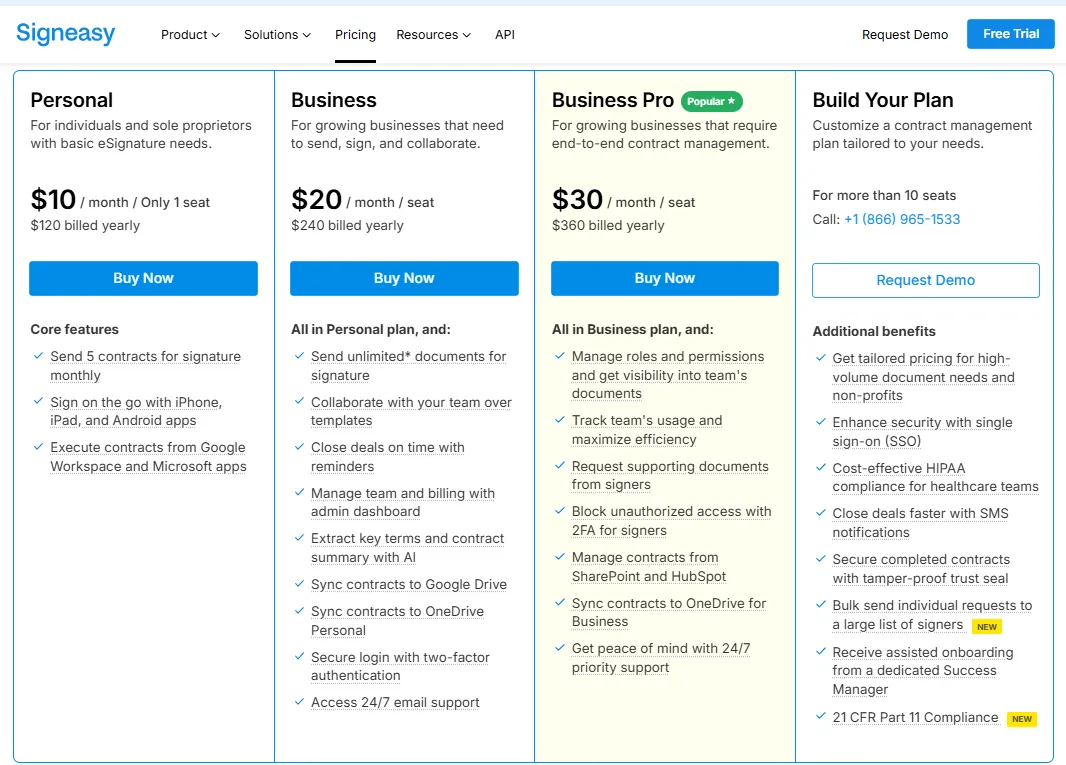
As you can see, Signeasy’s plans offer unlimited signatures, team collaborations, admin dashboards, bulk send, compliance, and more.
Let’s compare how Formstack and Signeasy fare against each other and see what makes Signeasy’s plans easier to understand and more user-friendly.
1. Formstack vs Signeasy: Free plans
Formstack does not offer a free plan. Signeasy, on the other hand, shines here with a free plan, which offers three documents per month to sign.
You can also use the online document signer by Signeasy to import files in 25+ formats, customize documents, sign securely, and more.
2. Formstack vs Signeasy: Entry plans
Formstack’s entry plan called forms under the Forms category costs $83/month on annual billing. Another entry plan under the category Document Automation, called documents also cost $83.
Both the plans focus on document generation, management, and data collection without eSignature features.
However, Signeasy’s entry plan, called the Personal plan, costs $10/user/month on annual billing. The plan is ideal for individuals and small teams who want to send and sign documents affordably and don’t need Signeasy’s full contract management capabilities.
Signeasy’s Personal plan also includes the following features:
- Send up to five documents per month to sign
- Add stamps, timestamps, and signer IDs
- Protect documents with passwords
- Self-sign and edit signer details
- Work with major file formats
3. Formstack vs Signeasy: Business plans
Formstack offers the suite plan under both Forms and Document Automation category, which offers a bundle of all Formstack tools. It costs $250/month on annual billing and $299/month on monthly billing.
While it comes with a range of advanced forms, documents, and eSignature tools, the pricing is high. For businesses that need advanced document and eSign management tools, the cost seems like overkill.
This is where two plans from Signeasy come in handy with affordable pricing even with advanced contract lifecycle and eSignature management capabilities.
At $20 per month on annual billing Signeasy’s business plan offers a range of contract management features that let you:
- Send unlimited documents for signing with a support for over 25 formats, such as PDF, Excel, PNG, JPG, Word, Pages, etc.
- Collaborate with teams to standardize contracts, minimize errors, and save time with up to 5 reusable contracts. You can share documents with your team or use public links to collect signatures from multiple people. Use built-in reminders that go out on day one and day seven, with the option to send manual reminders if needed.
- Integrate with Google Drive, Google Sheets, Google Docs, Gmail Microsoft Teams, and Microsoft Outlook to store and share documents.
- Invite, manage, and collaborate with your team members and handle billing easily with the help of the admin dashboard.
You can take all these to the next level with Signeasy’s Business Pro plan which is offered at $30/month on annual billing.
The plan is ideal for mid-sized businesses and teams that need to manage multiple departments and senders. The plan also offers you diverse business features to help you:
- Improve team performance with usage tracking that allows you to monitor team usage and contract stages and share reports.
- Ensure control of the team’s documents with the help of role-based permission and access document analytics.
- Manage documents within SharePoint and HubSpot using integrations and avoid switching platforms
- Ensure extra security and only verified signers can access documents using two-factor authentication for signers
- Resolve any issues with the platform instantly with 24/7 priority support regardless of when these issues happen.
While the business plan offered by Formstack brings diverse tools for forms, documents, and eSigns together, they are very expensive. But Signeasy offers diverse contracts and eSignature management capabilities at highly competitive rates.
4. Formstack vs Signeasy: Enterprise plans
Formstack’s offers the same Enterprise plan under both Forms and Document Automation plan categories. The plan enables businesses to build a custom plan by adding suitable products from Formstack’s existing portfolio of products.
However, the details of the plan are scarce on the website, like in the case of all other plans offered by Formstack. This can make decision-making hard for potential customers.
Unlike Formstack, Signeasy has given all the details a potential customer needs about its plans, including the enterprise plan. It also makes sure that the enterprise plan is designed for teams that need comprehensive contract management capabilities that Signeasy offers.
Along with the features offered on other plans, Signeasy’s enterprise plan brings you the following:
- Single sign-on (SSO) support for secure access and easier user management.
- 21 CFR Part 11 compliance for FDA-regulated industries and life sciences.
- HIPAA compliance to protect patient data and maintain privacy standards.
- SMS notifications to alert recipients instantly about pending documents.
- Intelligent contract repository to unify documents insights from diverse locations.
- Dedicated Success Manager for faster setup, onboarding, and ongoing support.
The enterprise plan by Signeasy is detailed by offering all the details a potential user needs to make the decision. It also offers a detailed comparison of plans to help you choose the best plan for your needs, something that Formstack does not do. Exploring more options? Check out our adobesign alternatives page.
5. Formstack vs Signeasy: API plans
While Formstack supports API, API pricing details are not available on the website. However, Signeasy has a dedicated pricing section for API.
Here is a quick overview of the API pricing plans offered by Signeasy.
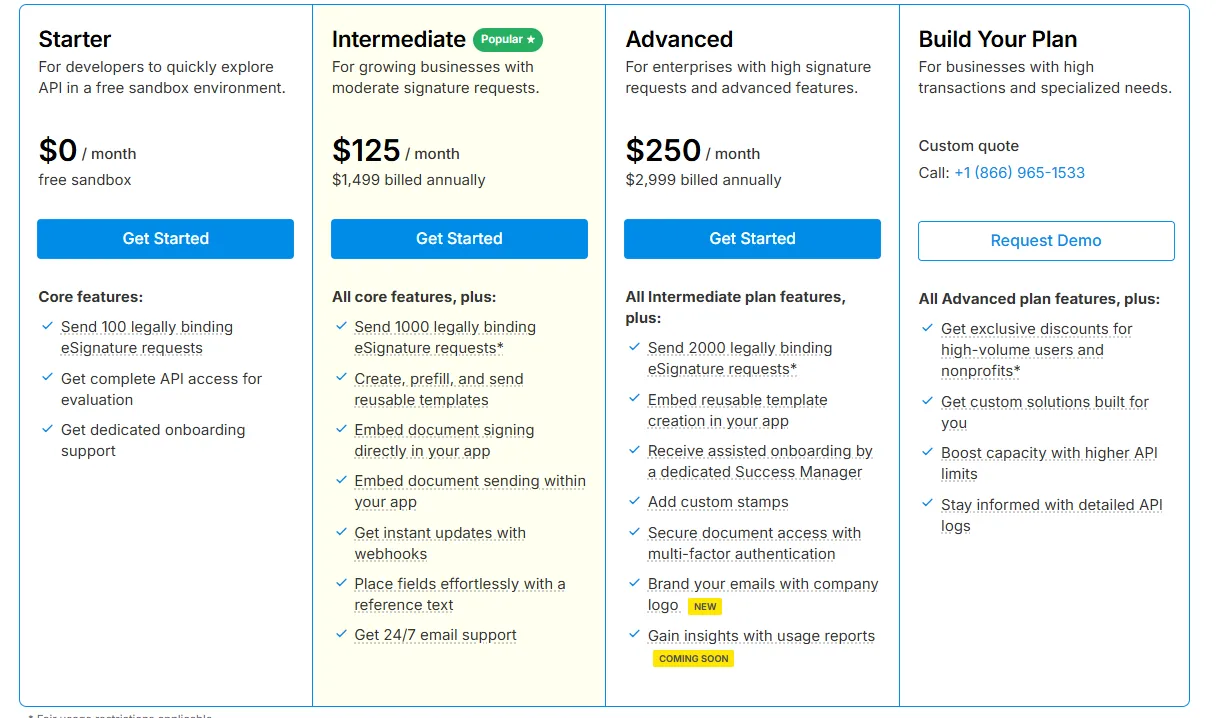
- Starter: Free sandbox plan for developers testing the API.
- Intermediate: $125/month, suited for businesses with moderate signature needs.
- Advanced: $250/month, built for enterprises needing higher volume and advanced features.
- Build Your Plan: Custom pricing for high-volume or unique business requirements.
4. Formstack vs Signeasy: Free trial availability and limitations
Formstack offers a 14-day free trial for plans like forms, documents, and suite under different plan categories. There is, however, a usage cap for forms, signatures, and merges. After the trial, you must pick a paid tier to continue.
At the end of the free trial, you need to purchase the plan you signed up for to keep access to the documents, forms, and workflows.
On annual billing, you get 2 months for the forms, documents, and suite plans
Like Formstack, Signeasy also offers a 14-day free trial. You can sign up for the trial without a credit card.
Signeasy also offers a 100-day money-back guarantee.
Ease of use: Is Formstack user-friendly?
Tools like Formstack must be easy to use with minimal effort. The learning curve should also be short.
Let’s see if Formstack lives up to that standard here.
1. Setup and onboarding
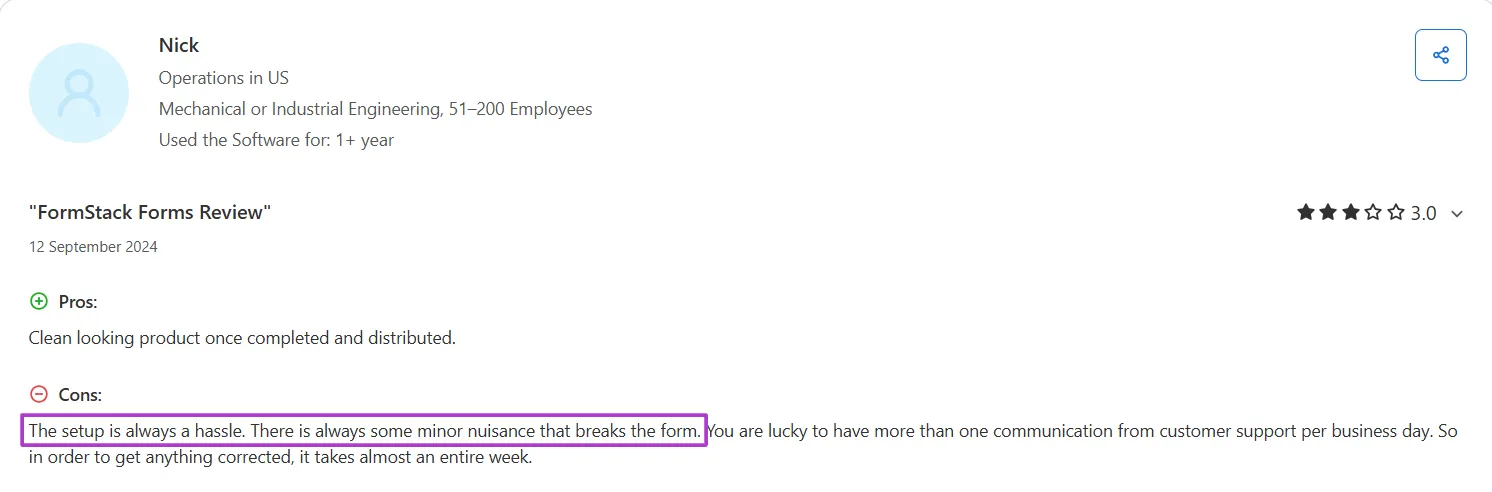
Formstack offers broad flexibility, but setup is heavy. New users often struggle with templates, field mapping, logic settings, and integrations. Smaller teams report a steep learning curve, and reviews frequently mention that reaching smooth daily use requires time and technical comfort.
Many G2 and Capterra reviews echo this sentiment, noting the steep learning curve. Here is a review on Capterra that talks about the same:
Source
2. User interface
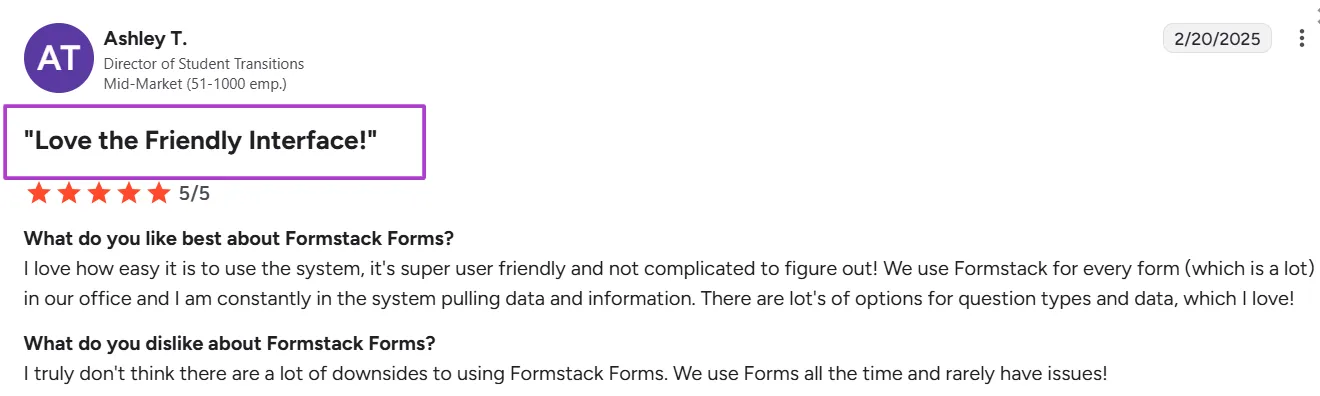
Formstack’s UI is visually clean and modern, but many users find it less intuitive when setting up forms or workflows due to its layered menus and advanced settings.
Despite this learning curve, users appreciate its polished design and the clarity of layout once they get used to it on platforms, like G2, as given in the review below:
Source
In contrast, Signeasy focuses purely on simplicity and usability. Users can upload a file, add fields, and send it for signing within minutes.
What users are saying about Formstack
Like every other eSignature tool, Formstack has its strengths and weaknesses. Here is what users are saying about it on platforms like G2, Capterra, etc.
Pros
Let’s check out the pros first and then move on to the cons.
1. It simplifies online data collection
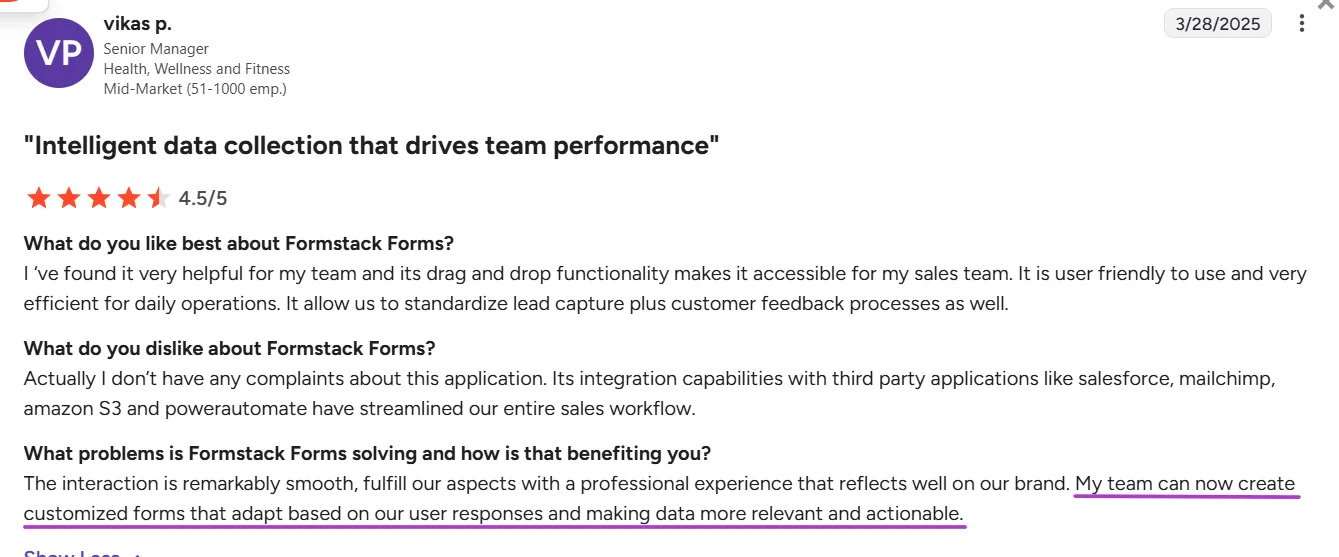
After setting Formstack up for your business, data collection becomes easier with Formstack. It makes it easy to build and manage forms with the help of:
- No-code, drag-and-drop form builder
- Flexible sharing options
- Automated workflows
Users seem to love this feature, as evident in the review below on G2:
Source
However, it’s worth noting that setting up these workflows and forms initially can take time, especially for smaller teams.
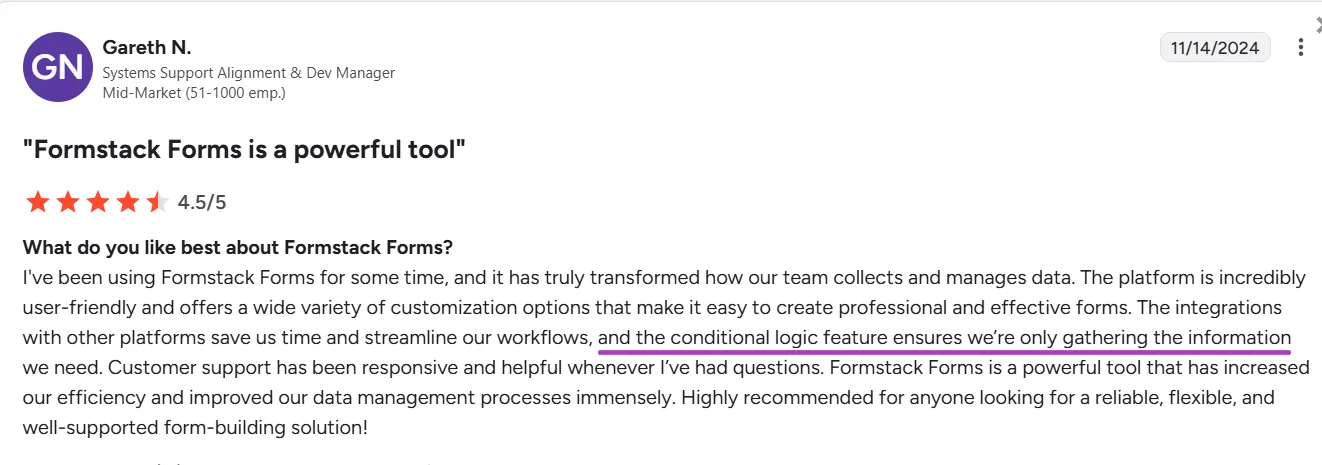
2. It offers dynamic forms with conditional logic
Formstack lets you create custom and dynamic forms that update based on user inputs. It also lets users create complex workflows to collect the exact details they need.
Many users have reviewed Formstack positively for these benefits:
Source
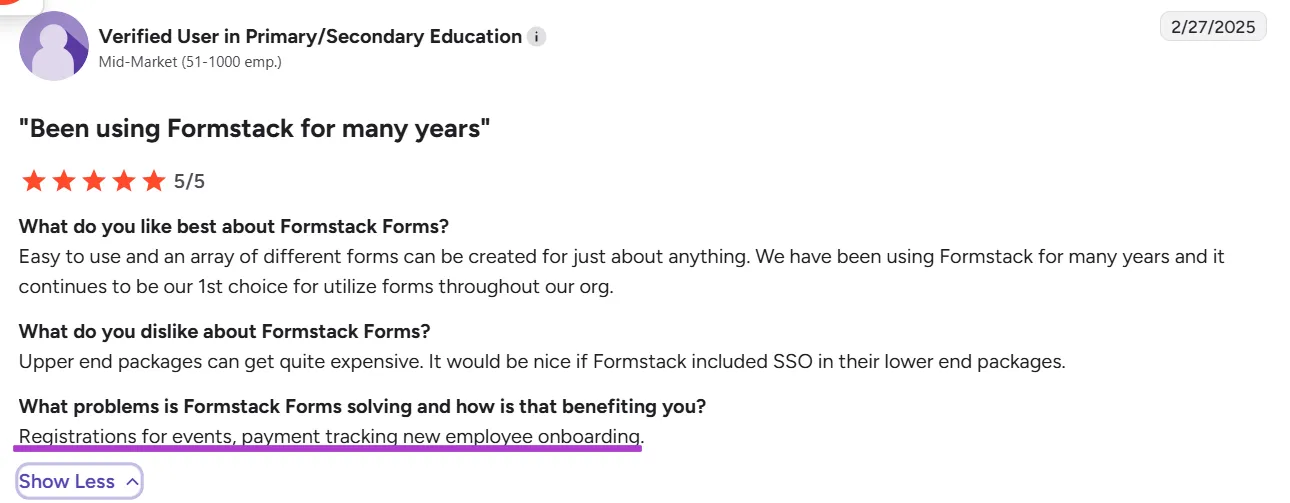
3. It delivers embedded payment processing systems
Formstack supports integration with payment gateways like PayPal, Stripe, etc., directly within forms during registration. It helps users collect and track payments securely during form submission without using any additional tools.
And many users love this benefit, as given in the review below on G2:
Source
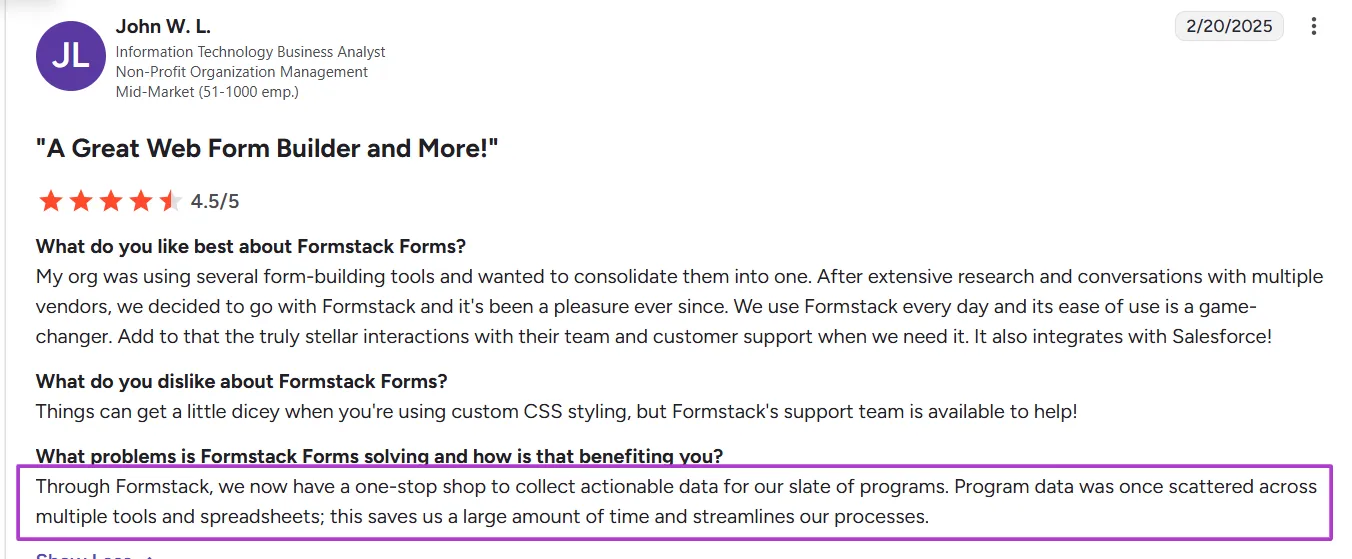
4. It helps create a unified repository for actionable data
Formstack lets you collect and store data for diverse programs your business may run. This not only streamlines the processes but also frees your team for more strategic tasks instead of spending all their time on manual data collection and checking.
Here is what a user on G2 has to say about it:
Source
Cons
Despite these pros, Formstack has no shortage of limitations. Here are a few ones worth talking about:
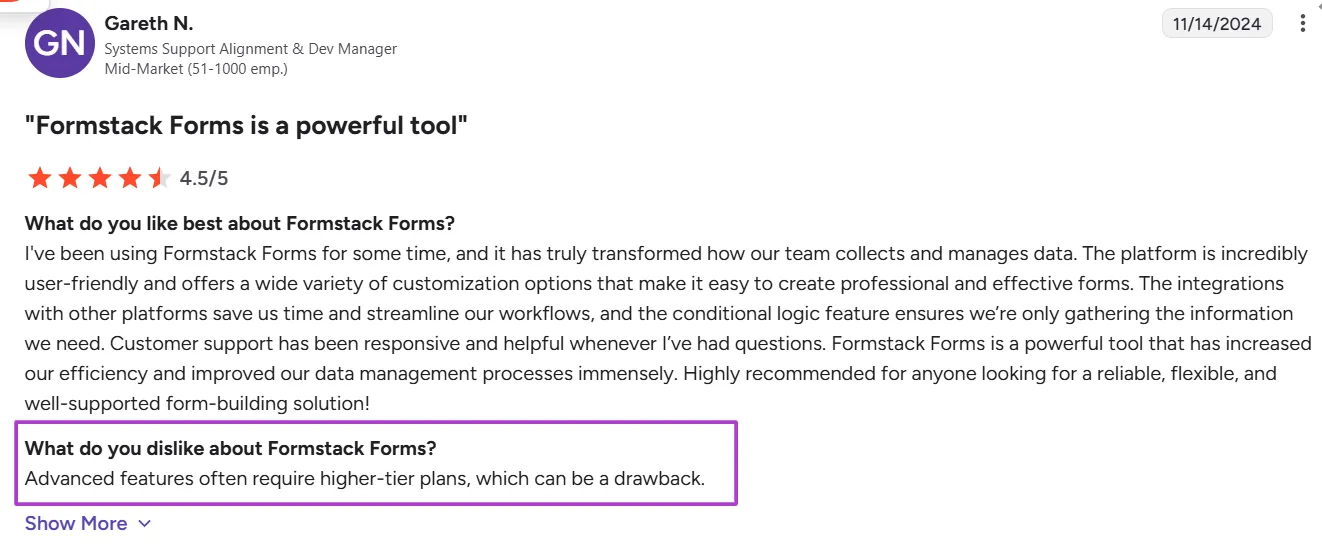
1. Advanced features are gated
Formstack locks advanced features onto its high-tier plans. This is a huge challenge for businesses that do not need all the extra features of tools that come with the top-tier plan.
Here is a review of Formstack on G2 that highlights this particular issue:
Source
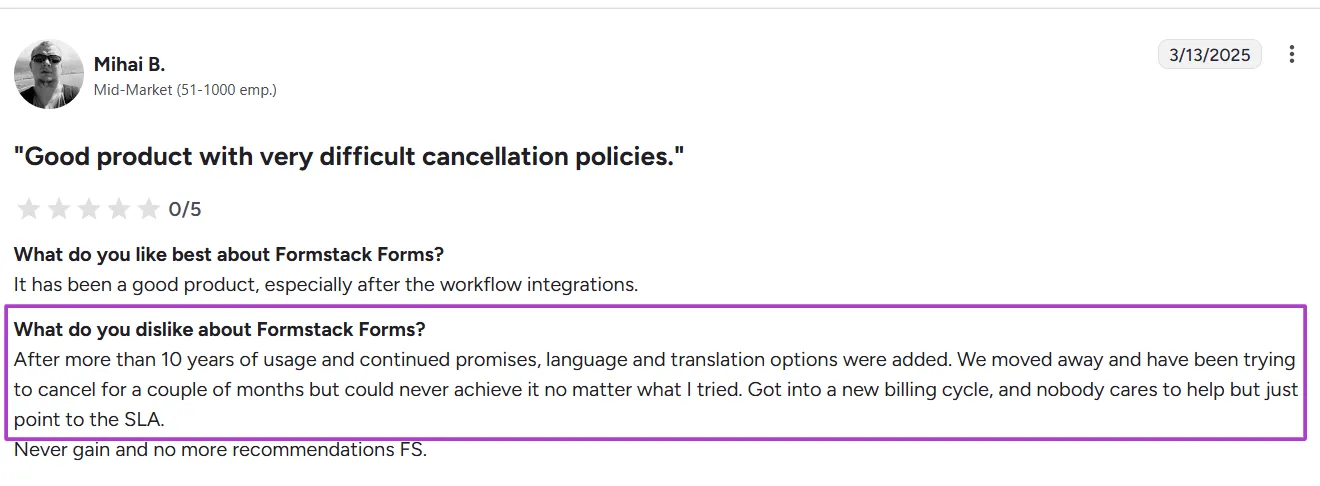
2. Cancelling plans is challenging
Many users say that Formstack is hard to cancel, despite trying to work it out with the customer service team.
Here is a review of Formstack on G2 by a user who tried to cancel the Formstack subscription but still got into a new billing cycle:
Source
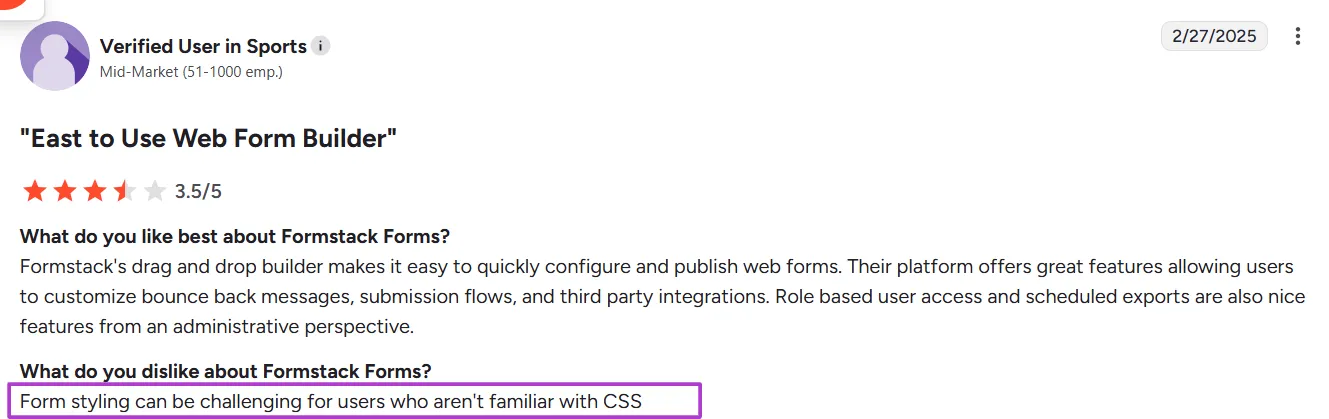
3. Form styling needs CSS knowledge
Formstack lets its users style its forms to make them more visually appealing. But, to do this, users need to have some functional knowledge of CSS. Those who don’t have CSS knowledge might not be able to use the styling option well.
Here is a user pointing out this drawback in their review on G2:
Source
Formstack’s customer support and resources
Formstack provides several support options depending on your plan.
All users have access to a knowledge base, video walkthroughs, and email support. Top-tier plans include priority ticket handling and access to a dedicated account manager.
It also offers live chat, but only between 7 a.m. and 7 p.m. ET from Monday to Friday.
Formstack also has an extensive help center with setup guides, API documentation, and integration walkthroughs.
Signeasy, on the other hand, offers quick and prompt support across all plans. It also has support resources that cover onboarding, integrations, and troubleshooting.
While both platforms provide solid support, Signeasy’s support is faster and simpler to navigate.
Who is Formstack best suited for?
Formstack’s strength lies in its flexibility. It is ideal for teams that handle a lot of forms, approvals, and document workflows.
Small businesses vs. large enterprises
It works for any size, but it’s strongest for mid‑sized and large organizations with complex, cross‑department processes. Smaller teams may find the setup heavy, especially if they only need fast signing.
Industries that benefit the most
Formstack Fits regulated sectors like healthcare, education, finance, and nonprofits that require secure, compliant forms and approvals.
Specific use cases
Strong for form-driven processes such as intake forms, onboarding flows, internal approvals, and document generation.
However, if you are looking for simple contract signing, contract management tools like Signeasy are faster and easier to adopt.
Choose Signeasy for AI-driven eSign and contract management
Our detailed review of Formstack showed us it is a powerful platform for teams that need more than just eSignatures. Its strength lies in form creation and data collection. And this makes it ideal for enterprises or regulated industries that need to collect data and comply with regulations.
But we have also seen on review platforms, like G2 and Capterra, that its depth makes it complex. This is especially the case for teams that simply want a fast and intuitive way to send, sign, and manage contracts.
We identified 3 key issues with Formstack that make it fall short of expectations:
- It is complex to set up with numerous rules and advanced logic.
- The pricing can scale quickly for businesses with more docs to handle.
- It only offers basic customization, limiting a truly branded experience for its users.
But if your priority is speed, simplicity, and seamless eSigning, Signeasy is the more practical choice, as it lets you:
- Sign documents quickly and easily on any device — mobile, tablet, or desktop — from anywhere.
- Save frequently used documents as templates to automate the creation of standard agreements, contracts, and forms.
- Use AI to create document summaries, find key contract terms, speed up contract reviews, etc., for better contract management.
By using Signeasy, you too can increase your productivity by 70% just like Neuropath has been able to.
Request a free demo to experience the tool yourself.