

Figuring out cobblestone contract management pricing is harder than it should be. You won't find a pricing page on their website. What you will find instead is a request pricing form, a phone number, and a lack of context on what you'd be billed.
Source
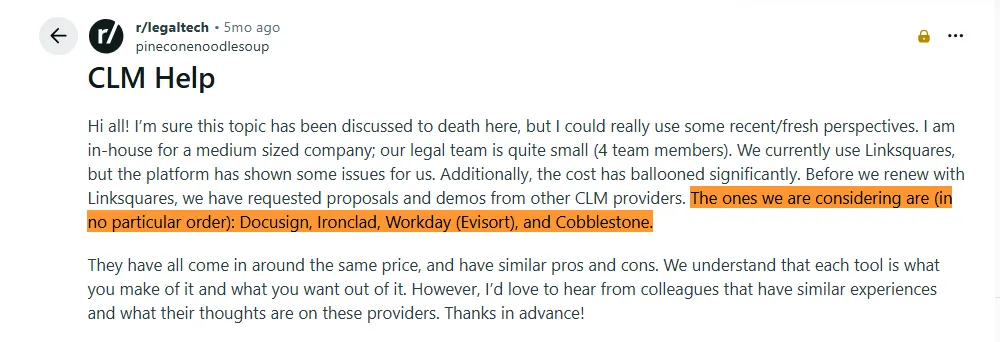
Posts like this show how buyers (like you) are actively evaluating CobbleStone Contract Insight alongside other CLM or contract management tools, obviously after watching costs balloon at their current provider. The last thing they want is another pricing model they can't evaluate on their own — and honestly, who does?
In this guide, you'll learn:
- How CobbleStone structures its pricing and what influences cost
- What each edition includes and what it doesn't
- Which alternatives offer transparent, published pricing, and how they compare
- Why growing teams pick Signeasy over CobbleStone for contract management
How we sourced our data
To provide accurate pricing estimates and feature comparisons, we reviewed CobbleStone's official website, product documentation, and edition comparison pages. We also analyzed verified user reviews from G2, Capterra, and Gartner Peer Insights, focusing on feedback patterns around pricing, implementation costs, and onboarding experiences. Where third-party pricing data is cited (Capterra, ITQlick), sources and dates are linked inline.
What is CobbleStone Contract Insight?
CobbleStone Contract Insight is an enterprise contract lifecycle management (CLM) platform built for legal, procurement, and compliance-heavy organizations. It handles contract drafting, workflow automation, vendor management, e-sourcing, and financial tracking across the full contract lifecycle.
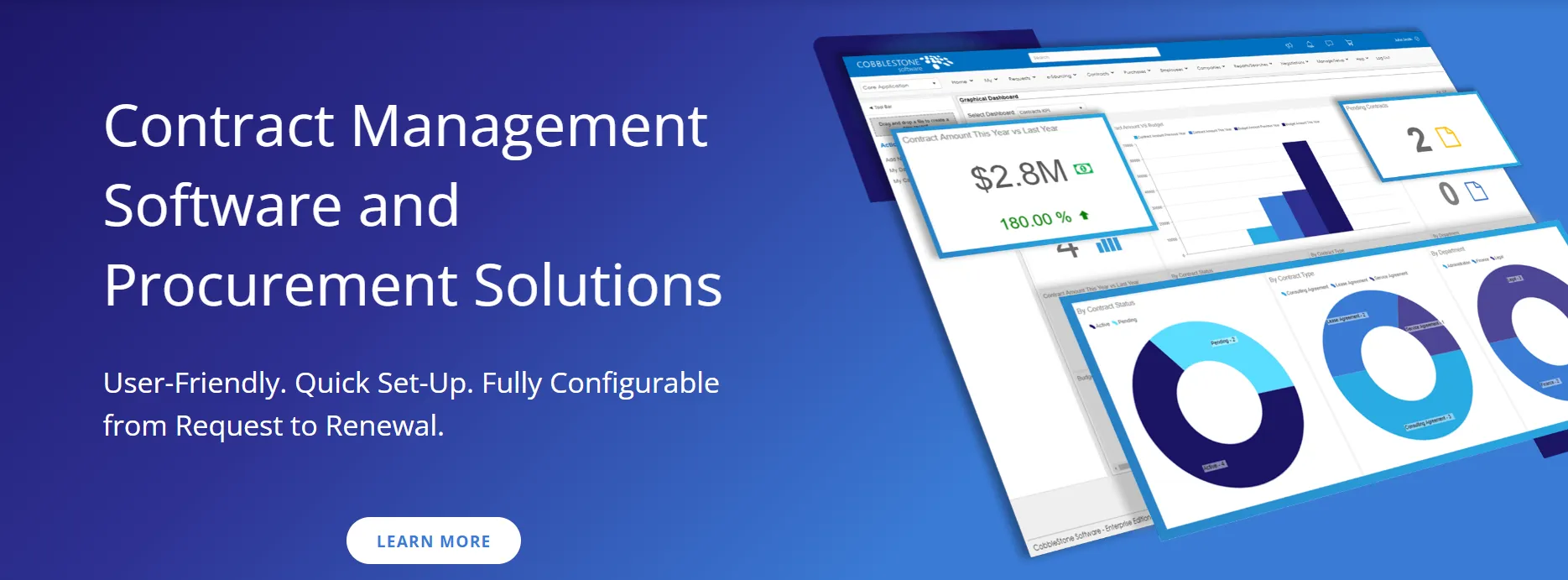
CobbleStone runs on a proprietary AI engine called VISDOM, which powers features like clause extraction, auto-redlining, and metadata mapping. It is available as a SaaS solution or as an on-premise deployment, and currently offers three editions: Express, WorkGroup, and Enterprise.
What does CobbleStone cost? Not something you can find on their website, but here's what the data says.
CobbleStone contract management pricing breakdown
CobbleStone does not list pricing on its website. Instead, buyers use the request pricing form that asks for their name, company, email, phone number, and industry before anyone mentions a dollar figure. If you're trying to compare options or build a business case internally, that's an immediate roadblock. You can't benchmark what no one will show you.
That said, third-party sources and review platforms do offer some useful data points worth working with.
1. CobbleStone pricing structure
Capterra puts CobbleStone's starting price at $59 per user, per month. A more recent breakdown from ITQlick (updated February 2026) suggests higher figures: around $99/month for a single user, scaling to roughly $800/month for 10 users and up to $7,000/month for 100 users.
For enterprise-level deployments that involve heavy customization, onboarding, and data migration, total costs climb significantly beyond the per-user subscription. ITQlick puts that range at $20,000 to $100,000+, though these figures are unverified.
They cover licensing, but the actual cost will shift based on user count, deployment type, and which add-on modules you need. According to Gartner Peer Insights, CobbleStone structures its pricing around tiered subscriptions tied to those exact variables.

Source
2. What each CobbleStone edition includes
CobbleStone offers three product tiers, each targeting a different stage of organizational maturity:
- Express is the entry-level option, available only as a SaaS deployment. It covers fundamental contract management, document storage, email alerts, financials tracking, full-text search, and flexible user permissions. Think of it as the starting point for teams that need centralized contract visibility without the full CLM suite.
- WorkGroup is an on-premise solution that builds on Express with contract drafting capabilities, check-in tracking, robust text searching, and deeper reporting. It's designed for organizations that need deployed infrastructure for security or compliance reasons, with a migration path to Enterprise when they're ready to scale.
- Enterprise is the full platform. It includes everything in WorkGroup, plus CobbleStone's VISDOM AI engine (clause extraction, auto-redlining, metadata mapping), intelligent workflow automation, IntelliSign electronic signatures, unlimited contract repository, configurable dashboards, and advanced analytics. It's available as SaaS or on-premise.
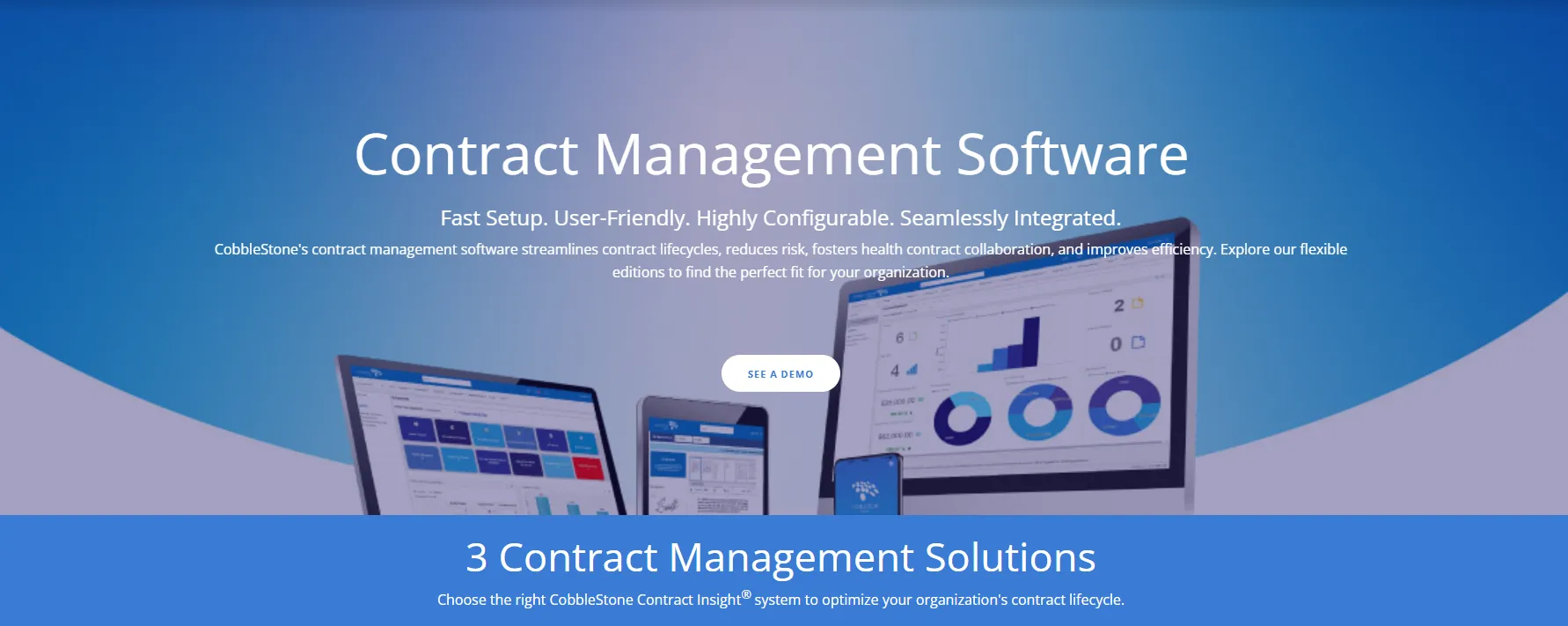
eSignature and AI-powered contract review are locked behind the Enterprise tier or sold as paid add-ons. If your team considers those table stakes, the lower editions won't cut it.
3. Additional costs to watch for
Implementation is one of the bigger cost factors to account for. ITQlick estimates it can add 20-50% on top of initial costs, and that's before factoring in training, which they peg at anywhere from a few hundred to several thousand dollars per employee.
Beyond that, several line items tend to inflate the total:
- Add-on modules. IntelliSign (eSignature), eSourcing, and vendor management are not included in every edition. If your team needs them, they will be quoted separately on top of your base plan.
- On-premise infrastructure. Organizations that go with the WorkGroup or Enterprise deployed editions take on hosting, maintenance, IT support, and upgrade responsibilities internally. CobbleStone's SaaS plans bundle support into the monthly fee, but deployed versions require a separate annual maintenance agreement.
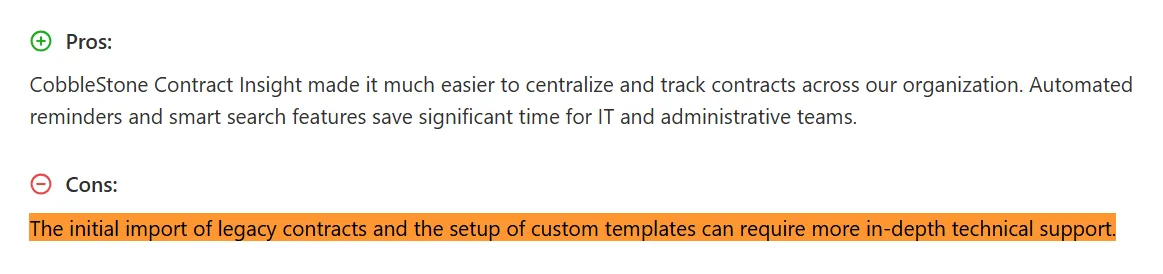
- Configuration and migration. Importing legacy contracts and configuring custom templates often requires deeper technical support than teams anticipate. For organizations with years of contract data spread across shared drives and inboxes, that migration effort adds both time and cost that won't show up in your initial quote.
Source
If your team is growing and your workflows change often, this kind of pricing structure is hard to plan around. Budgeting for a platform where costs shift with every new user, module, or deployment change makes internal approvals tougher and long-term forecasting unreliable.
Now that we have covered what CobbleStone is likely to cost, the next question is whether that spend is justified.
CobbleStone pros and cons from a pricing perspective
So what do teams that went through the sales process and bought CobbleStone actually think? Below, we have separated what users consistently praise from what they flag as sticking points, backed by verified reviews from G2, Capterra, and Gartner Peer Insights.
1. CobbleStone’s pros
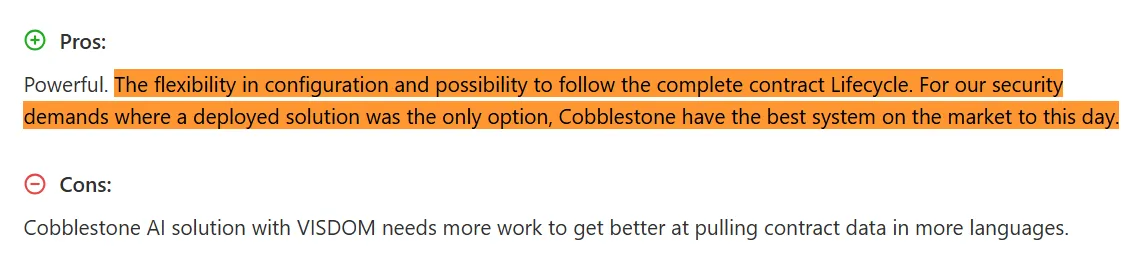
- Configurable across industries and use cases. CobbleStone is flexible enough to serve healthcare, government, legal, and financial services teams. Reviewers consistently highlight how the platform adapts to different contract workflows without needing to switch tools.
Source
- AI-powered extraction and analysis at the Enterprise level. For teams that handle high contract volumes, CobbleStone's VISDOM engine offers clause extraction, auto-redlining, and metadata mapping. These features reduce the manual review time that drives up operational costs in legal and procurement teams.
- Responsive support and sales team. Across all three review platforms, this is the most frequently mentioned positive. Multiple reviewers describe the sales process as low-pressure and the support team as hands-on during onboarding.

Source
- Competitive pricing at scale. One mid-market G2 reviewer listed the price of the service as what they liked best. A Gartner reviewer noted that after vetting 26 solutions, CobbleStone was the clear choice. These are Enterprise users, though, so the value perception may not translate to smaller teams.
- 30-day free trial. Uncommon for enterprise CLM platforms. It gives teams a chance to test the platform before committing to a quote.
2. CobbleStone’s cons
- No transparent pricing. The absence of pricing complaints in reviews suggests that users who make it past the sales process are generally satisfied with the cost. The issue is how many potential buyers never get that far because they cannot evaluate the price on their own.
- Steep learning curve. This is the single most recurring negative across review platforms. Reviewers from different company sizes and industries flag the platform as overwhelming during the first few weeks.

Source
- eSignature and workflow automation are not included by default. IntelliSign is a paid add-on, and workflow automation only unlocks at the Enterprise edition. For SMBs or teams with simpler contract workflows, the platform's breadth can work against it, adding complexity and cost for capabilities they may never touch.
- Setup complexity adds hidden time and cost. Importing legacy contracts and configuring custom templates often requires technical support that mid-market organizations do not budget for upfront. One Gartner Peer Insights reviewer noted that their team was still in the configuration stage, working closely with a dedicated trainer and implementation coordinator.

Source
CobbleStone's support during that process earned praise, but the fact that configuration is a standalone phase speaks to the level of effort involved.
If the request pricing form was not your favorite part of evaluating CobbleStone, the next section covers alternatives that publish their plans upfront, starting with a side-by-side look at what each one charges and includes.
Best CobbleStone alternatives for contract management
Say you've submitted a pricing request to CobbleStone, waited for the call, sat through the demo, and the quote comes in well above your budget. Or maybe the feature set is more than your team actually needs. Either way, you're back to square one.
Here is how three alternatives with published pricing, Signeasy, Docusign, and Adobe Acrobat, compare to CobbleStone on cost, features, and value.
A few notes to keep in mind…
1. Signeasy
Signeasy is an eSignature and intelligent contract management platform with fully published pricing starting at $20/month/seat on the Business tier.
Beyond what we have already covered, Signeasy includes 24/7 email support on all paid plans (not a paid upgrade), compliance with HIPAA, SOC 2 Type 2, GDPR, eIDAS, and 21 CFR Part 11, and full mobile apps across iOS, Android, and iPad. It also integrates with Google Workspace, Microsoft 365, SharePoint, HubSpot, and Teamtailor.
The biggest differentiator is that Signeasy bundles contract management, eSignature, and AI into every paid plan — no sales conversation or custom quote required to get started.
2. Docusign
Docusign is among the most recognized names in eSignature, but contract management capabilities are limited on lower tiers. The Standard plan costs $25/user/month (annual) and caps usage at 100 envelopes per user per year. Check or detailed Docusign alternatives page.
3. Adobe Acrobat for Teams
Adobe Acrobat Pro for Teams runs $22.19/month/license and is strongest as a PDF and eSignature tool. It is not a dedicated contract management platform, so teams with workflows that go past signing and storage will find its capabilities thin.
All three publish what they charge. Among them, Signeasy is the only platform that pairs published pricing with full contract management and built-in AI. The next section breaks down that comparison with CobbleStone in more detail.
CobbleStone vs. Signeasy: A detailed pricing and feature comparison
Pricing is where this comparison starts, but it does not stop there. Below is how CobbleStone and Signeasy measure up on features, mobile access, and what you get for what you pay.
The table gives you the snapshot. Below, we'll dig into what those differences mean for your budget and your team.
1. Pricing transparency
CobbleStone keeps pricing behind a sales conversation. We covered earlier what third-party sources suggest ($59-$99/user/month), but nothing is confirmed until you're on a call with their team.
Signeasy publishes everything on its pricing page:
- Business ($20/month/seat): Unlimited documents, team collaboration, AI-powered contract summaries
- Business Pro ($30/month/seat): Role management, approval workflows, priority support
- Build Your Plan (custom): For teams with 5+ seats or specific requirements
Every paid plan comes with a 100-day money-back guarantee. You can also start with a 14-day free trial to test the platform before committing.
2. Feature-for-feature value at each price point
The real question is what's bundled into your plan and what gets quoted separately.
With CobbleStone, several features that most buyers would consider foundational are either add-ons or reserved for higher tiers:
- eSignature (IntelliSign): Paid add-on, not included by default.
- AI capabilities (VISDOM): Only available at the Enterprise level.
- Workflow automation: Also limited to the Enterprise tier.
Teams on Express or WorkGroup are paying for a contract management platform but still missing pieces they'll likely need down the line.
But with Signeasy, eSignature is included on every plan, starting at $20/month. AI features like contract summaries and key term extraction come in at the Business level. Advanced approval workflows are available on the Business Pro plan at $30/month/seat. Most teams can access what they need without negotiating add-ons or jumping to the top tier.
3. Who gets more value?
For SMBs and mid-market teams, Signeasy is the more practical choice. Published pricing makes it easy to budget, deployment is swift, and the total cost stays predictable as your team scales. You're not paying for procurement modules or compliance features your team won't touch.
Signeasy is not limited to smaller teams. Enterprises with straightforward contract workflows, such as those that need eSignature, approval routing, AI-powered summaries, and integrations with SharePoint and HubSpot, can run their entire contract process from the Business Pro tier at $30/month/seat.
CobbleStone's depth may make sense for large organizations with complex procurement and strict regulatory requirements across multiple departments. But even at that scale, the lack of public pricing adds friction to every stage of evaluation, from initial research to internal sign-off.
Still waiting on that CobbleStone quote? You don't have to.
Why Signeasy is a practical alternative to CobbleStone contract management pricing
You've seen the numbers — or rather, the lack of them. CobbleStone doesn't publish pricing, third-party estimates range anywhere from $59 to $99/user/month just for the entry-level tier, and features like eSignature and workflow automation cost extra on top of that. If you've been trying to build a business case around those variables, you already know how frustrating the process gets.
Signeasy skips all of that. With Signeasy, you see the pricing before you sign up, you know what is included at each tier, and nothing foundational gets quoted as an add-on. Everything covered in the comparison above is available the moment you pick a plan. And if it doesn't work out, the 100-day money-back guarantee means you're not locked in.
Whether you're comparing quotes, stuck waiting on a CobbleStone sales callback, or not comfortable with quote-based pricing models, Start free trial and see how Signeasy works for your team.