



The Adobe Sign API lets developers bring the signing user experience into their applications, where recipients can sign documents and teams can track completed agreements. Before choosing it, teams need to understand OAuth permissions, document processing, production licensing, and when Adobe counts a signing transaction.
This guide explains the Adobe Acrobat Sign REST API v6 workflow, its features and pricing, and how it compares with Signeasy API.
What is Adobe Sign API?
Adobe Sign API, officially Adobe Acrobat Sign API, is a REST interface that lets websites, customer portals, and business applications create, send, and monitor electronic signature agreements. The application supplies document and recipient information, and Adobe returns identifiers and status information that the application uses to track signing.
Products in the Adobe ecosystem serve different parts of a document workflow:
For example, an HR system can prepare an offer letter, send it through Adobe Sign API, and save the signed PDF against the employee record. If it also needs PDF conversion, extraction, or a document generation API, those tasks use Adobe's separate PDF Services APIs.
Searches for Adobe eSign API refer to the Adobe Acrobat Sign API. EchoSign was an earlier name for Adobe's signing service, so EchoSign API pricing refers to today's Acrobat Sign licensing, not a separate subscription. The eSignature API guide explains how a signing integration differs from an employee-facing signing application.
What features does the Adobe Acrobat Sign API offer?
The Adobe Sign API covers document preparation, signature collection, and status tracking. The use cases below follow the order in which an application uses these functions.
Document preparation and reusable templates
Developers can upload documents, use saved library templates, assign signer roles, define form fields, and prefill form data before creating an agreement. A recruitment application, for instance, can reuse one offer-letter template while changing the candidate's name, start date, and compensation.
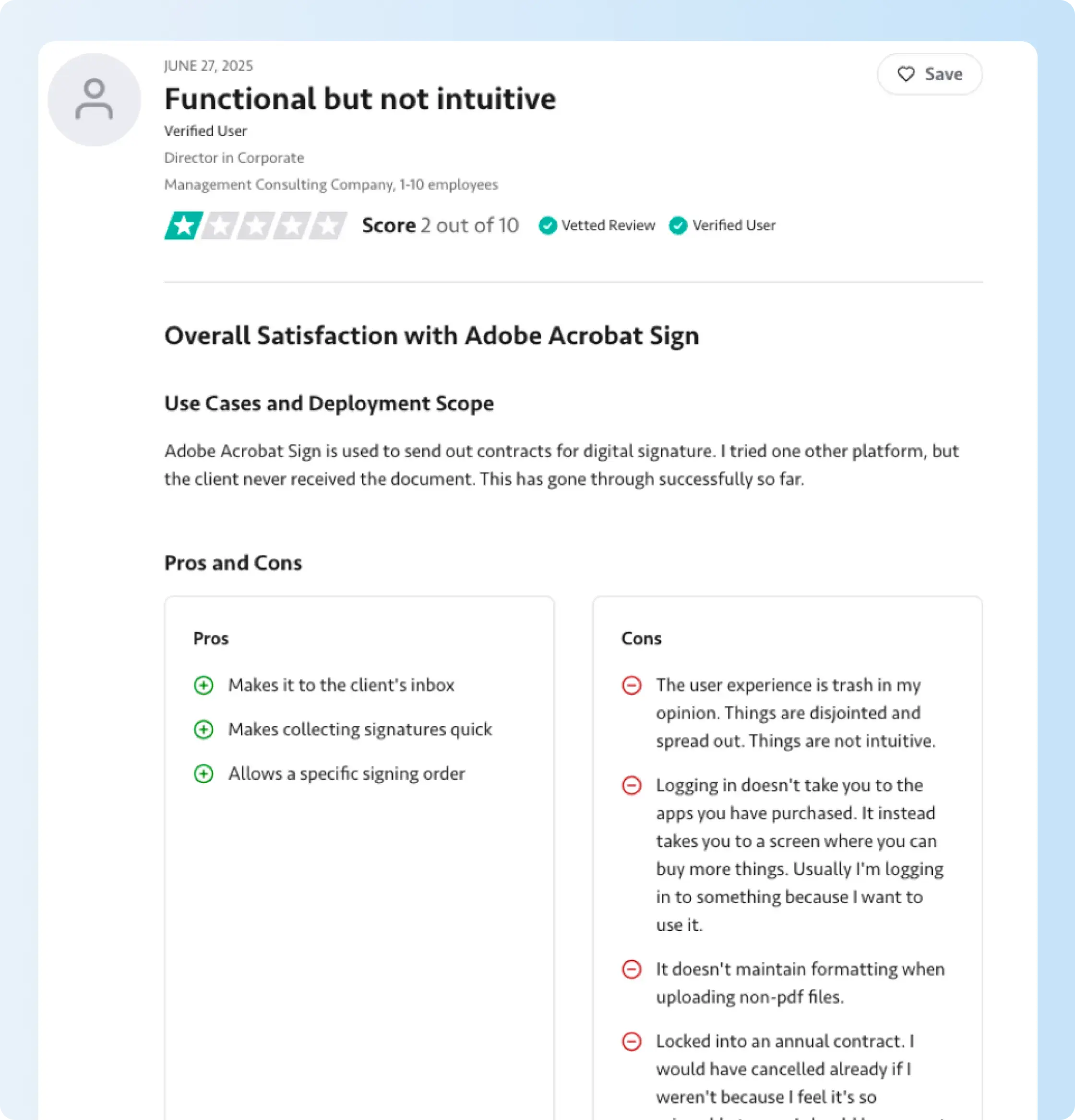
File rendering is part of that preparation. One business using Acrobat Sign reported that its contracts reached recipients and supported the required signing order, but formatting changed when non-PDF files were uploaded. That experience relates to the document preparation product, not a demonstrated defect in Adobe's API. For an integration receiving Word documents, teams should test how the original layouts and signature fields appear after upload.
The same data-mapping considerations apply to document automation APIs, where application records are inserted into reusable document templates.
Embedded signing and web forms
Adobe Sign API generates signing URLs for agreements assigned to known recipients. Applications use those links to open an Adobe-hosted signing session or present a supported embedded experience within a website or portal. For example, a customer can sign a service agreement while completing registration.
Adobe also provides web forms, called widgets in parts of its API documentation. A web form allows visitors to sign a specific form published on a website, while a standard agreement is sent to identified recipients. The choice affects how an application captures recipient details and associates the signed result with an existing customer record.
Multi-party signing and bulk sending
A single Adobe agreement can have several recipients and a defined signing order. In a supplier approval process, an internal manager signs first and the external supplier signs second; the agreement is counted as one transaction when sent.
Bulk sending serves a different workflow. It creates separate agreements for recipients, such as individual policy acknowledgments for employees. Since each agreement consumes a transaction, the expected number of recipients directly affects the bulk-send allowance.
Webhooks, audit reports, and signed-document retrieval
Acrobat Sign webhooks notify a receiving application when subscribed agreement events occur. A CRM can listen for a completed sales agreement, update the corresponding opportunity, and retrieve the signed PDF and audit report to preserve detailed audit trails of signing activity.
The receiving application must implement that next step; a webhook doesn't store the file in the CRM automatically. Our eSignature API integration guide explains how sending, event handling, and signed-document retrieval connect in a business application.
Authentication, security, and developer resources
Adobe uses OAuth 2.0 to authorize applications and restrict which agreement operations they perform. OAuth access to the API is separate from signer authentication, which verifies the person asked to sign. Adobe's security features include signing passwords, phone authentication, US knowledge-based authentication, and government ID verification, subject to plan and eligibility rules. Premium authentication services can consume additional usage.
Adobe's free Acrobat Sign Developer Edition provides API access in a sandbox environment for building and testing signing requests. Adobe states that its downloadable SDKs haven't kept pace with REST v6, so new features should be implemented against the current endpoint documentation and Postman examples.

How to integrate Adobe Acrobat Sign API into an application
An Adobe Sign API integration starts with application registration and ends when a signed document returns to the correct business record. These eight steps follow Acrobat Sign REST API v6.
1. Create a developer account
Adobe's free Acrobat Sign Developer Edition provides API access in a sandbox environment for building and testing signing requests. The documents generated in that environment carry test labels, so use it to evaluate the integration before obtaining production access.
2. Register the API application
In Acrobat Sign, open API Applications and register the integration. A Customer application accesses an organization's own account, while a Partner application is intended to work across other Acrobat Sign accounts and requires Adobe partner certification for full access.
3. Configure OAuth permissions
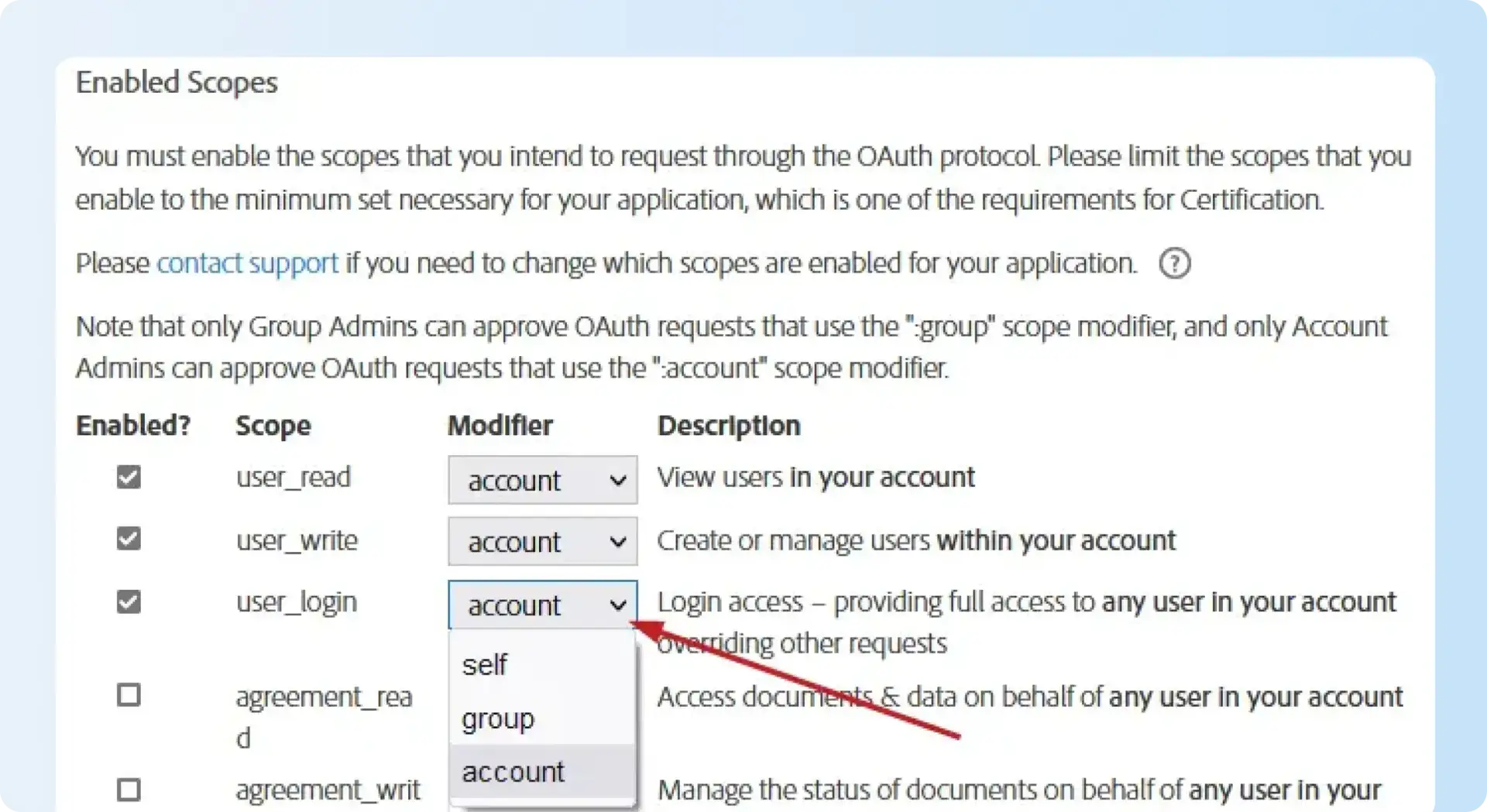
Adobe uses OAuth scopes associated with an access token to determine which operations an application is authorized to perform. For REST v6, agreement_write is used to create agreements and agreement_read to retrieve agreement details. Creating a webhook requires webhook_write. The older agreement_send permission is not accepted for REST v6 agreement creation, although Adobe's older quickstart screenshots still show it.
For Adobe's classic OAuth application model, scope modifiers determine whose resources an authorized token can access:
- self: Resources belonging to the authorized user.
- group: Resources within the authorized group; requires group administrator authorization.
- account: Resources in the authorized account; requires account administrator authorization.
Enable only the permissions required by the integration. Adobe's separate Embed 2.0 partner model uses different token handling, so a developer working on that model should follow its specific documentation.
4. Upload the document
Upload the source document using POST /api/rest/v6/transientDocuments. Adobe returns a transientDocumentId, which identifies the transient document used in the next agreement-creation request. Because this is temporary storage, the application still needs a separate process for storing the final signed file.
5. Create the agreement
Call POST /api/rest/v6/agreements with the document reference, recipients, signing roles, and routing order. Adobe returns an id field containing the newly created agreement's identifier. The application stores that value as its agreementId for later status, signing-URL, and document-retrieval requests.
6. Configure webhook notifications
Register a webhook with POST /api/rest/v6/webhooks using the webhook_write permission, an HTTPS callback URL, and the required agreement events. To verify the endpoint, Adobe sends an HTTPS GET request containing X-AdobeSign-ClientId. The receiver must return a 2xx response and echo that client ID in the response header or the documented JSON property.
The same verification mechanism applies when processing event notifications. For example, subscribing to AGREEMENT_WORKFLOW_COMPLETED lets the application begin retrieving the signed agreement. The callback handler must also handle duplicate events and unsuccessful deliveries.
7. Obtain an embedded signing URL
Call GET /api/rest/v6/agreements/{agreementId}/signingUrls after the agreement reaches a signable state. Adobe creates agreements asynchronously, so requesting a URL too soon can return 404 DOCUMENT_NOT_YET_AVAILABLE. This response can mean the document is still being processed, not that the agreement ID is invalid.
Adobe recommends checking the agreement state and waiting for OUT_FOR_SIGNATURE before making subsequent API calls to obtain signing URLs. Developers should use appropriate retry intervals instead of repeatedly calling the endpoint immediately.
8. Retrieve the signed PDF and audit report
After every required signer completes the agreement, retrieve the signed PDF using the agreement's combined-document endpoint, then check whether downstream systems also need individual files. Retrieve the audit report separately when the business needs the event history, then attach the files to the matching employee, customer, or supplier record.
The integration should also handle rate limiting. When Adobe returns HTTP 429 Too Many Requests, use the Retry-After header or the documented response value before retrying. Immediately repeating the same request can extend the throttling interval.
For a view of how developer application setup works with another provider, the Signeasy Developer Portal guide covers creating an application and generating test credentials.
Want to compare Adobe's eight setup steps with your application's signing workflow? We'll review how Signeasy handles OAuth, document sending, embedded signing, and webhooks.
Adobe Sign API pricing in 2026
Adobe Sign API pricing does not have one published rate for production integrations. Adobe provides free developer access for testing, while live signing transactions and API allowances follow the applicable Acrobat Sign Solutions commercial agreement.
Is the Adobe Acrobat Sign Developer Edition free?
Yes. Acrobat Sign Developer Edition is free for integration testing. Developers can register applications, upload sample documents, create signing requests, and retrieve test-labeled results. It does not establish an entitlement to send live customer agreements at no cost.
How much does production Adobe Sign API access cost?
Adobe doesn't publish a universal production API subscription price. Acrobat Sign Solutions pricing is arranged through sales and defines API access, signing transaction allowances, and any advanced features or services included in the agreement.
The distinction between Adobe's products is important when evaluating a quote:
Before accepting a production proposal, document transaction limits, expected annual sends, the number of calling applications, embedded-signing needs, premium recipient verification, and terms for additional usage.
Our Adobe Sign pricing guide covers the broader Acrobat product subscriptions separately from a custom API quote.
When does Adobe count an API signing transaction?
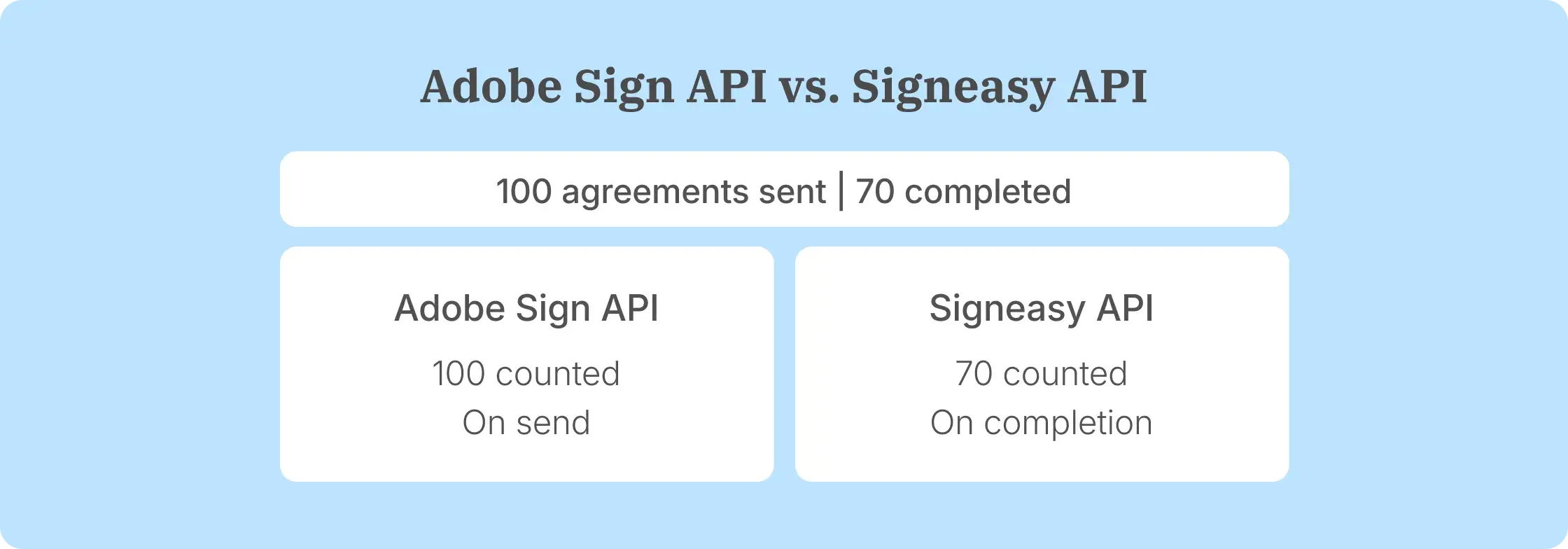
Adobe counts a transaction when an agreement is sent for signature, including requests initiated through custom applications. One agreement with multiple signers generally counts once, while bulk sending creates separate agreements that each consume a transaction. Drafts and reusable library-template creation don't count until an agreement is sent.
Signeasy's paid live API plans use a different billing event. A credit is deducted once every required signer completes an envelope. An envelope still counts as one completed transaction when it contains several documents or recipients.
The Signeasy API pricing plans publish annual subscription allowances:
Intermediate includes embedded signing and sending, reusable templates, webhooks, and 24/7 email support. Advanced adds embedded template creation, multi-factor authentication, custom stamps, and assisted onboarding. Production credits apply to the annual subscription period; additional volume follows the customer's agreed plan terms.
What are the advantages and limitations of the Adobe Sign API?
Adobe Sign API provides document and signing features for a range of enterprise workflows. Its licensing and technical requirements are best evaluated alongside the actual signing functions an application needs.
Advantages of Adobe Sign API
The main capabilities are:
- PDF workflow integration: Acrobat Sign connects signing to Adobe's document ecosystem, while PDF conversion and extraction are available through the separate PDF Services offering.
- Multi-recipient agreements: Developers can assign roles, set signing order, and route one agreement between internal and external participants.
- Business-system connectivity: REST APIs and Adobe's integrations support connections with enterprise tools such as Salesforce and Microsoft 365.
- Recipient verification: Eligible accounts have options such as passwords, phone authentication, knowledge-based authentication, and government ID checks.
- Status and evidence retrieval: Webhooks, signed PDFs, and audit reports support record updates and signing history.
Limitations and considerations for buyers
For advanced workflows, confirm the following production licensing and integration requirements:
- Sales-led API pricing: Adobe doesn't publish one standard production API rate covering all customers and transaction volumes.
- Sent-transaction accounting: Agreements consume transactions when sent, including requests that remain unsigned.
- Premium authentication costs: Phone, knowledge-based, and government ID verification have eligibility and consumption conditions.
- Integration maintenance: The application team handles OAuth token management, webhook callbacks, retries, completed-file retrieval, and rate-limit responses.
- SDK maintenance: Adobe's downloadable SDKs are behind its REST v6 feature set, making current endpoint references important for newer functions.
- Multi-account partner access: Software vendors connecting separate Adobe customer accounts need to consider Adobe's partner-application and certification requirements.
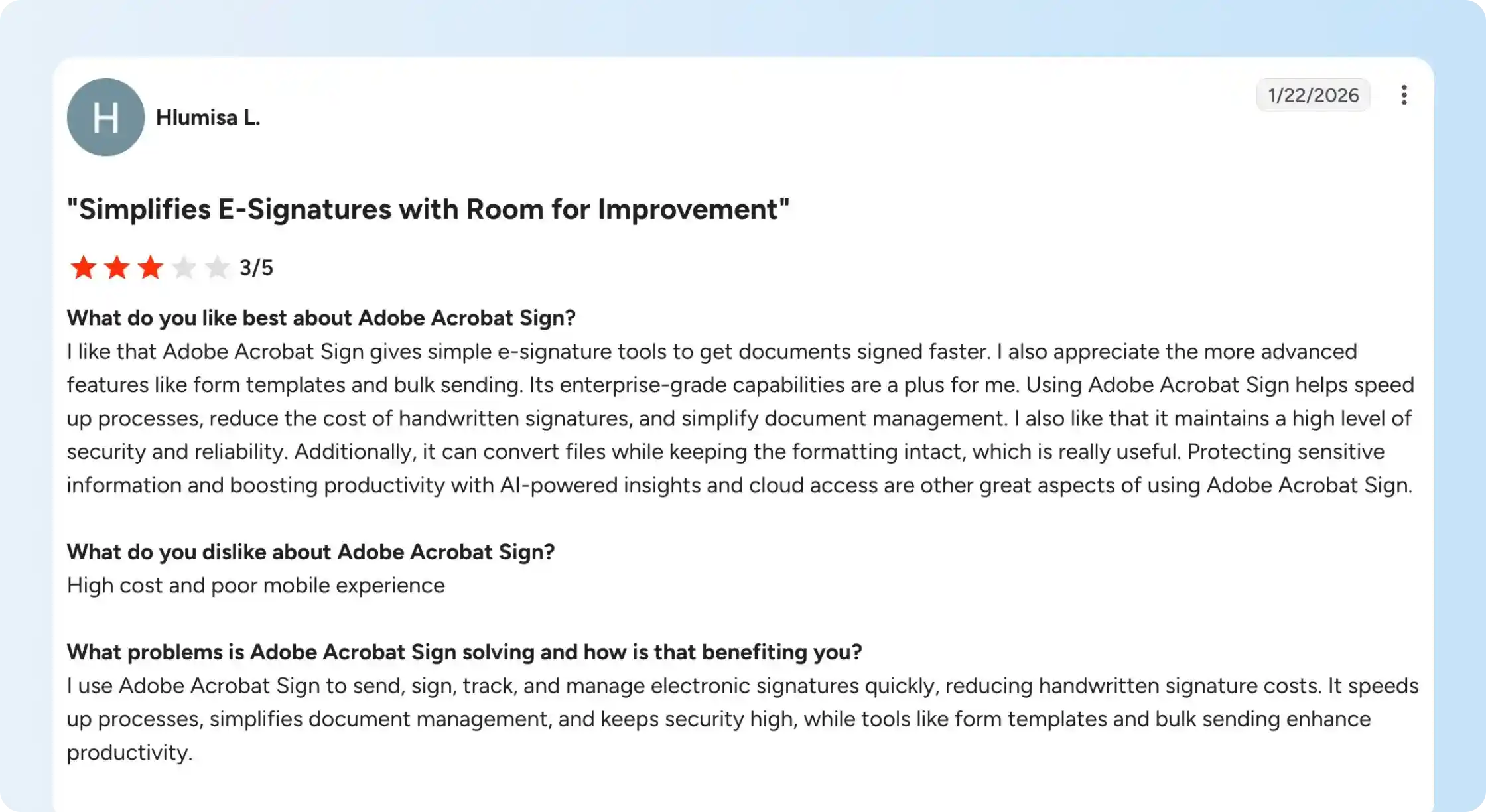
A business using Acrobat Sign to manage contracts reported that reusable form templates and bulk sending helped document preparation. The same user raised concerns about subscription cost and mobile use. Those comments concern the wider Acrobat Sign product, not an independently verified API integration. A business embedding signing should test the recipient experience across the mobile apps and browsers its customers use.
Our Adobe Acrobat Sign reviews cover further product experiences. For developers making a vendor choice, the best eSignature APIs comparison also separates API features and production billing models.
Comparing these considerations with your own signing volume and workflows? See which embedded-signing and support functions are included in Signeasy API plans.
Adobe Sign API vs. Signeasy API: Features and pricing compared
Adobe and Signeasy both provide eSignature solutions that let applications create signing requests, collect signatures, and track completion. To choose the right eSignature API, compare production licensing and equivalent workflow requirements, not Adobe's standard Acrobat desktop subscription.
Adobe's identity-verification options and integration capabilities are relevant when applications already rely on those services. We publish annual API allowances and use completed-envelope credits, so businesses can estimate usage based on fully signed agreements.
For organizations comparing Adobe with another established signing provider, our Adobe Sign vs. Docusign comparison covers the broader signing products. The Signeasy vs. Adobe Sign comparison is useful when employees also need a standalone signing application; the API plan analysis above addresses a different purchase.

Why choose Signeasy as an Adobe Sign API alternative?
Signeasy API suits growing businesses adding document signing to customer-facing applications, HR portals, and internal systems. Our eSign API supports embedded sending and signing, templates, and webhooks. These subscriptions are separate from our standard eSignature software plans used by employees sending documents directly.
Pay for completed envelopes
On a paid live API plan, a Signeasy credit is deducted after every required recipient finishes the envelope. Sending an agreement to three signers uses one credit when all three have signed. If the agreement remains unsigned, it doesn't consume a completed-envelope credit.
This model is relevant to applications where some recipients decline or abandon requests. Buyers should compare expected completed-envelope volume with the annual allowance on the Intermediate, Advanced, or custom plan.
Embed signing with developer onboarding and support
Our Intermediate API plan includes embedded signing and sending, reusable templates, text-based field placement, and webhooks. Customer support is available by email 24/7 on this plan. Advanced adds embedded template creation, enhanced authentication, and assisted onboarding with a dedicated Success Manager; buyers should confirm the scope of developer support during setup.
The API supports up to 45 recipients per signature request and files up to 40 MB per document. Those limits affect workflows with larger document sets or extensive approval chains and belong in the integration requirements.
Moreland University integrated Signeasy API with its learning management system to populate enrollment documents and return signed agreements to candidate records. The university reported a 50–70% reduction in document turnaround time. ZenEquity uses embedded signing for employee equity grant letters, showing how signing can remain part of a customer-facing platform.
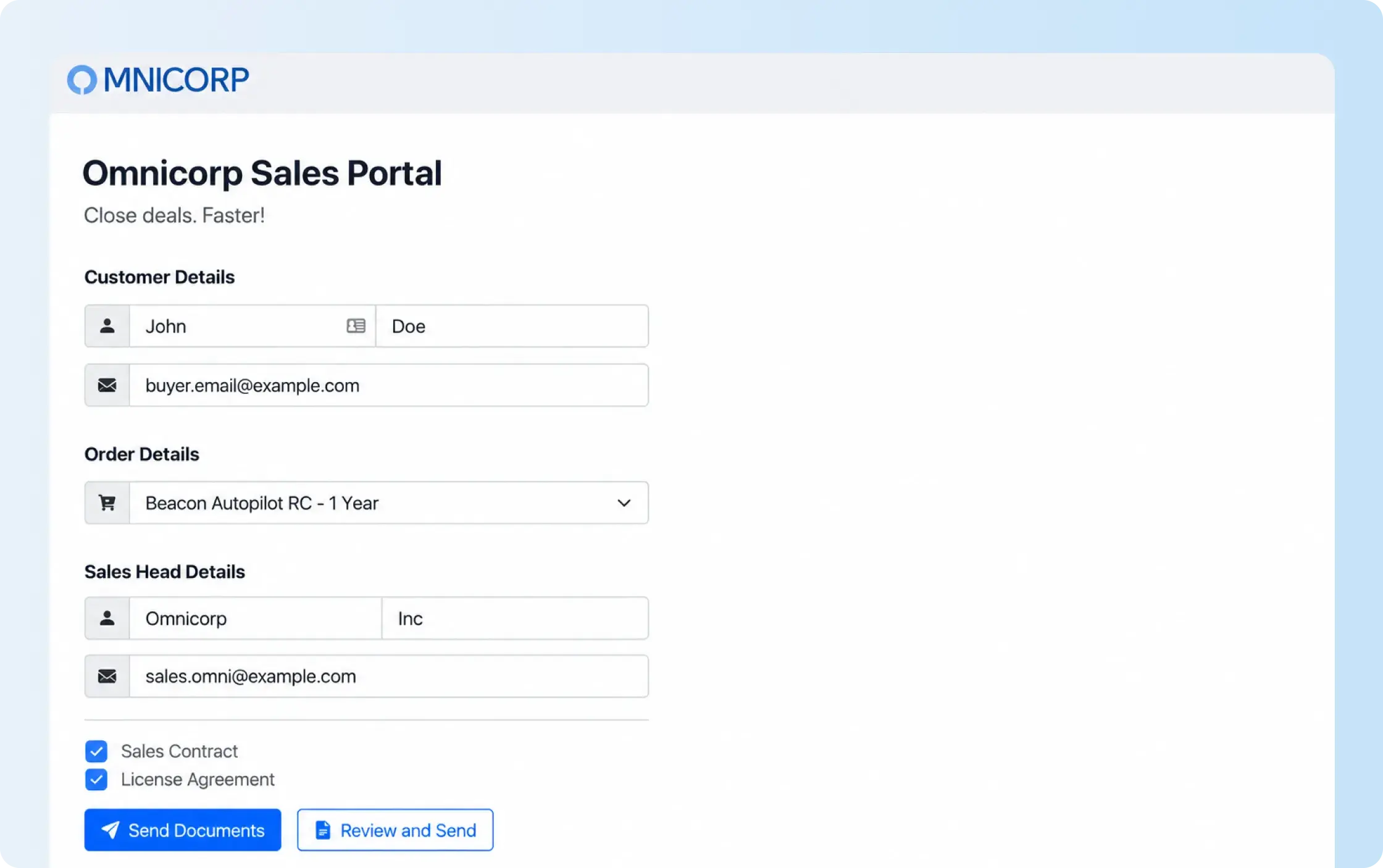
Want to see embedded signing with your application's own documents? We'll review template preparation, signer roles, and completion events.
Get assistance when switching from Adobe
Signeasy advertises white-glove migration and competitor contract buyout options for qualifying businesses. Moving a custom Adobe Sign API integration also requires mapping OAuth credentials, signing endpoints, recipient roles, webhook events, and access to previously signed files. Template migration alone doesn't replace that technical work.
Our Adobe Sign migration guide explains the wider move to Signeasy. Businesses still comparing providers can use the Adobe Sign alternatives guide before planning the transition.
The migration proposal should describe which templates and workflows are transferable, what needs to be recreated, and whether the existing Adobe agreement qualifies for contract buyout assistance.