


Managing contracts across multiple teams can be complex. Version control issues, approval delays, and documents spread across tools often slow things down and add unnecessary friction. Juro is an AI-native contract lifecycle management (CLM) platform designed to bring more structure to this process.
Trusted by companies like Deliveroo, Trustpilot, Pfizer, and Funnel, Juro has earned a strong reputation for streamlining contract workflows. It holds a 4.6/5 rating on G2 and 4.8/5 on Capterra, where users mention its clean interface, quick setup, and helpful support team.
At the same time, some teams note limitations in pricing, flexibility, or suitability for certain workflows, underscoring the importance of looking beyond surface-level strengths.

This Juro review dives into the features, pricing, and real user feedback so you can decide if it is the right fit. We’ll also compare Juro with Signeasy, so you can see where each platform performs better and which option makes more sense for your contract workflows.
Here is what we will cover:
- What Juro is and who it is built for
- Core features and AI capabilities
- Pricing and free trial options
- Honest pros and cons from real users
- How Juro compares to Signeasy
What is Juro?
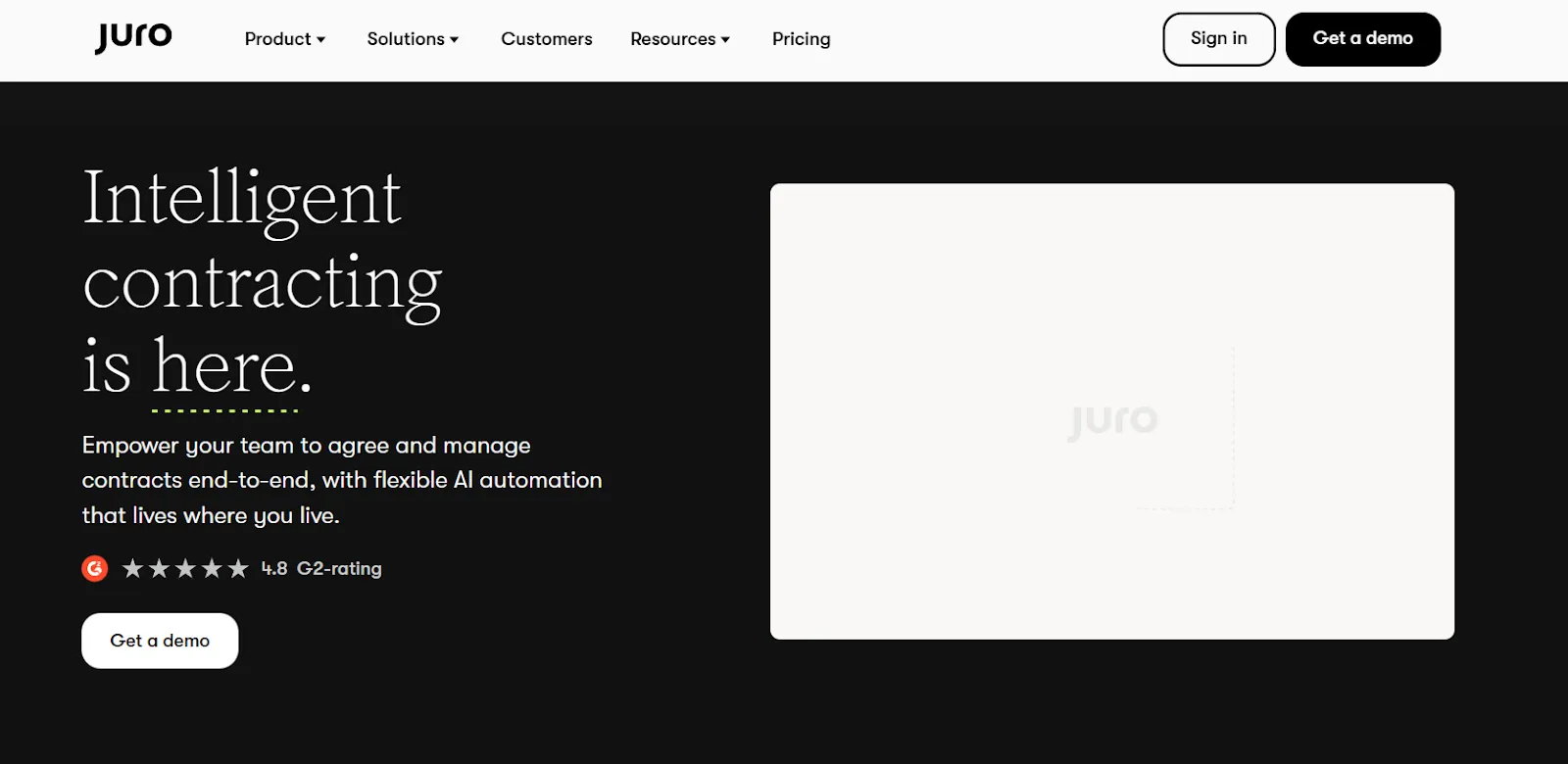
Juro is an AI-enabled CLM platform designed to help teams create, negotiate, sign, and manage contracts. The platform replaces traditional document-based workflows with a browser-native workspace where teams can collaborate in real time.
With Juro, business teams can generate contracts from pre-approved templates, make edits within set guardrails, and get signatures without switching tools.
Juro features: A closer look
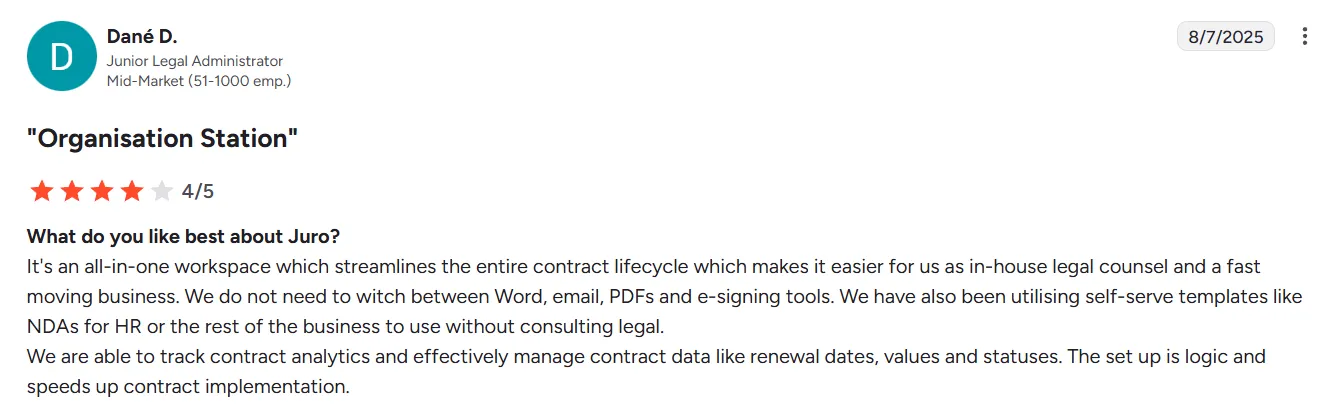
Juro positions itself as an all-in-one contract automation platform. In addition, several users on G2 highlight its efficiency and ease of setup:
Source
Here is a breakdown of its core features.
1. AI-powered contract automation
Juro offers three AI-based contract management tools to handle different parts of the workflow:
- AI Assistant sits inside the editor and helps users draft, redraft, summarize, and check contracts against internal standards.
- AI Extract processes incoming third-party contracts in PDF or Word format. It pulls out metadata, tags key terms, and can trigger approval workflows automatically.
- Review Agent uses agentic AI to review and redline contracts against playbooks; teams can also kick off reviews from Slack or Teams.
Suggested read: The AI advantage: A guide to AI in contract management
2. Contract creation and templates
Juro's template editor lets legal teams build self-serve contract workflows. Key capabilities include:
- Smartfields that auto-populate from Q&A forms or connected systems
- Conditional logic to add or remove clauses based on contract values
- Locked sections that protect legal language while allowing data edits
- Mass contract creation for high-volume scenarios
It enables sales, HR, and ops teams to generate compliant contracts without waiting on legal for every request.
3. Collaborative negotiation and approval workflows
Contract negotiation in Juro happens in the browser, eliminating email chains and version confusion that come with passing Word documents back and forth. Multiple stakeholders can comment, suggest edits, and redline simultaneously while maintaining a single source of truth.
Where things get interesting is the approval workflow builder.
Admins can set up conditional routing without touching code, so high-value deals automatically escalate to senior stakeholders while routine agreements breeze through with minimal friction.
4. Native eSignature
Juro includes eSignature functionality directly in the platform, so teams can send contracts for signature without switching tools. Contracts are legally binding under the ESIGN Act, UETA, and eIDAS regulations, covering both US and European requirements.
The signing experience works across devices and captures complete audit trails for compliance purposes.
Suggested read: 10 Best Electronic Signature Software
5. Dynamic repository and contract storage
Once contracts are signed, they flow into a centralized repository where teams can find what they need. Key capabilities include:
- Full-text search across all contract content
- Automated reminders for renewal deadlines and key dates
- Customizable dashboards for real-time visibility into contract analytics
- Automatic metadata capture for Juro-native contracts
6. Integrations
Juro connects with the tools teams already use across CRM, HR, communication, and storage workflows:
- CRM: Salesforce (two-way sync), HubSpot, Pipedrive
- HR and ATS: Greenhouse, Workday, Ashby
- Communication: Slack notifications and contract creation
- Storage: Google Drive sync
Beyond native connectors, Juro offers access to over 6,000 apps through Zapier.
Ease of use: Is Juro user-friendly?
One of the biggest risks with CLM software is that teams simply don't use it. A tool that legal loves, but sales ignores, doesn't solve much. Juro seems aware of this problem, and user adoption is a core part of their pitch.
1. Setup and onboarding
Juro is rated #1 for speed of implementation on G2, which sets it apart from legacy CLM tools known for lengthy rollouts.
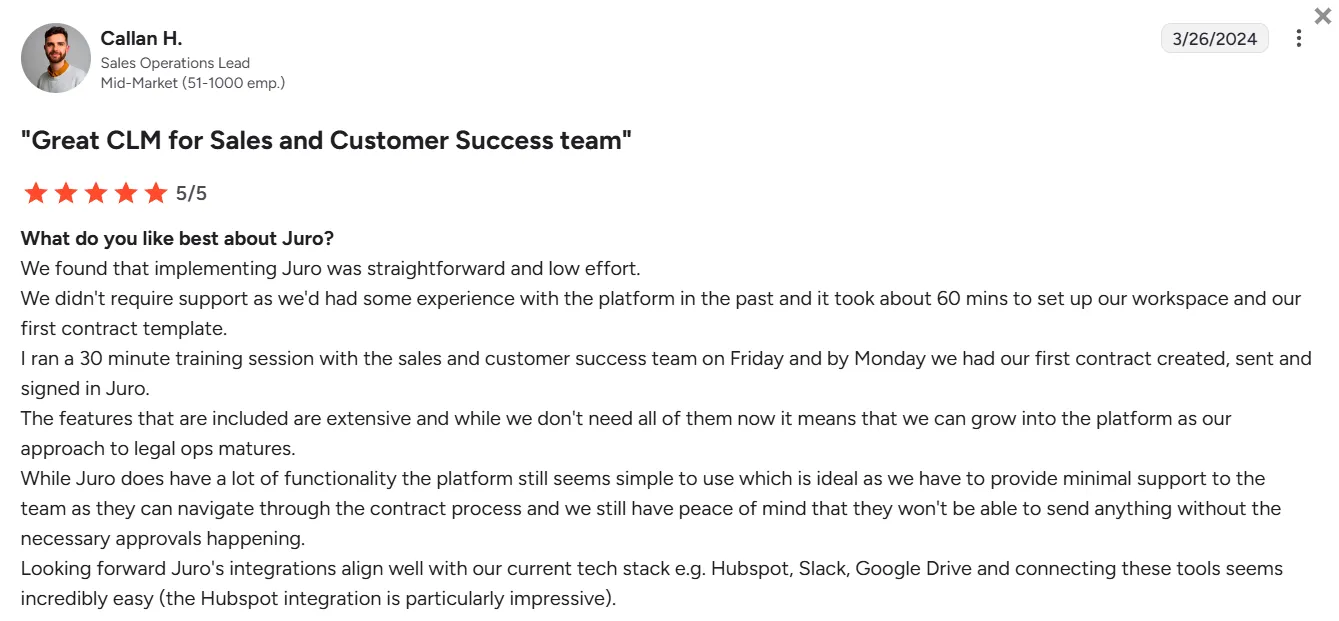
Users mention quick onboarding in their Juro reviews, with one noting they ran a 30-minute training session on Friday and had their first contract created, sent, and signed by Monday.
Source
The platform's browser-native design means there's no software to install, and templates can be configured without developer involvement.
2. Interface and navigation
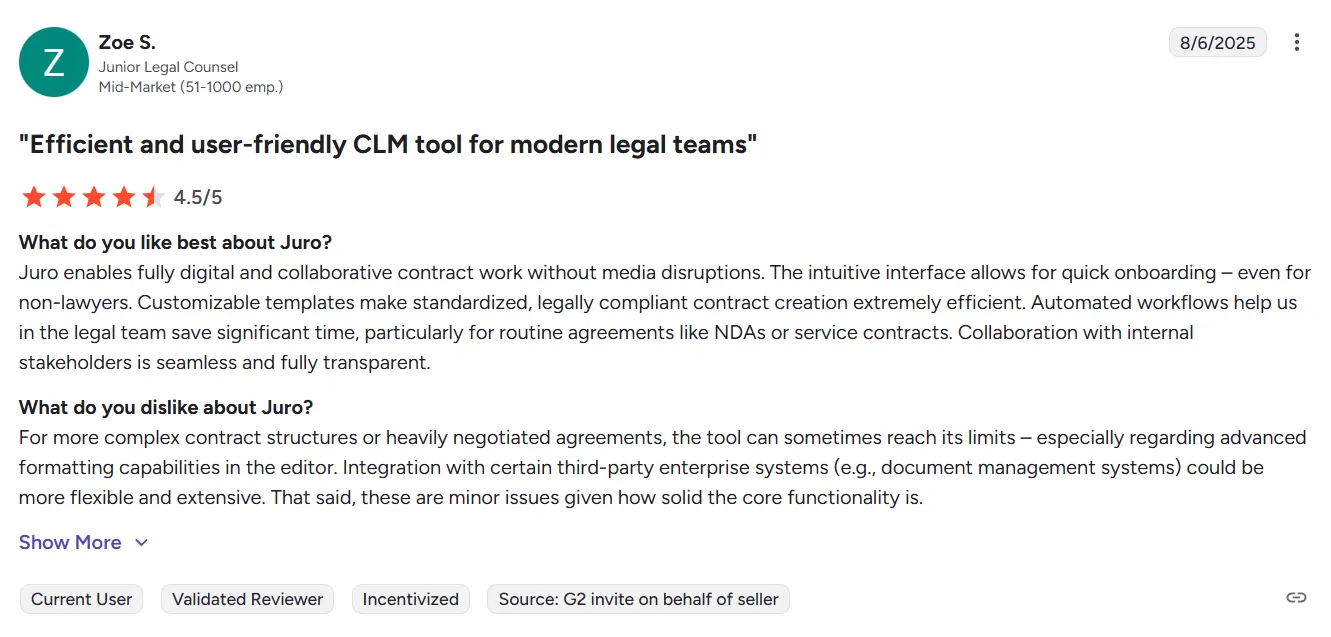
The interface gets praise for being clean and intuitive.
Juro reviews highlight that new users can get up to speed quickly, and the learning curve for basic contract creation and signing is minimal.
Source
3. Mobile and cross-device experience
Because Juro runs entirely in the browser, it works across devices without requiring a dedicated mobile app. Contracts can be reviewed, approved, and signed from any device with a web browser.
The tradeoff is that there's no native mobile app with offline functionality. For teams that need to work on contracts without an internet connection, this could be a limitation.
Juro pricing: A detailed breakdown
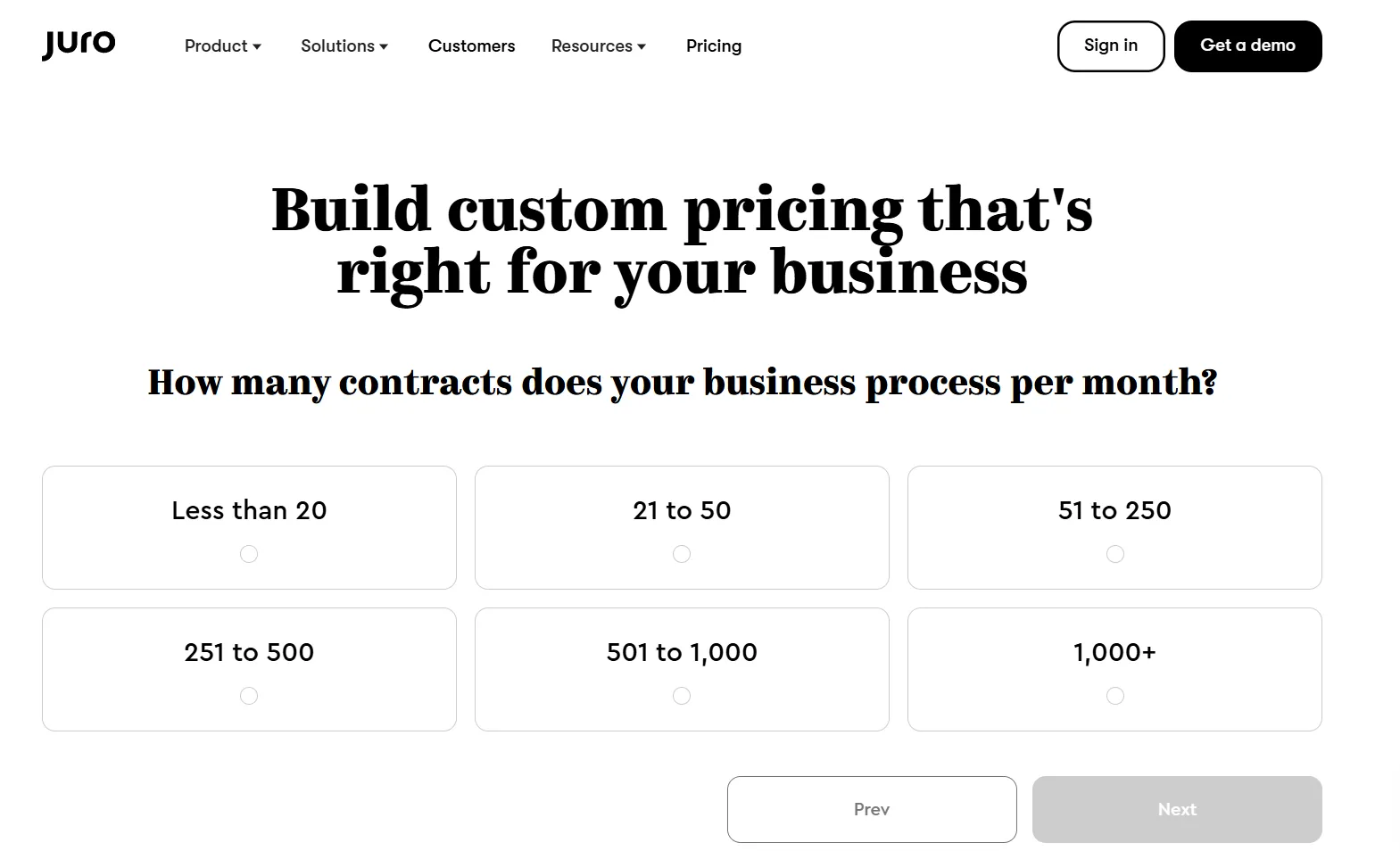
Juro doesn't publish fixed pricing on its website. The platform uses a custom pricing model, which means you'll need to contact their sales team for a quote.
1. What affects your price
According to Juro's pricing page, quotes are calculated based on:
- Monthly contract volume (options range from under 20 to 1,000+)
- Contract types (NDAs, employment contracts, MSAs, SOWs, vendor agreements, etc.)
- AI features required (AI Extract, AI Draft, AI Review)
- Integrations needed (Salesforce, HubSpot, Workday, etc.)
2. What's included on all plans
Juro takes a different approach to pricing than most CLM vendors. All plans include unlimited users, unlimited workflows, and unlimited templates.
On the integration front, all plans include out-of-the-box connectors for Slack, Google Drive, and Companies House. Deeper integrations with platforms like Salesforce, HubSpot, and Workday come at an additional cost.
3. Free trial availability and limitations
Juro doesn't offer a self-serve free trial. To evaluate the platform, you'll need to book a personalized demo with their sales team. If you decide to move forward quickly, Juro offers 20% off the first year for customers who sign the same month they request a demo.
That said, this approach isn't ideal for everyone. Some teams prefer to get hands-on with a product before committing, especially when evaluating how it fits into existing workflows. Without a trial, you're relying on demos and sales conversations to make that call.

Source
Signeasy takes a different approach. The platform offers a 14-day free trial with no credit card required, giving teams the opportunity to explore features, test integrations, and send real contracts through the system before making a purchasing decision.
Pros and cons of Juro
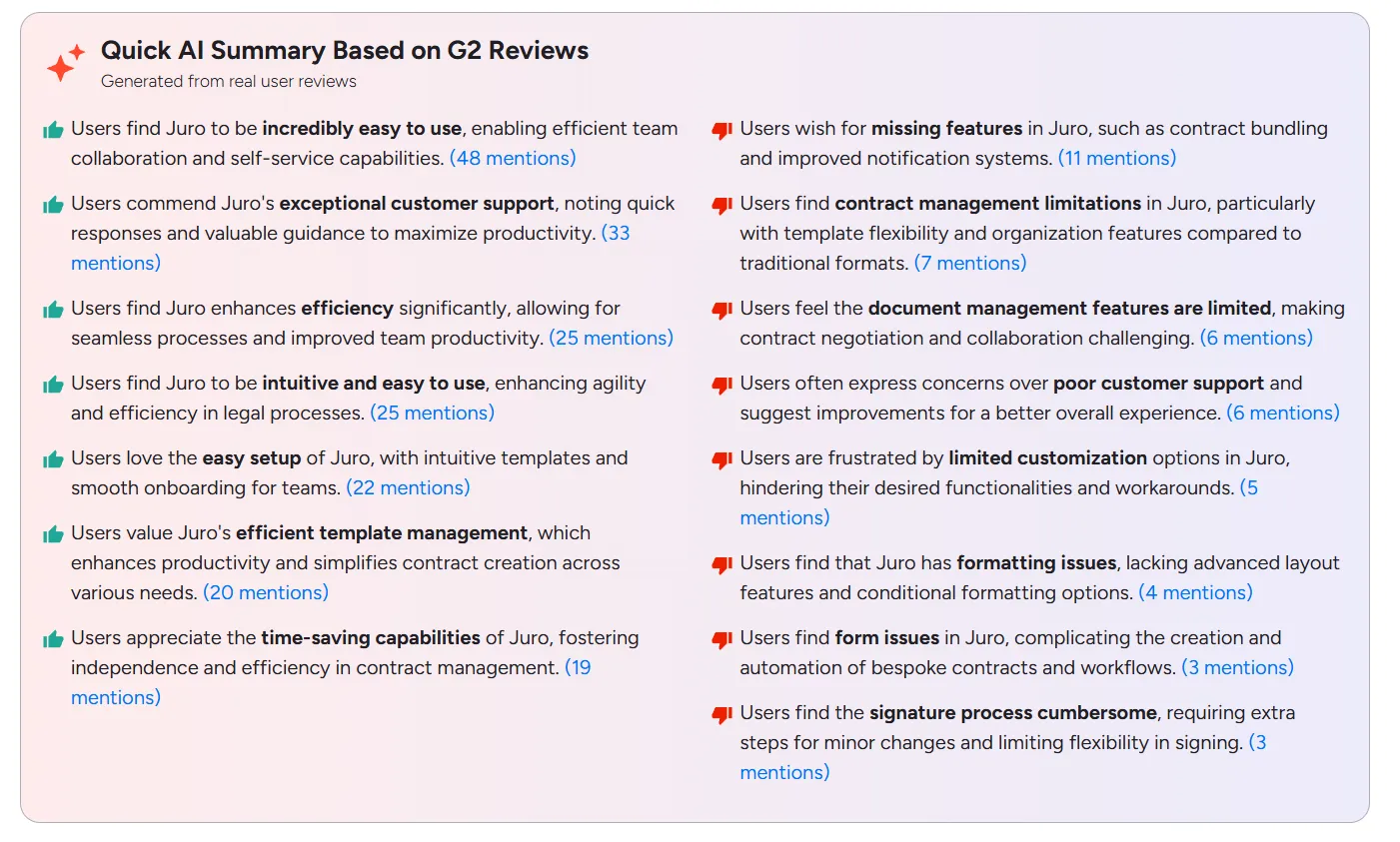
Based on verified Juro reviews from G2 and Capterra, here's what users consistently highlight about the platform.
Source
Juro pros
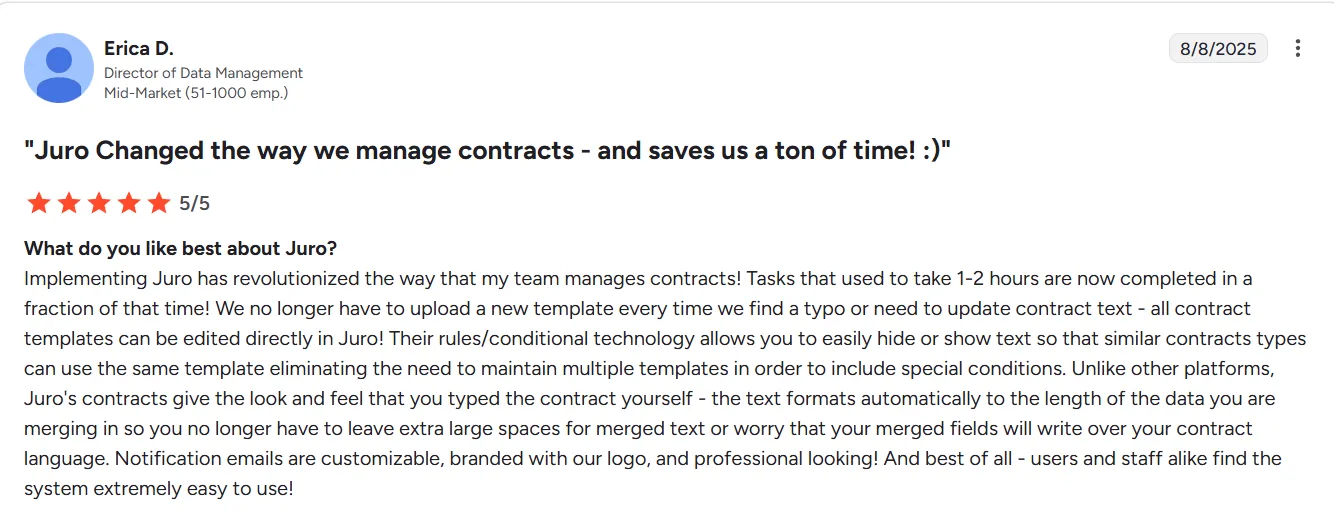
1. Easy to use with self-service capabilities
Juro's ease of use is a frequently mentioned positive. Users highlight that the platform enables efficient team collaboration and allows non-legal teams to self-serve on contracts without hand-holding.
Source
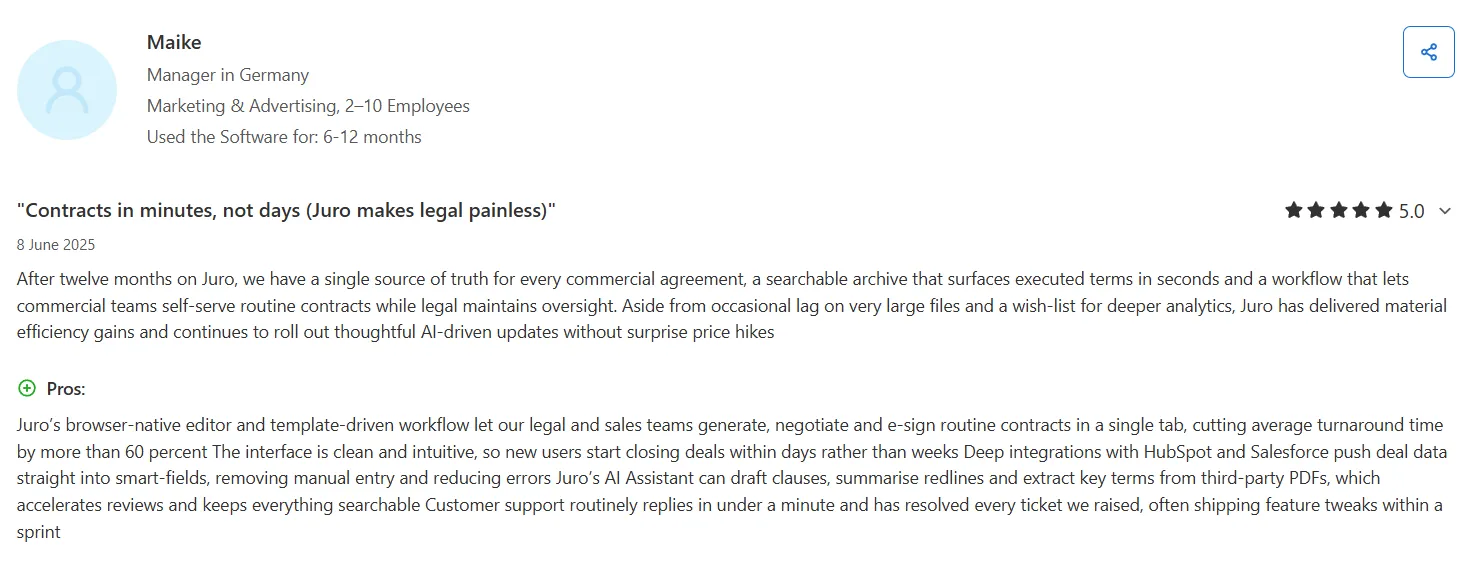
2. Exceptional customer support
Customer support is another praised attribute. Users note quick response times and valuable guidance that helps maximize productivity.
Source
Suggested read: Contracts for Services: Types, Components, and Importance
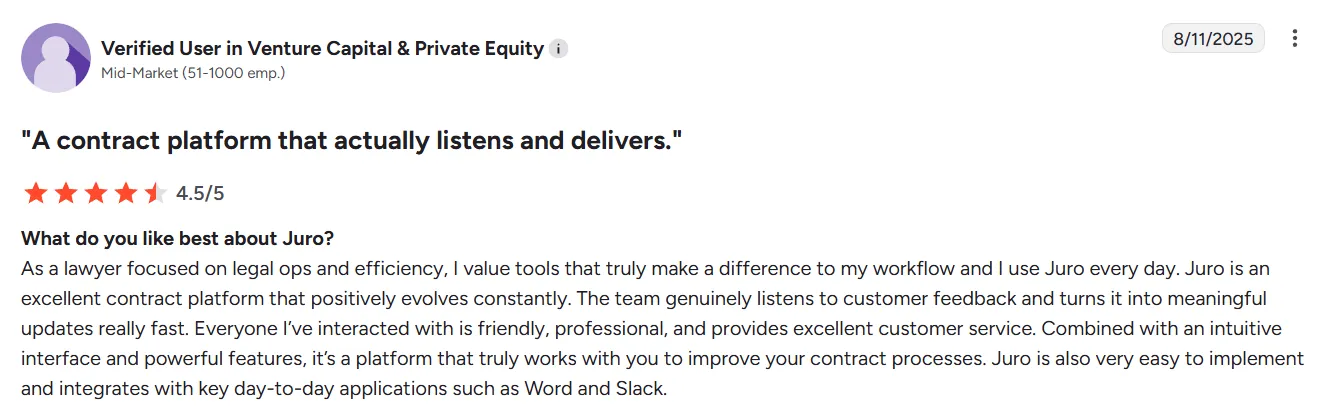
3. Efficiency and productivity gains
Users report efficiency improvements, with the platform streamlining processes and improving team productivity across legal, sales, and HR functions.
Source
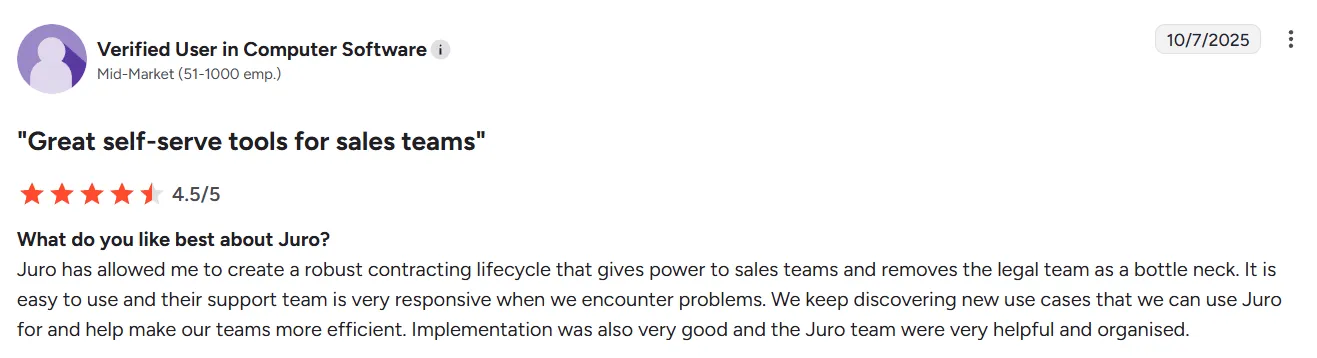
4. Fast setup and smooth onboarding
Moreover, users appreciate the intuitive templates and smooth onboarding experience Juro offers. Teams get up and running quickly compared to legacy contract management tools.
Source
Juro cons
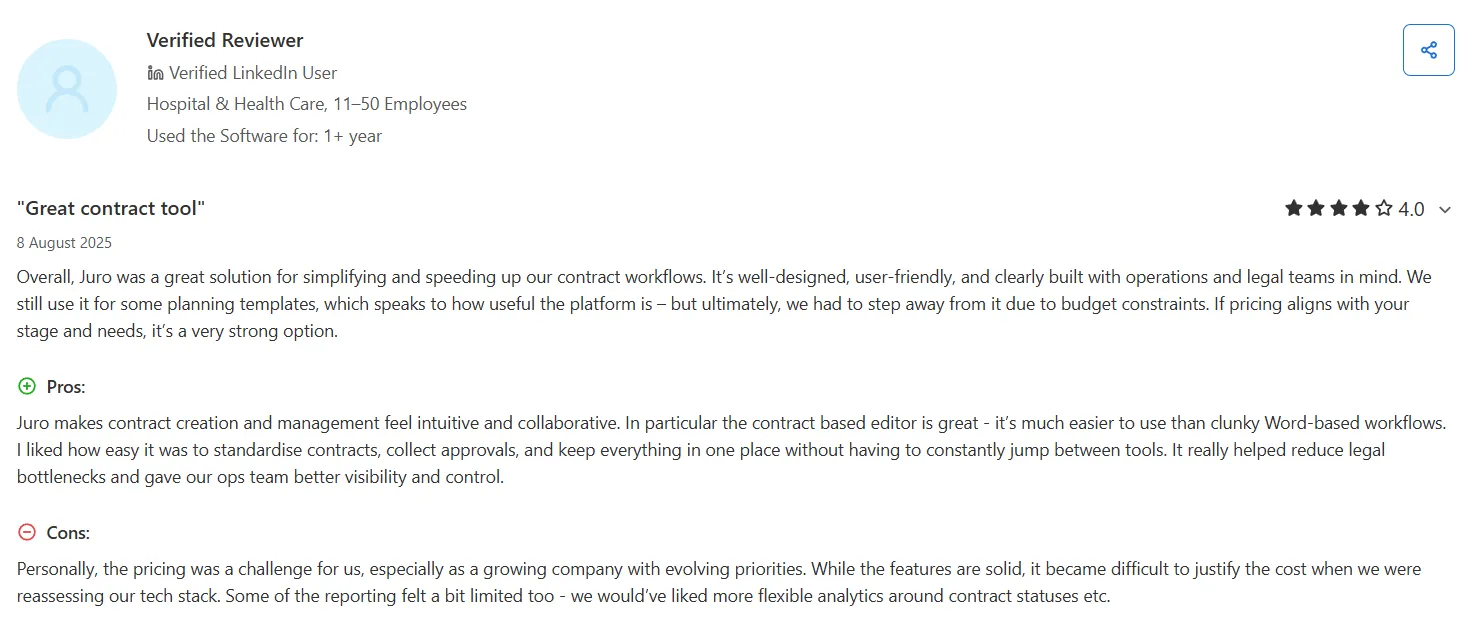
1. Opaque, custom pricing
Juro doesn't publish pricing publicly, which makes it difficult for teams to evaluate costs upfront. Users need to contact sales for a quote, and some reviewers describe pricing as steep for smaller organizations.
Source
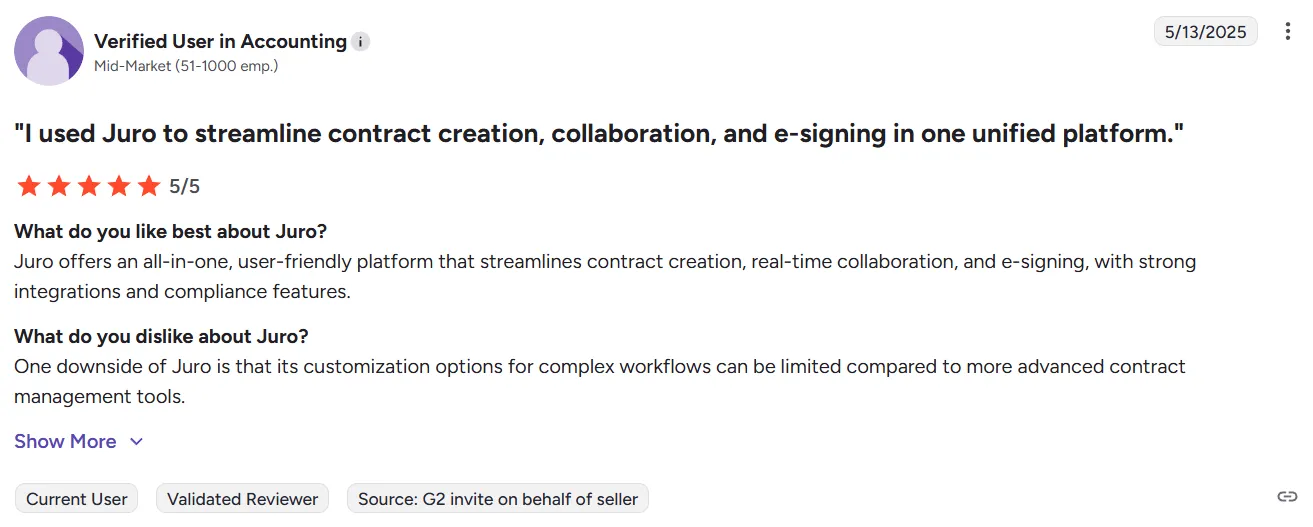
2. Limited customization for complex workflows
Some users find that Juro's customization options fall short for more sophisticated contract structures. While basic workflows run smoothly, heavily negotiated agreements or advanced approval logic can push the platform to its limits.
Source
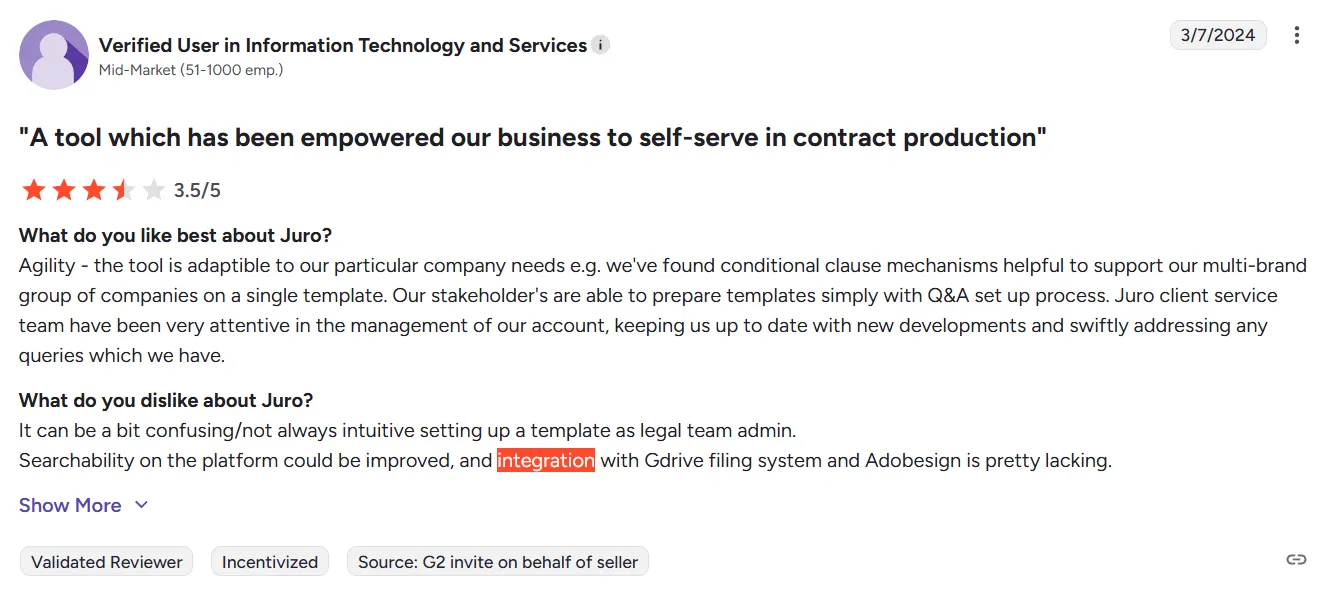
3. Integration gaps
Juro offers strong native integrations with popular tools like Salesforce, HubSpot, and Slack. However, some users report challenges when connecting with less common CRM, ERP, or project management systems.
Source
The workaround is often Zapier or custom API work, which may require additional resources.
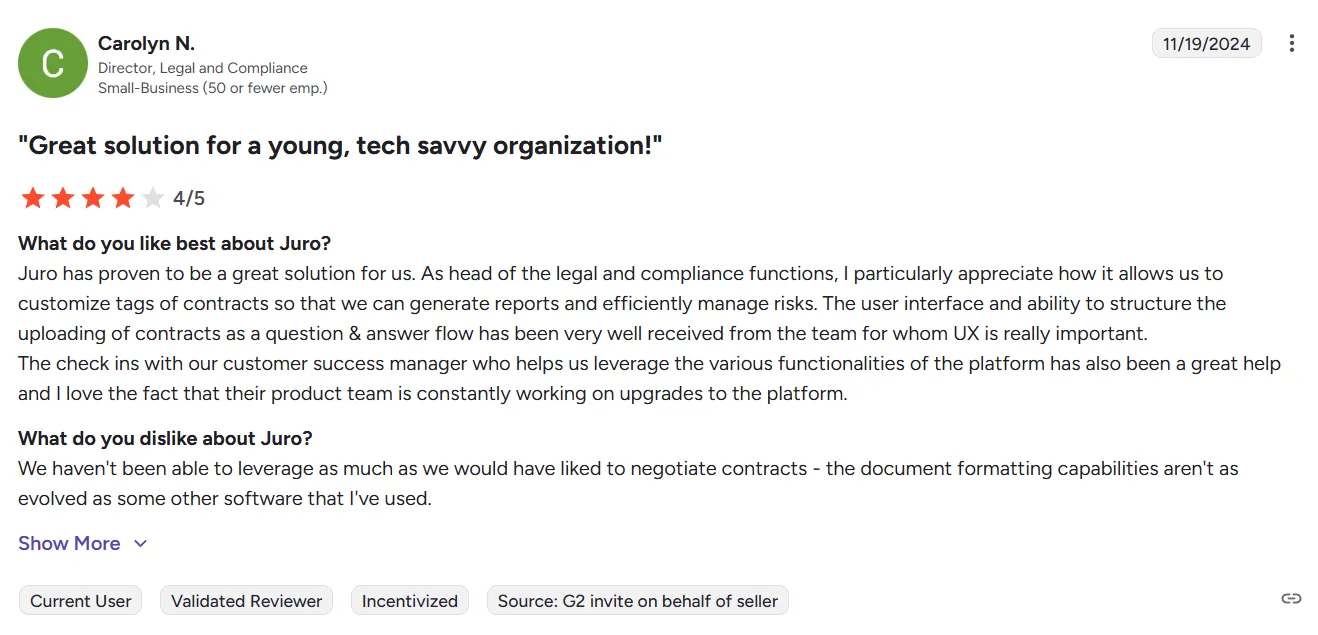
4. Formatting limitations
Some users find that Juro's document formatting capabilities don't quite match what they're used to in traditional word processors.
The platform lacks advanced layout features and conditional formatting options, which can be frustrating when working with contracts that require precise visual presentation or complex document structures.
Source
How does Juro compare to Signeasy?
Both Juro and Signeasy help teams manage contracts more efficiently, but they serve different segments and take different approaches.
Juro focuses on mid-market CLM with AI-heavy features and browser-native contract creation. On the other hand, Signeasy offers contract management with transparent pricing, stronger integrations, and easier adoption for teams that prioritize speed and simplicity.
The table below highlights how the two compare across core features, usability, and pricing.
Juro and Signeasy: Feature comparison summary
1. Signing and templates
- Juro: Browser-native editor with AI-assisted drafting and reusable templates featuring smartfields and conditional logic.
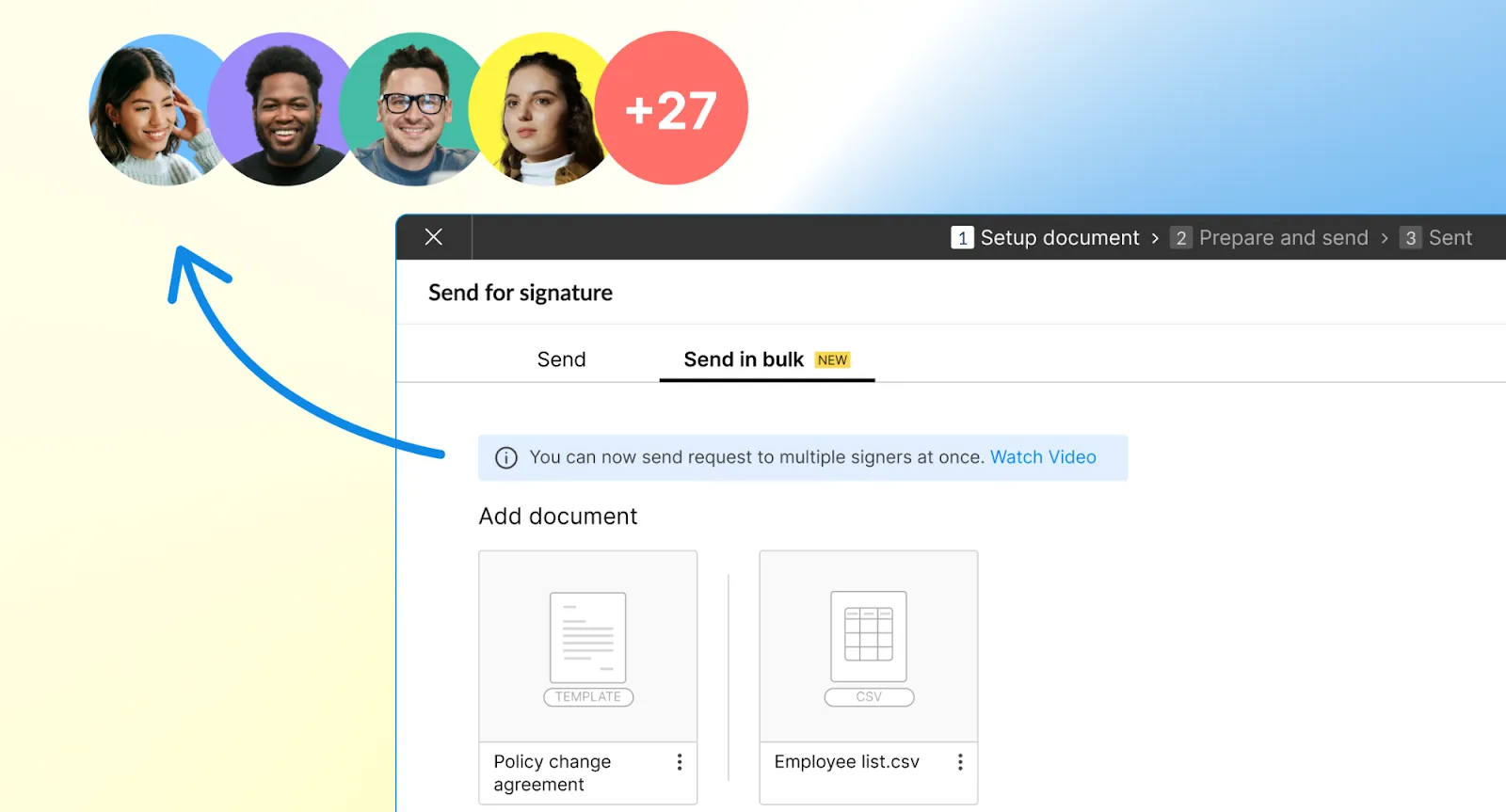
- Signeasy: Drag-and-drop signing with easy template setup, bulk send, and support for 25+ file formats for quick everyday use.
2. Contract management
- Juro: Full CLM with dynamic repository, structured metadata capture, and AI-powered data extraction for third-party documents.
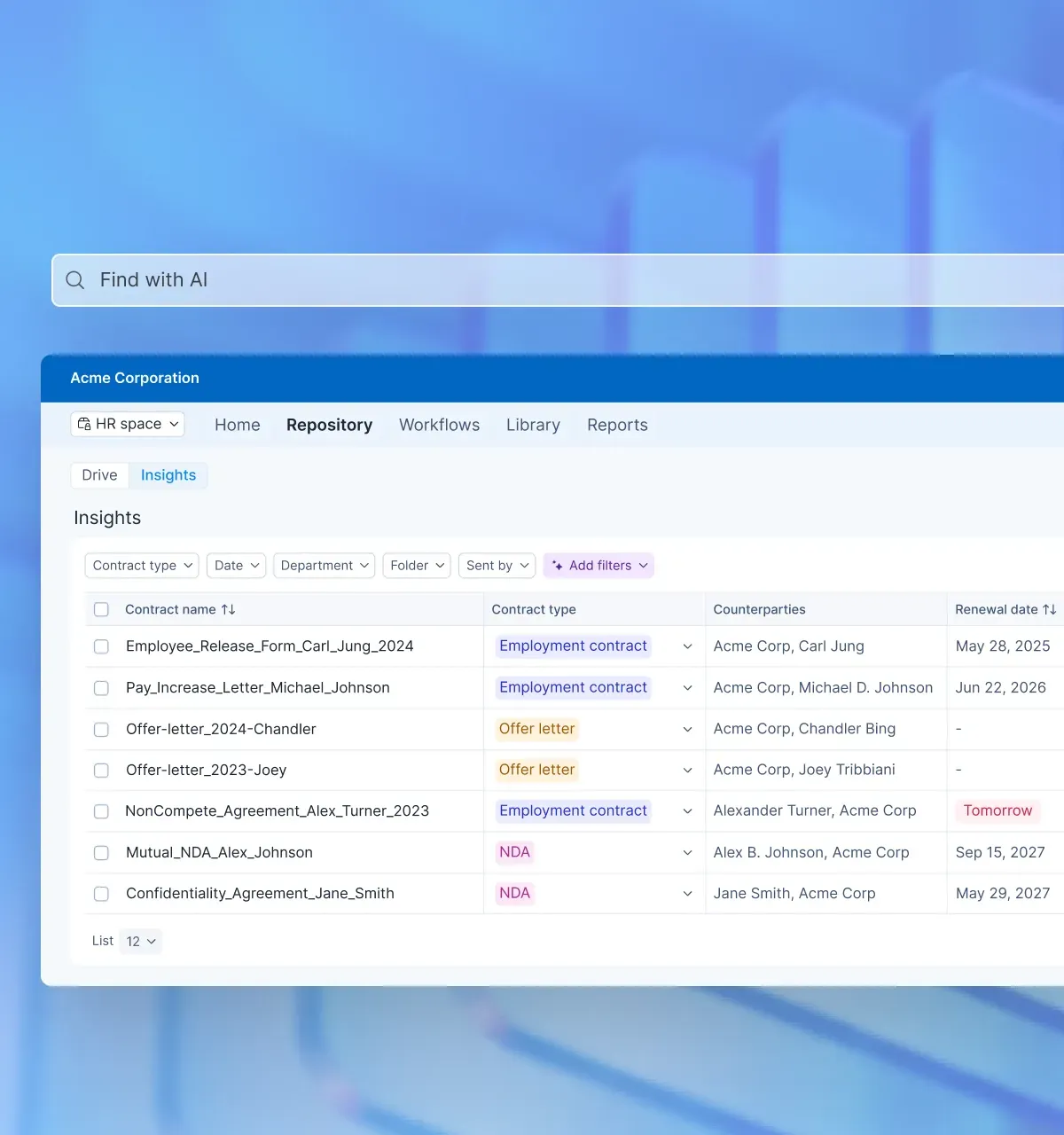
- Signeasy: Intelligent contract repository with status tracking, renewal alerts, AI-powered summaries, key term extraction, and natural language Q&A.
"With Signeasy, we have successfully stopped the 'movement of paper'. I had a vision that there should not be a single invoice or document signed by pen and paper in our office. It has helped us realize that vision successfully."
- Saurabh Kumar, Chief Executive Officer, GMR Cargo
3. Automation and integrations
- Juro: Strong CRM integrations (Salesforce two-way sync, HubSpot), Slack, Google Drive, and 6,000+ apps via Zapier. Limited Microsoft ecosystem support.
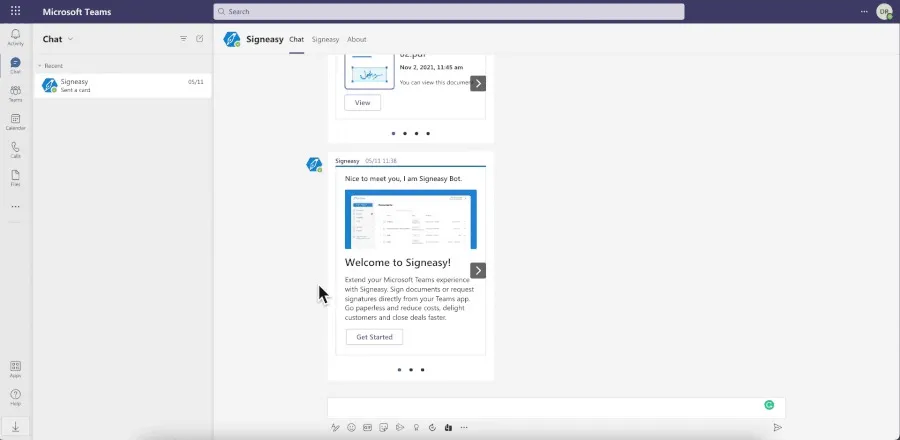
- Signeasy: Deep Microsoft integration (SharePoint, Teams, Outlook), Google Workspace (Gmail, Docs, Sheets, Drive), and HubSpot for seamless workflows.
4. Security and compliance
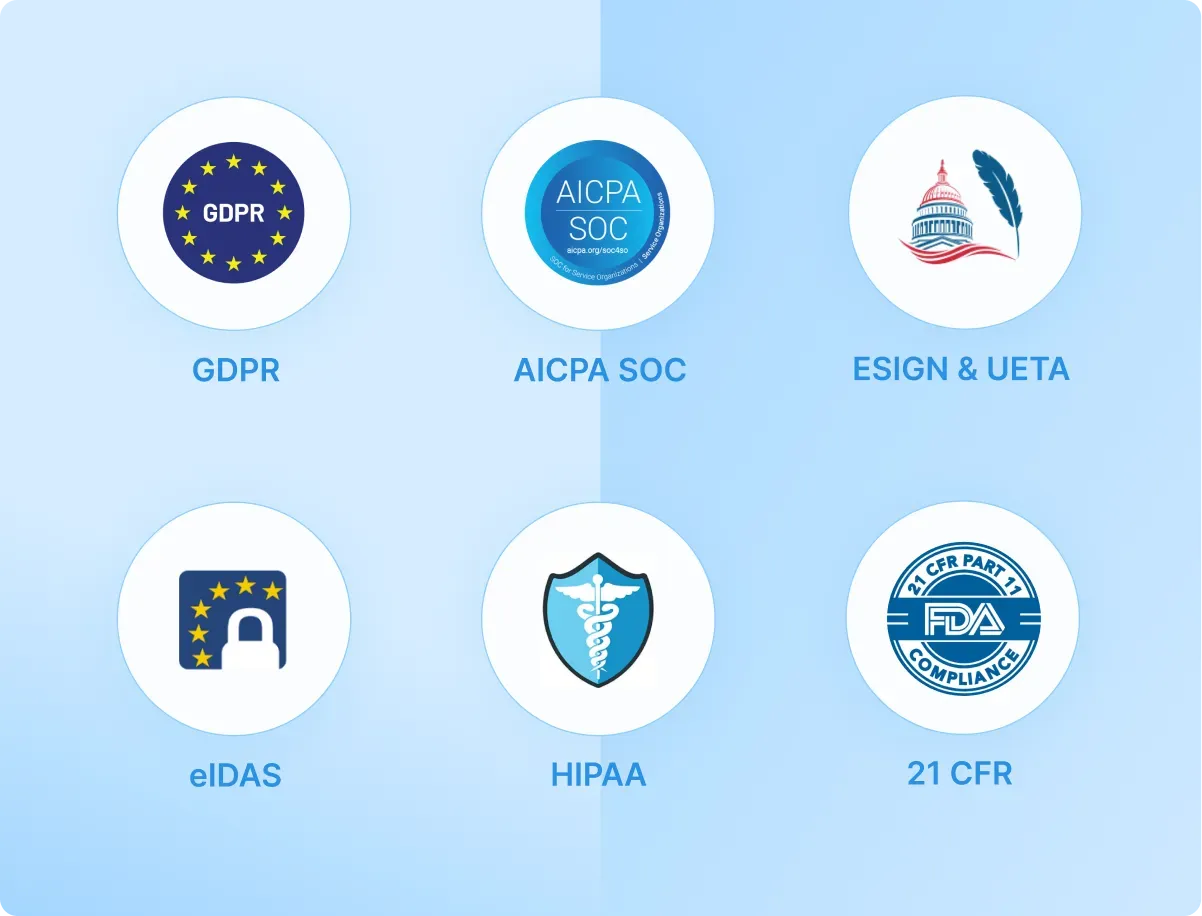
- Both offer enterprise-level data protection with SOC 2 compliance and ESIGN/eIDAS support. Signeasy provides HIPAA and 21 CFR Part 11 compliance for regulated industries, which Juro does not currently specify.
5. Customer support and resources
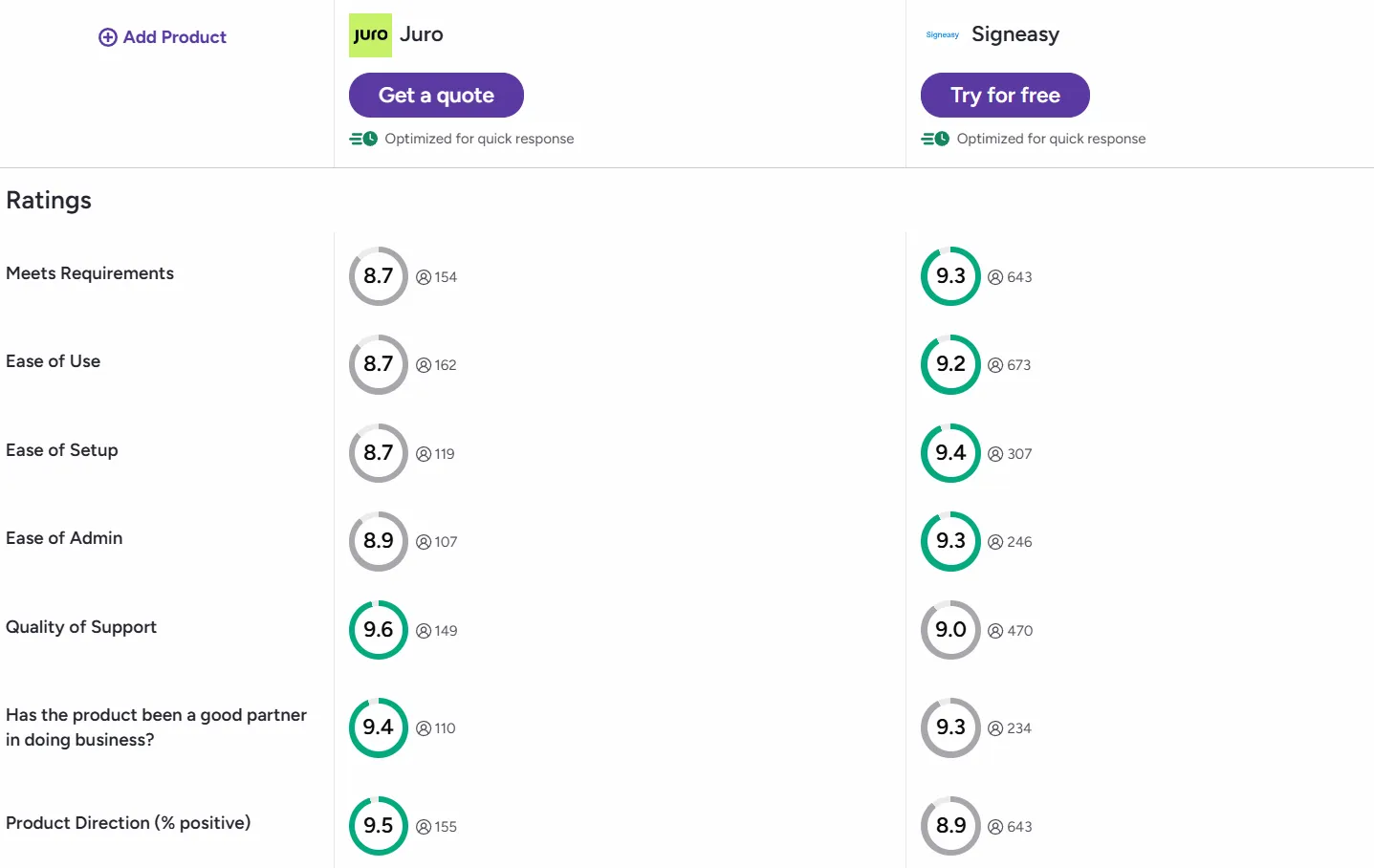
Juro scores 9.6 out of 10 for quality of support on G2, with the platform offering dedicated customer success managers on higher tiers.
Source
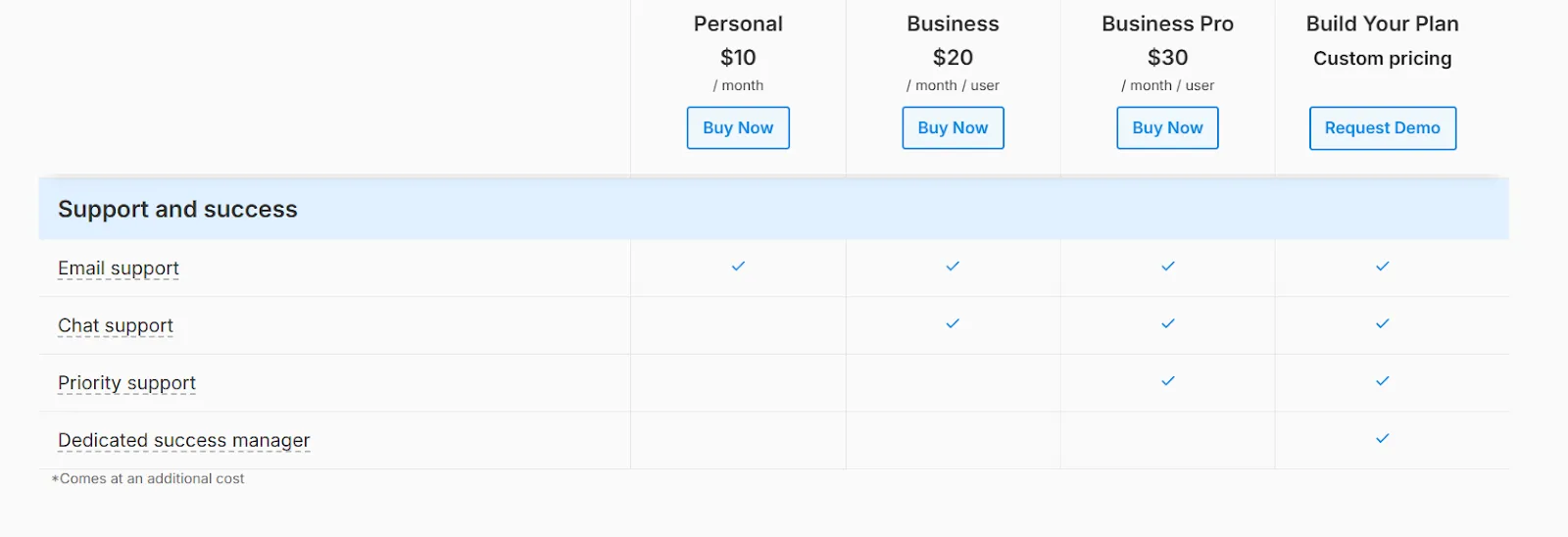
Compared to Juro, Signeasy’s 9 out of 10 provides a more accessible support experience across all tiers. All paid users get direct email support without relying on forums or self-help resources.
The platform offers 24/7 live chat starting with the Business plan, making it valuable for remote teams across time zones. Enterprise plans include a dedicated Success Manager for assisted onboarding.
Signeasy also provides an extensive knowledge base with tutorials, demos, and FAQs. This structure delivers quicker, more personal help without forcing an upgrade.
6. Pricing and value
Juro doesn't publish pricing publicly, requiring teams to contact sales for a custom quote.
The platform also offers a 20% discount on the first year if you sign up the same month as your demo request, but there's no self-service free trial.
Signeasy offers transparent, published pricing that lets teams evaluate costs before speaking with sales.
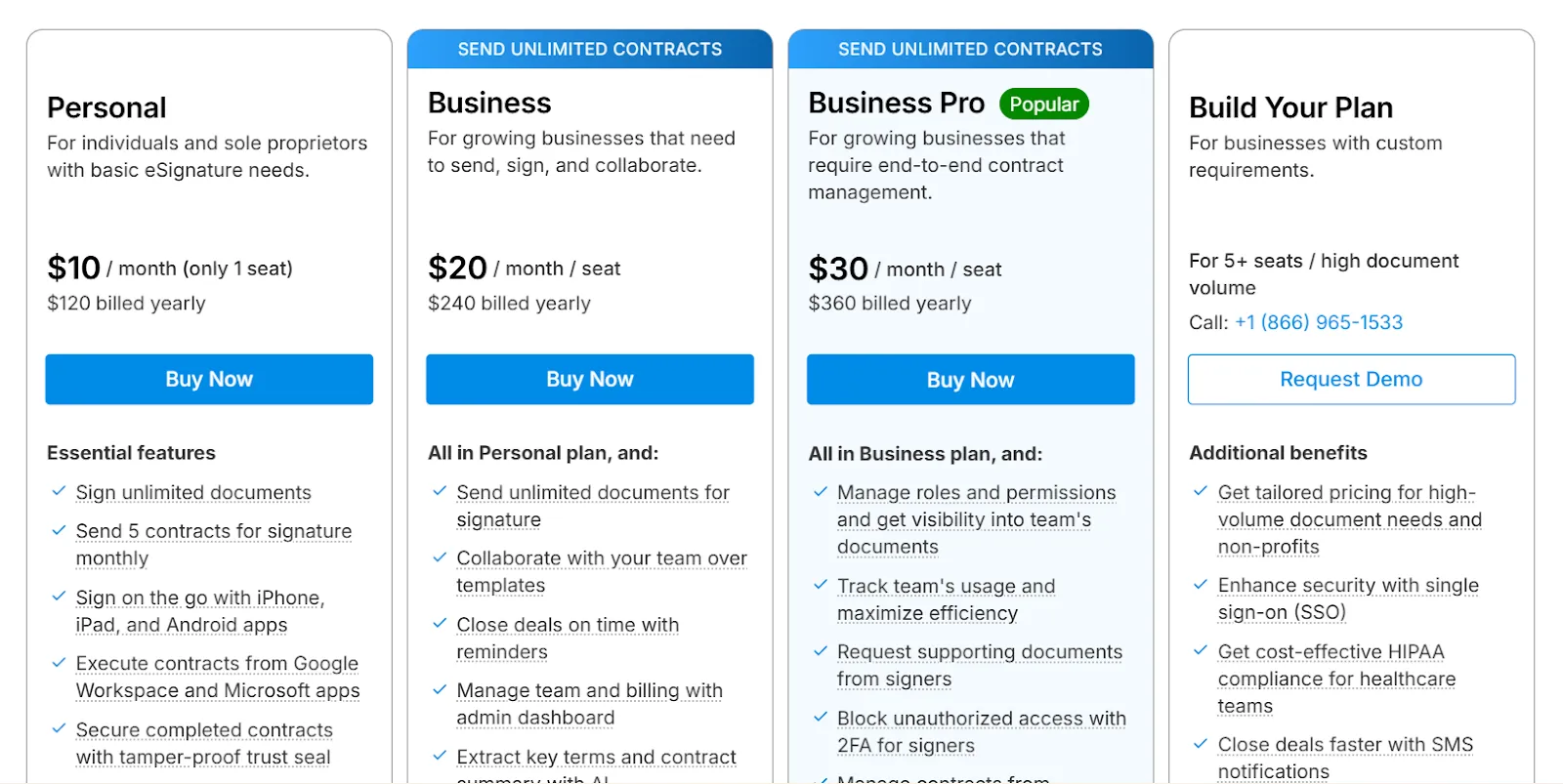
The Personal plan starts at $10/month, Business at $20/seat/month, and Business Pro at $30/seat/month on annual billing.
Signeasy’s Personal plan covers basic individual signing needs, Business introduces collaboration and admin controls for teams, and Business Pro adds advanced permissions, deeper integrations, usage insights, and priority support.
Enterprise plans are available by quote for teams needing advanced security, HIPAA compliance, and dedicated onboarding. Signeasy also offers a 14-day free trial with no credit card required, letting teams test the full product before committing.
Who is Juro best suited for?
Juro works well for specific use cases. Here's where it fits:
- In-house legal teams building self-serve contract workflows for other departments.
- HR departments processing standardized employment agreements and onboarding paperwork.
- Organizations that prefer browser-based contract creation over importing existing Word or PDF templates.
Suggested read: Signeasy Reviews: Ratings, Pricing, and Key Features
Where Juro may not align with your needs:
- Juro requires a sales call for quotes, which can slow down evaluation for mid-sized businesses.
- If your team relies on SharePoint, Outlook, or Teams for document management, Juro's browser-first approach may require workflow adjustments.
- Regulated industries needing HIPAA or 21 CFR Part 11 compliance.
- Organizations seeking straightforward eSignature and contract management without a full CLM implementation.
For businesses in regulated industries requiring HIPAA or 21 CFR Part 11 compliance, or teams relying on Microsoft 365, Signeasy offers a better fit with its compliance coverage, deep Microsoft integrations, and transparent pricing.
Why choose Signeasy over Juro?
Juro is powerful for mid-market companies with high contract volumes, but its lack of pricing transparency and no free trial make it difficult to evaluate. Signeasy provides an intuitive contract management platform with clear pricing and the compliance coverage many teams need.
Signeasy offers more value with the following:
- Transparent pricing from day one: Signeasy publishes clear pricing on its website, starting at $10/month for Personal and scaling to $30/user/month for Business Pro.
- Try before you buy: Signeasy offers a 14-day free trial with no credit card required.
- Mobile-first design for teams on the go: Signeasy provides dedicated iOS and Android apps with full signing and tracking capabilities.
- Compliance coverage for regulated industries: Signeasy supports HIPAA, 21 CFR Part 11, SOC 2 Type 2, GDPR, and eIDAS.
- Deep Microsoft 365 integration: Signeasy offers native integrations with SharePoint, Teams, and Outlook for teams working within the Microsoft ecosystem.
- 24/7 support across all paid plans: Signeasy provides email and chat support to all users, with priority support and dedicated success managers for Enterprise customers.
This makes Signeasy especially useful for mid-market and enterprise teams in regulated industries.
Request demo to see how Signeasy compares to Juro in real workflows.