





A finance team may renew a vendor contract while a revised version sits in a separate folder, never shared. Or a sales manager may send a pricing addendum based on an outdated master agreement pulled from an old email thread.
When already 90% of business users find contracts difficult or impossible to understand, finding the correct contract at the right moment becomes even harder.
The right contract database software helps teams avoid spending hours searching for contracts. It replaces scattered storage with structured access, powerful search, and clarity across teams.
In this guide, we’ll break down:
- What contract database software actually does
- Features that matter
- How leading platforms compare
- How to choose the right contract database software
What is contract database software?
Contract database software is a centralized system to store, organize, and retrieve contracts across their entire lifecycle. For instance, when your HR team generates an employment contract, it is added to the database with details like the employee's name, contract type, start date, and renewal or probation terms.
The system answers three operational questions:
- Where is the current, signed version? (The software maintains a single system of record with version history.)
- What commitments exist? (The database software extracts and stores key terms like renewal dates, notice periods, and obligations)
- What requires action next? (The system triggers alerts, reminders, and status changes tied to those terms.)
Teams can query the database directly as contracts are indexed by structured attributes such as counterparty, contract type, lifecycle stage, and renewal terms.
Types of contract database software
Contract database software can take different forms depending on how teams create, store, and manage agreements. Some tools focus purely on secure storage and searchability, while others combine contract workflows, signing, and compliance features within a broader system.
These common categories help clarify which type of CDS aligns with your operational needs:
- Standalone contract repositories: These primarily store contracts in one place and make them searchable so teams can upload signed agreements and use basic filters to find them later.
- Contract Management platforms: Legal, procurement, and sales teams use them to draft agreements, route approvals, send contracts for signature, and track obligations over time.
- eSignature-led platforms with contract storage: Teams send documents for signature, and the system automatically stores the completed agreement with metadata, audit trails, and version history.
- Enterprise legal systems: They are built for large organizations with complex compliance, reporting, and integration needs. They typically sit at the center of a broader enterprise contract management strategy.
Top contract database software solutions: a quick comparison
Signeasy focuses on execution-first contract capture with minimal setup for medium to large enterprises, Contract Logix emphasizes governance and lifecycle control, and Icertis is built for enterprises managing complex risk.
The comparison table below also includes other widely used tools that cover a broader range of contract management needs. Pricing varies widely between them, so our contract management software pricing guide also helps to understand that before you shortlist.
1. Signeasy
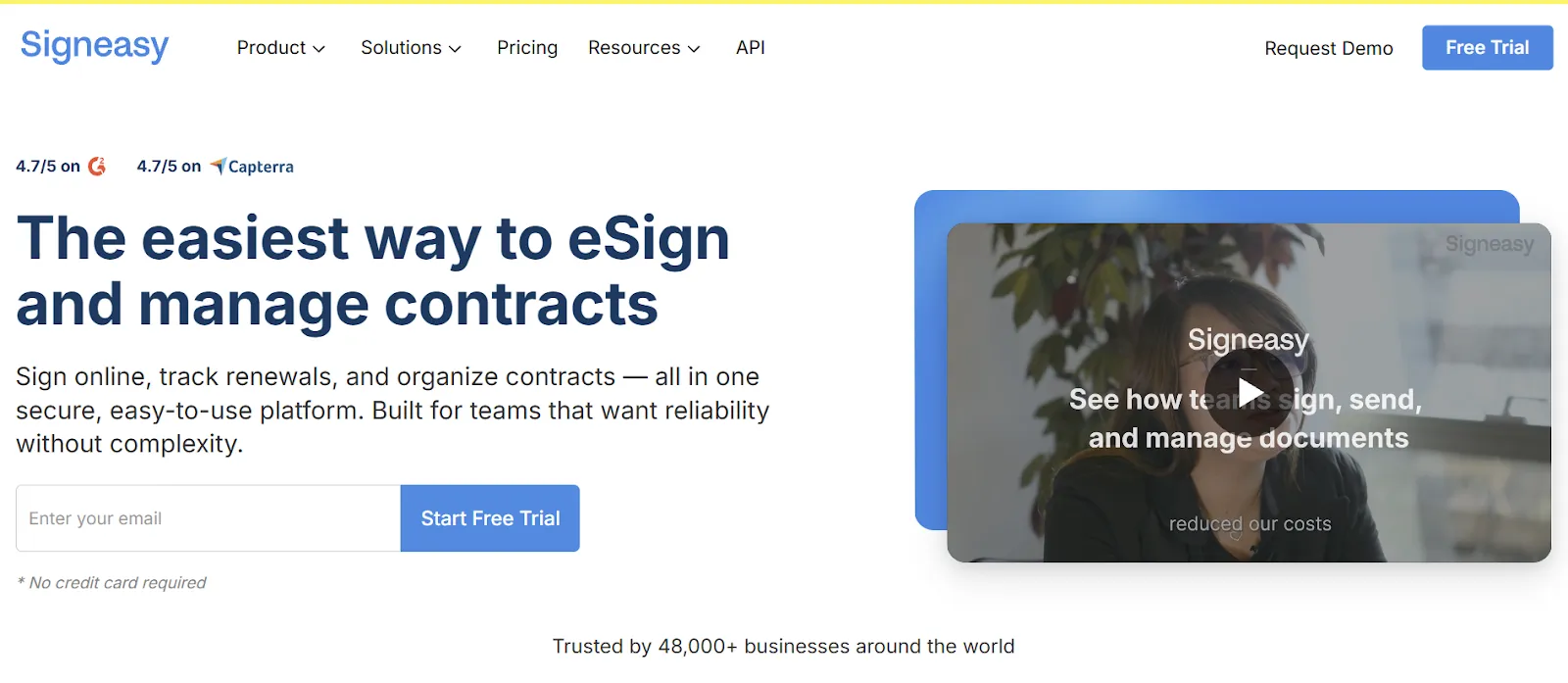
We designed Signeasy for growing teams that want contract database management to feel simple and structured without adding complexity. Our clean interface and short learning curve help you move from signup to sending and storing documents quickly, while keeping every signed agreement organized in one searchable system of record.
We support more than 25 document types and integrate with Google Drive, Dropbox, OneDrive, and Box, so your contracts flow into a centralized database without forcing you to change how your team already works. That means agreements stay easy to retrieve, track, and manage across HR, sales, finance, and legal workflows.
More than 48,000 businesses trust us to manage their documents, and our flexible pricing scales as your team grows, so you can build a structured contract repository without long-term lock-ins. For example, La Cabana Beach Resort digitized HR contracts and reduced costs by 60% after moving its agreements into Signeasy.
Signeasy’s key features
- Fast document preparation and cloud-based imports: You can upload, prepare, and send documents in minutes, with support for more than 25 file formats, including PDFs, Word, and Excel. Direct imports from Google Drive, Dropbox, OneDrive, and Box help you centralize agreements while continuing to work from the storage tools your team already uses.
- Templates, data fields, and no-code workflows: For recurring agreements, we let you create reusable templates with standardized data fields such as signatures, initials, dates, and checkboxes, so every contract enters your database in a consistent format.
You can also start with ready-to-use options from our free contract template library. Accessing a template is simple — submit your work email address and receive it directly in your inbox.
Teams can also select free contract templates from Signeasy’s free contract template library to speed up setup. Accessing a template is simple — submit a work email address and receive it directly in your inbox.
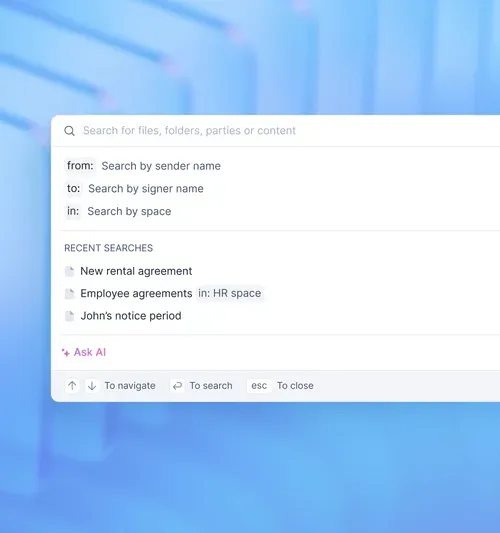
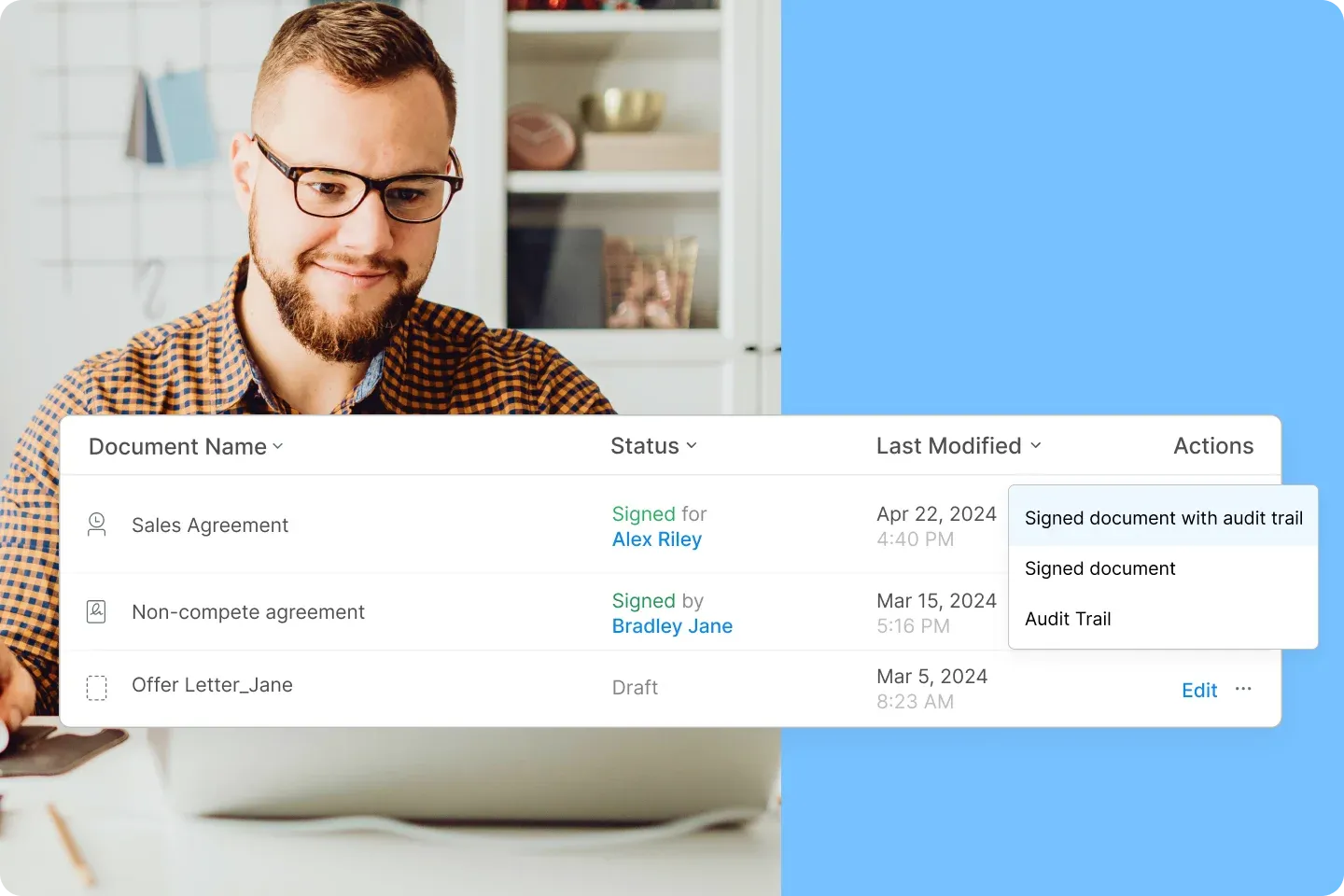
- Intelligent contract management and search: Every signed document is automatically stored in our Intelligent Contract Management, turning your agreements into a structured contract database rather than a static file archive.
You can search by clauses, renewal dates, obligations, and status, then quickly understand what requires attention next without opening each file individually.
- Mobile access and offline signing: Our iOS and Android apps let you prepare, send, sign, and store contracts from anywhere. Offline signing ensures agreements still move forward when connectivity is limited, which helps field teams and decision-makers keep the contract lifecycle moving without delays.
- Strong security, compliance: We support ESIGN, UETA, eIDAS, SOC 2 Type II, GDPR, HIPAA, and 21 CFR Part 11 readiness, so your contract database stays compliant across regions and industries. Each signature includes a court-admissible audit log with timestamps, signer identity, and activity history, creating a reliable system of record.
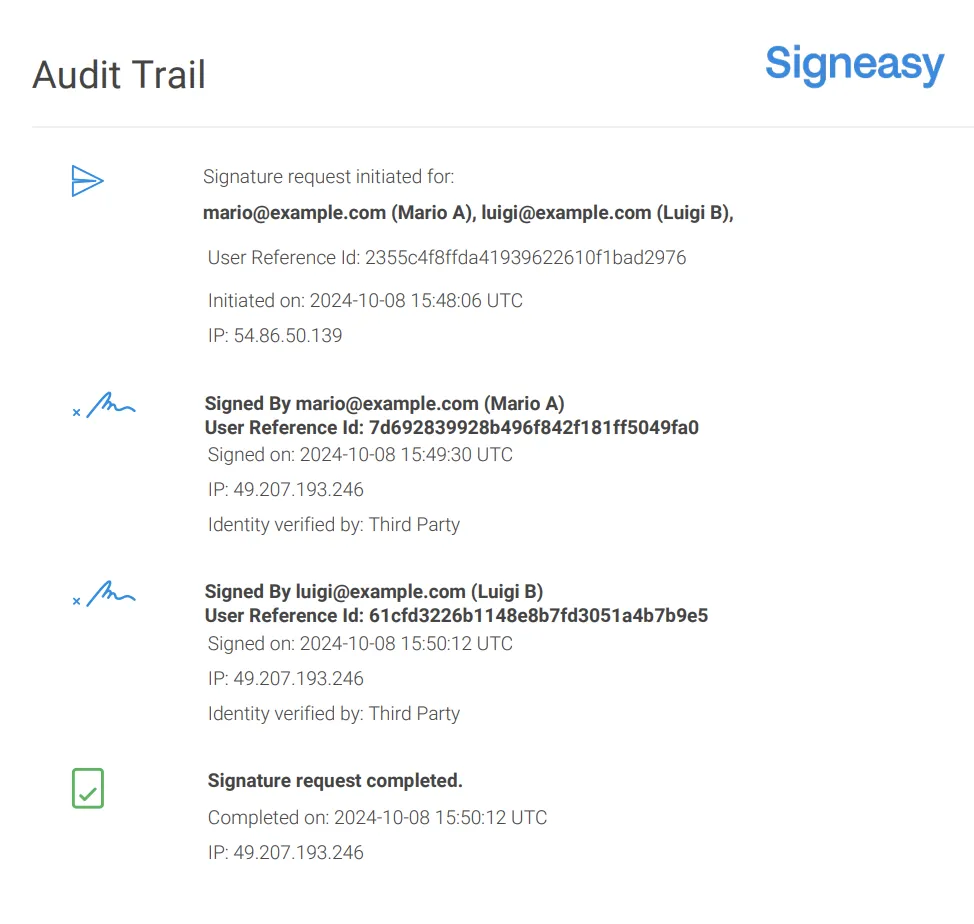
- Tracking, notifications, and AI-assisted review: Real-time notifications and automated reminders help contracts move through each stage of the lifecycle, while dashboards give you visibility into status, ownership, and upcoming actions.
AI-powered summaries, key-term extraction, and smart Q&A help you understand contract data faster, so your database becomes a source of insight rather than just storage.
Signeasy’s pros
- Easy for non-legal teams to use, with a short learning curve and minimal training required
- Quick setup and faster document turnaround compared to heavier CLM systems
- Strong mobile experience, including offline signing for remote and field teams
- Transparent, scalable pricing that grows with your contract database needs
- Automatic audit trails and signature certificates that support compliance and accountability
Signeasy’s cons
- Highly customized legal workflows may require a more specialized CLM tool
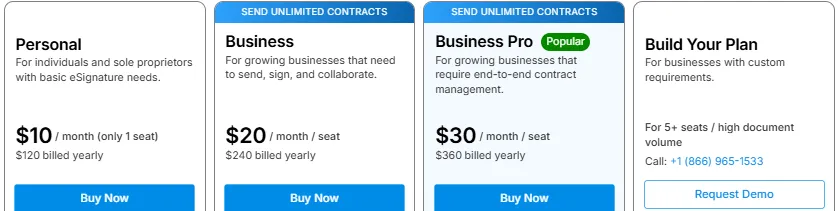
Signeasy’s pricing
- Business plan: $20/user/month
- Business pro plan: $30/user/month
- Custom pricing for enterprises
See full pricing here.
Also read: Signeasy reviews 2026: ratings, pricing, and key features
2. Contract Logix
Contract Logix is a CLM-focused platform with a strong emphasis on governance and compliance. Its contract database supports structured metadata, workflow configuration, and lifecycle visibility across contract creation, review, execution, and renewal.
Contract Logix’s key features
- All contracts are stored in one system and can be tracked from request through renewal.
- Users can configure processes that reflect existing internal steps for review and sign‑off.
- Built‑in notifications help teams stay aware of expirations and renewals.
- Custom fields and dashboards allow reporting that matches team priorities.
Contract Logix’s pros
- Strong lifecycle tracking, covering contracts from request through renewal in one system
- Flexible approval workflows that reflect existing legal and compliance processes
- Structured metadata and reporting that support audits, renewals, and compliance reviews
Contract Logix’s cons
- Longer onboarding
- Less intuitive for non-legal users
- Saving work and data entry prompts may feel basic or lacking
- Certain reporting elements and custom logic can be challenging
Contract Logix’s pricing
- Offers a quote-based pricing, requires connecting with the sales team
3. Icertis
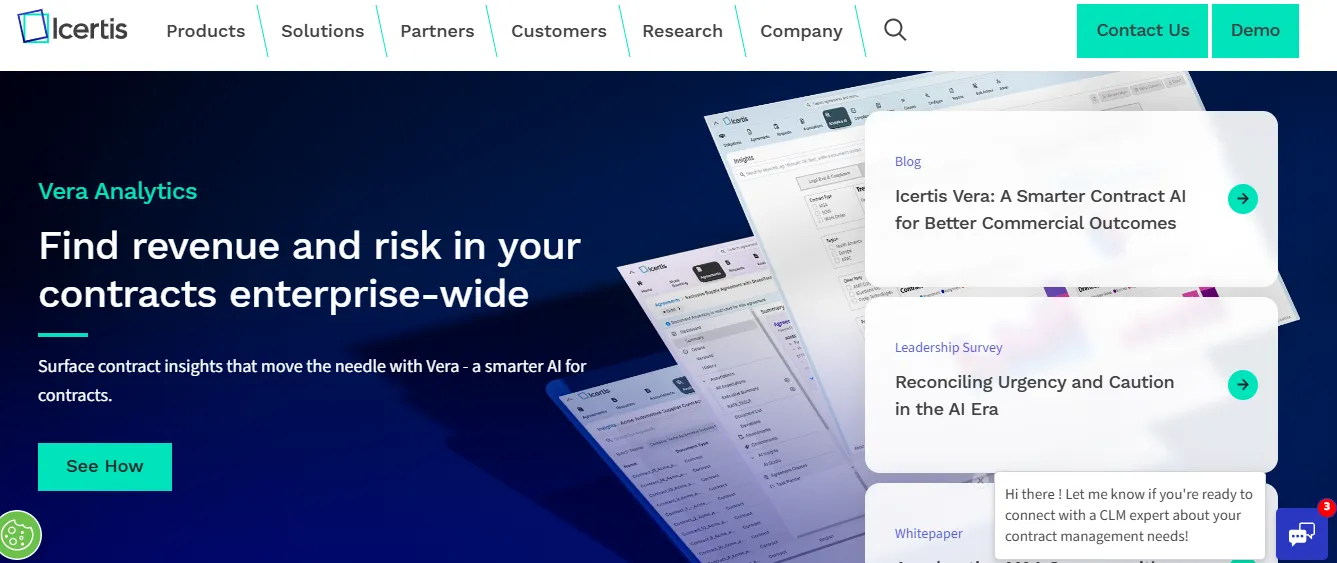
Icertis is built for enterprises managing large contract volumes and significant commercial risk. Its contract database is tightly integrated with advanced analytics, obligation tracking, and enterprise reporting.
Icertis’ key features
- Stores contracts in a centralized, secure system that supports structured data, reporting, and audit tracking.
- Uses AI and metadata to uncover insights from contract clauses and support data-driven decisions.
- Tracks commitments, deliverables, and compliance requirements throughout the contract lifecycle.
- Offers dashboards and reporting tools for enterprise-wide visibility and performance measurement.
Icertis’ pros
- Handles very large contract volumes with high risk and obligation tracking
- Advanced analytics for clause-level insights and compliance visibility
- Scales well across regions and complex regulatory environments
Icertis’ cons
- Users report a steep learning curve and a less intuitive interface.
- Some reviews mention lengthy and complex implementation cycles.
- The platform is expensive for smaller teams or mid-market businesses.
- Search and navigation can feel cluttered or hard to use, according to some feedback.
Icertis’ pricing
- Offers a quote-based pricing, requires connecting with the sales team
4. Docusign
Docusign CLM builds on Docusign’s eSignature foundation to provide structured contract lifecycle management. You can store documents, their versions, and track the lifecycle within the broader Docusign ecosystem. While familiar to many teams, advanced functionality often depends on add-ons and partner-led implementation.
Docusign’s key features
- Stores contracts centrally and tracks their progress from creation to renewal or expiration.
- Enables teams to reuse approved language and standardize contract creation.
- Connects directly with Docusign eSignature for signing and execution.
Docusign’s pros
- Familiar signing experience for most business users
- Centralized lifecycle tracking tied to Docusign eSignature
- Strong template and clause reuse for standardized contracts
Docusign’s cons
- Modular pricing increases cost
- Complex configuration
Docusign pricing
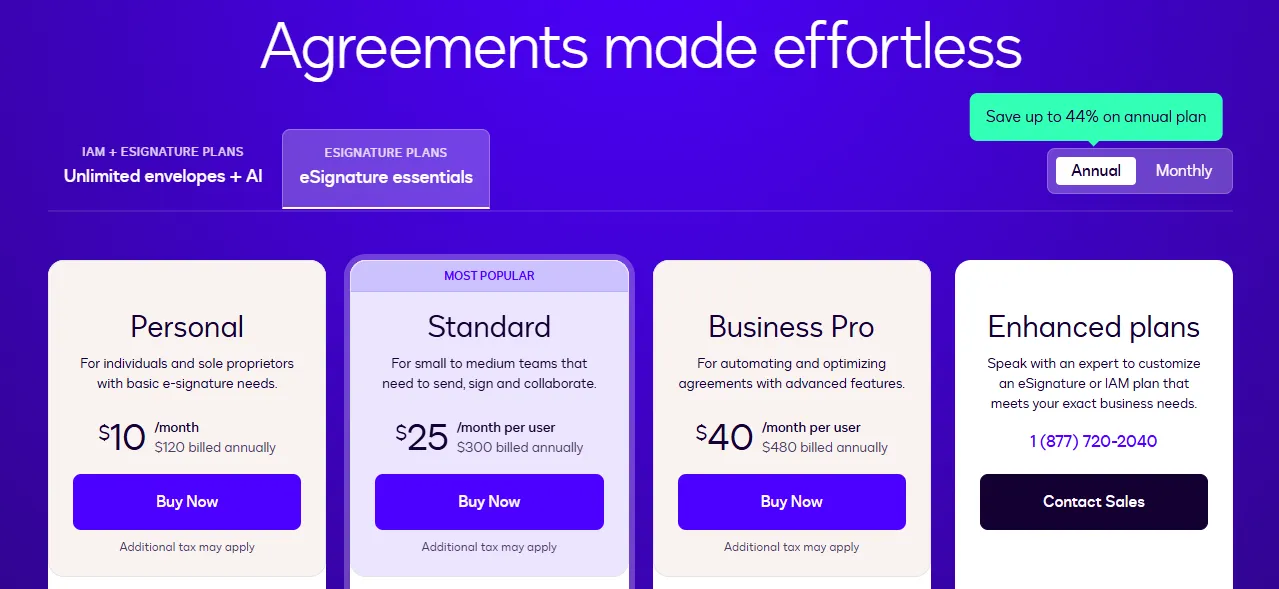
- Personal: $10 / month
- Standard: $25 / month
- Business Pro: $40 / month
5. Agiloft
Agiloft offers a highly configurable contract database built on a no-code framework. Your team can tailor workflows, metadata, and reporting dashboards to match unique contract processes. However, without strong internal governance, customization can become difficult to manage over time.
Agiloft’s key features
- Stores all contracts in one system with customizable fields to reflect unique business requirements.
- Enables teams to design contract workflows that match their internal review and approval processes.
- Allows admins to modify fields, logic, and workflows without engineering support.
- Provides visibility into contract status, renewals, and obligations through dashboards and notifications.
Agiloft’s pros
- Highly configurable workflows and data models
- No-code setup allows customization without engineering
- Strong reporting and alerting for renewals and obligations
Agiloft’s cons
- The platform can feel difficult to use and not intuitive for new users.
- Managing contracts once entered can be confusing without training.
- Some users find the system complex and better suited for administrators or advanced users.
- Sending approval notifications after changing approvers may not always work reliably
Agiloft’s pricing
- Offers a quote-based pricing, requires connecting with the sales team
6. Ironclad
Ironclad focuses on improving contracting workflows for legal teams. Its contract database supports collaboration, intake, and lifecycle visibility, with an emphasis on legal efficiency.
Ironclad’s key features
- All contracts are stored in one system for consistent access and tracking.
- Business teams can submit contract requests, and legal teams can review and comment in one place.
- Contracts are routed through predefined steps to reduce manual coordination.
Ironclad’s pros
- Strong legal intake and collaboration workflows
- Clear visibility into contract status and approvals
- Designed around legal team efficiency and consistency
Ironclad’s cons
- Steep learning curve for new users
- Search functionality can be difficult
- Navigation is sometimes confusing
- Integration challenges with some tool
Ironclad’s pricing
- Offers a quote-based pricing, requires connecting with the sales team
7. LinkSquares
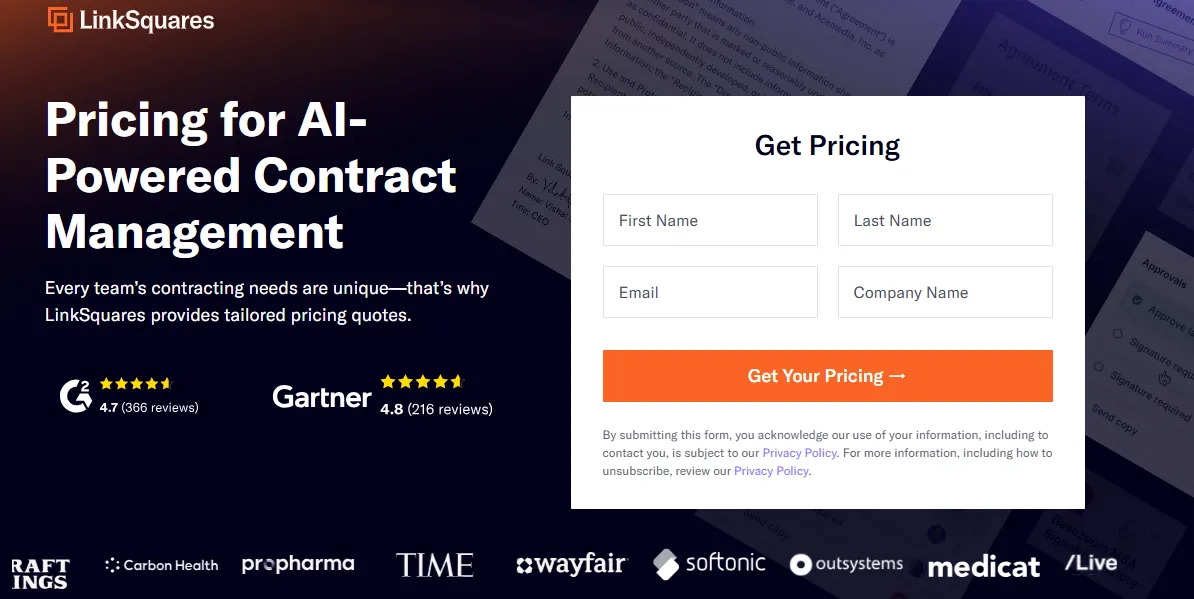
LinkSquares is an AI-powered contract management platform built to help legal teams extract, analyze, and organize contract data at scale. It is especially useful for cleaning up legacy contracts and supporting audits by making clauses and risks easy to surface.
LinkSquare’s key features
- Contracts can be searched by clauses, terms, and concepts rather than just file names.
- Key clauses are automatically identified and categorized to support review and risk analysis.
- All contracts are stored in a single system for easier access and oversight.
LinkSquare’s cons
- AI tuning is required during setup
- There is a learning curve for new users
LinkSquare’s pricing
- Offers a quote-based pricing, requires connecting with the sales team
8. Conga
Conga’s contract database is closely tied to CRM workflows, particularly Salesforce, and aligns contracts with revenue operations and sales processes. This CRM-centric approach benefits sales teams but can limit flexibility for other functions.
Conga’s key features
- Contracts are stored and accessed within the CRM, making it easy for sales teams to view agreements.
- Contracts are created from templates using CRM data, and renewal dates can be tracked automatically.
- Contracts follow predefined approval steps to ensure reviews happen before execution.
Conga’s pros
- Deep Salesforce integration for sales-driven workflows
- Automated contract generation using CRM data
- Strong alignment between contracts and revenue processes
Conga’s cons
- Strong dependency on CRM systems
- Less intuitive for non-sales users
Congo’s pricing
- Offers a quote-based pricing, requires connecting with the sales team
9. Juro
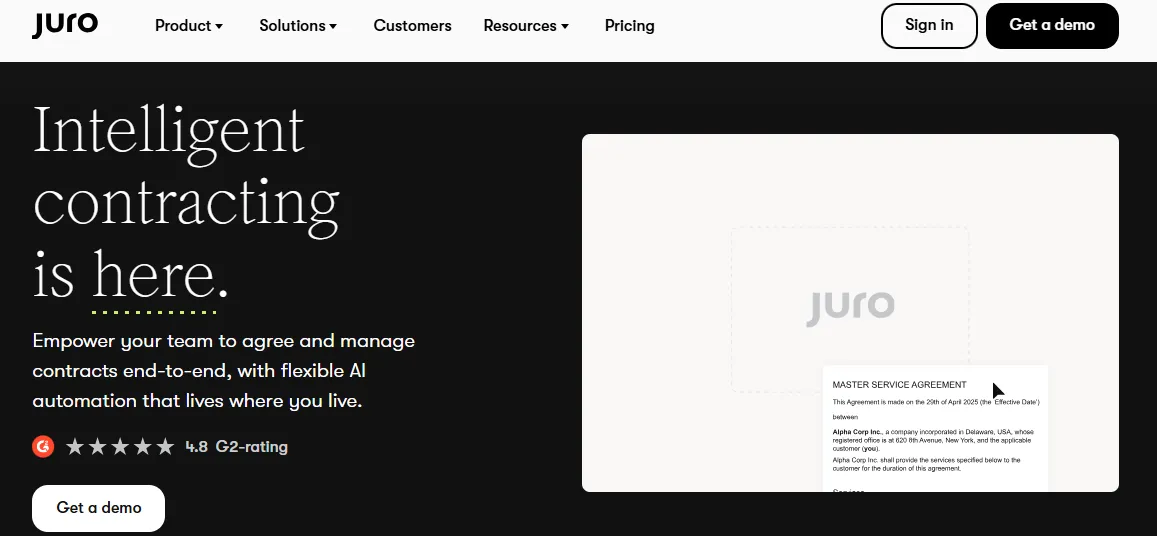
Juro is a modern, browser-based contract management platform that turns contracts into living documents you can create, edit, and track entirely in the browser. It removes the need to switch between Word, email, and separate signing tools.
Juro’s key features
- All agreements are stored in one searchable archive that teams can access anytime.
- Contracts are drafted and revised online with a familiar editor, supporting real-time updates and reducing reliance on local files.
- Users can locate contracts quickly using search tools and manage who sees what through access permissions.
Juro’s pros
- Live, editable contracts reduce version confusion
- Strong real-time collaboration with external parties
- Good visibility into contract views and activity
Juro’s cons
- Some users find reporting and analytics limited compared to deeper CLM tools, especially for high-volume insights
- Customization and advanced workflows can feel basic
- A few reviewers note performance slowdowns with large contracts or a clunky interface for certain edits.
- Permissions and automation setup occasionally require more admin support than expected
Juro’s pricing
- Offers a quote-based pricing, requires connecting with the sales team
10. Oneflow
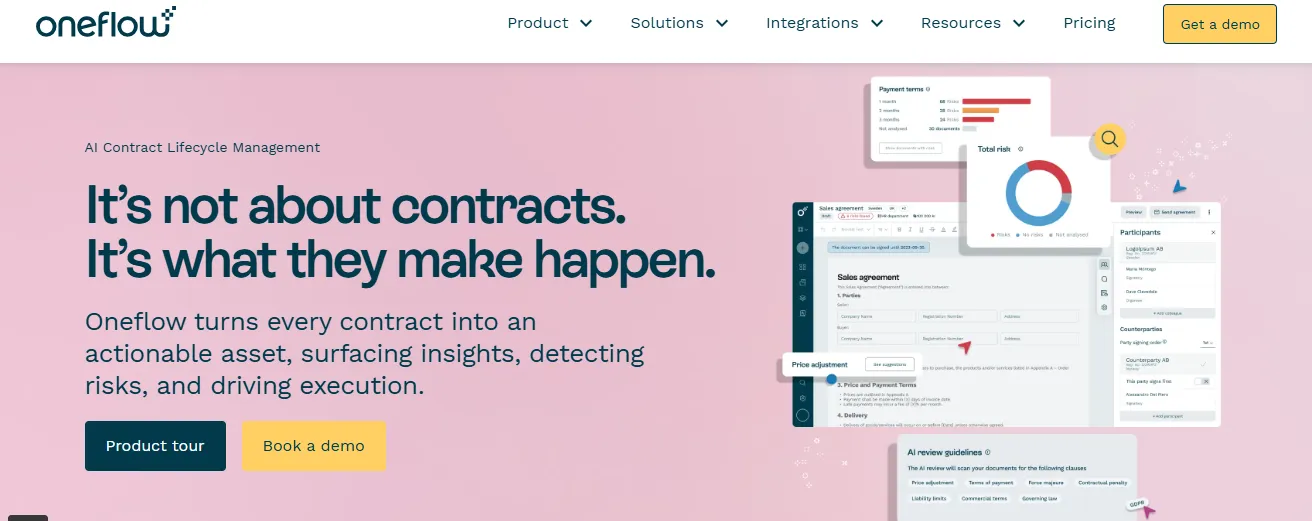
Oneflow is a cloud-based contract platform designed to simplify how teams create, collaborate, sign, and manage contracts in one place. Unlike traditional static PDFs or email chains, Oneflow turns contracts into interactive, structured documents that can be edited live, shared for review, and signed digitally.
Oneflow’s key features
- Contracts are live, and editable documents can be updated and reviewed in real time.
- Internal and external stakeholders can comment and adjust terms directly in the shared contract workspace.
- Completed contracts are held in one place with status tracking and visibility into views and actions by counterparties.
Oneflow’s pros
- Live, editable contracts reduce version confusion
- Strong real-time collaboration with external parties
- Good visibility into contract views and activity
Oneflow’s cons
- Some users report limits in customization and industry-specific templates
- Notifications can be overwhelming or not configurable at the individual level
- A few reviewers feel functionality like advanced field merging or deeper workflow automation could be improved
Oneflow’s pricing
- Free plan with 14 days of free trial
- Essentials: €17 / month
- Business: €45 / month
- Enterprise: €17 / month
Key features of contract database software
The difference between contract database software usually comes down to how well the system helps teams find, understand, and act on contracts without manual work.
Here are the features that matter most.
1. A single source of truth for every contract
Whether it’s HR onboarding documents, vendor contracts, customer agreements, or NDAs, everything lives in one system. HR, finance, sales, and legal teams can access the correct, signed version when they need it, without any version confusion or scouring across emails and folders.
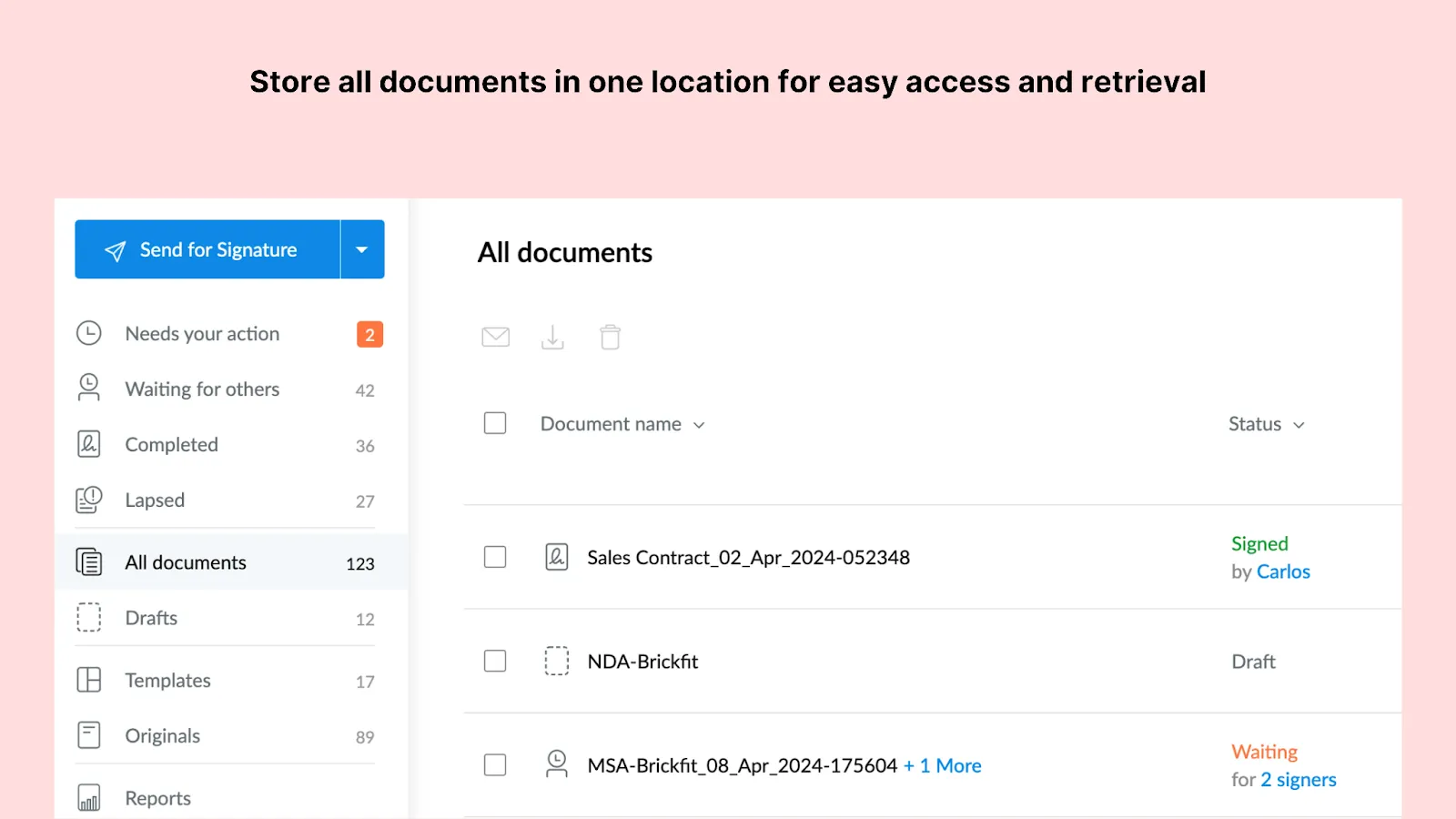
With Signeasy, this happens automatically. Once a document is signed, it’s stored in the contract repository by default, along with signer details and timestamps. There’s no separate “upload later” step, which means fewer gaps and far less reliance on manual discipline.
Also read: Streamline contract creation: 7 tips for smoother workflows
2. Advanced search and filtering
Modern contract database software supports search and filtering beyond file names. You can filter by:
- Document type
- Signer
- Status
- Dates
This way, contracts can be quickly located based on whether they’re pending, completed, or expired, and filtered by sender, recipient, or signing activity. This also helps teams answer common questions, “Which vendor contracts expire in the next 90 days?” or “How many active NDAs do we have with this partner?”
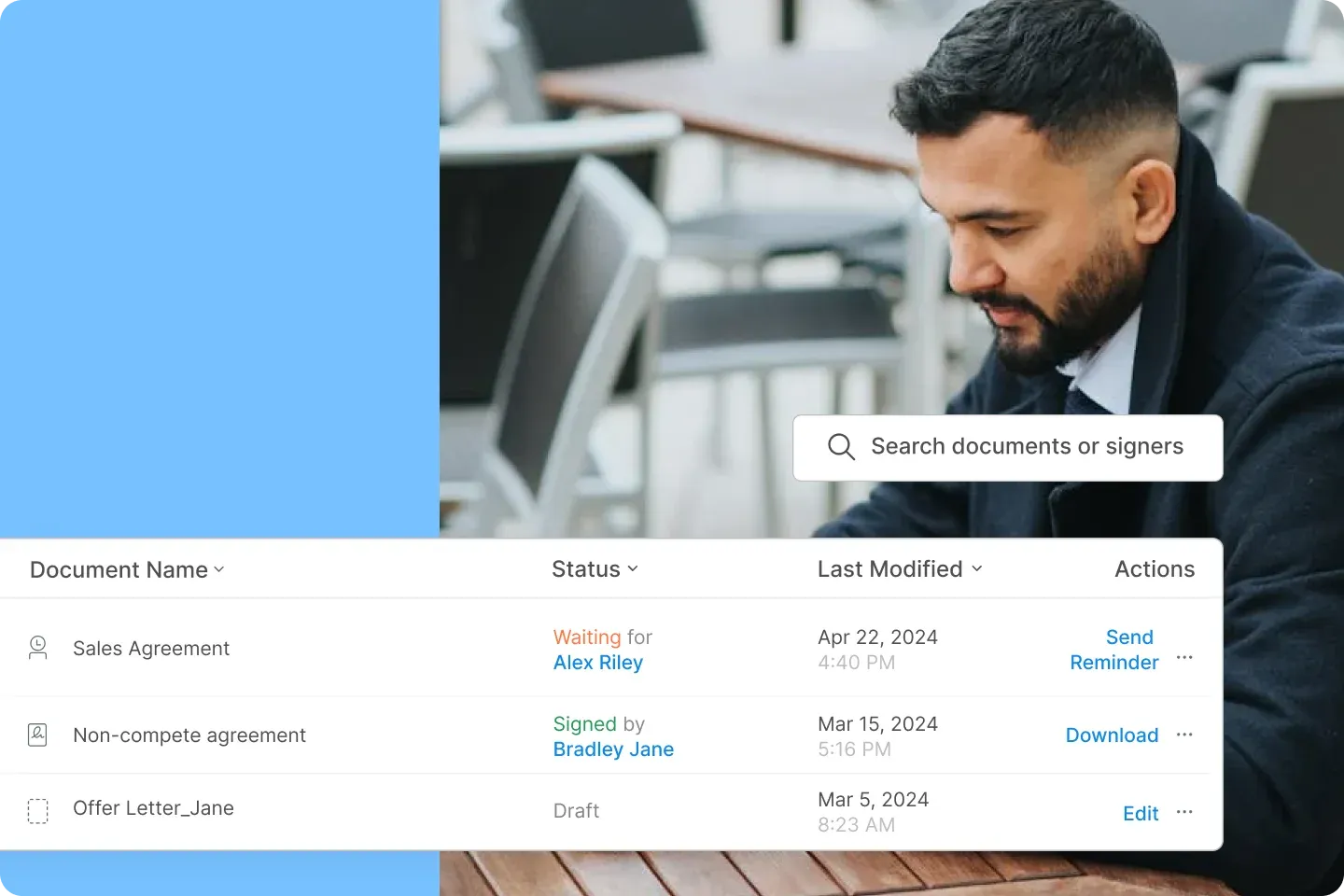
Bonus tip: You can even search for the document with the email address of the signer with Signeasy. This feature makes Signeasy an even more powerful document signer tool, especially when you're managing multiple contracts with various clients or team members. Just go to the search bar on the Signeasy web app, type in the signer’s email ID, and done!
3. Metadata and smart indexing
Contract databases rely on details like signing date, completion status, and participants to make contracts sortable and reportable.
Because Signeasy captures this data during the signing process itself, contracts enter the database with structured information already attached. Instead of asking teams to tag documents after the fact, the system creates usable records as part of normal execution.
4. Version control and audit trails
Every edit, upload, signature, and access event is logged automatically with audit trails. Teams can track who changed what and when, which is critical for legal defensibility, compliance reviews, and internal accountability.
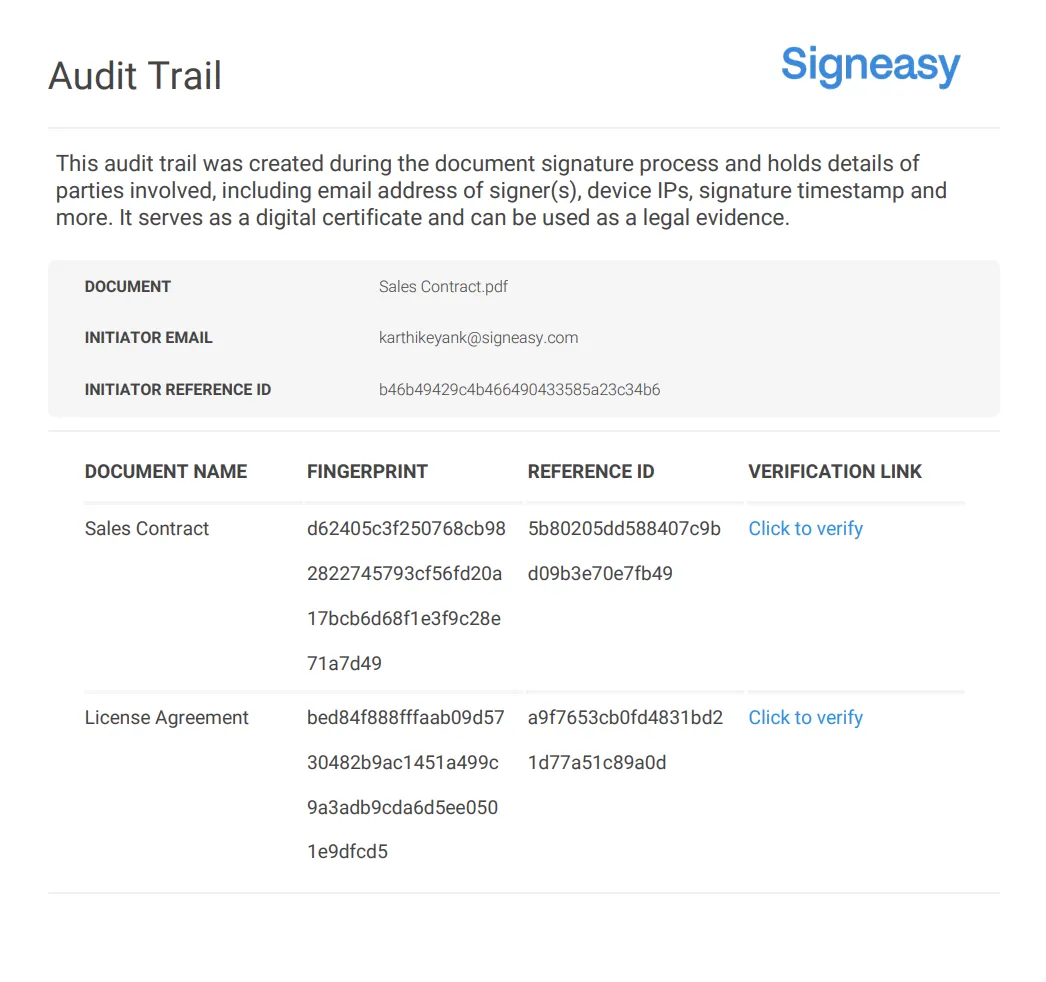
Not everyone needs the same level of access, and audit trails make that visibility enforceable.
5. Alerts and key date tracking
Instead of finding out that a contract has already been renewed, teams get early notifications that give them time to review performance, renegotiate terms, or end the contract.
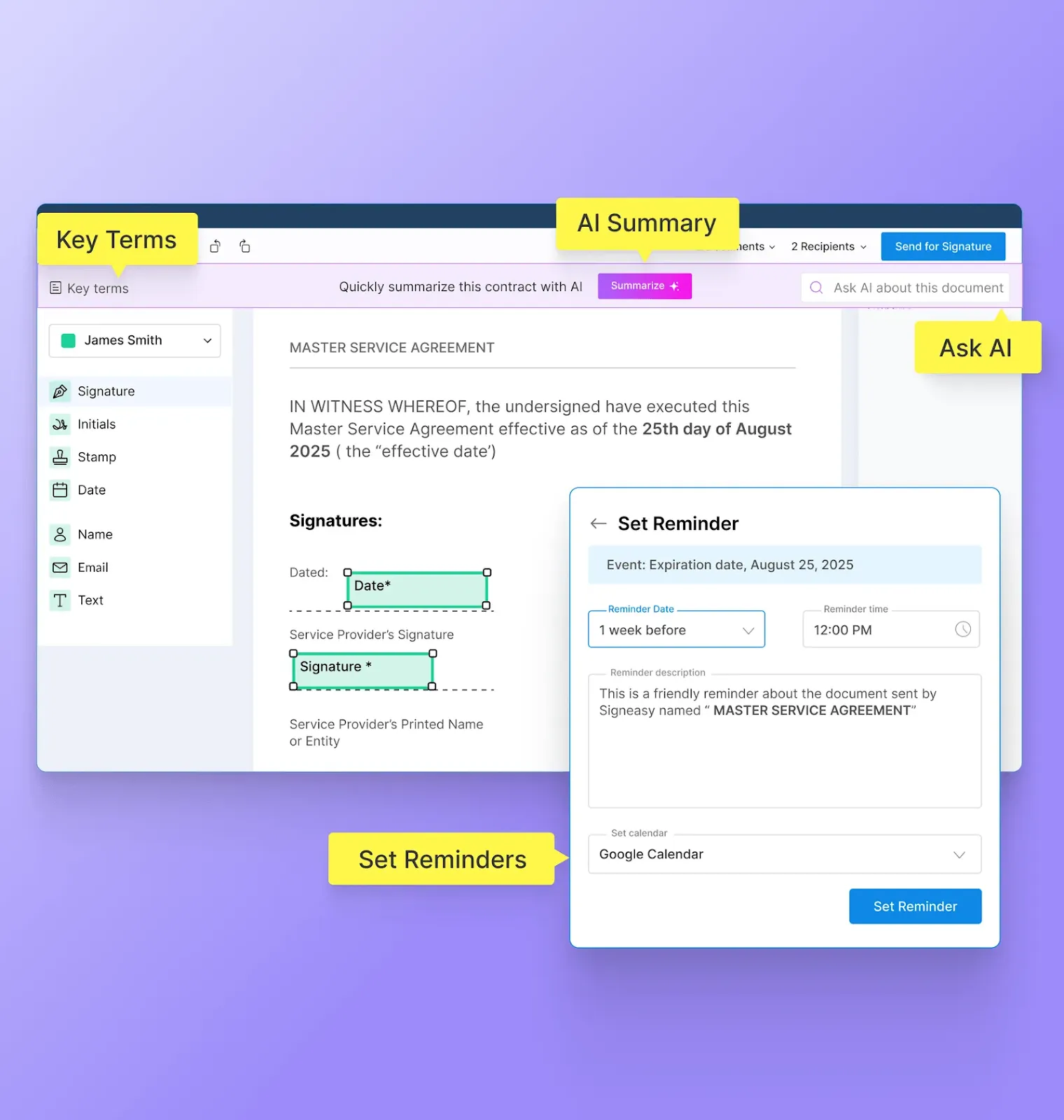
For example, a vendor agreement may auto-renew after 12 months unless notice is given 30 days in advance. Without alerts, this deadline often sits in a personal calendar or a forgotten spreadsheet. With a contract database, renewal and expiration dates are tracked automatically, and reminders are sent well before action is needed.
6. Reporting and visibility
Dashboards and exports help answer simple questions like:
- How many active contracts do we have?
- Which ones are expiring soon?
- Are any approvals or signatures missing?
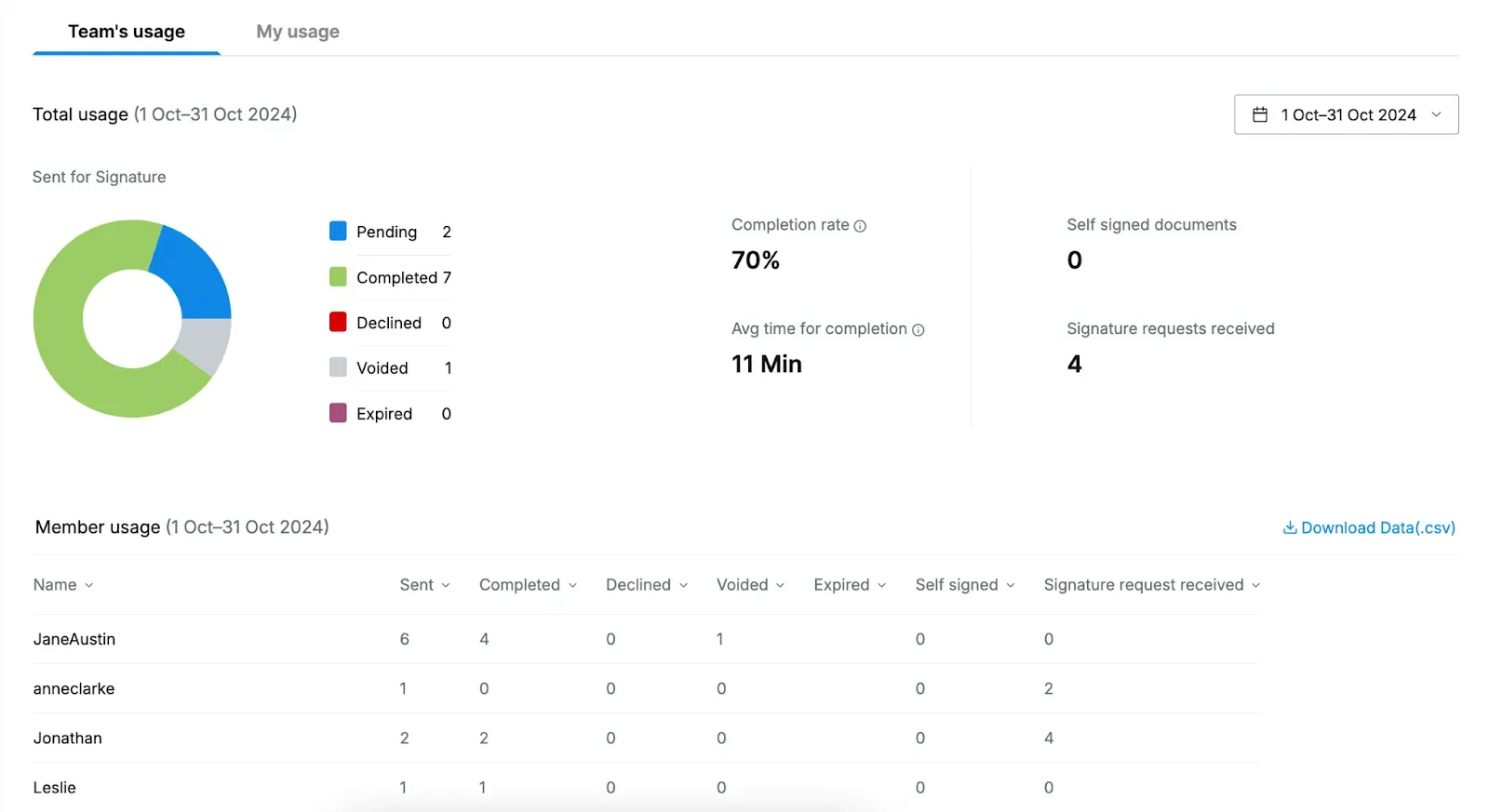
This is especially helpful for legal ops, finance, and procurement teams that need clear answers without opening individual documents.
Signeasy's contract reporting tools turn these dashboards into exportable, shareable views for stakeholders.
How to choose the right contract database software
When evaluating contract database software, focus on how well it fits your existing workflows instead of focusing on how many features it offers.
- Start with how contracts enter the system
Choose a tool that captures contracts naturally during signing or approval, rather than relying on manual uploads after the fact. - Look for strong search and structure
Verify that contracts can be searched using structured fields. The system should allow filtering by counterparty, contract type, status, date range, and owner. Try searching for a query like “all active vendor agreements expiring this quarter” without opening files. - Balance usability with control
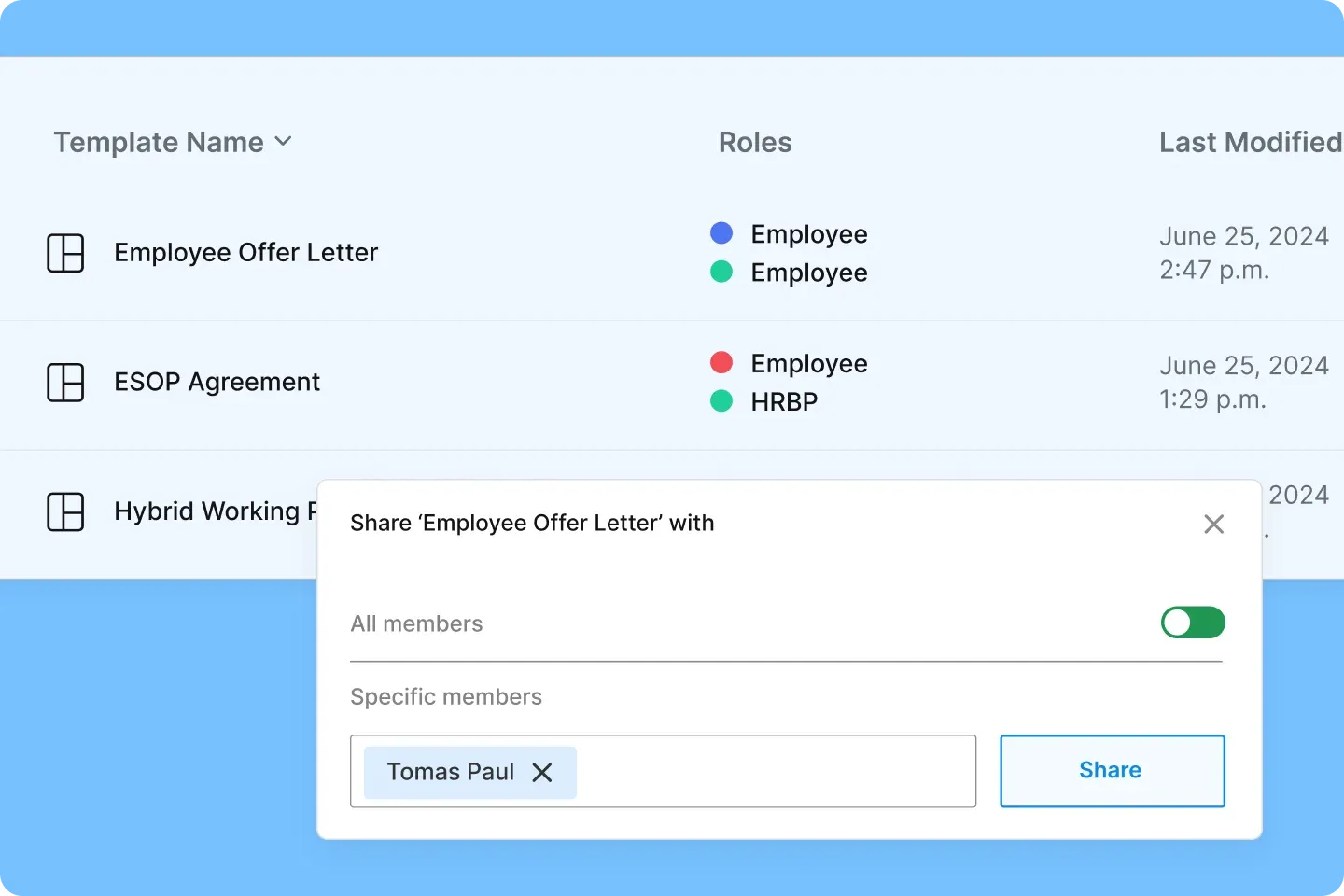
To confirm non-legal teams can use the system, check for role-based access.
For example, people ops should be able to view employee agreements created by legal, finance should access vendor contracts, and sales should find customer agreements without editing rights. Look for view-only roles, shared access by department, and clear permission settings.
- Check automation and alerts
Verify whether renewal dates, signature deadlines, and obligations trigger automated notifications. A strong system shows alert settings at the contract level and logs reminder activity, rather than relying on external calendars.
- Evaluate scalability
Check if the contract database software works just as well with 50 contracts as it does with 5,000. The filters, dashboards, and search should remain fast as volume grows.
Explore a guided tour of Signeasy to see how it meets these criteria.
Contract database software implementation best practices: checklist
- Centralize all new contracts in one system from day one: Route every new contract through a single contract management system. For example, mandate that sales, HR, and legal teams upload contracts immediately after creation or receipt, so one system becomes the default source of truth. (here’s how to centralize and manage contracts.)
- Standardize naming conventions and key metadata fields: Define a single, mandatory naming format so every contract follows the same structure and is easy to scan, sort, and search.
Recommended file-naming structure:
YYY-MM-DD_ContractType_Counterparty_Description_Version
What each element means:
- YYYY-MM-DD: Execution or signature date to support chronological sorting
- ContractType: Standard abbreviations such as NDA, MSA, SOW, or PO
- Counterparty: Short, consistent name for the vendor or client
- Description: Brief subject reference, such as marketing-services or software-license
- Version: v1, v2 during revisions, then signed or final once completed
Example: 2026-01-15_MSA_Signeasy_marketing-services_signed.pdf
- Define clear user roles and access permissions: Assign roles based on responsibility. For instance, legal teams may edit templates, managers may approve contracts, and sales teams may only view or send contracts for signature. This avoids accidental changes while keeping workflows moving.
- Enable alerts for renewals, expirations, and obligations: Set automated reminders for critical dates like renewals or signing deadlines. In Signeasy, you can send auto-reminders to signers (e.g., on Day 1 and Day 7) to accelerate completion and follow-up
- Migrate high-priority existing contracts first: Begin with active, revenue-impacting, or renewal-sensitive contracts. Older or expired agreements can follow later, once teams are comfortable with the system.
- Train teams on when and how to use the system: Walk them through interactive demos, webinars, video tutorials, or how-to guides on using the contract management solution. For example, show sales teams how to send contracts for signature, while finance teams learn how to track renewal dates.
- Review dashboards regularly to track contract activity: Monitor contract volume, pending signatures, upcoming renewals, and bottlenecks. A weekly or monthly review helps teams spot issues early and adjust processes.
The best contract database software: where Signeasy stands out
With Signeasy, every contract is automatically stored at the moment of signing, with signer details, timestamps, and status. This makes contracts instantly searchable, easy to track, and reliable as a system of record.
To see how it integrates into your existing workflows and scales with your business, request demo today!




