


Contracts are central to everything legal teams do. Every NDA, vendor agreement, employment offer, and regulatory filing needs to move fast, stay compliant, and leave a clean paper trail. eSignature platforms — Docusign in particular — have become the default tool for making that happen.
But in 2026, a growing number of legal professionals are actively evaluating alternatives.
Docusign is a well-established platform. Its compliance credentials are well-documented and externally audited, its feature set is deep, and its brand is widely recognised across legal departments.
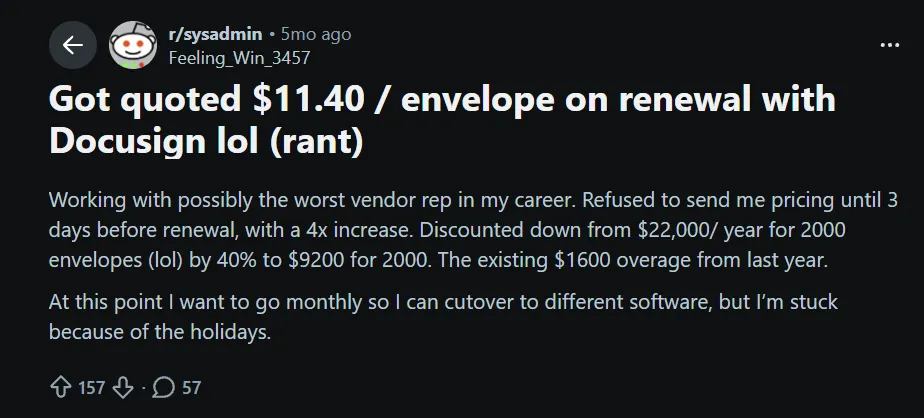
But recent Docusign pricing changes have left users frustrated, and for mid-sized legal teams managing high volumes of contracts, the combination of envelope caps and separate licensing for contract management has made the cost-benefit calculation less straightforward.
For legal teams that need structure and visibility but do not want a heavy, complex contract lifecycle management system, the landscape in 2026 looks different than it did a few years ago.
This guide covers:
- What Docusign actually offers legal departments
- Why its eSignatures are legally binding
- What its limitations are in practice
- Why platforms like Signeasy are becoming a strong fit for legal teams that want compliance, AI-powered contract intelligence, and straightforward contract management without the overhead
Is Docusign legally binding?
The short answer: yes. Docusign eSignatures are legally binding in most countries around the world.
In the United States, two laws govern electronic signature validity. The Electronic Signatures in Global and National Commerce Act (ESIGN), enacted in 2000, establishes that electronic signatures carry the same legal weight as handwritten ones for most contracts. The Uniform Electronic Transactions Act (UETA), adopted across most US 49 states, reinforces this at the state level.
For international use, the EU's eIDAS regulation provides a legal framework for electronic signatures across all EU member states. Docusign supports all three signature types defined under eIDAS:
- Simple Electronic Signatures (SES),
- Advanced Electronic Signatures (AES),
- Qualified Electronic Signatures (QES), and
making it valid for everything from routine commercial contracts to high-stakes regulatory filings.
For a signature to be legally enforceable under these frameworks, it generally needs to demonstrate signer intent, a clear association between the signature and the document, and evidence that the signer was authenticated.
Docusign addresses all three through its audit trail, identity verification options, and the tamper-evident record generated at completion.
One important caveat: certain document types cannot be executed electronically regardless of platform. These include wills and testamentary documents, court orders, certain real estate transactions, which vary by jurisdiction, and documents requiring notarisation or witnesses in physical form.
Docusign supports remote online notarisation (RON) in US states where it is legally permitted, but this is a separate service from standard eSigning and requires additional setup.
Key Docusign features for legal departments
Docusign has invested heavily in its legal-specific product suite. Here is what the platform offers legal departments beyond basic eSigning.
1. Contract lifecycle management (CLM)
Docusign CLM automates the full contract lifecycle — from initial drafting through approval, execution, storage, and renewal. Legal teams can build automated workflows, set routing rules for non-standard contracts, and maintain a centralized repository with version control. This matters because contract sprawl is one of the biggest operational risks for legal departments.
2. Automated templates and document generation
Legal departments can build reusable templates for high-frequency document types — NDAs, Master Service Agreements (MSAs), Statements of Work (SOWs), and offer letters — and generate new agreements quickly. This removes the manual drafting burden for routine contracts and reduces the risk of error.
3. Audit trails and signing records
Every Docusign transaction generates a tamper-evident audit trail capturing the signing process, authentication events, and document history. This record serves as evidentiary documentation in the event of a dispute.
4. AI-powered contract analysis
Docusign's AI tools can extract key contract terms, flag renewal dates, and identify risk clauses across large contract portfolios. For general counsel managing many vendor contracts, this capability can meaningfully reduce review time.
5. Identity verification options
Docusign offers multiple signer authentication methods including email verification, SMS codes, knowledge-based authentication (KBA), and document verification. Each adds a layer of assurance that the person signing is who they claim to be.
6. 1,000+ integrations
Docusign connects with a wide range of enterprise tools including Salesforce, Microsoft 365, and others. For legal departments embedded in enterprise environments, this interoperability reduces friction between systems.
Docusign legal compliance: ESIGN, UETA, and eIDAS
Docusign's regulatory credentials are one of its strongest selling points for legal departments operating across jurisdictions.
Common legal use cases for Docusign
These workflows are not unique to enterprise legal departments — mid-sized legal teams handle the same document types, often with smaller teams and tighter budgets. The most common include:
1. Non-disclosure agreements (NDAs)
High-frequency, time-sensitive, and requiring a clean audit trail — NDAs are the standard eSignature use case. Docusign's automated templates and one-click sending make NDA workflows fast and consistent.
2. Employment contracts and offer letters
HR and legal departments co-own this workflow. Docusign integrates with human resources information system (HRIS) platforms and supports bulk send for onboarding cohorts, making it practical for organizations hiring at scale.
3. Vendor and supplier agreements
MSAs, SOWs, and purchase orders move faster with automated routing and real-time status tracking. Legal departments can set approval hierarchies and deviation triggers for non-standard terms.
4. Client retainer agreements
Law firms use Docusign to get retainers signed before work begins. The ability to prepare documents, send to multiple parties, and produce a fully executed record with signing history suits law firm environments well.
5. Regulatory filings and compliance documents
For legal departments in financial services, healthcare, or government contracting, Docusign's compliance certifications and identity verification tools support document workflows that require demonstrated signer authentication.
6. Real estate transactions
In jurisdictions where electronic execution is permitted, Docusign is used for lease agreements, purchase contracts, and closing documents.
Docusign for legal teams: limitations to consider
For mid-sized legal departments without enterprise procurement budgets, the following constraints compound quickly. Docusign is a capable platform, but it comes with real constraints that legal teams discover once they move beyond pilots into production use. If you are looking for more options explore top docusign alternatives to find the right fit for your team. A Docusign review can provide more context on these limitations.
1. Envelope-based pricing creates unpredictable costs
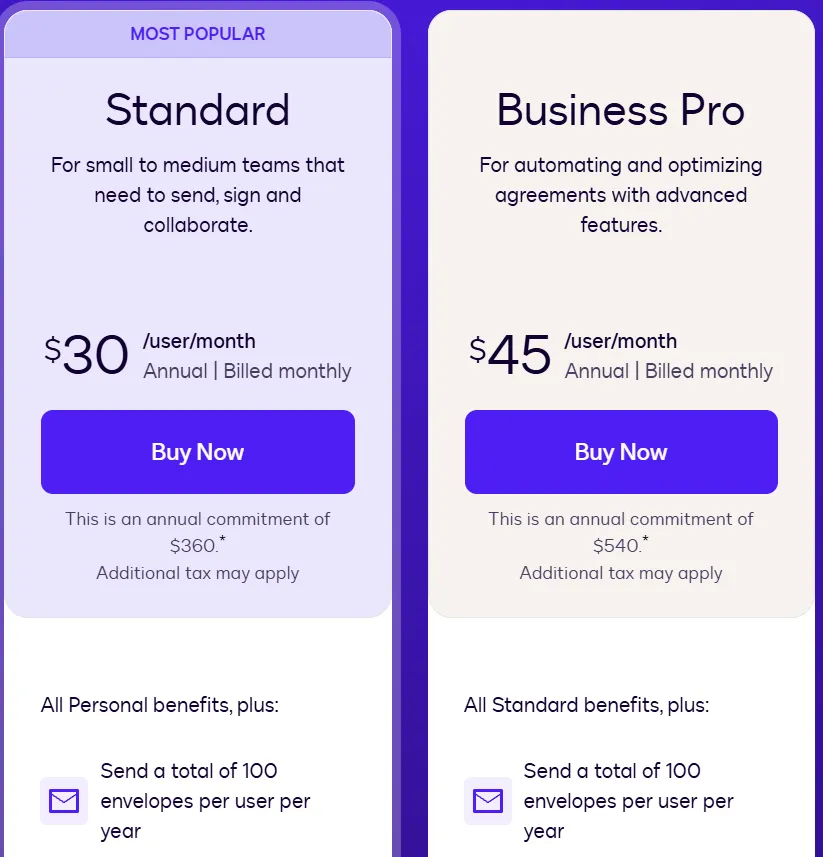
Docusign's Standard and Business Pro plans each include 100 envelopes per user per year — roughly eight per month. A legal team closing 20 or more vendor contracts a month can exhaust that allowance in weeks, forcing unplanned budget conversations.
A mid-sized legal team of 10 users on the Standard plan costs $3,000 annually before accounting for any overages (10 users x $25/month x 12 months).
2. Contract management is not included in eSignature plans
Docusign's contract lifecycle management capabilities — centralized repositories, automated approval workflows, AI contract analysis, and renewal tracking — are not part of the standard eSignature tiers.
Legal teams that want contract tracking and eSigning in one place must purchase and manage separate products. This adds both cost and administrative complexity. For teams considering a docusign migration, evaluating data, workflows, and contract management requirements upfront can help make the transition smoother.
3. Steep learning curve for advanced features
Legal departments evaluating Docusign often find that the platform's depth becomes a liability during onboarding. Setting up automated workflows, configuring routing rules, and integrating with existing legal tech stacks requires dedicated administrator time. when these configurations lead to recurring issues, Docusign troubleshooting can add even more time to the setup process.
For legal teams without a dedicated legal operations resource, this setup burden is a meaningful barrier — one that more focused platforms are designed to remove.
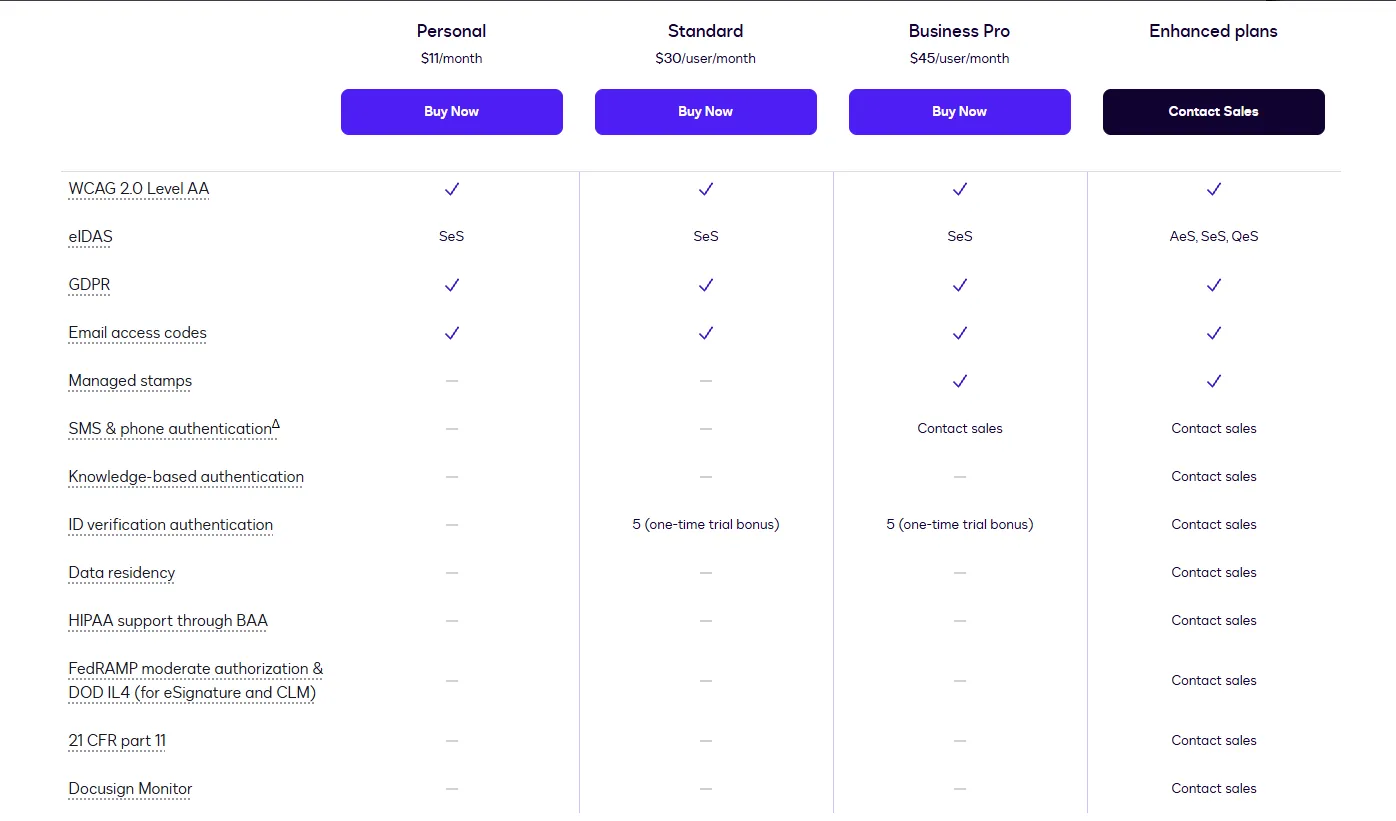
4. Compliance features are tiered
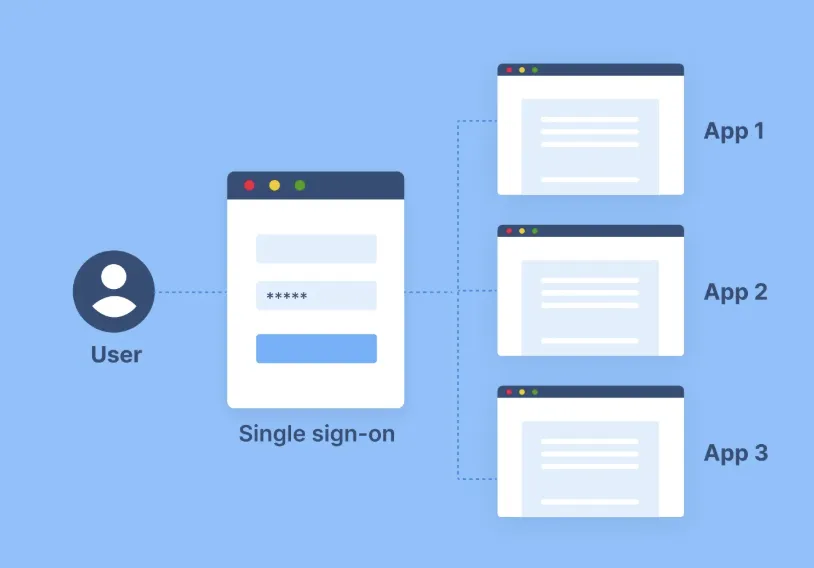
Features like HIPAA compliance and SSO are not available on base plans and require upgrading to the Enhanced tier or negotiating a custom contract. For healthcare and regulated-industry legal departments, this tiering adds procurement friction that purpose-built platforms avoid.
5. Limited flexibility on plan adjustments
Users who exceed their envelope limits mid-cycle often encounter billing complexity. Administrative overhead from plan adjustments is time legal teams would rather spend on contract work. To compare another eSignature option for legal workflows, see PandaDoc vs Docusign.
Docusign vs. Signeasy: pricing comparison
Note: On Signeasy, contract management, AI summaries, and team collaboration are included from the Business plan ($20/seat/month) and above — without a separate licensing conversation. Docusign's contract lifecycle management, AI contract analysis, and workflow automation require a separate product not included in eSignature plans.
Signeasy for legal teams: compliance, contract management, and clarity
Legal departments that have outgrown Docusign's price structure — or that never needed its full enterprise feature set — are finding that Signeasy delivers the compliance, contract management, and simplicity they actually need.
Signeasy is an AI-powered contract management and eSignature platform built for growing teams that need control without complexity. In mid-sized businesses where legal, HR, and operations share contract workflows, Signeasy gives each team organised access to the contracts relevant to them, without overlap or access confusion.
1. Compliance without the complexity
Signeasy eSignatures are legally binding under ESIGN, UETA, and eIDAS, the same regulatory frameworks that underpin Docusign's legal validity. Every transaction generates a complete audit trail that holds up in court.
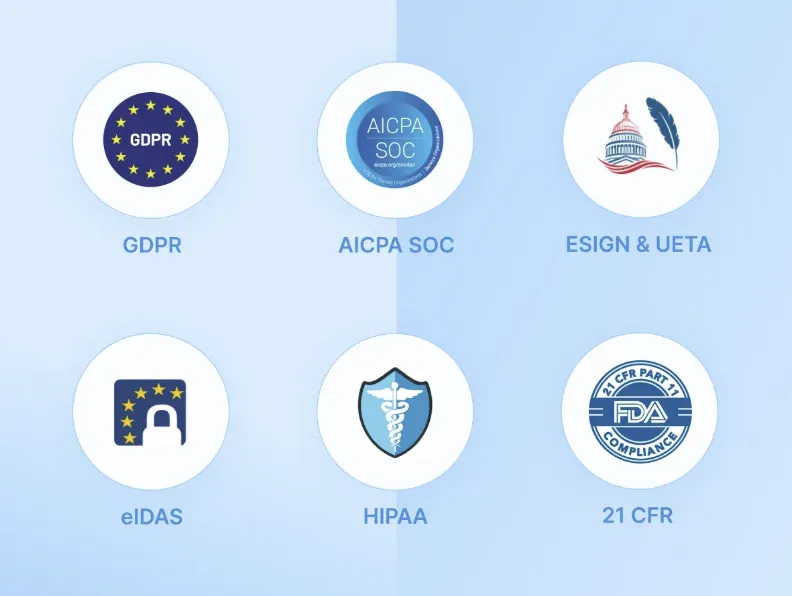
Legal departments get the compliance foundation they need: SOC 2 Type 2 certification, HIPAA compliance via the custom plan, and 21 CFR Part 11 support for regulated industries, without navigating enterprise feature sets they do not use.
2. AI-powered contract intelligence
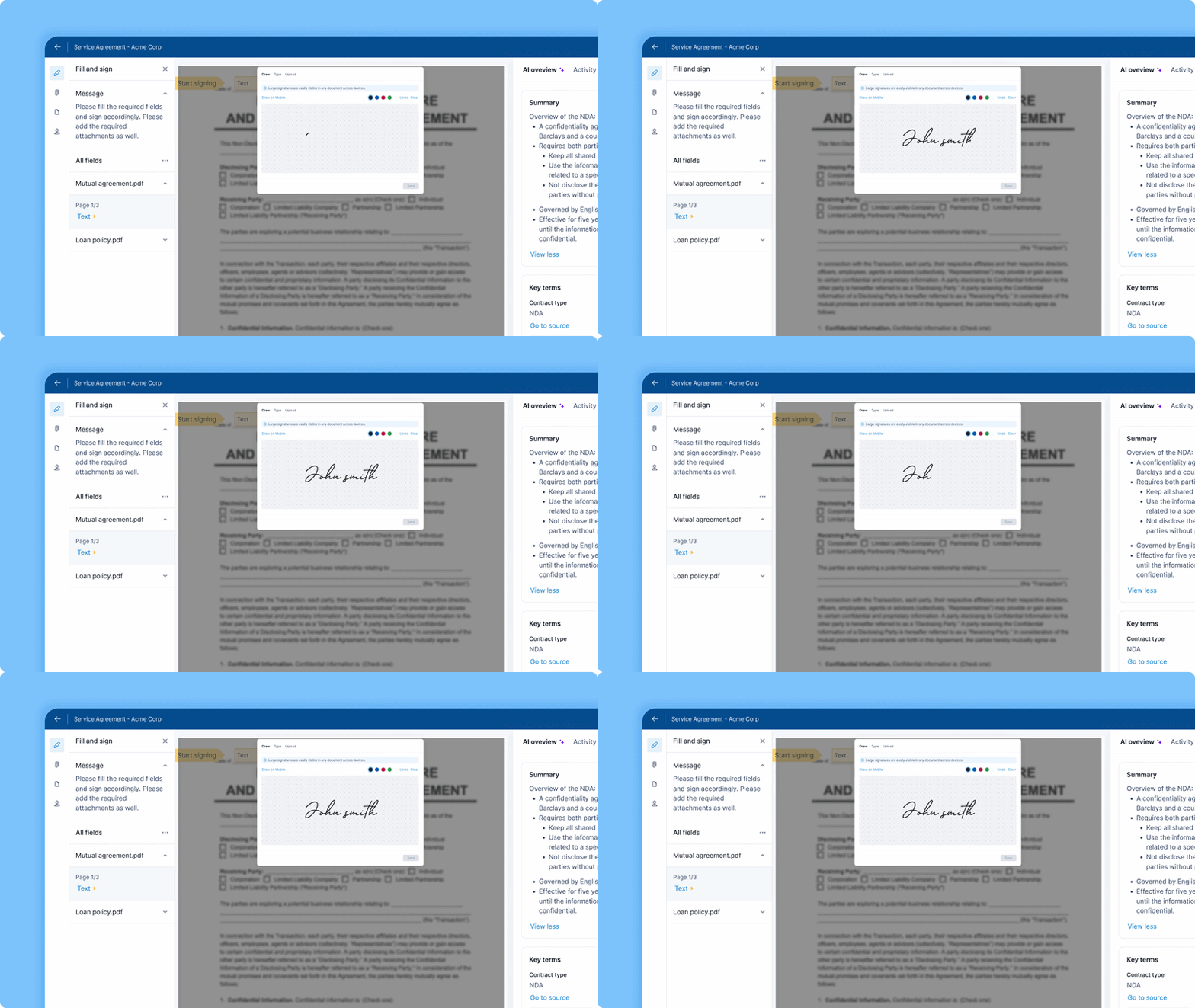
Signeasy AI reduces manual contract review time by extracting key terms, surfacing renewal dates, and generating instant summaries, so legal departments spend less time reading and more time acting.
The Smart Q&A feature lets teams ask questions directly about a contract and get instant answers, making it faster to understand obligations before signing. This is available from the Business plan and above.

3. Transparent, predictable pricing
Unlike Docusign's envelope-based model, where document caps create unpredictable costs at scale, Signeasy's pricing is structured around users rather than document counts.
Legal departments that send a high volume of agreements — NDAs, employment contracts, vendor documents — can do so without monitoring a document counter or budgeting for overage surprises.
See full pricing breakdown here.
4. Contract management included
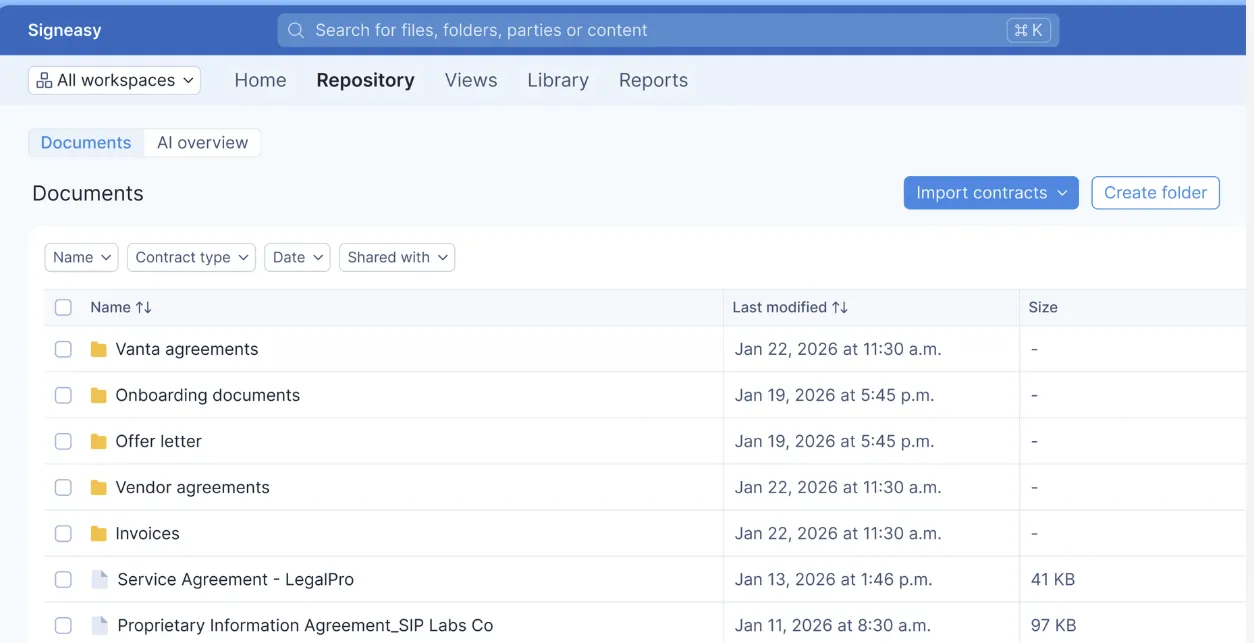
Signeasy's contract management features — templates, document tracking, and workflow automation — are included from the Business plan and above, without a separate enterprise licence. Legal teams can automate routine signing workflows, track agreement status in real time, and know exactly where a contract stands, whether it is awaiting signature, approaching a deadline, or pending approval.
Teams that need a centralized contract repository with AI-powered search, auto-extracted key dates, and renewal alerts will find that capability in Signeasy's Intelligent Contract Management (ICM) plan.
5. Workflow automation and native integrations
Signeasy connects natively with Google Workspace, Microsoft 365, and HubSpot, so legal departments can prepare, send, and track contracts without leaving the tools they already use. Sequential signing, automated reminders, and contract approval workflows are built in, not bolt-ons.
Legal departments that want to embed signing directly into their existing platforms can do so through Signeasy's eSign API, which supports custom workflows without requiring a separate enterprise contract.
6. Security built for legal standards
Signeasy maintains SOC 2 Type 2 certification, AES 128-bit encryption at rest and SSL 256-bit encryption in transit, and supports role-based access controls (available on Business Pro and above) and detailed audit logs.
The security posture is enterprise-grade without the enterprise price tag, which matters for legal departments handling sensitive agreements.
7. Designed for teams that move fast
The onboarding experience is straightforward and the feature set is focused. Legal departments can get from signed up to productive in days.
Teams that have struggled with complex setup and configuration in other platforms, especially on contract workflow features, will find this a meaningful difference.
Docusign vs. Signeasy: features comparison for legal teams
Why legal teams choose Signeasy over Docusign
For legal departments evaluating their eSignature and contract management options in 2026, the landscape is clearer than it has been.
Docusign is a well-established platform with solid compliance credentials, deep feature sets, and audit trails trusted by legal professionals across industries. Large enterprise legal departments with dedicated legal operations teams and the budget to match will find it a strong fit.
But the 2026 pricing reality, with envelope caps, separate contract management licensing, and tiered compliance add-ons, means that many legal departments are paying for complexity they do not need and hitting cost ceilings they did not anticipate.
Signeasy is a purpose-built contract management and eSignature platform that helps legal departments centralise, sign, track, and manage contracts end to end, with the compliance credentials legal teams require and the simplicity mid-sized teams prefer. It is not a stripped-down tool. It is a focused one.
If you are evaluating options for managing high-stakes contracts without a high-stakes pricing conversation, Signeasy is worth a close look.
See how Signeasy works for legal teams. Request Demo today!