





“Why does a simple NDA still take weeks?”
“Who approves the latest redline next, and where is the source of truth?”
“Why do renewals arrive two days before the deadline without a performance review?”
You ask these questions because the process hides key steps. Templates drift, approvals ride email, and documents scatter across drives. Hand-offs stall since roles are unclear and alerts arrive late.
Renewals feel rushed in many teams. Pressure compresses reviews, vendor narratives dominate, and SLA teeth get left on the table, as practitioners described in a recent discussion (r/ContractManagement, March 9, 2026). The fix starts with standard, visible steps that your org can follow every time.
In this guide:
- A practical, AI-assisted contract management workflow you can roll out this quarter
- How to standardize templates and approval chains so NDAs and redlines stop stalling in inboxes
- A step-by-step process for managing renewals with enough lead time to review performance and negotiate on your terms
- How to use Signeasy for structured approvals, eSignature, and a centralized Contract Repository that becomes your single source of truth
- Actionable steps to enforce SLAs and keep vendor accountability visible throughout the contract lifecycle
What is a contract management workflow?
A contract management workflow is the structured sequence of steps an organization follows to handle a contract from the moment a need is identified to the point the agreement expires, renews, or is terminated. It is the operational backbone that governs how contracts are requested, drafted, reviewed, approved, executed, and monitored across their entire lifespan.
The difference between "we have contracts" and "we manage contracts" is measurable. A workflow gives you the latter.
1. The three phases of the workflow
A complete contract management workflow covers three broad phases.
- Pre-execution covers everything before a signature lands. This includes intake, template selection, drafting, internal review, redlining and negotiation with the counterparty, and approval chain sign-off.
- Execution is the signing event itself. This phase covers routing to the right signatories in the right order, capturing eSignatures, and confirming completion from all parties.
- Post-execution is the longest and most neglected phase. Once signed, a contract requires storage in a retrievable location, monitoring for key dates such as renewals and SLA thresholds, performance and compliance review, and deliberate renewal, renegotiation, or termination.
2. What a complete workflow includes
A well-built workflow typically covers:
- A defined intake process so requests follow a consistent path instead of arriving via ad hoc emails
- An approved template library so drafting starts from a controlled baseline, not a copy of last year's version
- A role-based approval matrix specifying who reviews what, at which value or risk threshold, and in which order
- A redlining and negotiation trail so every version is tracked and the latest markup is never in question
- eSignature routing so execution avoids printing, scanning, or chasing down signatories
- A centralized contract repository, searchable and permissioned, linked to metadata such as counterparty, value, and expiry date
- Automated alerts for renewal windows, notice deadlines, and SLA review triggers
- Obligation tracking so deliverables, payments, and performance commitments remain visible after signing
Suggested read: Collaborative contract management: How it works and best practices
Why contract workflows stall — and how to fix it
Email threads, ad hoc edits, and scattered storage create version drift and missed hand-offs. Without a single source of truth, teams waste time chasing status updates while approvals sit idle.
- Email approvals happen when there is no formal routing system, so sign-offs get buried in inboxes, forgotten, or sent to the wrong person. Route approvals through a dedicated system that supports sequential or parallel paths with automatic notifications at each stage.
- Version chaos sets in when multiple people edit different copies of the same document. Keep a single master record with a full comment and edit log, so there is never a question about which version is current or what changed between drafts.
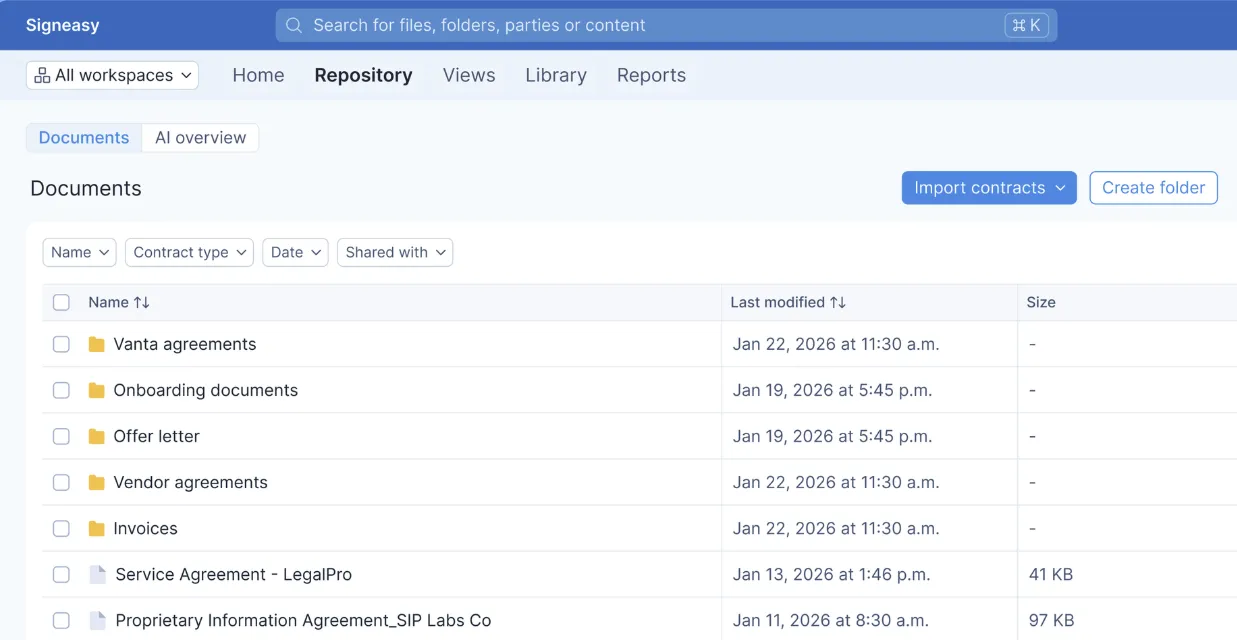
- Scattered storage means signed contracts live on personal drives, shared folders, and email attachments simultaneously — none of them authoritative. Centralize all drafts and executed contracts in one repository with role-based access so the right people can find what they need and the wrong people cannot.
- No renewal discipline leaves teams reacting to deadlines instead of managing them. Set automated alerts well ahead of expiry and attach a performance review checkpoint to every renewal window, so the decision to renew is deliberate rather than default.
- Ownership gaps appear when no one holds explicit responsibility for moving a contract to its next stage. Legal assumes procurement picks it up. Procurement assumes legal handles execution. The contract stalls between teams.
Assign a clear owner to every stage and embed that responsibility directly into the routing logic. A separate RACI document no one reads will not close the gap.
Signeasy addresses each of these directly — approval routing, automated reminders, role-based access controls, and a centralized Contract Repository with full audit trails keep every step visible and accountable.
The 9-stage contract management workflow
Identifying where workflows break down matters. Replacing those breaking points with a repeatable process matters more. The nine stages below cover the full contract lifecycle, from the moment a request lands to the day a renewed agreement is filed. Each stage includes a practical playbook so the right action happens at the right time, by the right person.
Stage 1: Request and intake
Unstructured requests are where delays begin. A contract arriving as a Slack message or forwarded email carries none of the information needed to act on it. Someone then spends the next two days chasing context. Start with a single intake form that captures requester, counterparty, contract value, risk flags, region, and due date. Required fields keep incoming data clean from day one.
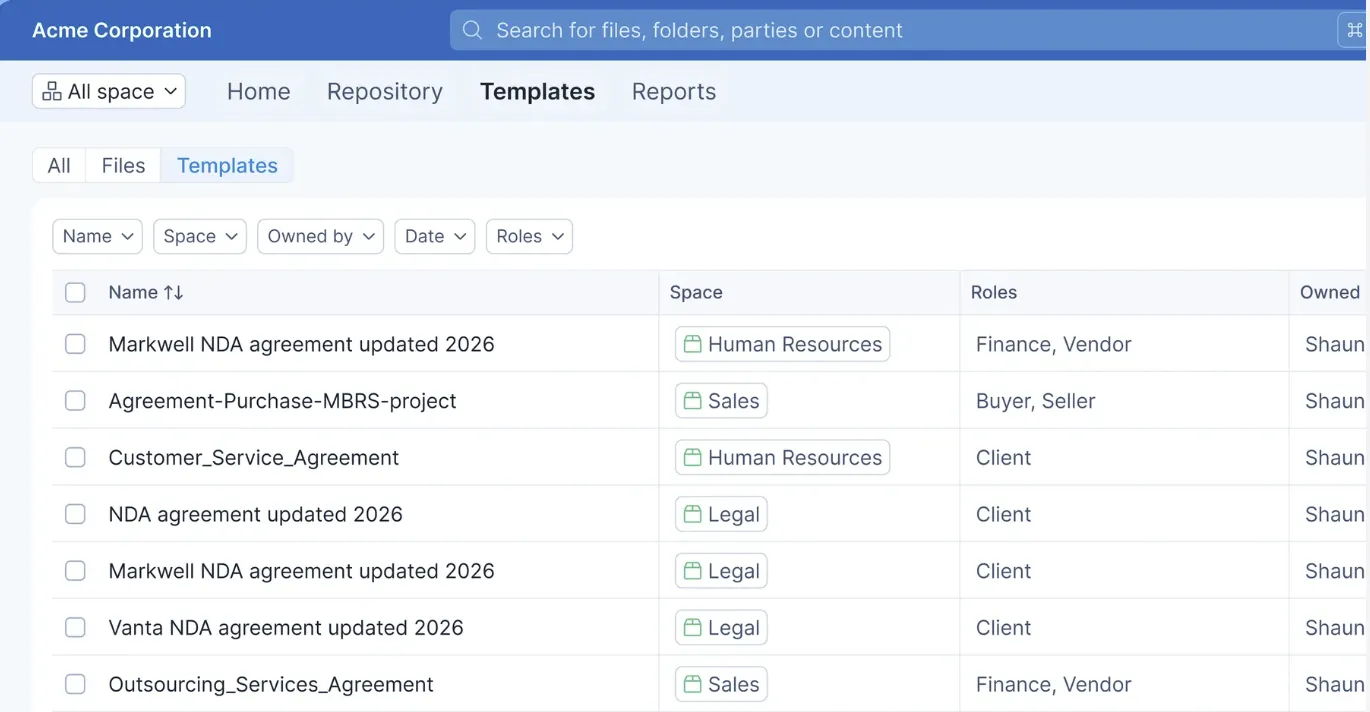
Upload your standard NDA, MSA, SOW, and order form templates, edit and save them directly in Sigenasy, and reuse them as your approved baseline for every new draft. Pre-fill fields from intake data to remove manual re-entry, and use bulk send for high-volume agreements. Every edit is logged with a full audit trail that records who changed what and when across every draft.
Stage 2: Drafting and authoring
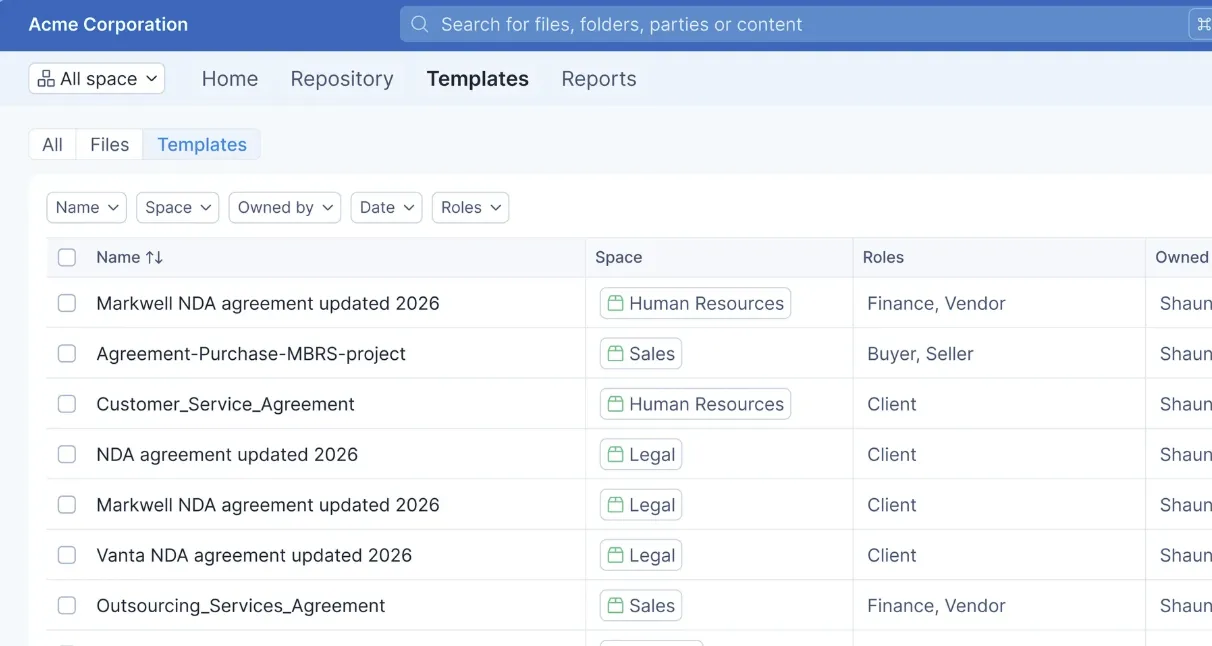
Drafting from scratch on every agreement is how version sprawl starts. Standardize on approved templates for NDAs, MSAs, SOWs, and order forms. Guide edits with inline clause notes so authors know where they have room to move and where they do not.
In Signeasy, you can access a library of pre-approved templates, pre-fill fields directly from intake data to remove manual re-entry, and use bulk send for high-volume agreements. Every edit is logged with a full audit trail that records who changed what and when across every draft.
Stage 3: Review
Email-based review buries important feedback, creates version confusion, and leaves no clear picture of where a document stands. Set up a single shared workspace where legal, finance, security, and operations review the same version, with comments, automated reminders, and live status tracking.
Real-time tracking shows who has reviewed and who has not. Follow-up nudges go out without a separate email. Signeasy AI summarizes key terms and extracts dates, values, and obligations that warrant closer attention.

Stage 4: Negotiation
Back-and-forth edits, decisions made in side conversations, and last-minute language changes leave teams without a clear record of what was agreed and why. Keep external collaboration visible, log every decision, and confirm both parties are working from the same version at all times.
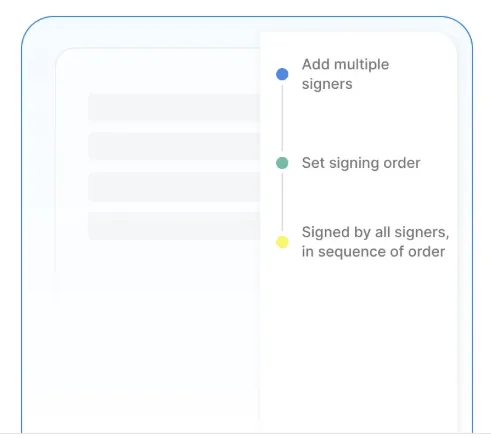
Invite counterparties to review and comment directly, so negotiation stays in one place and nothing gets lost in email threads. Route signers sequentially or in parallel in Sigenasy. The full activity log maintains a clear record from the first edit to the final agreed terms, with no version ambiguity and no disputed account of what was approved.
Stage 5: Approval
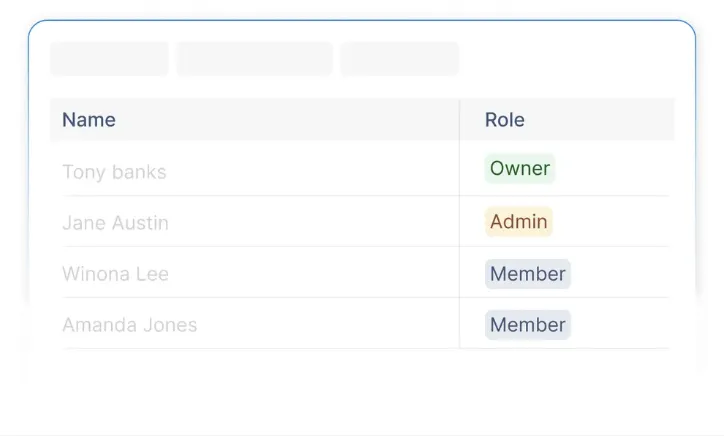
Approvals drift when the rules governing them are informal. Define who approves based on contract value, risk level, or region. Set clear escalation paths for when deadlines approach and the right approver is unavailable.
Role-based access limits who can move an approval forward. Automatic notifications trigger at each step, sign-off is captured with a timestamped record, and every approval remains visible on the agreement timeline.
Stage 6: Signature
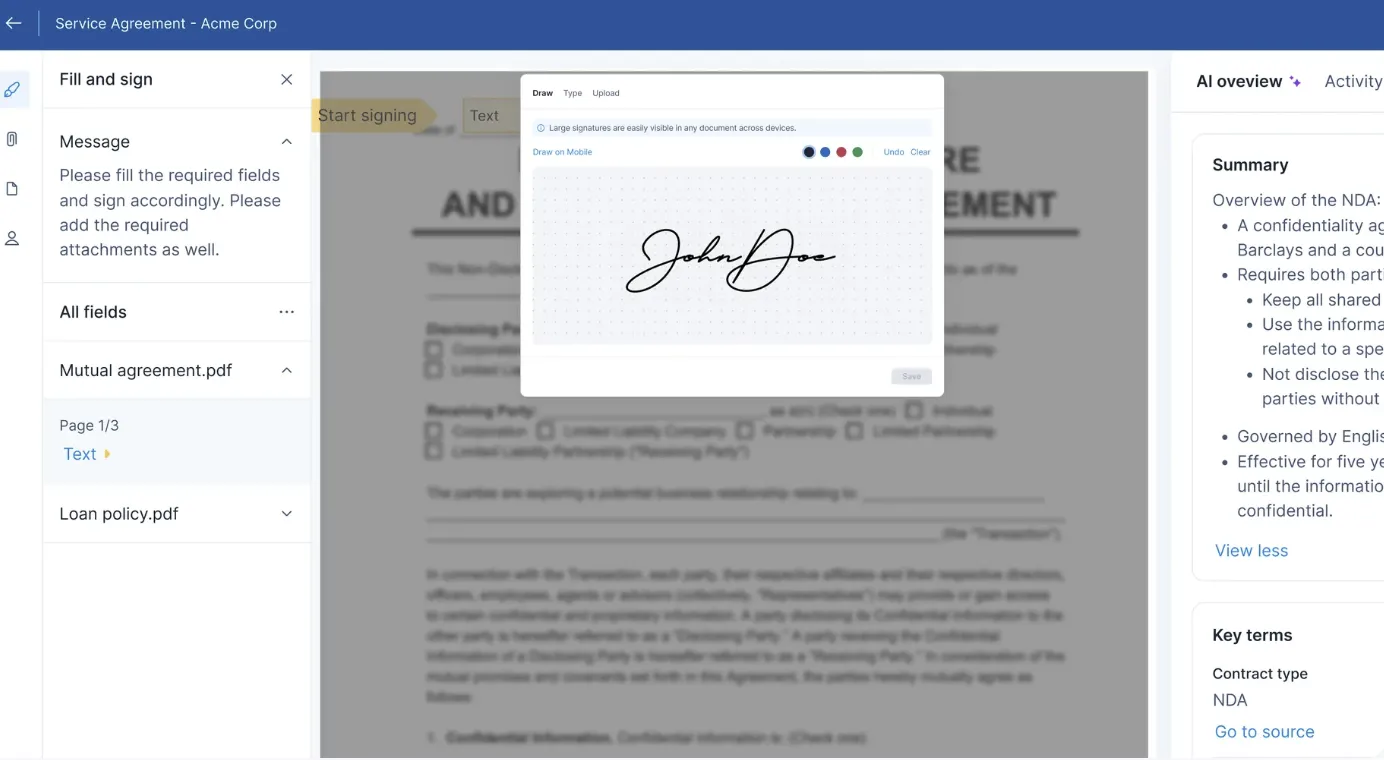
Once approved, signature should be the fastest stage in the process. Legally binding eSignatures backed by multi-factor authentication and a tamper-proof audit trail keep execution secure.
With Signeasy, you can send documents for legally binding eSignature with multi-factor authentication and a tamper-proof audit trail built in. Enable signing across any device so customers, vendors, and employees can complete execution without friction wherever they are. ESIGN and eIDAS compliance is maintained automatically, with no additional configuration required.
Stage 7: Storage and repository management
Contracts scattered across shared drives, email attachments, and personal folders create invisible risk. A signed agreement no one can locate is nearly as problematic as one that was never signed. File every contract in one centralized repository with consistent metadata covering party names, contract value, key dates, owner, and renewal terms, so the information is retrievable when it matters.
Signeasy’s Intelligent Contract Management supports search by clause or field, access permissions by team or region, and built-in alerts that surface upcoming obligations and renewals before they become urgent.
https://cdn.prod.website-files.com/5f7d6d69c230c16738e9c910/69b188063d5ef2e6be8597b9_Repository_blue%2B(1).gif
Stage 8: Obligation and performance monitoring
Most contract value is realized after the signature, through delivery, service levels, milestones, and payments. Without active monitoring, those commitments quietly slip. Track SLAs, service credits, deliverables, and key milestones with assigned owners and due dates so accountability is clear across teams.
Dashboards show what is on track, what is at risk, and what is overdue. Leadership reports pull in a few clicks and maintain a current picture of vendor or customer performance throughout the contract term.
Stage 9: Renewals and amendments
A renewal that arrives without preparation is a negotiation where the other party has had months to plan. Start early and anchor every renewal decision in performance data from the current term.
- Trigger automated alerts at 120, 90, 60, 30, and 14 days before end dates so the team avoids scrambling
- Use Signeasy AI to pull a one-page summary covering scope, consumption, escalations, and service credits from the current term
- Decide on extend, renegotiate, or exit based on SLA performance and current business goals, not deadline pressure
- Launch a renewal package using templates and parallel routing for cross-team approvals
- Amend terms with full version history, then store the amendment linked to the parent record
- Roll forward obligations and reset alerts for the next term before the file is closed
Metrics that keep your workflow honest
Dashboards bring clarity when you pick a handful of metrics and track them week over week. Tie each KPI to an owner, set a target, and review trends during your ops or legal ops standup.
Focus on speed, quality, and control. When a metric drifts, use the repository and audit trail to find the stage and the blocker, then adjust your playbook.
Tip - Put KPIs on one dashboard and review them every week with the same cadence. Add one improvement experiment per week, such as a clause tweak or a tighter approval path, and track the impact for one month.
Playbooks by team: How legal, procurement, HR, and sales each run the workflow
Contract management touches every team that handles an agreement. Each function operates under different priorities, risk profiles, and pressure points. Below is how to run the workflow from where you sit, using Signeasy.
1. If you are in legal ops
Your job is to set the guardrails once and scale them across the business so the rest of the organization can move without returning to you for every decision. In Signeasy, upload standard templates for NDAs, MSAs, settlement agreements, and IP licensing, edit and save them directly in the platform, and share them across teams as the approved baseline. You control who can use each template and what they can change.
Role-based access determines who sees draft, executed, and archived records. SSO and two-factor authentication keep that access tight without slowing down internal reviewers who need to move quickly. When a clause needs scrutiny, Signeasy AI extracts key terms, dates, and obligations so your team focuses on judgment rather than reading.
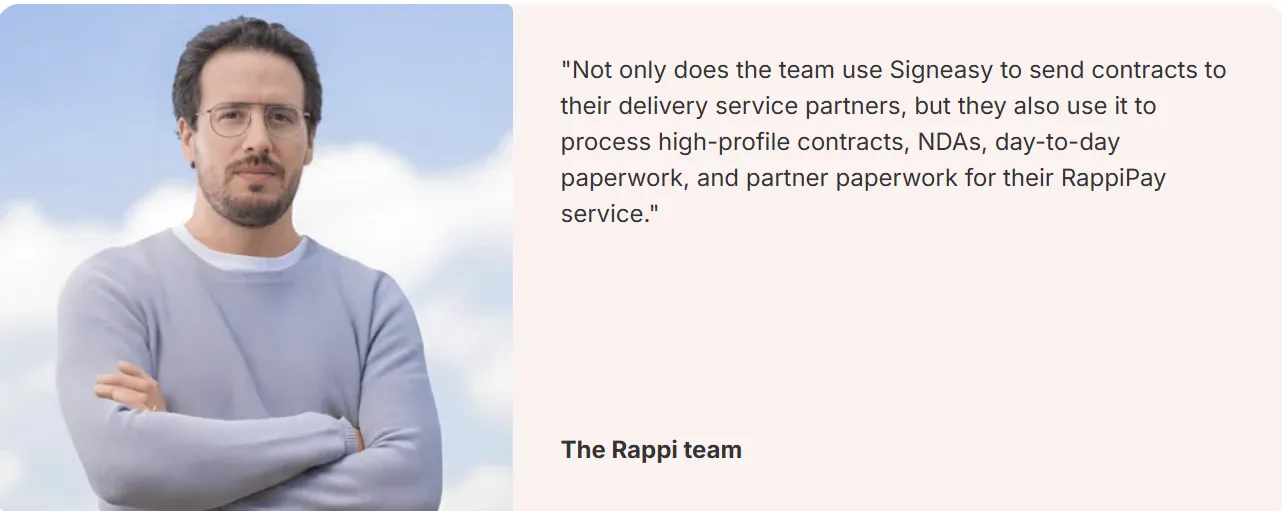
Rappi uses Signeasy to manage high-volume agreement workflows, helping legal teams standardize processes and accelerate execution without sacrificing oversight.
The Intelligent Contract Repository serves as your single source of truth. Search by clause, counterparty, or field, set permissions by team or region, and export audit trails in seconds when compliance teams or external auditors request them.
2. If you are in procurement or finance
Your exposure lives in SLAs, service credits, and whether renewals are managed proactively. In Signeasy, tag suppliers, link contracts to cost centers or assets, and set alerts at both the contract and obligation level so nothing slips at the end of a term.
Track cycle time from intake to execution and use dashboards to see where approvals consistently lag, by value band, category, or vendor tier. Trigger renewal reviews before budget season opens so performance data shapes the decision rather than deadline pressure.
Assante Wealth Management uses Signeasy to streamline document approvals across distributed teams, giving stakeholders better visibility into agreements and helping renewals stay on track.
"This has sped up our process immensely, it’s been awesome. For those of us that use it, everyone is saying, ‘this has been a godsend."
Trina Odd
Financial Advisor
To close compliance gaps quickly, bulk send standardized vendor addenda or policy acknowledgments and track completion rates across the entire supplier base. The repository gives legal, finance, and IT a shared record with permissions configured for each team, so everyone sees what they need and nothing more.
3. If you are in HR
Your documents follow predictable patterns, offer letters, NDAs, policy acknowledgments, and employment addenda, and they need to move quickly without creating friction for candidates or employees. In Signeasy, upload standard HR templates, save them in the platform, and reuse them for every new hire cycle. Docusign for HR is another option for managing these types of documents. Send documents for sequential or parallel signing in minutes, set automated reminders so nothing stalls, and track status across every open document in a single view.
This approach has helped teams accelerate turnaround times at scale. For example, Albea Cosmetics reports that 73% of its contracts are completed within 24 hours, helping HR teams move faster on time-sensitive employee documentation.
Collect eSignatures and supporting documents, such as IDs, proofs, and statements, at the same time, without separate email threads chasing each piece. For remote or distributed teams, signing works across any device so location never delays documentation. Albea's HR team also highlights automated reminders as a key advantage, helping ensure urgent documents are signed promptly without manual follow-up.
Sensitive records stay restricted to HR roles through role-based access controls. Store everything in the repository with search by candidate name, team, or location so records are retrievable without digging through shared drives.
4. If you are in sales or RevOps
Speed matters more in your part of the contract lifecycle than anywhere else. A deal that stalls at the contract stage after weeks of selling is one of the most frustrating and preventable losses. In Signeasy, start from uploaded, approved templates for NDAs, MSAs, and order forms so there is no blank-page delay and no unauthorized language entering the draft.
Approvals route automatically based on discount level or term length. Once approved, agreements go out for eSignature on any device so the deal keeps moving regardless of where your buyer is. SC Home Buyers uses Signeasy to accelerate document turnaround and keep transactions moving, reducing delays between agreement creation and signature.
Connect HubSpot to auto-associate signed agreements with the correct company or deal record, keeping CRM data accurate without manual updates after every close. Time-to-sign and approval lag reporting shows exactly where deals slow down, by rep, deal size, or contract type, so you coach the team on data rather than instinct.
When pricing or policy changes affect your existing customer base, bulk send updated terms and track completion rates by segment. Every agreement is searchable in the repository by account, opportunity, or product line so RevOps always has the full picture at renewal time.
Turn contract management into a competitive advantage with Signeasy
Security and compliance often become separate workflows layered on top of contract management. Someone manually checks access, someone else pulls audit records, and teams spend hours preparing documentation for reviews or audits. A better approach is to make security and compliance part of the contract workflow itself.
Signeasy brings security and compliance directly into the contract workflow. Access is controlled through single sign-on (SSO), two-factor authentication, and role-based permissions, so legal, procurement, HR, and sales teams can collaborate without exposing sensitive information to the wrong people.
Compliance is built in from the start. Signeasy supports ESIGN and eIDAS for legally binding electronic signatures and helps organizations meet requirements such as SOC 2 Type II, GDPR, HIPAA, and 21 CFR Part 11. Instead of relying on manual checks and scattered records, teams can manage compliance as part of their everyday workflow.
Every action is automatically tracked, from document views and comments to approvals and signatures. When an auditor, customer, or internal stakeholder asks for proof, you can pull a complete audit trail in minutes instead of spending days piecing together information from different systems.
The result is a contract process with greater visibility, control, and consistency across every stage of the lifecycle.
Book a demo to see how Signeasy can simplify contract management for your team.




