What is Docusign? Features, pricing, and how it works

Sign, track, and store contracts — without the complexity of CLM.
Skip Docusign’s workflow overhead and get to signing. Signeasy delivers a simple, efficient way to send and sign contracts with minimal setup, helping your team move agreements to completion without bottlenecks.
Rachana Chotia
Rachana Chotia
Content Marketing Manager
Published on
March 30, 2026
This is some text inside of a div block.
13
 min read
Updated on
This is some text inside of a div block.
13
 min read
Rachana Chotia
Rachana Chotia
Content Marketing Manager
March 30, 2026
2026-03-30
 • 
13
 min read
What is Docusign? Features, pricing, and how it works
Summarize and analyze this article with
chatgptgrokclaude-aigemini-ai

Key Takeaways

  • Docusign is an electronic signature and agreement management platform designed around structured workflows, recipient roles, signing order, and administrative controls.
  • Sending a document in Docusign typically involves multiple steps, including preparing fields, defining recipients, configuring envelopes, and tracking document status.
  • This structured approach supports complex approval processes and high document volumes, but it can require more configuration and ongoing oversight from users.
  • Docusign pricing is organized into eSignature-focused plans and IAM plans, with advanced features often available in higher tiers.
  • Signeasy is an AI-powered contract management and eSignature platform that lets you prepare, sign, track, and manage contracts end to end. It combines approval workflows, shared visibility across teams, and AI-driven insights without the setup overhead of complex enterprise systems.

A recurring question on Docusign forums and Reddit threads sounds something like this: “Why does sending a simple document in Docusign feel so complicated?”

New users often find themselves searching for answers on envelopes, recipient roles, signing order, and template setup just to send a basic agreement for signature. What starts as a straightforward task can quickly involve multiple configuration steps, especially for teams that are new to Docusign or only need to send documents occasionally.

Docusign is a widely used electronic signature platform. It supports complex agreement workflows for enterprises, regulated industries, and global teams that need advanced controls, integrations, and compliance options. 

At the same time, that depth can introduce a learning curve, particularly for small and mid-sized teams that prioritize speed, ease of use, and quick turnaround over extensive customization.

This guide breaks down:

  • What is Docusign and who it is designed for.
  • How Docusign works, step by step, from sending to signing and tracking
  • Its key features and pricing plans.
  • Where teams commonly experience setup friction or workflow complexity.
  • How Docusign compares to simpler eSignature solutions like Signeasy.

By the end, you will have a clear understanding of whether Docusign fits your workflow or if a more streamlined tool makes more sense for your team size and document needs.

What is Docusign?

Docusign is a cloud-based eSignature and agreement management platform that lets teams prepare, send, sign, and track documents digitally. It’s commonly chosen by organizations that handle large contract volumes and need robust governance, auditability, and deep connections to the tools they already use.

At a basic level, Docusign replaces manual signing workflows with digital ones. Users upload a document, define recipients, assign signing roles, set the signing order, and send the document through what Docusign calls an envelope. Each step is configurable, allowing teams to tailor workflows for approvals, parallel signing, authentication methods, and audit requirements.

This flexibility is one of Docusign’s strengths, but it also adds complexity. Even simple workflows often require users to understand concepts such as envelopes, recipient roles, routing order, and template setup. For teams sending documents infrequently or without dedicated administrators, this setup can feel heavier than expected for everyday agreements.

If you are looking for a more streamlined approach to sending, signing, and managing agreements, Signeasy offers a simpler contract management experience. It focuses on quick onboarding, intuitive document workflows, and built-in integrations, making it easier to get documents signed without navigating complex setup steps.

How does Docusign work?

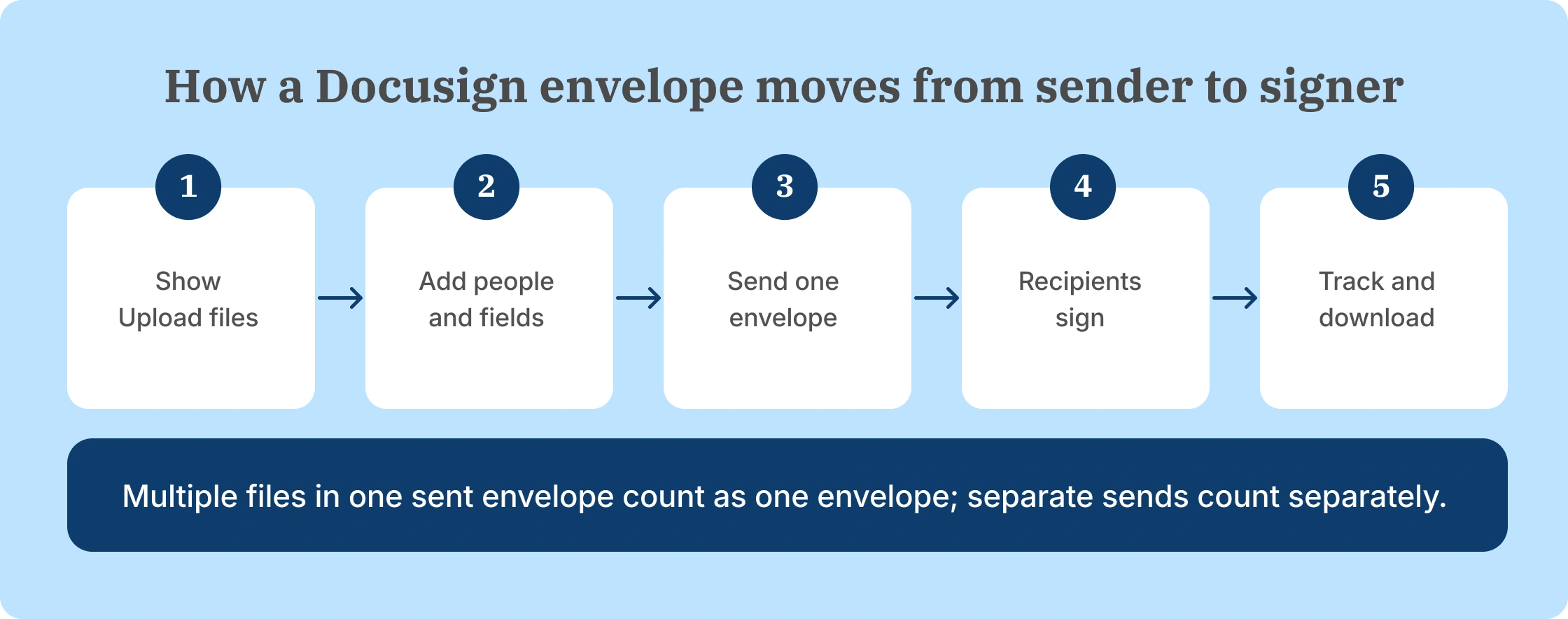
Docusign utilizes a structured workflow to manage how documents are prepared, sent, signed, and stored. Rather than offering a single send-and-sign action, the platform relies on predefined steps that users must configure before a document is sent for signature.

The process is designed to support detailed approval flows and multiple participants, which makes setup an important part of how Docusign functions.

1. Uploading and preparing documents

The workflow begins when a user uploads a document, typically in formats such as PDF or Word. After uploading, the document must be prepared by adding fields like signatures, initials, dates, and text inputs.

Each field needs to be assigned to a specific recipient. This requires users to identify all participants in advance and determine which parts of the document each person is responsible for completing.

2. Setting recipients and signing roles

Docusign uses recipient roles to control how each participant interacts with a document. Common roles include signer, approver, and copy recipient. Each role defines whether a recipient can sign, review, approve, or simply receive the completed document.

Users must also decide whether recipients act in a specific sequence or at the same time. For documents involving multiple stakeholders, this step determines how the signing process progresses from one participant to the next.

3. Creating and sending an envelope

In Docusign, an envelope is the send-ready package that includes the document, recipients, and the fields they need to complete (like signature, initials, date, and text inputs). Before sending, teams typically review the envelope to confirm recipient details, add a subject line and message, place the required fields, and check any delivery preferences such as reminders or expiration dates.

At this stage, the signing flow also becomes important because it affects how quickly the envelope moves. Sequential signing routes the document in a set order, which helps when approvals need to happen step-by-step. Parallel signing sends it to everyone at once, which works best when multiple recipients can sign independently and you want to avoid bottlenecks.

4. Tracking document status

Once an envelope is sent, recipients receive an email notification inviting them to review and sign the document. As recipients take action, the envelope status updates to reflect whether the document has been viewed, signed, declined, or is still pending.

Users can monitor this activity from the Docusign dashboard and follow up manually when signatures are delayed. Managing multiple active envelopes often involves ongoing monitoring rather than a one-time check.

5. Reviewing and signing the document

Once the document reaches a signer, they can review the contents and complete their required actions using Docusign’s signing tools. Signers can choose from the following options to apply their signature:

  • Draw their signature using a mouse or touchscreen.
  • Type their name and apply one of Docusign’s preset signature styles.
  • Upload an image of a handwritten signature.

After a signer completes their action, the document moves to the next recipient based on the predefined signing order. Each signature is embedded into the document and recorded with supporting details such as the timestamp, signer email address, and IP information.

This information becomes part of the document’s audit trail, which supports legal validity under electronic signature regulations such as the ESIGN Act in the United States and eIDAS in the European Union.

6. Completing and storing signed documents

After all required actions are completed, the envelope is marked as finished. The signed document is stored in Docusign along with an audit trail that records signer activity, timestamps, and access details.

Completed documents can be downloaded, shared, or routed to connected systems depending on how the account is configured.

7. Reusing workflows with templates

For recurring agreements, Docusign allows users to create templates that predefine documents, fields, recipients, and signing order. Templates help standardize workflows, but they require initial setup and periodic updates when processes or roles change.

Must Read: Tired of Docusign’s complex workflows? Read our guide on 13 Best Docusign alternatives in 2025 to find the right contract management software for your team.

Key features of Docusign

Docusign combines ease of use with enterprise-grade security, templates, integrations, and tracking tools that help businesses sign and manage agreements efficiently.
Here’s a closer look at its most widely used capabilities.

1. eSignatures

This is Docusign’s core capability. Users can sign, send, and track documents electronically from any device: desktop, tablet, or phone.

Each signature carries a digital certificate for proof of authenticity and complies with standards such as the ESIGN Act, UETA, and eIDAS.

Screenshot of Docusign’s eSignature features page highlighting branding options, document templates, and web forms
Docusign eSignature features page showing branding, templates, and web forms

2. Templates

Reusable templates streamline recurring workflows like NDAs, offer letters, and service contracts. Teams can pre-assign roles, fields, and routing logic so new agreements follow a consistent structure without having to rebuild every step manually.

Screenshot of the Docusign templates page with a headline about customizable agreements and a search bar for finding templates
Docusign webpage highlighting templates for document sending

The table below provides some teams supported by Docusign templates and how they benefit in their workflow.

Table - Common use cases for Docusign templates and their benefits
Use Case Benefit
HR onboarding Ready-made forms ensure compliance and reduce admin time.
Sales contracts Standardized fields prevent missed details or outdated clauses.
Legal documents Keeps language consistent across versions and teams.

3. Mobile app

The Docusign mobile app lets users sign and send contracts anywhere, on iOS or Android. Notifications flag pending signatures, and offline signing syncs automatically once connected again.

It’s a crucial feature for sales, healthcare, and field-service teams who manage approvals outside the office.

4. Integrations

Docusign connects directly with major productivity tools such as Microsoft 365, Salesforce, Google Workspace, and Slack, so users can prepare, send, and monitor agreements without switching apps.

For businesses that want deeper automation, Docusign's eSignature API enables teams to embed signing functionality into internal platforms or customer-facing applications.

Screenshot of the Docusign integrations page featuring a headline about 1,000+ integrations and call-to-action buttons for pricing and trial
Docusign integrations page highlighting 1,000+ integrations with business tools

5. Authentication and identity verification

Security isn’t limited to encryption. Docusign provides layered identity checks, such as:

  • Email verification for standard signers.
  • SMS or passcode authentication for sensitive documents.
  • Knowledge-based (KBA) or government-ID verification for regulated industries.

These options ensure that only authorized individuals can view or sign critical documents.

6. Audit trails and compliance

Each completed document includes a detailed audit trail logging timestamps, IP addresses, and authentication methods.

The records are tamper-proof and compliant with SOC 2 Type II, ISO 27001, and other international data-security frameworks. This transparency makes Docusign’s eSignatures legally defensible and suitable for audit-heavy environments.

With security and compliance covered, the next question for most teams is cost. Docusign’s plans are tiered, and many advanced capabilities are reserved for higher levels. Understanding the pricing structure is key before you commit.

Docusign pricing plans

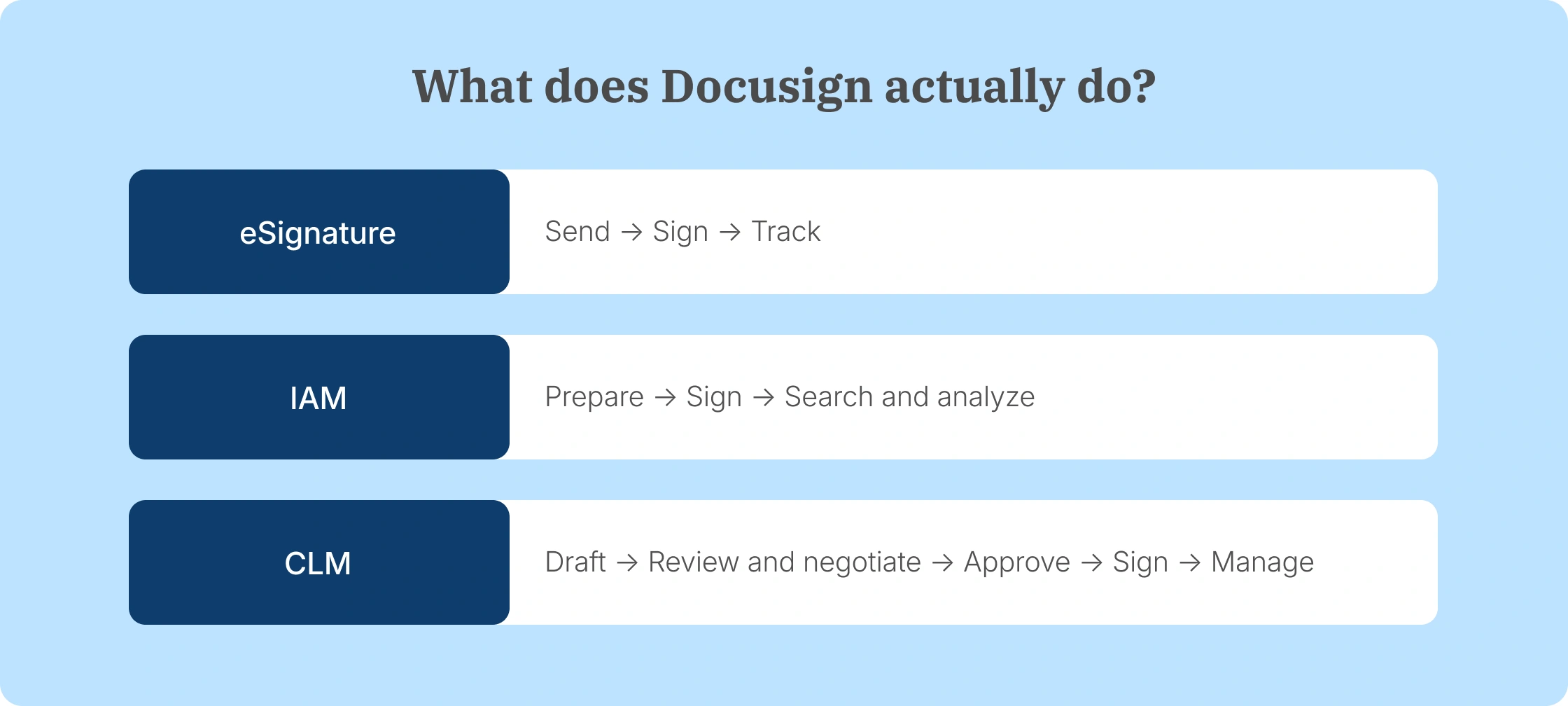
Docusign organizes its plans into two categories based on how agreements are handled within the platform: plans that focus on electronic signing, and plans that combine electronic signing with additional agreement management capabilities.

1. eSignature-focused plans

These plans are centered on preparing documents, sending them for signature, routing them to recipients, and storing completed files. 

  • Personal: Designed for individuals and freelancers who need basic electronic signing.
  • Standard: Intended for small teams that collaborate on documents and use shared templates.
  • Business Pro: Built for teams that require bulk sending, web forms, and additional automation.
  • Enhanced (Enterprise): Custom plans for large organizations with advanced administrative and security requirements.

2. IAM plus eSignature plans

IAM, or Intelligent Agreement Management, plans include electronic signing alongside features for managing agreements after they are signed. 

  • IAM Starter: Entry-level plan with limited automation and AI-powered agreement search.
  • IAM Standard: Adds collaboration tools, automated workflows, and an AI-based agreement repository.
  • IAM Professional: Supports advanced automation, analytics, and team-level oversight.
  • Enhanced IAM plans: Custom enterprise plans with organization-wide management and security controls.

For a detailed breakdown of features, limits, and pricing for each plan, see our full guide to Docusign’s pricing.

Limitations and considerations

Docusign’s workflow is built to support structured signing processes, but that structure can introduce trade-offs around pricing, setup effort, and ongoing administration. Features such as bulk sending, advanced integrations, organization-wide controls, or identity verification are typically tied to higher-tier plans, and configuring these elements often requires additional time and oversight as usage grows.

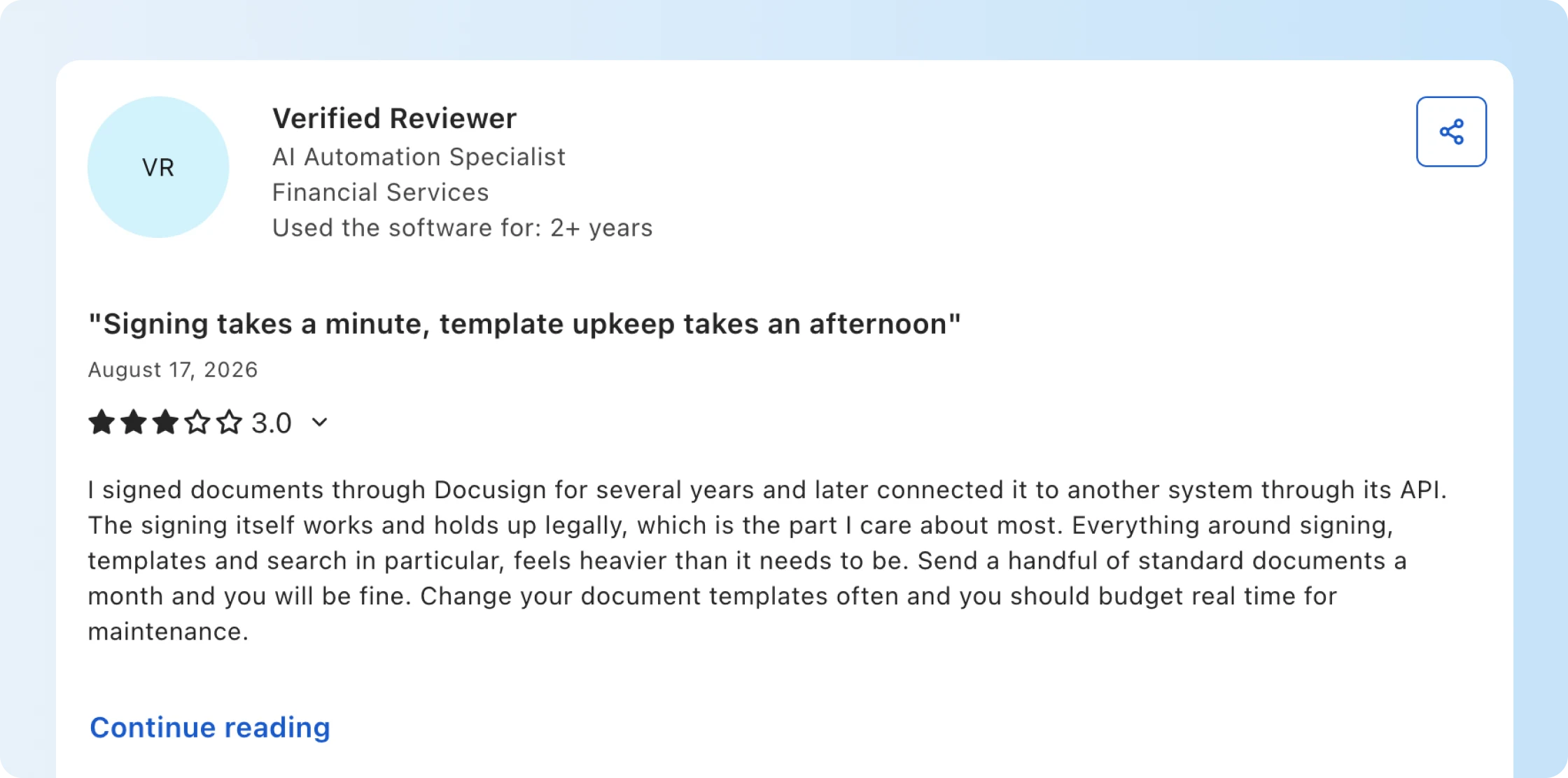
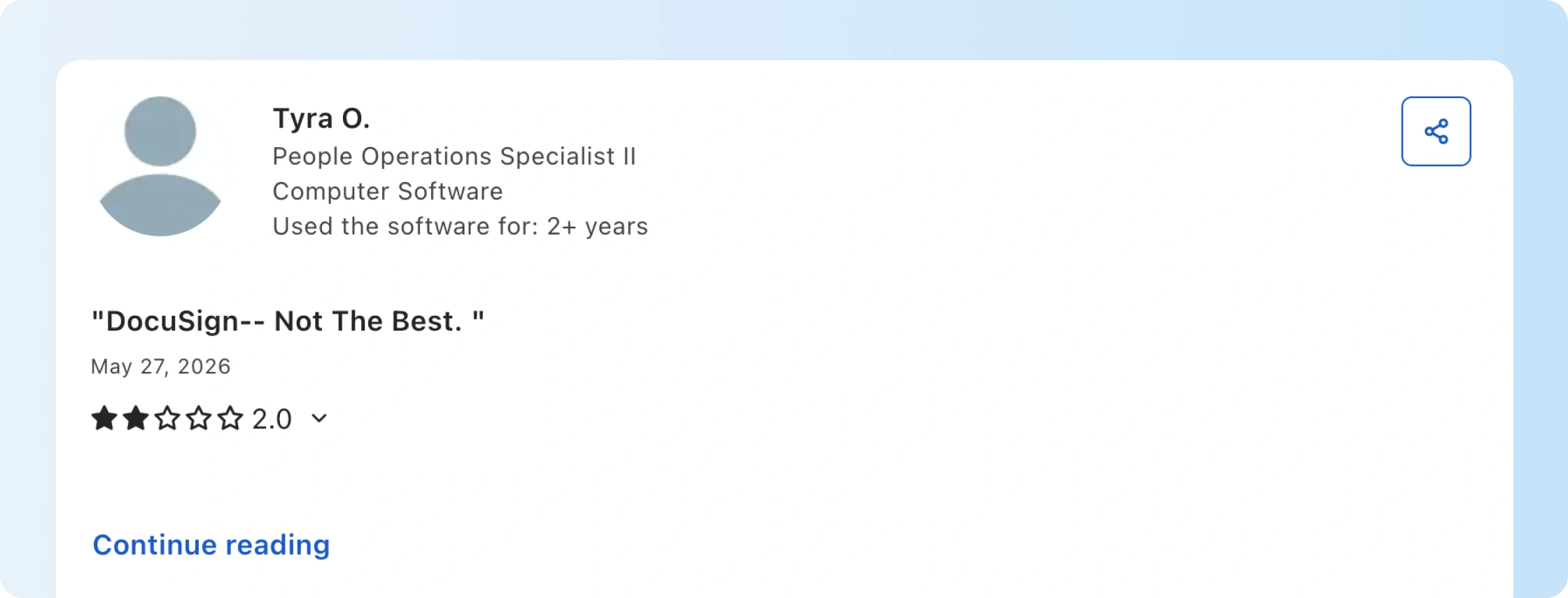
These considerations are reflected in how teams describe their day-to-day experience with the platform. In many Docusign reviews, users highlight the balance between control and complexity, noting that while the platform supports detailed workflows, it may require more planning and administration than simpler tools, especially for smaller teams or those with less frequent signing needs.

For teams that regularly manage complex approval chains or high volumes of documents, Docusign’s structured workflow can be a good fit. However, not every organization requires that level of configuration for everyday agreements, and some teams may find the added setup and pricing tiers harder to justify for simple, routine documents.

This is where simpler contract management tools like Signeasy come into the picture. Signeasy focuses on streamlining how documents are sent, signed, and managed, making it easier for teams to complete agreements with fewer setup steps and less administrative overhead.

Read more: Docusign not working? 10 fixes for common issues (2026)

Screenshot of the Signeasy website promoting contract automation with Start Free Trial and Request Demo buttons
Signeasy homepage highlighting smarter contract automation

Docusign vs Signeasy: Choosing the right workflow for your team

Docusign and Signeasy both enable businesses to send documents for signature and manage agreements digitally. The difference lies less in the core capability of electronic signing and more in how each platform approaches contract workflows, configuration, and long-term agreement management.

Docusign is designed around structured agreement processes. It supports detailed approval routing, extensive integrations, and governance controls that large organizations often require when managing high volumes of contracts across departments.

Signeasy approaches the same problem from a simplicity perspective. Instead of requiring multiple configuration steps before documents are sent, it focuses on helping teams prepare, sign, track, and manage agreements end to end with minimal setup. This makes the platform easier to adopt for organizations that want contract workflows to fit naturally into everyday operations, with shared visibility across teams, rather than requiring dedicated administration.

The table below highlights how the two platforms differ across key areas such as usability, integrations, and pricing.

1. Platform comparison overview

A detailed comparison of Docusign and Signeasy
Category Docusign Signeasy
Core approach Structured agreement workflows with configurable rules, routing logic, and enterprise governance tools. AI-powered contract management and eSignature platform designed to help teams prepare, sign, track, and manage agreements end-to-end within minimal setup.
Typical users Large enterprises, regulated industries, and organizations managing complex approval chains. Mid-sized businesses and growing teams across operations, finance, legal, and HR that prioritize usability and faster turnaround.
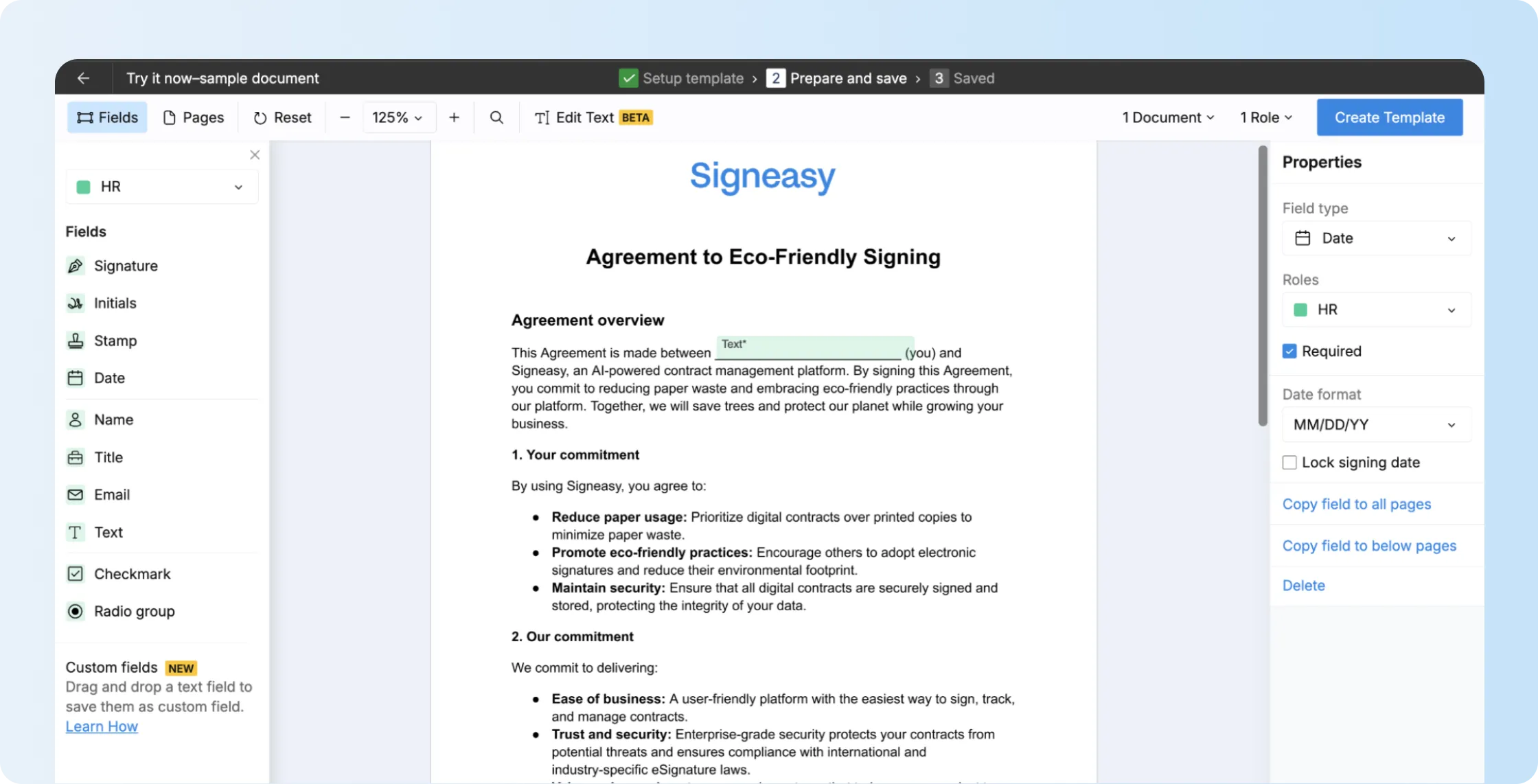
Signing workflow Envelope-based workflow with predefined recipients, signing order, and role configuration. Straightforward document preparation with drag-and-drop fields and simple recipient setup.
Contract management Full contract lifecycle management suite available through dedicated products and enterprise tiers. Centralized contract management with an intelligent repository, real-time tracking, and visibility across the entire contract lifecycle.
Integrations Extensive enterprise integrations with systems like Salesforce, SAP, and Microsoft ecosystems. Integrations with tools like Google Workspace, Microsoft 365, and HubSpot, along with APIs for embedding signing workflows.
Security and compliance Enterprise compliance frameworks including SOC 2, ISO certifications, and industry-specific controls. Enterprise-grade security with compliance standards such as HIPAA and FDA 21 CFR Part 11 readiness in higher plans.
Mobile usage Dedicated mobile apps that support document signing and approval workflows. Mobile-first design optimized for sending and signing agreements across devices.
Learning curve Basic signing is straightforward, but advanced workflows and CLM features often require configuration. Designed for quick onboarding without technical setup or complex workflow configuration.
Pricing model Multiple plan tiers with advanced functionality available in higher levels. Predictable pricing with most core signing and contract management features included across plans.

2. Workflow design and ease of use

Docusign’s workflow structure provides flexibility for organizations that require detailed approval processes. Documents can move through multiple stages, including review, approval, and signature, with administrators controlling how each participant interacts with the agreement.

For teams managing complex contracts, this structure provides visibility and control. At the same time, configuring these workflows often involves defining roles, signing order, templates, and envelope settings before a document can be sent.

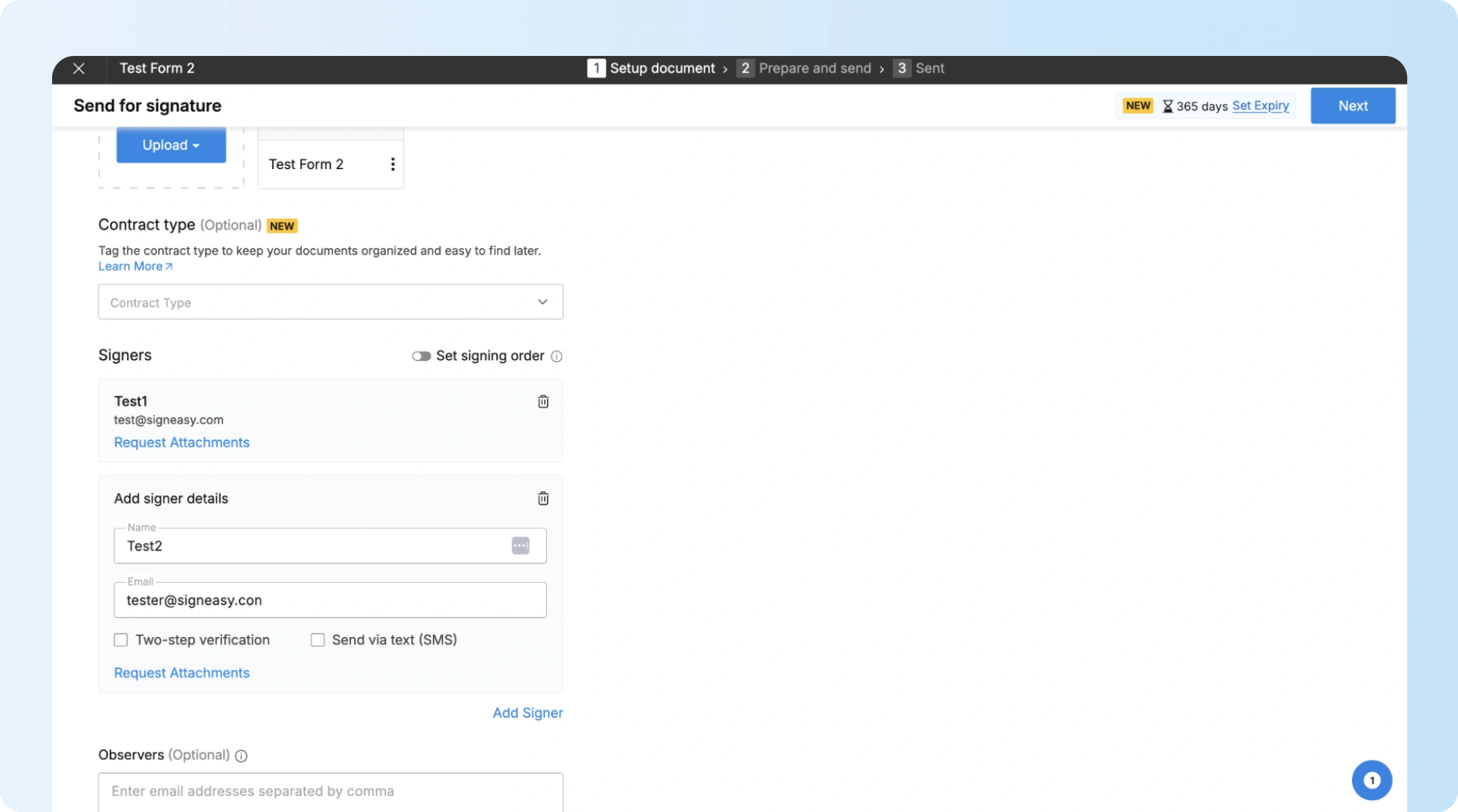
Signeasy reduces this setup by focusing on direct, end-to-end document workflows. Teams can prepare, send, sign, and track agreements in a single flow without configuring complex routing logic. Users upload a document, place signature fields, add recipients, and send the agreement with minimal setup.

This approach keeps workflows easy to adopt while still giving teams visibility into status, ownership, and next actions across the contract lifecycle.

3. Contract management capabilities

Beyond signing, many organizations also need a way to store and track agreements after they are completed.

Docusign addresses this through its broader agreement management ecosystem, including dedicated contract lifecycle management tools that support document creation, negotiation, and analytics.

Signeasy approaches this as part of a connected and intelligent contract management platform rather than a separate system. Agreements are stored in a centralized repository where teams can track status, monitor renewal timelines, and access key contract details throughout the lifecycle.

Built-in AI capabilities help extract key terms and summarize agreements, allowing teams to understand contracts faster without manual review. This gives organizations lifecycle visibility and control without requiring a dedicated CLM system.

HR dashboard showing employee documents including offer letters and workplace policies.
HR professional managing employee documents such as offer letters and ESOP agreements.

4. Automation and integrations

Docusign offers one of the largest integration ecosystems among electronic signature platforms. Its APIs and connectors allow organizations to embed agreement workflows into CRM systems, procurement tools, and internal applications.

Signeasy integrates with widely used business tools such as Google Workspace, Microsoft 365, and HubSpot, allowing teams to manage contract workflows within the systems they already use. It also offers APIs for embedding signing and document workflows into internal applications.

The focus is on faster implementation, so teams can connect contract processes without heavy configuration or long setup cycles.

5. Support and onboarding

Docusign provides several layers of customer support depending on the plan level. Entry-level users often rely on documentation, online resources, and community forums, while enterprise plans include implementation assistance and dedicated account support.

Signeasy takes a more streamlined onboarding approach, with an interface designed for quick adoption and minimal training. Teams can start sending and managing contracts with limited setup, while support is available through email and live chat for business plans.

Enterprise customers also receive onboarding guidance and dedicated success support to help align contract workflows without complex implementation overhead.

Five-star customer testimonial praising Signeasy’s usability and responsive support.
Customer review highlighting ease of use and support from Signeasy.

Choosing the right eSignature workflow for your team

Docusign uses a structured workflow for electronic signatures, with clear steps for preparing documents, routing them to recipients, collecting signatures, and storing completed files. This approach works well for organizations that need tight controls, multiple approval stages, and repeatable processes across large volumes of agreements.

However, many teams do not need that level of configuration for routine documents. If your priority is speed and simpler setup, Signeasy offers a more streamlined, AI-powered contract management and eSignature platform that helps teams prepare, sign, track, and manage agreements end to end with minimal administrative overhead. It combines secure eSignatures, shared visibility across teams, and integrations with the tools your team already uses.

By comparing the workflow requirements of each platform with your team’s volume, complexity, and day-to-day needs, you can choose the option that fits best.

To learn how Signeasy can support your contract workflows without added complexity, request a demo.

Frequently asked questions

Is Docusign legally valid for business and government documents?
Yes. Docusign complies with major global eSignature laws, including the ESIGN Act and UETA in the U.S., and eIDAS in the EU. Every completed document includes a tamper-evident audit trail that makes it legally defensible for audits, HR processes, financial agreements, and regulated industries.
What types of documents can I sign or send using Docusign?
Docusign supports PDFs, Word files, Excel sheets, and image formats. You can use it for NDAs, sales contracts, purchase orders, HR forms, vendor agreements, leases, consent forms, onboarding packets, and other standard business documents.
Does Docusign integrate with existing business tools?
Yes. Docusign connects with platforms like Salesforce, Microsoft 365, Google Workspace, and many other systems. These integrations help automate contracting workflows and allow teams to prepare, send, and manage agreements without switching between apps.
What are the limitations small teams should consider before choosing a Docusign plan?
Entry-level plans cover basic eSignature needs, but features such as bulk send, SSO, advanced analytics, and deeper workflow automation are available only in higher tiers. Teams should also factor in per-envelope limits and the cost of adding multiple users.
What’s the difference between Docusign and alternatives like Signeasy?
Docusign is built for structured signing workflows with multiple roles, approval steps, and administrative controls, which require more setup to manage. Signeasy is designed for simpler signing, allowing teams to send and sign documents with less configuration and ongoing management. The difference comes down to workflow complexity and how much configuration a team needs to manage on an ongoing basis.
Rachana Chotia
Rachana Chotia
Rachana is the Content Marketing Manager at Signeasy, where she works with the product & customer teams to create content related to eSignature and contract workflows. In her free time, she enjoys going for walks, watching anime, and reading a good book.
LinkedIn share iconTwitter share icon
Document signing
Tired of Docusign’s complex signing setups?
Signeasy offers a simpler contract management experience built for everyday business workflows.
Request Demo
Arrow Up