


September brings new ways to work with contracts in Signeasy. This month's features let you connect Signeasy to your favorite AI tools and improve the way you organize and manage contracts.
What's new in Signeasy this September:
- Signeasy MCP: Connect your Signeasy account to Claude, ChatGPT, and other MCP-compatible AI tools to send, track, and manage contracts.
- Signer Groups: Give API signature requests more flexibility by allowing any authorized member of a group to complete a signing step.
- Signer Attachments: Collect supporting documents such as IDs and W-9s as part of an API signature request.
- Custom Contract Types and AI Key Terms: Define the contract categories and information your business needs to track.
- Reassign contracts: Route contracts to the right signer or approver without declining or restarting the workflow.
- Spanish interface: Prepare, send, sign, and manage contracts in Spanish across the Signeasy web app.
Manage contracts right inside Claude and ChatGPT
Signeasy MCP lets you manage eSignatures and contracts from Claude, ChatGPT, and other MCP-compatible AI tools.
Once you connect, you can:
- Send signature requests
- Track the status of any contract
- See what contracts are pending on you
- Send reminders to signers who haven't acted yet
- Ask questions about your contracts in plain English and get instant answers
Instead of switching between your AI assistant and Signeasy, you can handle common contract tasks from the AI tool you already use.
Want to get started? Read how to set up the Signeasy MCP connector and explore everything you can do with Signeasy MCP in our blog.
Speed up API signature workflows with Signer Groups
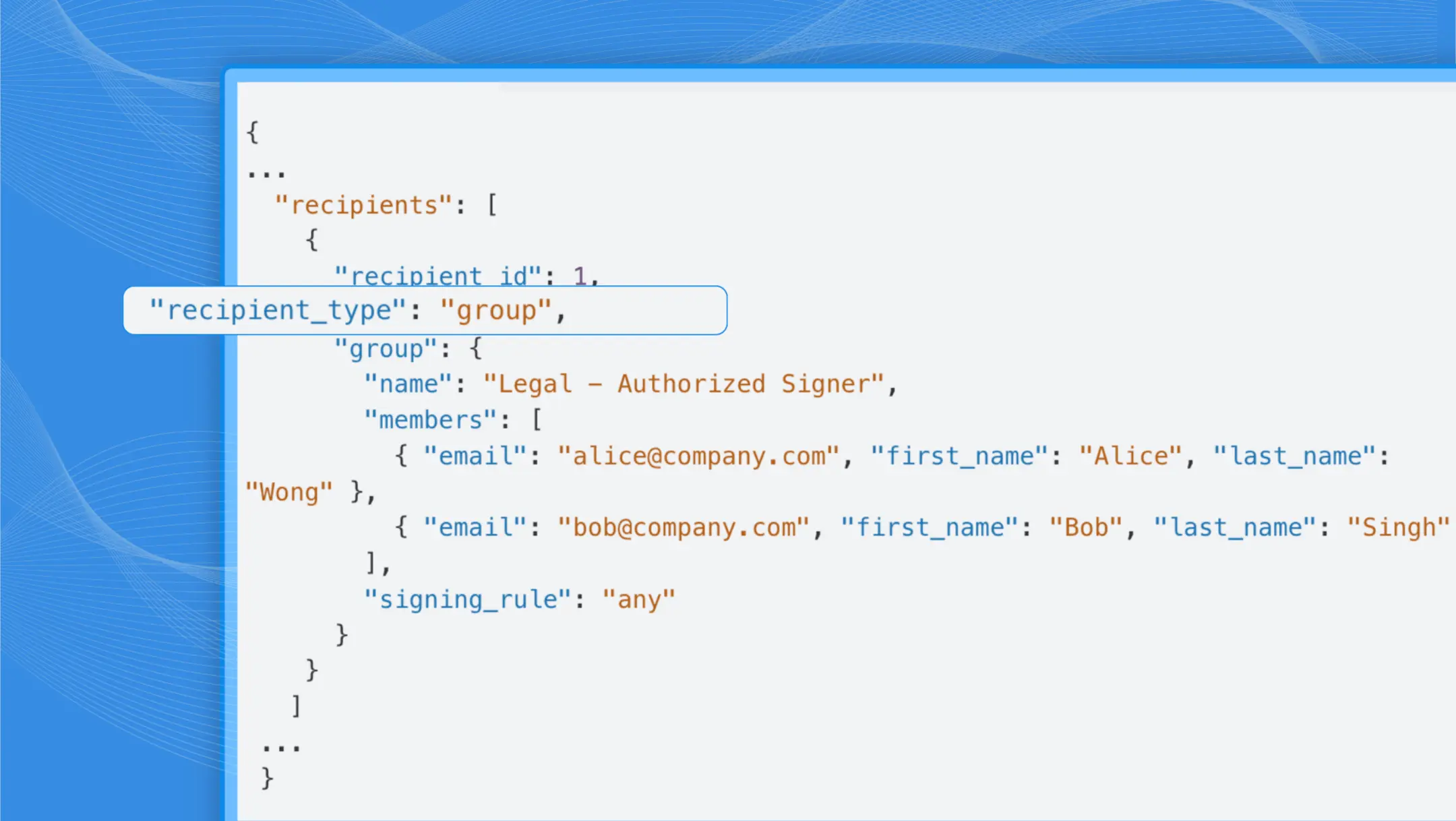
With Signer Groups, you can send an API signature request to a group of authorized recipients instead of requiring one specific person to sign. This gives teams more flexibility when the person assigned to a signing step is unavailable.
Signer Groups are useful when:
- A signer is unavailable: A team member is out or unreachable, and the contract shouldn't wait on them. Anyone else in the group can step in and sign to keep things moving.
- The signer isn't known: Sometimes you're sending to a team or a department, rather than a specific individual. Send the envelope to the group and whoever owns that responsibility signs.
- Teams work across time zones: Instead of waiting for a specific person to come online, the first available member in the group signs and the contract moves to the next step.
Collect supporting documents with API signature requests
Signeasy API signature requests can now collect supporting documents from signers as part of the same workflow.
Before this update, teams had to collect documents separately after the contract was signed. Now, you can request those uploads as part of the same API-triggered signature request. Signers submit everything in one step, and you receive it all together.
This works particularly well for contract workflows that require:
- Identity verification documents, like a government-issued ID, passport, etc.
- W-9 and other tax documents
- Receipts and other payment documents
Create Custom Contract Types and track exactly what you need
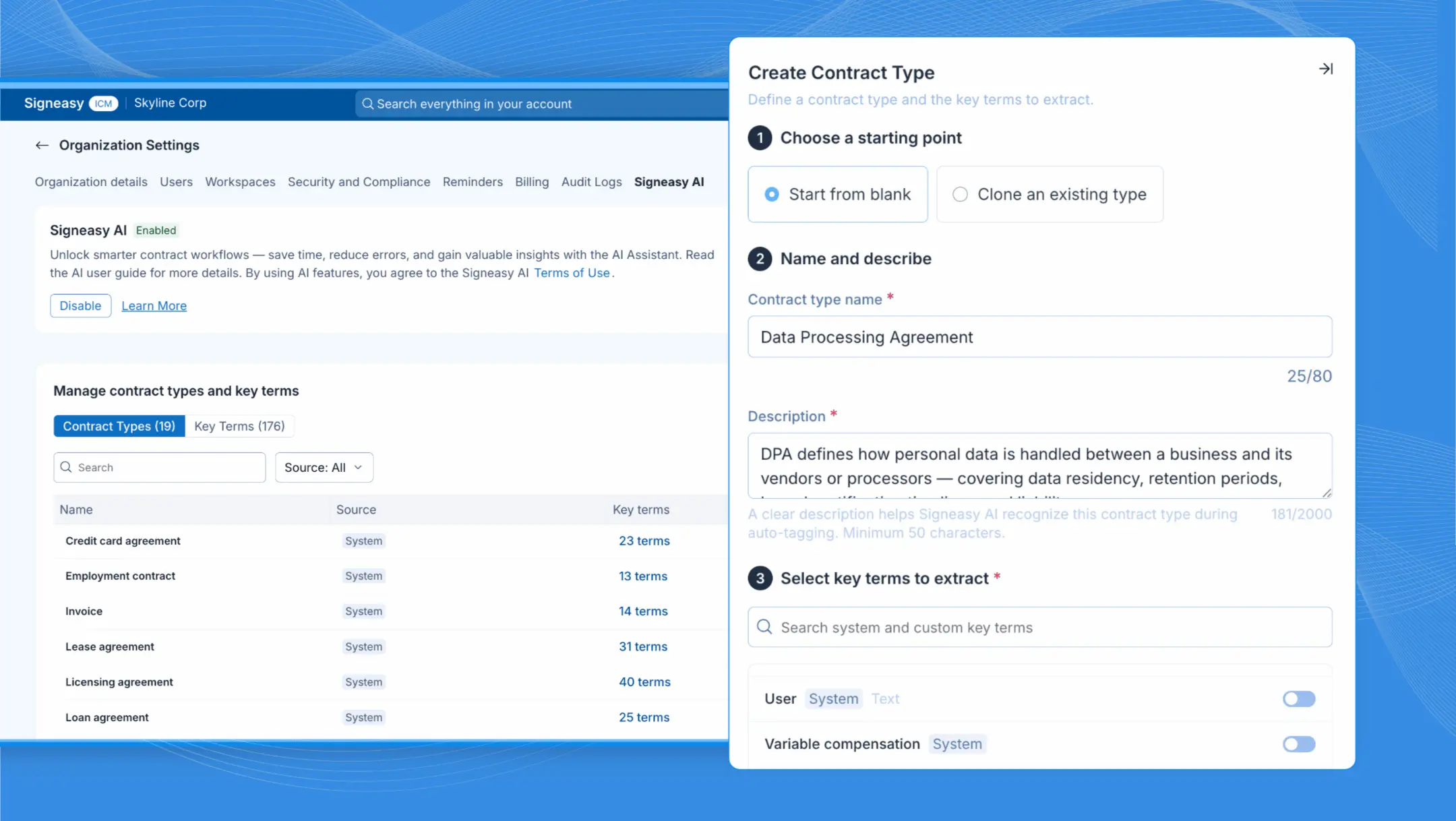
Custom Contract Types let you define your own contract categories and the key terms AI needs to pull. This helps Signeasy organize and extract the information that matters to your business.
Every business organizes its contracts differently. Standard contract categories don't always capture industry-specific contracts or the information your team actually needs to track.
With Signeasy's Custom Contract Types, admins can:
- Create contract type categories specific to their business
- Define the key terms they want Signeasy's AI to identify
- Add one-off key terms directly within a document.
This is particularly useful for businesses with specialized contract types, industry-specific requirements, or clauses that need to be monitored regularly.
This feature is available on Signeasy ICM plans. Get in touch to learn more.
Reassign contracts to the right person — without starting over
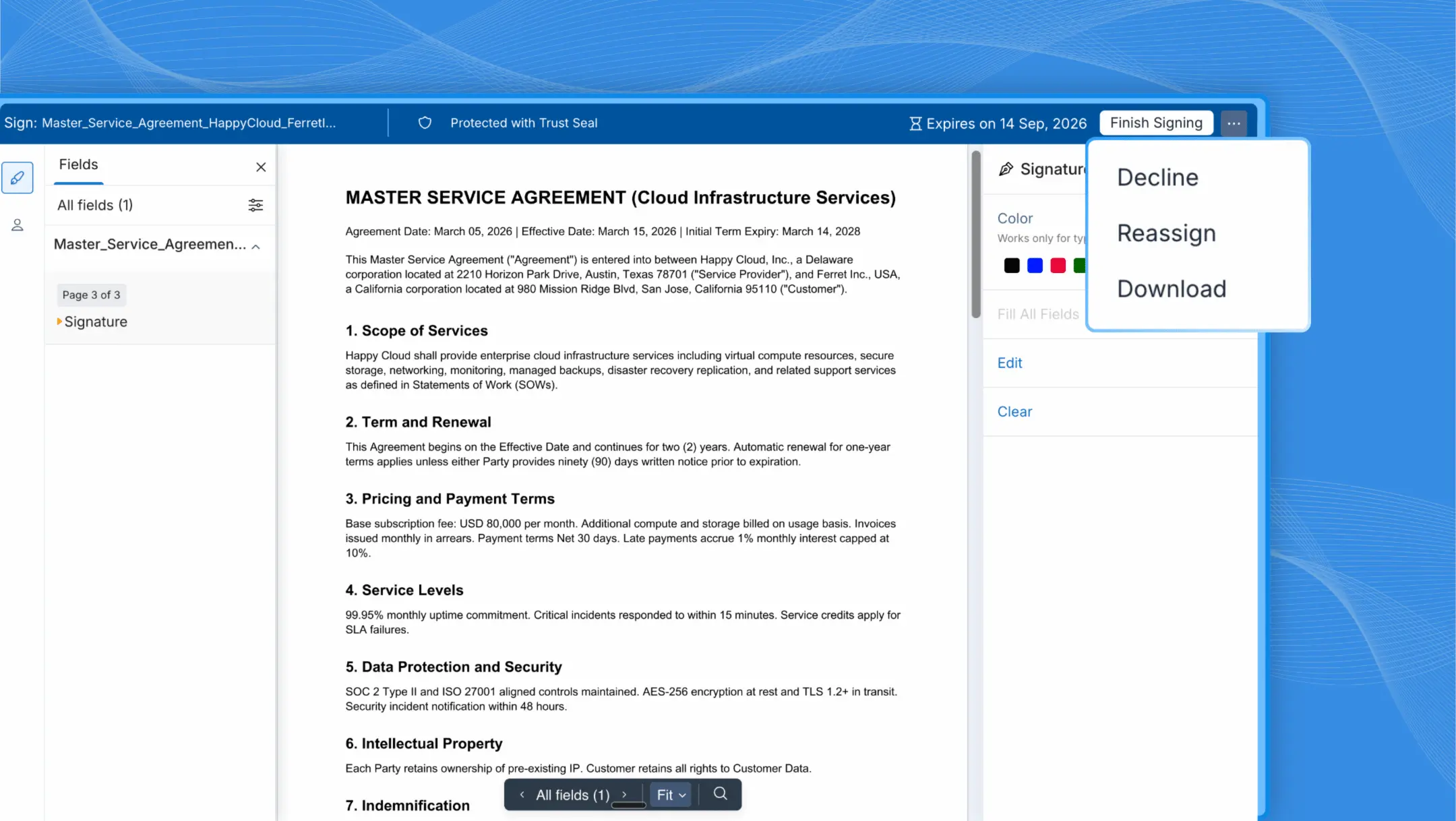
The Reassign feature lets signers and approvers route a contract to the right person without declining the document or asking the sender to start over.
Internal reshuffles happen. Roles change, teams reorganize, and contracts sometimes land with the wrong person.
Before, fixing this meant declining the document and asking the sender to start over — a frustrating loop that slowed everyone down. Now, signers and approvers can reassign the document directly to the right person, while keeping the existing workflow moving.
Give Spanish-speaking teams a native Signeasy experience
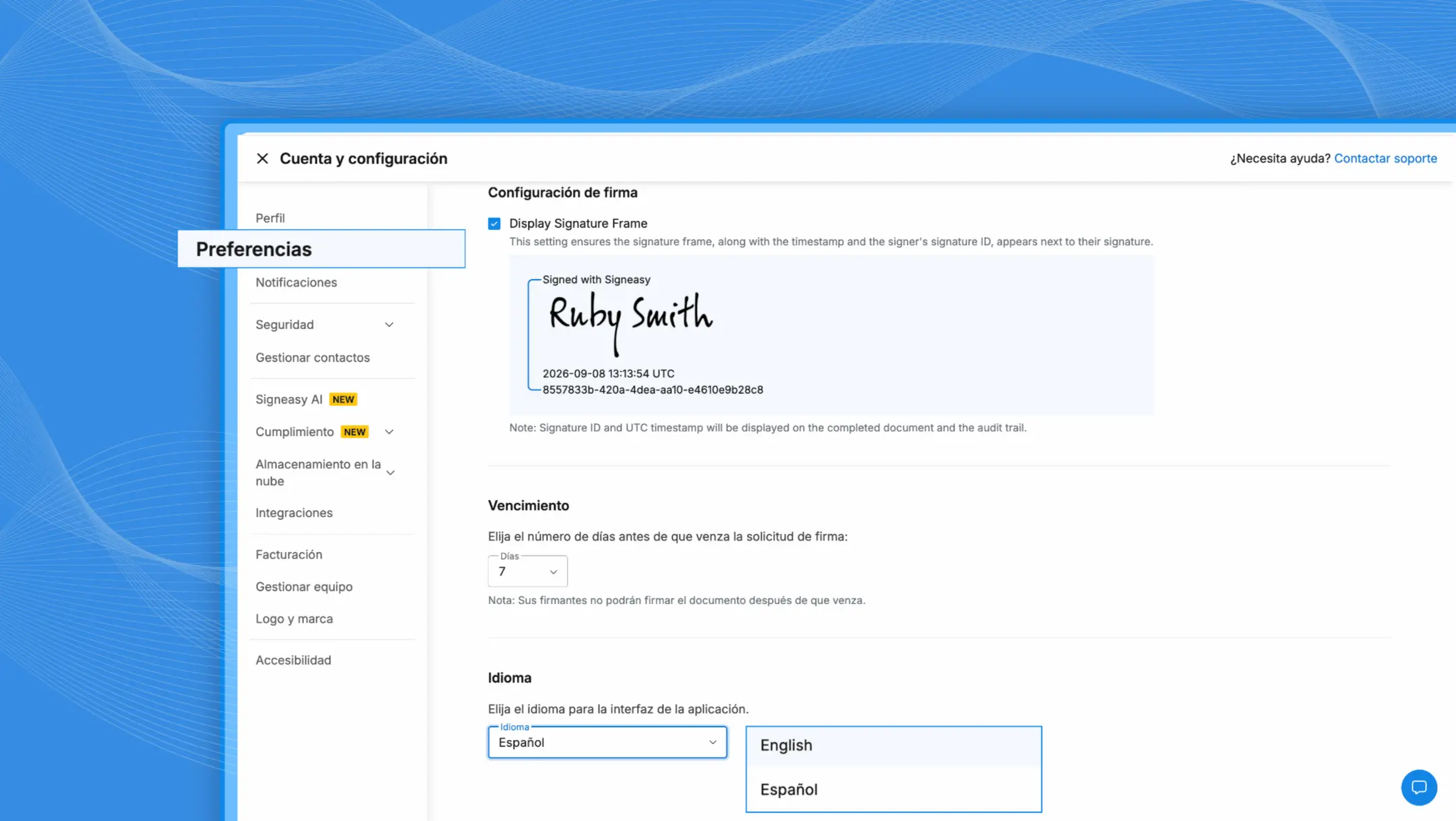
The Signeasy web app now has a full Spanish interface, allowing teams to prepare, send, track, and manage contracts entirely in Spanish.
The Spanish interface helps:
- Spanish-speaking teams work in their preferred language
- New users get started without relying on translated guides
- Distributed teams in Spanish- and English-speaking countries use Signeasy in their preferred language
Try these features today!
Log in to your Signeasy account to explore what's new. If you're not on Signeasy yet, you can start a free trial or request a demo and we'll walk you through how to get started.
Have feedback on any of these features? Reach out to your Customer Success Manager or write to support@signeasy.com.