



Zoho Sign lets employees send agreements through its web application. The Zoho eSign API serves a different purpose: external software creates signature requests and retrieves completed documents without requiring employees to open Zoho Sign.
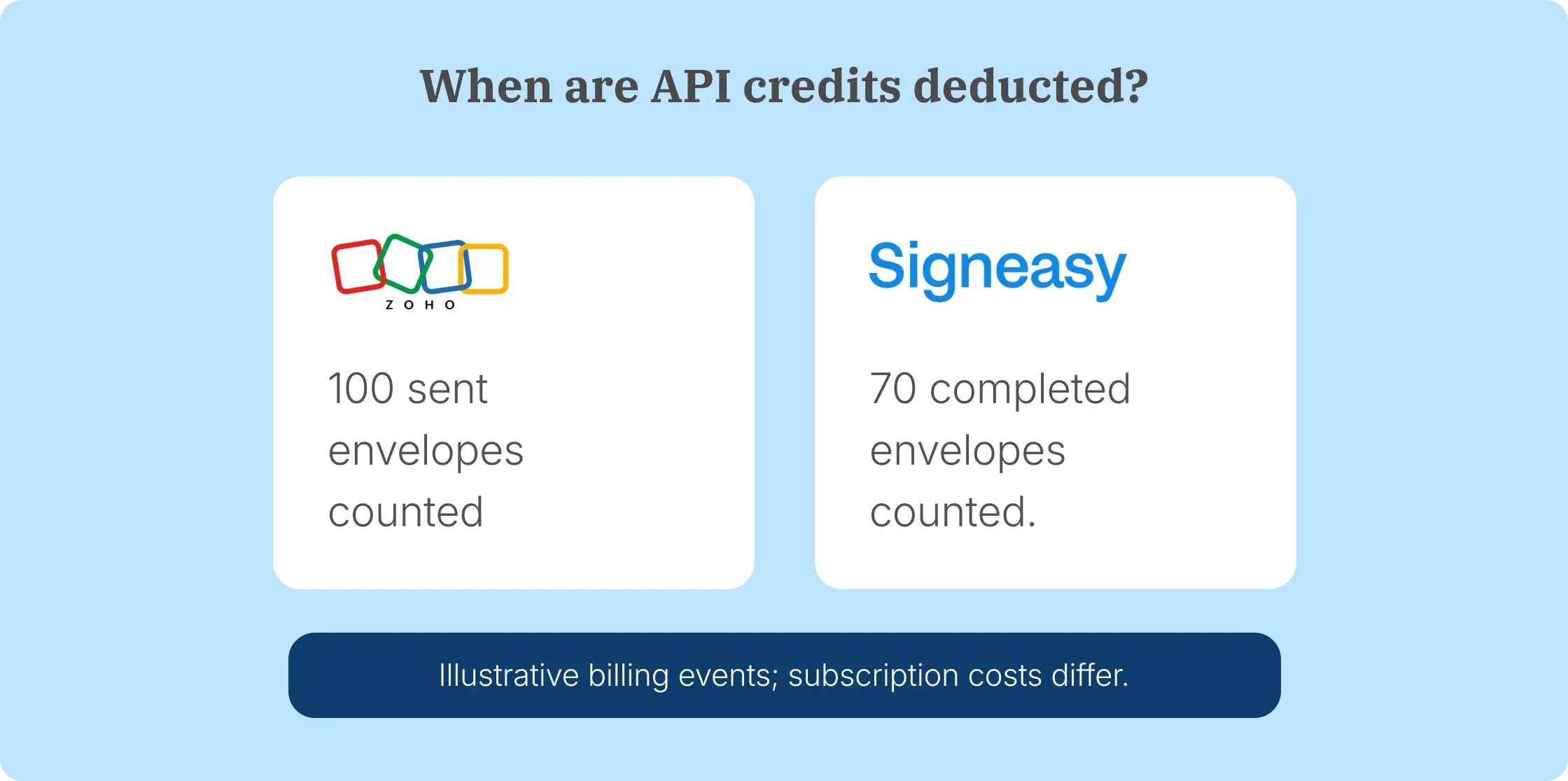
That difference also affects billing. The API-only plan uses prepaid credits and charges when an envelope is sent, even if recipients never complete signing.
This guide covers popular use cases, API capabilities, implementation, pricing, and technical limits to help businesses evaluate production requirements.
What is the Zoho Sign API?
The Zoho eSign API is a REST-based service for creating and managing electronic signature requests through external software. Applications communicate with Zoho Sign through authenticated HTTP requests and receive responses in JSON format.
The Zoho Sign API integration determines where signature requests originate and how completed documents return to the business. For example, a CRM can initiate a contract from its existing customer record and save the signed agreement against that record after completion.
Zoho offers two distinct ways to access these capabilities:
The API is not limited to Zoho CRM. Developers can connect custom software to Zoho Sign independently of other Zoho products. Zoho also offers integrations with Zoho apps such as Zoho People and Zoho Books.
The distinction matters when choosing a subscription. Zoho's API-only plan restricts direct signing through its regular web interface and mobile apps. Businesses whose employees also need to send agreements manually through Zoho Sign should evaluate the Enterprise plan and its separate API credit requirements.
For more on the underlying technology, see what an eSignature API does.
What features does the Zoho eSign API offer?
The Zoho eSign API supports the document signing process, from preparing documents to collecting signatures. Developers select the appropriate endpoints according to how the host application prepares agreements and where recipients complete them.
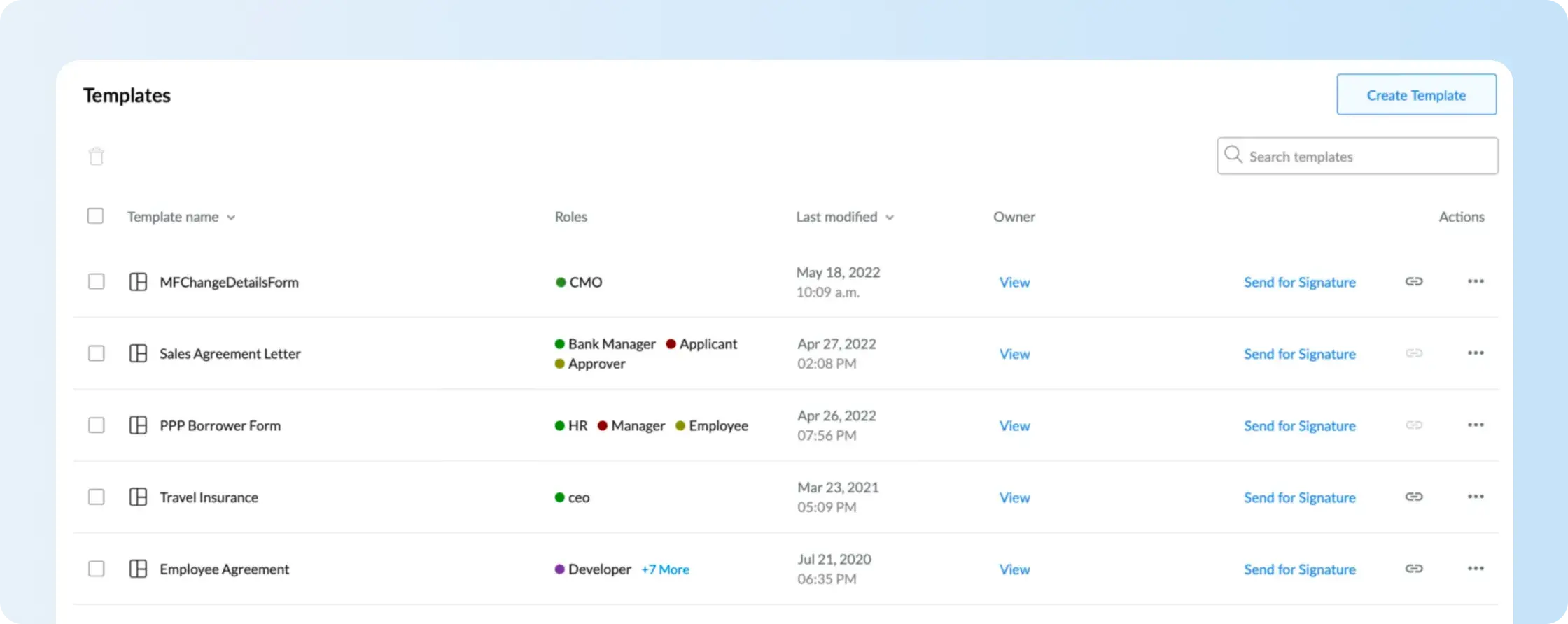
Reusable templates and document preparation
Zoho Sign supports templates for recurring business documents, with predefined recipient roles and signature fields. Developers can populate these templates using information already available in the host application.
For example, an HR application can prepare business paperwork, such as offer letters, from a reusable template. The system inserts the candidate's details and places signature fields according to the template configuration.
Zoho also supports formatted text tags for automatic field placement. These tags identify where the signing interface should insert the appropriate fields when the document is processed.
Individual documents can be uploaded directly when no reusable template exists. The API then associates the uploaded file with the specified recipients before submission.
Embedded signing and sending
Zoho supports two separate embedded experiences.
With the Zoho eSign API, embedded signing gives recipients a signing URL that opens within the host application or in a separate window. The recipient reviews the prepared agreement and completes the required fields.
Embedded sending brings the Zoho Sign app interface into the host software so an authorized user can prepare and send a document. Existing documents and templates are supported, although the embedded interface currently limits editing to signer-field additions. Recipient roles need to be configured before the session begins.
The session requirements differ:
Embedded sending also requires the relevant application domains to be trusted when developers configure an iframe and post-submission redirects.
The short validity period affects implementation. An application should generate the URL when the recipient opens the agreement. Saving the URL in a customer record for later use risks an expired session.
Multiple recipients and authentication
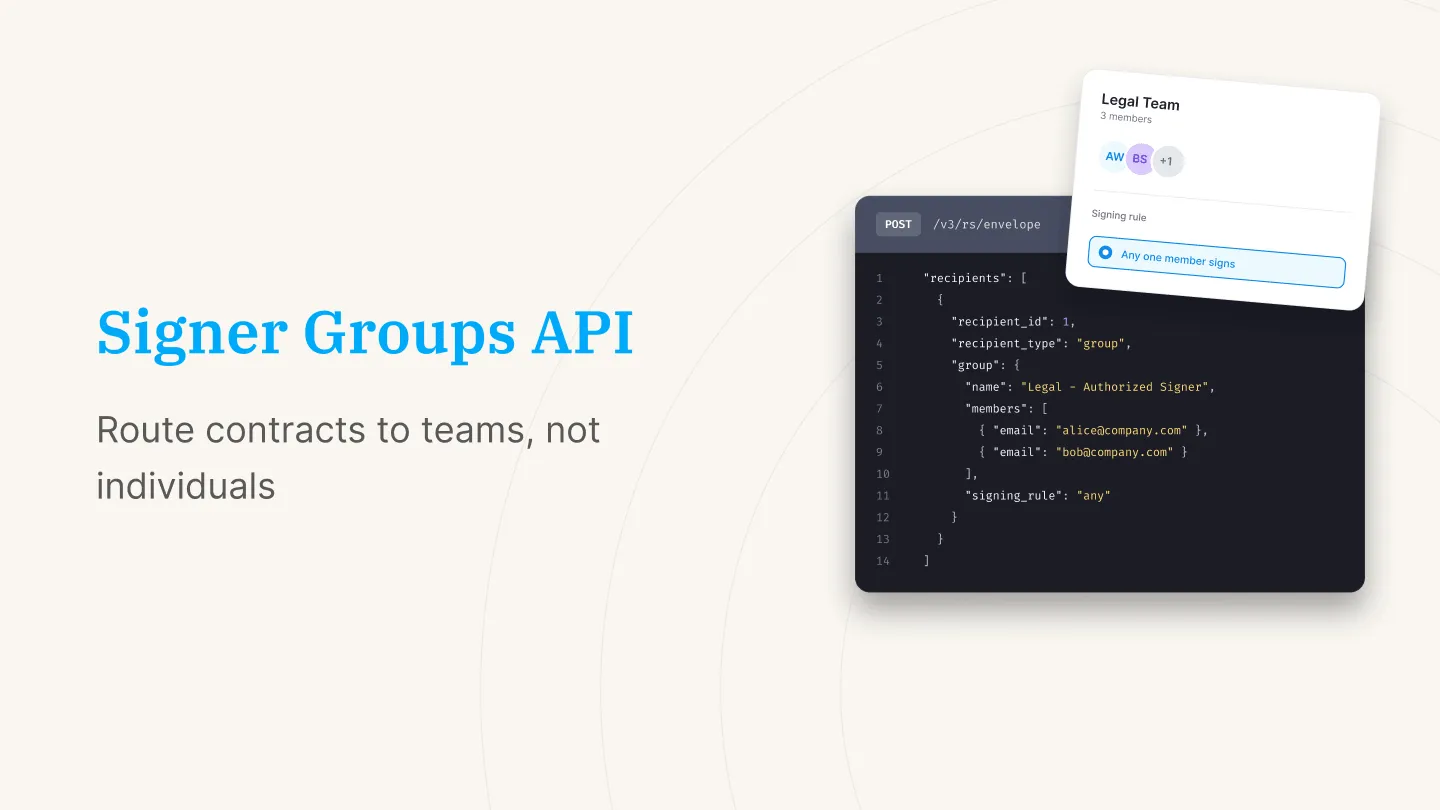
Zoho Sign API supports agreements requiring more than one recipient. Developers can configure signing order when the document needs sequential approval.
Parallel routing is also supported, allowing recipients to complete their assigned fields independently.
Recipient authentication is configured according to the document's requirements. Zoho supports methods including email authentication, SMS-based verification, and identity checks through supported providers.
SMS delivery and certain identity-verification methods have an additional cost in credits beyond the standard envelope charge. Businesses that require these services should include their usage in the production cost estimate.
Zoho also supports bulk requests. Its published API limit permits up to 1,000 bulk-send recipients in one operation, but each recipient consumes the applicable signing credits. The bulk API limit does not make the entire operation a single $0.50 transaction.
Webhooks and completion records
A connected application needs to distinguish between an individual recipient signing and the entire agreement reaching completion.
Zoho Sign’s API provides webhook notifications for document activity. Developers use these events to update the relevant customer record or initiate a subsequent process after the required signatures are collected.
The API also supports retrieving signed documents and a certificate of completion containing audit information. The host application can then retain these records in a document management system or approved cloud storage.
Zoho provides developer references and sample code snippets for implementing these functions. Developers should check which programming languages the published examples cover. The official Zoho Sign API documentation covers the available endpoints.
How to integrate Zoho Sign API into your application
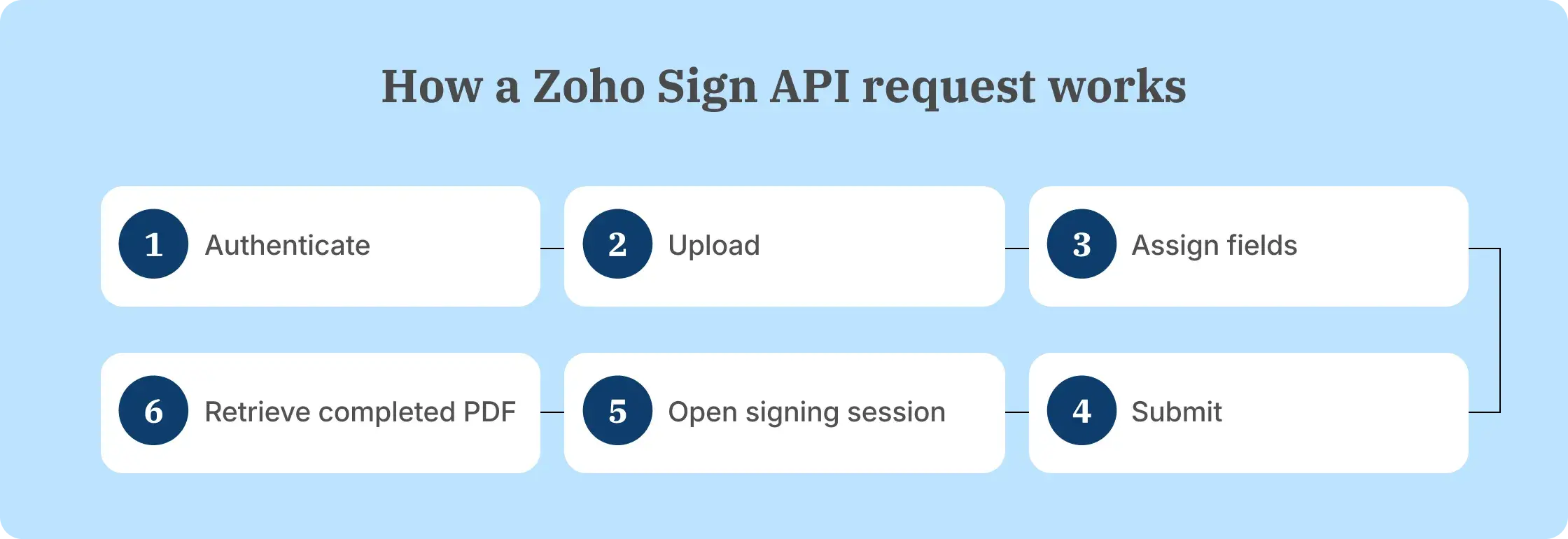
A Zoho eSign API integration begins with authorized API access. Once authenticated, the application prepares a document request, assigns the required fields, and submits the agreement.
For embedded signing, the application creates a separate recipient session after the request is submitted.
Step 1. Configure OAuth 2.0 authentication
Zoho Sign uses OAuth 2.0 to authorize application requests. Developers register their software with the Zoho API Console and obtain a Client ID and Client Secret.
The process includes these steps:
- Register the application in the appropriate regional Zoho API Console.
- Configure the OAuth scopes required for document or template operations.
- Generate an authorization code through Zoho's consent process.
- Exchange the code for an access token and refresh token.
- Use the refresh token to obtain a new access token after expiration.
Zoho OAuth access tokens generally expire after one hour. API requests include the access token in the authorization header:
Authorization: Zoho-oauthtoken {access_token}
For initial development, Zoho provides temporary access tokens through Developer Settings. These temporary tokens support initial testing. Production integrations use the configured OAuth authorization flow.
The application backend should store credentials securely and use the appropriate regional OAuth and API endpoints.
Step 2. Create the signature request
After authentication, the application uploads the agreement through:
POST /api/v1/requests
The request payload includes document details and recipient information. Zoho returns a unique request_id that identifies the transaction.
The application should retain that identifier alongside its own customer or document record. Subsequent events can then be matched to the correct agreement.
Step 3. Assign signature fields and submit
The application adds the recipient's required fields to the prepared document. These include signature fields, dates, checkboxes, or text inputs.
Each field needs an assigned recipient. The request also includes the required signing order when multiple recipients are involved.
Once the document is ready, the application submits the request through:
POST /api/v1/requests/{request_id}/submit
Submitting the request through the Zoho eSign API starts the signature workflow. Zoho Sign can then notify the connected application as the document progresses.
Step 4. Generate an embedded signing session
For embedded signing, the recipient configuration includes:
- is_embedded = true
- action_type = SIGN
The application submits the prepared request before generating the recipient's signing URL.
Zoho uses the request ID and the recipient's action ID to create the embedded session:
POST /api/v1/requests/{request_id}/actions/{action_id}/embedtoken
The response contains a sign_url that the application opens in an iframe or a separate window.
The URL is valid for two minutes before first use and can be opened only once. An iframe integration also requires the appropriate host parameter.
Zoho does not send the standard email or SMS signing invitation to recipients configured for embedded signing. The host application handles access to their signing sessions.
Step 5. Process completion and retrieve the document
The application receives status notifications as recipients complete their assigned actions.
Developers should distinguish a recipient-level signature event from final document completion. An agreement involving two signers is not complete when only the first recipient has signed.
Once every required signature is collected, the application retrieves the completed document and associated audit information. These records can be stored against the original transaction.
Before production, developers should also test expired sessions and unsuccessful requests. Error handling needs to prevent retries from creating duplicate signing transactions.
Zoho Sign API pricing in 2026
Zoho eSign API pricing starts at $0.50 per standard envelope sent. The API-only plan does not charge a recurring subscription or per-user license fee.
Instead, businesses buy Zoho Sign credits before sending production requests. The number of credits consumed for standard envelopes depends on how many are sent.
API-only pricing and prepaid credits
Each standard API envelope consumes five Zoho Sign credits. One credit costs $0.10, resulting in a base charge of $0.50 per envelope.
Credits are purchased in batches of 500, starting at $50. The minimum purchase therefore covers 100 standard envelopes before additional service charges.
These estimates exclude taxes and services that consume additional credits.
Zoho charges the standard envelope credits when the request is sent. The charge applies even when recipients never finish signing. API calls that retrieve information or check document status do not consume standard signing credits.
Purchased credits remain valid while the Zoho Sign account is active. Zoho also provides low-credit notifications so administrators can monitor the balance and purchase additional Zoho Sign credits before production requests exhaust it.
API-only plan vs. Enterprise
The API-only plan is intended for applications that initiate signing programmatically. Employees cannot use that subscription to send agreements directly through the regular Zoho Sign web or mobile interface.
The Zoho Sign Enterprise subscription plan supports direct application access alongside API workflows. Enterprise costs $22 per user/month, billed annually, under the published US pricing.
An Enterprise subscription does not eliminate API credit charges. Developers still need sufficient credits for API-generated envelopes, and certain integrated services carry additional usage costs.
The Zoho Sign pricing guide explains the regular application plans separately.
Free trial and API testing
Zoho provides a 14-day Enterprise trial for new accounts, not a permanent free plan. The trial includes API access for up to 10 documents.
Eligible Zoho eSign API subscribers on API-only and Enterprise plans also receive an allowance of 50 test documents per month. Developers enable the test environment by passing:
testing=true
These transactions do not consume production signing credits. Test documents carry a permanent watermark and have no legal authority.
Testing is useful for validating the request sequence before the application starts consuming prepaid credits.
Zoho Sign API limits and implementation considerations
The Zoho eSign API applies technical limits separately from the available credit balance.
A business can have enough prepaid credits to send agreements but still encounter restrictions on request frequency, document size, or signer fields.
Zoho also sets limits for individual field types. The 2,000-field envelope limit does not mean every field type supports 2,000 entries.
Applications with large document batches need to account for request frequency. A rate-limit response should pause subsequent calls according to the applicable restrictions, rather than immediately repeating every failed request.
Retries also need safeguards against duplicate signature requests. If a request times out after submission, the application should confirm the transaction state before creating another envelope.
Bulk sending requires a separate credit calculation. Zoho charges five standard signing credits per bulk recipient, so a request targeting 1,000 recipients does not consume only five credits.
Your production volume determines the API capacity you need. Discuss your expected request volume and document requirements with Signeasy.
Is Zoho Sign API suitable for your business?
The Zoho Sign API-only plan suits applications with irregular signing volume. Purchased credits remain available while the Zoho Sign account is active, allowing businesses to use the balance across periods of changing demand.
Zoho supports application-level integrations beyond its own product suite. Its reusable templates help prepare recurring agreements, while webhooks return document activity to the connected software.
Every sent envelope consumes credits, including requests that recipients leave incomplete. SMS delivery and eligible identity-verification services add usage charges. These costs matter when an application sends many requests that never reach final signature.
Businesses whose employees also send documents through Zoho Sign's web or mobile application need an eligible application subscription alongside the required API credits.
Signeasy API vs. Zoho Sign API
Signeasy API and the Zoho eSign API both support embedded electronic signatures, document templates, and webhook updates. The commercial difference lies in the subscription model and the event that consumes usage.
Signeasy Intermediate costs $125/month, billed $1,499 annually, and includes 1,000 completed envelopes per subscription year. Zoho Sign API-only has no recurring subscription and deducts $0.50 in prepaid credits when each standard envelope is sent.
The table compares the applicable API offerings.
Signeasy counts completed envelopes toward its paid API allowance. Review the Intermediate plan against your expected annual transaction volume.
How the pricing difference affects production usage
Consider an application that sends 1,000 signature requests over a year. Recipients complete 700, while 300 remain unsigned.
Under Signeasy Intermediate, the 700 completed envelopes use 700 credits from the plan's 1,000 annual allowance. The subscription costs $1,499 annually, leaving capacity for 300 more completed envelopes within the subscription period.
Under Zoho Sign API-only, all 1,000 sent requests consume credits. At $0.50 per standard envelope, the base charge is $500 before additional services and taxes.
Zoho's base cost is lower in this example. The prepaid model also avoids an annual API subscription commitment.
Signeasy's advantage is the completed-envelope billing event combined with its published Intermediate feature set and support entitlement. An application with a high proportion of unfinished requests can retain its unused completion credits for agreements that reach final signature.
Actual commercial value depends on production volume and the degree of support developers need. A transparent pricing comparison should account for those differences, not just the lowest advertised price.
For wider provider evaluations, see the 13 best eSignature APIs and the Signeasy vs. Zoho Sign comparison.
Why choose Signeasy as a Zoho Sign API alternative?
Signeasy supports applications that need to collect signatures within an existing product and update the original transaction when every recipient has finished.
The Intermediate API plan includes these capabilities under a defined annual subscription. Businesses also receive published support entitlements, with assisted onboarding available on Advanced.
Count completed signing requests
Signeasy deducts a paid API credit after every required recipient finishes signing an envelope.
An envelope can contain multiple documents and recipients while counting as one completed request. Incomplete or voided transactions do not deduct that completion credit.
Signeasy's published API plans include:
Fair-usage restrictions apply. Paid annual credits remain valid for the subscription period and do not carry forward indefinitely.
The Signeasy Intermediate API plan includes embedded signing, sending, and webhooks. The Advanced API plan adds embedded template creation, multi-factor document access, and assisted onboarding from a dedicated Success Manager.
Embed signing within the existing application
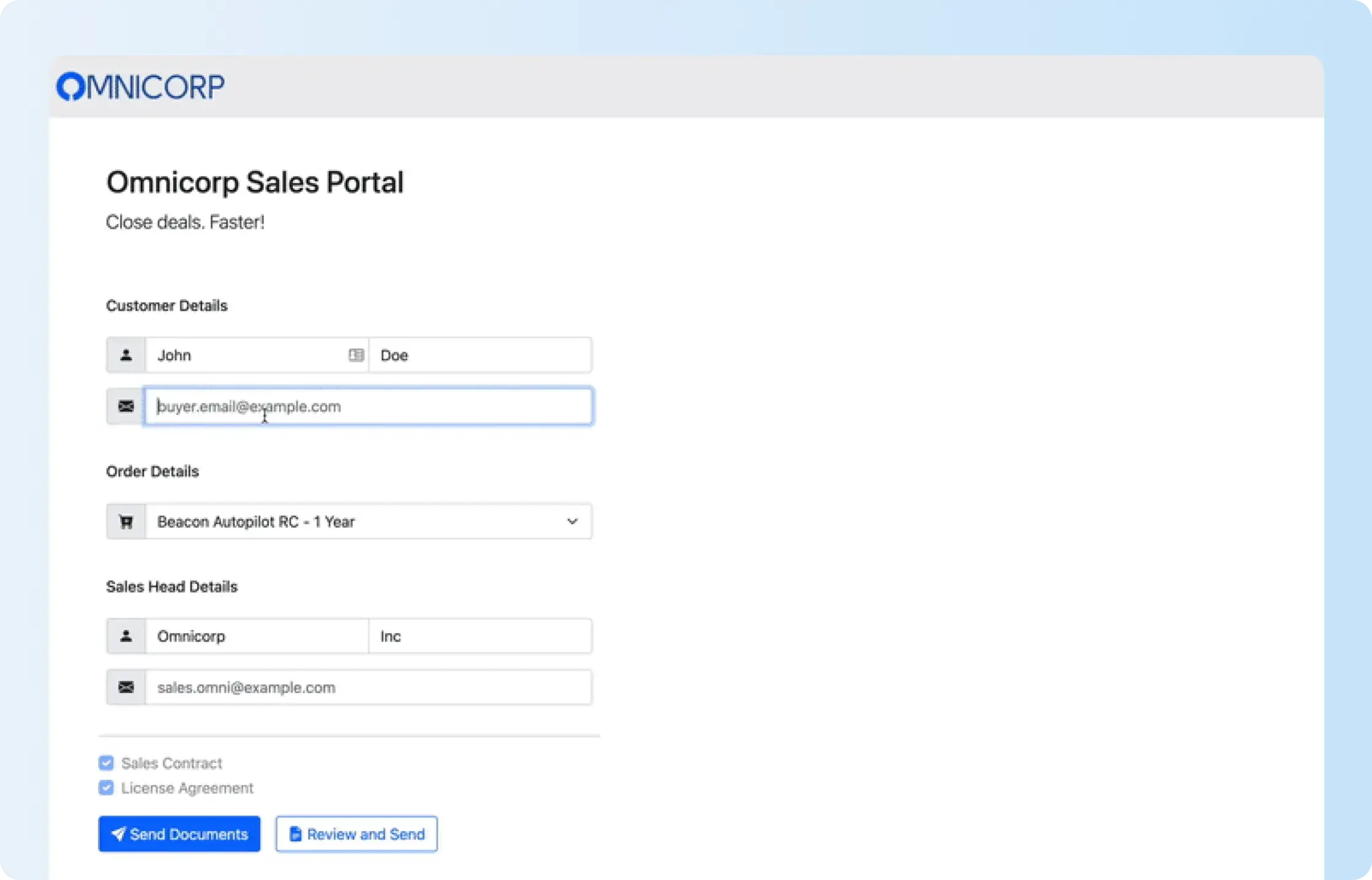
The Signeasy eSignature API lets developers create a request using an existing document or template. The host application assigns recipients and opens the signing interface without directing customers to a separate product.
Webhooks notify the application as the request progresses. The application can then retrieve the completed document once every required signature has been collected.
These functions are available in Intermediate. Developers can review the endpoint structure and implementation requirements in the Signeasy developer documentation.
See how ZenEquity integrated Signeasy API
ZenEquity, an equity-management platform, needed employees to sign grant documents without leaving the product.
ZenEquity used Signeasy's embedded signing API to open grant letters in a pop-up within its existing interface. After employees completed their signatures, the application returned to the grant workflow.
ZenEquity also maintained separate templates for clients with different grant-letter requirements. According to the published case study, the API integration took approximately one month with support from Signeasy.
The customer example demonstrates an implemented embedded-signature workflow. The reported timeline reflects ZenEquity's project and should not be treated as a standard delivery guarantee.
Move existing signing workflows to Signeasy
An API migration changes the integration points between the signing provider and the host application. Existing templates, recipient roles, and webhook events need to be mapped to the replacement endpoints.
Agreements already awaiting signatures also require a defined transition process. The business should establish how existing completed documents remain accessible after migration.
Signeasy offers white-glove migration assistance for eligible customers. A competitor contract buyout option is also available for qualifying businesses with commitments to another provider.
The Zoho Sign alternatives guide provides a broader comparison of signing products. For API migrations, the technical scope and buyout eligibility are confirmed with the Signeasy team.