


How much will Docusign IAM cost your team? Docusign IAM pricing runs from $40 to $80 per user per month depending on billing, but the annual subscription, seat minimums, usage allowances, and paid services can change the actual commitment. Docusign positions IAM as a new software category for intelligent agreement management, combining eSignature, agreement management, AI, and workflow tools. This guide breaks down Docusign IAM pricing so you can compare the plans against your specific needs.
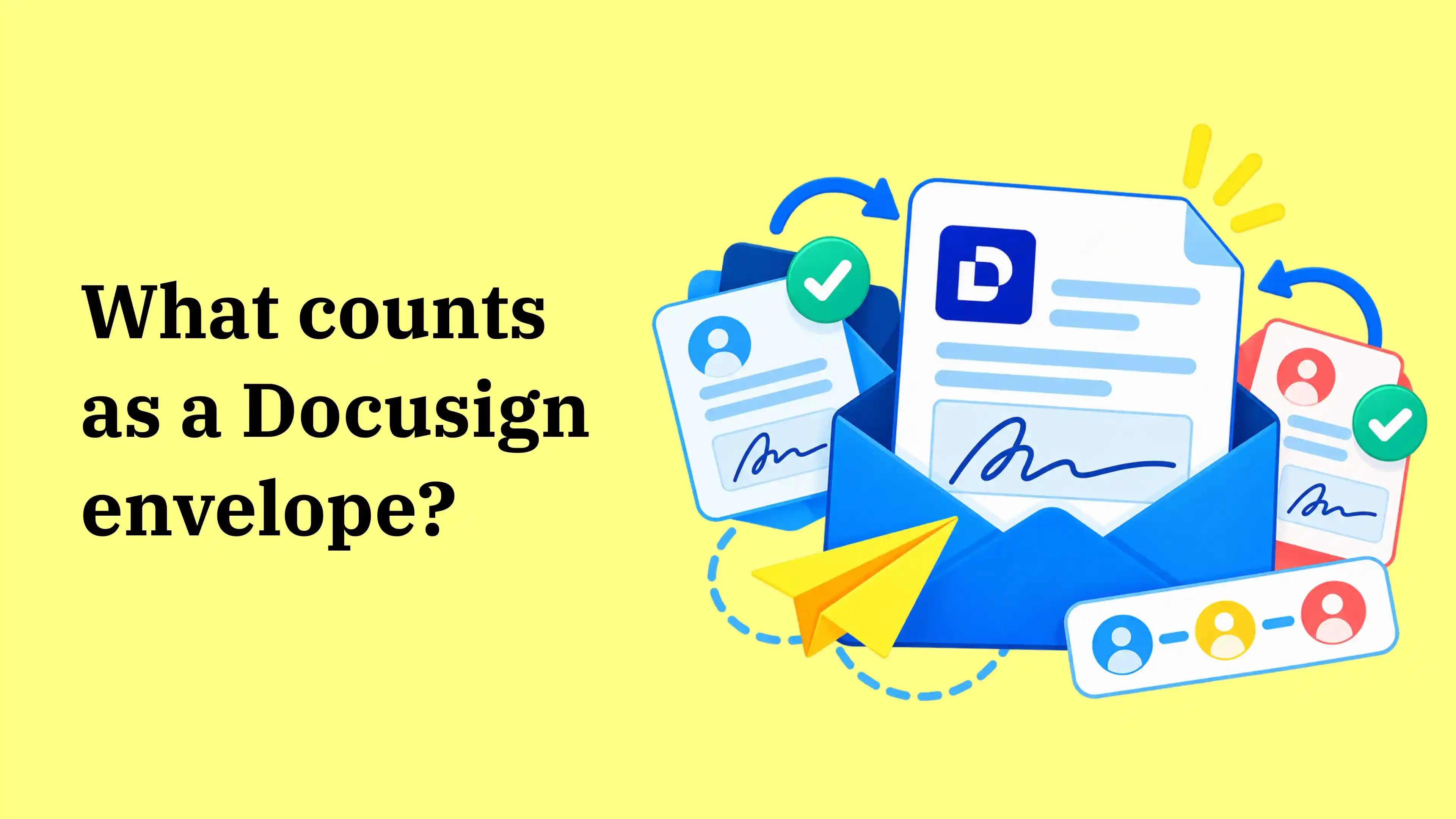
In Docusign, an envelope is the electronic container used to send one or more documents for electronic signature. A given envelope can include several documents and multiple recipients of your agreements, but once sent, it generally counts once toward the applicable allowance and becomes part of the electronic record for that transaction.
How much does Docusign IAM cost?
Docusign IAM pricing changes based on how you pay. On Annual | Billed monthly, Starter costs $45 per user per month, Standard $50, and Professional $80. Paying the annual amount upfront lowers those monthly equivalents to $40, $45, and $75, but Standard and Professional still require at least 3 users.
Here’s how Docusign IAM pricing changes by billing option:
The per-user difference looks small until the seat minimum is applied. On Annual | Billed monthly, moving from Starter to Standard takes the minimum commitment from $45 to $150 a month because Standard requires 3 users.
That is still the base subscription. Automated sends and paid services can add to the total Docusign IAM cost, so the next step is to check what each plan includes and how your team actually sends agreements.
💡Note: Docusign offers different rates depending on the billing option you choose. Check the current pricing page before calculating your final yearly cost.
Which Docusign IAM plans are available in 2026?
Docusign IAM has three published self-serve plans: Starter, Standard, and Professional plus Enhanced plans with custom pricing for requirements beyond the self-serve tiers. They differ in user minimums, workflows, eSignature features, and sending allowances.
Before comparing them, answer three questions:
- How many people need access?
- How often does your team send contracts?
- How much of that sending happens through forms, Bulk Send, or integrations?
Those answers are important because the Docusign IAM pricing plans treat regular web and mobile sending differently from automated sending.
Docusign IAM Starter
Docusign IAM pricing for Starter begins at $45 per user per month on an annual plan, billed monthly, and can be purchased for a single user. It includes 100 envelope sends per user per year.
This works out to roughly eight sends each month if you spread them evenly. Monthly IAM Starter plans use a different allowance of 10 sends per user.
Starter is best for an individual or very small team with predictable agreement volume that stays within the 100-envelope annual allowance. If contracts go out regularly or several people need access, the sending cap or single-user starting point can push you toward Standard.
Docusign IAM Standard
Docusign IAM pricing for Standard is $50 per user per month on Annual | Billed monthly or $45 per user per month equivalent when paid annually upfront. Standard requires at least 3 users, bringing the minimum annual commitment to $1,800 or $1,620 respectively.
Standard includes 3 workflows and unlimited envelope sending through Docusign’s web and mobile apps. The word “unlimited” needs context: annual Standard plans have a separate allowance of 100 automation sends per user across Web Forms, PowerForms, Bulk Send, custom integrations, and partner APIs.
Web Forms and PowerForms are not included on Standard. Standard is best for teams that mainly send agreements through the web or mobile app and can work within 3 workflows. If forms, Business Pro signing features, or more workflow capacity are part of the day-to-day process, Professional is the closer fit.
Docusign IAM Professional
Docusign IAM pricing for Professional is $80 per user per month on Annual | Billed monthly or $75 per user per month equivalent when paid annually upfront. With the 3-user minimum, that puts the annual commitment at $2,880 or $2,700 respectively.
Professional increases Workflow Builder capacity to 10 workflows and includes Business Pro eSignature features, Web Forms, PowerForms, Agreement Manager, and unlimited web and mobile envelope sending.
Automated sending still uses a separate allowance of 100 sends per user per year on annual plans. Professional is best for teams that genuinely use forms, several agreement workflows, and Business Pro signing features. If those workflows are occasional, the higher minimum cost and separate automation allowance are harder to justify.
Docusign Enhanced plans
For large enterprises, Docusign Enhanced plans use custom pricing based on the organization’s specific needs. The current Enterprise option includes IAM Professional features plus multiple brand variants, document visibility controls, AI-Assisted Review, signing groups, centralized organization management, and 24/7 live technical support. Buyers should also confirm the security commitments and data protection policies that apply to their deployment, especially when IAM sits within a wider portfolio of applications.
Three IAM tiers, different seat minimums, and different sending rules — see what the equivalent workflow looks like in Signeasy ICM.
What features are included in each Docusign IAM pricing plan?
Docusign IAM pricing rises as workflow capacity and eSignature features expand. Docusign Agreement Manager organizes agreement data and supports AI-powered agreement work, while Docusign Workflow Builder handles configurable agreement workflows. Docusign artificial intelligence capabilities span search, management, analysis, and assisted review depending on the plan and feature. The question is whether your team will use those capabilities often enough to pay for the higher tier.
The table below shows what each Docusign IAM plan delivers:
Standard is the middle ground for teams that want Agreement Manager and more web/mobile sending without moving to Business Pro features. Professional makes more sense when Web Forms, PowerForms, or 10 workflows are part of regular work. If those features would sit unused, the plan upgrade adds cost without solving a new day-to-day problem.
Paying for workflows your team may barely use? Compare the setup with Signeasy ICM.
How much does Docusign cost if you only need eSignature plans?
If you only need eSignature software, Docusign’s Annual | Billed monthly plans start at $11/month for Personal, $30/user/month for Standard, and $45/user/month for Business Pro. These plans cover signing without the broader Agreement Manager and Workflow Builder features included with IAM.
For teams whose main job is preparing, sending, and tracking documents for signature, these plans are the more relevant starting point. Paying for IAM makes more sense only when the repository, AI, or workflow layer solves an additional problem.
Here are Docusign’s standalone eSignature plans:
Docusign Personal
The Docusign Personal plan costs $11 per user per month under annual billing and is designed for one user. It includes five envelope sends per month along with features such as reusable templates, mobile signing, notifications, reminders, and audit trails.
Personal is best for one person who sends only a few agreements each month. Once several people need sender access or the team regularly exceeds 5 monthly envelopes, Standard becomes the more relevant plan.
Docusign Standard
Docusign Standard costs $30 per user per month with annual billing and includes 100 envelope sends per user per year. It fits teams that need shared eSignature workflows, reusable templates, reminders, notifications, and signer management without payment collection, Bulk Send, or the IAM repository and workflow layer.
Docusign Business Pro
Docusign Business Pro costs $45 per user per month with annual billing and adds payment collection, Bulk Send, signer attachments, and advanced fields. It fits teams that use those signing features regularly but do not need Agreement Manager or IAM workflows.
Docusign Enhanced eSignature Plans
Docusign Enhanced eSignature plans use custom pricing for businesses that need more control over security, organization-wide account management, enterprise support, or integrations.
Before paying for IAM, decide whether your team actually needs the contract-management layer. If your main requirement is sending and signing, an eSignature-only plan can be enough.
What can increase the actual cost of Docusign IAM?
Docusign IAM pricing goes beyond the listed per-user rate. The total changes based on how your team sends agreements, the allowances that apply, and any paid services you use.
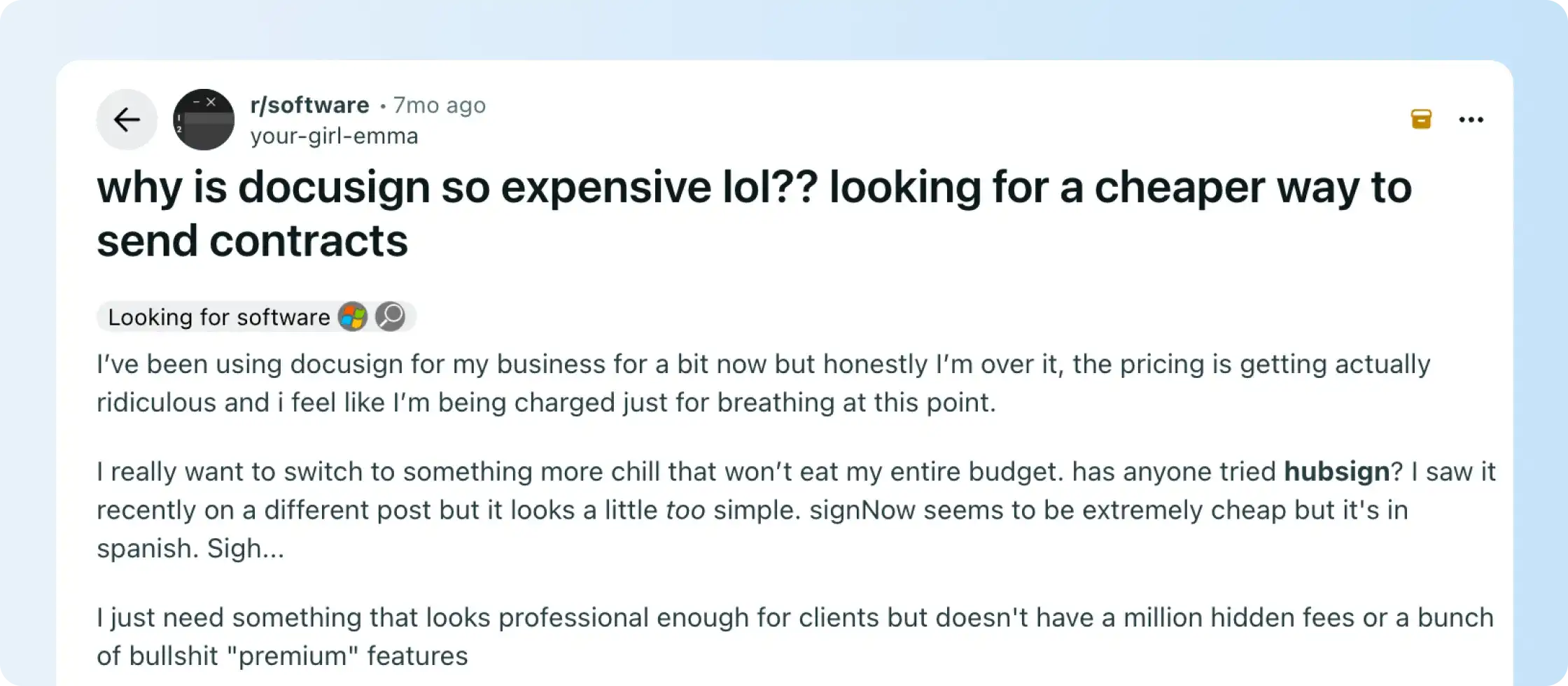
User discussions can also highlight where extra costs or usage restrictions show up in practice.
Before signing, clarify these 6 points with Docusign:
1. How are your envelopes actually being sent?
The Starter pack has a defined annual envelope allowance, while the Standard and Professional packs provide unlimited envelopes through the web app.
But if your contracts are sent through automated workflows, integrations, Web Forms, PowerForms, or Bulk Send, different allowances can apply.
Map your existing sending methods before comparing plans.
2. How much automation does your team use?
Annual IAM Standard and Professional plans include 100 automation sends per user per year across Web Forms, PowerForms, Bulk Send, custom integrations, and partner API integrations. Monthly plans allow up to 10 automation sends per user per month.
Teams using forms, Bulk Send, or integrations use the automation allowance more quickly than teams sending mainly through the web app.
3. Do you need SMS or WhatsApp delivery?
Docusign lists SMS or WhatsApp delivery as an additional paid option, starting at $0.36 per delivery.
At occasional volume, the charge has less effect on total cost. For teams that rely on SMS or WhatsApp delivery across a large volume of agreements, it belongs in the total-cost calculation. IAM Professional includes unlimited multi-channel delivery for web-app sends, so the impact differs by plan.
4. Do you need identity verification?
Recipient identity verification starts at $2.40 per verification attempt.
This is most relevant to teams that require stronger identity checks across many agreements. If ID verification is rare, it will have much less effect on the final bill.
5. Are you comparing the seat price or the actual minimum commitment?
Standard and Professional both require three seats.
That makes Standard and Professional harder to justify for a 1- or 2-person team, even when the per-user rate looks close to Starter. For those teams, the 3-seat minimum determines the starting cost more than the headline per-user price.
6. What happens at renewal?
Docusign IAM pricing can change at renewal, so confirm both the renewal rate and the usage included before you sign.
Ask Docusign to confirm renewal terms and the usage included in your plan. You should also understand how discounts or add-ons change after the first term.
User discussions can give you useful questions for the sales call, especially around envelope limits or renewals. Treat them as individual experiences rather than proof of how every Docusign account works.
Signeasy fits teams that mainly need contract storage, AI summaries, contract search, renewal reminders, and controlled access after signature. Compare Signeasy ICM pricing with the IAM plan your team would otherwise need.
Bring your seats, automation volume, and add-ons. We’ll compare the real setup, not just the headline rate.
Is Docusign IAM worth the cost in 2026?
Docusign IAM pricing makes the most sense when your team regularly uses Agreement Manager, several Workflow Builder workflows, automated sending, or Business Pro signing features. Standard includes 3 workflows, while Professional increases that to 10 and adds Web Forms and PowerForms.
If most of your contract work such as finding final agreements, checking key terms, tracking renewals, and controlling access happens after signing, the extra workflow capacity is less central to the job.
That is where it makes sense to compare Docusign IAM with a more focused contract-management option such as Signeasy ICM.
How does Signeasy compare with Docusign IAM for growing teams?
Signeasy fits growing and mid-sized teams whose specific needs center on eSignature, searchable contract storage, AI-assisted contract search, renewal tracking, and controlled access. Docusign IAM extends further into agreement data, workflow automation, and broader agreement administration.
ICM Core starts at $45 per seat per month with a 3-seat minimum, bringing the starting cost to $135 per month. ICM Pro starts at $60 per seat per month, or $180 for 3 seats. By comparison, Docusign IAM pricing on Annual | Billed monthly starts at $150 per month for Standard and $240 for Professional.
The price difference changes with Docusign’s billing option, so compare the products around the work your team actually performs. Docusign provides more Workflow Builder capacity and broader automated-sending options. Signeasy focuses on signing agreements, keeping final contracts searchable, answering questions across them, and tracking renewals.
Here’s how Docusign compares with Signeasy:
See how your current Docusign workflow maps to Signeasy ICM.
How much does Signeasy ICM cost?
Signeasy offers transparent pricing for ICM Core and ICM Pro, plus a custom Build Your Plan option.
Signeasy ICM Core therefore starts at $135 per month for three seats, while ICM Pro starts at $180 per month before taxes.
Build Your Plan is available for businesses that need tailored security, compliance, volume, onboarding, or pricing requirements.
Need Core, Pro, or a custom setup? Walk through the requirements with our team.
How does Signeasy help teams manage contracts after signing?
Signeasy focuses on the work that happens after a contract is signed: finding the final agreement, checking key terms, tracking renewal dates, and controlling who can access it.
Those tasks are handled through its searchable repository, AI contract tools, renewal tracking, and Shared Workspaces.
Signeasy keeps signed contracts easy to find
Contracts often feel organized until someone needs the final version. One copy sits in an inbox, another lives in a shared drive, and the signed copy is hard to confirm.
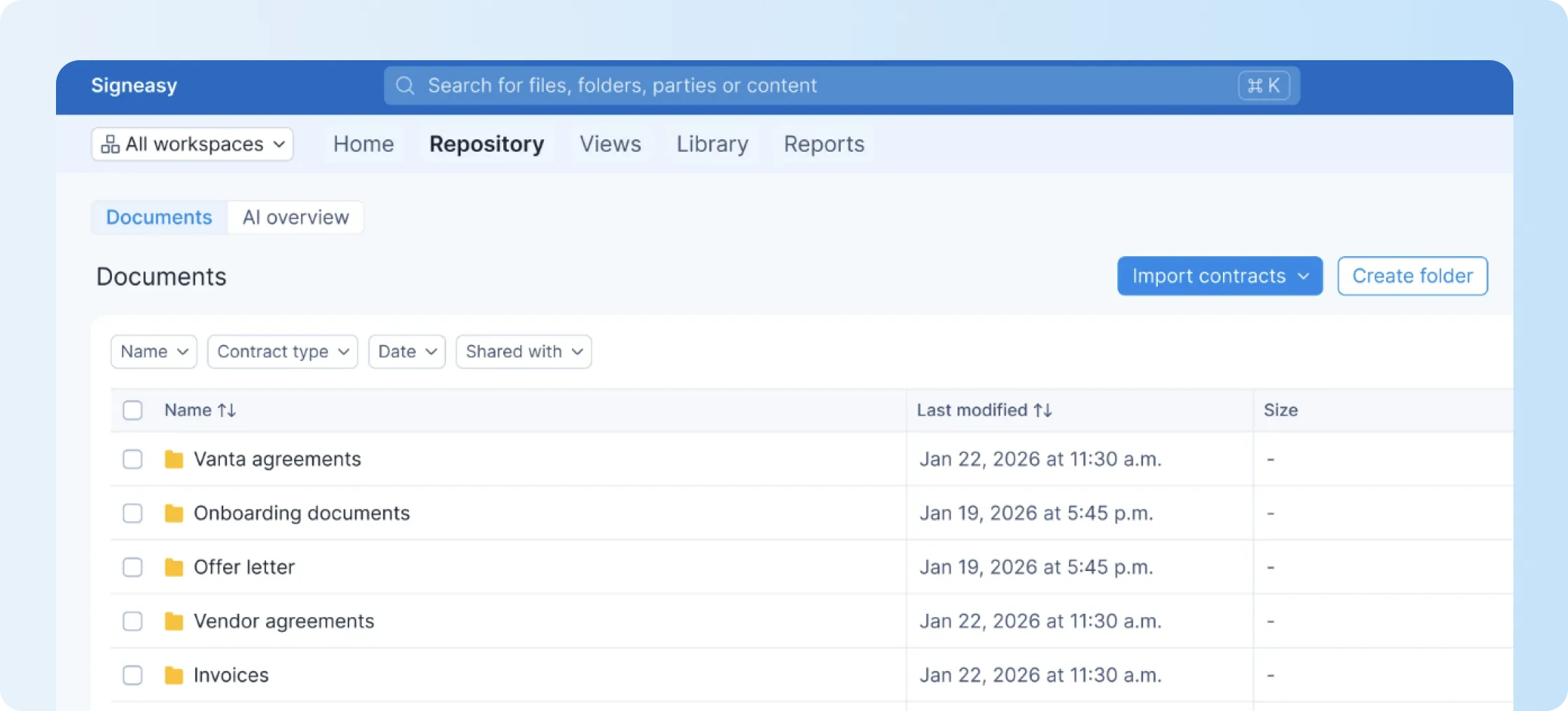
Signeasy brings signed and uploaded contracts into one searchable contract repository with folders, tags, filters, and views. That gives teams faster access to final records without asking around.
AI summaries surface key contract details
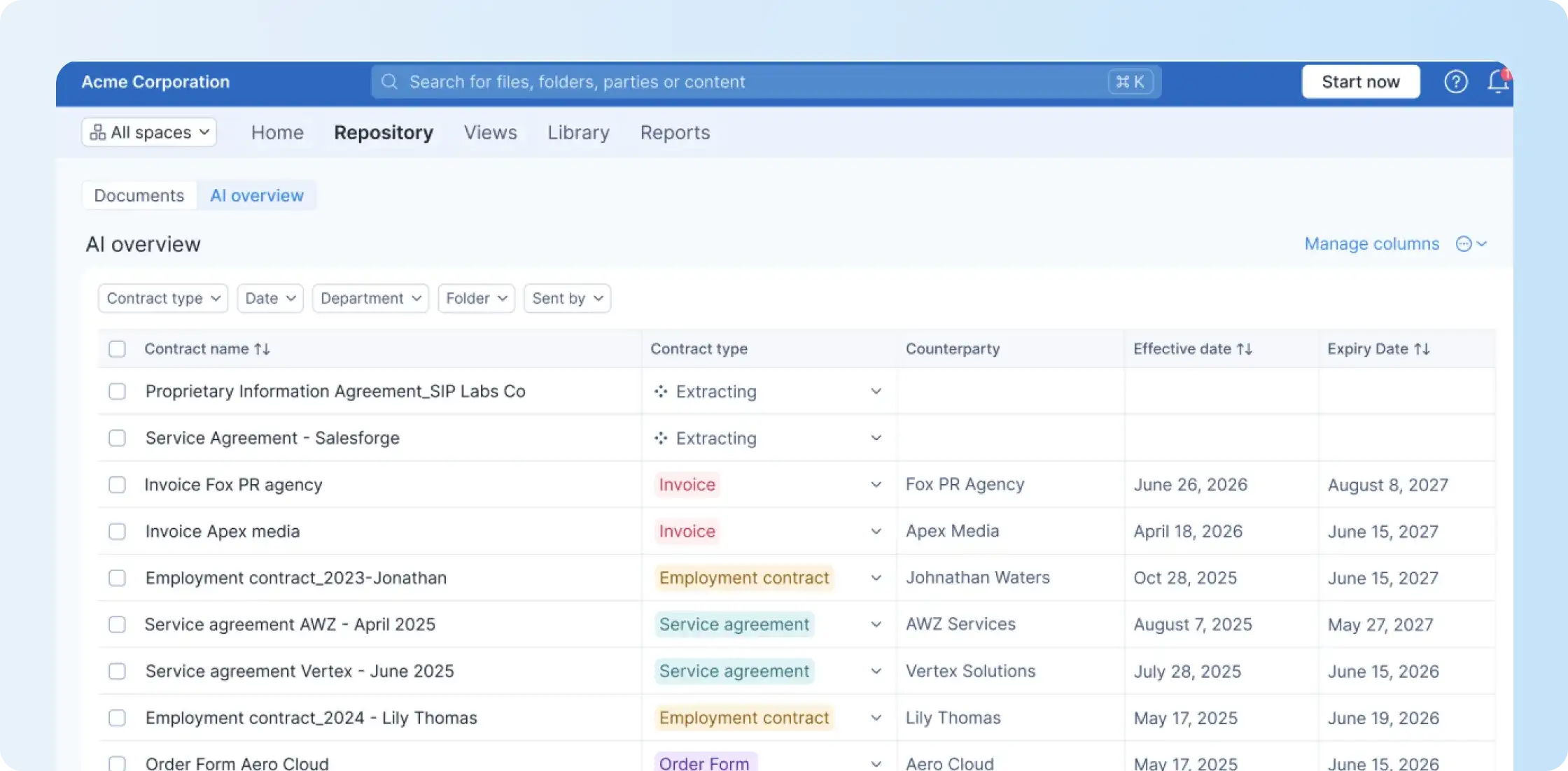
Signeasy's AI contract insights help summarize contracts and surface key terms, dates, parties, values, and obligations faster.
This gives business users a concise view of key contract information while keeping legal judgment with the appropriate reviewer.
Conversational AI search helps teams ask direct questions
Search becomes more useful when your team can ask a direct question instead of opening every file.
Signeasy’s conversational AI search helps users ask questions across stored contracts and follow up with related questions. This can help teams find renewal dates, contract values, obligations, or party details without having to manually read multiple documents.
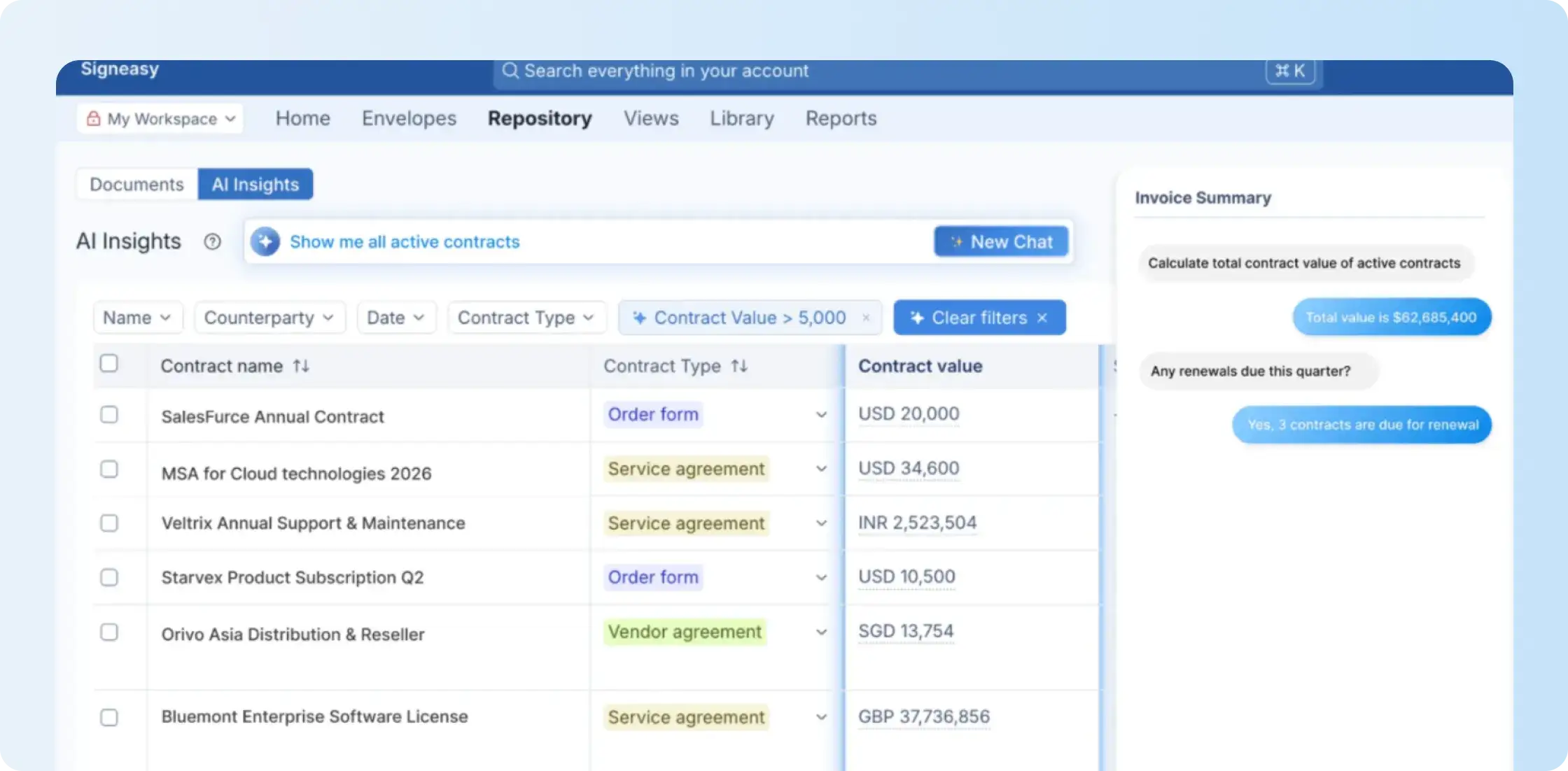
💡Insight: You can use conversational AI in Signeasy to answer questions like:
Which contracts expire this quarter?
What is the value of this contract?
When does this contract renew?
What obligations are listed in this contract?
Renewal alerts reduce last-minute contract surprises
A missed renewal date can leave a vendor contract renewing before anyone reviews the terms or a customer agreement expiring before the team has time to act.
Signeasy's contract renewal tracker surfaces upcoming renewal, expiration, termination, and review dates well before the deadline lands. Signeasy automatically tracks renewal, expiry, and termination dates and supports configurable reminders before deadlines.
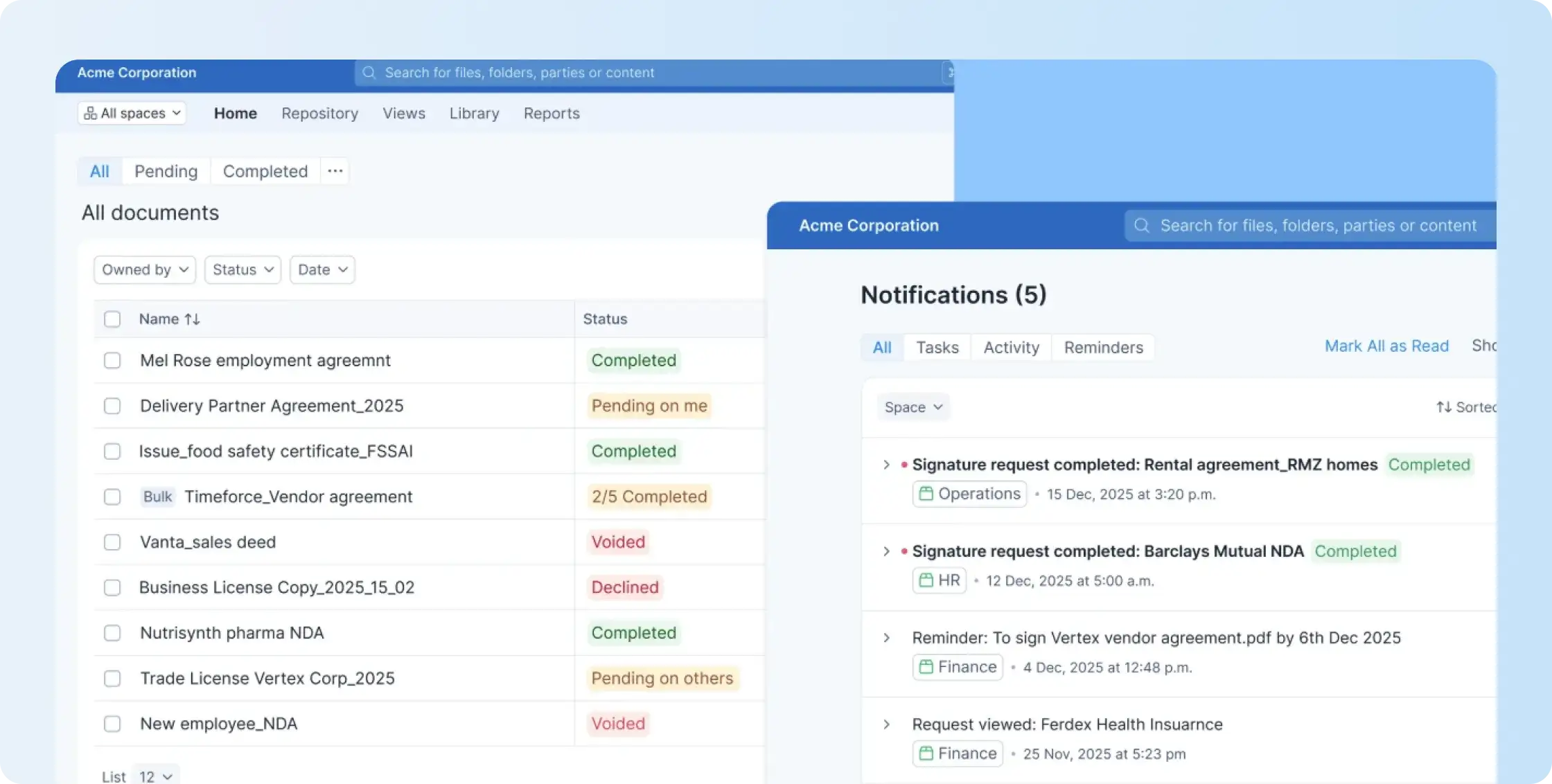
Teams can also use custom views and activity logs to monitor upcoming contract actions, and reports can be exported to CSV as needed.
Shared Workspaces keep access clean and controlled
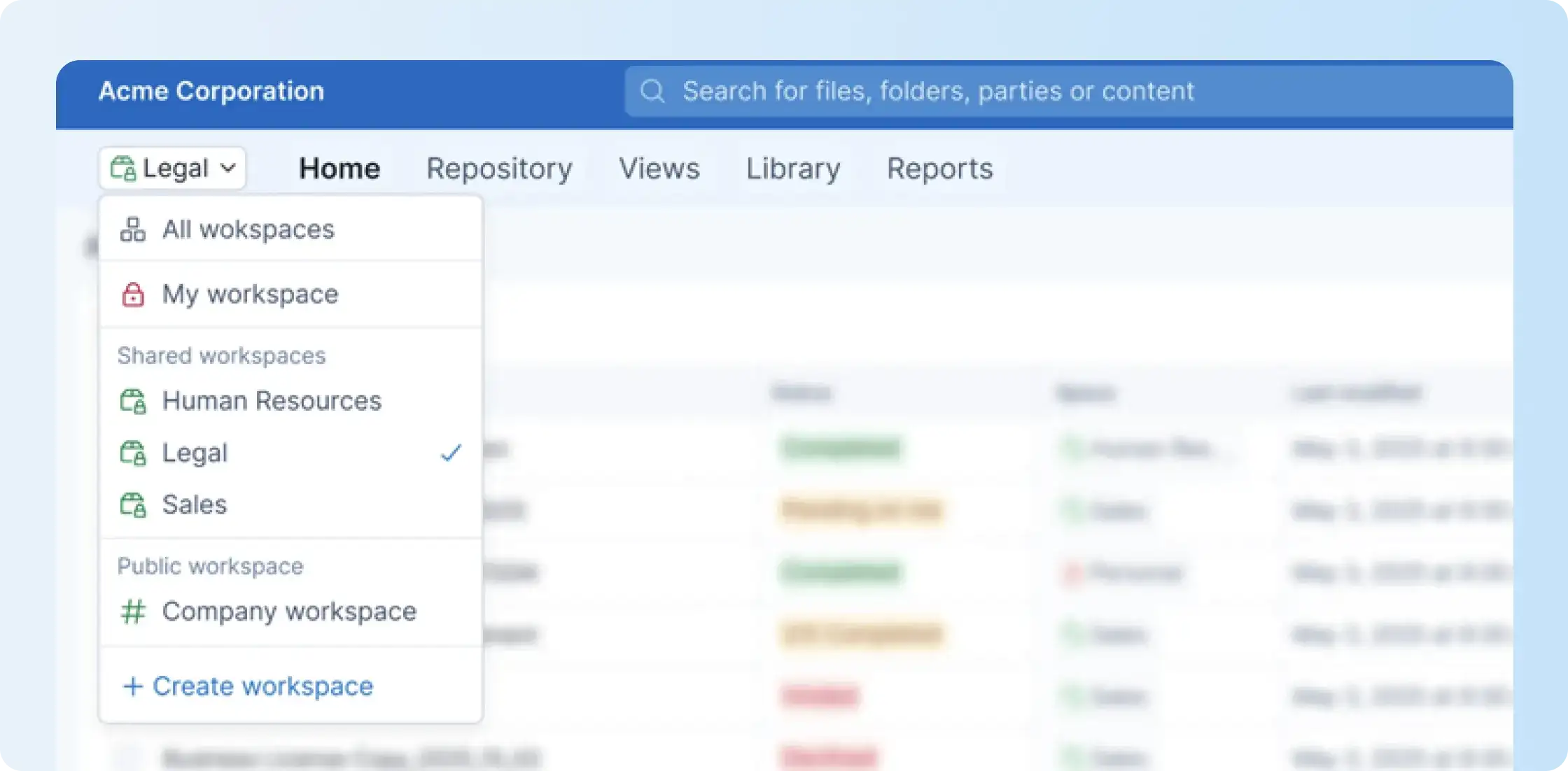
Not every contract should be visible to everyone. Signeasy’s Shared Workspaces help teams organize contracts by function, project, or business unit, with role-based access for members and admins.
This keeps contract access secure while helping the right people find what they need. You should review the Signeasy compliance page to check the latest privacy and compliance requirements.
Signeasy also connects with various third-party tools. If your contracts live across Microsoft and Google systems, the SharePoint integration and Google Workspace integration can help teams keep signing and contract management closer to daily work.

When should teams choose Signeasy ICM over Docusign IAM?
If you’re comparing Docusign IAM pricing with Signeasy ICM, start with the work your team needs after signing. Choose Signeasy ICM when your team mainly needs eSignature, searchable contract storage, AI-assisted contract search, renewal tracking, and controlled access rather than Docusign’s broader workflow and automated-sending setup.
Signeasy is a strong fit if your team values:
- Transparent pricing - Clear ICM pricing lets you understand your starting commitment before speaking with our sales team.
- Easy contract retrieval - Signed contracts stay easier to find when your team keeps them in one searchable repository.
- Proactive renewal management - Renewal alerts give your team more time to act before important dates become urgent.
- Controlled access - Business users can access relevant contracts without giving everyone access to every sensitive record.
- Faster answers - Conversational AI answers common contract questions that would otherwise require manually opening and reviewing files.
- Focused contract workflows - Store, search, track, and work with agreements without adding workflow features your team does not plan to use.