


Yes, Docusign signatures are legally binding for many business and personal agreements. But signing through Docusign doesn't automatically make every contract enforceable. The person must intend to sign, the electronic signature must be linked to the agreement, and the transaction must meet the law that applies to it. This guide explains what Docusign records, what that evidence proves, and when extra legal requirements apply.
Is Docusign legally binding? Five requirements
A Docusign signature is legally binding when the electronic-signing process and the underlying agreement satisfy the applicable legal requirements. The U.S. Electronic Signatures in Global and National Commerce Act (ESIGN Act) recognizes electronic sounds, symbols, and processes adopted with intent to sign. Five requirements help establish whether the signing action has legal effect in a covered transaction.
1. The signer intended to sign
Establishing a legally binding signature starts with evidence that the person deliberately adopted the electronic action as their own. They might type their name, draw a mark, or select a button that indicates signing. The shape of the signature is less important than what the person understood they were doing. An unclear button that merely says “Continue” presents a different evidence question from a visible “Sign” action beside the agreement.
Our explanation of electronic signatures covers these different ways to express signing intent.
2. The parties agreed to use electronic records
Electronic signing generally requires agreement to conduct the transaction electronically. In many business settings, conduct and surrounding circumstances help establish that consent. U.S. federal law imposes specific affirmative-consent and disclosure requirements when certain legally required written information is provided electronically to consumers.
Consent to use electronic records is separate from agreement to the contract's terms. Accepting electronic delivery does not mean someone has accepted an offer they haven't reviewed.
3. The signature is attributable to the person
If a signer later denies signing, the business needs evidence connecting the person, the electronic action, and the specific document. An email address, timestamp, IP address, and any identity checks help reconstruct the event. None proves identity beyond dispute on its own: an account or device might be shared or compromised.
A guide to electronic signature verification explains the role of signer evidence and document integrity in that assessment.
4. The signed record can be retained and reproduced
Where record retention mandates apply, electronic documents must accurately reflect the information signed and remain accessible for the required period. People entitled to keep the record must be able to reproduce it later. For a vendor agreement, this means retaining the completed terms and associated signing records, not merely a notification email saying that signing finished.
5. The underlying agreement is valid
Is Docusign legally binding when the underlying contract is invalid? No. An electronic signature does not cure defects in the agreement itself. A contract can still fail because a signer lacked authority or capacity, consent was obtained through fraud or duress, its purpose was unlawful, or a required formality was missing. These principles apply to electronic and handwritten signatures alike.
What evidence does Docusign create when someone signs?
Once the legal requirements are understood, the next question is what evidence survives if someone disputes a Docusign eSignature. Docusign records the signing transaction and makes several forms of evidence available; what they establish depends on the data collected and the dispute itself.
Certificate of Completion
Docusign creates a Certificate of Completion for an envelope. According to its documentation, the certificate can identify the envelope, sender and recipients, signature representations, important event times, and associated IP information. For instance, if a customer says an agreement was signed after an offer expired, the event timestamps help establish the sequence of events.
Is Docusign legally binding solely because its records show an IP address? No. An IP address identifies a network connection, not necessarily the person's physical location or exclusive control of the device. The Certificate of Completion supports the signing history, but disputed identity requires the available authentication records and surrounding evidence.
Envelope history and audit trail
The envelope history records when a document was sent, viewed, signed, printed, or declined. Together with the Certificate of Completion, these detailed audit trails help establish which actions occurred before completion.
These records matter differently depending on the dispute. If a recipient challenges the signing date, the timeline is relevant. If they claim someone else accessed their email, the history must be considered alongside the authentication method used.
Authentication and document integrity
Docusign supports additional recipient authentication options, including identity verification services for eligible workflows. A sender who requires an extra identity check creates different attribution evidence from a sender relying only on access to the recipient's email. Docusign also applies tamper-evident protection to completed documents, helping identify later alterations.
This evidence strengthens the account of how signing happened. It does not prove that the signer had authority to bind a company or that the document's clauses were enforceable. Our overview of Docusign security and signer verification covers the difference between access controls and agreement validity.

Need to retain evidence when your team sends business agreements? See how Signeasy records the signing process and provides downloadable audit trails.
When is Docusign legally binding, and what can invalidate an agreement?
Is Docusign legally binding simply because an envelope is marked complete? No. Completion establishes that the platform recorded the signing activity, but it does not resolve every legal requirement affecting the agreement. The following situations can still affect enforceability.
The signer lacked authority
A purchasing employee might sign a supplier contract despite company policy requiring a director's approval. The signing record confirms an action from that recipient, but it doesn't establish the employee's authority to bind the organization. Businesses need role and approval records alongside the signed contract.
The signer lacked legal capacity
Capacity rules still apply when a document is signed electronically. If a person lacked the legal capacity required for the transaction, recording their signature electronically doesn't cure that issue.
The agreement involved fraud or duress
Is Docusign legally binding when a person was deceived or coerced into signing? Not automatically. Fraud or duress can provide grounds to challenge the agreement. A timestamp showing that the recipient selected Sign does not, by itself, establish that consent was informed and voluntary.
The contract terms were unenforceable
An unlawful clause doesn't become valid because the file carries a completed electronic signature. The parties must still satisfy ordinary legal requirements such as mutual assent, a lawful purpose, and consideration where required. Our contractual agreement guide covers these underlying requirements.
A required formality was missing
A document might require a witness, notarial act, government filing, or a particular signature standard. Ordinary eSigning only captures signatures. It does not automatically perform those separate legal acts. The next section identifies the document categories where a standard signing process deserves additional review.
Is Docusign legally binding for every type of document?
Electronic signing is widely accepted for many commercial contracts, but some types of documents have statutory exclusions or additional execution requirements. That doesn't mean every document in these categories must be signed on paper; it means the ordinary ESIGN rule cannot be treated as the complete legal answer.
Documents outside the federal ESIGN Act's general rule
The ESIGN Act excludes certain records from its general electronic-signature provisions. The specified categories include:
- Wills, codicils, and testamentary trusts governed by applicable creation and execution laws.
- Adoption, divorce, and other family-law matters governed by state law.
- Court orders, notices, and certain court filings or other official documents required in connection with court proceedings.
- Notices of utility termination; certain primary-residence default, foreclosure, and eviction notices; and termination of specified health or life insurance benefits.
- Product recall or material-failure notices involving serious health or safety risk.
- Documents required to accompany transportation or handling of hazardous materials, pesticides, and other dangerous substances.
The statute also addresses specified Uniform Commercial Code provisions. Federal exclusions do not mean a state cannot separately authorize an electronic process for a particular document. For instance, electronic-will and electronic-court-filing rules are governed by their own applicable requirements.
Documents with additional execution requirements
Is Docusign legally binding when the document also requires notarization or recording? An electronic signature alone does not satisfy those additional formalities. Certain real estate instruments require a notarial act and official recording, while some regulated records require specific authentication or signature standards. A standard Docusign envelope does not perform a notarial act.
Docusign offers a separate Notary service for eligible remote online notarization. Its use still follows the rules governing the notary's jurisdiction and the particular instrument. The same distinction applies when signing business contracts electronically: the signing workflow must be chosen after checking the document's formal requirements.
Signing NDAs, vendor agreements, and employee documents across teams? See how Signeasy handles routine business signatures and the evidence retained with completed files.
Is Docusign legally binding in different countries?
Yes. Whether Docusign is legally binding depends on the jurisdiction and the type of transaction. The United States and European Union recognize electronic signatures under different frameworks, so a single global claim doesn't describe every legal requirement.
How is Docusign legally binding under U.S. law?
The federal ESIGN Act generally prevents an electronic signature or contract from being denied legal effect solely because of its electronic form in covered transactions. State enactments of the Uniform Electronic Transactions Act (UETA), and similar state laws, address electronic records and signatures at the state level.
Neither framework removes normal contract defenses or the exclusions discussed above. For certain consumer disclosures, ESIGN also requires affirmative electronic consent and information about access, paper copies, and withdrawal. Digital signatures use cryptographic methods to help verify document integrity, while wet ink signatures are handwritten on paper documents. Neither method replaces the underlying legal obligations.
How is Docusign legally binding under EU eIDAS?
Article 25 of the EU's eIDAS Regulation says electronic signatures cannot be denied legal effect or admissibility as evidence solely because they're electronic or because they aren't qualified electronic signatures. A qualified electronic signature (QES) has the equivalent legal effect of a handwritten signature.
Not every Docusign signing session is a QES. Docusign supports different signature levels through applicable services and trust-service arrangements. The required signature level varies across transaction types: a routine sales agreement and a regulated filing might need different configurations.
United Kingdom and other jurisdictions
The UK and countries outside Europe have their own electronic-signature rules and document exceptions. Canada, India, Australia, and other markets recognize electronic signatures under applicable laws, but the permitted method, required identification, and document exclusions vary.
For cross-border agreements, identify the governing law and where the document must be filed, recorded, or enforced. For specific legal questions about local signing formalities, seek legal advice from a licensed attorney familiar with the jurisdiction. A law recognizing electronic signatures is not a promise that every electronic-signing process will satisfy every jurisdiction's formalities. Our Docusign legal-workflow overview explores the practical business-document context separately from the rules governing individual transactions.
Sending agreements across several regions? Review signing evidence, recipient verification, and completed-document retention with our Signeasy team.
Is Docusign legally binding when a signature is disputed?
The practical question after “Is Docusign legally binding?” is how to keep a record that addresses the most likely dispute. Set up the signing process before sending the document, not after someone questions it.
Send the agreement to someone with signing authority
Check the recipient's identity and whether their role authorizes them to accept the terms. For supplier contracts, that might mean an approval from procurement or finance before the authorized company representative signs. The signed file and your internal approval record answer different questions.
Make the signing action unambiguous
Show the complete agreement and use signing instructions that identify the action as acceptance. Don't assume a generic acknowledgment or an unread attachment proves the signer accepted every term. The way a person reviews the record is relevant to the evidence of intent.
Match authentication to the transaction
Email verification can help confirm access to an address for a routine internal acknowledgment, but it does not by itself establish who controls the inbox. A high-value agreement or a transaction where impersonation is a realistic concern warrants stronger signer verification, such as an additional one-time code or supported identity checks. Account-login security for employees is not the same as verification of an external recipient.
Retain the completed agreement and its evidence
Store the signed agreement, Docusign Certificate of Completion, and any relevant authentication or internal approval records together. Ensure authorized teams can retrieve them for the required retention period. A useful document-signing workflow should therefore cover completed-file access, not just the moment a signature is collected.
Screen for additional legal requirements before sending
Check the document category, relevant jurisdiction, and whether witnessing, notarization, filing, or another signature standard applies. For an NDA or confidentiality agreement, routine electronic signing is generally recognized, assuming the underlying NDA is valid. A real-estate filing or a transaction subject to special statutory rules needs its own review.
Standardizing how different departments collect signatures? See reusable templates, signing order, and downloadable records in a Signeasy walkthrough.
Why Signeasy fits growing businesses that need legally valid eSignatures
The legal principles above apply to eSignature providers generally. Signeasy's eSignature software helps growing and mid-sized businesses send agreements, record signing activity, and retrieve completed documents. For routine commercial signing, the requirements remain the same: establish intent, retain the relevant evidence, and satisfy the law governing the agreement.
Support recognized eSignature legal frameworks
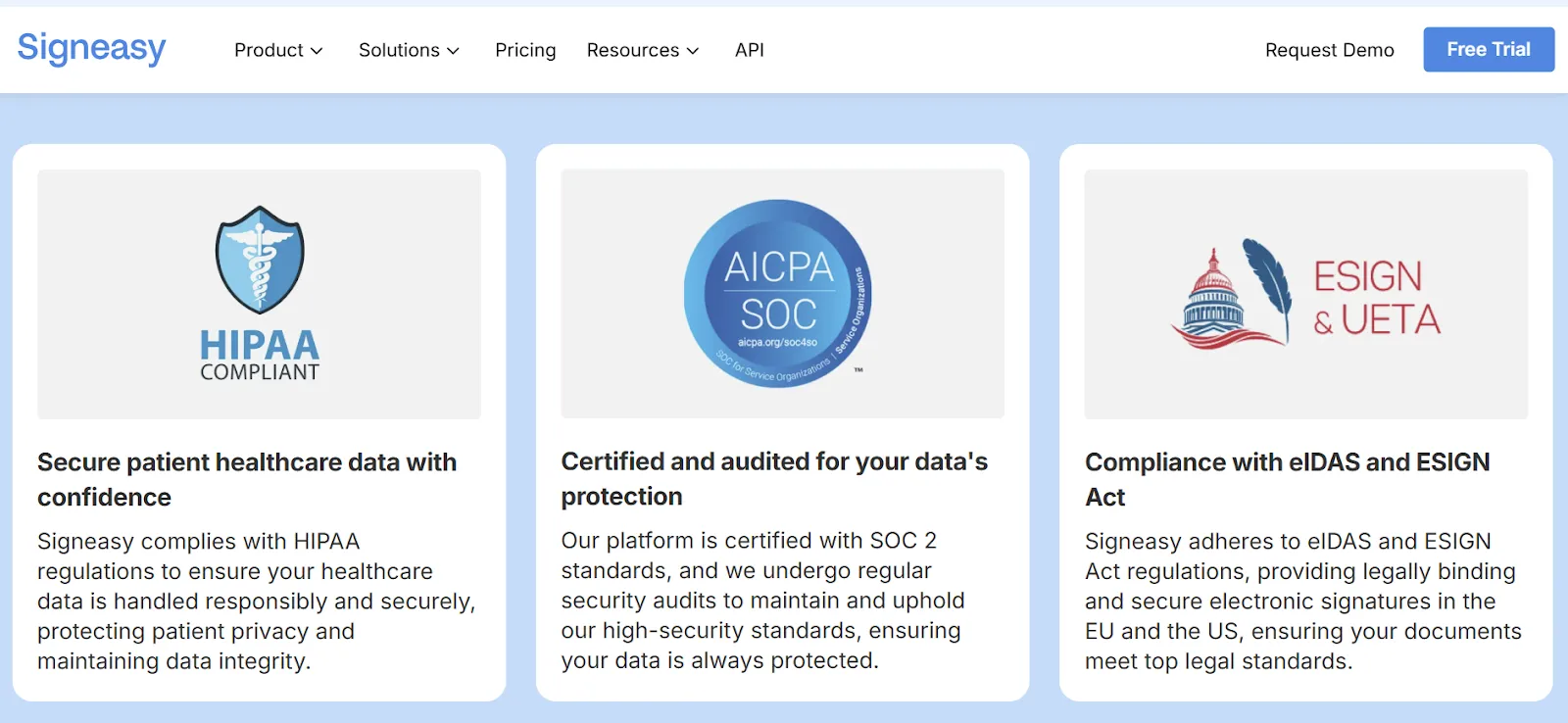
Signeasy supports electronic-signature workflows under the U.S. ESIGN Act and UETA and the EU's eIDAS framework. Businesses use Signeasy for employment documents, nondisclosure agreements, customer contracts, and vendor agreements. The signing service supports the electronic process; the law governing each agreement still determines whether the document is enforceable.
Our guide to the legality of electronic signature covers the same legal conditions across eSignature providers, including consent and record retention.
Keep a record of who signed and when
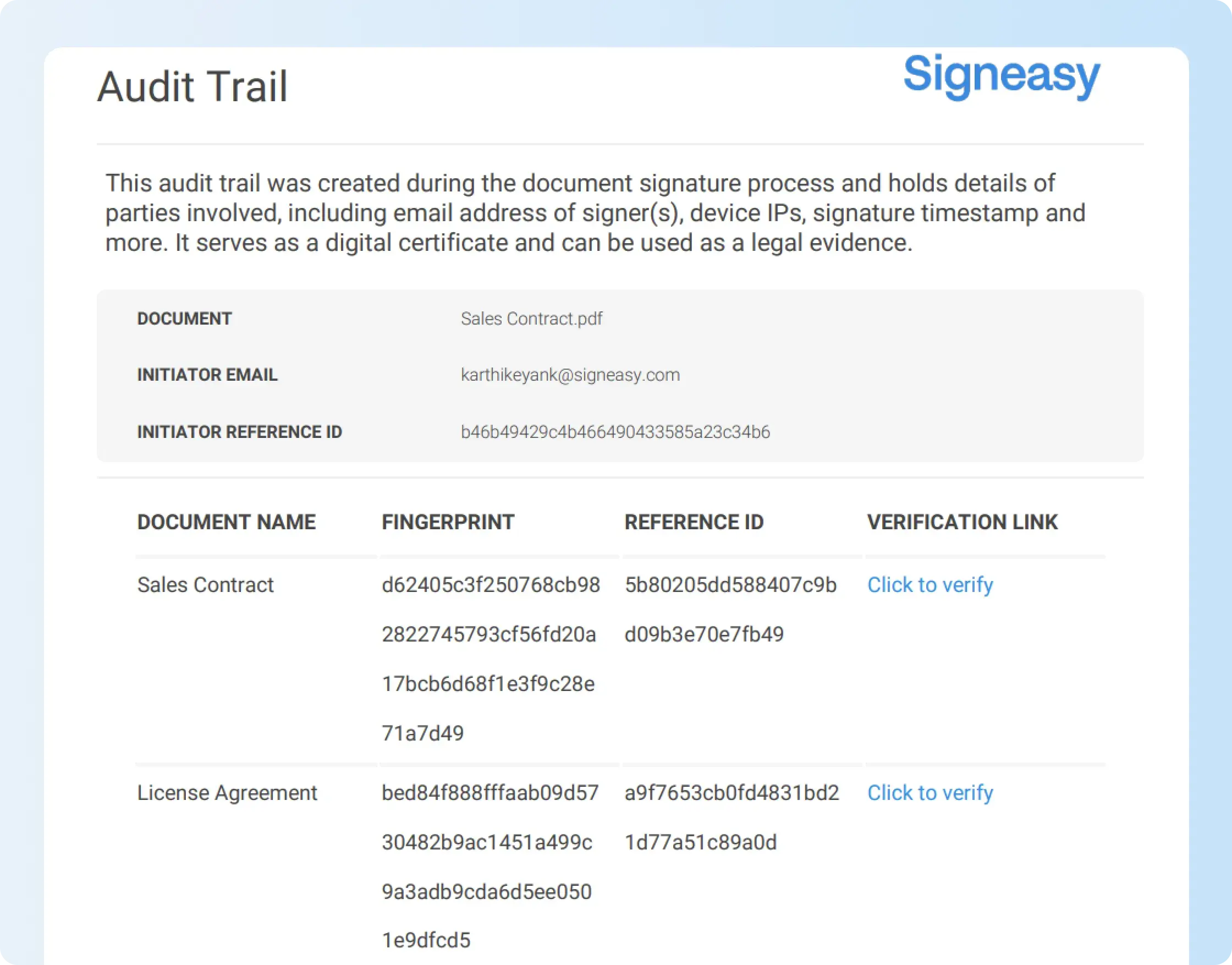
Signeasy provides an audit trail with completed signature requests. Depending on the workflow, the certificate records signer names and email addresses, IP information, authentication mode, signing and completion times, document fingerprints, and a link for checking document authenticity. If a customer later questions a signature, these fields give your team a starting record for investigating the event.
The completed-document view also lets users download the audit trail with the signed file or separately. Our signature certificate documentation explains the recorded fields, while the audit-trail download instructions show the action in the Signeasy web app.
Detect changes to completed documents
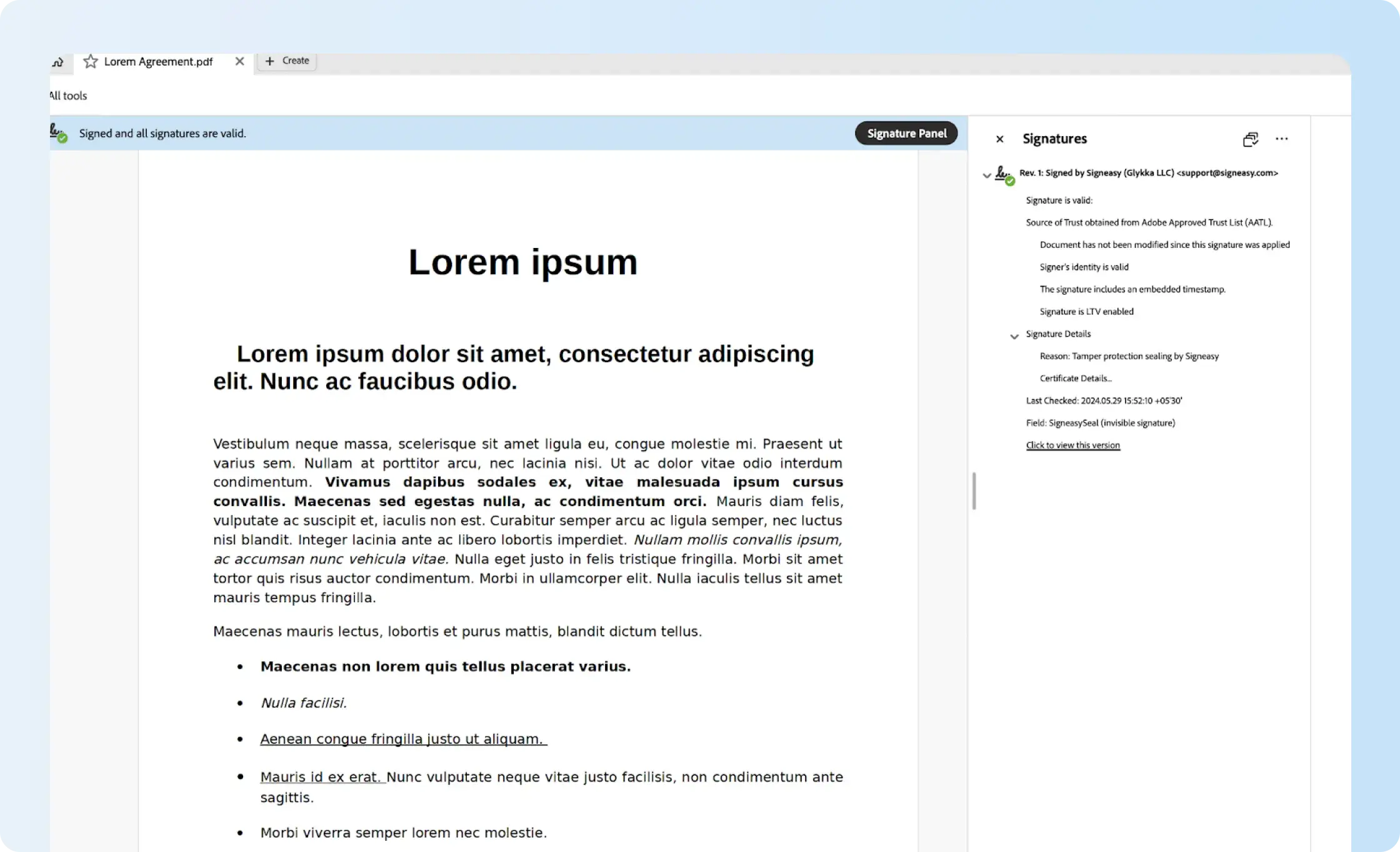
For documents needing additional integrity evidence, Signeasy Trust Seal adds a Public Key Infrastructure (PKI)-based digital seal after signing. A standard PDF reader displays whether the seal remains valid; changing the sealed document invalidates it. That helps determine whether the retained PDF differs from the version that was sealed.
The Trust Seal is a plan-specific feature, not a guarantee attached to every Signeasy subscription. Signeasy's current help center lists it for the Business Plus plan. It provides evidence of document integrity, not proof that the contract terms or the signer's authority were legally sufficient.
Keep routine signing manageable across teams
For use cases such as NDAs, sales contracts, and supplier agreements, Signeasy supports templates, signer routing, reminders, and access to completed agreements. HR teams can prepare offer letters, Sales can send customer agreements, and Procurement can collect supplier signatures without recreating the signing steps each time. The relevant improvement is consistency in how the document is sent and where its evidence is retained, not a claim of greater legal validity than Docusign.
Businesses comparing platforms can review Signeasy versus Docusign for signing workflows and plan differences or compare the best Docusign alternatives before switching. The same legal requirements apply whichever platform they choose.




.webp)
.png)