


Docusign is a secure eSignature platform. It uses encryption, audit trails, tamper-evident records, and identity verification options to protect documents and signing activity. But a secure platform doesn't guarantee that every signing request is legitimate. Scammers can impersonate Docusign or send fraudulent documents through registered accounts. Is Docusign secure to use for sensitive business documents? Yes, but recipients still need to verify unexpected requests and businesses need to configure account access appropriately. Here's how Docusign protects your information, where risks remain, and how to check a request before signing.
How secure is Docusign for documents and signing activity?
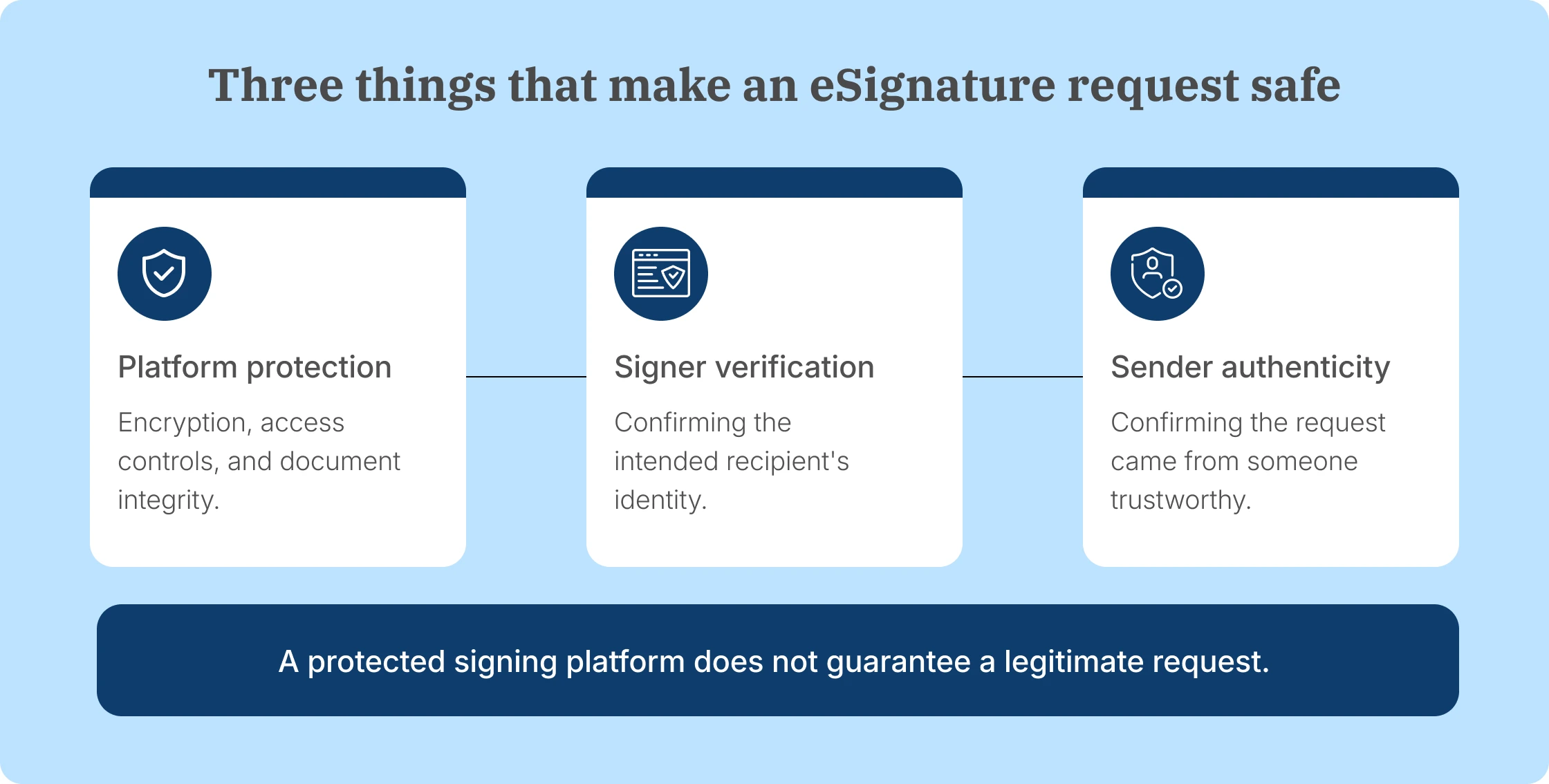
Docusign protects documents while they're uploaded, stored, shared, and signed. Its security measures cover document confidentiality, signing records, employee access, and the infrastructure running the service.
Each control addresses a different part of the process. Understanding those differences helps businesses assess whether the platform supports their security requirements.
Encryption and document storage
Is Docusign secure while documents are stored or transmitted? Yes. Docusign eSignature encrypts documents using AES-256 or current Federal Information Processing Standards (FIPS)-approved methods. It also uses secure transmission protocols to protect information moving between users and the service.
According to Docusign's eSignature security documentation, the platform also uses logical separation of customer information and controlled data disposal practices.
For businesses sending contracts containing financial details, employee records, or customer information, these protections reduce the risk of unauthorized access to the files while they're stored or transmitted.
Encryption does not establish whether the person sending the contract is trustworthy. That requires a separate check.
Audit trails and tamper-evident records
Is Docusign secure after a document is signed? Docusign records the events associated with each signing request and generates a Certificate of Completion when the transaction is completed.
The record includes details such as timestamps, recipient actions, and other transaction information. Completed documents also carry tamper-evident protection, helping recipients identify subsequent changes.
For example, if two parties disagree about when a contract was signed, the transaction record provides evidence of the signing sequence.
That evidence supports document integrity and accountability. It does not establish that the contract's contents were truthful or that the sender had legitimate authority to request a signature.
For more on the distinction between legal signature evidence and identity verification, see our electronic signature verification guide.
Account and platform security
Is Docusign secure at the account level? Docusign protects its service infrastructure through security monitoring, intrusion detection, vulnerability assessments, penetration testing, and access controls.
It also applies multi-factor authentication and restricted access to systems used to operate its production environment.
These safeguards help reduce risks involving unauthorized access, software vulnerabilities, and misuse of administrative privileges.
Businesses still need to secure their own employee accounts. A compromised sender account creates a different risk from an attacker gaining access to Docusign's infrastructure.
Security and compliance standards
Docusign maintains security assurance programs that include ISO 27001 and SOC-related independent assessments.
Is Docusign secure enough for regulated information? That depends on the applicable regulation and how the account is configured. Its certifications and independent assessments provide evidence about Docusign's security controls, but businesses still need to check whether the selected product supports their specific requirements.
Is Docusign secure when signer identity is important? The next question is how Docusign confirms the identity of the person signing.
How does Docusign verify signer identity?
Docusign offers several recipient authentication methods, ranging from access to a designated email address to additional identity checks.
The available methods include:
- Email-based authentication: The recipient opens the signing request through their email.
- Access codes: The recipient enters a code supplied separately by the sender.
- SMS or phone authentication: The recipient confirms access using a registered phone number.
- Knowledge-based authentication: The recipient answers questions based on identity information.
- Government ID verification: The recipient completes an identity check using an accepted identification document.
- Federated identity or SSO: Eligible users authenticate through an organization's identity system.
Docusign describes email-based access as its basic method. Is Docusign secure to use when email access is the only identity check? For higher-risk transactions, organizations should add a verification method appropriate to the document and recipient.
Is it safe to use Docusign for a high-value financial contract? Yes, when the sender applies verification appropriate to the risk, such as a phone-based code or stronger identity check in addition to email access.
These methods have different plan requirements and charges. Their availability does not mean every Docusign request uses them automatically.
Docusign provides the verification options, but the sender chooses the appropriate method for the transaction. Its platform safety guidance explains these protections.
Can a real Docusign request still be a scam?
Yes. A genuine Docusign notification can contain a fraudulent signing request. Is Docusign secure even when a real account is misused? The platform can still be secure while a specific request is fraudulent. Attackers can misuse registered accounts to send documents that appear to come through the legitimate Docusign platform.
On August 20, 2026, Docusign reported an on-platform phishing campaign.
Attackers used registered Docusign accounts to send envelopes containing fake blurred documents. The documents instructed recipients to download software to reveal their contents. The download instead directed recipients toward malicious software that could compromise their devices.
Docusign has also reported campaigns involving fake billing notices, fraudulent customer-support numbers, credential-stealing links, and other misleading requests.
How secure is Docusign when a request comes through a real account? A genuine platform notification still does not prove that the sender or document is legitimate. Even a request delivered through Docusign's infrastructure needs to come from a sender the recipient recognizes and trusts.
Recognizing that risk is useful, but recipients also need a reliable way to assess the requests they receive.
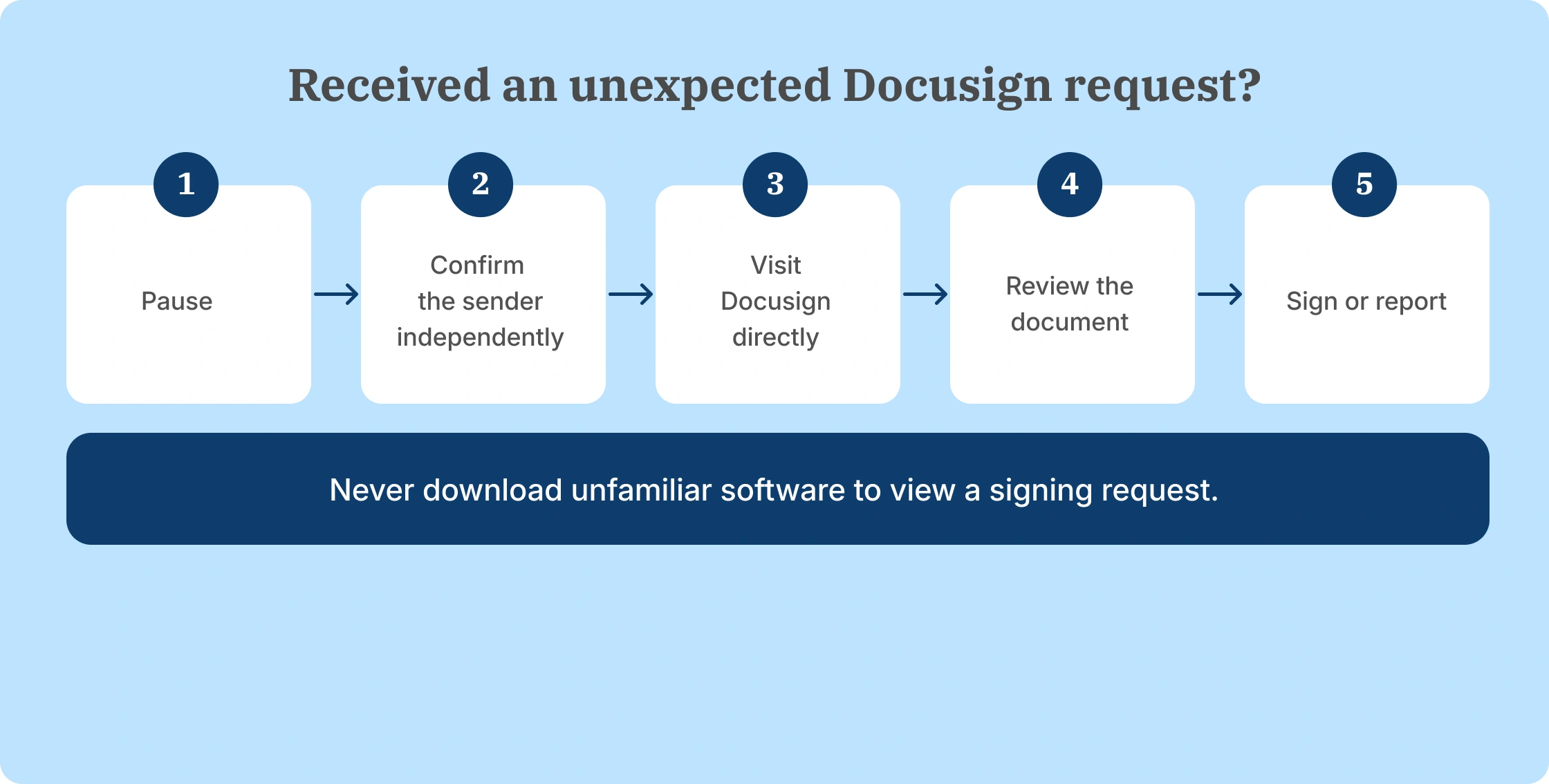
How can you tell if a Docusign request is legitimate?
Is it safe to use Docusign when you do not recognize the sender? Not until you confirm the request independently. Start by checking whether you expected the document and recognize who sent it.
Docusign provides ways to access requests directly and report suspicious activity. The following steps help reduce the chance of responding to a fraudulent message.
Confirm unexpected requests independently
If an unfamiliar person asks you to sign a contract, contact the company or individual through a phone number or email address you already trust.
Avoid using contact details supplied only within the suspicious request. An attacker can include a fraudulent phone number to make the message appear credible.
For example, if a document claims to come from your company's finance department, confirm it using an existing internal communication channel.
Use the Docusign security code
Docusign notifications include a unique security code that recipients can use to access their documents directly.
Instead of clicking the email link, visit Docusign's official website, choose Access Documents, and enter the security code from the notification.
This reduces reliance on an unfamiliar email link. However, successfully accessing an envelope through Docusign does not establish that the sender is legitimate. Fraudulent envelopes have also been distributed through real accounts.
Check the sender and message context
Review whether the sender, document subject, and reason for signing match a transaction you recognize.
A company logo, professional formatting, or authentic-looking email address should not be treated as conclusive evidence.
If the document references an unfamiliar purchase, contract renewal, or payment, confirm the underlying transaction separately.
Watch for unusual requests
Fraudulent documents frequently try to make recipients act before checking the details.
Pay particular attention to:
- Unexpected invoices or subscription charges.
- Urgent payment instructions.
- Requests for account passwords or verification codes.
- QR codes leading to unfamiliar websites.
- Support numbers appearing only inside the document.
- Instructions to download software to open or reveal a file.
Docusign explicitly warns that recipients should not need to download an application to unblur a signing document.
Report suspicious activity
If you suspect fraud, stop interacting with the request. Use Docusign's Report Abuse option or forward the suspicious message as an attachment to verify@docusign.com.
If the request concerns a workplace account, inform your IT or security team as well. They can assess whether other employees received the same message.
Docusign documents these reporting options in its fraud prevention resources.
Even after a recipient takes these precautions, businesses need to account for security risks that the eSignature platform does not control.
What security risks does Docusign not eliminate?
Is Docusign secure against every phishing or account risk? No. Docusign secures its signing environment, but the surrounding business systems and user decisions still matter.
The main remaining risks include:
- Compromised inboxes: Basic email authentication is less protective if an attacker already controls the recipient's email.
- Phishing: A recipient can still enter credentials on a fraudulent website or follow malicious payment instructions.
- Authentication choices: Stronger signer verification only helps when it is enabled for the request.
- Account permissions: Employees may receive more access to documents or administrative settings than their roles require.
- Compromised devices: Malware and stolen credentials can expose information outside the signing platform.
Support also matters when something goes wrong with an active signing workflow.
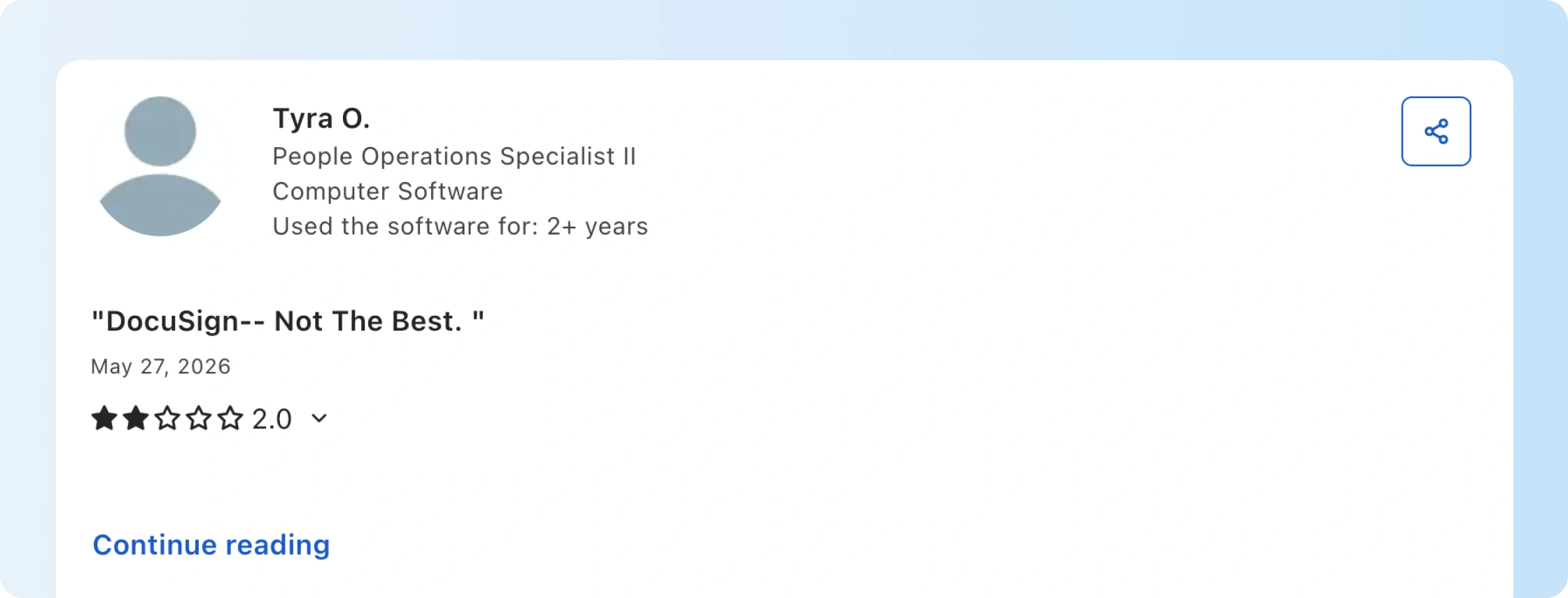
One Docusign customer described completed envelopes as secure and found the product easy for employees and external recipients to use. The problem appeared when a time-sensitive issue needed attention. Repeated support requests did not provide the help they expected.
This is an individual experience with customer support, not evidence that Docusign failed to protect document data. It does highlight a useful buying consideration: teams handling urgent contracts should compare their plan's support channels and escalation options.
Is Docusign secure after signing? Document protection also depends on what happens to files and transaction records after the signing request is completed.
What happens to your documents and data in Docusign?
Docusign distinguishes between the document files uploaded for signature and the transaction information generated while processing them.
That distinction matters when businesses decide how long to retain contracts, which records to export, and what happens when an account closes.
Document content
Is Docusign secure to use for confidential documents? Docusign stores documents in encrypted form and controls access according to the signing transaction and account configuration, while customers remain responsible for permissions and retention.
Customers can manage document retention and purging through supported settings. Docusign's data management and privacy documentation explains how it processes and protects uploaded documents.
Before ending a subscription, businesses should export the signed contracts and records they need for legal, operational, or regulatory purposes. Closing an account can affect subsequent access to those files.
Transaction and audit data
Docusign also retains information generated during the signing process, including transaction identifiers, participants, timestamps, status information, and certain authentication or activity events.
Its transaction data policy explains that some of this information continues to be maintained after a subscription ends because it supports evidence of the transaction.
Deleting or purging a document therefore should not be interpreted as removing every related audit record.
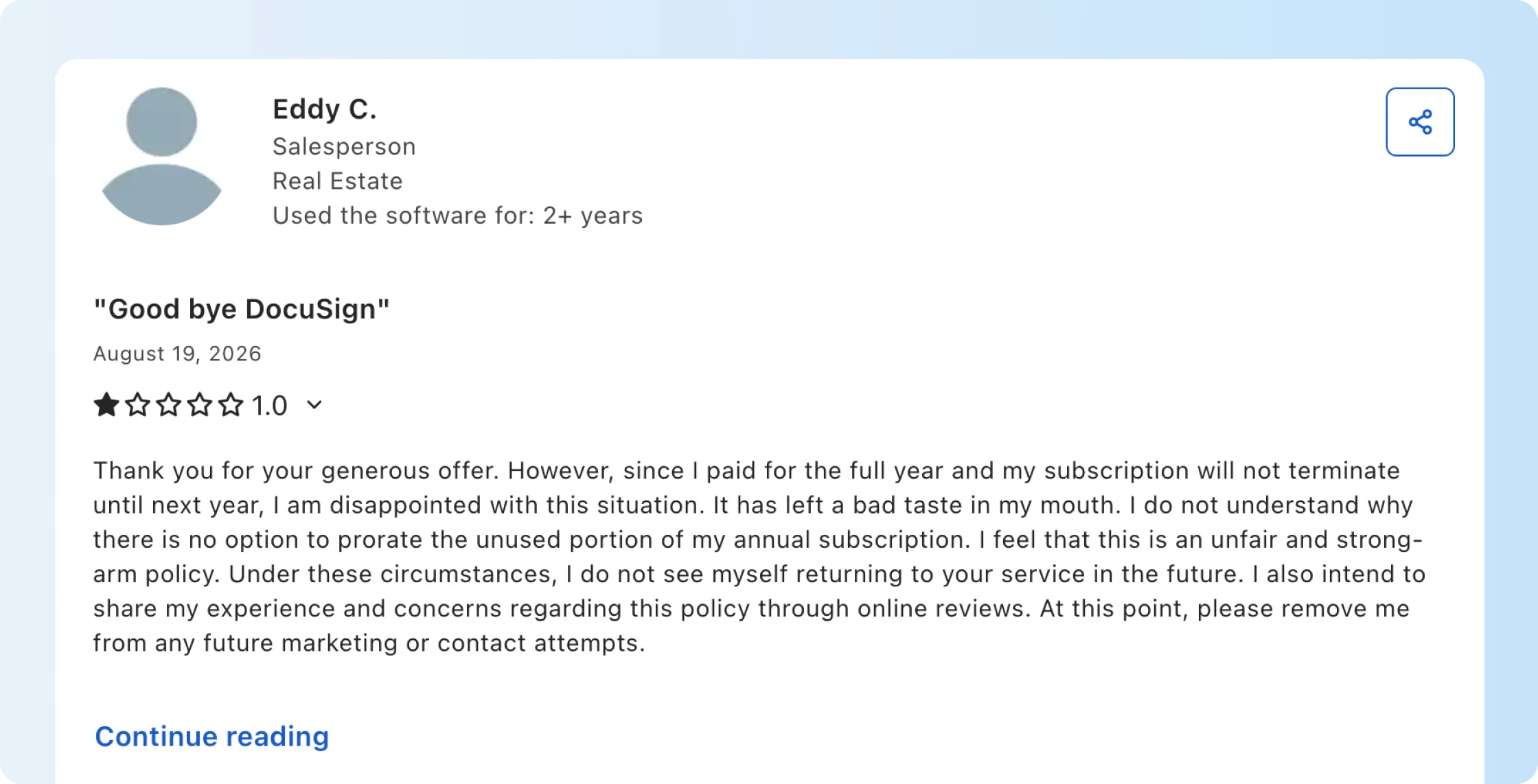
Account exit terms matter for other reasons, too. One customer described difficulty leaving the service after paying for an annual subscription, saying the contract could not be ended early and a prorated refund was not available.
That complaint concerns the customer's subscription experience, not the security of stored documents. For businesses planning a move, the relevant actions are to understand their contract, export required records, and establish who will manage access after the switch.
Is Docusign secure without the right account settings?
Not completely. Businesses also need to protect employee accounts, configure recipient verification, manage document access, and set appropriate retention rules.
These practices address the risks discussed above:
- Enable multi-factor authentication for employee accounts. Protect the people who prepare, send, and administer contracts.
- Restrict access by role. Give employees the permissions they need and remove unnecessary administrative access.
- Use stronger recipient verification for sensitive documents. Assess access codes, phone verification, or identity checks based on the transaction.
- Review users and permissions regularly. Remove access when people change responsibilities or leave.
- Set document retention policies. Decide how long signed contracts should remain available and when they should be exported or deleted.
- Train employees to recognize phishing. Make independent confirmation routine for unexpected signing requests.
- Monitor signing activity. Review unusual sending patterns, account activity, and changes to administrative settings.
- Protect connected systems. Apply security controls to email, CRM, storage, and other software involved in the signing process.
Is it safe to use Docusign with sensitive employee or customer data? It can be, provided the business applies the appropriate account, recipient, retention, and connected-system controls. These responsibilities apply regardless of which electronic signature software a business selects.
Need to compare account access, signer verification, and audit controls for your team?
For growing teams, the next consideration is whether the platform gives administrators the right security options without adding unnecessary work to routine signing.
Why Signeasy fits growing businesses that need secure eSignature
Signeasy is built for growing businesses that need to send, sign, and manage contracts with encryption, signer verification, audit evidence, and controlled team access.
The same security questions used to assess Docusign apply to Signeasy. The important differences come from which controls the team needs, the selected plan, and the document-sending workflow.
Control who can access contracts
Signeasy Business Pro includes roles and permissions, letting administrators manage employee access across the account.
This matters when several departments send contracts but not everyone should have the same administrative permissions.
Single sign-on is also available as an add-on to Business Pro, while the custom Build Your Plan offering includes SSO. It allows employees to authenticate using an organization's identity provider.
These capabilities are different from verifying external signers. One protects employee access to the platform; the other protects individual signing requests.
You can review the current packaging on our pricing page and the relevant controls in our security overview.
Add stronger signer authentication when needed
Signeasy Business Pro supports recipient two-factor authentication for individual signing requests.
A sender can require the recipient to complete a phone-based verification step before accessing the document. That gives the sender an additional check beyond relying on email access alone.
For example, a finance team sending a sensitive contract can require verification before the recipient views and signs it.
Account login two-factor authentication and recipient verification remain separate settings. Signeasy Business includes secure login with two-factor authentication, while Business Pro adds signer-level verification.
For teams sending sensitive contracts regularly, see how Signeasy applies recipient verification in the signing workflow.
Keep a verifiable record of signing activity
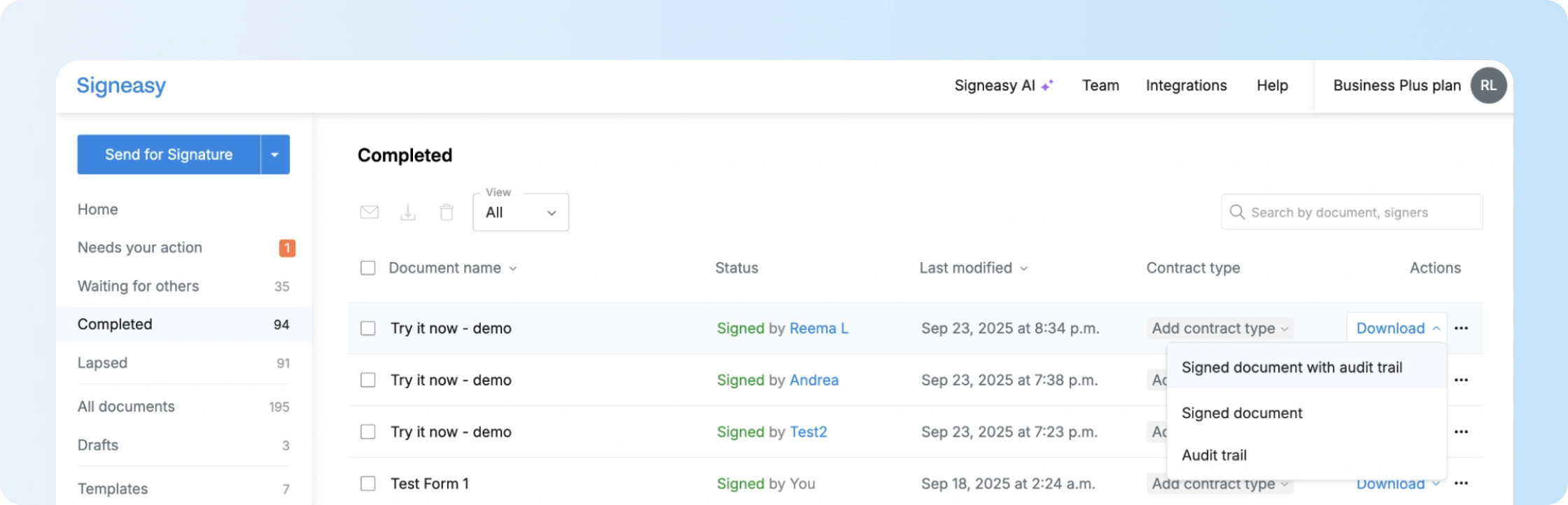
Signeasy generates an audit trail for completed signing transactions, helping teams review signing events and associated details.
The audit trail is accessible from the completed document. Users can download it separately or with the signed file.
That provides a record when a customer disputes a signing date or an internal team needs to review completion history.
For recurring business documents, reusable templates also preserve common signing fields and recipient roles, reducing preparation work on repeat requests.
Protect completed documents from unnoticed changes
Signeasy Trust Seal uses Public Key Infrastructure (PKI) to apply a tamper-evident digital seal to completed documents.
When a sealed document is changed after signing, its digital signature validation indicates that the contents have been altered.
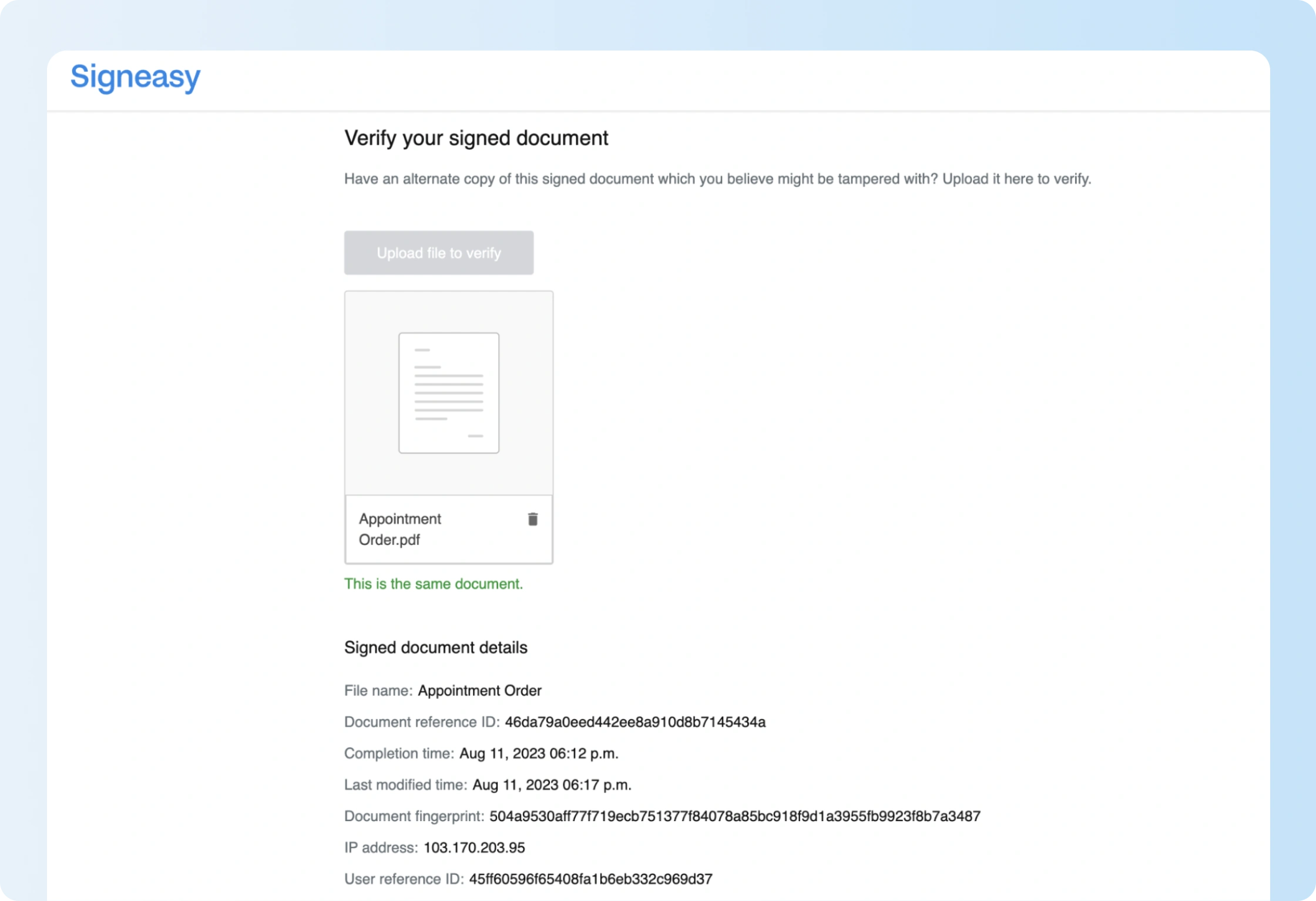
The Signeasy Verification Tool provides another way to assess document integrity. It compares an uploaded signed file against the completed copy stored by Signeasy and reports discrepancies.
Signeasy's Trust Seal documentation explains how the seal works in PDF readers. The electronic seal guide also explains its role in identifying document modifications.
Keep security practical for everyday signing
Growing businesses need employees to send contracts securely without making every request an administrative task.
Signeasy's Business plan costs $20 per seat per month with annual billing and includes unlimited document sends, team administration, and reusable templates. Business Pro costs $30 per seat per month with annual billing and adds signer verification, roles and permissions, and additional team controls.
Docusign provides a broader native integration ecosystem and additional identity verification methods, including knowledge-based authentication and government ID checks. Those capabilities matter for businesses with specialized verification or integration requirements.
For teams prioritizing regular contract sending, team permissions, and signer verification, the Signeasy vs. Docusign comparison explains the relevant product differences.
Businesses considering a switch can also explore our Docusign migration guidance. Signeasy offers white-glove migration assistance and a competitor contract buyout program for eligible customers; the sales team can explain the applicable terms.