


A Docusign envelope is one signing request that holds the documents, recipients, and instructions needed to complete an agreement. It counts as one send, even when several files or signers are involved. That distinction affects how quickly teams use their monthly or annual envelope allowance. If you're researching what is a Docusign envelope, this guide explains how envelopes work, what they cost, and how Signeasy compares for regular business signing.
What is a Docusign envelope?
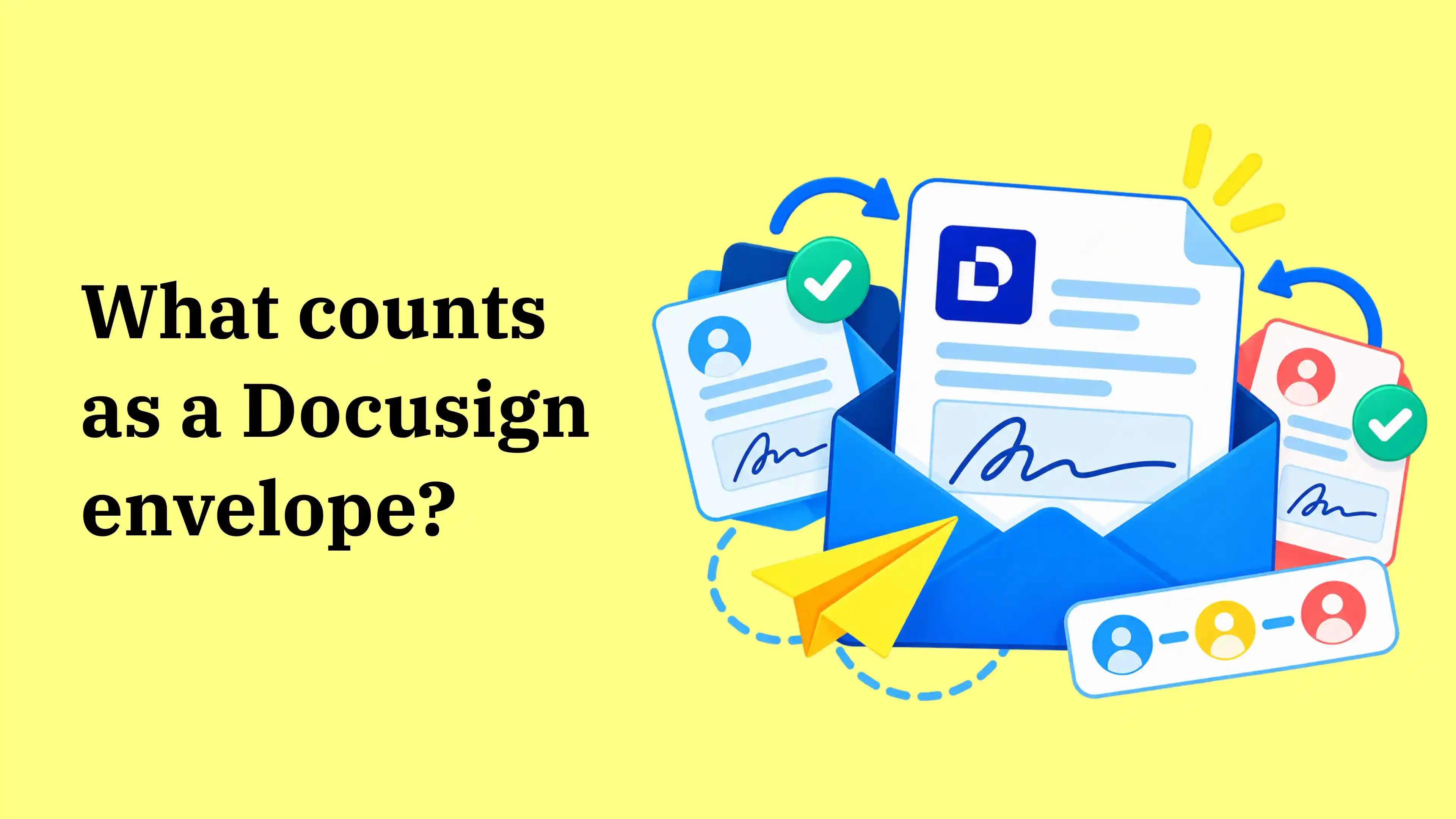
A Docusign envelope is a digital container that holds one or more documents sent together for electronic signature. For example, an HR employee can send an offer letter, confidentiality agreement, and onboarding form to a new hire in a single request. The Docusign eSignature workflow keeps those files and the recipient's actions together, so the sender tracks one transaction.
Why does Docusign use envelopes?
Understanding what is a Docusign envelope also explains why Docusign groups the documents, signers, and activity for one signing request. Senders set the signing order, monitor pending recipients, and review the transaction's history from the same place. Once everyone finishes, Docusign generates a Certificate of Completion recording the signing events and timestamps. That record supports the electronic signature process by showing when the agreement was delivered and signed.
What does a Docusign envelope contain?
To understand what is a Docusign envelope, look at the four components that determine what gets sent, who needs to act, and how the signing request is tracked:
- Documents: The PDFs, contracts, or forms being sent together.
- Recipients and roles: People who must sign, receive a copy, or take another assigned action.
- Fields and signing order: Signature, date, initials, and other entries, plus the sequence in which recipients act.
- Status and history: A record of who has received, opened, or completed the request and when.
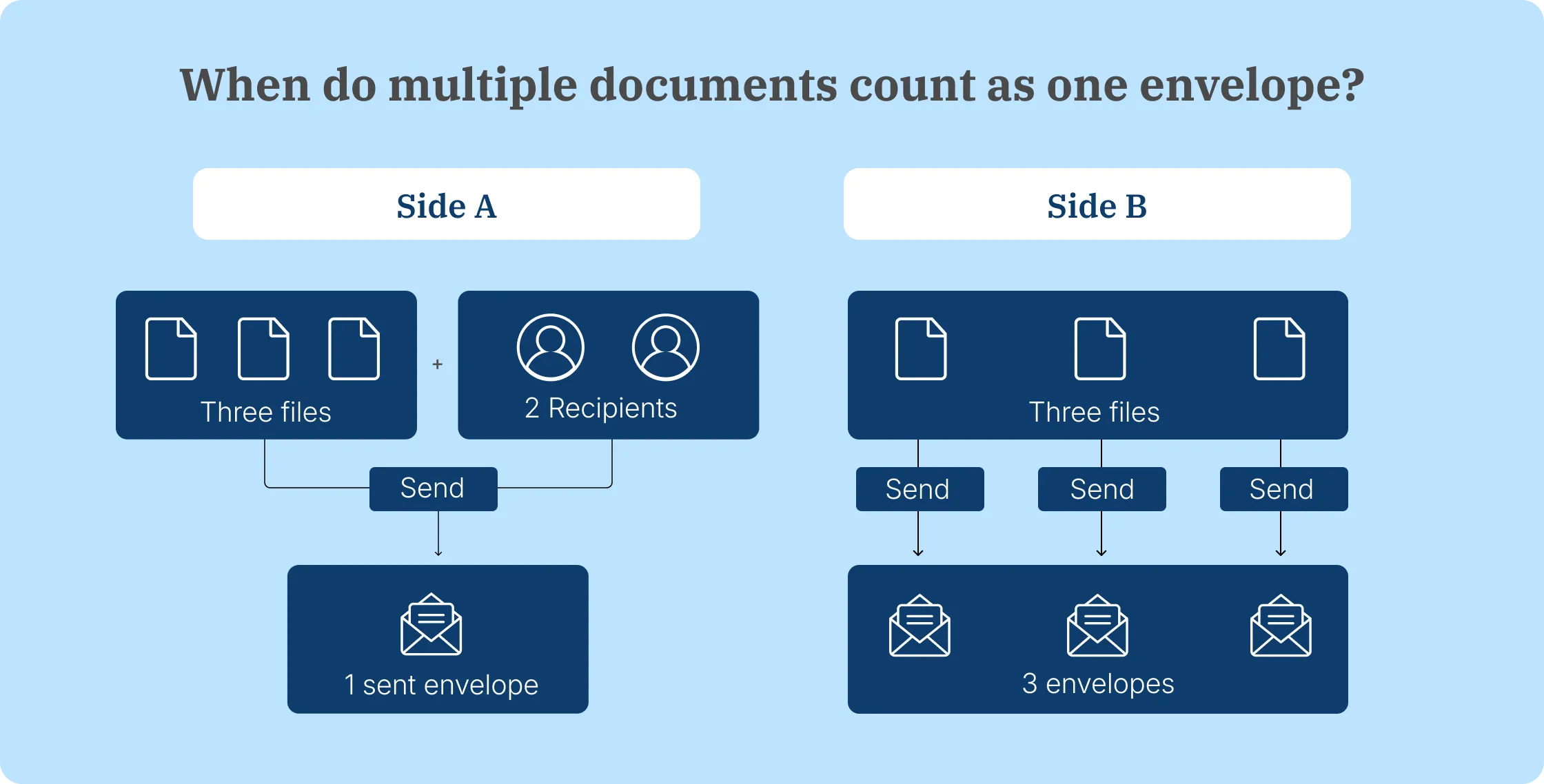
Signing order becomes useful when a contract needs two parties to sign in sequence. Both signatures still belong to the same request, so they use one envelope. The number of separate sends, not the number of pages or signatures, determines the allowance used.
How do you create and manage Docusign envelopes?
Once you understand what is a Docusign envelope, creating one starts with preparing the files and recipients before sending:
- Open Docusign eSignature and select New > Send an Envelope.
- Upload one or more documents.
- Enter recipients and choose who needs to sign or receive a copy.
- Set a signing order if the second recipient should wait for the first.
- Place required signature, initials, date, or text fields on the documents.
- Review the request and select Send.
After sending a Docusign envelope, the Manage page shows its status and each recipient's progress. Senders can follow up on pending signatures, correct an eligible in-progress request, or void an agreement that should no longer be signed. Once the envelope is completed, they can download the signed documents and Certificate of Completion.
Correcting an existing envelope keeps the original transaction. Voiding it and sending a replacement creates another envelope that counts toward the allowance.
When employees send the same agreement repeatedly, saving the fields and recipient roles as a template avoids setting them up again. Our reusable contract templates support that workflow, while our document-sending instructions explain how to add recipients, set signing order, and send prepared PDFs through Signeasy. Recipients don't need paid accounts to sign.

Want to compare recipient setup, signing order, and reusable templates with your current process? See the steps using one of your agreements.
What counts as one envelope when you send documents?
Knowing what is a Docusign envelope helps explain usage: each separate envelope counts as one send, whether it contains one document or several. These examples show how different sending actions affect your allowance:
A sent envelope counts even if it remains unfinished, expires, or is later voided. Saving a draft alone does not use a sent envelope. This makes it important to distinguish a request awaiting signatures from one you have not sent yet.
How many Docusign envelopes can you send?
Docusign Personal includes 5 envelopes per month. Understanding what is a Docusign envelope is important here because each sent request uses part of that allowance. Standard and Business Pro annual eSignature subscriptions include 100 envelopes per paid seat per year, while month-to-month subscriptions include 10 per seat monthly. The table below shows how each allowance works.
On annual Standard and Business Pro plans, the included envelopes are pooled across paid seats. Five employees share 500 envelopes for the year, so one person can send more than 100 requests as long as the account stays within its total allowance.
Docusign's Intelligent Agreement Management (IAM) plans use a different sending model. IAM Standard and Professional include unlimited web-app envelopes, while automated sends have separate limits. Teams comparing IAM with eSignature plans should check the allowances for the product they're buying.
Sending volume changes during hiring or quarterly contract renewals? See how our unlimited-send Business plans handle your team's regular signing workload.
How does Docusign envelope pricing work?
If you're comparing costs after learning what is a Docusign envelope, pricing combines the sender subscription with additional charges when usage exceeds the plan's allowance. Its Annual | Billed Monthly option spreads the annual commitment across 12 payments. Paying the full year upfront reduces the price. The table below compares both annual payment options, so you can see the actual yearly commitment before adding envelopes.
Both payment options require an annual commitment and include the same annual envelope allowances. Docusign also offers month-to-month subscriptions with different sending limits and rates. Our Docusign pricing guide explains those billing differences and how additional usage affects the total cost.
Comparing costs for multiple senders? Bring your seat count and expected signing volume so we can compare the same workload.
How much do additional Docusign envelopes cost?
On Docusign Standard's annual plan, an additional envelope costs $3 when purchased in advance or $3.60 under Pay-As-You-Go billing. Business Pro charges $4.80 or $5.80 on those same annual terms. The rates are higher on month-to-month subscriptions. Knowing what is a Docusign envelope helps teams estimate these extra charges because each additional qualifying send uses envelope capacity.
Buying additional Docusign envelope capacity in advance is called Subscribe and Save. Pay-As-You-Go applies when the account sends beyond its included allowance without purchasing extra capacity first. The table below shows the rates for each plan.
These Docusign envelope overage rates apply to Standard and Business Pro. Docusign Personal users who need more than 5 envelopes in a month must upgrade to a higher plan.
For example, one sender on Docusign Standard's annual prepaid plan pays $300 for 100 included envelopes. Sending 150 envelopes adds 50 extra sends. At the $3.60 Pay-As-You-Go rate, those extras cost $180, bringing the annual total to $480 before taxes and other add-ons. Purchasing the extra 50 envelopes in advance at $3 each reduces the total to $450.
If the same sender chooses an annual commitment billed monthly, the base subscription costs $360, bringing the Pay-As-You-Go example to $540. The infographic below uses the lower annual prepaid subscription rate so both products have the same billing basis.
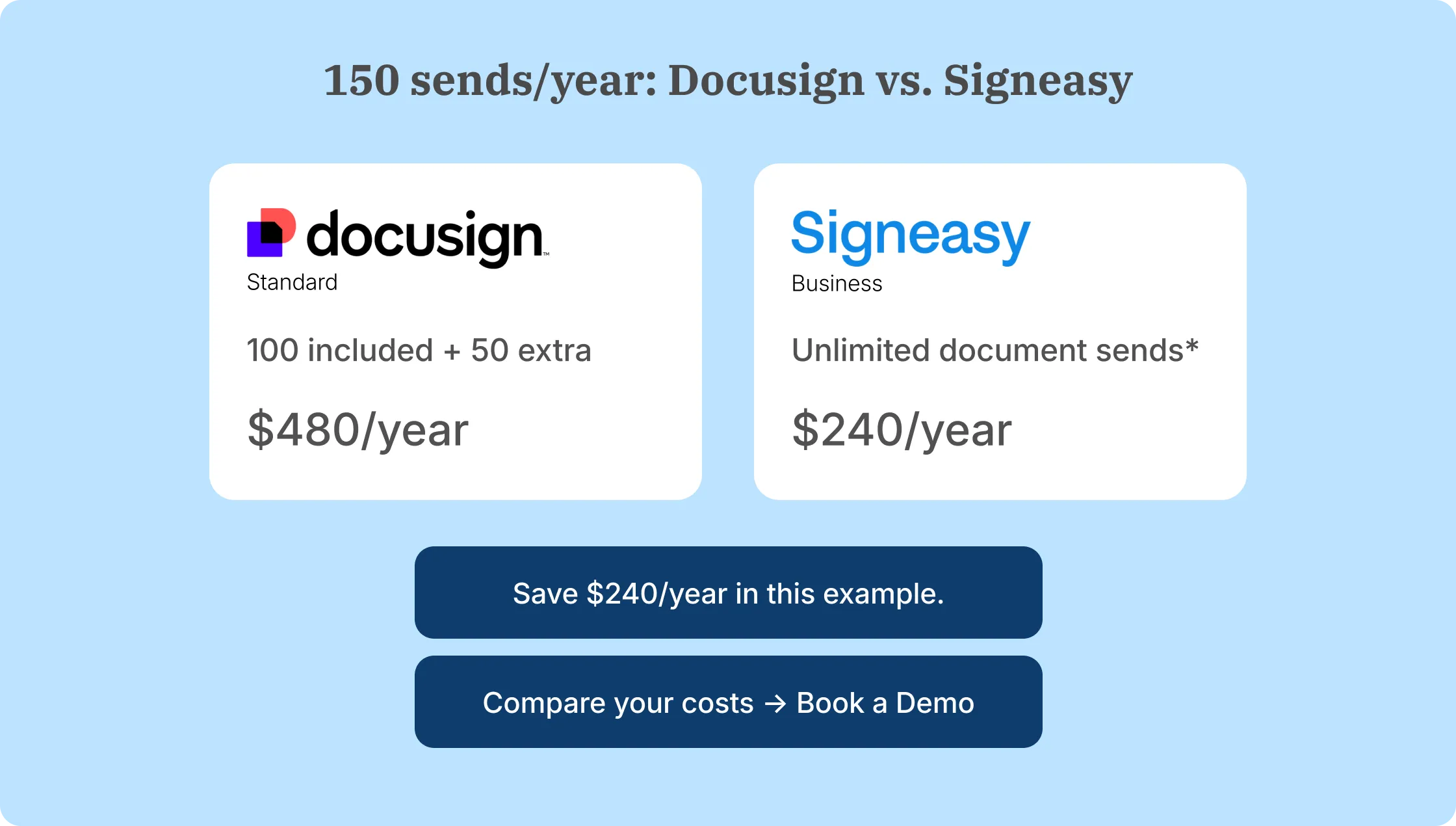
This Docusign envelope cost example shows why teams should estimate how many separate requests they send each year. Multiple files within one envelope still count as one request, but sending the same agreement to different customers individually uses a separate envelope each time.
Our Docusign pros and cons article covers the broader subscription trade-offs. Businesses sending documents through integrations should also review the separate allowances and billing considerations in our Docusign eSignature API guide.
Want to compare the cost of your annual Docusign envelope volume with our Business and Business Pro plans? Bring your sender count and recent signing volume to the discussion.
How does Signeasy's sending model compare with Docusign envelopes?
Signeasy Business and Business Pro include unlimited regular document sends, while Docusign's annual Standard and Business Pro eSignature plans include 100 envelopes per paid seat per year. For teams sending contracts to customers, employees, and vendors regularly, this difference affects how much they pay when their sending volume increases.
The subscription price also depends on the number of paid users. The table below compares annual plans using upfront annual billing for both platforms.
For five paid senders, Docusign Standard costs $1,500 annually and provides a shared allowance of 500 envelopes. Signeasy Business costs $1,200 for the same number of employees, with unlimited regular document sends. That's $300 less in base subscription costs, before accounting for any Docusign envelope overages.
The next consideration is what each plan includes for everyday signing. Signeasy Business offers five reusable contract templates, reminders, team administration, and Google Drive integration. Business Pro adds unlimited templates, roles and permissions, signer verification, and approval workflows. Teams that need managers to review agreements before sending them for signature should compare Business Pro.
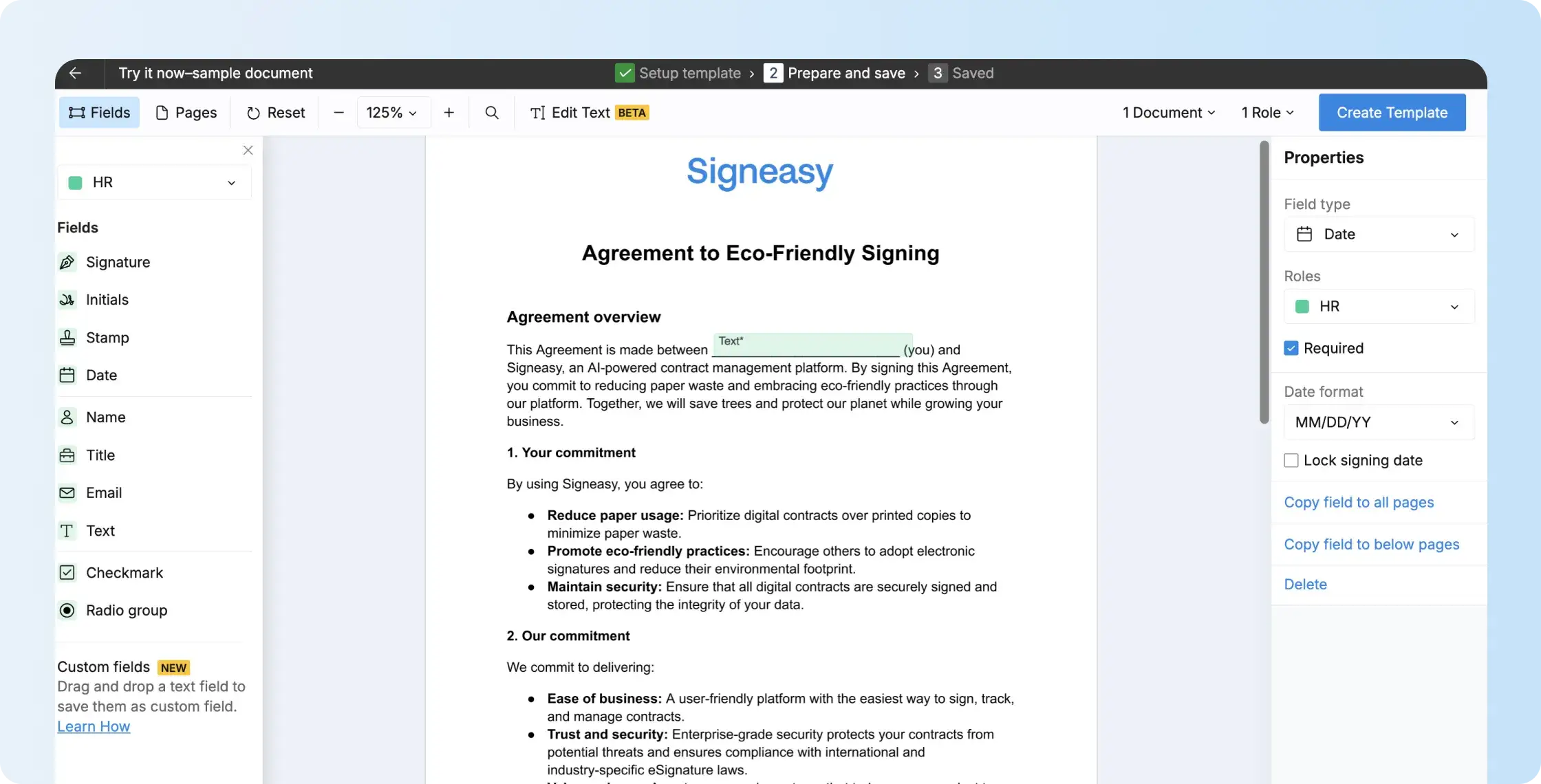
Signeasy also lets employees track requests, send reminders, and download completed agreements with their audit trails.
For high-volume sending, Docusign Business Pro includes Bulk Send, PowerForms, and payment collection, although Bulk Send and PowerForms consume envelope allowances. Signeasy Business Pro offers Bulk Send as a paid add-on, starting at $1.50 per document, according to its support documentation.
Integrations are another consideration. Docusign has a broader ecosystem, including native Salesforce connections. Signeasy supports Google and Microsoft tools, with HubSpot integration available as a $20-per-user Business Pro add-on.
For teams considering a switch, Signeasy offers white-glove Docusign template migration and a competitor contract buyout program for eligible customers.