



Contract management is about more than getting a document signed. It's about finding the right information, keeping conversations moving, staying on top of important dates, and making sure every person involved knows what to do next.
That's why we're constantly working to make Signeasy more useful across the way businesses manage their contracts.
This October, we're bringing contract workflows closer to the tools you already use with Signeasy MCP for Claude and ChatGPT. We're also making it easier to find contracts with Siri, discuss document changes before signing, personalise reminders, and capture the information your business needs.
Here's what's new in Signeasy this October:
- Find contracts and check key details using Siri on iOS 27.
- Comment on documents and resolve questions before signing.
- Send signature requests and manage contracts from Claude and ChatGPT.
- Choose which contract dates you want to receive reminders for.
- Define custom contract types and key terms for AI-powered extraction.
- Pre-fill document fields before sending them for signature.
Let's take a closer look.
1. iOS 27 Updates: Find and manage contracts with Siri on iOS 27
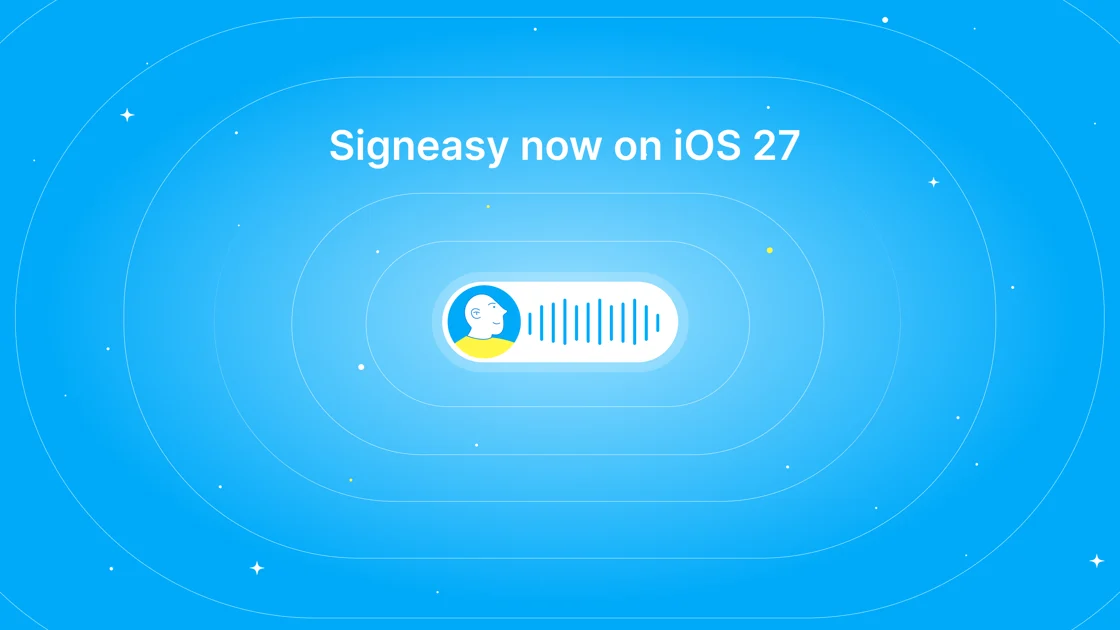
Need to check the status of a contract before a meeting? Looking for a particular service agreement or want to pull up important contract details?
With Signeasy on iOS 27, you can simply ask Siri. Find contracts, check their status and key terms, or attach a contract to an email without having to navigate through the app yourself.
It makes accessing your contracts more convenient, especially when you're on the move or juggling multiple tasks.
Signeasy was also featured by Apple in Great Apps Updated for iOS 27 and Works with Siri AI.
Read more about Signeasy's iOS 27 integration.
2. Document Commenting: Discuss and resolve questions before signing
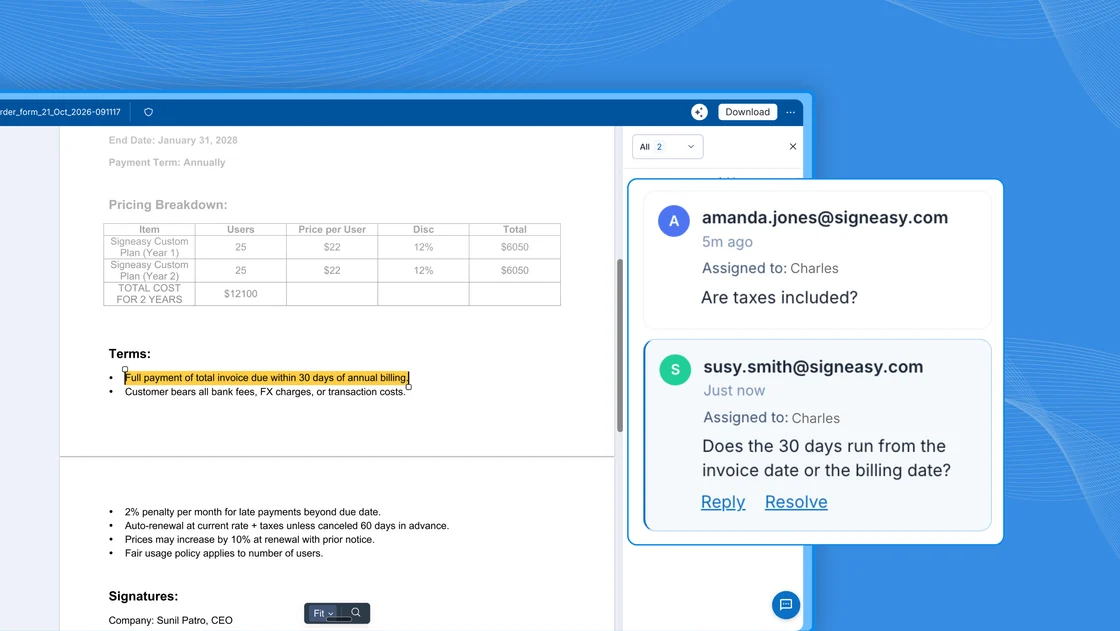
Ever had a signer come back with a question about a clause, payment term, or another detail in a contract?
Until now, that conversation might have moved to email or another messaging tool, making it harder to keep track of what was discussed.
With Document Commenting, signers and approvers can highlight a section of the document and leave a comment right where the question comes up. The sender can respond, continue the conversation, and resolve the comment without taking it outside the document.
Everyone can stay on the same page, and the signing process can move forward without unnecessary back-and-forth.
And because comments don't change the legal contents of the document, the original contract remains intact.
Learn how Document Commenting works.
3. Signeasy MCP: Manage contracts from Claude and ChatGPT
AI assistants are becoming part of everyday work. Now, you can bring your contract workflows into the same conversations.
With Signeasy MCP, you can connect your Signeasy account to Claude or ChatGPT and take action on your contracts without constantly switching between applications.
Send signature requests, check document status, send reminders, and ask questions about your contracts directly from your AI assistant.
Whether you're following up on a pending signature or looking for information in an existing contract, you can do more from the tools you're already working in.
It's another way to make contract management fit naturally into your team's workflows.
Get started with Signeasy MCP.
4. Doc-level Reminders: Choose the contract dates you want to track
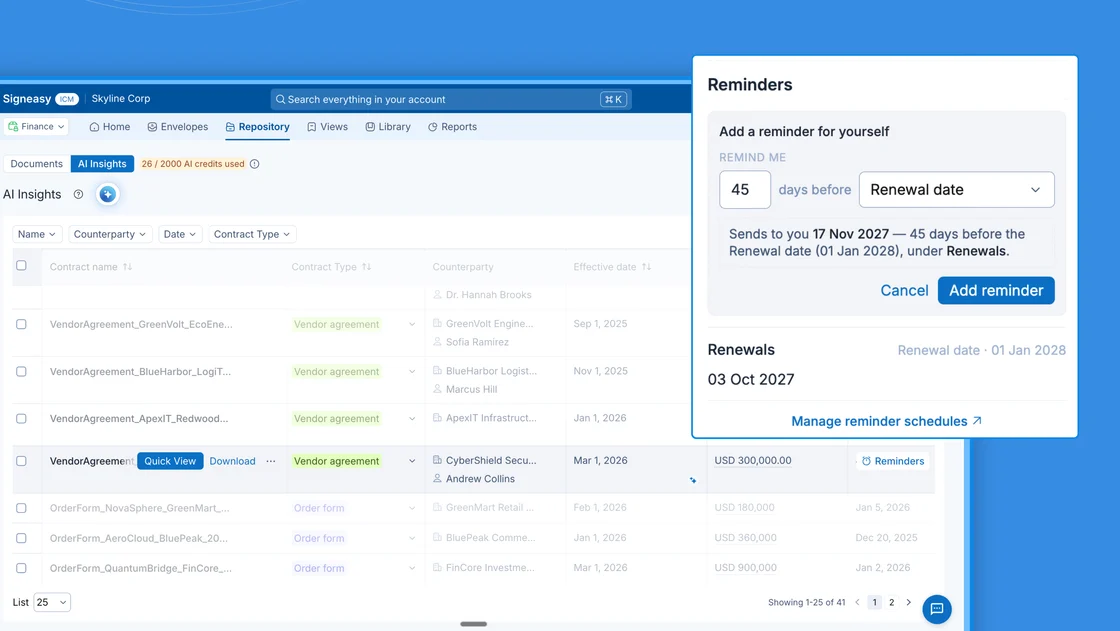
Contract reminders are useful, but not every date needs your attention.
For example, you might be responsible for tracking renewal dates but don't need notifications about every other milestone in the contract.
With Doc-level Reminders, you can choose which contract dates you want to receive notifications for and turn off the ones you don't need.
Your organisation's reminder settings continue to apply to the rest of the team, so you can personalise your notifications without changing how others manage theirs.
Fewer unnecessary alerts, and more focus on the dates that matter to you.
Learn how to set up reminders.
5. Custom contract types and key terms: Extract the information your business needs
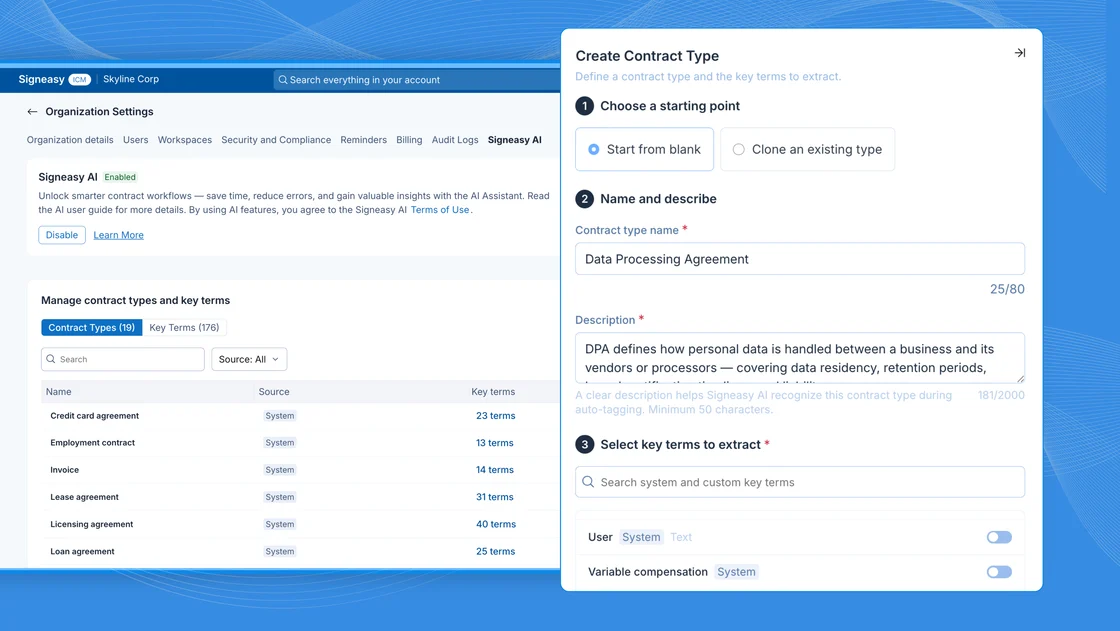
Every business has different requirements when it comes to managing contracts.
A construction company might want to track change orders and retainage, while a SaaS business might be more interested in auto-renewal clauses and notice periods.
With custom contract types and key terms, you can define the information that's important to your business and have Signeasy AI extract those details from your contracts.
Admins can also add one-off fields to individual contracts when they need to capture additional information.
This gives teams more flexibility to organise contracts and find the details they need, without being limited to a predefined set of fields.
Available on Signeasy Intelligent Contract Management (ICM) plans.
Explore custom contract types and key terms.
6. Prefill Fields: Get documents ready before they reach signers
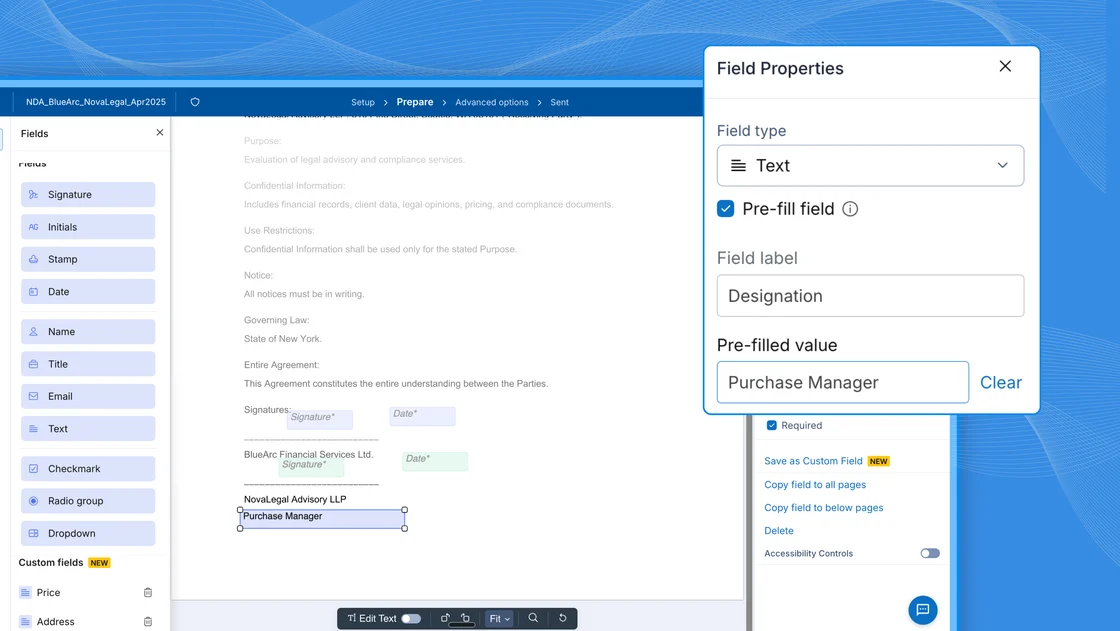
Why make signers enter information that you already have?
With Prefill Fields, you can add details such as names, addresses, and deal amounts before sending a document for signature.
Signers simply review the information, make sure everything is correct, and sign. This reduces manual data entry and helps avoid errors caused by missing or incorrectly entered details.
Prefill Fields are available on the Signeasy web app and through the API, making it easier to include this step in both manual and automated signing workflows.
Learn how to add Prefill Fields.
Explore the latest Signeasy updates
From bringing contract workflows into AI assistants to making everyday signing tasks easier, these updates are designed to help teams spend less time managing the process and more time moving work forward.
Already using Signeasy? Log in to your account to explore the latest features.
New to Signeasy? Request a demo to see how Signeasy can simplify eSignatures and contract management for your business.
Have feedback or ideas for what we should build next? We'd love to hear from you. Reach out to your Customer Success Manager.