





Over the past few years, we have had hundreds of conversations with legal, operations, and finance teams about their contract management challenges. The patterns in those conversations are remarkably consistent.
People tell us they spend hours hunting for a contract that should take seconds to find. They discover auto-renewals they missed because nobody flagged the date. They inherit a folder structure from three employees that makes intuitive sense to nobody. Some have gone through a merger and are now managing two completely different contract estates, neither of which talks to the other.
The questions we hear most often go something like this: "We know we need to move our contracts somewhere better — but where do we even start?" Or: "We replaced our old CLM six months ago, but half our legacy contracts are still sitting on the old system because nobody knows how to move them cleanly." Or simply: "We have 8,000 contracts across four drives. Help."
That is why we wrote this guide. Contract migration comes up constantly in the conversations we have with our customers, and we wanted to create something that treats it with the seriousness it deserves — not a five-step checklist, but a thorough, honest walkthrough of what migration actually involves and how to do it well.
Here is what you will find in this guide:
- What contract migration is and why it matters more than ever
- How to tell whether your organization needs to migrate
- The different types of migration and what each one demands
- A ten-step process for executing migration with confidence
- The most common challenges teams face — and how to address them
- Best practices, governance, and KPIs for the 90 days after go-live
- How Signeasy supports the migration process from start to finish
What is contract migration?
Contract migration is the process of moving contracts and their associated metadata from one or more storage locations — a legacy CLM, shared drives, email threads, filing cabinets — into a modern, centralized contract management platform.
The operative word is "process." Migration encompasses data extraction and mapping, content cleansing, version reconciliation, clause identification, permissions configuration, and integration with other business systems. Done well, the result is a searchable, structured repository where every agreement is accessible, auditable, and actionable.
Consider a mid-market SaaS company that consolidates 12,000 agreements scattered across three shared drives, a retired CLM, and years of email attachments into a single platform where any contract can be retrieved in seconds. That kind of transformation touches legal, finance, sales, and operations simultaneously, and it begins with a structured migration.
Common triggers for contract migration include:
- System consolidation or CLM replacement
- Mergers, acquisitions, or vendor rationalization
- Compliance requirements such as SOC 2, GDPR, or HIPAA
- Expiring contracts being missed because renewal tracking is manual
- Preparing for AI-driven contract analytics, which require structured, accessible data
Why contract migration is important
Contracts are only useful when people can find and trust them. But many organizations store agreements across email inboxes, shared folders, document management systems, and legacy CLM platforms, creating inefficiencies that affect day-to-day operations.
- Reduced risk and better visibility: One of the first things our customers report after completing a migration is a meaningful reduction in risk exposure. A centralized, well-structured repository means risky clauses get surfaced, expired terms get flagged, and missing signatures become visible before they become legal problems. Chain-of-custody is maintained throughout, which matters enormously if a contract is ever disputed.
- Improved operational efficiency: Operational efficiency compounds over time as well. When any team member can retrieve a contract in seconds and see its key terms without reading every page, the drag of manual contract management disappears. Renewals get tracked automatically, and approval workflows stop relying on email chains and calendar reminders.
- Stronger compliance and audit readiness: Compliance and auditability become far easier to demonstrate with a modern system in place. Full audit trails show who accessed what, when a signature was added, and which version was in effect at any given time. For regulated industries, that level of traceability is table stakes.
- AI and analytics readiness: Perhaps the most forward-looking reason to migrate is data and analytics readiness. AI-powered contract tools can only deliver meaningful insights if the underlying data is structured and accessible. Teams still working with unindexed PDFs on shared drives are effectively locked out of the next generation of contract intelligence.
Common challenges in contract migration
Even well-planned migrations encounter obstacles along the way. In most cases, the biggest challenges are not the data transfer itself but the quality of the underlying records, system interoperability, legal requirements, and user adoption. Identifying these risks early makes it easier to build mitigation strategies into the migration plan and avoid costly delays later.
1. Incomplete or low-quality data
Legacy repositories are almost always messier than anyone expects. Scanned contracts with no OCR, missing counterparty names, blank date fields, and duplicate records are standard findings — and they have a way of multiplying once you start looking closely. Organizations often discover that contract data is inconsistent, incomplete, or stored in formats that make migration difficult, creating delays and increasing the risk of errors.
2. Legal validity and consent questions
Moving contracts between systems raises a legitimate question: does migration affect legal validity? Legal teams must ensure that originals remain intact, audit trails are preserved, and records can withstand scrutiny if a contract is ever challenged. Regulatory requirements, retention policies, and jurisdiction-specific rules can add further complexity to the migration process.
3. Integration gaps and sync drift
Contracts rarely exist in isolation. They are often connected to CRMs, procurement systems, ERP platforms, document repositories, and other business applications. During migration, gaps between these systems can create inconsistencies, resulting in outdated records, conflicting information, and reduced trust in contract data.
4. Change management and adoption
The technical migration is often the easier half. Getting teams to actually use the new system consistently is where many projects quietly fall apart. Without effective change management, employees tend to revert to familiar habits such as emailing attachments, storing contracts on personal drives, or maintaining parallel processes outside the platform. As a result, organizations risk recreating the same silos they set out to eliminate.
Benefits of using a modern contract management platform
A modern contract management software does more than store files. It centralizes contracts in a searchable repository, standardizes metadata across every agreement, enforces approval workflows, and surfaces insights that were previously invisible.
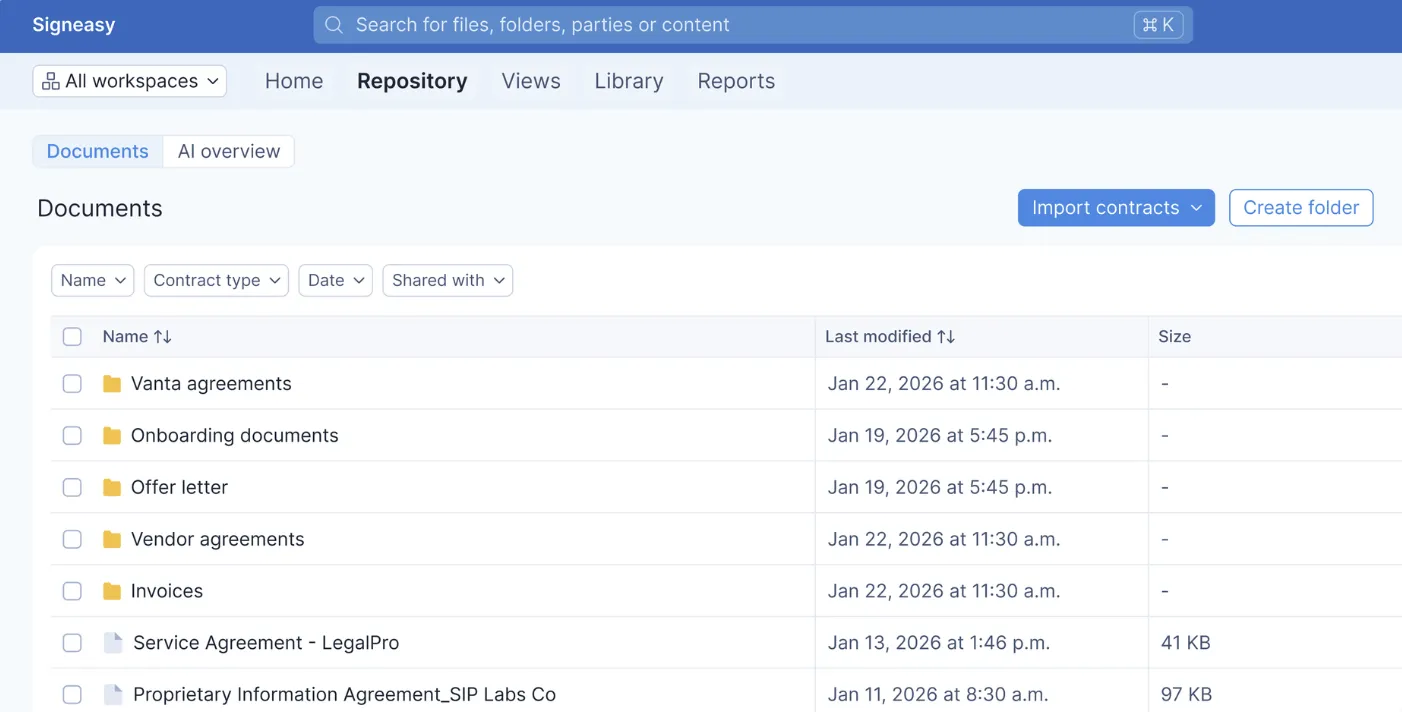
Signeasy's contract repository brings all agreements into one place with AI-powered insights that automatically extract key terms, dates, and obligations from every contract — so your team always knows what is inside each agreement without opening a single file.
Pair that with proactive renewal alerts and role-based access controls, and the difference between a legacy setup and a modern platform becomes concrete very quickly.
Also read: How to organize business contracts: a step-by-step guide
Do you need contract migration?
The need for migration is not always obvious from the inside. Teams that have been working around a broken system for long enough often stop noticing it, and the workarounds become habit. So rather than a general description of who should migrate, we find it more useful to ask you directly.
Run through this checklist and mark the triggers that apply to your organization:
- You are replacing or decommissioning a legacy CLM or document management system.
- You have recently completed or are in the middle of a merger or acquisition.
- Your contracts are stored across more than one system, drive, or location.
- You have experienced a compliance audit that exposed gaps in our contract records.
- You are scaling rapidly and our current setup was not built for our current volume.
- You are investing in contract automation or AI-driven analytics and need structured data to support it.
- You have missed contract renewals, deadlines, or obligations in the past 12 months.
- Your legal or operations team spends significant time searching for contracts instead of managing them.
If you checked three or more of those boxes, a structured migration is very likely the right move — and the sooner you begin planning it, the more control you will have over the outcome. We have worked with teams that delayed migration for years and compounded the problem at every turn. Starting earlier, even imperfectly, is almost always better than waiting for a perfect moment that never arrives.
Also read: Adobe Sign migration
Types of contract migration
Before you start planning a migration, it is worth understanding what type of migration you are actually dealing with. We say this because the type shapes almost everything that follows — the timeline, the resourcing, the technical approach, and where the hardest work will be concentrated.
Going into a migration without that clarity is one of the most reliable ways to underestimate it. Each type carries a distinct profile of challenges, and the teams that handle them most smoothly are the ones who named the type early and planned accordingly.
Key steps in the contract migration process
Most successful migrations we have observed follow a phased approach: a small pilot, followed by waves organized by department, contract type, or risk level, with QA gates between each phase. Here is how that plays out step by step.
Step 1: Audit your contract inventory
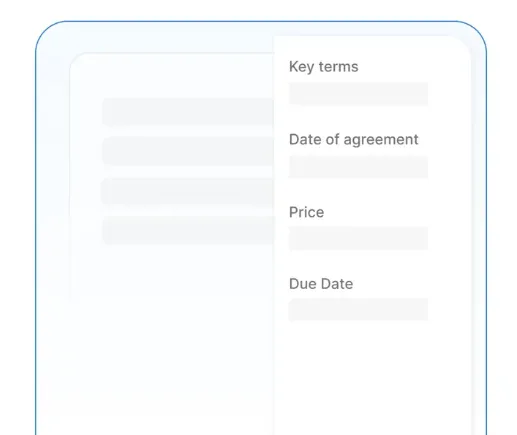
Before anything moves, you need to know what you have. That means identifying every location where contracts are stored, the file types and formats involved, the contract types and volumes, and the key metadata fields — parties, effective dates, values, renewal terms — that exist across the estate.
Signeasy AI can accelerate this stage considerably. Rather than manually opening each file to identify key clauses, parties, and dates, the AI automatically surfaces that information across your repository so the inventory builds itself far faster.
Step 2: Classify and prioritize scope
Revenue-driving agreements, contracts approaching renewal, and high-risk or high-value deals should move first. Lower-risk historical contracts can follow in later waves.
Useful prioritization criteria include the renewal window, contractual value or revenue exposure, regulatory sensitivity, and active department involvement.
Step 3: Map data and metadata
Data mapping is where legacy fields get aligned to the target platform's schema. If your old system stored a field called "Auto-Renewal?" and the new platform uses "Renewal type," that translation needs to be defined, documented, and applied consistently across every contract.
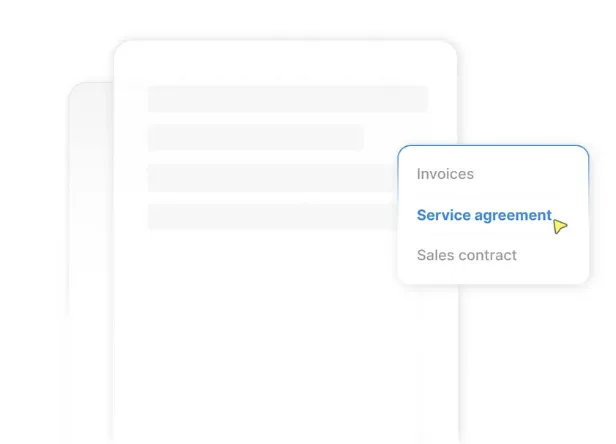
Naming conventions and tagging taxonomies should be standardized at this stage so the repository is clean and searchable from day one. Signeasy's structured contract types and tagging capabilities help enforce this consistency — your team can filter, sort, and retrieve contracts instantly once labels are applied correctly.
Step 4: Cleanse and normalize content
Raw data from legacy systems is rarely clean. Duplicates, missing values, inconsistent date formats, and conflicting versions are the norm. This step involves deduplicating records, reconciling versions, filling gaps in metadata, and running OCR on any scanned or image-only contracts.
Step 5: Prepare templates and clause libraries
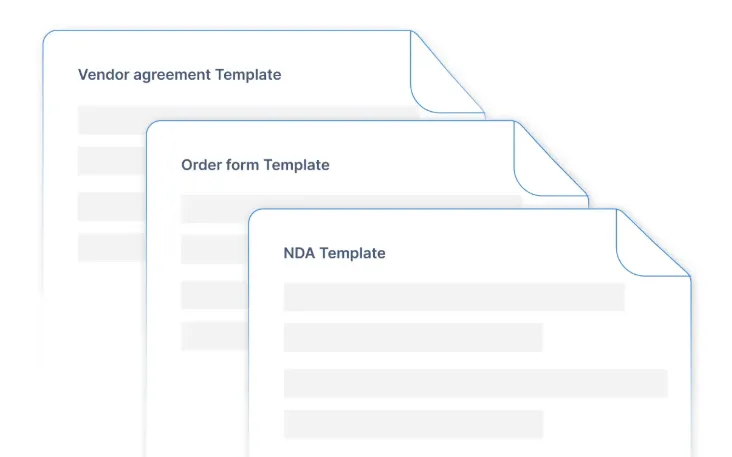
While the historical estate is being cleansed, this is the right moment to standardize go-forward templates and approved clause libraries. Pre-approved language for common scenarios — NDAs, vendor agreements, employment contracts — reduces negotiation cycle time. It also ensures that what gets loaded into the new system reflects current legal standards rather than outdated versions.
A useful governance practice here is assigning clause ownership: a named legal team member responsible for each clause type, with a defined update cadence.
With Signeasy's reusable templates, you can turn any frequently used contract into a reusable template with signature fields, recipient roles, and signing order already configured. The workflow is built into the template itself. When legal language changes, editing the template once means every document sent from it going forward reflects the update automatically, with no risk of an older version slipping through.
Step 6: Choose migration tooling and integration approach
A lot of modern CLMs support contract import via CSV, API, or native connectors. The right approach depends on the volume, data structure, and the systems that need to stay in sync post-migration.
Signeasy integrates with a broad ecosystem of tools — including Google Workspace, Microsoft 365 (Teams, SharePoint, Outlook), HubSpot, Dropbox, and Box — so contracts remain accessible within the systems your teams already use, without toggling between platforms.
Step 7: Pilot and validate
Migrate a representative sample — ideally 50 to 200 contracts — before running the full migration. Validate that metadata has transferred accurately, search returns the right results, permissions are correctly configured, and reporting reflects expected data.
Define acceptance criteria before the pilot, not after. A checklist might include: correct metadata on 98% of records, zero broken links, all access controls verified by role, and key date fields populated on all active contracts.
Step 8: Migrate in waves with QA gates
Batch the full migration by department, contract type, or region. After each wave, run QA checks and get formal sign-off before proceeding to the next. This catches errors when they are still contained rather than after an entire estate has been migrated incorrectly.
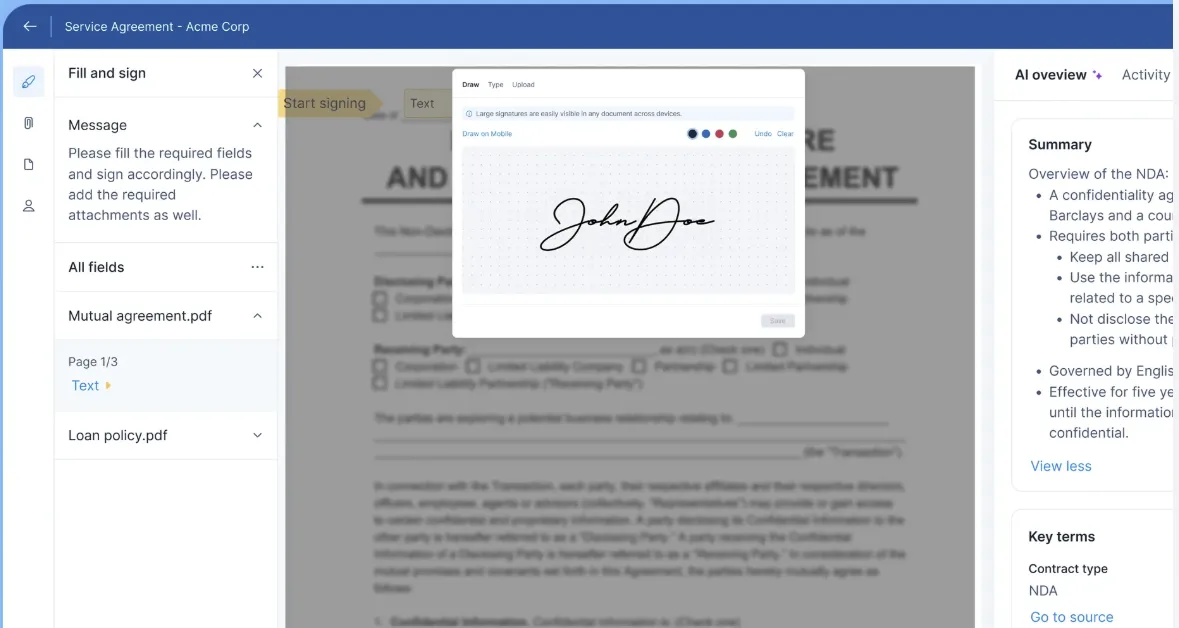
Signeasy's esignature capability makes QA sign-offs faster — approvers can review and confirm wave completions from any device, including mobile, so the process does not stall while someone is traveling or out of the office.
Step 9: Reconcile and decommission legacy sources
After all waves are complete, run a final reconciliation: compare record counts, validate exceptions, and confirm that every contract accounted for in the audit has landed in the new system. Once reconciliation passes, restrict access to legacy storage and enforce your records retention policy.
Leaving legacy systems open "just in case" is how shadow repositories persist and recreate the exact fragmentation you just spent months resolving.
Step 10: Train users and formalize governance
The best repository delivers nothing if your team defaults to emailing attachments. Role-based training — short, practical, and specific to each team's daily workflow — drives adoption far better than an all-hands walkthrough of every feature.
Signeasy's intuitive interface and mobile contract workflows reduce the learning curve significantly, which is one reason adoption tends to move faster compared to more complex enterprise systems. Formal governance — a documented RACI matrix, named data stewards, and defined KPIs — ensures the quality of the repository holds over time.
Preparing contracts for migration
Preparation is the phase that determines whether migration succeeds or stalls. The most common mistake we see is underestimating the state of legacy data and overestimating how much of the cleansing can be automated.
A practical preparation checklist looks something like this:
Contract migration best practices
1. Proven tips for faster, safer migrations
- Pilot before you scale. A small representative sample reveals issues in your mapping logic, metadata completeness, and permissions configuration before they propagate across thousands of records.
- Define data quality rules upfront. Decide what "complete" means for a record — which fields are mandatory and what formats are acceptable — before migration begins, not after QA starts failing.
- Phase by risk and ROI. Active, high-value contracts should migrate first so the new system starts delivering value immediately. Historical, low-risk archives can follow in later waves.
- Automate renewal reminders from day one. One of the fastest ways to demonstrate migration ROI is capturing a renewal that would otherwise have been missed. Configure alerts before the first wave goes live.
- Measure and iterate. Track completion rate, QA pass rate, metadata accuracy, and user adoption at each wave — then adjust before the next one.
2. Templates and checklists you can reuse
Every migration benefits from a small set of reusable artifacts: a field mapping template, a QA acceptance checklist, an exception log for records that cannot be automatically resolved, and a training plan organized by role. These do not need to be elaborate — the value is in having them at all, so every wave runs against the same standard.
Signeasy's structured contract repository supports standardized headings and tagging that make post-migration search consistent across the organization, reinforcing the discipline built during migration.
3. Governance, roles, and KPIs
A RACI matrix for the migration project — who is responsible, accountable, consulted, and informed at each stage — prevents the ambiguity that slows most projects down. After migration, ongoing governance requires named data stewards, a defined process for adding new contracts to the repository, and regular audits of metadata quality.
Useful KPIs for the first 90 days post-migration include cycle time from contract creation to signature, QA pass rate per wave, metadata completeness rate, and renewal capture rate. Signeasy's reporting and analytics make these metrics visible without custom exports or manual spreadsheets.
How Signeasy simplifies contract migration
We built Signeasy to support the full contract lifecycle, which makes it well-suited not just as the destination for a migration, but as an active participant in the migration process itself.
- AI-powered contract insights automatically extract key terms, dates, parties, and obligations from every contract in the repository — so your team knows what is inside each agreement without opening a single file. During migration, this capability accelerates the audit and mapping stages significantly by surfacing data that would otherwise require manual review.

- Esignatures with audit trails provide the legal verifiability that migration projects depend on. Every signature carries a tamper-evident certificate and a timestamped record of who signed and from where — the chain-of-custody evidence that legal teams need when contracts move between systems.
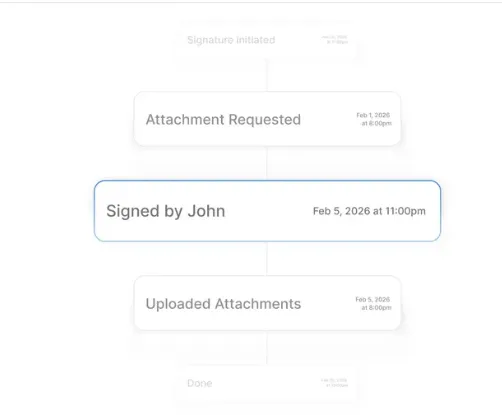
- Mobile contract workflows mean that reviewers and approvers can manage sign-offs from iOS or Android, removing the bottleneck of waiting for someone to be at their desk. During a phased migration with QA gates, this can meaningfully accelerate the pace of each wave.

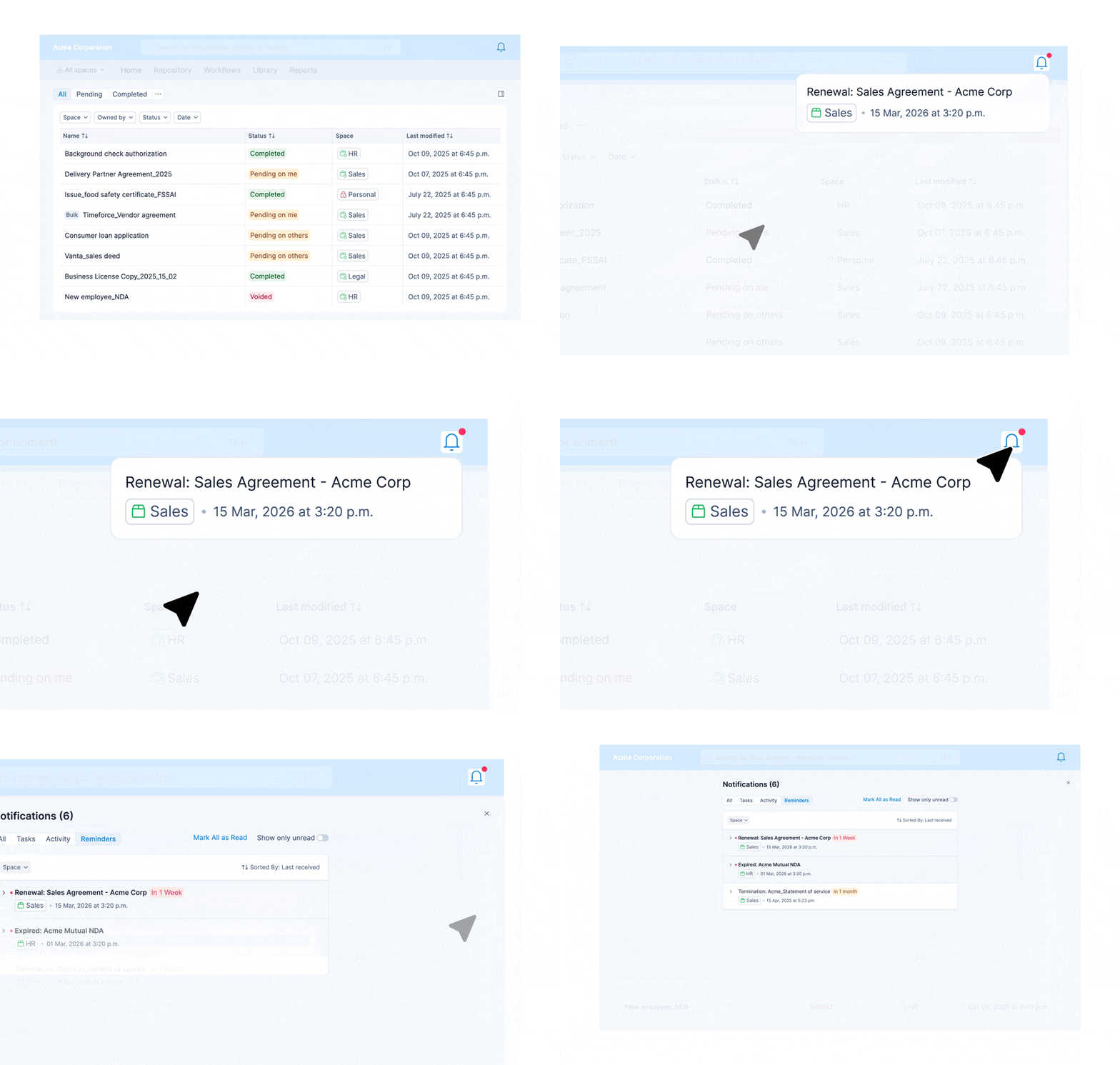
- Renewal tracking and proactive alerts ensure that once contracts land in the new repository, critical dates are never missed. Auto-renewals, notice periods, and termination deadlines are extracted and flagged automatically — well before they become costly surprises.
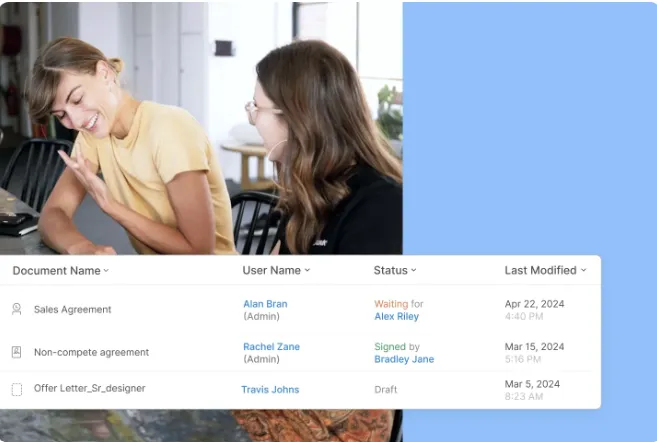
- Built for scale, security, and control: One of the more important things to understand about migrating to Signeasy is that your security posture does not just stay the same — it improves. Contracts that lived in personal inboxes and shared drives with no access controls moved into an environment with layered protection built in from the ground up.
- Platform security features cover the controls your IT and legal teams will ask about first:
- Single Sign-On (SSO) integrates with your existing identity provider, centralizing user management and reducing the risk that comes with scattered credentials
- Two-factor authentication (2FA) adds a verification layer so only authorized users can access contracts, even if login details are compromised
- Role-based access control (RBAC) lets you set granular permissions by user role, so the right people can access and act on contracts without opening up the entire repository
- Multi-layered data encryption protects all data using AES 128-bit encryption at rest and SSL 256-bit encryption in transit
- Trust Seal detects tampering at the document level — any attempt to alter a completed contract breaks the seal, making fraud immediately visible
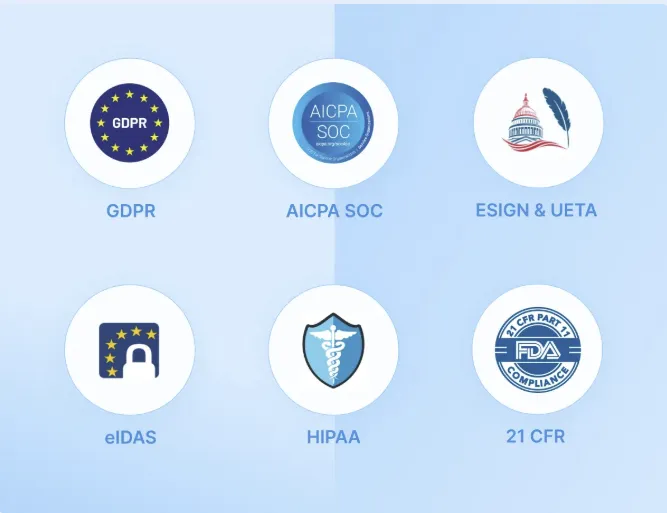
- Compliance coverage spans the major regulatory frameworks your organization is likely already subject to:
- ESIGN and UETA: ensuring your electronic signatures are legally valid under US federal and state law
- eIDAS: covering legally valid electronic signatures across the EU and UK
- SOC 2 Type 2: Signeasy undergoes regular external audits against AICPA standards for security, availability, and confidentiality
- GDPR: infrastructure designed for lawful collection, storage, and processing of personal data under European privacy law
- HIPAA: controls audited by external experts to protect Protected Health Information for healthcare organizations
- 21 CFR Part 11: built-in multi-factor authentication, tamper-evident seals, and audit trails for organizations operating under FDA regulations
Beyond security and compliance, automated workflows handle reminders, approvals, and lifecycle actions without manual handoffs. Reporting and analytics give your operations and legal teams visibility into cycle times, adoption rates, and contract risk hotspots — the kind of insight that was simply unavailable when agreements were scattered across inboxes and drives.
Your contract migration roadmap
Contract migration is a project with a beginning and an end, but the value it unlocks is ongoing. A single searchable repository, proactive renewal tracking, and full audit trails are not just migration outcomes — they are the operational infrastructure that protects your business every day after go-live.
The teams we have seen execute migration well share a few habits: they pilot before they scale, they define data quality standards before the first record moves, they invest in change management alongside the technical work, and they treat migration as a governance project rather than a purely technical one.
Start with a clear audit of what you have. Define your target schema, prioritize by risk and value, and run a pilot that stress-tests your assumptions before the main event.
Ready to see how Signeasy supports a faster, safer migration? Start a free trial or book a demo to explore AI contract insights, esignature with audit trails, and the full contract repository in action.




