





Strong contract management directly affects how quickly you recognize revenue, how reliably you protect margin, and how clearly your teams coordinate around active agreements. When contracts move without internal delays, your sales team closes deals on schedule, your finance team confirms pricing and payment terms with confidence, and your legal team reviews language without becoming a bottleneck.
The real question is: how do you implement contract management for teams in a way that improves collaboration and execution without adding operational friction?
In this article, you will explore:
- How contract management software supports legal, sales, finance, and operations
- How Microsoft Teams can be configured for contract coordination
- Operational practices that reduce approval delays and renewal risk
- How Signeasy helps automate workflows, manage agreements, and collect esignatures
What is contract management for teams?
Contract management for teams defines how agreements move through your organization from initial request to renewal, with clear ownership at every stage. It establishes a documented workflow that connects drafting, internal review, approval routing, execution, and post-signature accountability.
Consider a $250,000 annual software agreement initiated by the sales team. The account executive submits a contract request with deal value, counterparty details, and expected close date. Legal selects the approved master service agreement template and reviews liability and data protection clauses.
Because the deal exceeds a predefined financial threshold, the agreement routes to finance for pricing validation and then to a department head for final approval. Once signed, the contract is stored with its effective date, renewal term, and notice period attached to the record.
Operations references the same agreement to confirm service commitments, and finance tracks renewal timing to support revenue forecasting.
The system supporting this process maintains draft history, records reviewer decisions with timestamps, and restricts editing rights based on role. Each action remains attached to the agreement itself.
The legal team protects contractual language while sales advances the deal, finance confirms commercial terms, and operations aligns delivery with the signed agreement.
Contract management for teams ensures that every agreement follows a defined path, with visible ownership and documented accountability from request through renewal.
Why do teams need a dedicated contract management solution?
Once business grows, your teams also grow, and coordination effort increases. What works for ten agreements per month becomes fragile at fifty. By one hundred, manual routing and shared folders begin to slow execution.
1. Approval complexity grows with deal value
Low-risk agreements can move through review quickly, while higher-value contracts require additional oversight. A deal above a defined financial threshold may need review from legal leadership, finance, and executive stakeholders. When approvals are coordinated through email, reviewers lack visibility into priority and status, which slows decision-making.
Contract management software aligns approval paths with contract value and risk level. Agreements route automatically to the appropriate reviewers, and each authorization is recorded in sequence.
2. Cross-functional work creates bottlenecks
Pricing discussions often begin with sales, legal evaluates liability exposure, finance reviews billing terms, and operations checks delivery commitments. Each function relies on input from the others before the agreement can move forward.
When coordination happens across separate threads, visibility into status and responsibility declines. Contract management software provides a shared view of who is reviewing the agreement, what stage it is in, and which actions remain pending.
3. Leadership needs real-time contract intelligence
Revenue forecasting, renewal planning, and compliance monitoring rely on accurate contract information. Spreadsheet trackers fall out of sync when updates depend on manual entry.
Contract management platforms store key details — such as contract value, expiration date, counterparty, and owning department — alongside each agreement. Leadership can filter and review contract data directly, without merging reports from multiple teams.
4. Regulatory and audit expectations increase
Organizations operating across jurisdictions must comply with data protection laws, document retention policies, and formal approval requirements. During an audit, teams need clear evidence of who approved specific terms and the timing of those decisions.
Contract management software preserves a documented history within each agreement, including reviewer actions and timestamps, which supports regulatory reporting and internal audits.
Read more: Collaborative contract management: How it works and best practices
How contract management software benefits various teams
Contract management software impacts each team differently. A single platform supports these needs through shared contract data and controlled workflows.
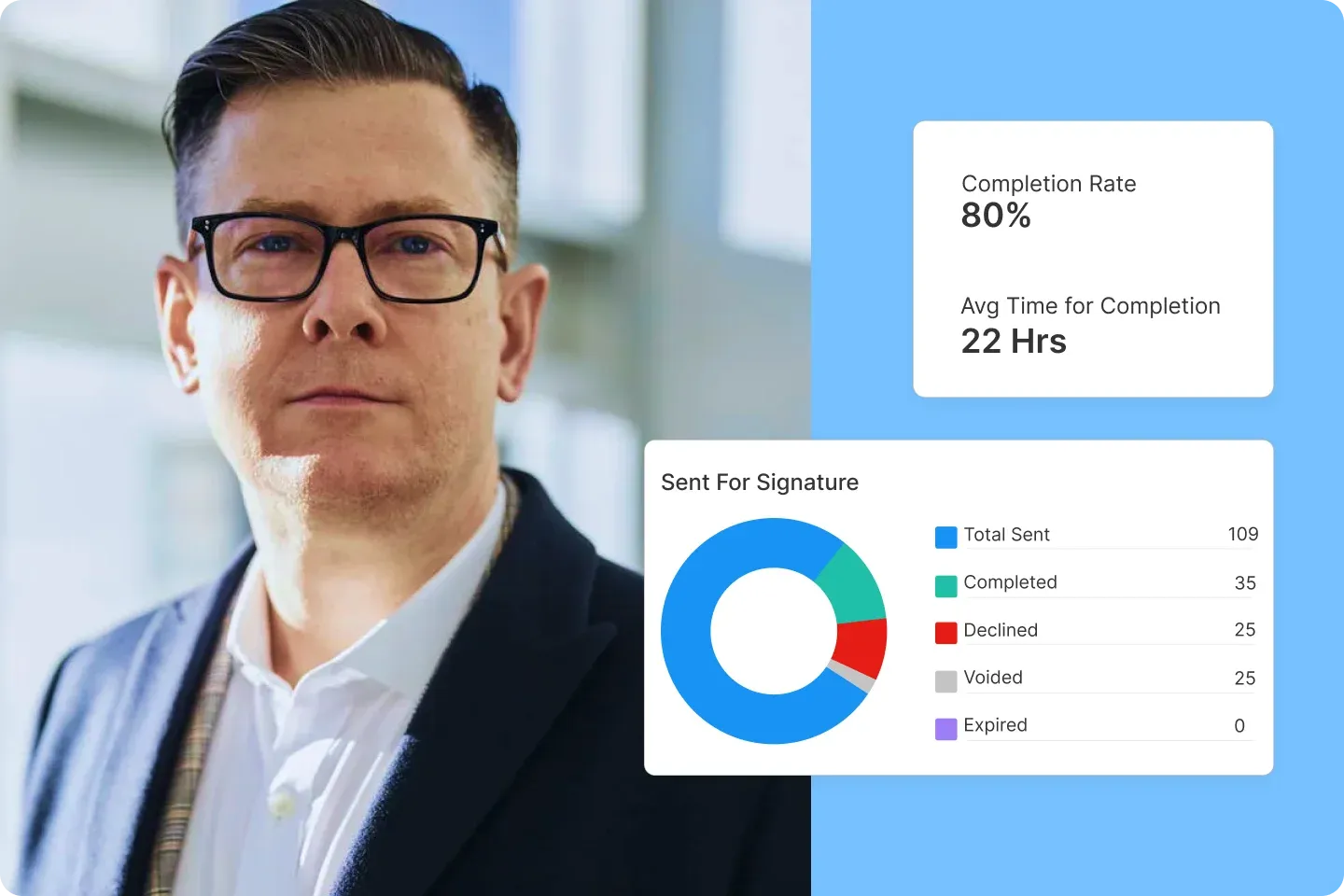
1. Clear approval pathways across departments
Contracts often require layered review based on value or risk category. A dedicated platform routes agreements according to predefined approval logic. Each stakeholder receives assigned tasks with visibility into current status.
With Signeasy, you can define routing rules tied to contract value or department and monitor pending approvals from a live dashboard.
2. Indexed contract data for reporting
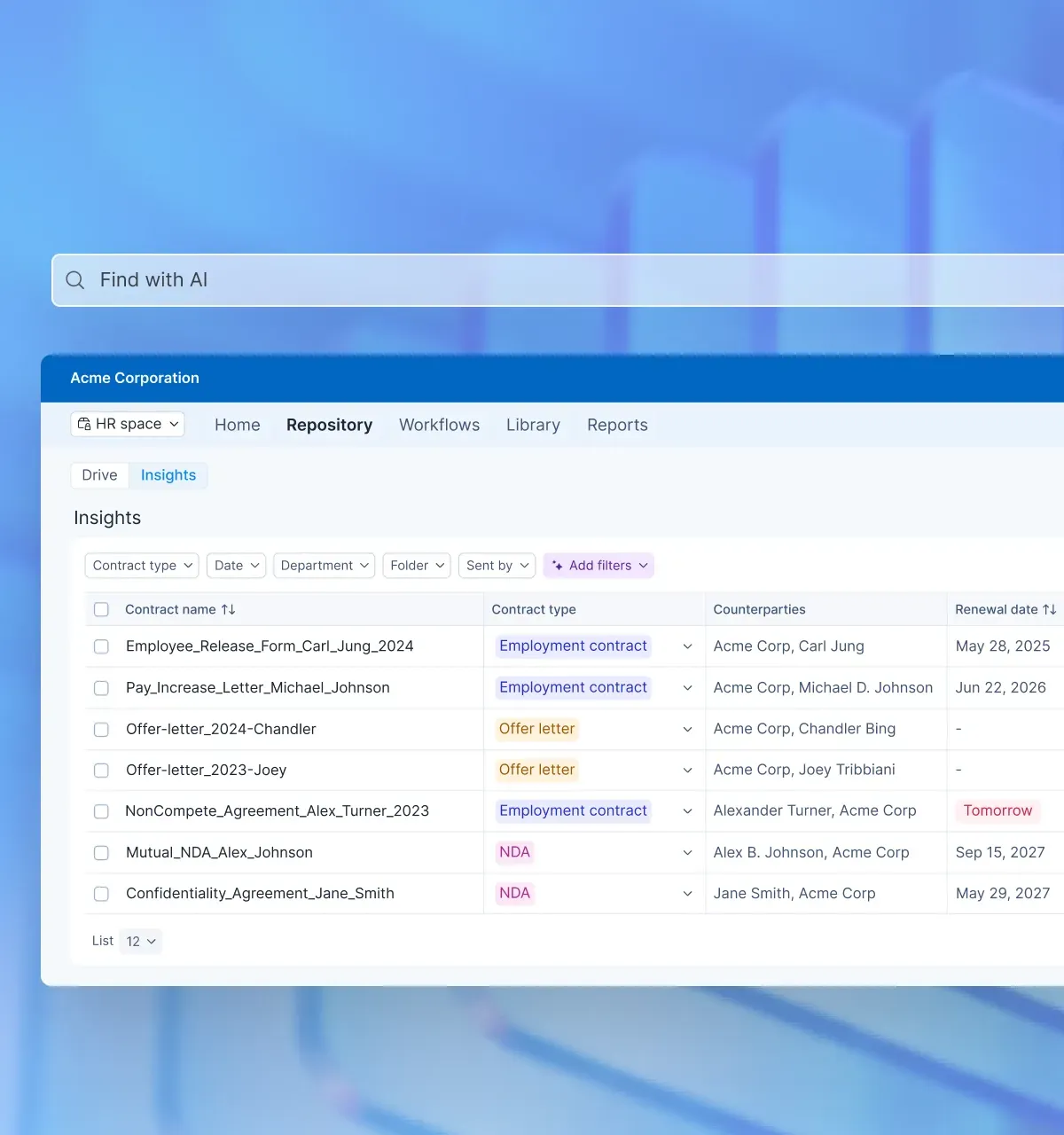
Agreements contain critical commercial information such as value, effective date, expiration timeline, and business unit ownership. Capturing these as searchable attributes allows teams to filter and analyze active contracts without manual extraction.
Signeasy stores these indexed attributes alongside each agreement and enables filtering by value, status, or renewal date.
3. Documented decision history
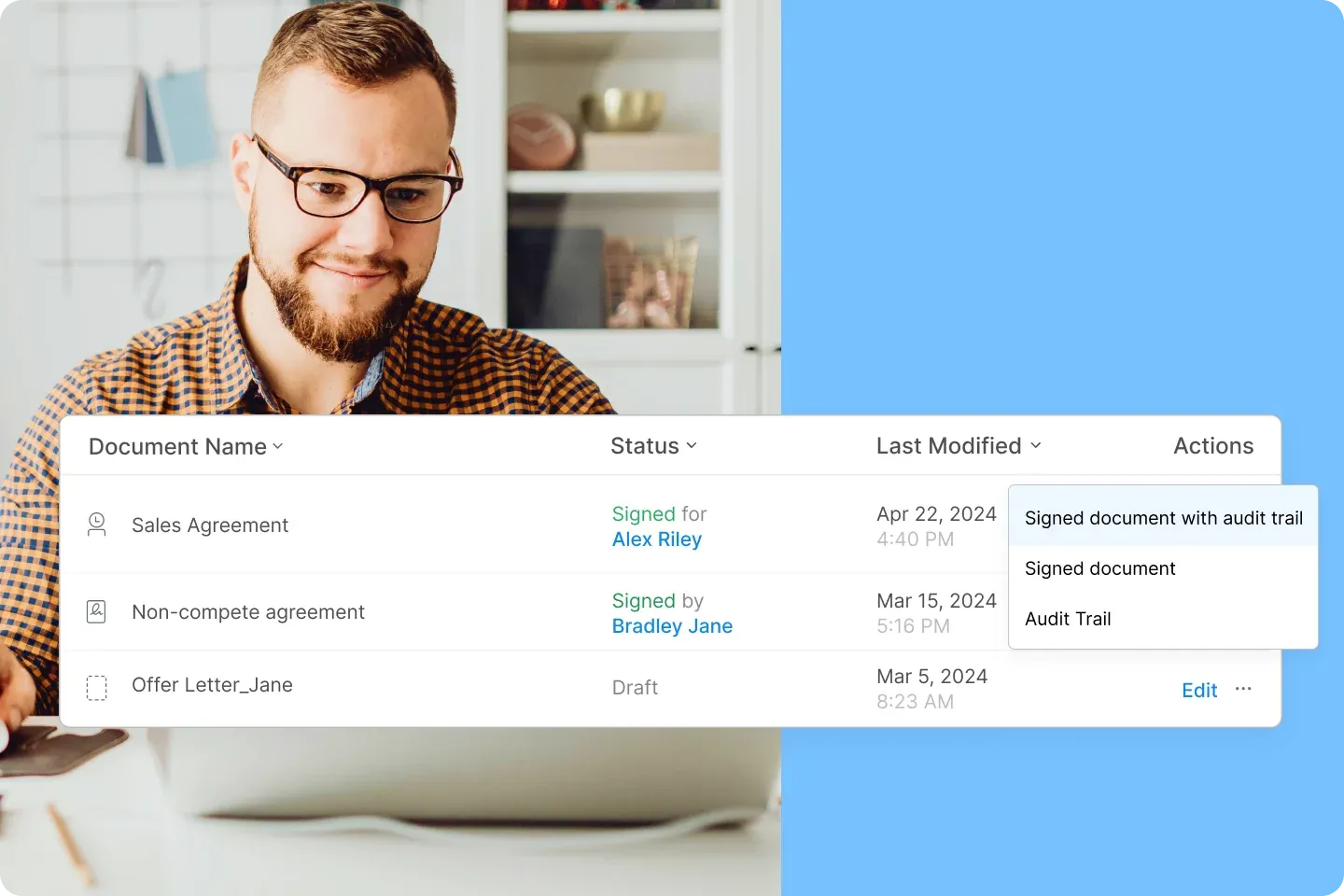
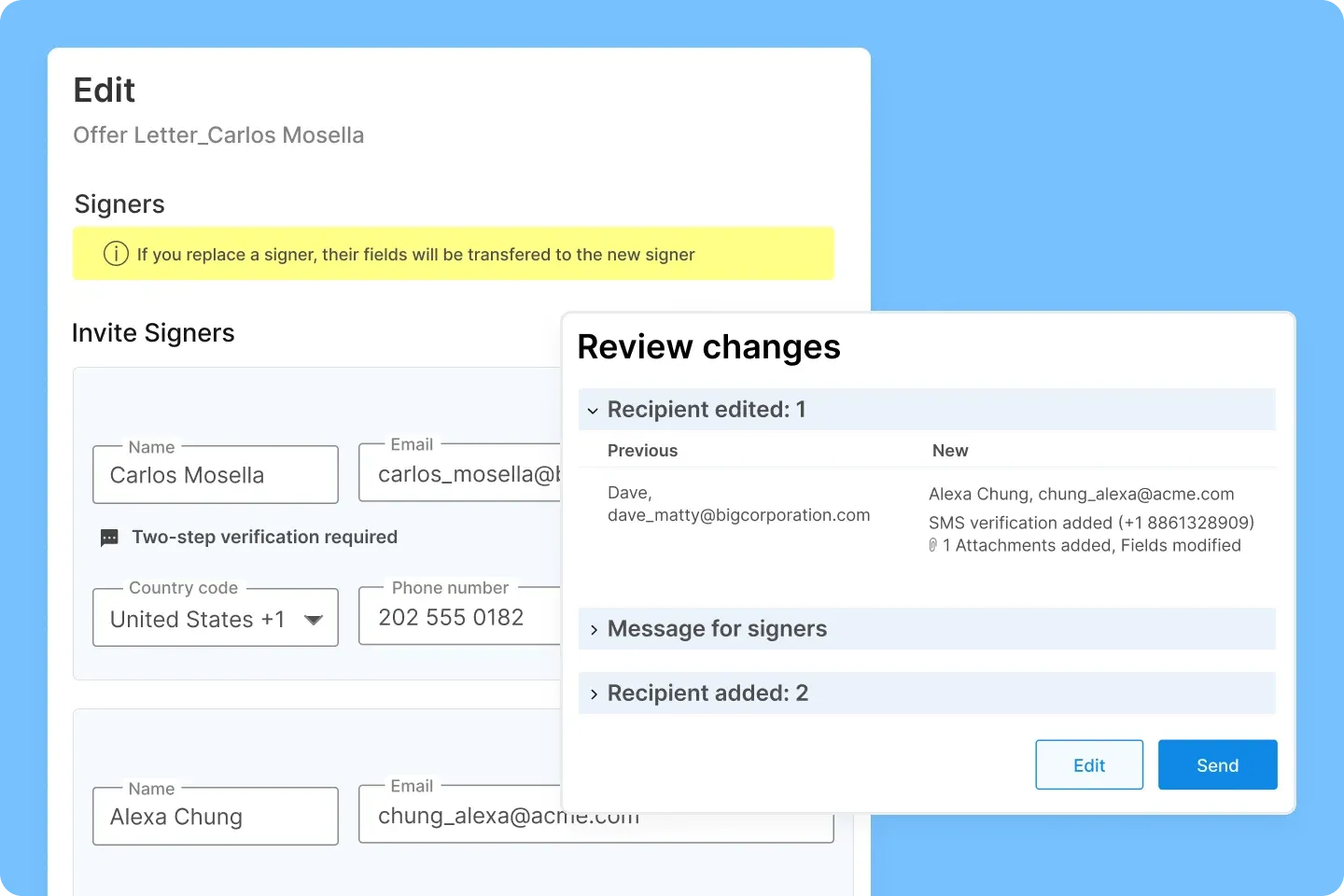
Every edit, comment, approval, and signature stays linked to the agreement.
If there’s an audit or dispute, your team can quickly see a clear timeline showing what changed, when it changed, and who approved it.
Signeasy keeps version history, reviewer timestamps, and the final signed certificate together in the same contract record, so nothing gets lost.
4. Controlled access and data protection
Contracts frequently contain pricing models, personal information, and confidential terms. Role-tiered permissions and encryption safeguards protect sensitive data while allowing appropriate collaboration.
Signeasy security controls allow administrators to manage editing rights, download permissions, and authentication requirements aligned with company policy.
5. Shorten contract turnaround time across teams
Contract management software surfaces where agreements stall and how long each review stage takes. Teams can measure average approval duration, identify bottlenecks by department, and reduce overall time to signature through visibility and defined escalation paths.
6. Surface renewal and revenue risk early
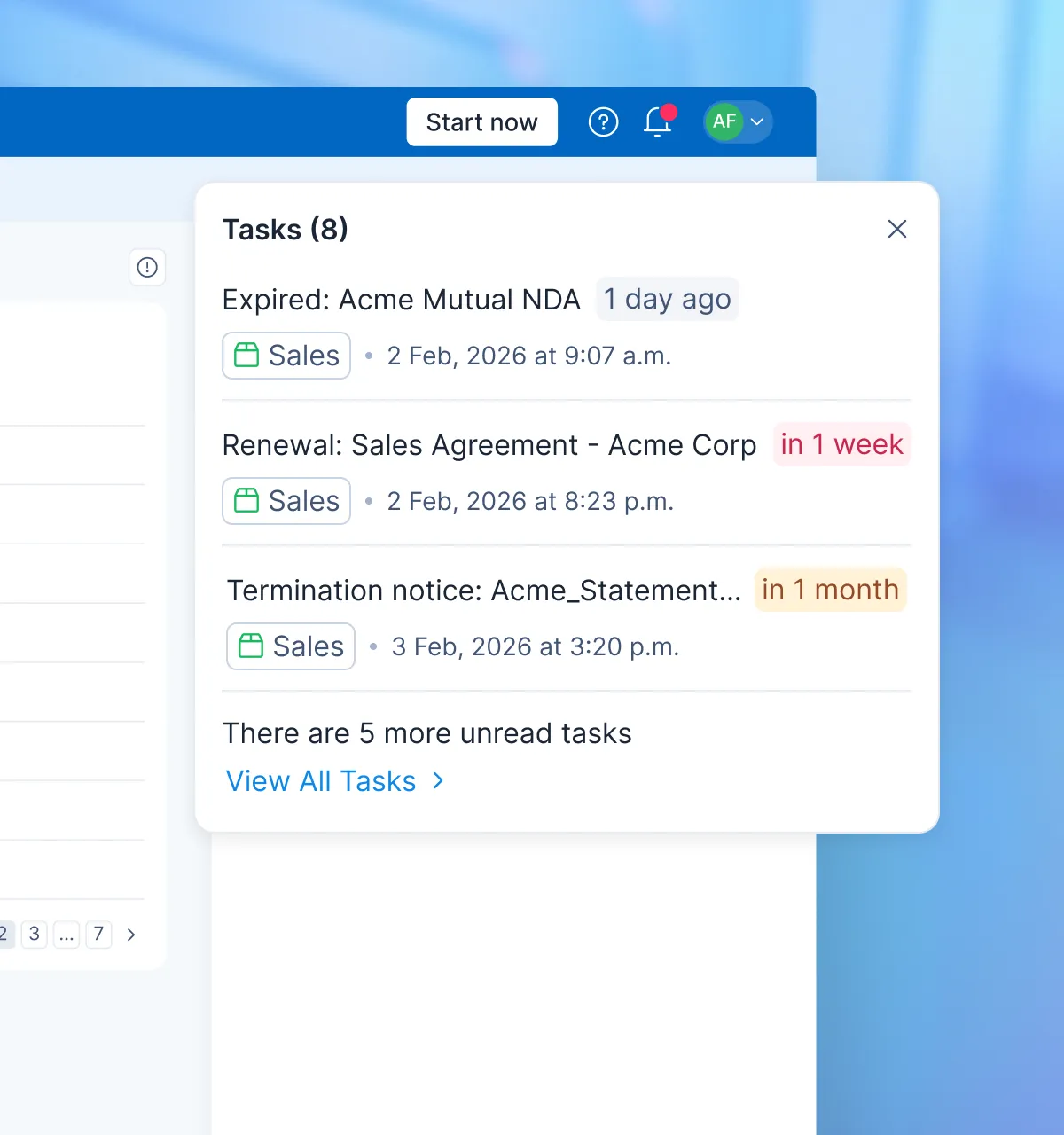
Renewal terms and notice periods remain attached to each agreement. Automated reminders and contract filtering allow teams to identify upcoming expirations before deadlines pass. This reduces missed renewals and protects recurring revenue.
7. Enable portfolio-level contract insights
Leadership gains visibility into total contract value by department, concentration of revenue by counterparty, and exposure across regions or business units. Indexed contract data supports reporting without manual data extraction.
8. Align cross-functional teams around one contract status
All stakeholders view the same live agreement status, approval progress, and execution timeline. Sales, legal, finance, and operations operate from a shared understanding of where a contract stands and what action is required next.
9. Improve audit readiness and internal review efficiency
A complete decision history remains attached to each agreement, including draft comparisons, reviewer approvals, and signature certificates. During audits or internal reviews, teams can retrieve documentation without reconstructing activity from multiple systems.
How to use Microsoft Teams for contract management
Microsoft Teams can support contract coordination when paired with SharePoint and workflow automation inside Microsoft 365. The effectiveness of this setup depends on intentional configuration rather than default file sharing.
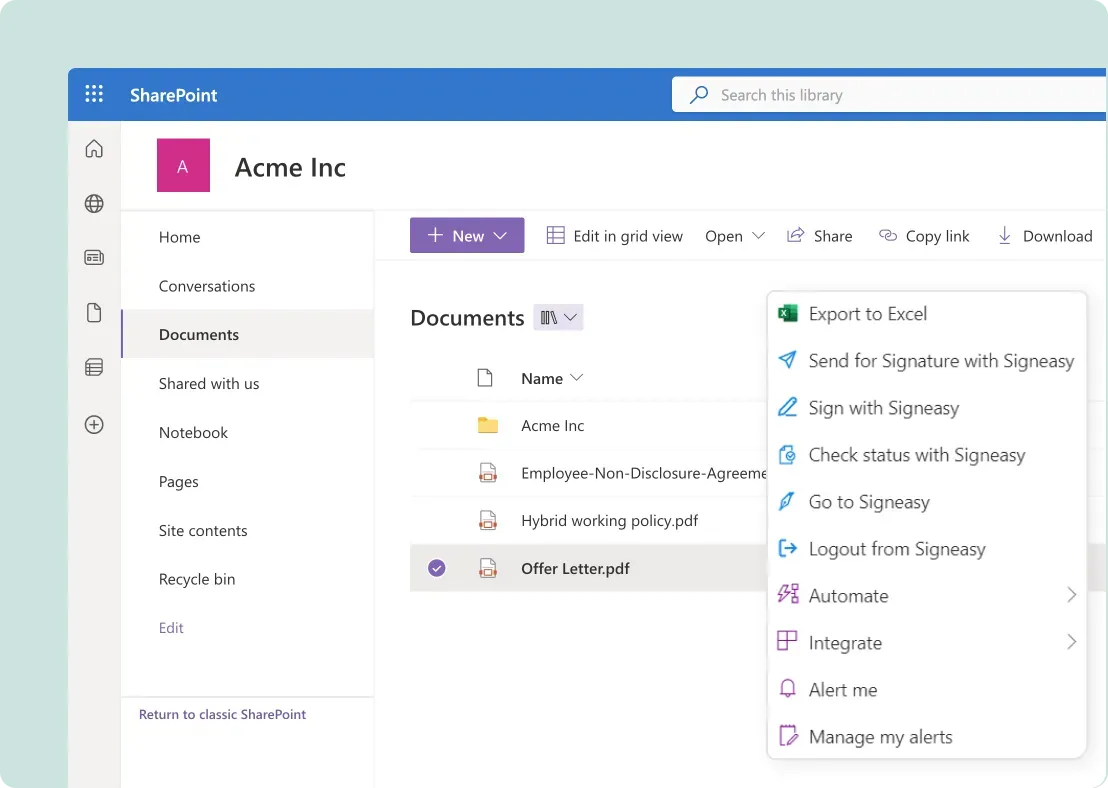
1. Build a dedicated contract library in sharepoint
Each Team's channel connects to a SharePoint site. Within that site, create a contract-specific document library instead of storing agreements in general folders.
Add required columns such as counterparty name, contract value, business unit, effective date, and expiration date. These fields allow filtering by renewal timeline or deal size without relying on file names alone.
Permission groups can be aligned with departments so that only designated users can edit sensitive agreements.
2. Use channels for contract discussions
Create a dedicated Teams channel for active contract negotiations. Post document links directly in the channel to avoid circulating attachments.
Reviewers can comment inside the document while maintaining contextual discussions in threaded messages. Tagging stakeholders ensures accountability and reduces follow-up cycles.
Keeping document conversation in one channel reduces parallel email threads and preserves negotiation context.
3. Automate approvals within the Microsoft environment
Approval routing in Microsoft Teams typically requires Power Automate. You can design flows that trigger based on contract value, department, or content type. For example, contracts above a financial threshold can automatically route to finance leadership before final review.
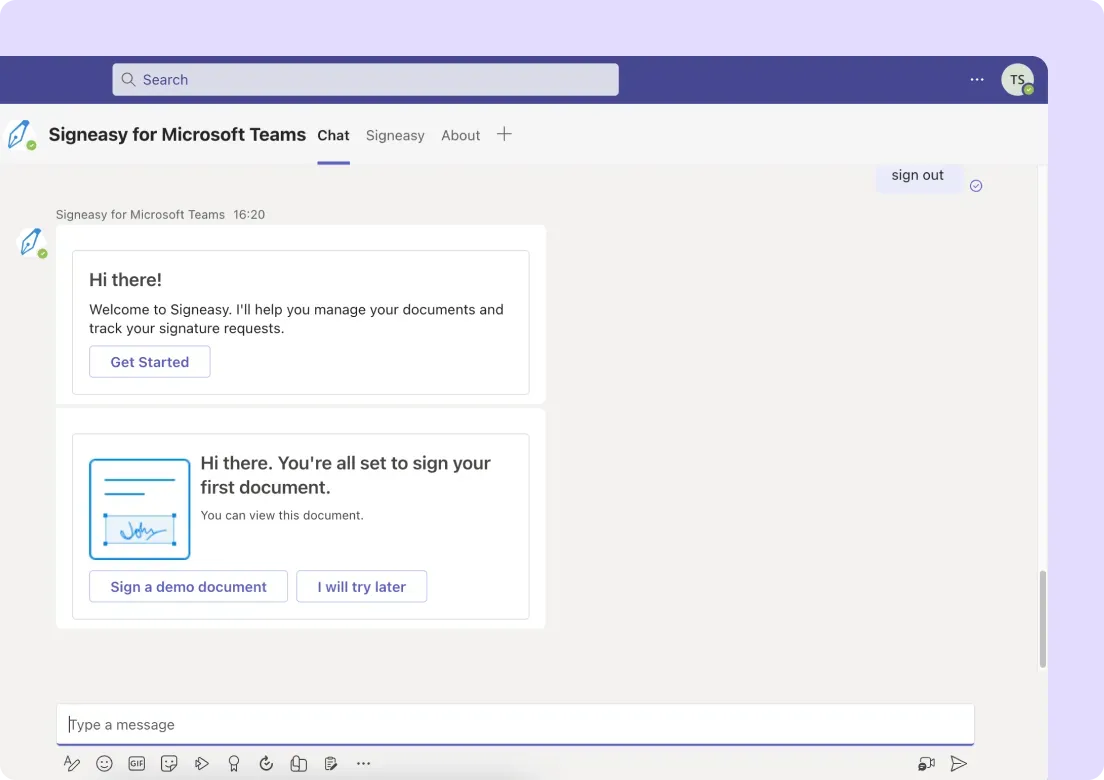
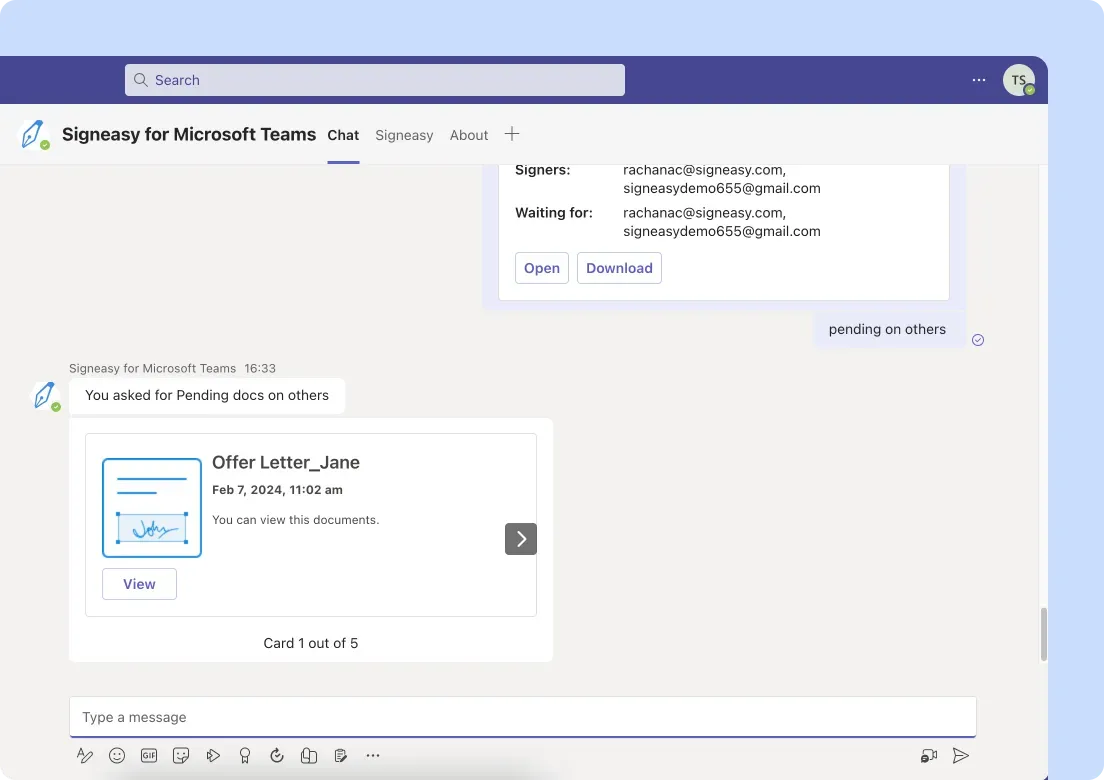
If you want contract-specific approval tracking and visibility without building complex flows manually, you can use Signeasy within Microsoft Teams to define rule-based approval paths and monitor status in a contract dashboard.
4. Collect legally binding signatures
Microsoft Teams does not include built-in electronic signature functionality. To execute agreements, you need an integrated esignature solution connected to SharePoint or Teams.
You can use Signeasy to send documents for signature directly from your Microsoft environment. Signed agreements sync back to your contract library, and execution details remain attached to the document record.
5. Recognize when additional capability is needed
Microsoft Teams provides strong collaboration infrastructure. As contract volume increases, organizations often require deeper visibility into approval timelines, renewal tracking, and agreement status reporting.
In those cases, Teams functions as the collaboration layer, while a contract management platform such as Signeasy supports workflow automation, signature collection, and agreement tracking within the same ecosystem.
Best practices for streamlining contract workflows across teams
Technology supports contract operations, but execution discipline determines how efficiently agreements move across departments. Clear decision thresholds, measurable timelines, and defined accountability prevent contracts from slowing down as volume increases.
1. Define escalation thresholds early
Establish financial and risk-based thresholds that determine when senior legal review, executive approval, or finance validation is required. Document these criteria and share them across departments so teams know when additional review is mandatory.
Clear escalation rules prevent unnecessary approvals and reduce decision delays.
2. Measure contract turnaround time by stage
Track how long agreements remain in drafting, internal review, approval, and signature phases. Break cycle time into measurable segments rather than evaluating only total duration.
Stage-level data reveals bottlenecks and highlights where review capacity or process clarity needs adjustment.
3. Limit parallel edits during negotiation
Assign a single document owner during active negotiation. Consolidate internal feedback before sending revisions to external parties.
A single revision source reduces version confusion and shortens negotiation cycles.
4. Standardize contract intake information
Require essential business details before drafting begins, including contract type, counterparty legal entity, jurisdiction, deal value, and requested turnaround date.
Complete intake information enables faster risk assessment and reduces clarification loops.
5. Review renewal exposure quarterly
Audit contracts scheduled to expire within the next quarter. Identify agreements requiring renegotiation, notice of termination, or pricing updates.
Quarterly review protects revenue continuity and supports cost management.
6. Assign post-signature accountability
Designate an owner responsible for monitoring performance milestones, notice periods, and amendment tracking after execution.
Clear accountability ensures agreements remain active management tools rather than archived documents.
Suggested read: How much does contract management software cost?
How Signeasy simplifies contract management for teams
As contract volume grows, your teams need a workspace where drafting, review, approval, signing, and post-signature access happen without tool switching. Signeasy is an AI-powered contract management and eSignature platform that helps teams manage agreements inside one connected environment that keeps context, decisions, and documentation together.
1. Create dedicated contract workspaces
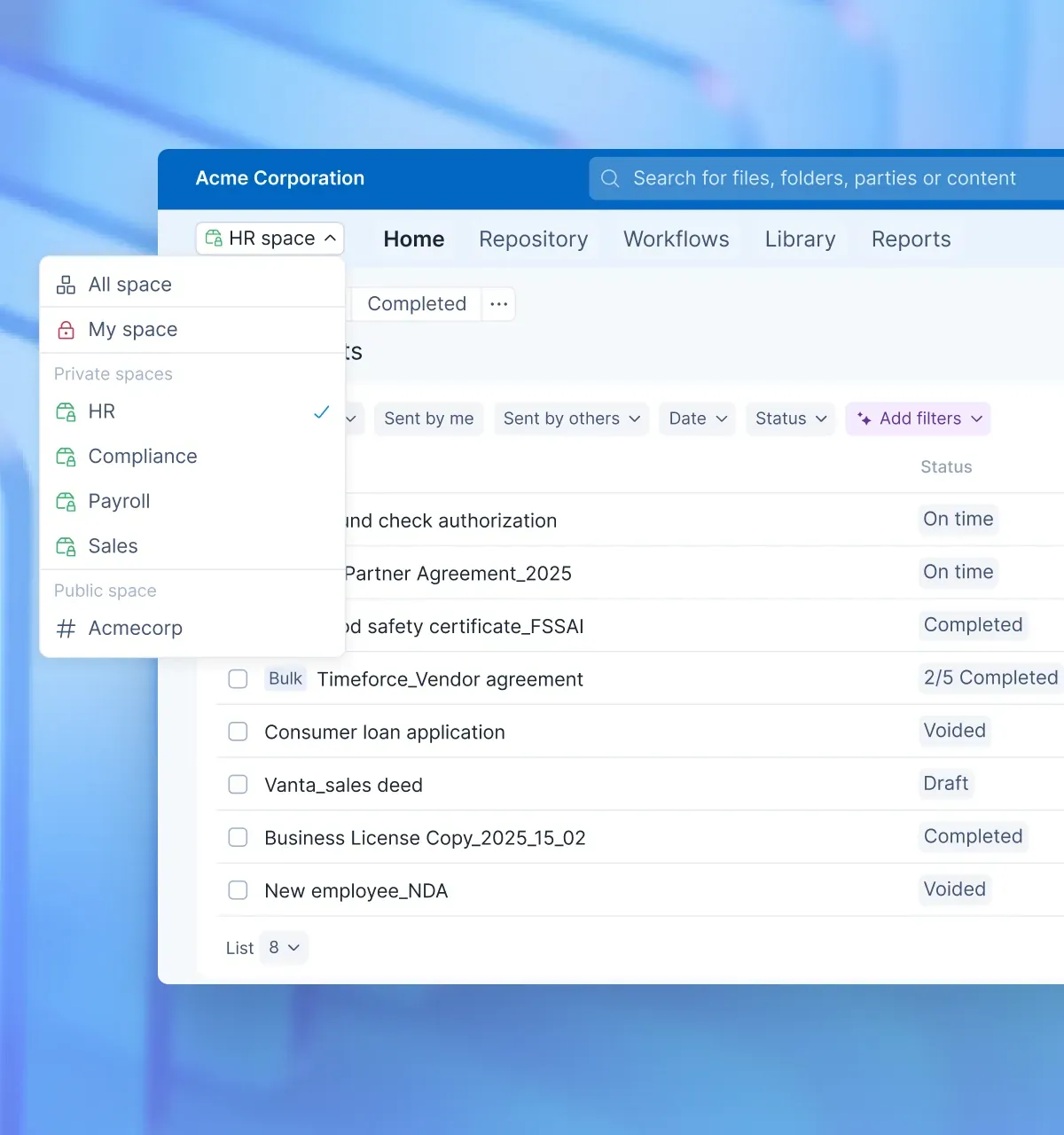
You can organize agreements by contract type, department, or business function inside Signeasy Spaces. Customer MSAs, vendor contracts, and employment agreements can each live in clearly defined workspaces.
Your team drafts in real time, comments directly on clauses, assigns tasks to specific stakeholders, and monitors status from one interface. Conversation stays attached to the document, which eliminates scattered email threads and lost feedback.
This allows legal, sales, finance, and operations teams to work from a shared contract system while maintaining clear ownership.
Each agreement shows its current stage and responsible reviewer, so you always know who needs to act next.
2. Route approvals based on your internal rules
You can define approval paths that reflect your authority structure. Route agreements automatically based on contract value, jurisdiction, or department. High-value contracts can move through sequential leadership review, while standardized agreements follow a shorter path.
Signeasy records reviewer actions with timestamps and maintains a visible approval trail. You can view pending approvals and measure turnaround time directly from your dashboard.
3. Search and filter contracts by key business data
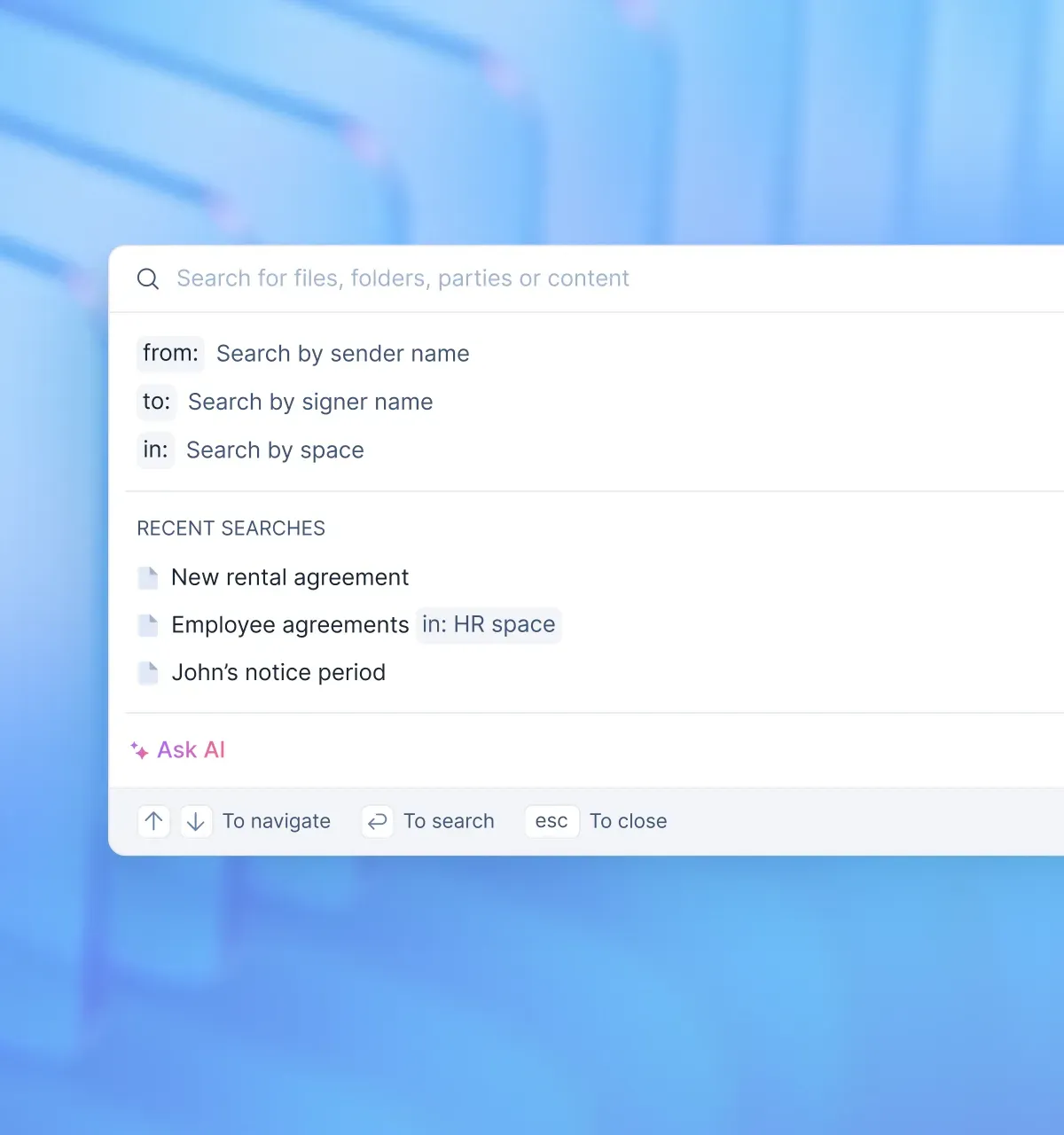
You can require specific business details when a contract is created or uploaded, such as counterparty name, deal value, business unit, effective date, and expiration date.
Those attributes become searchable filters inside Signeasy. Your team can quickly surface contracts nearing renewal, identify high-value agreements, or review active contracts by department without exporting spreadsheets.
Read more: Contract search and retrieval: How to find documents fast
4. Send and complete agreements with built-in esignatures
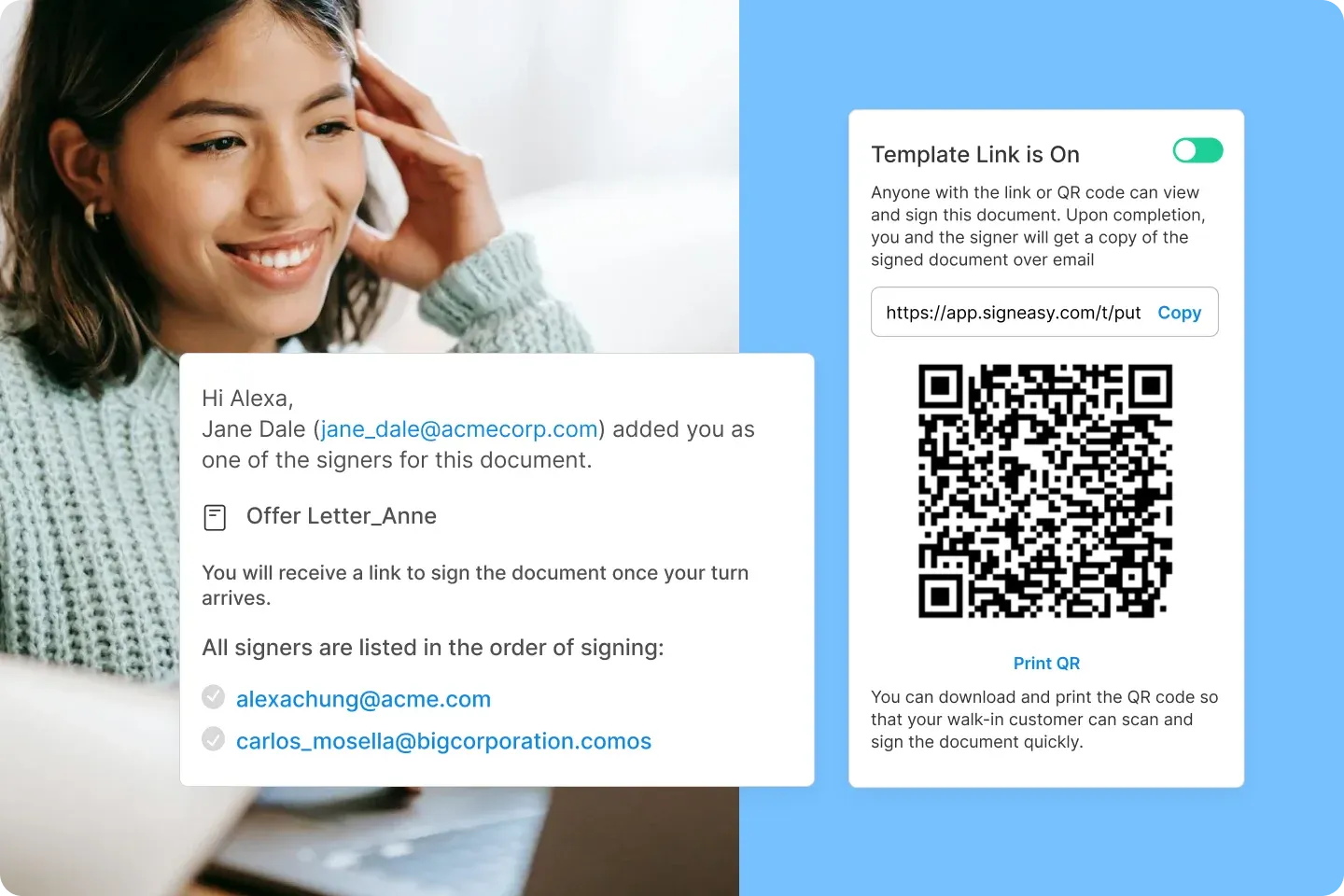
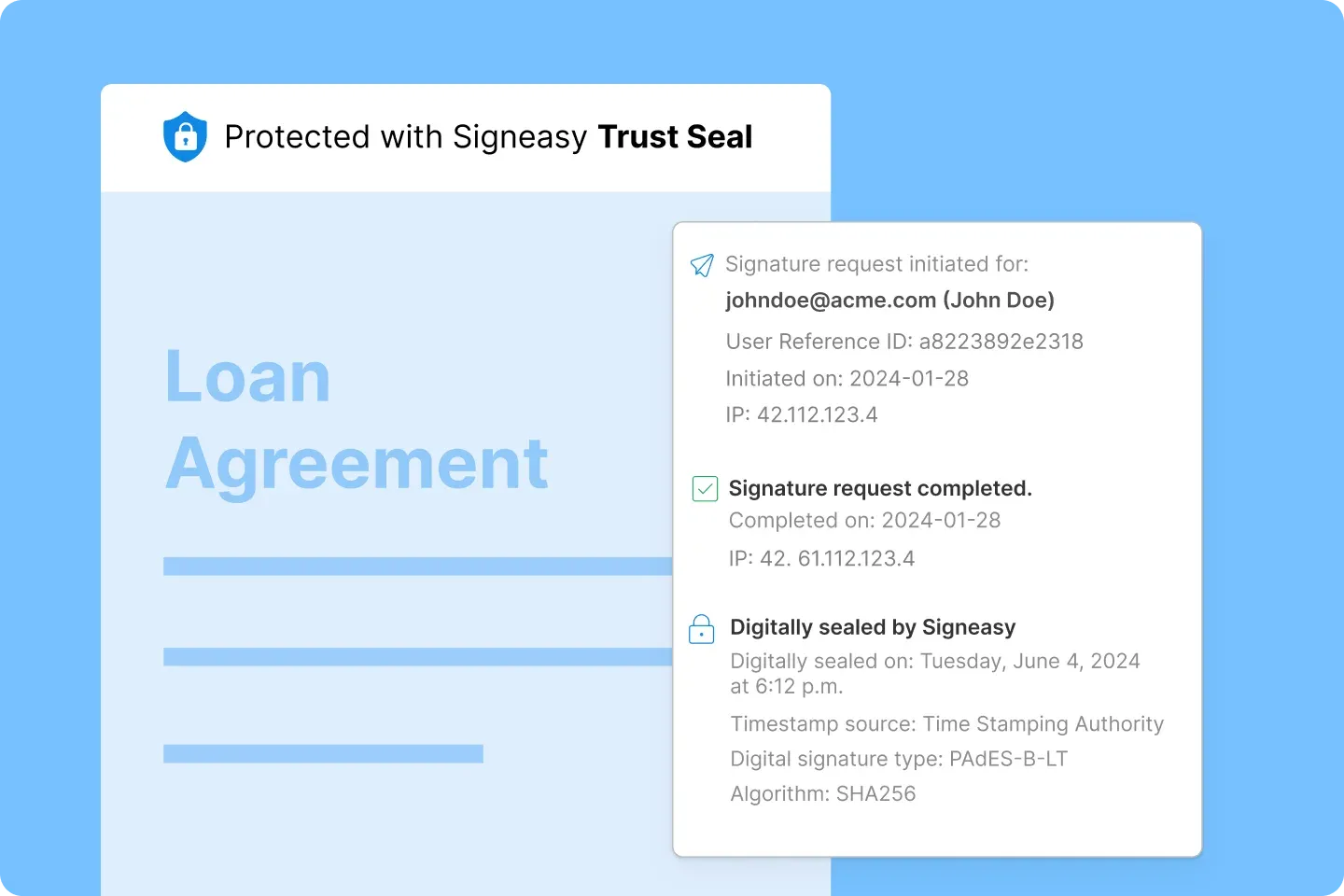
You can send contracts for legally binding signatures directly from the platform. Signatories receive secure signing links, and completed agreements include a certificate documenting identity, timestamp, and IP address.
Once signed, the agreement updates automatically and remains accessible within the same workspace, preserving the full document history.
5. Control access and protect sensitive information
You decide who can draft, edit, approve, sign, download, or share each agreement. Role-based permissions, encryption in transit and at rest, and authentication controls protect confidential pricing terms and personal data.
Signeasy also supports enterprise-grade security and compliance standards such as SOC 2 Type II, GDPR, and eIDAS, along with features like SSO and multi-factor authentication.
Every user action remains visible within the agreement record, which supports internal review and compliance requirements.
6. Work inside your Microsoft ecosystem
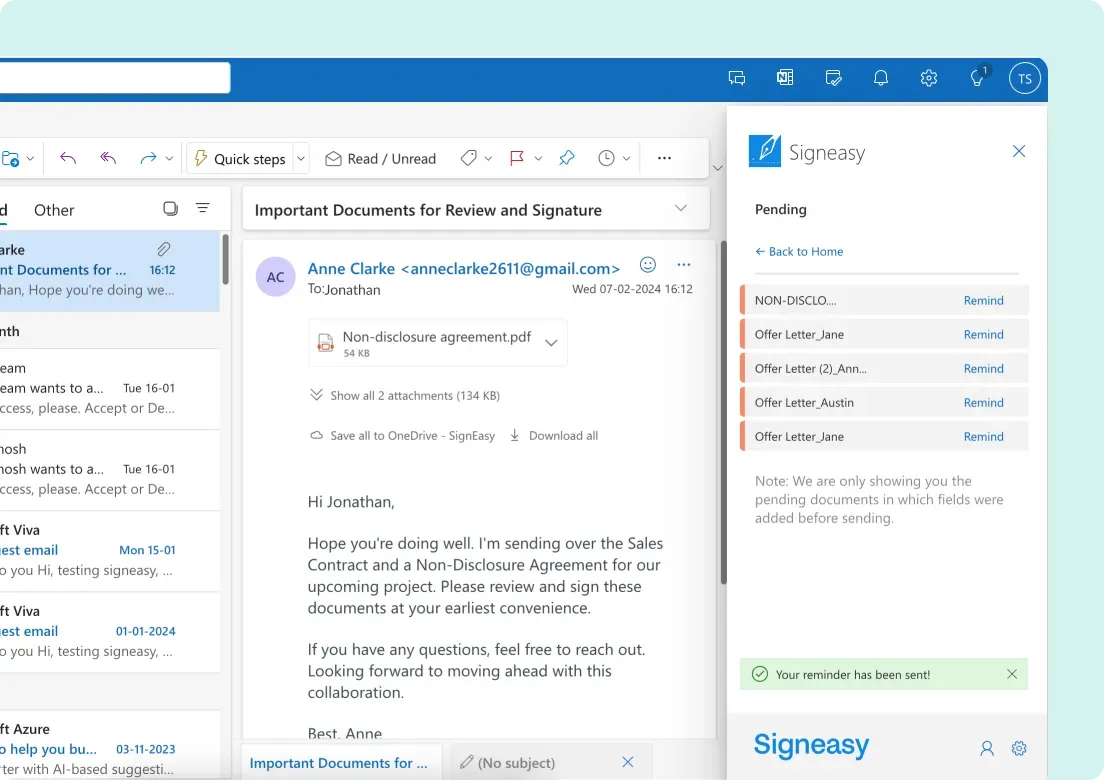
You can connect Signeasy with Microsoft Teams, SharePoint, and Outlook. Initiate discussions in Teams and link directly to the active agreement. Sync signed contracts back to SharePoint libraries. Send documents for signature from Outlook while keeping tracking inside Signeasy.
Your teams continue working in familiar tools while maintaining consistent contract oversight.
With Signeasy, you gain clarity over approvals, visibility into contract status, searchable agreement data, and secure execution — without building complex workflows from scratch.
7. AI-powered contract insights
Signeasy uses AI to extract key terms, summarize agreements, and help teams quickly understand contract details without manual review. This helps stakeholders make faster decisions and reduces time spent navigating long documents.
Centralize contract management for your teams
Effective contract management gives your organization defined approval paths, documented version history, searchable agreement data, and controlled access across every stage of the lifecycle. Legal can enforce clause standards and monitor high-value agreements. Sales can track deal status and signature progress in real time. Finance can verify commercial terms tied to executed contracts without requesting separate confirmations.
Signeasy consolidates drafting, review, approval routing, esignature collection, and post-signature storage within one platform. You can configure workflows based on contract value or department, require structured metadata at intake, and store executed agreements with renewal dates attached to each record. Integrated security controls protect sensitive pricing and personal data, while Microsoft integrations align contract activity with existing collaboration tools.
Implementation requires configuration rather than custom development. Teams adopt the interface quickly, and pricing tiers align with company size and contract volume. Dedicated support resources assist with setup and workflow alignment.
Start your free Signeasy trial and establish a structured, traceable contract process for your teams.




