
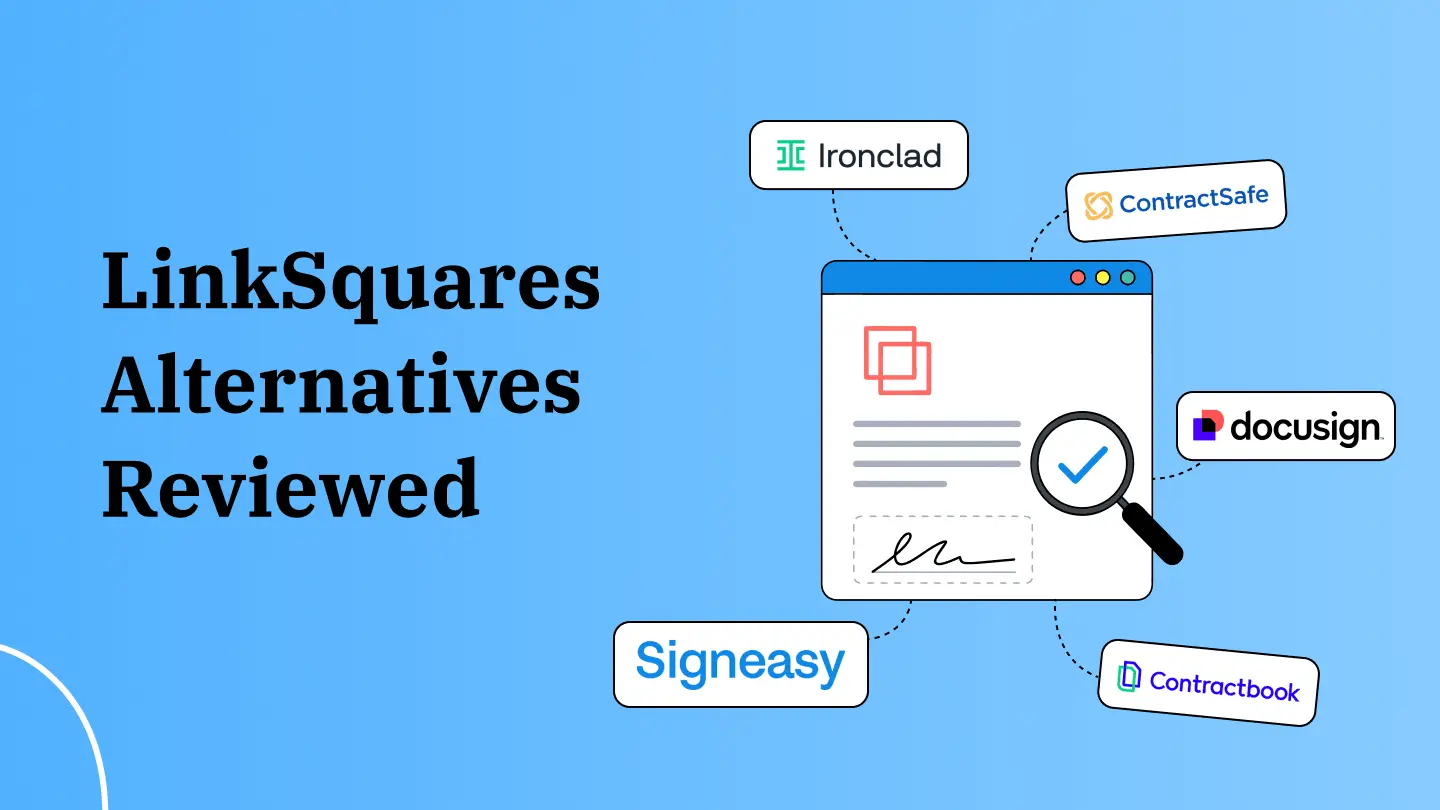


LinkSquares alternatives are worth exploring if your team doesn't need the full weight of a Contract Lifecycle Management (CLM) system. The software is built for legal teams running detailed contract review, multi-stage approvals, and broader legal ops workflows.
This approach works well when legal owns most of your contract process. But most companies aren't there. If your team needs to send contracts for signature, quickly pull up the final signed versions, verify a key term, or stay ahead of renewals, you most likely don’t need a legal-first CLM platform.
Signeasy is built for growing teams that want eSignature and day-to-day contract management in one place, without depending on legal for routine contract work. This blog compares the 10 best LinkSquares competitors to help you evaluate:
- Pricing and how easy each platform is to budget for
- How accurately AI of the platforms finds and explains contract information
- Whether eSignature lives within the same workflow as everything else
- How quickly you can find and manage signed contracts
- Where Signeasy makes sense for your business if you don't need full CLM complexity
A quick comparison of the top 10 LinkSquares competitors
Why do teams look for LinkSquares alternatives?
LinkSquares is rated a solid 4.7 out of 5 on G2 based on 430+ reviews. Users consistently call out its ease of use, responsive customer support, contract management capabilities, and overall efficiency.
That said, it's not without its friction points. Reviewers mention problems with AI accuracy, filtering, dashboard customization, reporting, and contract uploads. The kind of day-to-day snags that add up fast.
These are worth examining if they affect how your team finds information and works with contracts every day.
Here's a closer look at what users are actually running into.
Lack of features
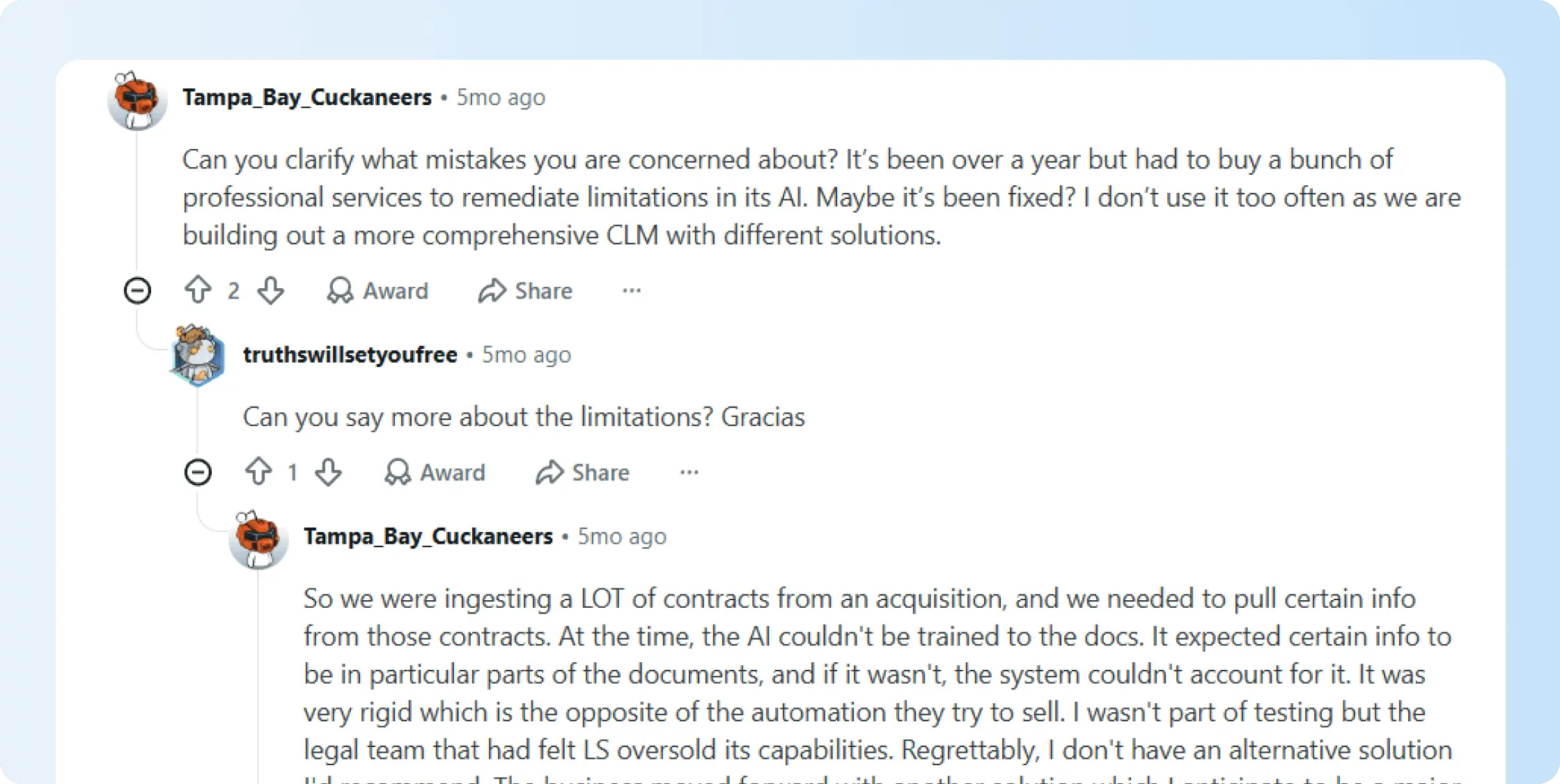
Some users say LinkSquares becomes harder to work with when they need to pull specific information from a large batch of contracts.
In one Reddit thread, a user described the AI as rigid when extracting information from acquired contracts because it expected data to appear in specific parts of each document.
AI functionality needs improvement
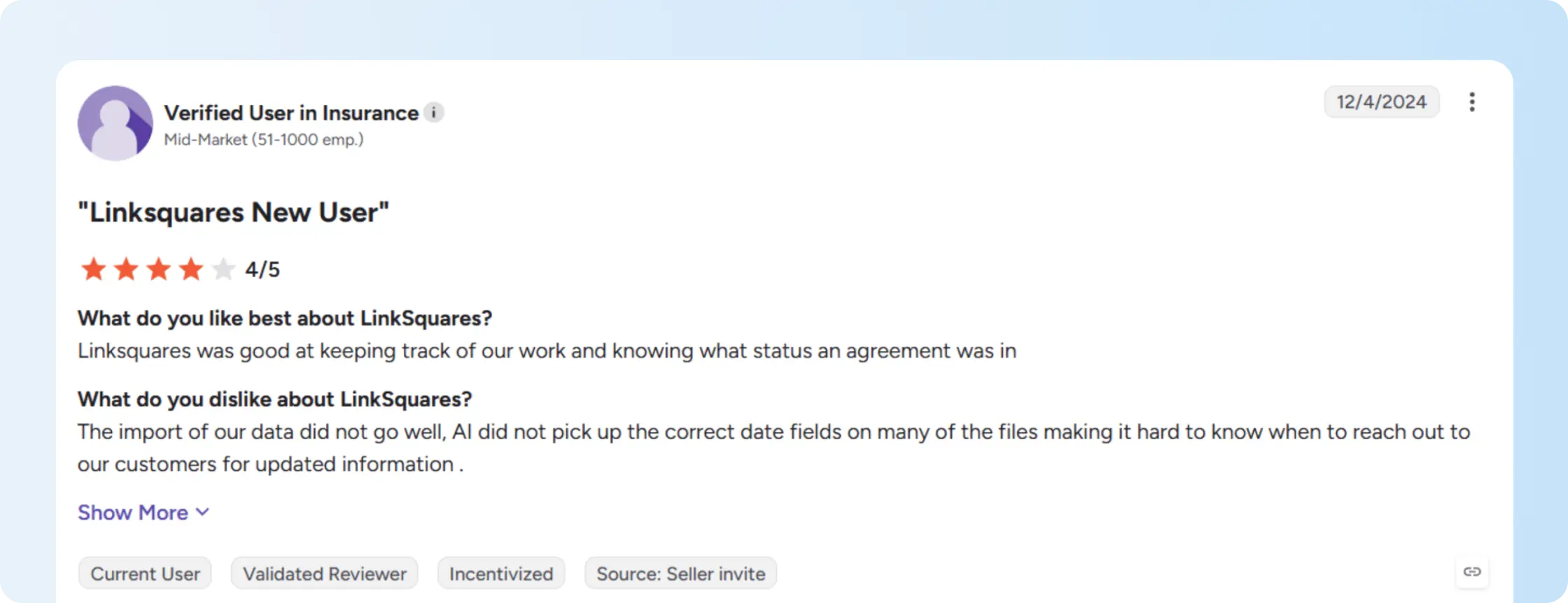
Several reviewers flag missing filtering options in LinkSquares, which makes it harder to manage contract records when your team needs more flexible ways to view and sort data. On top of that, some users express concerns about AI inaccuracies, specifically around how contracts are categorized and data extracted.
Limited customizations
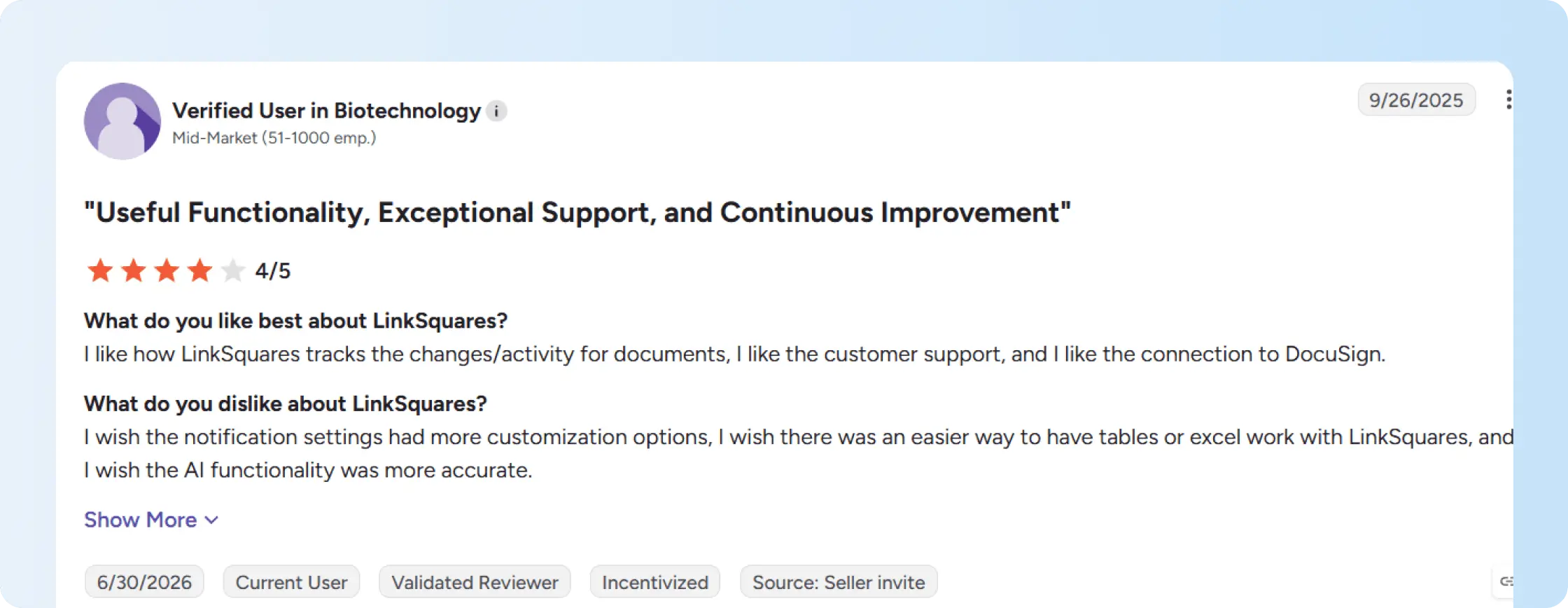
Another G2 review noted limited dashboard customization. This can impact teams that want renewal tracking, reporting, and contract views to be built around their internal processes. Users also say that LinkSquares could improve its reporting options and streamline contract uploads.
What are the top 10 LinkSquares alternatives?
Here’s a detailed review of each of the top LinkSquares competitors. We have covered features, pricing models, pros, and cons.
1. Signeasy
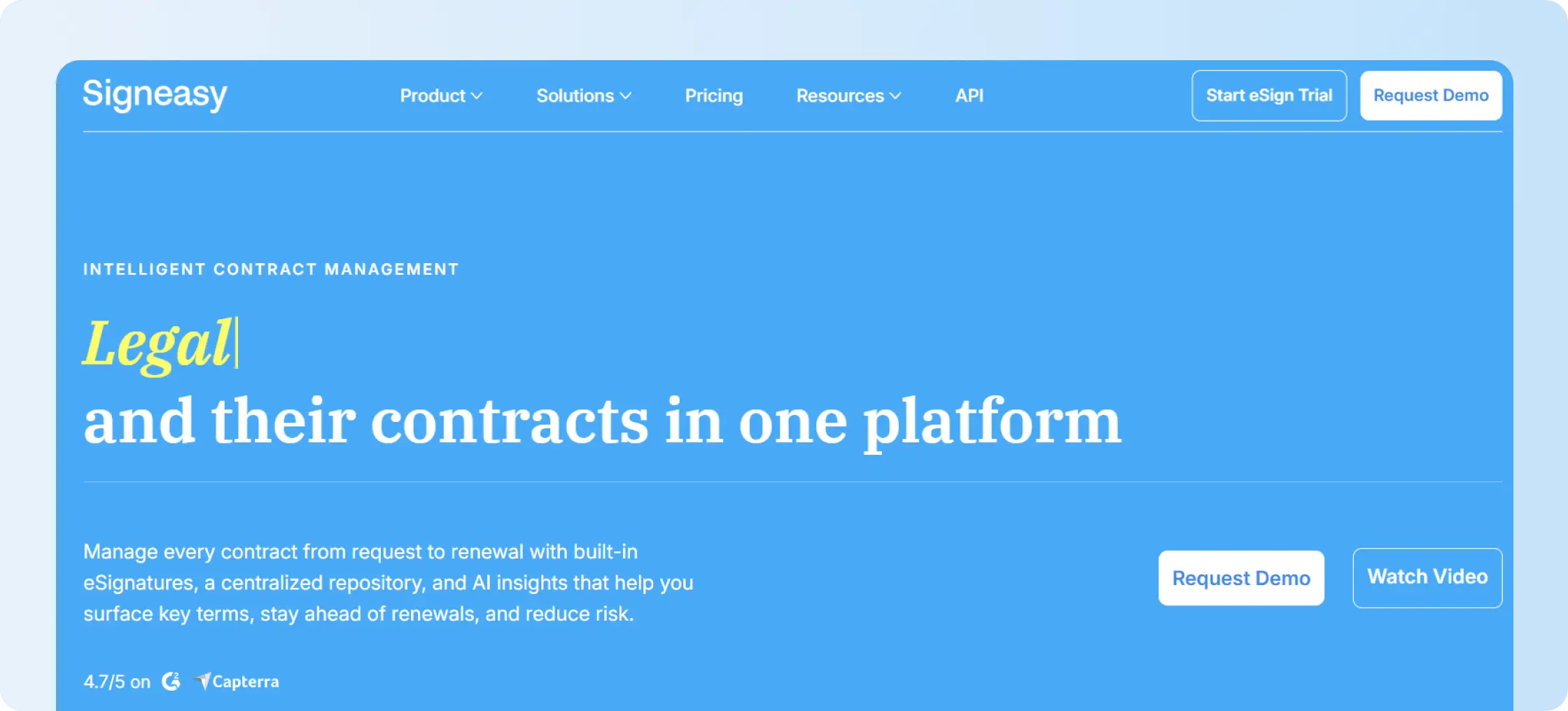
G2 Rating: 4.7/5 (781 reviews)
Best for: Growing mid-market teams that need eSignature, contract storage, renewal tracking, AI insights, and easy contract management.
Overview
Signeasy combines eSignature with Intelligent Contract Management (ICM). More than 48,000 businesses use the platform across operations, finance, HR, sales, IT, and legal teams.
Unlike platforms built mainly around CLM for legal teams, Signeasy is designed to make contracts easier to manage across business teams. You can sign contracts, store them in a searchable repository, surface important information with AI, track renewals, and manage access in one platform.
Signeasy also supports industries such as real estate, healthcare, finance, education, construction, and technology.
What are the key features of Signeasy?
Legally Binding eSignatures: Signeasy lets you prepare documents for signatures, reuse templates, set signing order, send reminders, and collect a legally valid electronic signature from almost any device. Detailed audit trails, two-factor authentication, encryption, and tamper-evident records add security throughout the signing process.
Here is a video showing how Signeasy makes the signing process simple and secure for you.
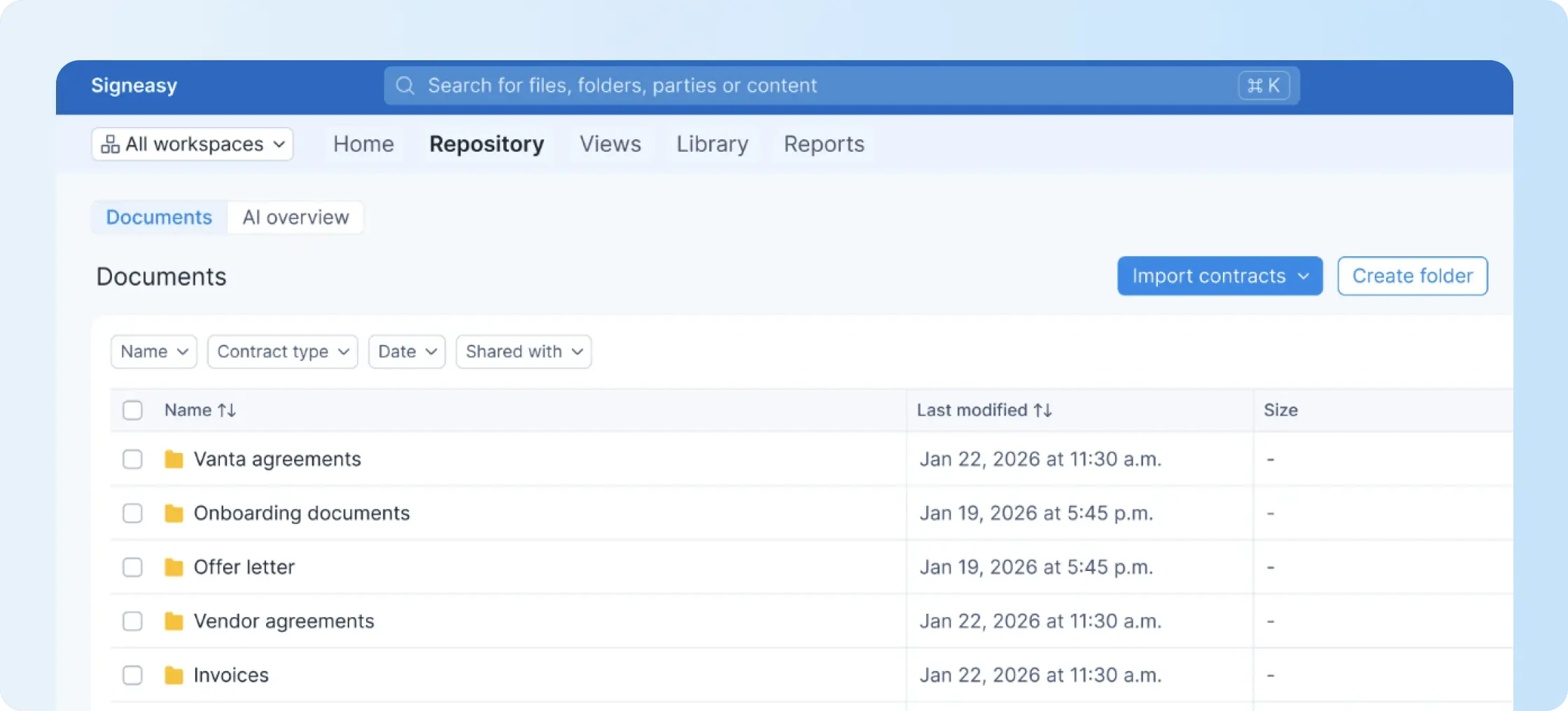
Centralized contract repository: Signed and uploaded contracts stay in one repository with folders, tags, filters, and permissions, helping teams find final records without checking multiple systems.
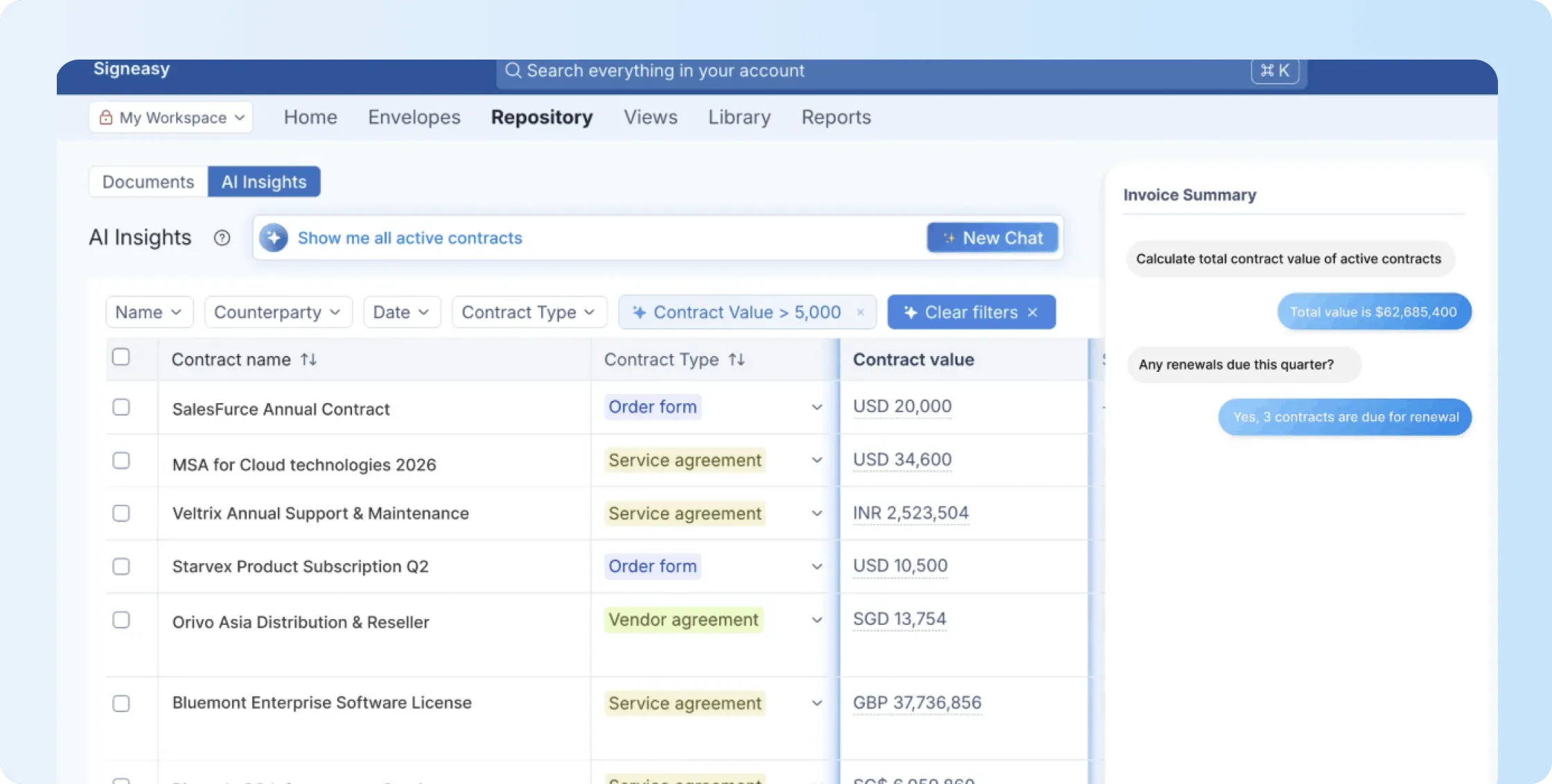
Conversational AI Search: You can ask questions about stored contracts in natural language. For example, use the conversational AI feature to ask when a contract renews or which contracts exceed a certain value. Follow-up questions help you explore the same contract without starting another search.
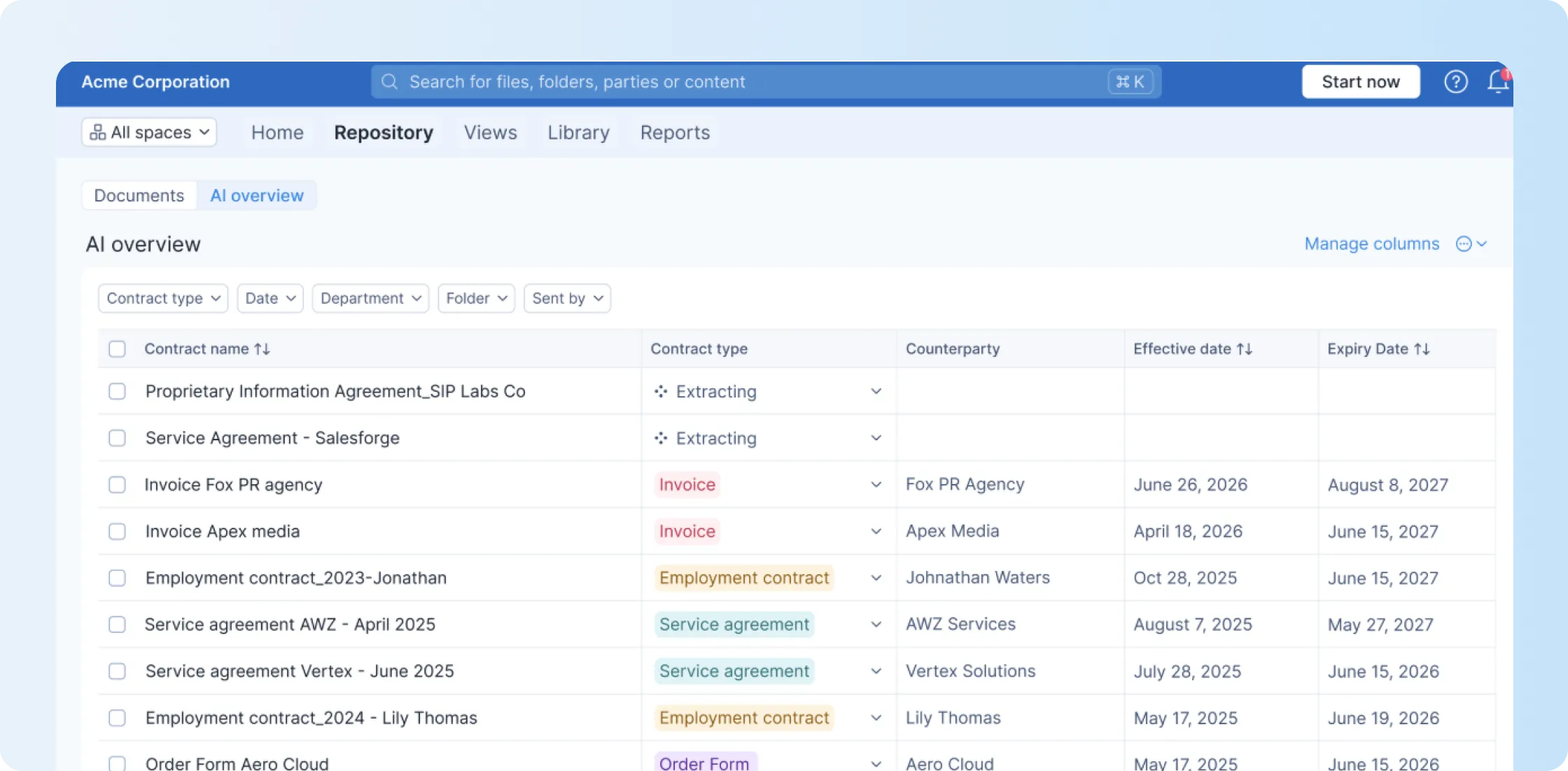
AI-powered contract insights: Signeasy automatically surfaces key terms, dates, parties, obligations, and other important contract information. This helps you understand what’s in a contract without having to read every page.
Renewal and expiration alerts: Signeasy helps teams track and manage renewal, expiration, and termination dates for contracts, so they can follow up before important deadlines pass.
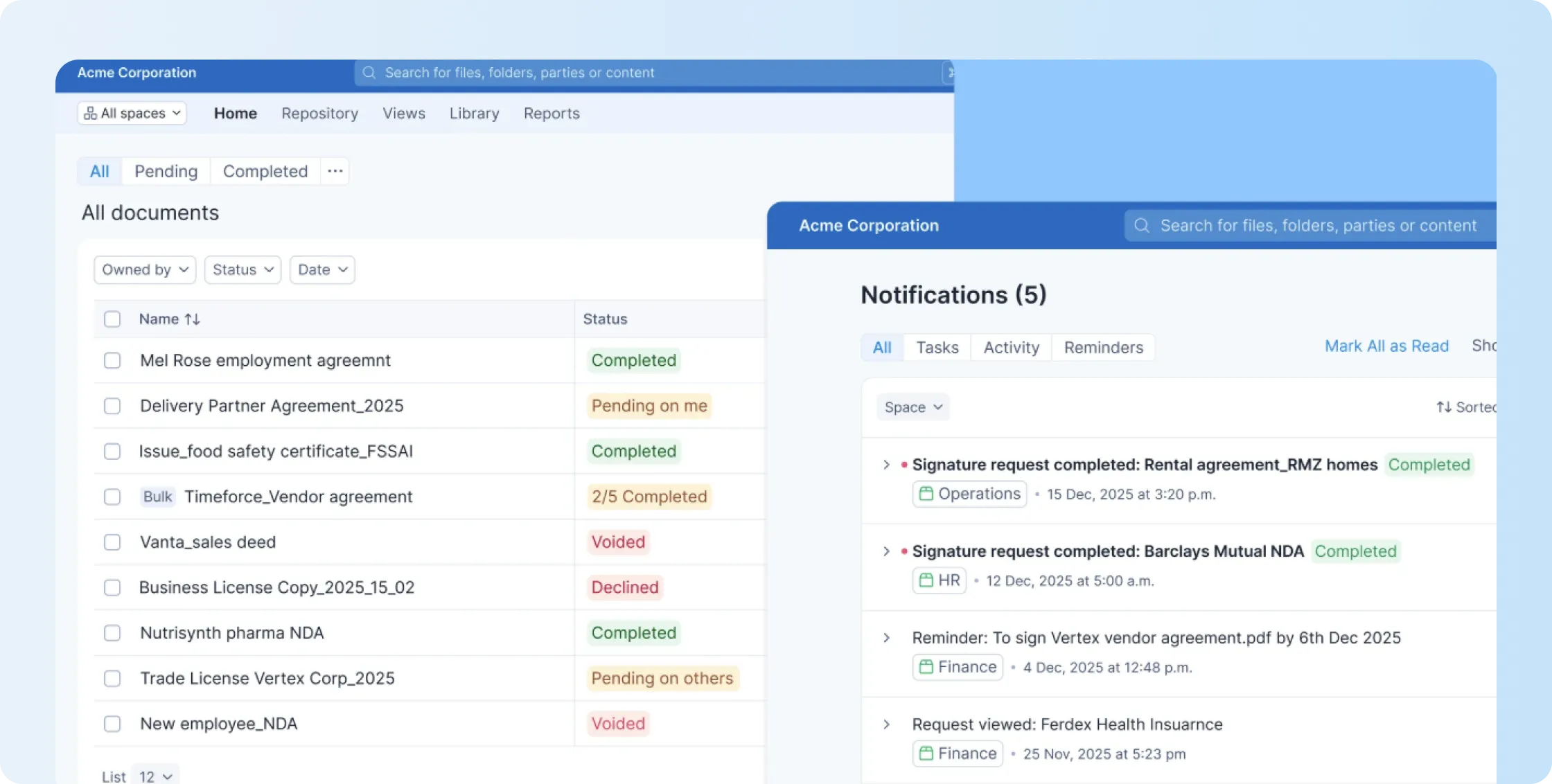
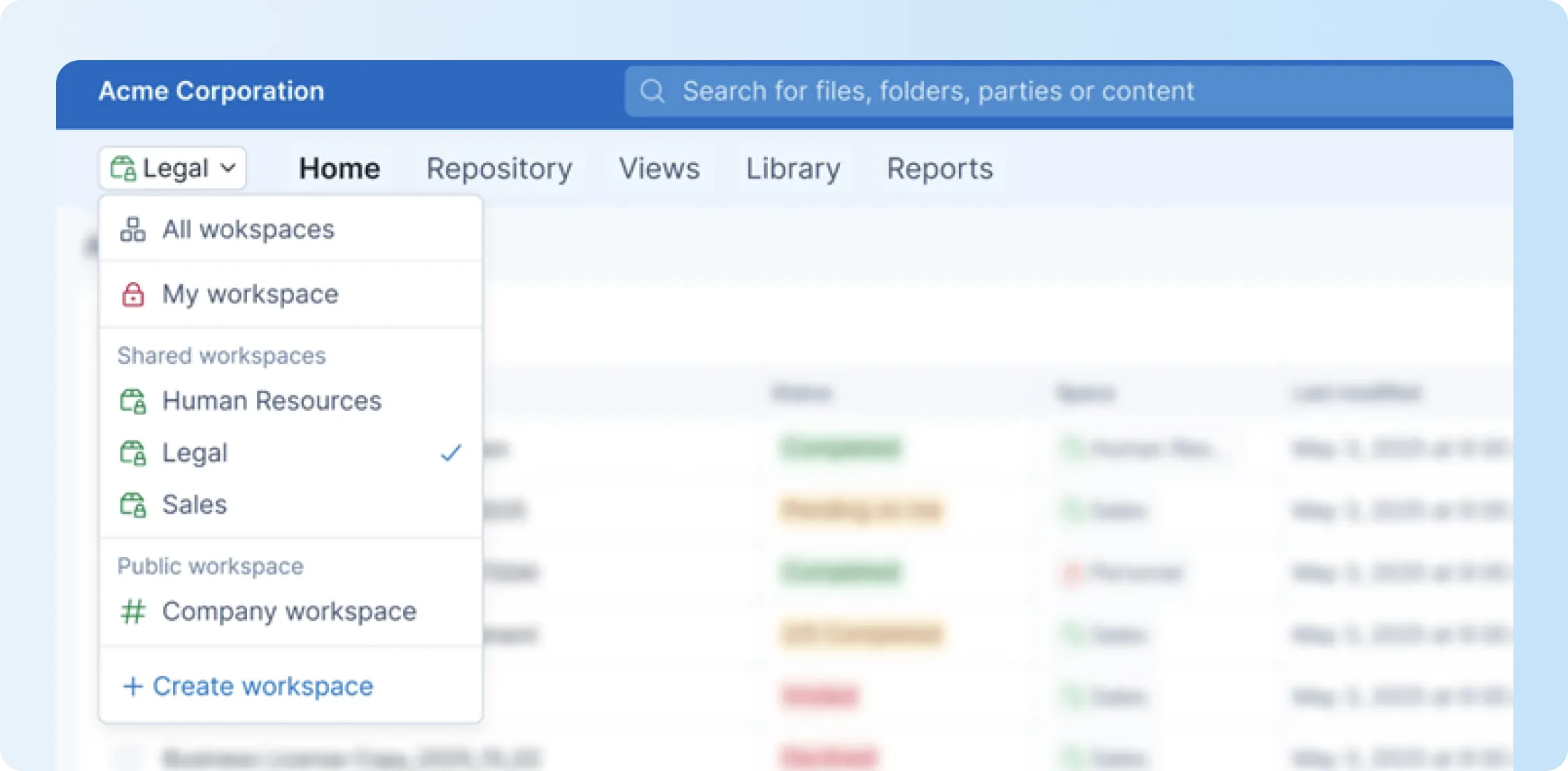
Shared contract workspaces and access control: Signeasy offers Shared Workspaces to give teams secure access to the contracts they need. You can organize access by function or business group while role-based controls help protect sensitive records.
Signeasy also integrates with tools like Google Workspace, Microsoft SharePoint, Outlook, Teams, HubSpot, and storage tools, so you can manage contracts without leaving your existing workflow.
It's also worth checking any contract platform's security and data protection commitments against what your company actually needs. Signeasy is compliant with SOC 2 Type II, GDPR, HIPAA, eIDAS, and 21 CFR Part 1. This ensures that the electronic records and signatures meet strict data protection and regulatory requirements.
How much does Signeasy cost?
For Intelligent Contract Management (ICM), Signeasy offers the following pricing plans:
- ICM Core starts at $45/user/month, minimum 3 seats
- ICM Pro starts at $60/user/month, minimum 3 seats
- Build Your Plan covers custom pricing for high-volume or regulated teams
If your team only needs eSignatures and approval workflows, Signeasy also offers separate eSignature plans starting at $10/month. Business costs $20/user/month, while Business Pro costs $30/user/month. Custom plans are available for higher-volume requirements.
What are the pros and cons of Signeasy?
2. Ironclad
G2 Rating: 4.4/5 (312 reviews)
Best for: Larger legal teams handling complex contract review and approval cycles, especially when multiple users are involved in the process.
Overview
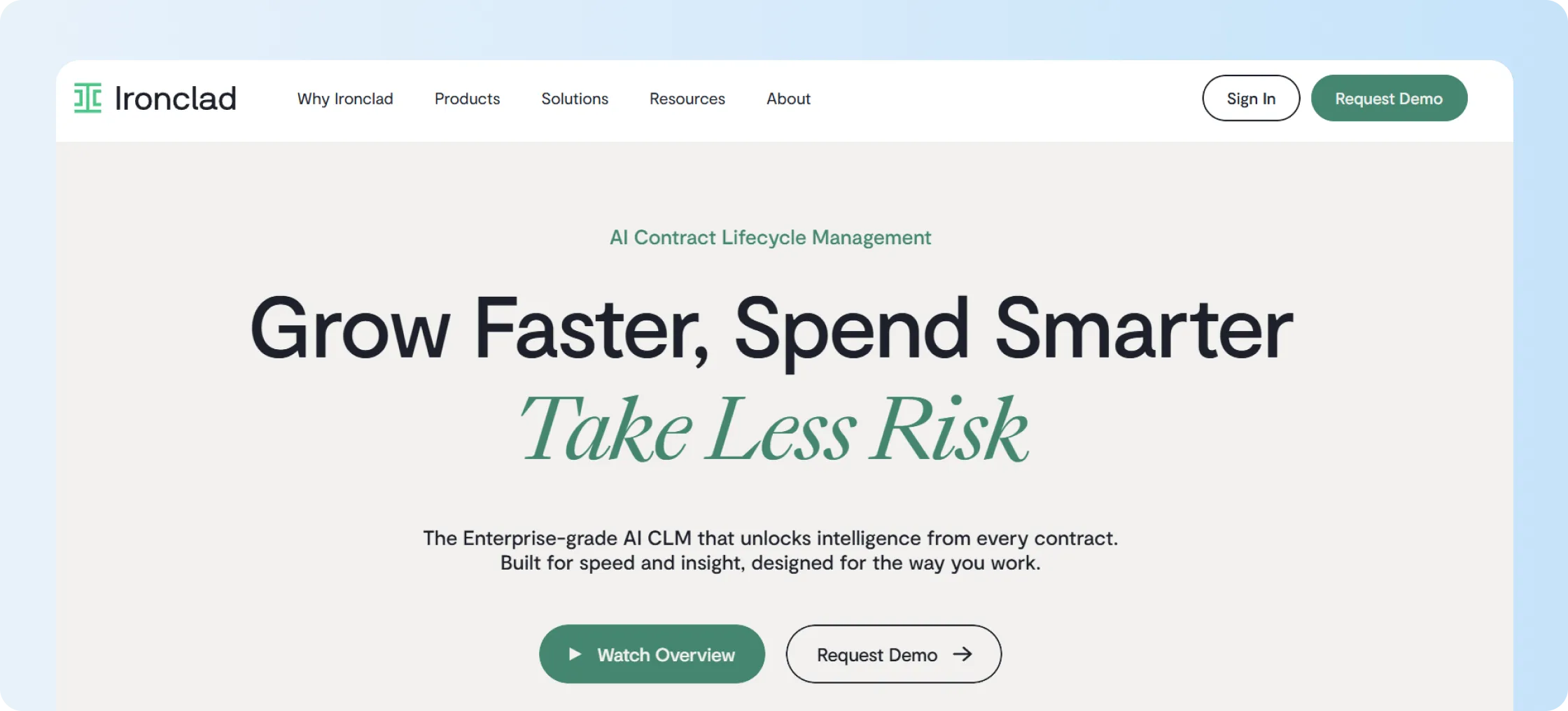
Ironclad is an enterprise CLM platform built for legal teams managing complex contract workflows, approvals, negotiations, and reviews at scale. It suits larger organizations that need structured legal operations, workflow automation, repository management, and AI-assisted contract analysis across the contract lifecycle.
What are the key features of Ironclad?
- Workflow designer for building approval workflows with routing rules and conditional logic.
- AI-powered contract review, tagging, and clause detection across contract records.
- Native collaboration and redlining support for legal teams working inside Word.
If you’re comparing similar enterprise platforms, our Ironclad alternatives guide covers other options and where each fits.
You can also explore Juro alternatives to compare contract management platforms based on features, workflows, and pricing.
How much does Ironclad cost?
Ironclad does not publish fixed pricing on its website. Buyers need to contact sales for a custom quote based on their requirements.
For a closer look at what may affect your quote, see our Ironclad pricing guide.
What are the pros and cons of Ironclad?
Pros
- Strong workflow designer for complex internal contract processes.
- Useful AI support for contract review and repository analysis.
- Good fit for complex approval and negotiation workflows.
Cons
- Public pricing is not available for quick comparison.
- May feel heavy for teams with simpler post-signature needs.
3. ContractSafe
G2 Rating: 4.7/5 (133 reviews)
Best for: Companies that mostly need a reliable place to store contracts, find them quickly, and stay on top of renewals without full CLM.
Overview
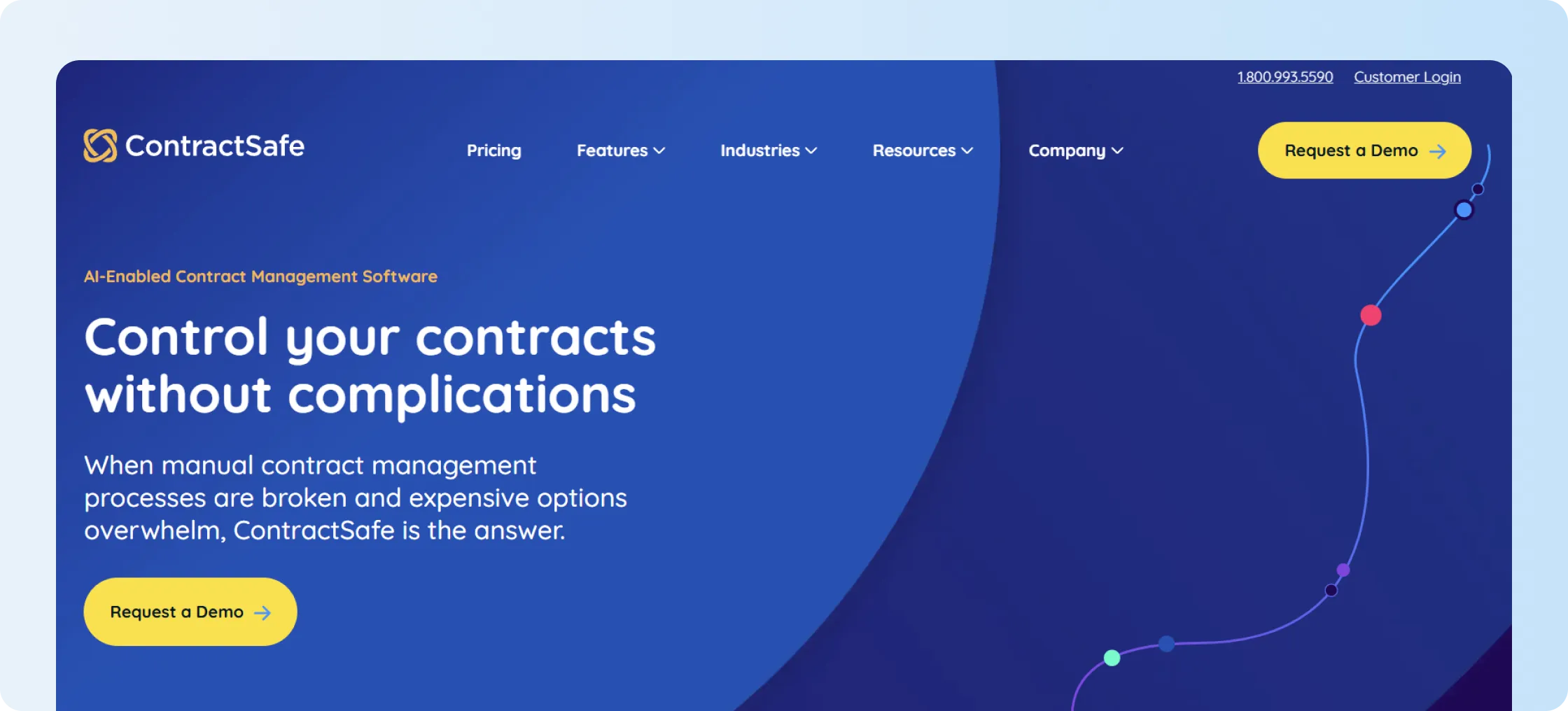
ContractSafe is a repository-first contract management software for teams that need easier storage, search, reminders, and contract visibility. It works well when your main issue is not drafting contracts from scratch, but finding signed records, tracking dates, and giving the right people controlled access.
What are the key features of ContractSafe?
- Central contract repository for storing and organizing signed contracts.
- Search tools for finding clauses, terms, and contract records quickly.
- Alerts and reminders for renewal dates, expiries, and key obligations.
- User roles and permissions for controlled contract access.
How much does ContractSafe cost?
ContractSafe publishes pricing by feature depth and contract volume:
- Organize: Starts at $450/month
- Finalize: Starts at $660/month
- Maximize: Starts at $815/month
Unlimited users are included across all three plans
- Jump Start services: Available from $2.50 per contract
For more insights on ContractSafe pricing, refer to our ContractSafe pricing guide.
What are the pros and cons of ContractSafe?
Pros
- Strong fit for repository-first contract management.
- Unlimited users can support wider team access.
- Useful reminders for renewal and deadline tracking.
Cons
- Less suited to deep legal drafting and redlining workflows.
- May not offer the same CLM depth as enterprise platforms.
4. Contractbook
G2 Rating: 4.7/5 (75 reviews)
Best for: Growing companies looking to automate contract-related processes in one place instead of moving between separate tools.
Overview
Contractbook is a contract management platform for teams that want to create, sign, store, and automate contracts from one place. It is useful when contract creation, templates, eSignature, and workflow automation are central to the buying decision.
What are the key features of Contractbook?
- Contract templates for repeatable contract creation workflows.
- Built-in eSignature support for sending and signing contracts.
- AI-supported import and metadata extraction for existing contracts.
- Workflow automation for routing contract tasks and approvals.
You can also refer to our Contractbook review for a deeper feature breakdown.
How much does Contractbook cost?
Contractbook lists Essential, Centralize, and Accelerate options on the pricing page, but requires users to request a custom quote from the team. Users can avail a 14-day free trial before signing up for any plan.
If you need any insights into Contractbook cost, refer to our Contractbook pricing guide.
What are the pros and cons of Contractbook?
Pros
- Strong template and contract creation capabilities.
- Built-in eSignature keeps drafting and signing connected.
- Useful automation options for repeatable contract workflows.
Cons
- Usage limits may affect growing teams.
- Some integrations and advanced features may require higher plans.
5. Docusign IAM
G2 Rating: 4.5/5 (2,629 reviews)
Best for: Businesses already invested in Docusign that want improved agreement workflows across teams.
Docusign IAM is built for teams already invested in the Docusign ecosystem and looking beyond standalone eSignature. It supports Agreement Management workflows, AI-assisted review, document preparation, sending, signing, and post-signature management across larger business processes.
What are the key features of Docusign IAM?
- Docusign Agreement Manager centralizes stored contracts.
- Docusign Workflow Builder supports no-code workflows.
- Docusign artificial intelligence supports contract search, extraction, and analysis.
- Automated sending through partner API integrations.
How much does Docusign IAM cost?
Docusign IAM publishes the following pricing plans:
- IAM Starter: $40/user/month when paid annually upfront, $45/user/month when billed monthly on an annual plan, and $65/user/month on a monthly plan.
- IAM Standard: $45/user/month when paid annually upfront, $50/user/month when billed monthly on an annual plan, and $75/user/month on a monthly plan.
- IAM Professional: $75/user/month when paid annually upfront, $80/user/month when billed monthly on an annual plan, and $95/user/month on a monthly plan.
- Enhanced Plans: Custom pricing applies across annual upfront, annual billed monthly, and monthly billing options.
- eSignature-only plans: Starting $10/user/month when paid annually upfront, $11/user/month when billed monthly on an annual plan, and $15/user/month on a monthly plan.
What are the pros and cons of Docusign IAM?
Pros
- Strong fit for teams already having a Docusign account.
- Broad Agreement Management capabilities beyond eSignature.
- Useful integrations with common business systems.
Cons
- Plan and automation rules require careful review.
- Feature allowances and add-ons can make comparisons harder for small teams.
- Teams should confirm vendor security commitments and contract terms before purchase.
The Docusign pros and cons can help you understand whether its features and pricing align with your needs. If Docusign IAM feels more complex than your team needs, exploring the best Docusign alternative can help you compare simpler options based on features, pricing, and workflow requirements.
6. PandaDoc
G2 rating: 4.7/5 (3,689 reviews)
Best for: Sales and revenue teams that create a high volume of proposals and customer documents before sending them out for signature.
It works well if your team spends a lot of time creating proposals, quotes, and customer documents before collecting signatures. Its strength is the commercial document workflow rather than CLM for legal teams.
What are the key features of PandaDoc?
- Proposal and document builder for sales and customer-facing workflows.
- eSignature support for sending and tracking signed documents.
- Pricing tables and quote builder on selected paid plans.
- Templates, content libraries, approvals, and CRM-related workflows.
How much does PandaDoc cost?
PandaDoc offers the following pricing options in addition to the Free eSign plan:
- Starter plan costs $19 per user per month when billed annually, or $35 per user per month when billed monthly.
- Business plan costs $49 per user per month when billed annually, or $65 per user per month when billed monthly.
- Enterprise plan pricing is custom and requires you to connect with the sales team.
What are the pros and cons of PandaDoc?
Pros
- Strong document creation experience for proposals and quotes.
- Native eSignature supports signing workflows.
- Useful templates and pricing tables for commercial teams.
Cons
- Less focused on deep post-signature contract management.
- Advanced sales document features may need higher plans.
You can also explore PandaDoc alternatives to compare contract management platforms based on features, workflows, and pricing.
7. SpotDraft
G2 Rating: 4.5/5 (184 reviews)
Best for: In-house legal teams that need a structured way to manage contracts as the business grows.
SpotDraft is an AI-native CLM platform with a clear focus on legal teams. They describe themselves as a platform used by legal teams and provide dedicated solutions for in-house legal functions.
It can work well if legal needs to manage contracts from request through renewal while still giving sales, finance, procurement, and HR access to relevant workflows.
What are the key features of SpotDraft?
- Contract intake and workflow tools for legal request management.
- Templates for creating customized contracts through self-serve workflows.
- AI-assisted review and contract housekeeping capabilities.
- Repository tools for storing and managing contract records.
How much does SpotDraft cost?
SpotDraft’s pricing page does not publish pricing; buyers need to contact their sales team to get a custom quote.
What are the pros and cons of SpotDraft?
Pros
- Strong fit for in-house legal operations teams.
- Flexible pricing can align with users or contract volume.
- Useful AI support for review and contract housekeeping.
Cons
- Fixed public pricing is not available.
- May feel broad for teams needing simpler contract visibility.
8. Concord
G2 Rating: 4.2/5 (133 reviews)
Best for: A good fit for teams that want simple drafting, collaboration, signing, and tracking.
Concord is a contract management platform for teams that want drafting, collaboration, eSignature, storage, and workflow control in one place. It can work well when buyers want clearer pricing and a structured contract process.
What are the key features of Concord?
- Contract drafting and collaboration tools for shared contract work.
- Built-in eSignature for completing contracts inside the platform.
- Repository features for storing, finding, and organizing contracts.
- Workflow tools for approvals, tasks, and contract process tracking.
How much does Concord cost?
Concord publishes the following three plans that come with 5 users and have to be paid annually:
- Essentials plan costs $499 per month; $49 per month for every additional user
- Business plan costs $899 per month; $69 per month for every additional user
- Enterprise plan costs $1,299 per month; $89 per month for every additional user
To compare with other platforms in this category, see our Concord alternatives guide.
What are the pros and cons of Concord?
Pros
- Transparent starting pricing helps early budget planning.
- Combines drafting, collaboration, and eSignature.
- Useful for teams needing structured contract workflows.
Cons
- The starting price may exceed smaller teams' budgets.
- Advanced needs may require higher-tier plans.
9. Agiloft
G2 Rating: 4.5/5 (105 reviews)
Best for: Enterprises with complex contract processes that need flexibility in how approvals, reporting, and governance are set up across teams.
Agiloft is an enterprise Contract Lifecycle Management (CLM) platform for organizations with complex contract processes.
It combines workflow automation, governance, AI, repository capabilities, and contract analytics. Its configurability makes more sense when your company has established requirements and the resources to implement.
What are the key features of Agiloft?
- No-code Contract Lifecycle Management configuration.
- AI-supported contract analysis through Agiloft Astra.
- Repository and contract analytics.
- Workflow automation for approvals, renewals, and obligations.
How much does Agiloft cost?
Agiloft does not publish any pricing plans, and buyers should contact sales to get a custom quote.
What are the pros and cons of Agiloft?
Pros
- Strong fit for enterprise CLM and governance needs.
- AI capabilities support contract analysis and repository intelligence.
- No-code configuration helps complex workflow design.
Cons
- Better suited to larger organizations than lean teams.
- Setup may feel excessive for simple contract management needs.
10. Icertis
G2 Rating: 4.2/5 (81 reviews)
Best for: Global enterprises with large contract portfolios and complex operations that need deeper visibility into obligations, risk, performance, and contract data across systems.
Icertis is an enterprise contract intelligence platform for organizations that want to connect contract information with wider business systems. It focuses on complex portfolios, obligations, governance, analytics, and enterprise integrations.
What are the key features of Icertis?
- AI-native contract intelligence for enterprise-wide contract visibility.
- Obligation tracking and performance management across contract portfolios.
- Enterprise integrations for connecting contracts with business systems.
- AI-supported contract analysis for risk, revenue, and operational insights.
How much does Icertis cost?
Icertis does not publish standard self-serve pricing for its enterprise contract intelligence platform. Buyers should contact sales to confirm pricing.
Our Icertis pricing guide explains the factors buyers should consider before requesting a quote.
What are the pros and cons of Icertis?
Pros
- Strong enterprise contract intelligence capabilities.
- Useful for tracking obligations and managing contract performance.
- Built for large organizations with complex business systems.
Cons
- Not ideal for small businesses or simple contract workflows.
- Pricing and implementation scope require sales consultation.
Features to look for in LinkSquares alternatives
LinkSquares competitors may look similar on features, yet the real difference becomes clear when you map them to your contract problem. A tool built for clause management and contract drafting may not suit a team that mainly needs renewal alerts and searchable signed records.
Use the list below as a working evaluation guide when you build your shortlist of LinkSquares alternatives:
- You should be able to trust AI-generated contract data without checking and correcting every extracted detail.
- Finding a specific contract should take seconds, without forcing you to try several filters or workarounds.
- The dashboards should show the contract information your team actually needs, not fixed reports.
- You should be able to find signed contracts and key details without repeatedly digging through folders.
- When you upload existing contracts, files and metadata should stay organized as your contract volume grows.
- Renewal alerts should reach you on time and fit the way your team follows up.
- You should be able to send and track agreements without jumping between separate signing and contract tools.
- Your non-legal users should manage everyday contract tasks without needing constant training or help from legal.
- Clear pricing should show you how user limits and add-ons can change your total cost over time.
- The integrations you choose should move contract data cleanly without creating sync issues or repeated work.
If your team mainly needs eSignature, searchable storage, AI summaries, renewal alerts, and controlled access, Signeasy should stay at the top of your list.
Why is Signeasy a better LinkSquares alternative for contract management?
Signeasy is a better alternative for contract management when growing teams need a simple way to keep contracts useful after signing. Here’s how it can help:
Helps teams manage contracts after signing
Once a contract is signed, it becomes a working record your team will reference dozens of times. Signeasy keeps that record active. Signed contracts land in a searchable repository with folders, filters, and permissions, so status questions, clause lookups, and stakeholder access happen without long email chains.
Makes renewals easier to track
Missed renewal dates quietly drain budget and create last-minute vendor scrambles.
Signeasy sends renewal, expiry, and termination reminders. This can reduce the risk of missed renewals and unwanted auto-renewals making it useful for finance, operations, procurement, and sales teams.
Gives teams controlled contract access
Not everyone should have access to every contract. Signeasy Shared Workspaces let you organize contracts by function or group. Role-based access determines which records each user can see and what they can do with them.
This means finance can access the contracts it needs without automatically getting access to sensitive HR or legal records.
Combines AI insights with everyday usability
Signeasy combines AI-powered contract insights with natural-language search. It can surface dates, parties, values, obligations, and key terms from stored contracts. Conversational AI Search then lets users ask direct questions and follow up without having to open multiple files manually.
This is particularly useful for cross-functional teams that need quick answers from contracts rather than AI-assisted legal drafting.
Supports secure contract management
Signed contracts carry sensitive commitments, and security cannot be an afterthought. Signeasy supports SOC 2 Type II, GDPR, HIPAA, and 21 CFR Part 11 controls. It also provides audit trails, role-based access, two-factor authorization, and single sign-on options with custom plans.
Here is how LinkSquares compares with Signeasy:
For businesses comparing LinkSquares alternatives, Signeasy is a good choice when full Contract Lifecycle Management feels too complex, costly, or legal-heavy for the actual need.
Book a free demo today to see how Signeasy manages your contracts seamlessly.