


How much will Juro cost your team? Juro does not publish exact pricing or a public flat rate. Its current pricing page builds a custom quote around contract volume, contract types, AI features, integrations, implementation needs, and support. Vendr provides a rough benchmark for Juro pricing, but it cannot tell you what your quote will be. This guide explains Juro’s custom pricing model, what changes the quote, what buyers report paying, and what to confirm before you sign.
How much does Juro cost in 2026?
Juro does not publish a fixed monthly or annual price in 2026. Juro pricing is quote-based, with contract volume and integration requirements shaping what your team pays.
Its current pricing page asks buyers how many contracts they process each month, which contract types they use, which AI features they need, and which integrations should connect with Juro. Buyers can then tailor implementation support, integrations, SSO, and API access around the setup they need.
The number of users is not the main pricing factor. Juro says its plans include unlimited users, workflows, and templates, so there are no published user limits to use as a seat-based cost calculation. Deeper integrations such as Salesforce, HubSpot, and Workday can add cost.
The table below shows those plan differences before you move into the quote itself.
Those inputs still do not tell you the final cost. Contract volume, integrations, implementation, migration, and added services can all change the quote. Before you treat any Juro price as final, ask the Juro sales team to separate those items so you can see what you are paying for and compare the proposal with common contract management software pricing models.
Already have a Juro quote? Compare it against a transparent Signeasy ICM starting cost.
What do buyers usually pay for Juro?
Juro does not publish an average customer price. Vendr data puts the median annual contract value at $31,164, with observed deals ranging from $11,976 to $132,339.
Vendr also reports these broad ranges by buyer size:
- Small teams with 5–10 users: roughly $18,000–$35,000 annually.
- Mid-market buyers with 10–25 users: roughly $40,000–$75,000 annually.
- Enterprise buyers with 25+ users: roughly $75,000–$120,000 or more annually.
Treat those user-count ranges as context, not as a model for your own quote. Juro’s current plans include unlimited users, while its pricing page points to contract volume and integration needs as the main inputs.
That difference is important when you use Vendr to estimate Juro cost. Before comparing only on price, check the contract management software features your team will actually use and how they affect your quote.
Teams still comparing options can also see how Juro alternatives differ across pricing, AI, signing, renewals, and workflow depth.
What factors affect Juro pricing?
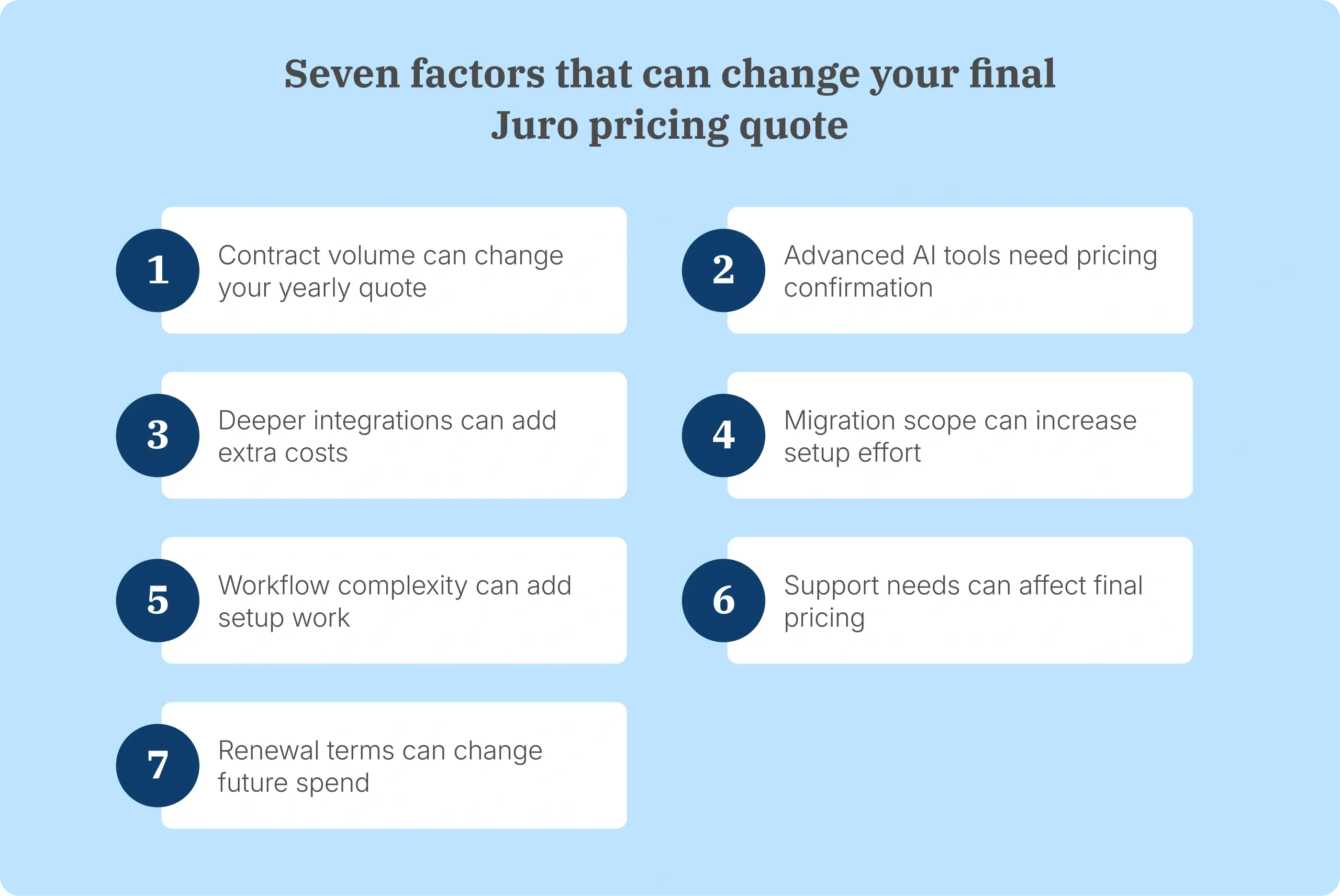
Contract volume and integration complexity are the main factors Juro says affect Juro pricing. AI requirements, migration, possible implementation fees, customer support, and renewal terms are also worth confirming because they affect what is included in the quote.
Review these areas before you compare proposals:
- Contract volume: Juro ties pricing to the number of contracts your business processes. Ask how a higher volume changes the quote during the term and at renewal.
- AI features: Juro lets buyers select AI Extract, AI Draft, AI Review, and MCP. Confirm which tools are included, which usage limits apply, and whether any AI requirement changes the quote.
- Integrations: Juro includes access to several out-of-the-box integrations, while deeper integrations can add cost. If your team needs Salesforce, HubSpot, Workday, or custom integrations, confirm both the required setup and any additional charge.
- Implementation and migration: Moving templates, contract data, and older records adds setup work. A contract migration guide can help you map what needs to move before you compare implementation requirements.
- Workflow setup: Approval rules, permissions, contract types, and contract automation affect configuration across the contracting process.
- Support and onboarding: If rollout requires training, migration help, or hands-on setup, confirm which support is included and whether additional services change the quote.
- Renewal terms: A first-year discount does not tell you what you will pay later. Ask how the price changes if contract volume, integrations, or support requirements change at renewal.
Bring your contract volume, integrations, migration scope, and AI requirements — see what the same setup looks like in Signeasy.
What should buyers confirm before choosing Juro?
Before choosing Juro, confirm the annual cost, contract-volume assumptions, integrations, AI access, implementation, support, and renewal terms included in your quote.
A demo shows you how the platform works, but it does not show exactly what your own setup will cost. Bring the discussion back to how your team will actually use Juro before you sign.
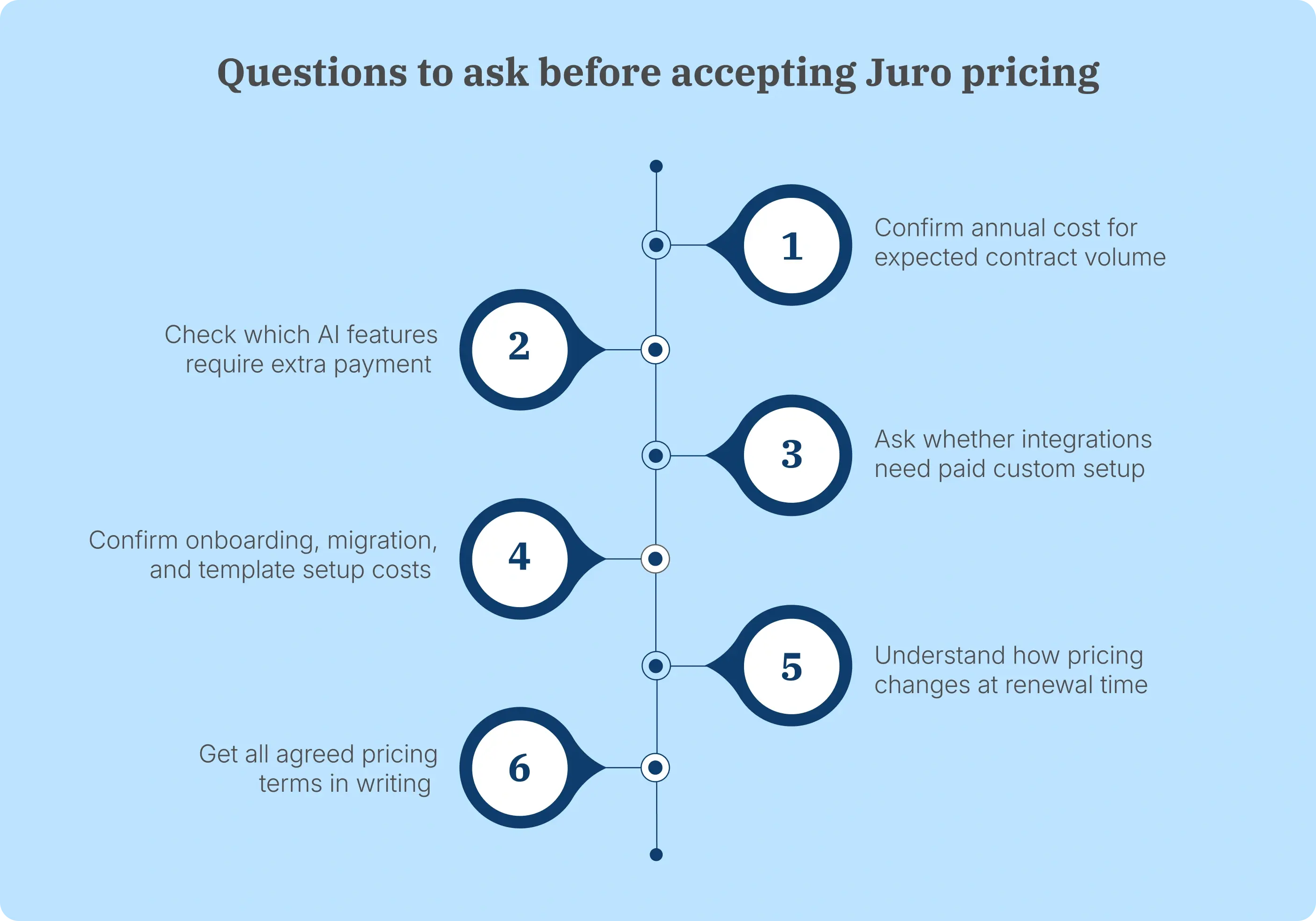
Ask these questions before you move ahead:
- What annual cost applies to our expected contract volume?
- What happens if our contract usage increases during the year?
- Which AI features are included, limited, or separately priced?
- Which integrations require extra setup, paid access, or custom work?
- Are onboarding, migration, and template setup included in the quote?
- Which support options are included with our plan?
- How can the pricing structure change when the contract renews?
Get these answers in writing before you sign. That gives you a clearer picture of the cost for your setup and reduces surprises during implementation or renewal.
Collaboration across procurement and operations also changes what you need from the platform. Our ICM vs. enterprise CLM comparison explains how shared access, approvals, post-signature work, and deeper legal workflows differ.
What do Juro users say about the platform?
User reviews add useful context to Juro pricing because the quote only makes sense if the product handles the contract work your team actually needs. Some G2 reviewers point to friction around complex contracts and external negotiation, which are worth testing during a demo before you commit to a plan.
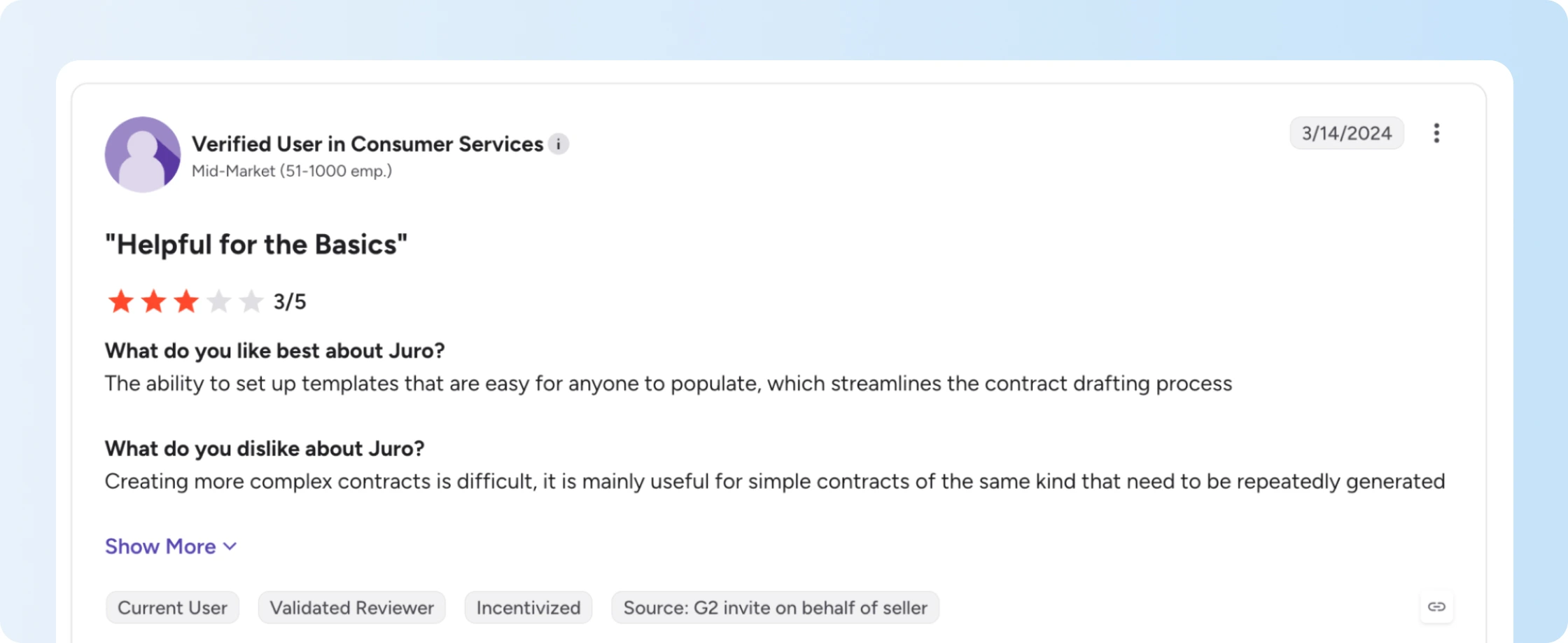
Some users find complex contracts harder to manage
One verified mid-market G2 reviewer rated Juro 3/5 and said templates worked well for repeatable contracts, but creating more complex agreements was difficult. The reviewer described Juro as more useful for simpler contracts that need to be generated repeatedly.
For teams that regularly handle bespoke agreements or contracts with substantial changes from one deal to the next, this is worth testing before you accept a Juro price. Run one of your more involved contracts through the demo instead of evaluating only a standard template.
Some users prefer Word or PDF for external review
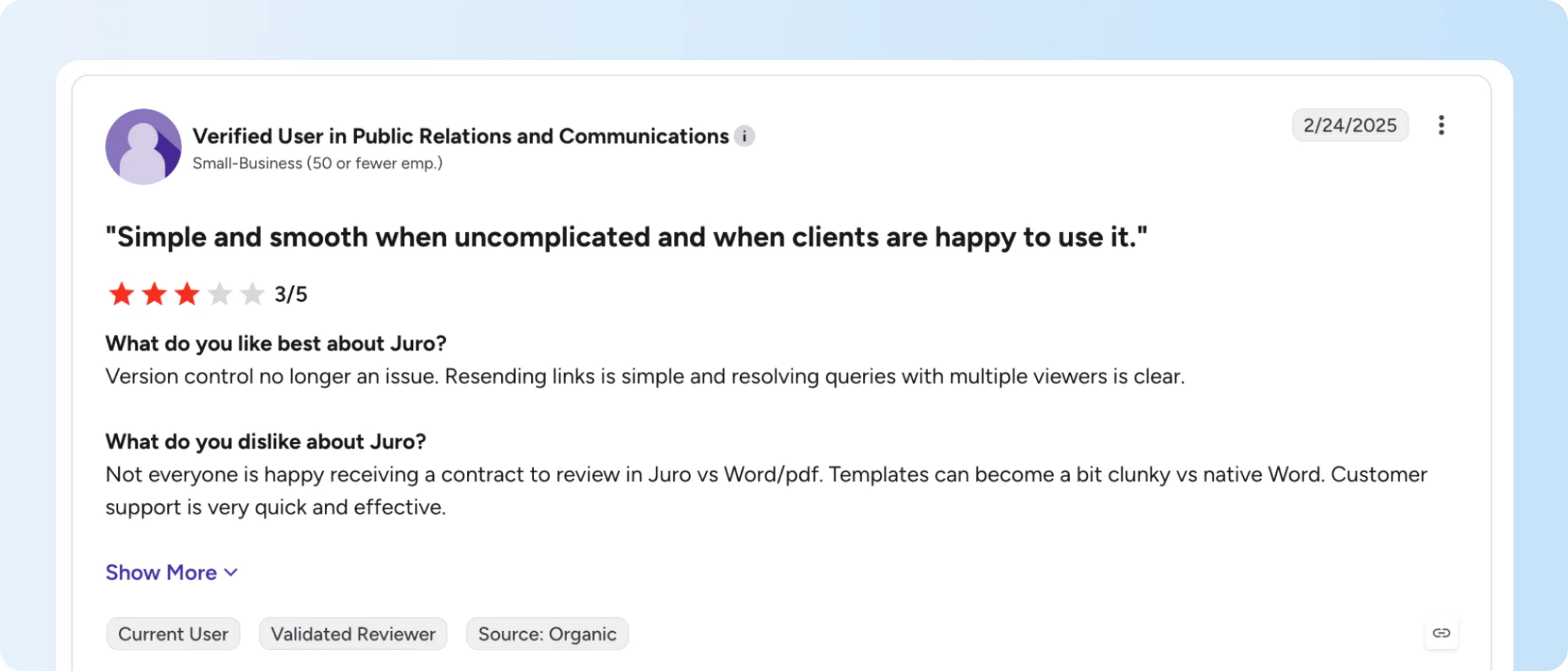
Another verified G2 reviewer from a small business rated Juro 3/5 and said version control and link sharing worked well, but some counterparties preferred reviewing contracts in Word or PDF. The reviewer also found templates less convenient than working directly in Word.
If negotiations regularly move outside Juro, test how Word-based edits, external reviews, and version changes fit your current process before comparing the Juro cost with another tool.
Bring one of your real contract workflows to the demo — especially the messy one.
Why is Signeasy the best Juro alternative for growing businesses?
Signeasy fits growing businesses that mainly need eSignature and contract management around signed agreements. Juro goes deeper into contract creation, negotiation tools, review, approvals, and legal workflows, so the right fit depends on how much of that workflow your team actually needs.
The pricing models also differ. Signeasy ICM Core starts at $45 per seat per month and ICM Pro at $60, with a 3-seat minimum for both. Juro requires a custom quote tied to contract volume and integrations, so you can calculate Signeasy’s starting commitment before a sales conversation while the Juro cost depends on your setup.
For businesses that want eSignature software first and contract management around signed agreements, Signeasy brings signing, a searchable repository, AI-assisted contract search, renewal tracking, and Shared Workspaces together. Teams that need deeper drafting, negotiation, and legal review should compare Juro’s broader contract lifecycle management capabilities instead. The full Juro alternatives comparison shows where lighter contract management tools and full CLM platforms fit across those different workflows.
What key features does Signeasy ICM offer?
Signeasy ICM includes eSignature, a searchable contract repository, AI Contract Insights, Conversational AI Search, renewal and expiration tracking, and Shared Workspaces.
Together, these features help teams sign agreements and keep completed contracts easier to find, understand, track, and share.
Here’s how each capability works:
eSignature and templates: Teams can send contracts for signature, reuse templates, set signing order, and track signing progress. Signeasy’s electronic signature software keeps repeat signing work in the same workflow.
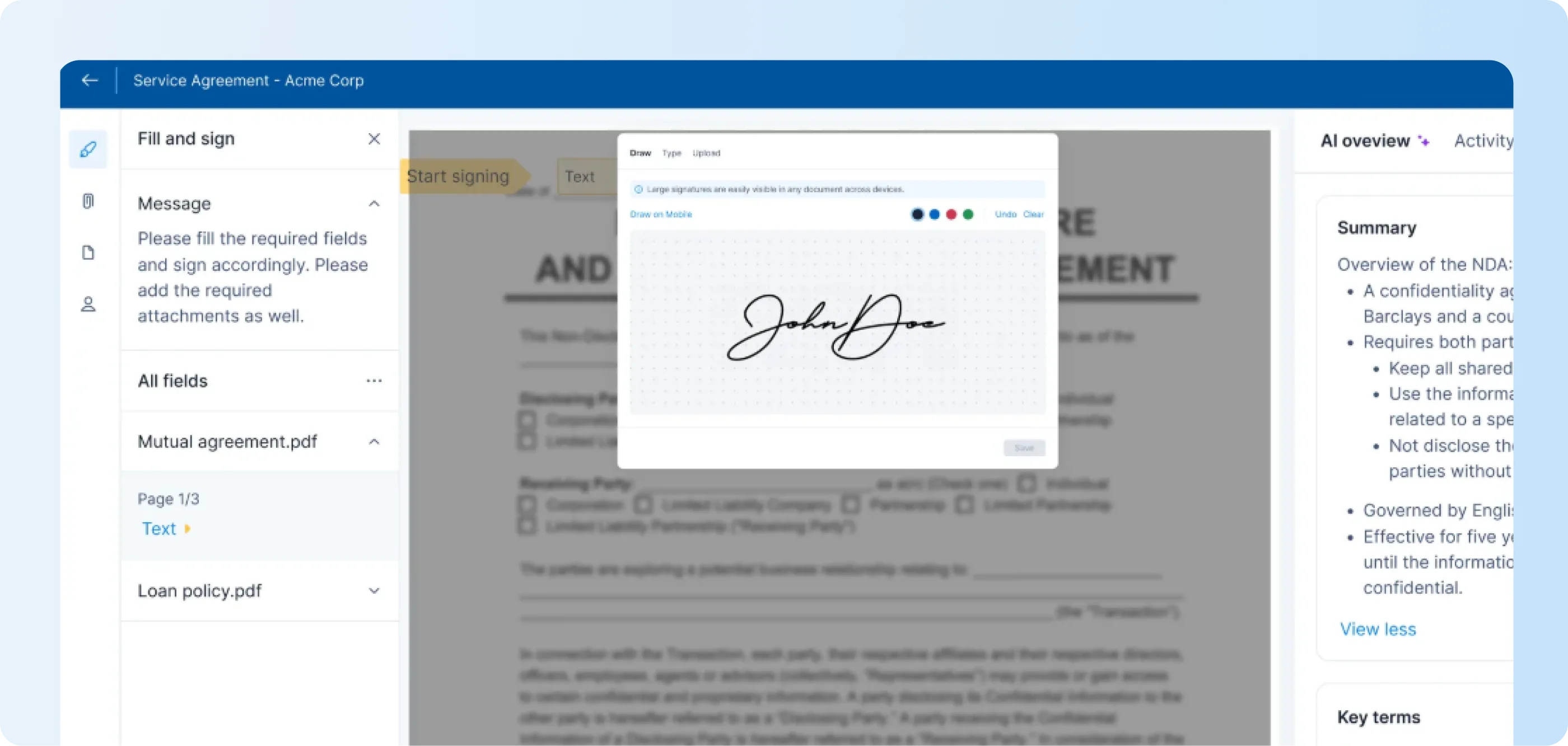
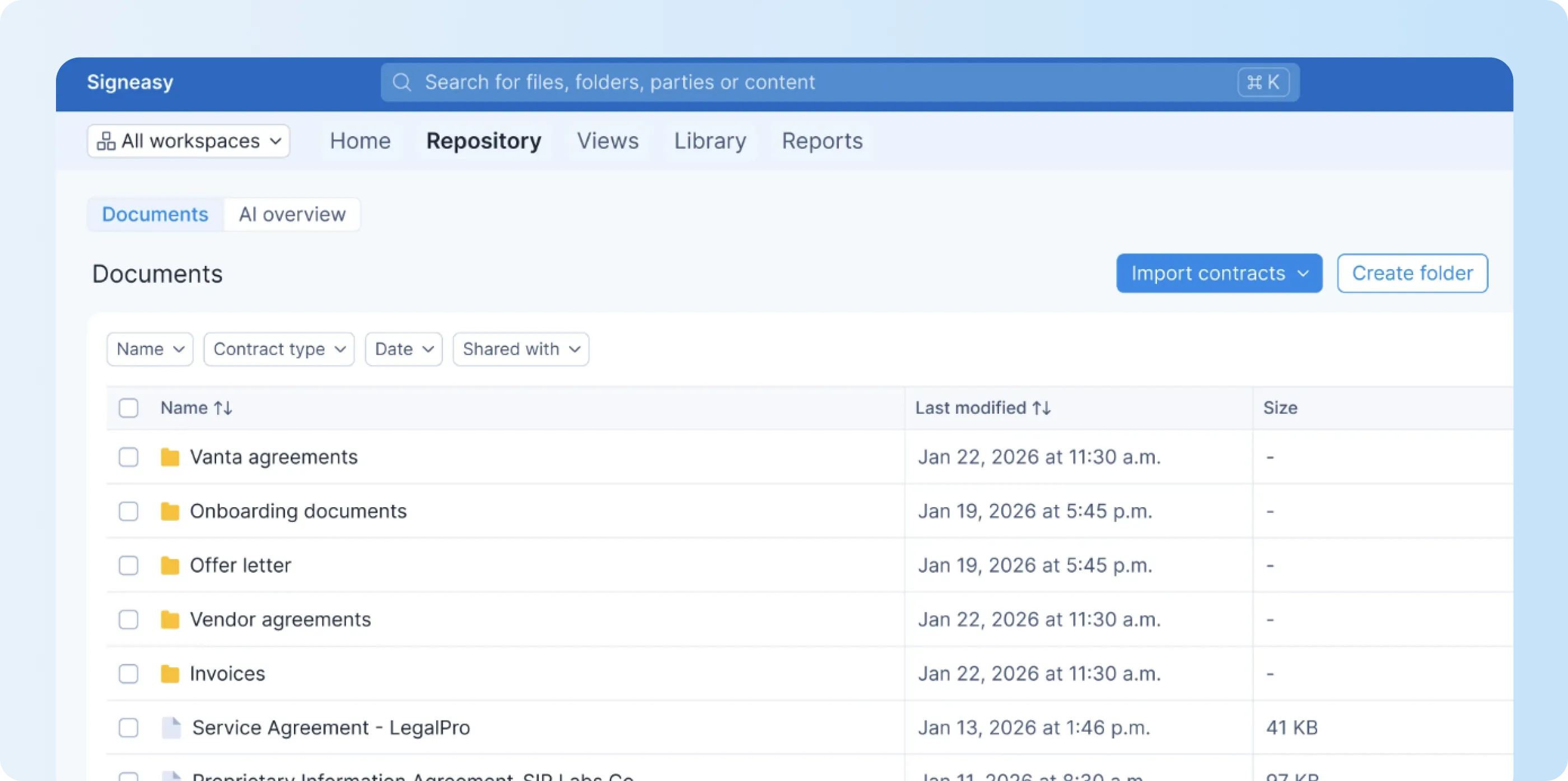
Centralized contract repository: Signed and uploaded agreements stay in one searchable location. Contract repository management adds folders, tags, filters, and views so teams can find the right agreement faster.
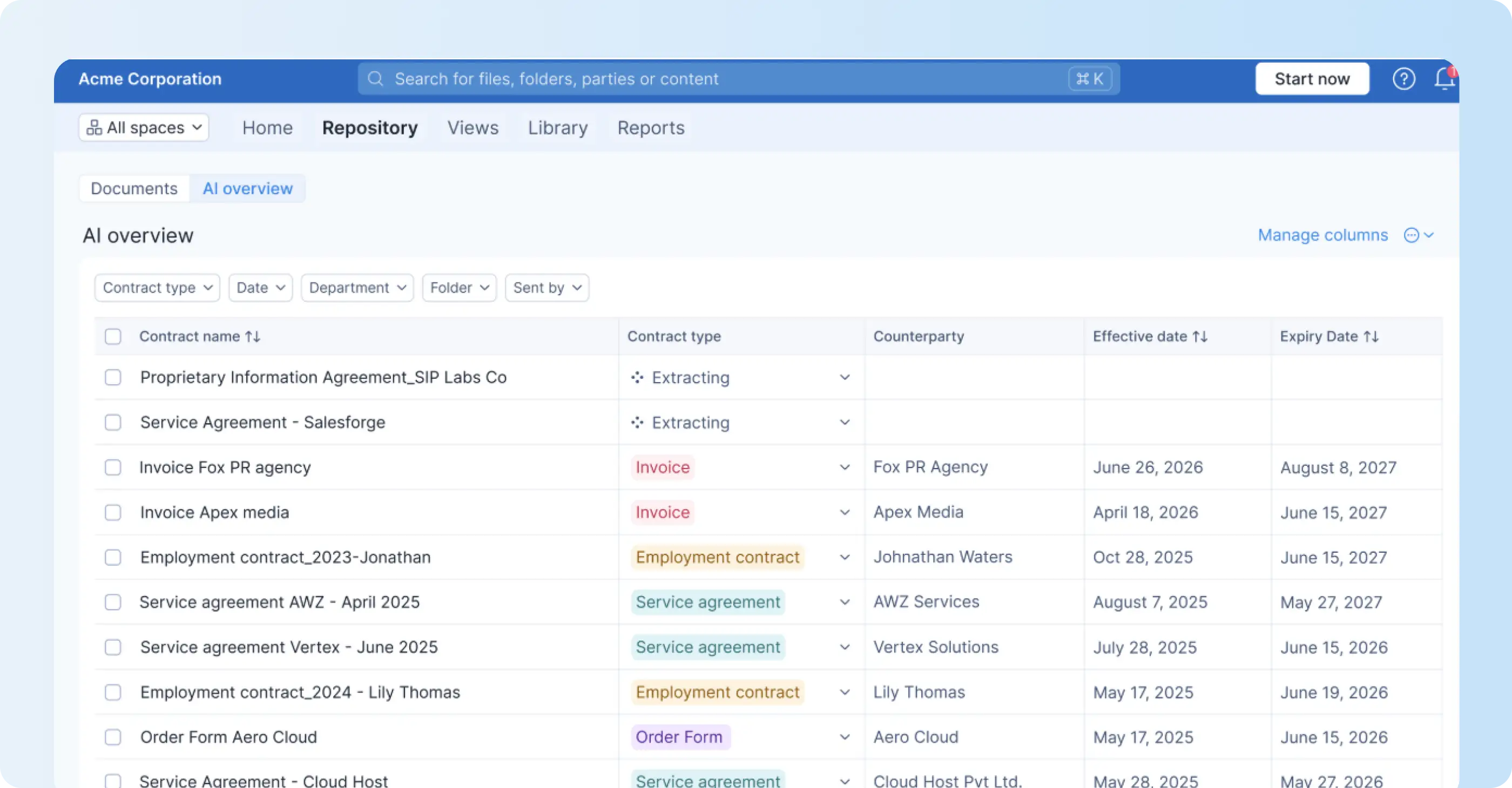
AI Contract Insights: AI summaries and extracted details surface dates, values, obligations, and other key information. The contract insights view helps users understand the main terms before opening the full agreement.
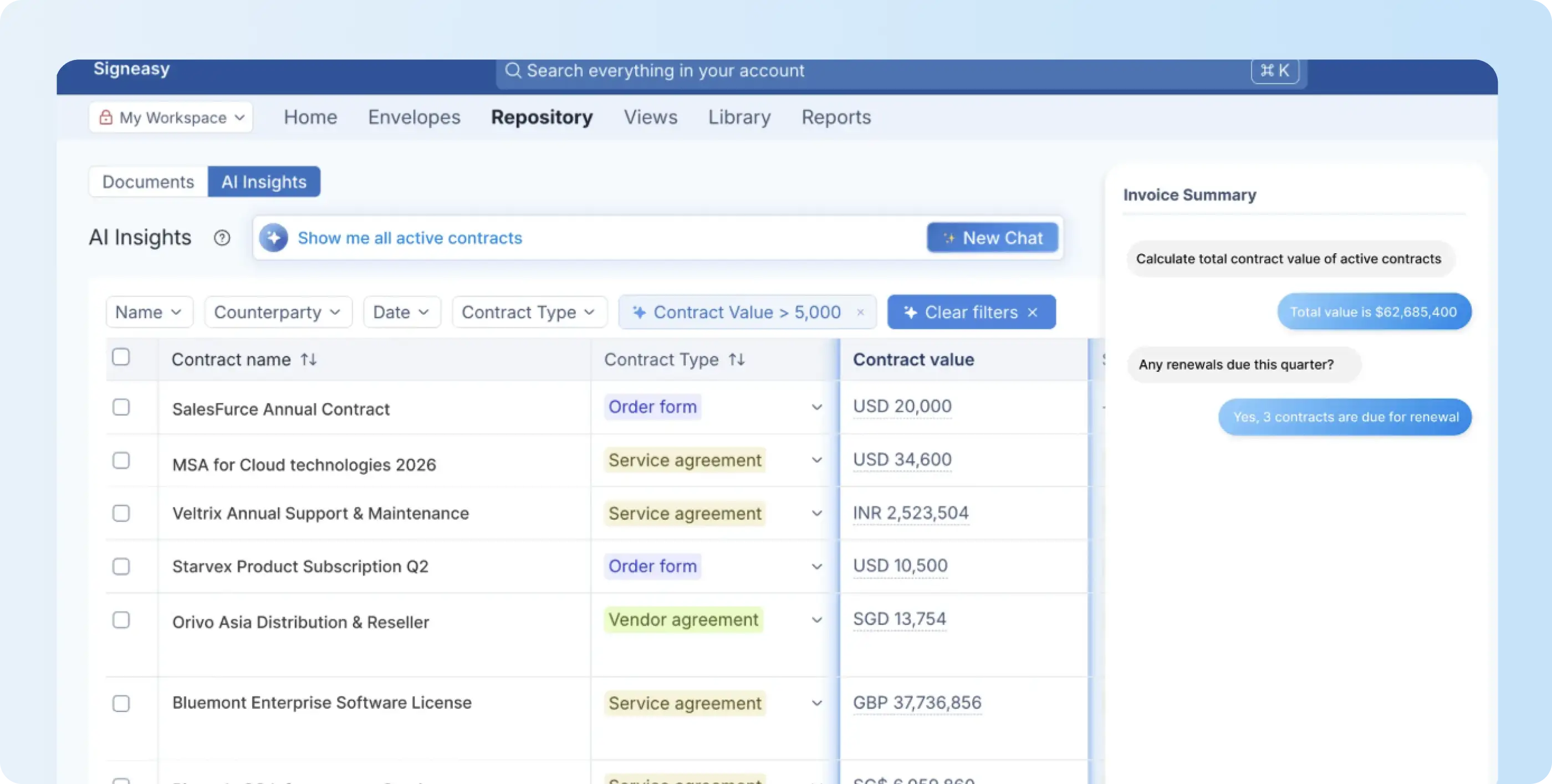
Conversational AI Search: Users can ask questions across stored contracts in natural language and get answers from the source files. Conversational AI Search is useful when someone needs a specific detail from an older contract.
Renewal and expiration tracking: Contract renewal management tracks renewal, expiration, and termination dates and gives teams time to act before a deadline arrives.
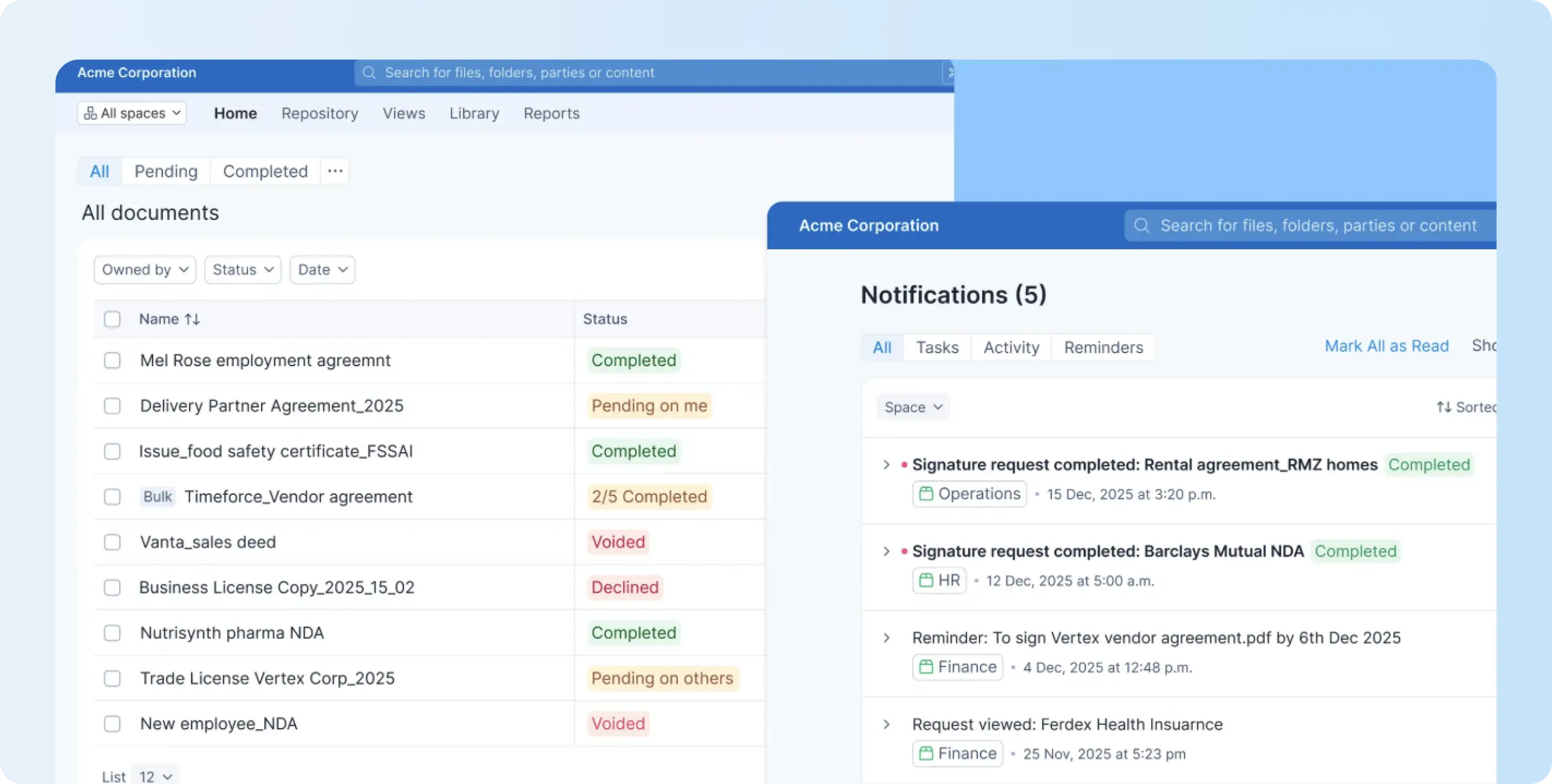
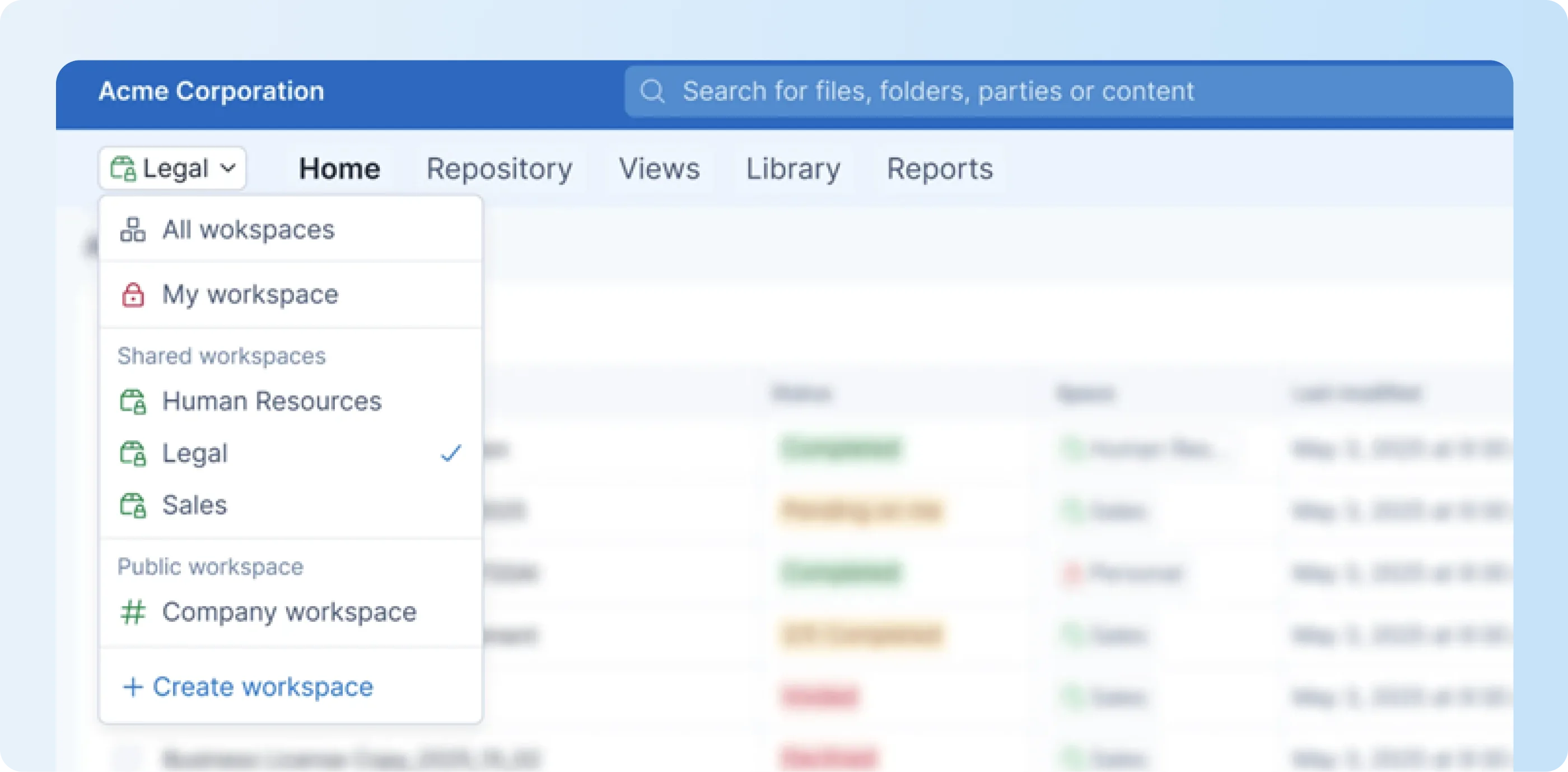
Shared Workspaces: Shared contract workspaces give different teams access to the agreements they need without opening the full repository.
How much does Signeasy ICM cost?
Signeasy ICM Core costs $45 per seat per month, while ICM Pro costs $60 per seat per month. Both have a 3-seat minimum, putting the starting monthly seat commitment at $135 for Core and $180 for Pro.
The table below shows the starting commitment and the buyer each plan is designed to serve.
Core includes eSignature, 5 Shared Workspaces, a centralized repository, conversational AI search, and renewal and expiration alerts. Pro adds unlimited Shared Workspaces, custom contract types, SSO, white-glove onboarding, priority support, and a dedicated customer success manager.
The 3-seat minimum is a real trade-off for a 1- or 2-person team because the starting commitment is still 3 seats. For teams already buying for several users, the transparent rates make the initial cost easier to calculate before a sales conversation.
Core, Pro, or a tailored setup? Match the plan to your contract volume and team structure.
Juro vs. Signeasy: Which one fits your team?
Juro fits teams that need deeper contract creation, negotiation, legal review, approvals, and integrations. Signeasy fits teams whose main needs are eSignature, searchable contract storage, contract search, renewal tracking, and controlled access.
Juro’s custom pricing is tied to contract volume and integration complexity, while Signeasy has transparent starting prices for ICM Core and ICM Pro.
Here’s how the two approaches compare:
If the main problem is finding signed contracts, checking key terms, tracking renewals, or giving business teams controlled access, Signeasy keeps those jobs together with a transparent starting price. If the requirement is deeper drafting, negotiation, AI review, and legal workflow configuration, compare the CLM tools around those tasks rather than choosing on price alone.